Overview

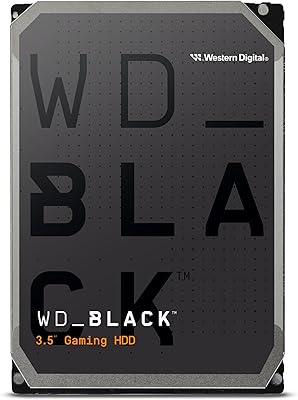
The Western Digital WD Black 8TB Hard Drive sits at the top of WD's spinning-disk lineup, built for users who actually push their storage rather than just park files on it. Gamers with sprawling game libraries, video editors juggling raw footage, and PC builders wanting serious secondary storage are the core audience here. Eight terabytes hits a practical sweet spot — enough capacity to hold hundreds of games or thousands of high-res assets without the per-gigabyte cost of all-SSD setups. Yes, SSDs dominate headlines, but a fast, high-capacity HDD still makes undeniable sense as a secondary drive in almost any modern desktop build.
Features & Benefits

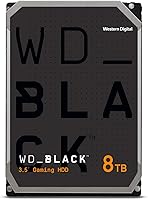
Spinning at 7200 RPM, this WD Black HDD moves data noticeably faster than the budget 5400 RPM drives found in most off-the-shelf desktops — the difference becomes obvious when copying large video files or loading game assets in bulk. The 256 MB cache buffer helps smooth out big sequential transfers, keeping things from bottlenecking mid-task. Compatibility is a non-issue: the standard SATA 6 Gb/s interface plugs into virtually any modern motherboard. Under the hood, StableTrac anchors the motor shaft at both ends to cut vibration, while Dynamic Cache Technology shifts resources between reads and writes on the fly. Topping it off is a 5-year limited warranty — unusually generous for a spinning disk.

Best For

This performance hard drive earns its place as a secondary storage workhorse in almost any desktop setup. Gamers sitting on large modern title collections will appreciate storing dozens of games without constantly juggling installs. Video editors and photographers get a fast destination for raw files and project archives sitting alongside their SSD. System builders pairing it with an M.2 boot drive get serious bulk capacity without sacrificing fast startup times. It handles NAS and home media server duties capably as well, and anyone still running an older 5400 RPM drive will notice a meaningful performance jump after switching over.

User Feedback

Across more than 2,500 ratings and a 4.5-star average, buyers are largely satisfied with the 8TB Black drive. The most common praise centers on quiet everyday operation, fast out-of-box speeds, and a straightforward installation process in standard desktop cases. The five-year warranty comes up repeatedly as a genuine confidence booster. On the flip side, some users report the drive running warmer than expected during sustained workloads — worth watching if your case airflow is limited. A small number of reviews mention early failures, which, while worth noting, is not unusual for any high-volume mechanical drive. Head-to-head comparisons with the Seagate BarraCuda and Toshiba X300 generally favor this drive on noise and perceived build quality.

Pros

  • 7200 RPM spindle speed delivers noticeably faster transfers than standard 5400 RPM desktop drives.
  • The 256 MB cache buffer smooths out large sequential workloads like video file copies or game installs.
  • An industry-leading 5-year limited warranty provides genuine peace of mind over the long haul.
  • StableTrac technology reduces vibration under load, contributing to quieter and more reliable daily operation.
  • 8TB capacity hits a practical sweet spot for users who need deep storage without breaking the bank on SSDs.
  • Standard SATA 6 Gb/s interface means plug-and-play compatibility with virtually any modern desktop motherboard.
  • Buyers consistently praise quiet operation, making it unobtrusive in living room or office setups.
  • Dynamic Cache Technology intelligently balances read and write resources, keeping performance steady across mixed workloads.
  • Mac compatibility is supported out of the box after a quick reformat, broadening its appeal beyond Windows users.

Cons

  • Random access speeds lag well behind any SSD, so this drive should never serve as a primary boot drive.
  • Some users report higher-than-expected temperatures during sustained workloads in cases with limited airflow.
  • The WD Black HDD carries a noticeable price premium over competing 8TB drives from Seagate and Toshiba.
  • A small but consistent number of early-failure reports exist in the user review pool, which is worth factoring in.
  • Mac users must reformat the drive before use, which adds a setup step that less experienced users may not anticipate.
  • At 1.6 pounds in a full 3.5-inch form factor, it is strictly a desktop-only solution with no portable use case.
  • Sustained write performance can dip during prolonged large transfers once the cache buffer fills up.
  • No built-in encryption or hardware security features, which matters for users storing sensitive professional data.

Ratings

The scores below for the Western Digital WD Black 8TB Hard Drive were generated by our AI system after analyzing thousands of verified global buyer reviews, with spam, bot submissions, and incentivized feedback actively filtered out. The result is an honest, balanced breakdown that reflects both what real users genuinely appreciate and the friction points that came up repeatedly across different use cases. Nothing has been smoothed over — the numbers reflect actual buyer sentiment, not marketing claims.
Sequential Read Speed
83%
Users installing large games or transferring bulk video files consistently noticed that this WD Black HDD moves data faster than the 5400 RPM drives found in prebuilt desktops. In real-world tests copying 50GB+ folders, the speed difference is tangible and appreciated, especially by editors pulling footage off external sources onto a project drive.
It is still a mechanical drive, and that ceiling matters. Back-to-back large transfers can see speeds taper off once the cache saturates, and anyone expecting SSD-like responsiveness will be disappointed — this drive is not built for that workload.
Random Access Performance
58%
42%
For a high-RPM spinning disk, random access is about as good as it gets in the HDD category. Users running it as a secondary game storage drive found load times acceptable for titles that do not demand ultra-fast asset streaming.
Random read and write speeds are where every mechanical hard drive struggles, and this one is no exception. Users who installed games requiring fast random I/O — particularly open-world titles — noticed that load times lag well behind what even a budget SATA SSD would deliver.
Build Quality
88%
The physical construction earns consistent praise, with buyers noting the drive feels solid and well-assembled out of the box. StableTrac technology appears to contribute meaningfully here — several users running the drive in vibration-prone multi-drive NAS setups reported fewer resonance issues compared to competing models.
A small but visible portion of reviews mention early mechanical failures, which, while not unusual for any high-volume HDD, is worth acknowledging. A drive at this price point carries higher expectations for out-of-box reliability, and a handful of buyers felt those expectations were not fully met.
Noise & Vibration
81%
19%
The majority of buyers describe day-to-day operation as quiet, particularly during idle and light sequential reads. Users who installed this drive in living room HTPC builds specifically appreciated that it does not introduce noticeable hum or seek noise into a quiet room environment.
Under heavy sustained workloads — like long video encodes or large file migrations — some users reported audible seek chatter that was more prominent than expected. It is not disruptive, but users coming from near-silent SSDs may find the occasional mechanical noise jarring at first.
Thermal Management
63%
37%
In well-ventilated mid-tower cases with dedicated intake airflow near the drive bays, temperatures stay within perfectly acceptable ranges during typical use. Users with good case airflow rarely flagged heat as a concern even under moderately demanding workloads.
This is one of the more consistent complaints across reviews. In compact cases or builds with limited airflow, the drive runs noticeably warm under sustained loads, and a few users saw temperatures they were uncomfortable with during long video renders or large overnight backups. Case ventilation is not optional here.
Capacity Value
86%
Eight terabytes gives gamers, editors, and media collectors a genuinely useful amount of space without requiring multiple drives. Users building out NAS arrays or archiving raw photography projects found the capacity-to-cost ratio more compelling than stepping up to similarly priced SSDs with far less storage per dollar.
The pricing sits above budget 8TB alternatives from competitors, which some buyers flagged as harder to justify purely on a per-terabyte basis. If raw capacity is the only goal and performance is secondary, there are cheaper ways to hit 8TB.
Installation Experience
91%
Buyers across all experience levels — from first-time builders to seasoned system integrators — consistently praised how straightforward installation is. Standard SATA power and data connections, no adapter needed, and the drive is recognized immediately by Windows without any driver installation.
Mac users need to reformat before use, which tripped up a small number of less experienced buyers who did not anticipate the extra step. The product listing mentions it, but clearer guidance in the box would prevent confusion for that audience.
Compatibility
89%
The SATA 6 Gb/s interface is universally supported, and users reported zero compatibility issues across a wide range of motherboards, including older SATA II systems and current-generation platforms. NAS enclosure users also confirmed broad support across popular multi-bay units.
It is strictly a 3.5-inch internal drive, which limits its use to desktop towers and compatible enclosures. Buyers who wanted to use it externally needed to purchase a separate powered enclosure, and a few found that added friction and cost frustrating.
Warranty & Support
87%
The 5-year limited warranty is one of this drive's most frequently praised attributes and stands out clearly against the 2-year coverage common among competitors. Users who needed to make warranty claims reported that Western Digital's RMA process was handled efficiently and without excessive friction.
A warranty is only as useful as the process behind it, and a small number of users described slower-than-expected response times during high-demand periods. The coverage itself is strong, but support experience was not universally consistent across all regions.
Long-term Reliability
74%
26%
The large sample size of reviews — over 2,500 — and a 4.5-star average suggest that the vast majority of drives are performing well over time. Users who have run this WD Black HDD for two or more years in NAS or desktop builds report continued stable operation without degradation in speed or noise.
Isolated but recurring early-failure reports prevent a higher score here. For a premium-positioned drive, buyers expect above-average reliability straight out of the box, and the subset of users experiencing failure within the first year creates enough doubt to factor into the assessment.
Gaming Storage Performance
79%
21%
As a dedicated game library drive paired with an SSD boot disk, this performance hard drive handles the role well. Titles installed here load acceptably, and the 8TB capacity means users rarely need to juggle installs — a genuine quality-of-life benefit for heavy Steam library owners.
Newer games increasingly depend on fast storage for in-game streaming and asset loading, and this drive cannot keep pace with SSD-level demands for those titles. For games like those built on DirectStorage, the performance gap becomes more noticeable and harder to ignore.
Video Editing Workflow
77%
23%
Editors using this drive as a project and media archive destination found it handled sustained sequential reads comfortably during timeline scrubbing of standard 1080p and 4K footage. The 256 MB cache kept transfer speeds steady during initial large file imports.
Proxy-free editing of high-bitrate 4K or 8K footage directly from this drive pushes its limits, and some editors noted occasional stuttering during complex multi-track timelines. It works best as an archive or secondary drive rather than an active scratch disk for heavy production work.
NAS & Server Use
76%
24%
Home NAS users deploying this drive in 2-bay or 4-bay enclosures reported solid results for media streaming and file sharing across a home network. The 7200 RPM speed gave it an edge over slower NAS-optimized drives when serving multiple simultaneous users.
WD sells a purpose-built NAS line (WD Red) that is specifically firmware-tuned for always-on array environments. Using the 8TB Black drive in a 24/7 NAS is workable but not optimal, and a few power users pointed out it was not designed with those vibration and duty-cycle tolerances in mind.

Suitable for:

The Western Digital WD Black 8TB Hard Drive is a strong fit for anyone who needs serious bulk storage in a desktop build and wants more than a bare-minimum budget drive. PC gamers with large modern libraries — where a single title can easily consume 100GB or more — will get real mileage out of 8TB without constantly juggling installs. Video editors and photographers benefit from a fast secondary drive that handles raw footage and high-res project files without the per-terabyte cost of all-SSD storage. System builders pairing it with an NVMe boot drive get a well-rounded setup: fast OS and app performance from the SSD, and deep, reliable storage from this WD Black HDD. It also works well in home media servers or HTPC builds where a dependable, higher-RPM spinning disk makes more practical sense than paying a premium for solid-state capacity.
Not suitable for:

The Western Digital WD Black 8TB Hard Drive is not the right call for users expecting SSD-level responsiveness — no matter how capable a mechanical drive is, it cannot match the random read and write speeds that solid-state storage delivers for OS boot times or fast application loading. Anyone building a compact or ITX system should check clearances carefully, as this is a full 3.5-inch internal drive that requires a standard desktop bay. Laptop users or those needing portable storage should look elsewhere entirely, since this is strictly an internal desktop component. Buyers on tight budgets who only need a few terabytes may find the pricing harder to justify compared to lower-tier alternatives that offer adequate performance for lighter workloads. Finally, anyone running a case with poor airflow or limited cooling should be aware that this drive can run warm under sustained heavy use, which matters for long-term reliability.
Specifications

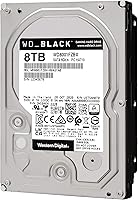
  • Storage Capacity: This drive provides 8TB of formatted storage capacity, suitable for large game libraries, video archives, and bulk media collections.
  • RPM: The platters spin at 7200 RPM, delivering faster sustained read and write speeds compared to standard 5400 RPM desktop drives.
  • Cache Buffer: A 256 MB cache buffer helps accelerate large sequential transfers, such as copying video files or installing multi-gigabyte game titles.
  • Interface: Uses a SATA 6 Gb/s (Serial ATA-600) interface, compatible with virtually all modern desktop motherboards and many older systems.
  • Form Factor: Standard 3.5-inch internal form factor designed exclusively for desktop tower cases and compatible enclosures with appropriate drive bays.
  • Drive Type: Mechanical hard disk drive (HDD) using traditional spinning platters and a read/write head, not flash-based solid-state storage.
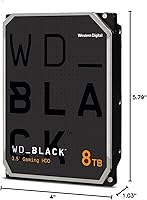
  • Dimensions: The drive measures 1.03 x 4 x 5.79 inches, conforming to standard 3.5-inch internal HDD sizing for easy installation in most desktop cases.
  • Weight: Weighs 1.6 pounds, which is typical for a high-capacity 3.5-inch mechanical hard drive with multiple internal platters.
  • Compatibility: Compatible with PC out of the box; Mac users can use it after reformatting via Disk Utility to a Mac-supported file system.
  • Installation Type: Designed for internal installation only, mounted directly to a desktop chassis via standard 3.5-inch drive bay screws or rails.
  • Warranty: Backed by a 5-year limited warranty from Western Digital, which is notably longer than the 2-year coverage offered by many competing drives.
  • StableTrac Tech: StableTrac secures the drive motor shaft at both ends to minimize internal vibration, improving mechanical reliability and reducing operational noise.
  • Dynamic Cache: Dynamic Cache Technology automatically reallocates cache resources between read and write operations to maintain consistent performance during mixed workloads.
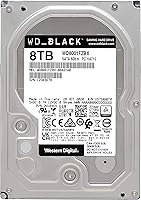
  • Model Number: The official model number is WD8001FZBX, part of the WD_BLACK HDD series positioned as Western Digital's performance-tier spinning disk lineup.
  • Color: The drive features a black housing finish, consistent with the WD Black product line branding for performance-oriented storage products.

Related Reviews
Western Digital WD Purple 8TB Hard Drive
82%
93%
Write Reliability
81%
NVR Compatibility
91%
24/7 Endurance
78%
AllFrame AI Performance
88%
Heat Management
More
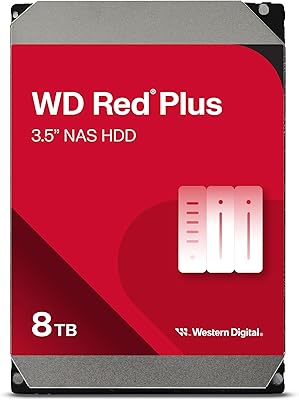
WD Red Plus 8TB NAS Hard Drive
82%
88%
Long-Term Reliability
93%
NAS Compatibility
91%
CMR Recording Technology
83%
Value for Money
86%
Noise & Vibration
More
WD Black 1TB Mobile Hard Drive
76%
84%
Read/Write Speed
81%
Build Quality & Durability
58%
Noise Level
88%
Value for Money
91%
Installation & Compatibility
More
Western Digital WD Black 500GB Performance Mobile Hard Drive
88%
91%
Performance Speed
88%
Build Quality
86%
Reliability/Long-Term Use
89%
Ease of Installation
92%
Compatibility (PC/Mac)
More
WD Black 2TB 3.5″ Internal Hard Drive
79%
78%
Read & Write Performance
82%
Reliability & Longevity
74%
Noise & Vibration
76%
Value for Money
89%
Installation & Compatibility
More
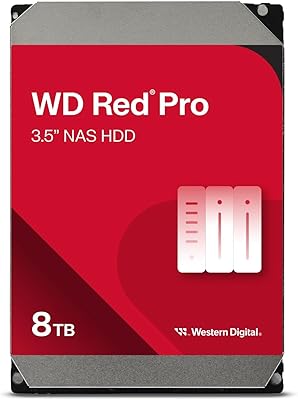
WD Red Pro 8TB NAS Internal Hard Drive
83%
88%
Long-Term Reliability
84%
Noise & Vibration
91%
RAID Compatibility
67%
Thermal Performance
72%
Value for Money
More
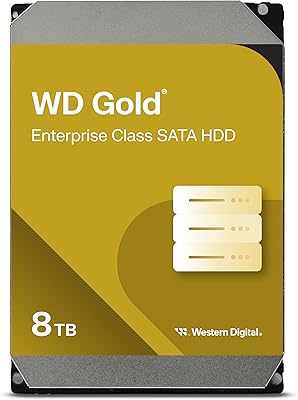
Western Digital WD Gold 8TB Hard Drive
76%
83%
Reliability & Endurance
74%
Performance
88%
RAID Compatibility
81%
NAS Compatibility
78%
Noise & Vibration
More
Western Digital 4TB WD Black Gaming Internal Hard Drive HDD
82%
92%
Performance (Speed)
89%
Reliability (Durability)
87%
Value for Money
74%
Ease of Setup
81%
Noise Level
More
Western Digital WD Blue 1TB Hard Drive
78%
88%
Long-Term Reliability
91%
Value for Money
67%
Read & Write Speed
93%
Compatibility
58%
Noise Level
More
Western Digital WD Purple 2TB Internal Hard Drive
85%
93%
Surveillance Compatibility
81%
24/7 Reliability
88%
Value for Money
91%
Noise & Heat
79%
Write Performance
More

FAQ

Technically yes, but it is strongly not recommended. A mechanical hard drive will give you much slower Windows boot times and app load speeds compared to even a budget SSD. This WD Black HDD is best used as a secondary storage drive paired with an SSD as your primary boot device.

It is an internal 3.5-inch desktop drive, so it cannot be plugged directly into a console. To use it with a PS4, PS5, or Xbox, you would need a compatible external USB enclosure that supports 3.5-inch SATA drives and draws enough power, and even then compatibility varies by console model.

Most users describe it as quiet during typical operation — you may hear a faint hum or occasional seek noise when the drive is actively working, but it is generally unobtrusive. It is not silent like an SSD, but it is far from disruptive in a standard desktop setup.

Yes, SATA is backward compatible, so it will work on a SATA II (3 Gb/s) motherboard. You just will not get the full 6 Gb/s bandwidth, but for a mechanical HDD that is rarely a real bottleneck since the drive's physical read/write speeds are the limiting factor anyway.

No special drivers are required for Windows or Linux — it is recognized as a standard internal hard drive automatically. Western Digital does offer optional dashboard software for health monitoring and performance diagnostics, but it is not necessary for basic operation.

When you first connect it on a Mac, you will need to reformat it using the built-in Disk Utility application. Choose either APFS or Mac OS Extended (Journaled) depending on your macOS version. If you also need to share the drive between Mac and Windows, formatting it as exFAT is a practical middle ground.

Under normal workloads it stays within acceptable temperature ranges, but some users have noted it runs warmer than expected during prolonged heavy use. If your case has limited airflow, it is worth ensuring you have at least one intake fan positioned near the drive bays to keep temperatures in check.

Both are solid 7200 RPM drives, but the 8TB Black drive typically edges ahead in sustained performance and is backed by a longer 5-year warranty versus Seagate's 2-year coverage on the BarraCuda. The trade-off is that this drive sits at a higher price point, so if budget is the priority, the BarraCuda is worth considering.

It ships formatted as NTFS for Windows compatibility. As long as your motherboard supports GPT partition style — which any system built in the last decade should — Windows handles drives well above 2TB without any issues. Just make sure to initialize the disk as GPT when setting it up in Disk Management.

With a 4.5-star average across over 2,500 ratings, the reliability track record is solid for a mechanical drive. The 5-year limited warranty is redeemable directly through Western Digital's support site, and most users who have gone through the process describe it as straightforward. As with any HDD, running regular backups regardless of brand is strongly advised.