
Overview

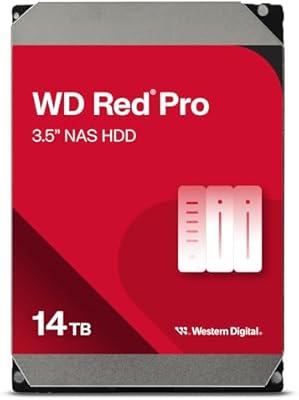
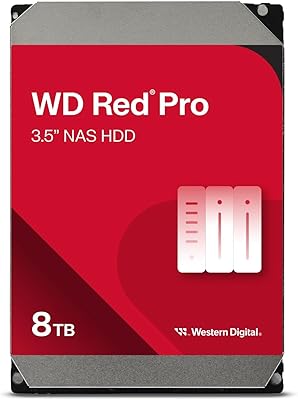
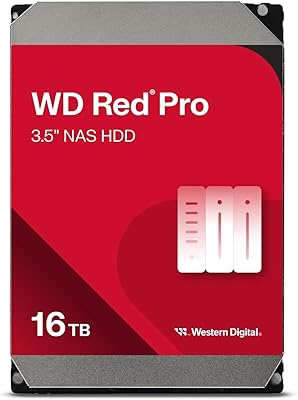
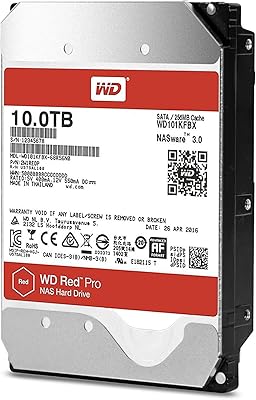
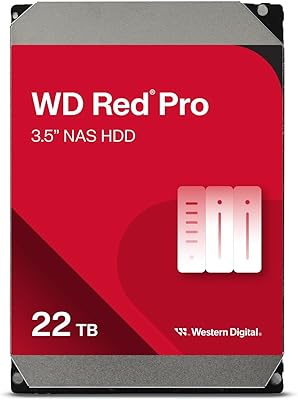
The WD Red Pro 20TB NAS Hard Drive sits at the top of Western Digital's Red lineup, a clear step above the standard Red and Red Plus series in both speed and endurance. Where those drives target lighter home NAS workloads, this high-capacity hard drive is built for always-on, multi-user environments — think small business file servers or prosumer setups with five or more bays running continuously. At 20TB, it's a strong choice for anyone consolidating sprawling media libraries or building deep backup archives without splitting capacity across smaller drives. The underlying CMR recording technology keeps write behavior predictable, and the overall spec set lands in a space that feels enterprise-adjacent without demanding a full datacenter budget.

Features & Benefits

Running at 7200 RPM, this NAS drive spins notably faster than the standard Red and Red Plus models, which translates to better sequential throughput when multiple users are hitting the array at once. The CMR recording method deserves attention here — unlike SMR drives, it handles RAID rebuilds without the write stalling that frustrates users during recovery events. A 512MB cache keeps things moving during sustained workloads, helping absorb bursts of simultaneous operations. The rated 550TB/year workload might sound abstract, but for a typical prosumer NAS it means the drive won't be stressed under heavy daily use. SATA 6 Gb/s connectivity ensures compatibility with virtually every major NAS enclosure brand, and a 3-year warranty adds meaningful peace of mind.

Best For

The Red Pro 20TB is a natural fit for home lab enthusiasts and prosumer users running five or more bays who regularly push their NAS with multi-user access. Creative professionals who need to stream or edit directly from large 4K or RAW video libraries will appreciate the throughput this high-capacity hard drive provides. It also suits small businesses that need dependable always-on file serving but can't justify full enterprise drive pricing. For anyone building or expanding a RAID 5 or 6 array, the CMR foundation makes rebuild events far less nerve-racking. It's equally worth considering for users with aging NAS arrays who want to consolidate storage into fewer, higher-capacity drives rather than adding more enclosures.

User Feedback

Owners of this NAS drive in multi-bay Synology and QNAP enclosures consistently report stable long-term operation, with several noting one to two years of continuous RAID uptime without a hiccup. The vibration profile comes up frequently as a positive — it runs quieter than some competing drives at this capacity. The honest caveat: this high-capacity hard drive runs noticeably warm in dense, poorly ventilated enclosures, so adequate airflow isn't optional. A small number of buyers reported DOA units or early failures, though that's not unusual for high-volume drives at this tier. Buyers who've done their homework on CMR versus SMR tend to be the most satisfied, and those who cross-shopped against the Seagate IronWolf Pro found the two genuinely competitive on reliability.

Pros

  • CMR recording makes RAID rebuilds predictable and far less stressful than with SMR alternatives.
  • 7200 RPM spindle speed delivers noticeably faster sequential throughput in multi-user NAS environments.
  • 20TB capacity lets you consolidate storage and reduce drive count in existing NAS arrays.
  • The 550TB/year workload rating handles heavy daily NAS use without pushing the drive near its limits.
  • Broadly compatible with major NAS brands including Synology and QNAP right out of the box.
  • Owners consistently report stable operation over one to two years of continuous RAID uptime.
  • 512MB cache helps maintain smooth performance during simultaneous read and write operations.
  • Vibration levels are generally reported as low, which matters in multi-drive enclosures.
  • 3-year warranty plus optional data recovery service provides a meaningful safety net for critical data.
  • Positions well against the Seagate IronWolf Pro on reliability without a significant price gap.

Cons

  • This high-capacity hard drive runs noticeably warm in dense or poorly ventilated enclosures.
  • A small but consistent minority of buyers report DOA units or early failures within the first few months.
  • Price-per-terabyte is higher than mid-range capacity drives, which stings if you need several units.
  • Overkill for single-user or lightly loaded NAS setups where a Red Plus would perform just as well.
  • No included mounting hardware or accessories, which is a minor but recurring complaint among buyers.
  • The 3-year warranty is shorter than what some enterprise-tier competitors offer at similar price points.
  • At 1.52 pounds, it is heavier than some alternatives, which matters in enclosures with tight drive sled tolerances.
  • Buyers unfamiliar with CMR versus SMR distinctions sometimes purchase this drive for the wrong use case and feel misled.
  • Heat management requirements add indirect cost if your enclosure needs upgraded fans or airflow planning.

Ratings

The scores below reflect an AI-assisted analysis of verified global buyer reviews for the WD Red Pro 20TB NAS Hard Drive, with automated filtering applied to remove incentivized, duplicate, and bot-generated submissions. Both the strengths that earned this drive its loyal following and the pain points that frustrated a meaningful subset of buyers are transparently reflected in each category. The result is an honest, composite picture of how this high-capacity hard drive actually performs in the real world across thousands of documented use cases.

Long-Term Reliability
88%
The majority of buyers running this NAS drive in always-on RAID arrays report consistent uptime stretching well past the one-year mark, with many citing two or more years of trouble-free operation in Synology and QNAP enclosures. For small businesses and home lab users who cannot afford unexpected drive failures, that track record carries significant weight.
A statistically notable minority of buyers encountered DOA units or failures within the first few months of operation. While this is not unusual for high-volume mechanical drives, it is enough to make some buyers nervous about deploying multiple units in a single array without a tested spare on hand.
RAID Performance
91%
CMR recording technology is the standout here — users rebuilding RAID 5 or RAID 6 arrays consistently report that the process completes without the write stalling or slowdowns associated with SMR drives. For anyone who has experienced a tense RAID rebuild on an SMR drive, the difference is immediately noticeable and genuinely reassuring.
A few technically experienced users noted that while rebuild performance is solid, the drive does not quite match the speed of enterprise-class alternatives at similar capacities. The gap is narrow, but buyers who need the absolute fastest rebuild times may find enterprise options more suitable.
Sustained Throughput
86%
At 7200 RPM with a 512MB cache, this high-capacity hard drive handles multi-user simultaneous access far better than the slower Red and Red Plus models. Creative professionals streaming 4K or RAW video files from a shared NAS report noticeably smoother performance under concurrent load compared to their previous drives.
Under extreme multi-user write pressure — think several users uploading large files simultaneously — a small number of power users reported occasional throughput dips. The cache absorbs most burst activity effectively, but it is not a limitless buffer, and very intensive workloads can occasionally expose that ceiling.
NAS Compatibility
93%
Compatibility across popular NAS ecosystems is one of the strongest aspects of the Red Pro lineup. Buyers routinely confirm successful deployment in Synology DS- and RS-series units, QNAP TS-series enclosures, and a wide range of other vendors without needing firmware updates or special configuration steps.
A small number of buyers with older or less common NAS enclosures reported that the drive was not recognized immediately and required a firmware update on the enclosure side before functioning correctly. This is an edge case, but worth verifying on WD's official compatibility list before purchasing for legacy hardware.
Thermal Management
63%
37%
In well-ventilated NAS enclosures with active cooling, operating temperatures are generally reported as acceptable and within safe ranges. Buyers running the drive in larger chassis with dedicated fan systems rarely flag heat as a problem even during sustained workloads.
This is the most consistently raised concern across buyer feedback. In dense enclosures, particularly those with four or more bays and limited airflow, the drive runs noticeably warm. Several buyers had to add supplemental cooling or adjust fan curves after installation, which adds both cost and complexity that should be factored into the purchase decision.
Value for Money
71%
29%
At the 20TB tier, the price-per-terabyte is competitive within the NAS-optimized drive segment, especially when weighed against the CMR technology, workload rating, and 3-year warranty included in the package. For prosumers consolidating storage into fewer bays, the math often works out favorably compared to buying two smaller drives.
Buyers who do not need the full performance envelope of the Red Pro frequently feel they are paying a premium for capabilities their workload will never demand. The standard Red Plus offers meaningfully lower cost per terabyte for lighter use cases, making the Red Pro feel overpriced to those who buy it without fully matching their use case.
Vibration & Noise
84%
Vibration levels are frequently praised, particularly in multi-drive setups where drive-to-drive vibration feedback can degrade performance and accelerate wear. Buyers switching from older high-capacity drives often comment that the Red Pro 20TB runs noticeably quieter during sustained read operations.
A subset of buyers in particularly quiet home office environments noted that the drive produces an audible hum during intensive operations, which is not unusual for a 7200 RPM mechanical drive but can be distracting in very quiet spaces. It is not a dealbreaker, but buyers expecting near-silent operation should set expectations accordingly.
Workload Headroom
89%
The 550TB per year workload rating provides generous headroom for nearly any prosumer or small business NAS scenario. Even heavy daily use across multiple users will typically land well below the rated ceiling, meaning the drive is unlikely to be overworked in any realistic deployment that matches its intended use case.
The workload rating only matters if users stay within the intended use envelope. Buyers attempting to deploy this NAS drive in applications closer to true enterprise data center workloads may find the 550TB annual ceiling approached more quickly than expected, at which point a true enterprise drive would be the more appropriate long-term investment.
Packaging & Arrival
74%
26%
Most buyers report the drive arriving well-protected, with WD's standard anti-static packaging doing its job without complaints in the majority of shipments. The drive itself shows no cosmetic or functional issues in the vast majority of documented receipts.
The recurring criticism is the complete absence of mounting hardware, screws, or SATA cables in the box. For experienced NAS builders this is a non-issue, but newer buyers occasionally feel caught off guard when they open the package and find only the bare drive with no accessories included.
Warranty & Support
76%
24%
The 3-year limited warranty is a meaningful inclusion for a drive at this price point, and WD's RMA process is generally reported as functional and not excessively slow. The optional Data Recovery Service add-on is a genuine differentiator for users storing mission-critical or irreplaceable data.
The Seagate IronWolf Pro, the most direct competitor at this capacity, includes a 5-year warranty as standard, which makes WD's 3-year coverage look comparatively short for buyers who weight long-term protection heavily. Some users feel this gap is a material disadvantage that WD should address at the Red Pro tier.
Setup & Installation
92%
Installation is as straightforward as any 3.5-inch SATA drive gets — drop it into the bay, connect the SATA cable, and the NAS operating system recognizes it almost instantly. Buyers new to NAS expansion specifically call out how uncomplicated the process was, even when adding multiple drives to an existing array.
There is no meaningful setup documentation included in the box, which is fine for experienced users but can leave first-time NAS builders searching online for guidance. This is a minor issue given the wealth of community resources available, but a brief setup card would improve the out-of-box experience.
Multi-User Access
87%
In shared NAS environments — home offices with three to five users, small creative studios, or small business file servers — this high-capacity hard drive handles concurrent access requests without the sluggishness that cheaper drives exhibit under similar conditions. The combination of spindle speed and cache makes a practical difference in day-to-day responsiveness.
A few buyers managing very large teams with constant heavy access patterns noted that the drive can become a bottleneck when the NAS itself is pushed to its limits. At that scale, the conversation shifts toward enterprise drives or network-attached storage architectures with multiple drives in higher-performance configurations.
Firmware Stability
81%
19%
Buyers generally report stable, uneventful firmware behavior across a wide range of NAS operating systems including Synology DSM and QNAP QTS. There are no widespread reports of compatibility regressions or unexpected behavior following NAS OS updates, which speaks to consistent vendor collaboration on WD's part.
A handful of users on less mainstream NAS platforms reported occasional hiccups related to drive detection after OS updates, though these cases appear isolated rather than systemic. Buyers on niche or custom NAS operating systems should verify drive behavior in community forums before committing to a full array.

Suitable for:

The WD Red Pro 20TB NAS Hard Drive is built for people who are serious about their storage infrastructure — not casual home users with a two-bay enclosure backing up photos, but prosumers and small business operators running five or more bays under constant load. If you are a creative professional who stores and streams large 4K or RAW video files directly from a NAS, the faster spindle speed and generous cache make a tangible difference in day-to-day responsiveness. It is equally well-matched to small business environments that need reliable, always-on file serving shared across multiple users without the cost of a full enterprise solution. Anyone building or maintaining a RAID 5, RAID 6, or RAID 10 array will also benefit directly from the CMR recording technology, which keeps rebuild events predictable and far less risky than SMR alternatives. If you are consolidating an aging NAS array and want to reduce the number of drives while maximizing capacity per bay, this high-capacity hard drive makes that trade-off straightforward.

Not suitable for:

The WD Red Pro 20TB NAS Hard Drive is genuinely overkill — and an unnecessary expense — for anyone running a simple one- or two-bay home NAS used primarily for personal backups or light media streaming. Single-user setups that never push the drive hard will not extract meaningful value from the 7200 RPM speed or the elevated workload rating, and there are more cost-effective options in the WD Red family for those scenarios. Heat is also a real consideration: in dense enclosures without proper airflow management, this NAS drive runs warm, so buyers with cramped or passively cooled setups should factor in adequate ventilation before committing. At 20TB, the price-per-terabyte is higher than mid-range capacity options, which makes it a poor fit for budget-conscious buyers who do not actually need that much storage in a single drive. Finally, anyone already running a capable SMR-aware NAS OS and comfortable with its limitations may find the CMR premium unnecessary for their specific workflow.

Specifications

  • Capacity: This drive offers 20TB of formatted storage, suitable for large NAS arrays handling media libraries, backups, and shared file access.
  • Recording Tech: It uses CMR (Conventional Magnetic Recording), which ensures predictable write performance and reliable behavior during RAID rebuild events.
  • Spindle Speed: The drive spins at 7200 RPM, which is faster than the standard Red and Red Plus tiers and improves sequential read and write throughput.
  • Cache Buffer: A 512MB cache helps sustain performance during intensive NAS workloads involving simultaneous reads and writes from multiple users.
  • Interface: It connects via SATA 6 Gb/s, a universally supported interface compatible with virtually all modern NAS enclosures and server motherboards.
  • Form Factor: The drive uses the standard 3.5-inch form factor, fitting the drive bays found in nearly all desktop NAS enclosures.
  • Dimensions: Physical dimensions measure 5.79 x 4 x 1.03 inches, consistent with full-height 3.5-inch hard drive specifications.
  • Weight: The drive weighs 1.52 pounds, which is within the normal range for high-capacity 3.5-inch mechanical hard drives.
  • Workload Rate: Rated at 550TB per year annualized workload, this drive is designed to handle sustained heavy usage in always-on NAS environments.
  • Operating Mode: Built for 24/7 continuous operation, making it appropriate for business and prosumer setups that cannot tolerate scheduled downtime.
  • Intended Use: Optimized for NAS systems with five or more bays, particularly in multi-user environments requiring simultaneous access from several clients.
  • Compatibility: Western Digital validates this drive against a wide range of NAS enclosures from vendors including Synology, QNAP, and similar manufacturers.
  • Warranty: The drive is covered by a 3-year limited warranty from Western Digital, with optional access to their paid Data Recovery Service.
  • Data Recovery: Western Digital offers an optional Data Recovery Service add-on, providing an additional safety net for users storing critical or irreplaceable data.
  • Series: This drive belongs to the WD Red Pro series, which sits above the Red and Red Plus lines in terms of speed, endurance, and workload capacity.
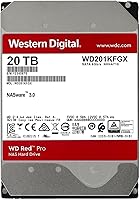
  • Model Number: The specific model identifier for this 20TB variant is WD201KFGX, which can be used to verify compatibility with NAS vendor compatibility lists.
  • Brand: Manufactured by Western Digital Technologies, Inc., a long-established storage hardware company with broad enterprise and consumer product lines.
  • First Available: This specific model was first made available for purchase in February 2022, placing it within the current generation of high-capacity NAS drives.

Related Reviews
WD Red Pro 3TB NAS Hard Drive
86%
91%
Performance
88%
Reliability
92%
Compatibility with NAS Systems
65%
Noise Levels
89%
Ease of Setup
More
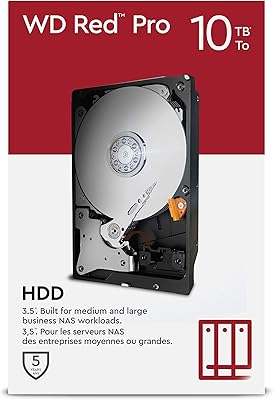
WD Red Pro 10TB NAS Internal Hard Drive
87%
93%
RAID Performance
91%
Reliability
89%
Capacity/Storage
88%
Data Handling (Cache & Speed)
72%
Noise Level
More
Western Digital WD Red Pro 10TB NAS Hard Drive
86%
92%
Performance
90%
Reliability in RAID Environments
88%
Data Transfer Speed
85%
Long-Term Durability
87%
Shock Resistance
More
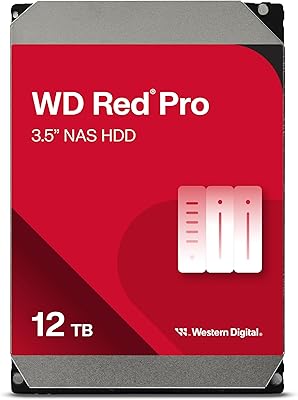
Western Digital WD Red Pro 16TB NAS Hard Drive
81%
88%
Long-Term Reliability
91%
RAID Performance
86%
Multi-User Throughput
67%
Value for Money
61%
Heat Management
More
Western Digital 26TB WD Red Pro NAS HDD (WD260KFGX)
86%
98%
Storage Density
94%
Write Consistency (CMR)
62%
Acoustic Profile
88%
Thermal Management
91%
Vibration Resistance
More
Western Digital 8TB WD Red Pro NAS Hard Drive
88%
91%
Performance
94%
Reliability
86%
Ease of Setup
90%
Compatibility with NAS Systems
89%
Vibration and Shock Protection
More
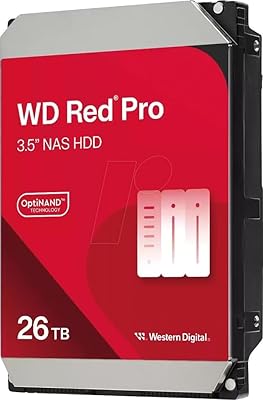
Western Digital 12TB WD Red Pro NAS Hard Drive
86%
92%
Performance in RAID Environments
89%
Data Transfer Speed
94%
Reliability for 24/7 Operation
88%
Workload Capacity (550TB/year)
70%
Temperature Management
More
Western Digital 14TB WD Red Pro NAS Hard Drive
88%
92%
Performance
89%
Reliability
88%
Workload Handling (300TB/yr)
85%
Ease of Installation
90%
Build Quality
More
Western Digital 6TB WD Red Pro NAS Internal Hard Drive
85%
92%
Performance in Heavy Workloads
89%
Reliability in Multi-Bay Systems
63%
Noise Levels
85%
Ease of Setup & Installation
90%
Durability (Shock & Vibration Protection)
More
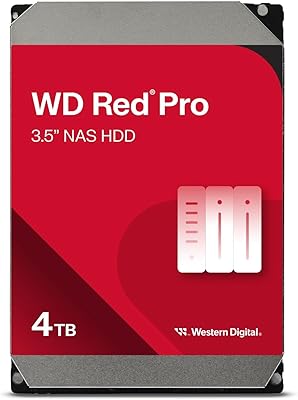
Western Digital 22TB WD Red Pro NAS Internal Hard Drive
89%
95%
Performance
90%
Reliability
88%
Ease of Setup
92%
Workload Capacity
87%
Noise Level
More

FAQ

In most cases, yes. Western Digital tests the Red Pro lineup against enclosures from both Synology and QNAP, and compatibility is broadly reported across popular multi-bay models. That said, it is always worth checking your specific enclosure model against WD's official compatibility list before purchasing, especially for older or less common units.

The standard Red is designed for light, low-bay home NAS use and runs at slower speeds. The Red Plus steps things up slightly with higher RPM options. The Red Pro is the top tier — it runs at a consistent 7200 RPM, carries a higher workload rating, and is built for always-on, multi-user environments with five or more drive bays. If you are running a serious prosumer or small business setup, the Red Pro is the appropriate choice.

CMR, or Conventional Magnetic Recording, writes data directly to dedicated tracks without overlapping, which keeps write speeds consistent and predictable. SMR drives overlap tracks to pack in more data, which works fine for light use but causes significant slowdowns during RAID rebuilds and sustained write operations. For a NAS under regular load — especially in a RAID array — CMR is the safer and more reliable choice.

It will physically connect to any SATA port in a desktop PC, but it is tuned for NAS workloads, not desktop use. The vibration compensation and firmware are optimized for multi-drive enclosures running continuously. For a primary desktop drive, you would be better served by a drive in WD's Black series. That said, using it in a PC for bulk storage or archiving is not going to damage anything.

This high-capacity hard drive does run on the warmer side, particularly in dense enclosures with several drives installed close together. Most modern NAS enclosures with active cooling handle it fine, but if your unit relies on passive airflow or has limited fan capacity, it is worth monitoring temperatures after installation. Keeping it under 45°C during sustained operation is a reasonable target.

These two are genuinely close competitors. Both offer CMR recording, high workload ratings, and 7200 RPM speeds at the 20TB level. The IronWolf Pro includes a 5-year warranty versus the Red Pro's 3-year coverage, which some buyers consider a meaningful advantage. Pricing tends to fluctuate, so it is worth comparing both at the time of purchase. Either is a solid choice — the decision often comes down to brand loyalty or which NAS vendor's compatibility list you trust more.

You can, but it is more drive than a simple two-bay backup setup needs. The Red Plus would serve that use case well at a lower cost. That said, if you have a two-bay enclosure that you plan to push hard — running Plex, hosting files for multiple users, or running continuous backup jobs — the extra headroom in the Red Pro is not wasted.

It means the drive is rated to transfer up to 550 terabytes of data over the course of a year before you are operating beyond its intended design envelope. For context, a heavy home NAS user might transfer a few terabytes per week at most, which would put annual workload somewhere around 100–150TB. The 550TB ceiling gives you substantial room, meaning this NAS drive will not be strained by typical prosumer demands.

No, the drive ships on its own without SATA cables, mounting screws, or drive sleds. Most NAS enclosures include their own mounting hardware, but if you are installing it into a custom server or desktop chassis, make sure you have the necessary screws and cables on hand before it arrives.

First, verify the drive with WD's diagnostic tools to confirm the failure. If it is within the 3-year warranty period, Western Digital's RMA process is straightforward — you register the drive on their support portal and arrange a replacement. If the data on the drive is critical, avoid any further writes to it and consider engaging WD's optional Data Recovery Service or a third-party data recovery lab before sending the drive back.