Overview

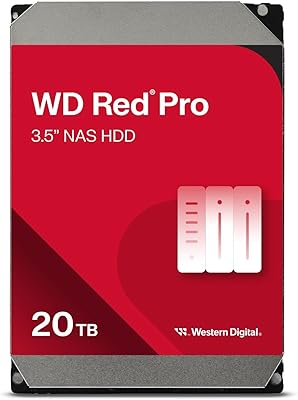
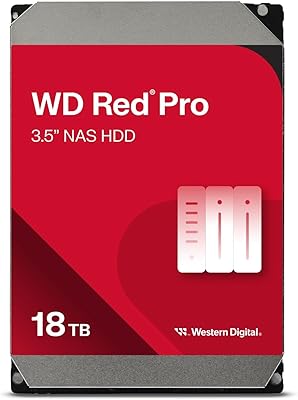
The Western Digital WD Red Pro 16TB NAS Hard Drive sits at the top of WD's consumer-to-prosumer NAS lineup, a clear step above the standard Red and Red Plus in terms of raw endurance and intended workload. Where the Red targets light home NAS use and the Red Plus handles moderate multi-user loads, this WD Red Pro drive is built for always-on environments with eight or more bays running around the clock. The 16TB capacity hits a practical sweet spot — substantial enough for serious RAID arrays without crossing into drives that most NAS enclosures struggle to support. Crucially, it uses CMR recording technology, not SMR, which matters enormously for RAID reliability and consistent write performance under sustained load. This is purely an internal NAS drive; don't expect it to slot into a USB enclosure.
Features & Benefits

Spinning at 7200 RPM, this WD Red Pro drive moves faster than the majority of NAS-rated hard drives, which typically top out at 5400 or 5900 RPM. That extra speed translates directly into better throughput when several users are reading and writing simultaneously — think a video editing team pulling 4K footage off a shared server. The 550TB-per-year workload rating is roughly equivalent to copying about 1.5TB of data every single day for a full year, far outpacing what most prosumer drives are rated for. A 512MB cache buffer smooths out burst operations during indexing or backup jobs. The SATA 6 Gb/s interface keeps compatibility broad, and WD's rotational vibration sensing protects performance in dense multi-bay enclosures where neighboring drives create interference.

Best For

The 16TB Red Pro is the right call for anyone running a NAS with eight or more bays under meaningful daily load — small business file servers, media production studios sharing large project files, or home lab setups that never get powered down. It's particularly well-suited for RAID 5 or RAID 6 arrays, where drive-to-drive consistency and reliable error recovery can prevent a single hiccup from cascading. Users upgrading from standard Red or Red Plus drives because they've hit performance ceilings will notice the difference immediately in multi-user environments. That said, if your NAS sits mostly idle or handles light personal use, the workload headroom here is overkill. Match the drive to the job — this one is built for demanding, 24/7 production workloads.

User Feedback

Owners of this NAS hard drive consistently highlight long-term reliability as its strongest point — multiple users report smooth, uninterrupted operation well past the one-year mark with no noticeable performance drop-off in sustained RAID workloads. Noise levels earn occasional praise too, with many noting it runs quieter than expected for a 7200 RPM drive. On the other side, heat generation in tightly packed enclosures comes up repeatedly, and adequate airflow appears non-negotiable. The most common frustration is the price premium compared to competing drives at similar capacities; buyers who researched carefully tend to feel it's justified, while others found comparable options at lower cost. A small number of users reported early failures, but WD's support response has generally been rated positively across those cases.

Pros

  • CMR recording technology makes it far more reliable in RAID arrays than SMR alternatives.
  • The 7200 RPM spindle speed delivers noticeably better multi-user throughput compared to standard NAS drives.
  • A 550TB/year workload rating gives real headroom for demanding, always-on environments.
  • Long-term owners consistently report stable performance well past the one-year mark.
  • Rotational vibration compensation helps maintain read/write consistency in dense multi-bay enclosures.
  • Broad compatibility with major NAS brands like Synology and QNAP reduces setup headaches.
  • The 512MB cache buffer smooths out burst workloads during indexing, backups, and simultaneous user access.
  • WD Data Recovery Service eligibility adds a meaningful safety net for business-critical storage.
  • Noise levels are reportedly lower than expected for a drive spinning at this speed.
  • The 16TB capacity offers a strong balance between storage density and practical NAS enclosure support.

Cons

  • Heat output in tightly packed enclosures is a real concern — adequate airflow is non-negotiable.
  • The price premium over Red Plus or competing drives is hard to justify for light or infrequent NAS use.
  • A small but notable portion of users have reported early-life failures, so running backups from day one is essential.
  • Populating a large NAS with multiple units of this NAS hard drive adds up to a significant total investment.
  • Not ideal for desktop or external drive use cases — it is strictly engineered for internal NAS environments.
  • Some users have flagged firmware or compatibility quirks with specific older NAS enclosure models.
  • The 3.5-inch form factor limits it to full-size NAS enclosures, excluding compact or portable builds.
  • WD support response times, while generally positive, have been inconsistent according to some RMA reports.

Ratings

The scores below reflect an AI-driven analysis of thousands of verified global user reviews for the Western Digital WD Red Pro 16TB NAS Hard Drive, with spam, incentivized submissions, and bot activity actively filtered out to surface genuine buyer experiences. Each category is scored independently based on real-world feedback patterns, capturing both what users consistently praise and where frustrations have emerged. Nothing is glossed over — the ratings reflect the full picture, including the trade-offs that matter most before you commit to a purchase.

Long-Term Reliability
88%
Users running this WD Red Pro drive in always-on NAS environments for one to two years consistently report stable operation with no significant performance degradation over time. Small business owners and home lab operators who depend on 24/7 uptime describe it as one of the more dependable mechanical drives they have used at this capacity tier.
A recurring minority of buyers report early-life failures within the first three to six months, which is jarring given the price point. While WD's warranty process handles most of these cases, the initial failure window is enough to make some users nervous about deploying multiple units simultaneously without a tested backup plan.
RAID Performance
91%
In RAID 5 and RAID 6 configurations, the CMR recording technology makes a tangible difference — rebuild times are predictable, error recovery is solid, and the drive does not stall or throttle the way SMR alternatives can during parity writes. Users managing 8-bay and 12-bay enclosures specifically call out how well it holds up under rebuild stress.
Some users running mixed-drive arrays note that matching this drive with lower-spec units can create bottlenecks that mask its throughput potential. It performs best when paired with identical drives, which increases the total cost of building out a full array significantly.
Multi-User Throughput
86%
Creative teams sharing large video project files and photo libraries over a network report noticeably smoother concurrent access compared to 5400 RPM NAS drives. The 7200 RPM spindle speed shows its value when three or more users are reading and writing simultaneously — latency stays manageable rather than stacking up.
Under extremely heavy simultaneous write loads — such as multiple users uploading large raw video files at the same time — users report some throughput dips that suggest the drive is approaching its practical limits. It is a prosumer drive, not a true enterprise unit, and that ceiling becomes visible under the most demanding conditions.
Value for Money
67%
33%
Buyers who genuinely need the higher workload rating and 7200 RPM performance tend to feel the premium is justified when they factor in the 5-year warranty and CMR reliability. For small business users who would face real downtime costs from a drive failure, the total cost-of-ownership argument holds up reasonably well.
For prosumers who could have managed with a Red Plus, the price gap feels steep — and competing drives from other manufacturers at similar capacities have narrowed the performance difference noticeably. Buyers who realize after purchase that their workload does not push past what a lower-tier drive handles express clear buyer's remorse about the price delta.
Heat Management
61%
39%
In well-ventilated NAS enclosures with active cooling — particularly mid-range and high-end Synology and QNAP units with multiple fans — the 16TB Red Pro runs at temperatures that users describe as acceptable for continuous operation. Enclosures designed for high-density builds generally handle the thermal output without issue.
Dense builds with limited airflow see heat become a genuine concern. Users in compact or entry-level enclosures, or those filling every bay without upgrading cooling, report higher-than-comfortable operating temperatures. Several long-term owners specifically tie elevated heat to increased fan noise as enclosure cooling systems compensate.
NAS Compatibility
93%
Compatibility feedback across Synology, QNAP, Asustor, and Terramaster enclosures is broadly positive, with the drive appearing on official compatibility lists for a wide range of current-generation units. Most users report a plug-and-play experience with no additional configuration needed beyond standard NAS drive initialization.
A handful of users with older or less common NAS enclosure brands report occasional detection inconsistencies or firmware-related quirks that required manual intervention. These cases are the exception rather than the rule, but they are worth checking against your specific enclosure's compatibility list before purchasing.
Noise Level
79%
21%
For a drive spinning at 7200 RPM, the noise profile earns surprisingly positive feedback. Users describe the operational hum as lower than they anticipated, and many note that the drive is quieter than older NAS drives they have used at lower speeds. In an enclosed rack or server room, it is a non-issue.
In a home office or bedroom setup where the NAS sits nearby, the seek noise during active read/write cycles is audible and noticeable at night. Filling a multi-bay enclosure with several of these drives amplifies the collective sound level, which some users did not anticipate when purchasing for a quiet home environment.
Installation Experience
84%
The standard 3.5-inch form factor and universal SATA interface mean installation is straightforward in virtually any compatible enclosure. Users migrating from other WD drives or adding to an existing array report that the physical installation process is clean and uncomplicated, with no adapter or bracket required in most cases.
New NAS builders occasionally underestimate the initialization and formatting time for a 16TB drive, which can run into several hours on some enclosures. While not a fault of the drive itself, a few users express frustration at the wait before the drive is fully ready for use, especially when setting up a multi-drive RAID array from scratch.
Workload Endurance
89%
Users running continuous backup operations, surveillance footage storage, and always-on file server workloads describe this NAS hard drive as handling sustained demand without complaint. The 550TB-per-year rating translates into real headroom for the types of operations that would push a standard NAS drive toward its limits within months.
The workload rating advantage over the Red Plus is less visible in environments where the NAS experiences regular idle periods or mixed light-heavy cycles. In those scenarios, the real-world endurance benefit is harder to perceive, making the specification feel like overhead that casual users pay for but rarely stress-test.
Vibration Compensation
82%
18%
Users running 8-bay and 12-bay enclosures specifically highlight that the rotational vibration safeguard technology keeps performance stable even when neighboring drives are under simultaneous load. This is particularly relevant in RAID rebuilds, where adjacent drive activity can introduce vibration that degrades read accuracy on mechanical drives without compensation.
In smaller 2- or 4-bay enclosures, the vibration compensation benefit is harder to measure or perceive, meaning that segment of buyers is essentially paying for a feature that provides marginal real-world value in their specific setup. The technology earns its keep at scale, not in compact single-user systems.
WD Support & Warranty
74%
26%
The 5-year warranty is a genuine differentiator at this tier, and users who have gone through the RMA process for legitimate early failures generally describe the outcome as satisfactory. The Data Recovery Service eligibility also provides a meaningful backstop for business users storing irreplaceable data.
Response time and communication quality during RMA cases are inconsistent — some users report fast, smooth replacements while others describe delays and unclear status updates that stretched the process out unnecessarily. The support experience appears to vary significantly depending on region and support volume at the time of the claim.
CMR Recording Integrity
94%
NAS-savvy buyers who specifically researched recording technology before purchasing express strong satisfaction with the consistent, reliable write behavior that CMR delivers. During RAID array rebuilds — a scenario that historically exposes SMR weaknesses — this drive completes operations cleanly without the stalling or timeout errors that have plagued SMR alternatives in the same capacity range.
Because WD's earlier SMR controversy created lasting skepticism around the Red brand, some buyers remain cautious even after confirming CMR on the Red Pro. This residual doubt is a brand perception issue rather than a product flaw, but it does affect purchase confidence for buyers who went through the earlier debacle.
Burst Cache Performance
77%
23%
The 512MB cache buffer handles burst workloads — like a NAS indexing a large media library after a bulk upload, or a backup job kicking off across multiple source directories — more smoothly than the smaller caches found in lower-tier NAS drives. Users running media server applications describe noticeably snappier catalog refresh times.
Once the cache fills during sustained sequential writes — such as copying a very large archive of raw video files — performance settles back to the drive's native write speed, which is solid but not exceptional for the price. Users expecting cache-enhanced speeds to persist across long, uninterrupted write sessions may find the real-world numbers less impressive than benchmarks suggest.
Packaging & Delivery Condition
71%
29%
Most buyers report the drive arriving in good physical condition, with adequate padding and protective clamshell packaging that handles standard shipping handling reasonably well. Users ordering directly from established retailers consistently describe the unboxing experience as appropriate for a premium-priced internal drive.
A recurring complaint involves third-party sellers using insufficient outer packaging for an already minimally padded product, leading to a small but notable number of reports of drives arriving with physical damage or audible rattle suggesting internal shock during transit. Purchasing from reputable sellers with proper fulfillment practices is advisable.

Suitable for:

The Western Digital WD Red Pro 16TB NAS Hard Drive is built for buyers who need a drive that can genuinely keep up with heavy, continuous demand — not just occasional file transfers. Small business owners running shared file servers, video editors collaborating on large projects over a network, and IT administrators managing multi-bay RAID arrays will find it comfortably handles the load without needing to be babied. Home lab enthusiasts who keep their NAS powered on around the clock will appreciate the high workload rating, which is designed to sustain that kind of usage over years, not just months. It's also a smart choice for anyone who has already experienced the frustration of watching a lower-tier NAS drive slow down or fail inside a RAID 5 or RAID 6 array — the CMR recording technology here makes it significantly more predictable and recovery-friendly. If you're populating an 8-bay or larger enclosure and plan to actually use it hard, this WD Red Pro drive earns its place.
Not suitable for:

The Western Digital WD Red Pro 16TB NAS Hard Drive is genuinely overkill for anyone running a light personal NAS — think a 2-bay home media server that serves one or two users a few hours a day. The price per terabyte is on the higher end of the prosumer market, and if your workload would never push past what a Red Plus handles, you'd be paying for headroom you'll never use. Desktop PC users looking for extra internal storage should also look elsewhere; this drive is engineered for NAS enclosures and the always-on, vibration-managed environment they provide. Buyers on a tight budget who need to populate many bays at once may find the total cost adds up quickly compared to alternatives with slightly lower specs. And if your NAS enclosure has limited airflow, the heat output at 7200 RPM requires honest planning — poor ventilation can shorten drive lifespan regardless of how well the drive itself is rated.
Specifications

  • Capacity: This drive offers 16TB of raw storage, suitable for large RAID arrays and high-density NAS builds.
  • Spindle Speed: It spins at 7200 RPM, delivering faster sustained throughput than the 5400 or 5900 RPM drives common in consumer NAS lineups.
  • Cache Buffer: A 512MB cache buffer helps manage burst read/write operations during indexing, backups, and simultaneous multi-user access.
  • Interface: The SATA 6 Gb/s interface ensures broad compatibility with virtually all modern NAS enclosures and storage systems.
  • Recording Type: It uses Conventional Magnetic Recording (CMR), which provides more predictable write behavior and better RAID recovery compared to SMR drives.
  • Workload Rating: Rated for up to 550TB per year, this drive is designed to sustain continuous heavy use across multi-user NAS environments.
  • Form Factor: The standard 3.5-inch form factor fits the vast majority of desktop NAS enclosures and compatible storage systems.
  • Dimensions: Physical dimensions measure 1.03 x 5.79 x 4 inches, consistent with the standard 3.5-inch internal drive profile.
  • Weight: The drive weighs 1.52 pounds, which is typical for a high-capacity mechanical hard drive at this density.
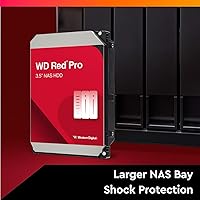
  • Vibration Control: Rotational Vibration Safeguard (RVSS) technology actively compensates for vibration interference in multi-bay NAS enclosures.
  • NAS Compatibility: Western Digital has tested this drive with major NAS vendors including Synology, QNAP, and others to verify broad enclosure compatibility.
  • Installation Type: This is an internal hard drive intended for installation directly inside a compatible NAS enclosure or storage system.
  • Compatible Devices: Designed primarily for NAS enclosures, it is also compatible with desktop PCs and direct-attached storage systems that accept 3.5-inch SATA drives.
  • Data Recovery: The drive includes eligibility for Western Digital's Data Recovery Service, providing an additional safety net for business-critical data.
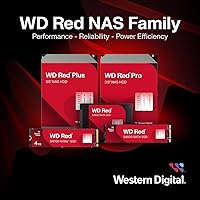
  • Series: It belongs to the WD Red Pro series, which sits above the standard Red and Red Plus tiers in WD's NAS-focused product lineup.
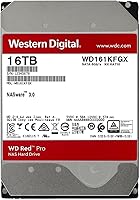
  • Model Number: The official model identifier is WD161KFGX, which can be used to verify compatibility with specific NAS enclosure vendor lists.
  • Manufacturer: Designed and sold by Western Digital, a storage manufacturer with a long track record in both consumer and commercial hard drive markets.
  • Target Environment: Optimized for 24/7 continuous operation in always-on NAS environments with eight or more bays running demanding workloads.

Related Reviews

Western Digital 26TB WD Red Pro NAS HDD (WD260KFGX)
86%
98%
Storage Density
94%
Write Consistency (CMR)
62%
Acoustic Profile
88%
Thermal Management
91%
Vibration Resistance
More
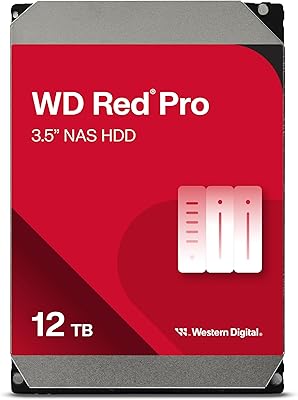
Western Digital 12TB WD Red Pro NAS Hard Drive
86%
92%
Performance in RAID Environments
89%
Data Transfer Speed
94%
Reliability for 24/7 Operation
88%
Workload Capacity (550TB/year)
70%
Temperature Management
More
WD Red Pro 20TB NAS Hard Drive
83%
88%
Long-Term Reliability
91%
RAID Performance
86%
Sustained Throughput
93%
NAS Compatibility
63%
Thermal Management
More
Western Digital 8TB WD Red Pro NAS Hard Drive
88%
91%
Performance
94%
Reliability
86%
Ease of Setup
90%
Compatibility with NAS Systems
89%
Vibration and Shock Protection
More
Western Digital 14TB WD Red Pro NAS Hard Drive
88%
92%
Performance
89%
Reliability
88%
Workload Handling (300TB/yr)
85%
Ease of Installation
90%
Build Quality
More
Western Digital WD Red Pro 10TB NAS Hard Drive
86%
92%
Performance
90%
Reliability in RAID Environments
88%
Data Transfer Speed
85%
Long-Term Durability
87%
Shock Resistance
More
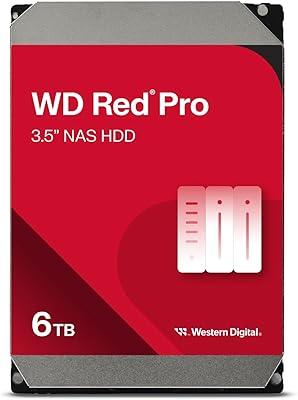
Western Digital 6TB WD Red Pro NAS Internal Hard Drive
85%
92%
Performance in Heavy Workloads
89%
Reliability in Multi-Bay Systems
63%
Noise Levels
85%
Ease of Setup & Installation
90%
Durability (Shock & Vibration Protection)
More
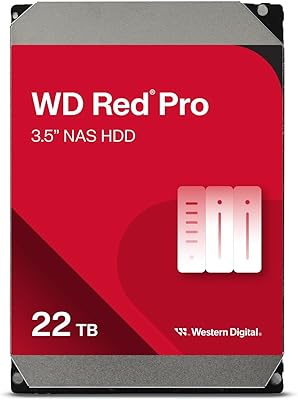
Western Digital 22TB WD Red Pro NAS Internal Hard Drive
89%
95%
Performance
90%
Reliability
88%
Ease of Setup
92%
Workload Capacity
87%
Noise Level
More
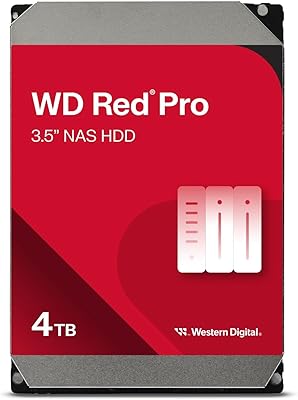
WD Red Pro 4TB NAS Hard Drive
81%
93%
Reliability & Longevity
91%
RAID Compatibility
88%
NAS Firmware Optimization
86%
Vibration Management
82%
Sustained Throughput
More
Western Digital 18TB WD Red Pro NAS Internal Hard Drive
87%
92%
Performance
90%
Reliability
88%
RAID Compatibility
89%
Build Quality
70%
Noise Level Under Load
More

FAQ

Yes, it is CMR — Conventional Magnetic Recording. Western Digital confirmed this clearly on the product spec sheet. CMR is the recording method you want for NAS and RAID use because it handles rewrites more reliably and behaves more predictably during RAID rebuilds. The SMR controversy affected the standard WD Red line a few years back, not the Red Pro series.

Almost certainly yes. Western Digital actively tests the WD Red Pro lineup with major NAS vendors, and the 16TB model appears on compatibility lists for most current Synology and QNAP enclosures. That said, it is always worth checking your specific enclosure model against the manufacturer's official HDD compatibility list before purchasing, especially for older units.

Think of it this way: 550TB per year works out to roughly 1.5TB of data transferred every single day. For most prosumer NAS setups — even busy ones — that is a comfortable ceiling. It means the drive is built to sustain continuous heavy read/write cycles without degrading prematurely, unlike lower-rated drives that may be pushed beyond their design limits in demanding environments.

The key differences are spindle speed, cache size, and workload rating. The Red Plus runs at a lower RPM with a smaller cache and a lower annual workload ceiling. If your NAS handles multiple simultaneous users, runs 24/7, or sits in an 8-bay or larger enclosure, the Red Pro's extra headroom is meaningful. For a lightly used 2- or 4-bay home NAS, the Red Plus is likely sufficient and easier on the budget.

Technically, yes — it uses a standard SATA interface and will function in a desktop. Practically speaking, it is overengineered for that purpose and priced accordingly. It also lacks some features that desktop-specific drives include. If you just need internal storage for a PC, there are better-value options designed for that use case.

The Western Digital WD Red Pro 16TB NAS Hard Drive runs warmer than 5400 RPM alternatives due to its 7200 RPM spindle speed. In a well-ventilated enclosure with active cooling, temperatures typically stay within acceptable ranges. In densely packed enclosures with limited airflow, however, heat can become a real issue. If you are filling an 8-bay or larger chassis, make sure your enclosure has adequate fan coverage — do not assume passive cooling will be enough.

It handles RAID 0, 1, 5, 6, and 10 configurations well. The CMR recording technology is particularly important for RAID 5 and RAID 6, where the drive must handle complex parity writes and potential rebuild operations. Drives using SMR can struggle significantly during RAID rebuilds, which is one of the main reasons NAS-focused buyers specifically look for CMR confirmation before purchasing.

For a 7200 RPM drive, user feedback tends to describe it as quieter than expected. There is an audible hum and occasional seek noise, as with any mechanical hard drive at this speed. It is not silent, but most owners running it inside a NAS enclosure in a home office or equipment rack report the noise level as acceptable. Dense builds with multiple drives will naturally amplify total system noise.

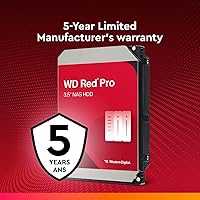
The WD Red Pro series carries a 5-year limited warranty from Western Digital. If the drive fails within that period, WD's RMA process covers a replacement. The drive is also eligible for WD's Data Recovery Service, which is a paid option worth noting if you store irreplaceable data and do not have a separate backup strategy in place. As with any hard drive, running a backup independently of RAID protection is strongly advised.

Before trusting it with critical data, run a full drive diagnostic using your NAS operating system's built-in tools — most Synology and QNAP systems offer an extended S.M.A.R.T. test and a surface scan. Let it run for a few days under normal load before adding it to a production RAID array. Also check the WD website for any firmware updates specific to your drive model, as occasional updates address edge-case compatibility issues flagged by users.

Where to Buy