Overview

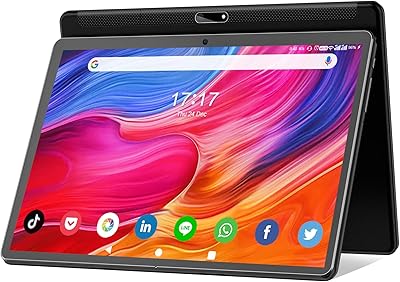
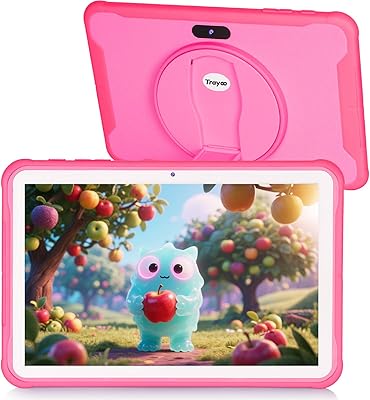
The Wainyok P10S 10.1-inch Kids Android Tablet enters a crowded budget market with a clear pitch: a real Android experience for children, without the steep price of brand-name alternatives. Wainyok isn't a household name, and that's worth acknowledging upfront — the brand's track record is limited compared to established players. That said, this kids tablet runs Android 13 with Google Play, a meaningful advantage over locked-down alternatives. It ships with a TPU protective case and a one-year warranty. For parents who want flexibility without paying premium prices, that combination is genuinely worth considering.

Features & Benefits

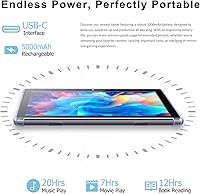
The Allwinner octa-core chip paired with 6GB of RAM — though two of those gigabytes are virtual, not physical — handles YouTube, light gaming, and educational apps without obvious lag. That virtual RAM distinction matters: don't expect heavy multitasking to stay consistently fluid. Storage starts at a generous 64GB and can stretch to 1TB with a microSD card, which is practical for offline content. The IPS display delivers clear, bright visuals at 1280x800, comfortable for kids watching videos or reading. Battery life sits around 10 hours for video playback in real use, and USB-C charging keeps daily routines convenient.

Best For

This Android tablet for kids hits its stride as a first tablet for children between five and ten years old. It's a strong pick for parents who specifically want Google Play Store access, giving kids the full Android app library rather than a curated, restricted catalog. The expandable storage makes it practical for families who download offline content for road trips or school. Older kids tackling light homework, reading e-books, or streaming video will find it capable enough for everyday use. It's less suited to toddlers or households that prefer a tightly controlled, dedicated kids platform.

User Feedback

Parents generally appreciate the screen quality and the sturdy feel of the included case relative to what they paid. Setting up Google Family Link gets mixed reactions — some find it intuitive, others encounter configuration friction. A recurring concern involves the advertised RAM figure: buyers who look closer notice the 6GB total includes virtual memory, and some report performance softens when several apps run simultaneously. Battery life draws mostly positive comments, with real-world use landing close to the rated figure. On the downside, a portion of users raise questions about long-term software support and whether the brand remains reachable once the warranty period ends.

Pros

  • Full Google Play Store access gives kids a wide library of apps and games without ecosystem restrictions.
  • Android 13 keeps the software experience current and compatible with popular streaming and learning apps.
  • 64GB of base storage is generous for the price tier, and microSD expansion removes practical limits on downloaded content.
  • The IPS display delivers noticeably bright, clear visuals that hold up well for video and reading in varied lighting.
  • Battery life in everyday use tracks reasonably close to the advertised figure, lasting through a full day of moderate use.
  • Dual-band Wi-Fi support reduces buffering frustrations compared to single-band budget tablets.
  • The bundled TPU case adds drop and scratch protection without requiring an additional purchase.
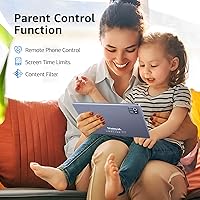
  • Google Family Link integration gives parents real control over screen time, content, and app approvals.
  • USB-C charging is a practical, future-friendly choice that fits into most modern households already.
  • At its price point, the combination of screen size, storage, and open Android access is genuinely hard to beat.

Cons

  • The advertised 6GB RAM total includes 2GB of virtual memory, which inflates the spec and can mislead buyers expecting full physical RAM performance.
  • DDR3 SDRAM is an older memory standard that limits sustained performance compared to newer budget competitors using LPDDR4.
  • Wainyok has limited brand history, making it hard to assess long-term customer support quality or post-warranty reliability.
  • Software update commitments are unclear, which raises questions about security patches beyond the first year.
  • Performance can become inconsistent when several apps run simultaneously, particularly if those apps are resource-intensive.
  • Some parents report that initial Family Link configuration is less intuitive than expected, requiring extra setup time.
  • The 1280x800 resolution, while acceptable, falls short of sharper displays now appearing on competing budget tablets.
  • There is limited independent review coverage of this brand, making it harder for buyers to verify real-world durability claims.
  • The included charging cable and accessories feel basic, with no mention of charging speed specs that would help set expectations.
  • As a lesser-known import brand, finding replacement parts or accessories outside the original package can be difficult.

Ratings

Our AI rating system analyzed verified global user reviews for the Wainyok P10S 10.1-inch Kids Android Tablet, actively filtering out incentivized, bot-generated, and spam submissions to surface what real parents and caregivers actually experienced. The scores below reflect both the genuine strengths that earned this kids tablet its audience and the honest shortcomings that prospective buyers deserve to know before purchasing. Nothing is glossed over — the highs and the frustrations are weighted equally.

Value for Money
83%
For families who refuse to spend heavily on a device a child might drop or outgrow within two years, this Android tablet for kids delivers a surprising amount of hardware for the price tier. Parents consistently note that the screen size, storage capacity, and open Android ecosystem would cost considerably more from a name-brand competitor.
A handful of buyers feel the value calculation shifts once you factor in uncertainty around long-term support and brand reliability. If the device develops issues after the warranty window closes, the cost of replacement may undercut the initial savings.
Display Quality
77%
23%
The 10.1-inch IPS panel earns genuine praise for its brightness and color accuracy relative to budget expectations. Kids watching YouTube or using learning apps in a variety of lighting conditions — including sunlit car back seats — generally find the screen comfortable and clear.
The 1280x800 resolution is acceptable but increasingly looks modest as sharper panels become common even in budget devices. Parents with experience using higher-resolution tablets may notice the pixel density shortfall, especially during text-heavy reading sessions.
Performance & Speed
68%
32%
For everyday tasks — launching apps, streaming video, and playing lighter mobile games — the Allwinner octa-core chip keeps things moving without frustrating lag. Kids doing schoolwork or watching content rarely encounter the kind of stutter that would interrupt a typical session.
The DDR3 memory and virtual RAM padding become noticeable when multiple demanding apps run at once, causing occasional slowdowns. Users who push the tablet harder, switching between a game, a browser, and a video app simultaneously, report that the performance ceiling arrives sooner than the spec sheet implies.
Battery Life
79%
21%
In real-world mixed use — streaming, gaming, and some idle time — most parents report the Wainyok P10S comfortably lasting through a full school day and an evening session without reaching for the charger. That kind of daily reliability matters when kids are using the tablet on trips or in situations where charging is inconvenient.
The advertised ten-hour figure is achievable mainly under controlled, low-brightness video playback conditions. With screen brightness turned up and active app use, real endurance lands closer to seven or eight hours, which is still solid but worth calibrating expectations around.
Parental Controls
72%
28%
Google Family Link integration is a meaningful differentiator over rival budget tablets that rely on clunky proprietary systems. Parents who already use Family Link on other devices can add this kids tablet to their existing setup quickly and manage content filters, app approvals, and screen time from their own phones.
First-time Family Link users frequently report the initial configuration requires more patience than expected, with several steps that are not immediately intuitive. A small but vocal group of parents found the parental control layer less restrictive than they hoped, requiring additional manual content filtering on top of Family Link.
Build Quality
71%
29%
For a device in this price range, the physical construction feels more solid than many parents anticipate. The chassis does not flex uncomfortably under normal handling, and the bundled TPU case adds enough corner and back protection to survive the occasional drop onto carpet or a classroom floor.
The TPU case, while appreciated, is on the thinner side and offers limited front-screen protection. A few users reported visible wear on the case and device edges after several months of daily use, suggesting it is built to a budget rather than to last years of intensive child handling.
Storage & Expandability
88%
Starting at 64GB and supporting microSD cards up to 1TB, this Android tablet for kids handles storage generously. Families who download offline movies for road trips or keep a large library of educational apps find the expandability practical and genuinely useful over time.
The microSD card itself is not included, which means families must factor in an additional purchase to take full advantage of the expansion slot. Some users also note that app storage is limited to the internal 64GB on certain Android configurations, which can require some manual file management.
Connectivity
81%
19%
Dual-band Wi-Fi with 5GHz support is a real advantage in busy households where network congestion on 2.4GHz is common. Parents note that the connection stays stable during video calls and streaming sessions, which matters when kids are using the tablet for remote learning.
A small number of users reported that the Wi-Fi signal strength drops more than expected at longer distances from the router. Bluetooth pairing with certain third-party accessories also required repeated attempts before establishing a stable connection.
Camera Quality
58%
42%
The 5MP front camera handles video calls on platforms like Google Meet or Zoom acceptably for a child's use case, where image quality expectations are naturally lower. Kids using it for casual selfies or short video recordings find it functional enough for everyday moments.
The 8MP rear camera underperforms its spec on paper, producing noticeably soft images in anything less than strong lighting. For parents hoping this tablet doubles as a casual photography tool for kids, the camera output is mediocre at best and unlikely to replace even an entry-level smartphone camera.
Software & Bloatware
62%
38%
Running Android 13 with Google Play access means the core software experience is familiar, stable, and compatible with the apps most families already use. There are no proprietary locked-down interfaces to navigate around, which many parents appreciate.
Several users flagged the presence of pre-installed apps that cannot be easily removed, occupying storage and occasionally generating unwanted notifications. Concerns about future Android update availability from Wainyok are also common, with no clear public commitment to ongoing OS upgrades beyond the initial Android 13 version.
Setup & Ease of Use
74%
26%
Out of the box, the tablet powers on and connects to Wi-Fi quickly, and the standard Android 13 interface is immediately recognizable to anyone who has used an Android phone. Kids familiar with touchscreen devices adapt to the interface in minutes.
Setting up Google Family Link and configuring age-appropriate restrictions adds a layer of complexity that not all parents find straightforward, particularly those less comfortable with Android ecosystems. The documentation included in the box is minimal, which can make the initial configuration feel more trial-and-error than it should.
Audio Quality
66%
34%
The dual stereo speakers produce clear, reasonably loud audio for children watching videos or playing games in a quiet room. Volume levels are sufficient without headphones for most typical kids content.
At higher volumes, the speakers can introduce slight distortion, and bass response is expectedly thin for a device this slim. In noisy environments like car back seats or busy households, kids often need headphones to hear content clearly.
Brand Trust & Support
49%
51%
Wainyok does provide a one-year warranty and a customer service contact path, which offers a baseline level of purchase protection for buyers who encounter defects. Within the warranty period, reported resolution experiences are mixed but not uniformly negative.
As a lesser-known manufacturer with limited third-party review coverage, Wainyok carries inherent uncertainty around post-warranty support, parts availability, and long-term reliability commitments. Buyers who prioritize peace of mind from an established brand with proven customer service infrastructure will find this kids tablet falls short on that dimension.

Suitable for:

The Wainyok P10S 10.1-inch Kids Android Tablet is a practical fit for parents who want to hand their child a real Android device without committing to a premium price point. It works best for children between five and ten years old who are ready for a step up from purely educational toy-style tablets, but don't yet need the performance of a mid-range device. Families who value access to the full Google Play Store — rather than a curated, brand-controlled app library — will find this kids tablet refreshingly open. The expandable storage is a genuine plus for households that download offline content for travel, long commutes, or screen time during low-connectivity situations. Parents who already use Google Family Link to manage their children's digital habits will slot this Android tablet for kids into their existing setup with minimal friction.
Not suitable for:

Buyers who prioritize long-term software support and brand accountability may want to look elsewhere, as Wainyok is a relatively unknown manufacturer with an uncertain update roadmap beyond the included one-year warranty. The Wainyok P10S 10.1-inch Kids Android Tablet is also not the right choice for parents who want a locked-down, purpose-built kids platform — the open Android environment requires active parental management to stay age-appropriate. Households expecting desktop-class multitasking will be disappointed; the older DDR3 memory and virtual RAM padding mean performance softens when multiple demanding apps run at once. Very young children or toddlers are better served by more ruggedized, purpose-designed alternatives with simpler interfaces. If durability under serious abuse is a top concern, the included TPU case offers basic protection but should not be treated as a substitute for a purpose-built rugged kids tablet.

Specifications

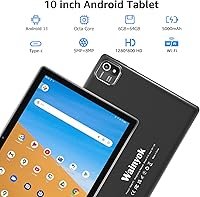
  • Screen Size: The display measures 10.1 inches diagonally, offering a comfortable viewing area for children watching videos or working through educational apps.
  • Resolution: The IPS panel runs at 1280x800 pixels, delivering clear and reasonably sharp visuals across a wide viewing angle.
  • Processor: An Allwinner octa-core CPU clocked at 2.0GHz handles everyday tasks including app launches, video playback, and light gaming.
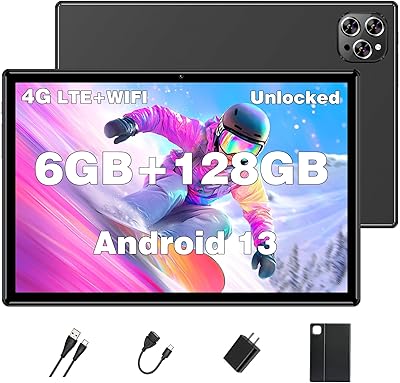
  • RAM: The tablet has 4GB of physical DDR3 RAM supplemented by 2GB of virtual RAM, totaling the advertised 6GB figure.
  • Internal Storage: 64GB of onboard flash storage comes standard, providing space for apps, downloaded videos, photos, and documents.
  • Expandable Storage: A microSD card slot supports expansion up to 1TB, though the card itself is not included in the package.
  • Battery: A built-in 5000mAh lithium battery supports approximately 10 hours of continuous video playback under typical conditions.
  • Charging: The tablet charges via a USB-C port, which is more convenient and durable than older micro-USB connectors.
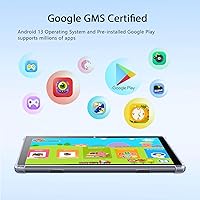
  • Operating System: Android 13 comes pre-installed, with the Google Play Store available for downloading apps, games, and streaming services.
  • Wi-Fi: Dual-band 802.11ac Wi-Fi supports both 2.4GHz and 5GHz networks for flexible and stable wireless connectivity.
  • Bluetooth: Bluetooth 5.0 is built in, enabling pairing with headphones, keyboards, and other compatible accessories.
  • Front Camera: A 5MP front-facing camera handles video calls and supports Face ID unlock for convenient access.
  • Rear Camera: The 8MP rear camera is suitable for casual photography, scanning documents, and recording short video clips.
  • Parental Control: Google Family Link is the supported parental control platform, allowing parents to manage apps, screen time, and content filters.
  • Dimensions: The tablet measures 9.43 x 5.95 x 0.35 inches, making it slim and manageable for children to hold.
  • Weight: At 1.76 pounds, the device is light enough for extended use by school-age children without significant fatigue.
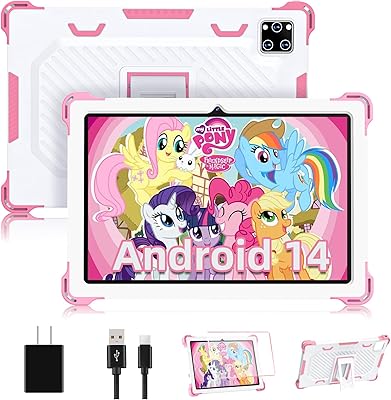
  • In the Box: Each unit ships with the tablet, a USB-C charging cable, and a TPU protective case at no additional cost.
  • Warranty: Wainyok provides a one-year after-sale guarantee along with ongoing customer service contact for product issues.

Related Reviews

YACXBTK J10 10.1-inch Kids Tablet
70%
84%
Battery Life
81%
Value for Money
78%
Parental Controls
62%
Performance
67%
Display Quality
More
PEICHENG 10.1-inch Kids Tablet, 128GB Storage, Android 15.0
85%
93%
Durability & Build Quality
90%
Parental Control Features
76%
Battery Life
82%
Display Quality
88%
Ease of Use
More
YATIOM SS-35 10-inch Kids Tablet

70%
84%
Value for Money
61%
Performance & Speed
73%
Build Quality & Durability
78%
Parental Controls
69%
Battery Life
More
ITMEIPC T-10 Android Tablet 10.1-inch, 6GB RAM, 64GB Storage
80%
91%
Value for Money
85%
Display Quality
74%
Battery Life
78%
Build Quality
88%
Performance for Light Use
More
FEONAL K118 10.1-inch Android Tablet

68%
83%
Display Quality
67%
Performance & Speed
78%
Battery Life
44%
Camera Quality
81%
Value for Money
More
YYSWIE 10.1-inch Kids Tablet 64GB
85%
91%
Value for Money
88%
Durability
94%
Battery Life
85%
Parental Controls
89%
Ease of Use
More
okulaku K12 10.1-inch Kids Tablet
66%
81%
Value for Money
74%
Display Quality
53%
Performance
58%
Battery Life
77%
Parental Controls
More
YINOCHE Y101 10-inch 32GB Kids Tablet
72%
88%
Value for Money
83%
Parental Controls
79%
Build Quality & Durability
74%
Display Quality
61%
Performance & Speed
More
Trayoo K12 Kids Tablet 10.1-inch 64GB
85%
88%
Build Quality & Durability
92%
Battery Life
91%
Parental Controls
79%
Performance
85%
Display Quality
More
Fivahiva FF10A-R Kids Tablet 10.1-inch, 32GB
83%
91%
Value for Money
88%
Build Quality & Durability
85%
Battery Life
78%
Performance
83%
Display Quality
More
XINHENGTAI M10 Android 13 Tablet, 128GB, 10.1-inch
83%
92%
Value for Money
88%
Performance
91%
Battery Life
84%
Camera Quality
72%
Display Quality
More

FAQ

It is worth being upfront about this: the 6GB figure combines 4GB of physical DDR3 RAM with 2GB of virtual RAM, which is software-allocated storage used to simulate additional memory. In practice, that means the real-world multitasking headroom is closer to what you would expect from a 4GB device. For basic app use and video streaming it is fine, but do not expect it to juggle many demanding apps simultaneously without any slowdown.

Yes, the full Google Play Store is available, which is one of the more compelling reasons to consider this tablet over dedicated kids platforms. Your child can download popular apps like YouTube, Netflix, Disney+, and educational tools directly. Just keep in mind that this also means parental supervision or Family Link setup is important to filter age-appropriate content.

The tablet supports Google Family Link, which you set up through the Family Link app on your own phone. From there you can approve app downloads, set daily screen time limits, and review your child's activity. Some parents find the initial configuration takes a bit of patience, but once it is running it integrates well with the Android ecosystem.

The bundled TPU case covers the back and corners and provides reasonable protection against everyday bumps and drops. It is a solid bonus inclusion at this price point. That said, if your child is particularly rough with devices or younger than five, a third-party rugged case with a built-in stand would offer more peace of mind.

In everyday mixed use — a combination of streaming, gaming, and browsing — most users report getting somewhere between eight and ten hours before needing to charge. The advertised ten-hour figure is based on continuous video playback under controlled conditions, so real-world results will vary depending on screen brightness and app usage. It comfortably gets through a full school day without needing a mid-day charge.

Yes, the tablet includes a microSD card slot that officially supports cards up to 1TB in size, though the card is not included. For most families, a 128GB or 256GB card is more than sufficient and reasonably affordable. This is a practical option for families who download a lot of offline content for travel.

The tablet is officially recommended for children aged five and above, and that feels about right. Younger school-age kids can handle the interface with some guidance, but the open Android environment is better suited to children who are a bit more independent with technology, roughly seven and up. For very young toddlers, a more locked-down and ruggedized device would likely be a better fit.

Both apps are available through the Google Play Store and install without issues since the tablet is GMS certified. Streaming quality is acceptable on the 1280x800 display for kids content, though it does not match what you would see on a higher-resolution screen. Just make sure your Wi-Fi connection is stable, since the display makes buffering more noticeable on a larger screen.

Wainyok is not a widely established brand, so post-warranty support is genuinely uncertain. Within the warranty period, the manufacturer offers customer service contact for issues, but independent repair options or spare parts availability beyond that window is unclear. This is a real consideration if longevity matters to your family — budget for the possibility that the device may not have a long supported lifespan.

Yes, Bluetooth 5.0 is built in, so standard wireless headphones and Bluetooth keyboards pair without any extra steps. This is useful if your child uses the tablet for schoolwork or prefers audio privacy during video time. Most popular Bluetooth accessories work reliably, though very specialized peripherals may vary in compatibility.