Overview

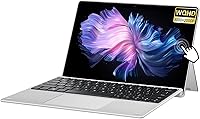
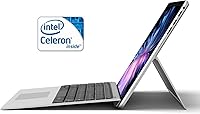
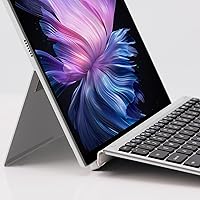
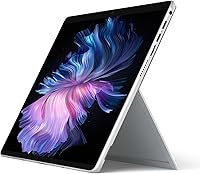
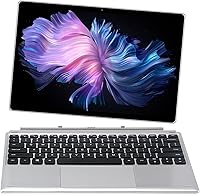
The VGKE B12 12.3″ 2-in-1 Touchscreen Laptop enters a crowded budget market with one genuinely compelling argument: a 3K IPS display that you rarely see at this price point. VGKE is not a household name — the brand is a relatively unknown player in the Windows convertible space, which means long-term support and warranty reliability are fair questions to carry into any buying decision. The detachable magnetic keyboard lets it shift between laptop and tablet modes, though how well that attachment holds up over time is worth scrutinizing. Go in with calibrated expectations around processing power, and this machine starts to make a lot more sense.

Features & Benefits

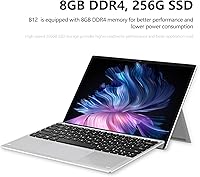
The screen is the real story here. At 3000×2000 pixels across 12.3 inches, text looks crisp and images pop with noticeably rich color — 100% sRGB coverage at 300 nits is solid for indoor use, though direct sunlight will still be a challenge. The Celeron J4125 handles browsing, document editing, and video streaming without much complaint; push it toward anything heavier and it shows its limits quickly. Eight gigabytes of LPDDR4 RAM paired with a 256GB SATA SSD gives this budget touchscreen convertible a snappier feel than eMMC-based rivals. Two full-function USB-C ports cover charging and peripherals, and the sub-half-inch chassis keeps things genuinely thin.

Best For

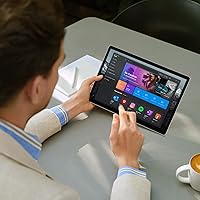
This 2-in-1 tablet laptop fits a fairly specific buyer profile, and knowing that upfront saves disappointment. Students who mostly take notes, pull up research tabs, and join the occasional video call will find it a comfortable daily companion on campus. It also works well as a lightweight secondary device for remote workers or travelers who need something portable without hauling their main machine. Casual home users streaming content or working through cloud-based tools will land squarely in its comfort zone. What it is not built for: coding environments, photo editing, or anything requiring sustained CPU output. Prioritize the display and portability, and the value proposition holds.

User Feedback

Owners of the VGKE B12 tend to highlight screen quality first — the sharp resolution draws consistent praise from buyers who were not expecting much at this price. The slim form factor gets similar appreciation. Where things get more mixed: the magnetic keyboard has drawn complaints about flex and inconsistent attachment strength, and real-world battery performance appears to fall noticeably short of the 8.5-hour claim for many users. There is also a notable weight discrepancy in the listing — marketing copy suggests 1.7 lbs while the spec sheet reads 3.61 lbs, which is a meaningful gap if portability is your deciding factor. Worth verifying before committing.

Pros

  • The 3K IPS display delivers unusually sharp, color-rich visuals that punch well above this price tier.
  • 100% sRGB coverage makes on-screen colors look accurate and vibrant for everyday media consumption.
  • The SATA SSD feels noticeably snappier than the eMMC storage found in many competing budget machines.
  • Two full-function USB-C ports give you real flexibility for charging, data transfer, and peripheral connections simultaneously.
  • The detachable magnetic keyboard allows genuine tablet-mode use without carrying any extra accessories.
  • Windows 11 out of the box means no OS upgrade headaches and access to a full desktop software ecosystem.
  • The slim 0.36-inch profile makes this budget touchscreen convertible easy to slip into a bag alongside other gear.
  • 8GB of LPDDR4 RAM handles light multitasking — several browser tabs plus a document or two — without obvious slowdowns.

Cons

  • The Celeron J4125 processor throttles noticeably under sustained workloads, making it poorly suited for anything beyond casual tasks.
  • Real-world battery life appears to fall well short of the 8.5-hour advertised figure based on user reports.
  • There is a significant weight discrepancy between the marketing copy and the spec sheet, making actual portability hard to verify before purchase.
  • The magnetic keyboard attachment has drawn complaints about flex and inconsistent connection strength over time.
  • VGKE is a little-known brand with limited customer support infrastructure and an uncertain warranty track record.
  • At 300 nits, the display becomes difficult to use in bright outdoor environments despite its high resolution.
  • The 2MP front camera is functional at best — expect mediocre video quality on calls compared to newer mid-range devices.
  • Wi-Fi 5 and Bluetooth 4.2 are serviceable but lag behind the connectivity standards now common on comparably priced competitors.
  • The integrated Intel UHD Graphics 600 rules out any practical use for photo editing, video rendering, or light gaming.

Ratings

The scores below for the VGKE B12 12.3″ 2-in-1 Touchscreen Laptop were generated by our AI engine after systematically analyzing verified purchase reviews from buyers worldwide, with spam, bot activity, and incentivized feedback actively filtered out. Every category reflects the full spectrum of real ownership experience — the genuine highlights and the recurring frustrations alike — so you can make a clear-eyed buying decision without sifting through noise.

Display Quality
88%
The 3000×2000 IPS panel consistently draws praise from users who were not expecting much at this price tier — text looks noticeably crisp whether reading articles, reviewing documents, or watching content. The 100% sRGB coverage makes colors feel rich and accurate for everyday media use.
At 300 nits, brightness becomes a real limitation the moment you step near a window or take the device outdoors. A handful of users also reported mild backlight bleed at the screen edges under dark viewing conditions.
Processor Performance
51%
49%
For the workloads this machine is genuinely designed for — a dozen browser tabs, a Word document, a YouTube stream running in the background — the Celeron J4125 does the job without constant stuttering. Users who treat it as a light-duty companion rather than a primary workhorse report reasonable day-to-day responsiveness.
Push beyond basic tasks and the chip's limitations surface quickly: video calls with screen sharing, large spreadsheets, or running multiple desktop apps simultaneously all produce noticeable slowdowns. Users expecting laptop-grade performance from this budget touchscreen convertible have consistently reported disappointment.
Storage & Memory
74%
26%
The SATA SSD makes a tangible difference compared to the eMMC storage that dominates competing devices at this price — boot times are quicker and app launches feel less sluggish. Eight gigabytes of RAM gives Windows 11 enough breathing room for casual multitasking without constant page file thrashing.
Both the RAM and SSD appear to be non-upgradeable, which means the 256GB ceiling is permanent — cloud storage or an external drive becomes a necessity for anyone accumulating photos, downloads, or offline media over time.
Portability & Design
69%
31%
The 0.36-inch slim profile genuinely impresses in person — this is a device that slides easily into a slim sleeve or a school bag without adding obvious bulk. The silver finish looks clean and understated rather than plasticky, which users on a budget tend to appreciate.
There is a meaningful weight discrepancy in the product listing: marketing materials cite 1.7 lbs while the spec sheet reads 3.61 lbs, and these are not close figures. Users who purchased expecting near-tablet-level lightness have flagged this as misleading, and real carry weight matters when commuting daily.
Battery Life
53%
47%
Under light use — mostly reading, note-taking, and occasional video — some users report getting through a full school day on a single charge, which aligns loosely with the low-TDP efficiency profile of the Celeron J4125 chip.
The advertised 8.5-hour figure reads as a manufacturer best-case that real-world use rarely reproduces. A significant portion of users report dropping to five or six hours under moderate workloads, and the 3500mAh battery capacity is modest even by budget convertible standards.
Keyboard & Typing Experience
61%
39%
For occasional typing — jotting notes in class, drafting short emails, or filling in forms — the included magnetic keyboard is functional enough and the key travel is acceptable for a detachable accessory. Having it bundled rather than sold separately is a genuine plus.
Under extended typing sessions, users notice noticeable keyboard flex and the magnetic attachment loses confidence on uneven surfaces like laps or soft fabric. Several buyers have reported the connection becoming less secure over weeks of regular detaching and reattaching.
Touchscreen Responsiveness
77%
23%
Touch input registers accurately across the screen surface for standard gestures — swiping, pinching, scrolling — which makes tablet-mode use for reading or light browsing feel natural. Users transitioning from Android tablets found the touch layer responsive enough to not feel like an afterthought.
Without confirmed stylus support, precision tasks like annotating PDFs or sketching notes are limited to finger input, which frustrates students who expected a more capable inking experience. Palm rejection in drawing or writing scenarios is also not documented by the manufacturer.
Build Quality
63%
37%
The chassis feels more solid than many competitors in this tier, and the slim aluminum-look finish gives it a premium appearance that exceeds what its price typically delivers. Users who handle it carefully report no significant structural concerns in early ownership.
Long-term durability is an open question given VGKE's limited track record, and several users noted the hinge and keyboard attachment mechanism feel less robust than established brands. The build quality is acceptable for light use but not for buyers who are rough on hardware.
Connectivity
66%
34%
Dual full-function USB-C ports cover most modern connection needs, and Wi-Fi 5 delivers stable wireless performance at typical home and campus network speeds. Bluetooth 4.2 pairs reliably with standard peripherals like wireless earbuds and mice.
The complete absence of a USB-A port is a genuine inconvenience for users with older accessories or flash drives, requiring an adapter or hub that adds both cost and a dangling connection. Wi-Fi 5 and Bluetooth 4.2 also trail competitors that have already moved to Wi-Fi 6 and Bluetooth 5.0 at similar prices.
Webcam Quality
44%
56%
The 2MP front camera is adequate for low-stakes video calls in a well-lit room — remote workers joining routine meetings report it gets the job done without embarrassing output in good lighting conditions.
In anything less than bright, direct light the image quality degrades noticeably, producing soft and grainy footage that becomes a liability in professional video calls. At this resolution, the VGKE B12 falls behind even entry-level Chromebooks that now commonly ship with 5MP or 8MP front cameras.
Software & OS Experience
72%
28%
Shipping with genuine Windows 11 rather than a locked Android or ChromeOS environment gives this budget touchscreen convertible real versatility — users get access to the full desktop app ecosystem without paying extra for an OS upgrade or license.
Windows 11 was designed with more powerful hardware in mind, and on a Celeron J4125 some of the OS animations and background services consume a noticeable share of available resources. A few users recommend disabling non-essential startup programs immediately after unboxing to reclaim headroom.
Value for Money
71%
29%
Considered purely on a specs-per-dollar basis — a 3K touchscreen, 8GB RAM, a real SSD, and Windows 11 bundled with a magnetic keyboard — this 2-in-1 tablet laptop offers a combination that is genuinely hard to match at its price point. For buyers with modest, well-defined needs, the value case is real.
Value erodes quickly if your expectations exceed light casual use, since the processor and battery limitations mean you may be shopping for a replacement sooner than expected. Buyers who stretch their budget slightly toward a more reputable brand often report better long-term satisfaction.
Brand Trust & Support
41%
59%
Some early buyers report receiving functional units without defects and note that initial setup was straightforward, suggesting baseline quality control is in place at the manufacturing level.
VGKE carries very little brand equity or support infrastructure compared to established players, and sourcing replacement parts, finding reliable firmware updates, or reaching responsive customer service remains a documented concern. For buyers who prioritize long-term ownership confidence, this is a meaningful risk to weigh.

Suitable for:

The VGKE B12 12.3″ 2-in-1 Touchscreen Laptop is a strong fit for buyers whose daily computing needs stay on the lighter side — think note-taking, research browsing, document editing, and video calls rather than anything processing-intensive. Students are probably the clearest match: the compact footprint and touchscreen flexibility make it easy to carry between classes and use in tablet mode for reading or sketching out notes. It also works well as a dedicated secondary device for remote workers or frequent travelers who want a capable, slim machine without the bulk or cost of a full-powered laptop. Casual home users who live in a browser, stream content, or rely on cloud-based productivity tools like Google Docs or Microsoft 365 Online will find the hardware plenty sufficient. The sharp 3K display is a genuine bonus for anyone who spends a lot of time reading text or viewing detailed content on screen.

Not suitable for:

Anyone expecting meaningful performance headroom will quickly run into the ceiling that the Celeron J4125 processor sets — this is not a chip built for multitasking beyond a handful of browser tabs, and sustained workloads like video editing, coding environments, or running local AI tools will bog it down noticeably. Creative professionals who rely on color-accurate output for print work should also look elsewhere, as 300 nits of brightness limits the screen's outdoor usability despite its otherwise impressive resolution. The VGKE B12 12.3″ 2-in-1 Touchscreen Laptop also gives pause to buyers who value brand reliability and long-term support, since VGKE carries little established track record compared to major manufacturers. If portability is the deciding factor, the weight discrepancy in the product listing — marketing copy and the spec sheet differ substantially — is worth resolving before purchase, as the real-world carry weight may not match expectations. Power users, gamers, and professionals of any kind should budget up for something more capable.

Specifications

  • Processor: Intel Celeron J4125 quad-core chip clocks up to 2.7GHz with a 6W TDP, making it efficient for light tasks but not suited to demanding workloads.
  • Display: 12.3″ IPS touchscreen with a 3000×2000 pixel resolution, anti-glare coating, 300 nits brightness, and 100% sRGB color coverage.
  • RAM: 8GB of LPDDR4 memory is soldered to the board, providing a reasonable baseline for Windows 11 and light multitasking.
  • Storage: 256GB SATA SSD offers faster read and write speeds than eMMC-based alternatives common in this budget tier.
  • Graphics: Intel UHD Graphics 600 is an integrated GPU sharing system memory, adequate for video playback and light visual tasks only.
  • Operating System: Ships with Windows 11 pre-installed, giving access to the full desktop software ecosystem without requiring an upgrade purchase.
  • Battery: 3500mAh lithium battery is rated by the manufacturer for up to 8.5 hours of unplugged use under unspecified conditions.
  • Connectivity: Wi-Fi 5 (802.11ac) and Bluetooth 4.2 handle wireless networking and peripheral pairing respectively.
  • Ports: Two full-function USB-C ports support both charging and data transfer, supplemented by a 3.5mm headphone and microphone combo jack.
  • Webcam: A 2MP front-facing camera handles basic video calls and conferencing, though image quality is modest by current standards.
  • Keyboard: A magnetic detachable keyboard is included, allowing the device to convert between laptop and standalone tablet configurations.
  • Dimensions: The chassis measures 10.8 × 7.83 × 0.36 inches, making it one of the slimmer Windows convertibles available at this size.
  • Weight: The manufacturer lists conflicting figures — marketing materials cite 1.7 lbs while the technical spec sheet records 3.61 lbs, so buyers should verify before purchase.
  • Color: Available in a Silver finish with a clean, minimal aesthetic consistent with standard ultraportable design conventions.
  • Chipset Brand: The platform is built on an Intel chipset, with the UHD Graphics 600 GPU integrated directly into the Celeron J4125 SoC.

Related Reviews
Lenovo 300W Gen 3 2-in-1 Laptop
70%
83%
Build Quality
79%
Battery Life
57%
Performance
44%
Storage
78%
Value for Money
More
Vantec NexStar JX 3.5″ HDD Enclosure
76%
93%
Ease of Setup
78%
Transfer Speed — USB
86%
Transfer Speed — eSATA
74%
Thermal Management
67%
Build Quality
More
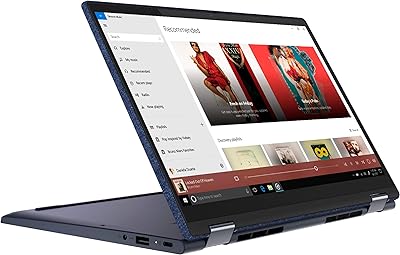
Lenovo Yoga 6 13.3″ 2-in-1 Laptop - Ryzen 5, 8GB RAM, 256GB SSD
85%
85%
Performance
94%
Portability & Weight
92%
Battery Life
88%
Display Quality
90%
Build Quality
More
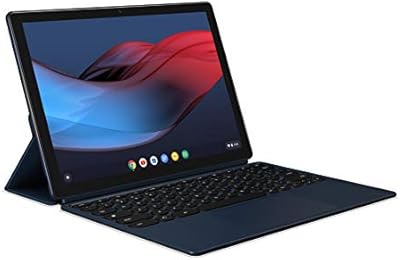
Google Pixel Slate 12.3-Inch 2-in-1 Tablet Intel Core m3 8GB RAM 64GB
79%
90%
Display Quality
85%
Battery Life
80%
Performance for Productivity
88%
Build Quality
82%
Multitasking Experience
More
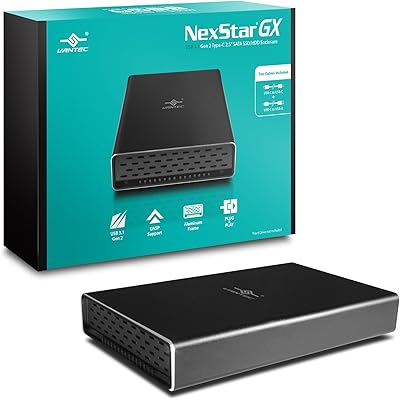
Vantec NexStar GX 2.5″ USB-C Drive Enclosure
79%
88%
Build Quality
83%
Transfer Speed
91%
Ease of Setup
71%
Heat Management
63%
Drive Fit & Tolerance
More
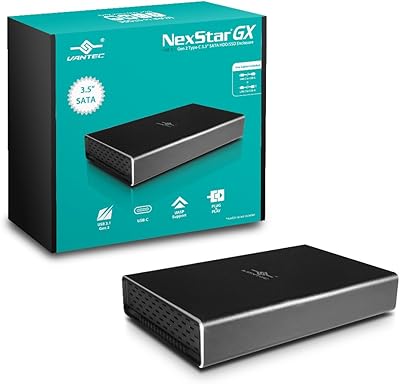
Vantec NexStar GX NST-371C31 3.5″ HDD Enclosure

77%
88%
Build Quality
74%
Heat Management
79%
Transfer Performance
93%
Ease of Setup
76%
Compatibility
More
HP OmniBook X Flip 14″ 2K Touch-Screen 2-in-1 Laptop, AMD Ryzen AI 7 3500U, 24GB RAM, 1.5TB Storage

86%
92%
Performance
90%
Display Quality
88%
Multitasking & RAM
94%
Storage Capacity
84%
Portability & Weight
More
Lacoste L.12.12 Rose Eau de Parfum 100ml
80%
84%
Scent Profile
68%
Longevity
61%
Sillage & Projection
89%
Bottle Design
79%
Value for Money
More
NAMON 2-in-1 Portable Laptop Floor & Desk Stand
79%
88%
Height Adjustability
82%
Stability & Base Design
79%
Build Quality
83%
Tilt & Angle Flexibility
74%
Tray Size & Usability
More
ASUS Chromebook 16 2-in-1 Touchscreen Laptop
74%
88%
Display Quality
81%
Convertible Versatility
83%
Performance & Speed
79%
Battery Life
76%
Build Quality
More

FAQ

Yes, for standard document work it holds up fine. The Celeron J4125 and 8GB of RAM are enough to run desktop Office applications without obvious sluggishness, as long as you are not simultaneously juggling many browser tabs and large spreadsheets. Keep expectations in check for anything beyond that.

The magnetic detachable keyboard is included in the box with the VGKE B12 12.3″ 2-in-1 Touchscreen Laptop. You do not need to purchase it separately, which is a meaningful value consideration given how many competing 2-in-1 devices bundle the keyboard only at a premium.

At 3000×2000 pixels on a 12.3″ screen, pixel density is genuinely high, and text in particular looks sharp and clean. Colors are vibrant thanks to the 100% sRGB coverage. The main limitation is brightness — at 300 nits, working in direct sunlight or near a bright window will be uncomfortable.

Almost certainly not. Devices in this category almost universally solder the RAM directly onto the motherboard, and the storage in budget Windows tablets is often not user-accessible. Treat the 8GB RAM and 256GB SSD as fixed specs from day one and plan accordingly.

Some users have reported flex and inconsistent magnetic grip, particularly when using the device on uneven surfaces like a lap or a soft bag. It tends to work well on a flat desk. If you plan to use it frequently in laptop mode away from a table, this is worth factoring into your decision.

The 8.5-hour claim should be taken as a best-case ceiling rather than a reliable daily expectation. Low-TDP chips like the Celeron J4125 can be efficient, but Windows 11 background activity and screen brightness eat into that figure noticeably. Users tend to report figures closer to five to six hours under moderate real-world use.

VGKE does not officially list stylus support in the product specifications, so active pen compatibility is not confirmed. The touchscreen supports finger-based touch input, but relying on it for precise stylus-style note-taking would be risky without confirmation from the manufacturer.

It is a reasonable fit for students whose needs are primarily note-taking, research, and light writing. The sharp display and genuine Windows 11 environment give it a leg up over cheaper Chromebooks for students who need desktop software. Just be realistic about its processing limits if your coursework involves heavier applications.

VGKE is a lesser-known brand without the established support infrastructure of major manufacturers like Lenovo, HP, or Microsoft. Warranty terms should be checked directly at point of purchase, and availability of replacement parts or dedicated customer service is less predictable than with larger brands. This is a real consideration for long-term ownership.

The two USB-C ports can drive external displays if you use a compatible USB-C to HDMI or DisplayPort adapter. For USB-A accessories like older mice, keyboards, or flash drives, you will need a USB-C hub or adapter since there are no built-in USB-A ports on this budget touchscreen convertible.
