
Overview

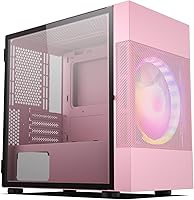
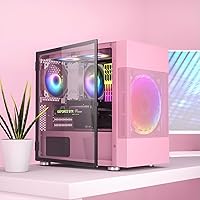
The Vetroo M01 Micro-ATX Mini Tower Case is one of the few budget-friendly options that actually tries to look interesting — and in pink, it mostly succeeds. While most cases at this price point come in uninspired black with minimal personality, this mini tower leads with a fine mesh front panel and a swing-open tempered glass side that lets you show off your build from day one. Its footprint stays notably small for a Micro-ATX chassis, which matters when desk space is tight. It ships ready to run with a large front fan already installed, and there is meaningful room to expand cooling as your budget allows.

Features & Benefits

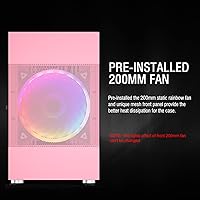
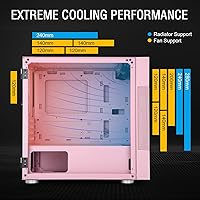
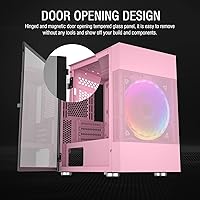
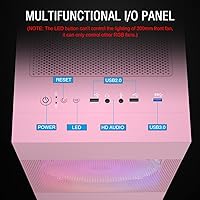
Out of the box, the M01 case comes with a 200mm front fan already spinning — a larger diameter than most cases include at this tier, which translates to quieter rotation and better air movement across your components. You can swap it for smaller fans if you prefer, and the chassis supports up to five fans in total, plus a 280mm radiator up front or a 240mm unit on top. The door-style glass panel is a practical touch that makes cable tidying and component swaps noticeably less frustrating. A bottom-mounted PSU keeps things thermally sensible, and the front I/O covers two USB 3.0 and two USB 2.0 ports. Most mainstream GPUs and air coolers slot in without issue.

Best For

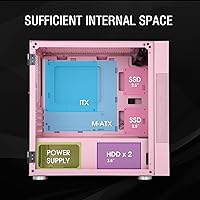
This compact chassis is a natural pick for anyone building their first PC who wants something that looks good without navigating a complicated enclosure. The pink colorway has real appeal for students, streamers, or anyone assembling a themed battlestation on a tight budget. Because it accepts Micro-ATX and Mini-ITX boards, it covers a wide range of common build configurations without demanding a premium. It is also a smart starting point for builders who plan to add fans or a small liquid cooler down the road — the infrastructure is there, you just need the budget. Where it falls short is for anyone requiring loads of drive bays or expansion slots; four PCI slots and two of each drive bay type is workable, not generous.

User Feedback

Across a strong pool of verified ratings, buyers frequently single out the swing-open glass door as the standout practical detail — it makes accessing the interior easier than the standard side-panel slide. Cable routing gets praised too, a fair sign of decent internal layout for the price. The criticisms worth taking seriously: the steel feels noticeably thin, documentation is sparse enough to trip up newer builders, and — this one matters — the LED button on the front I/O does not control the large front fan lighting at all. A few users also flagged that dust filter coverage could be more thorough. At a 4.6-star average from hundreds of buyers, overall sentiment is solidly positive, but go in with realistic expectations.

Pros

  • The pre-installed 200mm front fan means you can boot and run your system the day it arrives without buying extra cooling.
  • A door-style tempered glass panel makes accessing the interior far more convenient than wrestling with a standard slide-off design.
  • Supports mainstream GPUs and most popular air coolers without any clearance headaches.
  • Bottom-mounted PSU placement keeps the build thermally organized and gives the case a visually balanced look.
  • Mesh front panel promotes genuine airflow rather than just looking the part.
  • The pink colorway is genuinely well-executed and rare at this price point, making it easy to build a themed setup.
  • Upgrade headroom is solid — up to five fans and a 280mm radiator is generous for the size and cost.
  • Front I/O includes two USB 3.0 ports, which is the practical minimum for comfortable daily use.
  • Cable management is better organized than most competing cases in this price bracket, based on consistent buyer feedback.
  • The compact footprint works well for small desks without forcing you into a Mini-ITX board compromise.

Cons

  • Steel panels feel noticeably thin and flex slightly under pressure, which undercuts the build quality perception.
  • The front LED button cannot control the pre-installed 200mm fan lighting — an unintuitive limitation that catches many buyers off guard.
  • Included documentation is sparse, which can frustrate first-time builders during standoff installation or PSU fitment.
  • Dust filter coverage is incomplete, meaning fine particles can find their way inside over time with moderate room dust.
  • Only four PCI expansion slots limits future upgrade paths compared to mid-tower alternatives in a similar price range.
  • Fan noise from the 200mm unit under sustained load has been flagged by some users as more noticeable than expected.
  • Two SSD and two HDD bays will feel limiting for anyone planning a multi-drive media or storage setup.
  • The M01 case ships with a single large fan and no additional smaller fans, so multi-zone airflow requires a separate purchase.
  • Standoff pre-placement can be inconsistent, occasionally requiring manual repositioning before a motherboard will seat correctly.

Ratings

The Vetroo M01 Micro-ATX Mini Tower Case scores here reflect AI analysis of verified global buyer reviews, with spam, bot-generated feedback, and incentivized posts actively filtered out before scoring. Ratings are calibrated to surface both what genuinely impresses builders and where real frustrations show up in day-to-day ownership. Nothing has been smoothed over — the strengths and the trade-offs are weighted equally.

Value for Money
88%
For builders working with a tight budget, the M01 case consistently overdelivers on perceived value. Getting a pre-installed large front fan, a hinged tempered glass panel, and a distinctive colorway in a single purchase is genuinely hard to match at this price tier. Most buyers feel the visual return alone justifies the cost.
The value calculation shifts slightly once you account for needing to buy better documentation resources separately or replace the included fan with a quieter aftermarket option. A few buyers felt the thin steel panels revealed where corners were cut to hit the price point.
Build Quality
61%
39%
The tempered glass panel itself feels solid and the hinge mechanism holds up well through repeated opening during builds and upgrades. The overall assembly is competent for a budget enclosure, and nothing rattles or feels misaligned out of the box.
The steel gauge on the side and top panels is noticeably thin — experienced builders will flex it without even trying. This is the most consistently cited criticism in buyer feedback, and it does create a slightly hollow feel that undercuts confidence in long-term durability.
Airflow Performance
83%
The mesh front panel channels airflow efficiently toward the large intake fan, and buyers report that component temperatures stay reasonable for mid-range gaming hardware under sustained load. The layout allows for a proper front-to-rear airflow path without major obstructions.
The single pre-installed fan handles light workloads fine, but users pushing a mid-range GPU in warm rooms notice temperatures creeping up until they add a rear or top exhaust fan. The case supports more cooling, but it does not ship with enough to be considered complete out of the box for demanding builds.
Ease of Assembly
74%
26%
The swing-open glass door is a genuine quality-of-life improvement during assembly — being able to fully open the side access rather than awkwardly slide a panel off makes cable routing and component installation noticeably less frustrating. The internal layout is logical and approachable for first-time builders.
The included documentation is minimal to the point where newer builders have reported confusion around standoff placement and PSU orientation. Standoffs occasionally need manual repositioning before a motherboard seats properly, which is a small but irritating speed bump when you are already nervous about your first build.
Aesthetic Design
91%
The pink colorway is one of the most consistently praised aspects across buyer reviews — it is bold enough to make a real style statement without looking cheap, and the mesh front panel adds texture that makes the case look more premium than its price suggests. For themed builds, very few options in this segment compete on looks.
The rainbow fan lighting cannot be synchronized with other RGB components through the front LED button, which frustrates buyers who expected a cohesive lighting setup. If a fully unified aesthetic matters to you, the independent behavior of the front fan requires working around it with software on your motherboard.
Cable Management
78%
22%
Buyers frequently call out cable management as a relative strength, noting that the routing channels and tie-off points are well-positioned for a case this compact. Finished builds tend to look clean through the glass panel without requiring excessive effort or aftermarket cable combs.
The available space behind the motherboard tray is tighter than builders used to mid-tower cases will expect, and thicker PSU cable sets can make the rear panel difficult to close flush. It is manageable but requires patience rather than being genuinely effortless.
Fan & RGB Control
53%
47%
The front I/O includes an LED control button that works reliably for toggling and cycling lighting effects on separately installed RGB and ARGB fans. Buyers who added their own fans to the empty positions generally had no complaints about the controller functionality for those components.
The well-documented limitation here is that the pre-installed 200mm front fan sits completely outside the LED button's control loop — it runs its rainbow pattern independently with no way to change or disable it through the case. For buyers expecting full control over all installed lighting from one button, this is a real disappointment.
Cooling Upgrade Headroom
82%
18%
The internal layout thoughtfully anticipates future upgrades — adding a rear exhaust fan, a top dual-fan setup, or swapping to a compact liquid cooler are all realistic options without any modding required. For a budget starting point, the infrastructure genuinely supports a phased approach to cooling.
Installing a front radiator requires removing the pre-installed 200mm fan, which can feel like undoing the main feature that made the case attractive in the first place. Builders who want both the large fan and a liquid cooler will need to make a compromise call early in the planning process.
Hardware Compatibility
85%
GPU clearance is generous enough to fit the cards most buyers in this price segment are likely to pair with a Micro-ATX build. CPU cooler height clearance covers the majority of popular air coolers, and the bottom PSU mount accommodates standard ATX power supplies without layout conflicts.
The limitation to Micro-ATX and Mini-ITX boards is a hard ceiling — full ATX platform builds are simply off the table. The four expansion slots also mean that anyone planning to run a capture card, sound card, or other PCIe accessory alongside a GPU will use up slots quickly.
Front I/O Usability
77%
23%
Having two USB 3.0 ports on the front panel is the practical minimum most builders expect today, and the M01 case delivers them reliably. Daily plug-and-play use for external drives, headsets, and peripherals works without complaint from buyers.
There is no USB-C port on the front panel, which is an increasingly noticeable omission as more peripherals and devices adopt the connector. Buyers with newer smartphones or audio interfaces who expected a Type-C option will need to route cables to the rear of their motherboard instead.
Dust Filtration
58%
42%
The mesh front panel does passively filter out larger dust particles before they reach the intake fan, which is better than a fully open front design. Builders in relatively clean environments report that the interior stays acceptably dust-free with monthly maintenance.
There are no dedicated removable dust filters in this compact chassis, which means fine dust, pet hair, and debris in dirtier environments will accumulate inside faster than buyers might anticipate. Cleaning requires more frequent and hands-on attention than cases with proper filter inserts.
Desk Footprint
87%
For a Micro-ATX enclosure, the physical footprint is genuinely compact and works well on smaller desks or in tighter setups where a full mid-tower would feel overwhelming. Multiple buyers specifically called out how much less desk real estate this case occupies compared to what they expected.
The case is not quite small enough to compete with purpose-built Mini-ITX enclosures for true space saving, so if absolute desk compactness is the priority, a dedicated ITX chassis might still be the better call. The height is moderate rather than dramatically low-profile.
Storage Options
62%
38%
Two SSD slots and two HDD bays cover the basics for a primary gaming or productivity build without feeling wasteful. Most buyers at this hardware tier are installing one or two drives anyway, so the available bays match the likely use case reasonably well.
Anyone building a NAS-adjacent machine, a media server, or a content creation rig with multiple large drives will outgrow the storage bays almost immediately. The four-drive ceiling is a real constraint that limits how long this case can serve as the primary home for an expanding storage setup.

Suitable for:

The Vetroo M01 Micro-ATX Mini Tower Case is a strong fit for first-time builders who want a visually appealing starting point without spending a lot or wrestling with a complicated enclosure. Students assembling a budget gaming or productivity rig will appreciate the compact footprint — it does not hog desk space, and the pink finish gives it a personality that plain black towers simply lack at this price. If you are planning a Micro-ATX or Mini-ITX build and already know you want to add more cooling hardware over time, the internal layout accommodates that ambition; there is room for additional fans and even a modest liquid cooler when your budget catches up. It is also a practical choice for anyone who values easy access to their components, since the door-style glass panel makes routine maintenance noticeably less of a chore than typical slide-off designs.

Not suitable for:

Builders who prioritize chassis rigidity and long-term durability may find the Vetroo M01 Micro-ATX Mini Tower Case falls short of expectations — the steel panels are thin enough that more experienced hands will notice immediately. If you are running a high-end workstation or plan to populate every available drive bay, the limited storage options and four expansion slots will start to feel restrictive before long. Power users who want full ATX motherboard support are simply out of luck here, as this compact chassis does not accommodate them. Those chasing a fully synchronized RGB lighting setup should also be cautious — the front 200mm fan operates independently and cannot be controlled through the front LED button, which can frustrate anyone expecting a cohesive lighting ecosystem. And if you need thorough dust filtration for a pet-heavy or dusty environment, the coverage here is adequate but not comprehensive enough to be a true selling point.

Specifications

  • Form Factor: Supports Micro-ATX and Mini-ITX motherboards, covering the two most common compact board sizes.
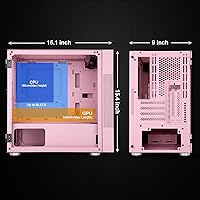
  • Dimensions: The case measures 16.1 x 9 x 15.4 inches, keeping the overall footprint genuinely small for a Micro-ATX enclosure.
  • Weight: At 11.88 pounds, the chassis is light enough to move around without assistance but feels appropriately substantial once built.
  • Included Fan: One 200mm static rainbow fan comes pre-installed at the front, providing immediate airflow without any additional purchase.
  • Fan Support: The chassis accommodates up to five fans total across front, top, and rear positions, with support for 120mm, 140mm, and 200mm sizes depending on location.
  • Radiator Support: A 280mm radiator fits in the front intake position and a 240mm radiator fits along the top exhaust, giving builders meaningful liquid cooling options.
  • GPU Clearance: The case accepts graphics cards up to 340mm in length, which covers the vast majority of modern consumer GPU models.
  • CPU Cooler Height: Air coolers up to 180mm tall are supported, accommodating most popular tower cooler designs without clearance issues.
  • Front I/O Ports: The front panel provides two USB 3.0 ports and two USB 2.0 ports for everyday peripheral and storage connectivity.
  • Side Panel: A tempered glass panel is mounted on a door-style hinge, swinging open for access rather than sliding off like conventional designs.
  • Front Panel: The front face uses a fine mesh construction that encourages passive dust filtering while allowing consistent airflow toward the intake fan.
  • PSU Mount: The power supply installs at the bottom of the case, which helps lower the center of gravity and separates PSU heat from CPU and GPU zones.
  • Drive Bays: Two SSD bays and two HDD bays are available, which is adequate for a primary build but limiting for multi-drive storage configurations.
  • Expansion Slots: Four PCI expansion slots are provided, supporting a single GPU and up to three additional expansion cards.
  • Color: The case is available in pink, featuring a consistent finish across the mesh front panel and steel body.
  • Material: The chassis body is steel construction with a tempered glass side panel; the steel gauge is on the lighter side consistent with this product tier.

Related Reviews
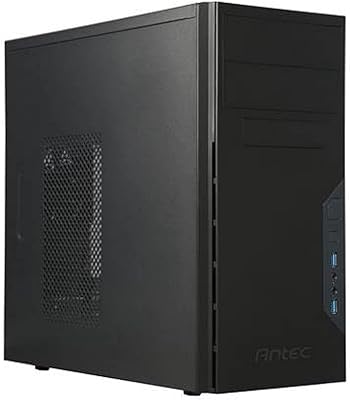
Antec VSK3000E-U3 Micro ATX Mini Tower Case
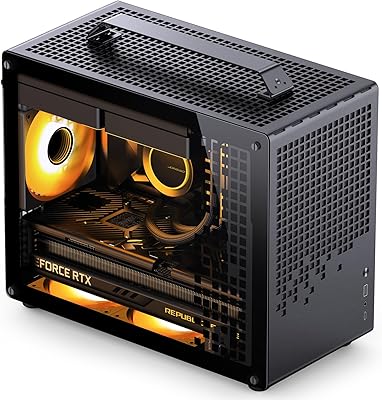
72%
78%
Build Quality
86%
Value for Money
57%
Cooling Performance
83%
Front I/O & Connectivity
84%
Drive Bay Versatility
More
Jonsbo TK-1 Micro-ATX PC Case
76%
91%
Build Quality
93%
Aesthetic Design
74%
Thermal Performance
72%
Hardware Compatibility
86%
Value for Money
More
Jonsbo Z20 Micro-ATX Mini Tower Case
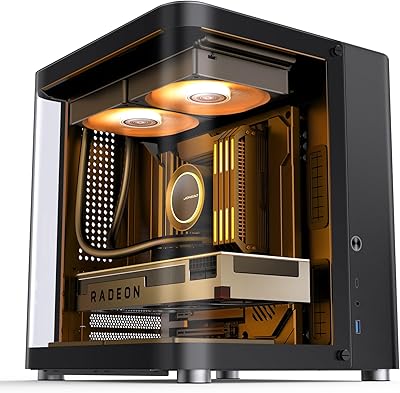
80%
93%
Build Quality & Materials
91%
Portability & Carrying Handle
78%
Internal Layout & Compatibility
89%
GPU Clearance & Large Component Support
87%
Cooling Support & Thermal Flexibility
More
Antec NX200 M Micro-ATX Mini-Tower Computer Case
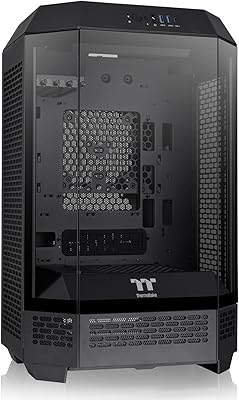
84%
87%
Cooling Performance
83%
Build Quality
88%
Ease of Setup
80%
Size and Space Efficiency
84%
Storage Options
More
Thermaltake Tower 300 Black Micro-ATX Case

84%
88%
Cooling Performance
90%
Build Quality
85%
Design and Aesthetics
82%
Size and Compatibility
80%
Ease of Setup
More
Vetroo AL800 Mid Tower ATX PC Case
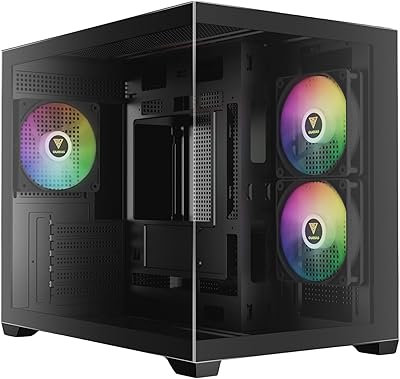
76%
78%
Build Quality
84%
Tempered Glass Panel
76%
Airflow Performance
61%
Fan Included & Expandability
69%
Cable Management
More
Cooler Master Q300L V2 Micro-ATX Tower Case
77%
91%
Value for Money
83%
Airflow Performance
77%
Build Quality
81%
Tempered Glass Panel
72%
Cable Management
More
Segotep Memphis Micro-ATX Mini Tower PC Case
76%
83%
Build Quality
89%
Aesthetic Design
77%
Airflow Performance
86%
GPU Compatibility
61%
Cable Management
More
GAMDIAS AURA GC10M ARGB mATX PC Case
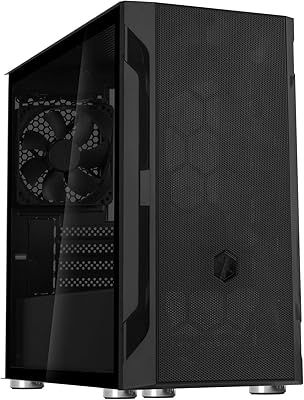
78%
91%
Value for Money
72%
Build Quality
78%
Airflow Performance
87%
ARGB Lighting
61%
Cable Management
More
SilverStone FARA H1M Mid-Tower Micro-ATX Case
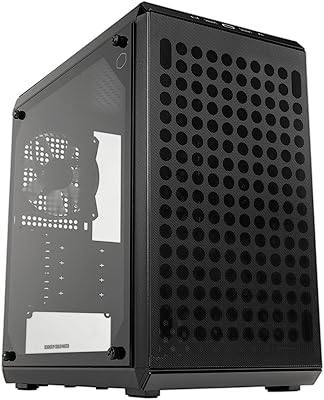
82%
91%
Airflow Performance
88%
Build Quality
85%
Cooling Options
65%
Cable Management
82%
Aesthetics
More
Thermaltake Tower 600 Mid-Tower ATX Case
79%
91%
Build Quality
93%
Aesthetic Design
88%
Cable Management
94%
Cooling Capacity
71%
Installation Experience
More

FAQ

No, it does not. The Vetroo M01 Micro-ATX Mini Tower Case is designed for Micro-ATX and Mini-ITX boards only. If you are planning a build around a standard ATX board, you will need to look at a larger chassis.

This is one of the more confusing aspects of this case, so it is worth being upfront about it: the LED button on the front I/O panel does not control the 200mm fan lighting. That fan runs its rainbow effect independently. The button is intended to cycle lighting on any additional RGB or ARGB fans you install separately.

The M01 case supports graphics cards up to 340mm in length, which covers most mainstream and even some higher-end consumer cards. If your GPU is longer than that, you will likely run into clearance issues with the front fan or drive cage area, so double-check your card's length before buying.

Yes, and it has decent support for the size. You can fit a 280mm radiator in the front intake position or a 240mm radiator along the top. Those are real options for a case this compact, though you will need to remove the pre-installed 200mm fan if you go with a front radiator.

The case supports up to five fans in total across the front, top, and rear positions. It ships with one 200mm fan already in the front, so you have room to add four more. The top supports up to two 120mm or 140mm fans, and the rear accepts a single 120mm exhaust fan.

It is a reasonable starting point, yes. The layout is fairly straightforward, and the swing-open glass panel makes getting inside and routing cables less intimidating than cases with tight slide-off panels. That said, the documentation included is minimal, so having a build guide open on a second screen is a smart move for a first-timer.

The glass itself is solid and feels safe to handle during builds. The hinge mechanism works reliably. The more noticeable quality concern is actually the steel on the rest of the chassis, which is thinner than you might expect — it flexes slightly if you push on the side panels, which is fairly typical for budget-tier cases.

The maximum CPU cooler height is 180mm, which covers most popular mid-range tower coolers. Just verify your cooler's height spec before ordering, especially if you are eyeing a larger dual-tower design, since those occasionally exceed that clearance.

It leans more toward a medium-toned pink rather than a pale blush or a hot neon pink. It is noticeable and intentional — this is definitely a case built around a color theme, not one that happens to have a slight tint. If you want a subtle accent, this is probably too bold; if you are building a themed setup, it looks consistent and well-executed for the price.

The mesh front panel does provide some passive filtering by nature of its fine grid structure, but this compact chassis does not have a removable, dedicated dust filter like higher-end cases often include. It will catch larger particles reasonably well, but in a dusty room or pet-heavy environment, you will want to clean the inside more frequently than you might with a case that has proper filter inserts.

Where to Buy