Overview

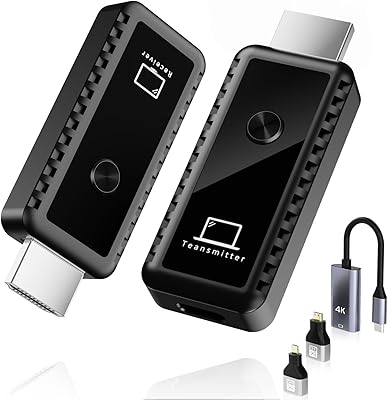
The VCOLink WL093 Wireless HDMI Transmitter and Receiver is a mid-range wireless video kit built for anyone tired of running HDMI cables across a room. It supports up to eight transmitters connected to a single receiver — a setup that makes it genuinely useful in conference rooms, classrooms, and church AV booths rather than just typical home theater use. The dual-band radio (2.4G and 5G) handles channel selection automatically, and the claimed range tops out at 196ft under ideal conditions. One thing to flag upfront: this wireless HDMI kit accepts 4K input but always outputs at 1080p@60Hz. That distinction matters, and it catches some buyers off guard.
Features & Benefits

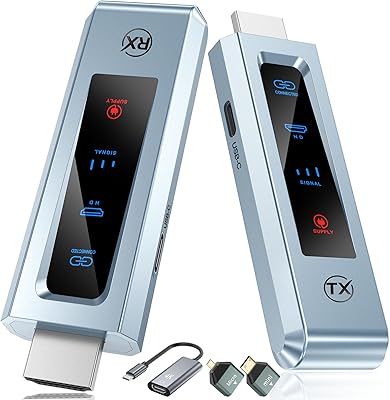
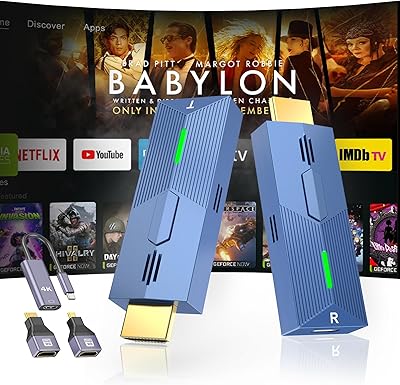
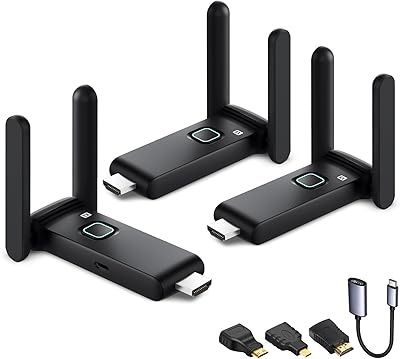
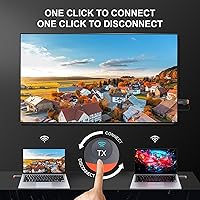
The standout feature here is how the 8-to-1 multi-source setup actually works in practice. Each transmitter has its own physical button — press it and you're on screen, press again and you're off. No one can accidentally hijack your presentation, and no app needs to arbitrate the handoff. The WL093 extender also keeps latency under 50 milliseconds, which is low enough for casual gaming and live streaming. Setup is genuinely fast: power both units on and they pair within seconds, no drivers required. A bundle of adapter cables (Micro HDMI, Mini HDMI, USB-C) means most modern devices connect without hunting for a separate dongle.

Best For

This multi-source transmitter set is an especially good fit for small conference rooms where multiple presenters take turns at the display — the hardware switching keeps things moving without fumbling through software. Classrooms and training spaces with a shared projector get the same benefit. Church AV teams running multiple laptop or camera feeds to one screen will appreciate not needing a dedicated IT setup. Home theater users who simply want to cut the cable run to a TV across the room are well served too, as long as they are comfortable landing at 1080p rather than 4K. Mixed-device environments — USB-C laptops alongside older HDMI sources or gaming consoles — are handled cleanly by the included adapters.

User Feedback

Buyers who've put this wireless HDMI kit through its paces tend to praise the setup speed and how reliably the multi-transmitter switching behaves day-to-day. The plug-and-play experience draws consistent positive comments, particularly from non-technical users. On the flip side, the 4K-to-1080p downscale frustrates buyers who expected full 4K output — it is a real point of confusion worth noting before purchase. Range performance also draws mixed reports: the 196ft figure holds up in open spaces, but through multiple concrete or brick walls the signal can weaken noticeably. A handful of users have flagged occasional pairing inconsistencies between units, though this appears to affect a minority of buyers rather than being a widespread hardware issue.

Pros

  • Up to 8 presenters can each own a dedicated transmitter, eliminating the awkward cable-passing routine in meetings.
  • Physical one-press switching means no software arbitration — whoever presses their button is live, instantly.
  • Plug-and-play auto-pairing works out of the box with zero driver installation or app setup required.
  • Sub-50ms latency keeps presentations, casual gaming, and live streaming feeling smooth and responsive.
  • Dual-band radio (2.4G and 5G) auto-selects the cleaner channel, reducing drops in busy office environments.
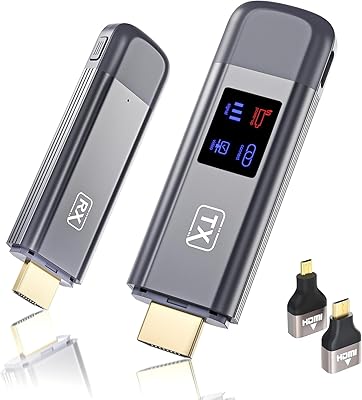
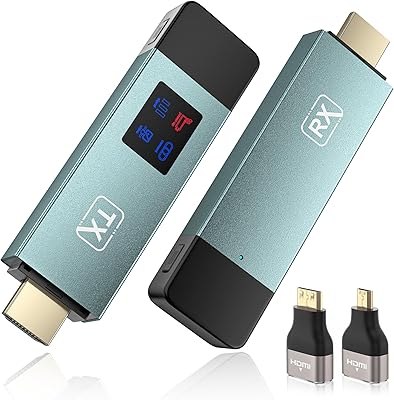
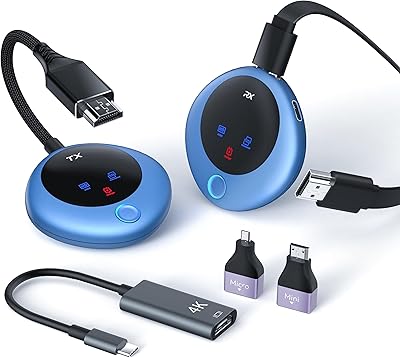
  • Bundled Micro HDMI, Mini HDMI, and USB-C adapters make it compatible with a wide range of source devices immediately.
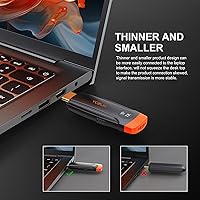
  • The compact transmitter slips into a pocket or laptop bag, making it genuinely portable for consultants and traveling instructors.
  • No dependency on a shared Wi-Fi network means the WL093 extender works even in venues with locked-down or unreliable internet.
  • FCC, CE, and ROHS certifications offer baseline assurance of regulatory compliance for professional installations.
  • Positions itself between cheap single-source dongles and expensive enterprise extenders, offering multi-source capability at a realistic price.

Cons

  • Output is capped at 1080p wirelessly — 4K sources are downscaled regardless of display capability.
  • Real-world range through concrete or brick walls can fall well short of the advertised 196ft figure.
  • Occasional pairing failures on first power-on can disrupt a presentation at the worst possible moment.
  • A visible black-screen flash occurs during source switching, which looks rough in polished professional settings.
  • In dense RF environments like conference centers or shared office buildings, interference-driven signal drops can be persistent.
  • The receiver requires its own power connection, meaning the display end of the setup is not fully cable-free.
  • Documentation does not clearly explain the 4K-to-1080p output behavior, leading to post-purchase frustration for uninformed buyers.
  • Button mechanism on transmitters has shown early wear signs in longer-term use, raising durability questions over months of daily pressing.
  • No option to mirror or broadcast to multiple receivers simultaneously limits use in larger multi-screen venues.

Ratings

The VCOLink WL093 Wireless HDMI Transmitter and Receiver has been evaluated by our AI rating engine after processing verified purchase reviews from global buyers, with spam, incentivized, and bot-generated feedback actively filtered out. Scores reflect the full spectrum of real-world experiences — from enthusiastic praise to recurring frustrations — so you get an honest picture before committing to this wireless HDMI kit.
Ease of Setup
91%
Most buyers report being up and running within two to three minutes of unboxing. The auto-pairing behavior on power-up removes any need for apps, network credentials, or driver installation — a genuine relief for non-technical users setting this up in a conference room or classroom with no IT support nearby.
A small but consistent subset of users reports that occasionally a transmitter fails to auto-pair on first power-on and requires a manual reset. This is infrequent, but it can be disruptive mid-meeting when you expected plug-and-play reliability.
Multi-Source Switching
88%
The hardware button system — one physical button per transmitter, one press to connect, one press to disconnect — earns consistent praise from users running multi-presenter meetings. Teams in small offices and church AV setups especially appreciate that no one can accidentally override an active presenter by clicking something in software.
With eight transmitters in play, keeping track of which unit belongs to which person can get messy without labeling. A few users also noted a brief but noticeable black-screen flash during source handoffs, which can feel abrupt in polished presentation environments.
Signal Stability & Range
74%
26%
In open-plan offices and home theater rooms with line-of-sight between units, the dual-band radio performs solidly — most users report zero drops at distances up to roughly 40 to 50 meters indoors. The auto-channel selection between 2.4G and 5G helps in environments with crowded Wi-Fi networks competing for airspace.
The advertised 196ft range is a best-case figure that rarely holds through multiple walls, especially concrete or brick. Buyers in older buildings or multi-room setups report noticeable signal degradation past 15 to 20 meters when walls are involved, and a handful experienced intermittent freezing they attributed to interference.
Output Resolution & Picture Quality
62%
38%
At 1080p@60Hz the picture is clean and sharp on most displays — for standard presentations, video playback, and casual streaming, the output quality is more than sufficient. Users feeding 1080p sources from laptops or streaming sticks report a crisp, artifact-free image with no visible compression issues under normal conditions.
This is the single biggest frustration point in buyer feedback. The kit accepts 4K input but always outputs at 1080p — many buyers feel the listing implies 4K passthrough wireless capability. If you have a 4K source and a 4K display and care about native resolution, this wireless HDMI kit will disappoint you.
Latency Performance
83%
Sub-50ms latency holds up well for PowerPoint decks, YouTube playback, and casual gaming at 1080p. Users running live-to-screen presentations or casual console gaming sessions report the delay is essentially imperceptible during normal use, which is a meaningful achievement for a wireless extender in this price bracket.
Latency-sensitive users — competitive gamers or musicians running audio through HDMI — may notice the delay in specific scenarios. It is not zero-latency regardless of the marketing language, and a small number of users flagged occasional latency spikes during heavy 2.4G interference that made the connection feel momentarily sluggish.
Build Quality & Durability
71%
29%
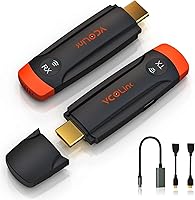
The transmitters feel reasonably solid for daily handling — the plastic casing does not flex noticeably and the HDMI connectors seat firmly. At under 4 inches long, they are easy to pocket or clip to a laptop bag, and the orange-and-black color scheme makes them visually easy to identify on a cluttered conference table.
The plastic housing feels mid-grade rather than premium, and a few longer-term users have noted that the button mechanism can feel slightly loose after months of repeated pressing. The build is acceptable for the price tier, but it is not something you would call rugged for heavy daily field use.
Adapter & Compatibility Coverage
79%
21%
Bundling Micro HDMI, Mini HDMI, and USB-C adapters in the box is a practical move that most competitor kits skip. Users with DSLRs, newer MacBooks, and older camcorders appreciated not needing to source additional cables separately before getting started.
The USB-C adapter covers DisplayPort Alt Mode devices well, but some users with older Android phones or tablets found compatibility hit-or-miss depending on whether their device fully supported video output over USB-C. This is a device limitation more than a product flaw, but the broad compatibility marketing can set unrealistic expectations.
Value for Money
77%
23%
For buyers who genuinely need the 8-to-1 multi-source capability, this wireless HDMI kit offers a feature set that would cost significantly more from established AV brands. Small businesses and schools in particular find it a cost-effective way to modernize a shared display setup without enterprise-level investment.
If you only need a single-source wireless HDMI extender, the price feels harder to justify given competitors that do one-to-one connections for less. The value proposition hinges almost entirely on the multi-transmitter feature — buyers who do not need that should look at simpler, cheaper alternatives.
Interference Resistance
69%
31%
The automatic dual-band channel hopping does a reasonable job in standard office environments where 2.4G congestion is moderate. Users in smaller offices with a handful of Wi-Fi networks nearby report stable connections throughout the workday without needing to manually reconfigure anything.
In dense environments — shared office buildings, convention centers, or venues with dozens of competing networks — the auto-selection does not always find a clean enough channel to hold a consistent signal. A few users in these settings experienced repeated micro-drops that made the kit unreliable for mission-critical presentations.
Portability & Form Factor
86%
The slim, pocketable transmitter size is a genuine practical advantage for consultants or instructors who carry their own unit to different rooms or client sites. Weighing next to nothing and requiring no software install on the host machine means it works as a grab-and-go tool with almost any HDMI-equipped laptop.
The receiver unit is less compact and requires its own power source, which adds a short cable run at the display end — not a dealbreaker, but it means the setup is not entirely wire-free at the screen side. A cleaner receiver mounting solution would improve the overall desk or AV cart presentation.
Audio Transmission
73%
27%
Stereo audio passes through reliably alongside the video signal in the vast majority of use cases — movies, presentations with embedded sound, and streaming content all play back without sync issues under normal conditions. Users running basic conference room audio or classroom video lessons report no practical complaints.
A handful of users experienced intermittent audio dropout events that did not coincide with visible video disruption, suggesting minor packet loss on the audio channel. Those using the kit for music playback through a home theater receiver found occasional dropouts distracting enough to warrant mention.
Setup Documentation & Support
58%
42%
The physical quick-start guide is clear enough to get most users through initial pairing without confusion. Buyers who contacted customer support for pairing or compatibility questions generally report receiving a response within a reasonable timeframe.
The included documentation does not adequately explain the 4K-input-to-1080p-output behavior, which is the root cause of many post-purchase complaints. Advanced troubleshooting for signal drop or multi-unit pairing issues relies heavily on user-generated forum content rather than official guidance, which frustrates less tech-savvy buyers.
Receiver Flexibility
66%
34%
The single receiver works with virtually any HDMI-equipped display — projectors, TVs, and monitors all accept the signal without needing additional configuration. Users switching between a conference projector and a flat-panel display report the receiver adapts without any manual input.
The one-receiver limitation means you cannot broadcast the same source to multiple displays simultaneously, which limits the kit for larger venues or multi-room installs. Users who assumed the 8-TX-to-1-RX architecture could be expanded or mirrored to additional screens were disappointed to find no such capability exists.

Suitable for:

The VCOLink WL093 Wireless HDMI Transmitter and Receiver is a strong fit for anyone managing a shared display where multiple people need to present in sequence without fussing over cables or software. Small business conference rooms are the sweet spot — each team member gets their own transmitter, presses a button when it is their turn, and the handoff takes seconds. Classrooms and training facilities with a single projector shared among rotating instructors benefit from the same workflow. Church AV volunteers juggling laptop feeds and camera outputs will find the hardware-level switching refreshingly simple compared to software-based matrix switchers. Home theater users who want to stop running a long HDMI cable across the room are also well served, provided they are comfortable with 1080p output on their display. The plug-and-play setup means no IT coordinator is needed — it works out of the box for people who have neither the time nor the patience for driver installs or network configuration.

Not suitable for:

Buyers expecting true 4K wireless video should look elsewhere — the VCOLink WL093 Wireless HDMI Transmitter and Receiver caps its wireless output at 1080p@60Hz regardless of the resolution coming in, and that gap will frustrate anyone with a 4K display and 4K source material. If your installation involves thick concrete walls, multiple floor changes, or distances reliably beyond 30 to 40 meters, real-world signal stability may not meet expectations despite the advertised 196ft range. Competitive gamers who demand minimal and consistent input lag should also be cautious, since latency can spike during interference events even if typical performance is acceptable. This multi-source transmitter set is also not the right tool for broadcasting a single source to multiple displays at once — the architecture is strictly many-to-one, not one-to-many. Finally, buyers who only need a simple single-device wireless HDMI connection will find the price harder to justify when more affordable single-source alternatives exist for that narrower use case.
Specifications

  • Brand & Model: Manufactured by VCOLink under model number WL093.
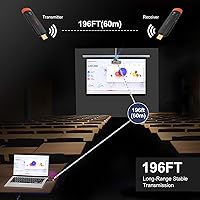
  • Transmission Range: Rated up to 196ft (60 meters) in open line-of-sight conditions; real-world through-wall range will vary depending on wall material and thickness.
  • Input Resolution: Accepts video input up to 4K at 30Hz from connected source devices such as laptops, gaming consoles, and streaming sticks.
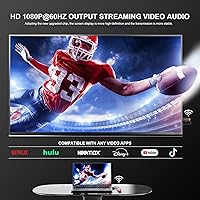
  • Output Resolution: Wirelessly transmits and displays at a fixed 1080p at 60Hz regardless of the input resolution supplied by the source device.
  • Latency: Specified end-to-end transmission latency is under 0.05 seconds (50 milliseconds) under normal operating conditions.
  • Multi-Source Support: Supports up to 8 individual transmitter units paired to a single receiver, with each transmitter independently controlled by its own physical button.
  • Frequency Bands: Operates on both 2.4GHz and 5GHz bands simultaneously, with automatic channel selection to minimize interference from nearby Wi-Fi networks.
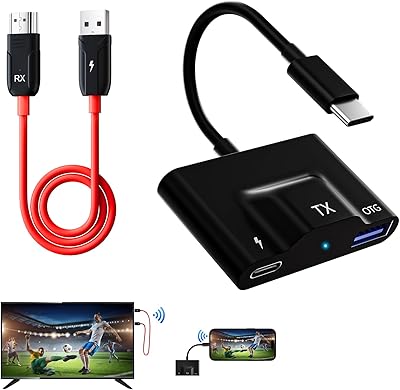
  • Connector Types: The transmitter ships with standard HDMI, Micro HDMI, Mini HDMI, and USB-C (DisplayPort Alt Mode) connection options via included adapter cables.
  • Setup Method: Plug-and-play design — no application download, Wi-Fi network, or driver installation is required; units auto-pair within seconds of being powered on.
  • Control Mechanism: Each transmitter unit features a dedicated hardware button for one-press connection and one-press disconnection from the receiver.
  • Dimensions: Each transmitter unit measures approximately 3.74 x 1.14 x 0.49 inches, making it compact enough to pocket or attach to a laptop bag.
  • Weight: The complete kit weighs approximately 8.4 ounces total as packaged.
  • Color: Units are finished in a two-tone orange and black color scheme for easy visual identification on a shared desk or conference table.
  • Certifications: The kit carries FCC, CE, ROHS, TELEC, and SRRC certifications, confirming compliance with regulatory standards across multiple global markets.
  • Power Requirement: Both the transmitter and receiver units require USB power, supplied via the included USB power cables; no proprietary power adapter is used.
  • Audio Support: Stereo audio is transmitted wirelessly alongside the video signal with no requirement for a separate audio connection at the source or display end.
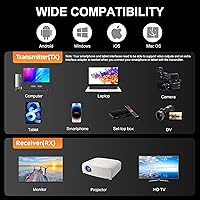
  • Compatibility: Works with any device that outputs a standard HDMI signal, including laptops, desktop PCs, gaming consoles, DSLR cameras, streaming sticks, and digital camcorders.
  • Network Dependency: Operates on its own point-to-point radio link and does not require or interact with an existing home or office Wi-Fi network.

Related Reviews

DxInvb Wireless HDMI Transmitter and Receiver Kit
75%
91%
Ease of Setup
58%
Device Compatibility
74%
Wireless Range & Stability
69%
Video Quality
83%
Build Quality & Portability
More
BRAIDOL TR50 Wireless HDMI Transmitter and Receiver
85%
91%
Performance & Connectivity
89%
Video Quality (4K/1080P)
95%
Ease of Use & Setup
88%
Signal Range (30m)
86%
Portability & Design
More
Weeryyi Wireless HDMI Transmitter and Receiver 1080p
84%
92%
Value for Money
88%
Transmission Range
91%
Ease of Setup
89%
Video Quality
85%
Multi-Screen Support
More
TTQ TR60 Wireless HDMI Transmitter and Receiver
79%
93%
Ease of Setup
78%
Signal Stability
86%
Video & Image Quality
81%
Latency Performance
88%
Build Quality & Materials
More
Anytrox THT-020-8 Wireless HDMI Extender
78%
93%
Ease of Setup
78%
Video Quality
71%
Wireless Stability
82%
Audio-Video Sync
67%
Wireless Range
More
MpioLife Wireless HDMI Kit V6
74%
91%
Ease of Setup
78%
Wireless Range (Open Space)
47%
Through-Wall Performance
83%
Video Quality
69%
Latency & Responsiveness
More
IOGEAR GWHD11
IOGEAR GWHD11
75%
72%
Signal Stability
84%
Video Quality
61%
Wireless Range
91%
Setup & Ease of Use
83%
Audio Performance
More
POFAN G58 Wireless HDMI Transmitter with 2 Receivers
72%
88%
Ease of Setup
82%
Signal Range (Open Space)
53%
Signal Range (Through Walls)
86%
Video Quality
61%
Latency Performance
More
Terzomen AirLink Wireless HDMI Transmitter and Receiver
83%
91%
Ease of Setup
88%
Wireless Performance
84%
Range and Connectivity
89%
Compatibility with Devices
85%
Streaming Quality (1080p)
More
Vrriis Wireless HDMI Transmitter and Receiver 250m
83%
88%
Range and Signal Stability
92%
Setup and Installation
65%
Signal Quality in Obstructed Spaces
89%
Value for Money
80%
Dual Frequency Support (2.4GHz/5.8GHz)
More

FAQ

It accepts 4K input from your source device, but the wireless signal is always transmitted and displayed at 1080p at 60Hz. Your TV will receive a 1080p signal, not 4K. If native 4K output is a priority for you, this wireless HDMI kit is not the right choice.

Each person gets their own small transmitter unit that stays plugged into their laptop. When it is your turn to present, you press the button on your transmitter and the screen switches to your feed within a second or two. Press it again when you are done and you are disconnected. No one else can accidentally take over the screen, and no software is involved at any point.

No, the VCOLink WL093 Wireless HDMI Transmitter and Receiver creates its own dedicated point-to-point radio link between the transmitters and the receiver. Your existing Wi-Fi network is completely uninvolved, which also means it works in venues with restricted or unreliable internet access.
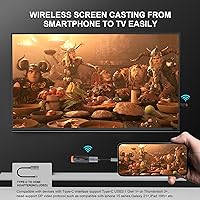
That 196ft figure assumes a clean, unobstructed line of sight between the transmitter and receiver. Through standard drywall partitions the range holds reasonably well, but through concrete, brick, or multiple walls you should expect that practical range to drop noticeably — somewhere in the 15 to 30 meter range is more realistic in a typical commercial building.

Yes, as long as your MacBook supports video output over USB-C (which essentially all modern MacBooks do via DisplayPort Alt Mode), the included USB-C adapter will connect directly to the transmitter. Just make sure you are using the USB-C port, not a Thunderbolt-only port that does not support video passthrough on your specific model.

For casual gaming at 1080p it is generally fine — most users do not perceive the sub-50ms delay during normal gameplay. That said, if you play competitive or fast-reaction games where every millisecond counts, a wired HDMI connection will always be more consistent. Think of this WL093 extender as suitable for single-player or casual multiplayer, not tournament-level play.

In practice, the hardware switching gives priority to the transmitter whose button was pressed first. There may be a brief black-screen moment as the signal switches, but the system resolves to a single active source quickly. It is not designed for simultaneous multi-source display — it is strictly one source on screen at a time.

The standard kit typically ships with one transmitter and one receiver. If you need multiple transmitters for a multi-presenter setup, you would need to purchase additional transmitter units separately and pair them to the same receiver. Check the specific listing configuration before buying to confirm exactly what is included.

The dual-band design helps — it automatically scans both 2.4GHz and 5GHz bands and tries to land on the cleanest channel available. In moderately busy environments this works well. In extremely dense RF environments like large convention centers or multi-tenant office towers with dozens of networks, you may experience more interference-related drops than in a typical small office.

No, the architecture of this multi-source transmitter set is many-to-one only — multiple transmitters can feed a single receiver, but there is no built-in way to have one transmitter broadcast to multiple receivers simultaneously. If you need one-to-many distribution, you would need a different type of wireless video distribution system designed for that purpose.