Overview

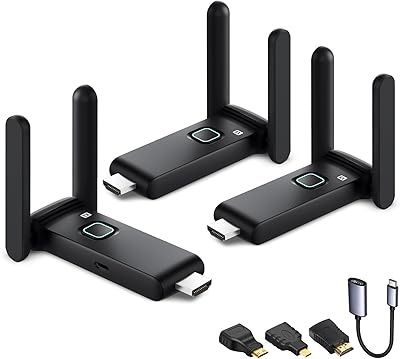
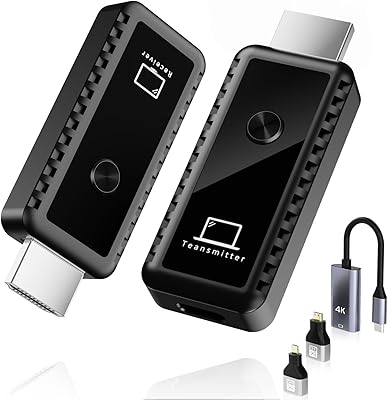
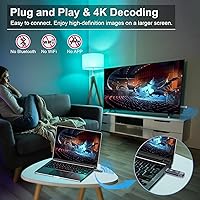
The TTQ TR60 Wireless HDMI Transmitter and Receiver is a compact, metal-housed kit built for anyone tired of running cables across a room just to get video from one screen to another. Unlike budget plastic dongles, this cable-free HDMI sender feels noticeably more solid and purposeful. It operates over dual-band 2.4G/5G wireless with a stated range of around 100 feet, and it requires no Wi-Fi network, no app, and no Bluetooth pairing — just plug both units in and you're connected within seconds. At its mid-range price point, it sits in a practical sweet spot between throwaway cheap kits and overkill professional hardware.
Features & Benefits

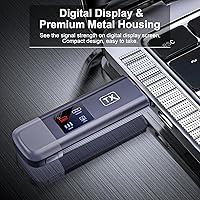
The TR60 extender decodes video up to 4K and outputs at 1080p/60Hz, which is sharp and fluid enough for presentations, movie nights, or displaying camera footage on a large display. TTQ claims latency under 0.01 seconds — that's a manufacturer figure, so real-world results will vary depending on your environment, but most users won't notice any lag during normal use. The LDS antenna helps push the signal through walls and ceilings rather than requiring direct line-of-sight. A small LED signal display on the transmitter shows connection strength in real time, which is a genuinely useful touch. Switching between copy and extended display modes takes a single button press.

Best For

This wireless HDMI kit suits home users who want a clean setup without cables snaking across a living room or bedroom. It's also a solid pick for business presentations — connecting a laptop to a projector or conference room display without hunting for the right cable. Teachers and trainers who move between rooms with a laptop will appreciate how fast it pairs. Photographers and videographers can use it to mirror camera output onto a monitor for clients or audiences. One firm caveat: no smartphone or iPad support. If mobile mirroring is your main use case, this is not the right tool, and that's worth knowing before you buy.

User Feedback

Early impressions from buyers are genuinely positive — a 4.7-star average across 115 ratings is encouraging, though the review pool is still modest enough that trends could shift as more people report long-term use. Praise tends to focus on how quickly the units pair and how stable the signal holds up in typical home and office environments. A few users have flagged that range and signal consistency can drop in spaces with heavy wireless interference, which is worth keeping in mind. There's also an unusual power note in the documentation: TTQ specifically warns that insufficient voltage is a common cause of instability, recommending a 5V/2A minimum charger — something worth double-checking with your setup.

Pros

  • Pairs in seconds with no app, Wi-Fi network, or Bluetooth setup required.
  • Metal housing feels durable and professional compared to cheaper plastic alternatives.
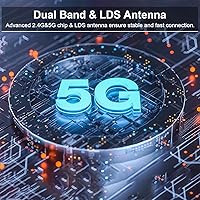
  • Dual-band wireless helps avoid interference by operating on either 2.4G or 5G.
  • 1080p/60Hz output is sharp and fluid enough for presentations, movies, and camera monitoring.
  • LED signal indicator on the transmitter removes the guesswork when troubleshooting connection issues.
  • One-button mode toggle lets you switch between mirroring and extended display without touching software settings.
  • Compact enough to slip into a laptop bag without adding meaningful bulk or weight.
  • Bundled accessories — including HDMI adapters and extension cable — cover most connection scenarios out of the box.
  • Works reliably with laptops, desktop PCs, cameras, and TV boxes across a wide range of setups.
  • Early buyer ratings are strong, suggesting most users get a positive experience right out of the box.

Cons

  • Output is capped at 1080p — do not expect native 4K transmission despite the 4K decode spec.
  • Real-world range drops noticeably through multiple walls or in high-interference environments.
  • Insufficient power from a weak USB port or charger is a known cause of connection instability.
  • Smartphones and tablets are entirely unsupported, which is a hard dealbreaker for mobile-first users.
  • The included Type-C cables are short, and longer replacements will likely need to be sourced separately.
  • Mode-switching occasionally requires a full power cycle on both units to register correctly.
  • With only around 115 ratings, long-term reliability data is still too thin to draw confident conclusions.
  • Fast-paced gaming is not viable due to real-world latency exceeding what competitive play tolerates.
  • The voltage warning buried in the manual is easy to miss and can cause confusing instability for new users.
  • No battery is built in, so both units always need an active power source nearby.

Ratings

The TTQ TR60 Wireless HDMI Transmitter and Receiver has been evaluated by our AI rating engine after analyzing verified buyer reviews from global markets, with spam, bot-submitted, and incentivized feedback actively filtered out. The scores below reflect a balanced picture — genuine strengths and real frustrations alike — so you can make a confident purchase decision without wading through noise. This wireless HDMI kit earns strong marks in several key areas, but a handful of edge-case limitations are worth understanding before you buy.
Ease of Setup
93%
Buyers consistently report that both units pair almost instantly after plugging in — no app downloads, no network configuration, no driver installs. For teachers setting up before a class or professionals connecting to an unfamiliar conference room projector, that kind of friction-free start is genuinely appreciated.
A small number of users found that initial pairing occasionally required a restart when using lower-output USB power sources. The voltage sensitivity means the out-of-box experience can vary slightly depending on what charger you happen to grab first.
Signal Stability
78%
22%
In typical home and office environments with moderate wireless traffic, the TR60 extender holds a solid, consistent connection. The dual-band capability helps it sidestep crowded 2.4G channels by switching to 5G, and most users report smooth streaming during movies and slide presentations.
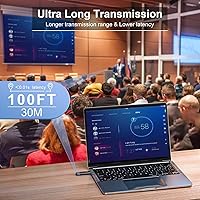
In dense wireless environments — apartment buildings with many overlapping networks, or large open-plan offices — some users report occasional signal drops or brief freezes. The stated 100-foot range is achievable in ideal conditions, but through multiple walls or in RF-heavy spaces, real-world distance tends to be noticeably shorter.
Video & Image Quality
86%
The 1080p/60Hz output looks sharp and fluid on large TVs, projectors, and external monitors. For presentations, movie playback, or showing photography portfolios on a big screen, the picture quality holds up well and avoids the soft or washed-out look some cheaper wireless kits produce.
It is worth being clear that 4K decoding does not mean 4K output — the signal is downscaled to 1080p for transmission. Buyers expecting native 4K passthrough will be disappointed, and this distinction is easy to miss in the product listing if you skim rather than read carefully.
Latency Performance
81%
19%
For the primary use cases — presentations, video playback, camera monitoring — the lag is low enough that it simply does not register as a problem. Photographers showing client footage on a display, or trainers advancing slides from across a room, will find the response time perfectly adequate.
The sub-0.01 second latency figure is a manufacturer claim measured under controlled conditions. Users attempting to use this cable-free HDMI sender for fast-paced gaming report a perceptible delay that makes it unsuitable for that purpose — a real limitation if gaming was part of your plan.
Build Quality & Materials
88%
The metal housing is one of the most frequently praised physical traits in buyer reviews. Compared to the all-plastic bodies on competing budget kits, the TR60 feels noticeably more robust and professional, which matters when you are packing it into a bag for repeated use at client sites or classrooms.
The units are compact, which is a plus for portability, but the small form factor means the HDMI connector feels like it bears most of the mechanical stress when plugged in. A couple of reviewers mentioned being careful not to torque the connection point when cables are under tension.
Range & Coverage
72%
28%
In a standard living room or medium-sized conference room, the roughly 100-foot range works reliably. Users who have deployed this wireless HDMI kit in single-floor home theater setups or small classroom environments generally find the coverage more than adequate for their needs.
The 100-foot range is a best-case figure that assumes minimal obstruction and low interference. Several buyers in apartments or multi-room setups report that signal quality degrades noticeably beyond 40 to 50 feet through walls, so managing expectations here is important.
Compatibility
67%
33%
The kit covers a wide range of source devices — laptops, desktop PCs, cameras, and TV boxes all work as intended. The included HDMI adapters in the box help bridge connections to cameras and other devices that use mini or micro HDMI, which is a considerate inclusion.
The lack of smartphone and iPad support is a meaningful gap that catches buyers off guard. If you primarily want to mirror your phone screen to a TV or projector, this device will not work for that purpose at all, and that is a hard limitation with no workaround.
Power & Charging Requirements
63%
37%
Type-C charging is a practical modern choice, and the included cables mean you are not immediately hunting for accessories. Users who power the units from a dedicated 5V/2A USB adapter report stable, uninterrupted connections throughout extended use.
TTQ's own documentation flags insufficient voltage as the most common cause of connection instability — an unusual thing to have to warn buyers about. Using a low-output USB port or a weak charger can cause intermittent disconnections, and troubleshooting this is not always obvious for less technical users.
Portability
91%
At under 2.1 x 2.8 inches per unit and a combined weight well under a pound, this cable-free HDMI sender slips easily into a laptop bag or coat pocket. Frequent travelers and mobile presenters will appreciate not having to carry a bundle of cables alongside it.
The compact size is a clear win, but the transmitter does require active power via Type-C, meaning you need a free USB port or a small power bank nearby. That adds one small thing to your carry kit that a purely passive device would not.
Value for Money
82%
18%
Relative to the convenience it delivers, the mid-range price point feels justified for buyers who regularly deal with cable-management headaches in presentations or home setups. The metal build and bundled accessories add perceived value that cheap plastic alternatives simply do not match.
If your use case is very occasional — plugging a laptop into a TV a few times a year — the cost may feel hard to justify over just buying a longer HDMI cable. The value proposition is strongest for users who will reach for it regularly.
Display Mode Flexibility
79%
21%
The ability to toggle between copy mode and extended display with a single button press is a practical feature that regular presenters will use often. Switching a laptop from mirroring to extending a workspace wirelessly, without touching software settings, is a small but genuinely useful convenience.
Some users report that mode-switching occasionally requires both units to be power-cycled to register the change correctly. It is not a constant issue, but it is worth knowing that the one-button toggle does not always behave perfectly in every environment.
LED Signal Feedback
84%
Having a visible signal-strength indicator on the transmitter is a practical touch that removes guesswork when connection problems occur. Users in larger spaces can quickly see whether they need to reposition the transmitter rather than spending time troubleshooting blind.
The LED display is functional rather than informative — it shows general signal strength but does not distinguish between interference types or suggest corrective actions. For non-technical users, the indicator tells you something is wrong without necessarily helping you fix it.
In-Box Accessories
87%
The inclusion of two HDMI adapters, two Type-C charging cables, and an HDMI extension cable is a thoughtful package. Most competing kits at a similar price ship with only the bare units, so arriving with everything needed to connect a camera or extend a short cable is a genuine convenience.
The included Type-C cables are functional but short. Users who need to power the units from a wall outlet or laptop port more than a foot away will likely need to source longer cables separately, which is a minor but recurring complaint in buyer reviews.
Instruction Clarity
69%
31%
The quick-start guide is concise and covers the basic plug-in steps clearly enough that most users are up and running without consulting any additional support. First-time wireless HDMI users generally find the setup intuitive once the guide is followed.
The manual's voltage warning is buried in a way that many buyers miss until they encounter connection problems. More prominent guidance around power requirements — particularly for users planning to run both units off USB laptop ports — would prevent a lot of the instability complaints seen in reviews.
Long-Term Reliability
71%
29%
Early signs from the current review base are encouraging, with most buyers reporting consistent performance over weeks of regular use. The metal build suggests durability that should outlast plastic-housed competitors under normal portability and daily-use conditions.
The product is relatively new to market, so long-term reliability data is still thin. The 115-rating pool is too small to draw firm conclusions about how the units hold up after months or years of use, and that is an honest uncertainty buyers should factor into their decision.

Suitable for:

The TTQ TR60 Wireless HDMI Transmitter and Receiver is a strong fit for anyone whose daily routine involves connecting a laptop or PC to a display in a space where cable runs are awkward, unsightly, or simply impractical. Business professionals who regularly present in conference rooms will appreciate how quickly the two units pair — no hunting for the right adapter or untangling cables before a meeting. Teachers and corporate trainers who carry a laptop between classrooms or seminar rooms will find this cable-free HDMI sender genuinely reduces the friction of setup and teardown every day. Home users who want to stream content from a PC to a living room TV without a cable crossing the floor are another natural fit, especially in rental spaces where drilling cable channels is not an option. Photographers and videographers can also put this wireless HDMI kit to good use, displaying camera footage on a larger monitor for clients or review sessions without tethering the camera to the screen. If your core need is clean, reliable 1080p wireless video from a traditional computer source to a display up to around 50 to 100 feet away, this kit covers that need well.
Not suitable for:

The TTQ TR60 Wireless HDMI Transmitter and Receiver has some firm boundaries that make it the wrong choice for certain buyers, and it is worth being direct about them. If you want to mirror your iPhone, Android phone, or iPad to a TV or projector, this device simply will not work — there is no workaround, and no firmware update will change that. Gamers looking for a wireless display solution should also look elsewhere, as the real-world latency — despite the manufacturer's favorable figures — is enough to interfere with fast-paced or competitive gaming. Anyone expecting native 4K output will be disappointed; the device decodes 4K source material but transmits and outputs at 1080p only. Users in dense wireless environments, such as busy apartment buildings or large open offices with many competing networks, may experience signal instability that a wired HDMI cable would never introduce. If you only need to connect two devices in the same room and have no cable-management concerns, the added complexity and power requirements of a wireless kit are hard to justify over a simple cable.
Specifications

  • Brand & Model: Manufactured by TTQ under the model designation TR60, sold as a matched transmitter and receiver pair.
  • Dimensions: Each unit measures 2.09 x 0.55 x 2.8 inches, making the kit compact enough to carry in a laptop bag or jacket pocket.
  • Weight: The combined package weighs 10.5 oz, with each individual unit being lightweight enough for daily portable use.
  • Housing Material: Both the transmitter and receiver are enclosed in metal housing, offering greater durability than the plastic bodies common on competing kits.
  • Wireless Bands: The kit operates on dual-band 2.4GHz and 5GHz wireless frequencies, selectable to reduce interference in busy environments.
  • Decode Resolution: The transmitter can accept and decode video source signals up to 4K resolution from connected devices.
  • Output Resolution: Video is transmitted and output to the display at 1080p (Full HD) at up to 60Hz refresh rate.
  • Stated Range: TTQ rates the maximum transmission distance at approximately 100 feet under ideal, unobstructed conditions.
  • Latency: The manufacturer claims a transmission latency of under 0.01 seconds, measured under controlled conditions.
  • Antenna Type: Both units use LDS (Laser Direct Structuring) antenna technology to improve signal penetration through walls and ceilings.
  • Connectivity: Source and display connections are made via standard HDMI ports, with mini and micro HDMI supported through included adapters.
  • Power Input: Both units are powered via Type-C charging ports, with a minimum of 5V/2A recommended for stable operation.
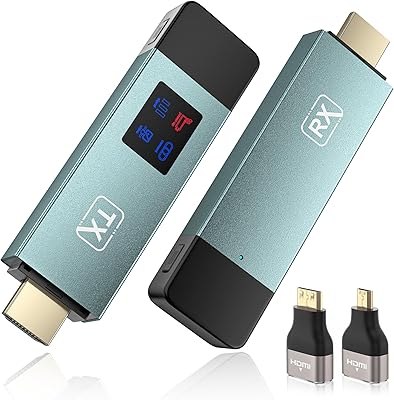
  • Signal Display: The transmitter features an LED indicator that shows real-time signal strength so users can monitor connection quality at a glance.
  • Display Modes: A single button toggles between copy mode (screen mirroring) and extended mode (dual-display extension) without requiring software changes.
  • Network Dependency: The kit operates entirely independently — no Wi-Fi network, Bluetooth pairing, app installation, or internet connection is required.
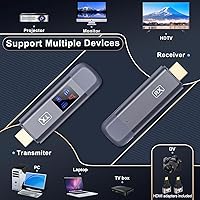
  • Device Compatibility: Compatible source devices include PCs, laptops, cameras, DV recorders, and TV boxes; smartphones and tablets are not supported.
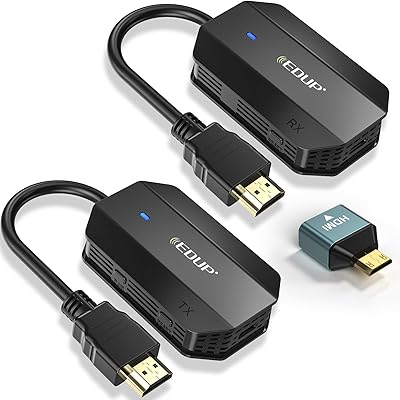
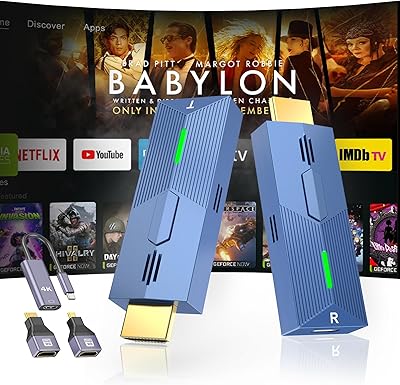
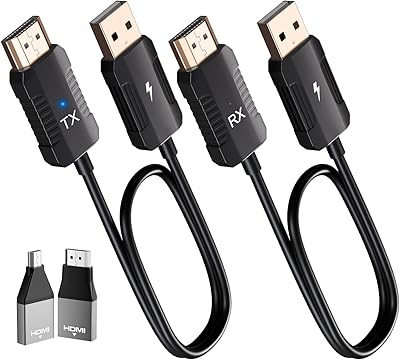
  • In-Box Contents: The package includes one transmitter, one receiver, two HDMI adapters, two Type-C charging cables, one HDMI extension cable, and a user manual.
  • Form Factor: Both units are designed in a TV stick-style form factor, plugging directly into HDMI ports with minimal protrusion.

Related Reviews

DxInvb Wireless HDMI Transmitter and Receiver Kit
75%
91%
Ease of Setup
58%
Device Compatibility
74%
Wireless Range & Stability
69%
Video Quality
83%
Build Quality & Portability
More
WELUSOPU 1TX+2RX Wireless HDMI Extender Kit
74%
88%
Ease of Setup
74%
Wireless Range
67%
Video Output Quality
79%
Multi-Receiver Sync
81%
Latency Performance
More
Lemorele G500 Wireless HDMI Transmitter and Receiver
79%
91%
Ease of Setup
86%
Battery Life
74%
Wireless Range
83%
Video & Audio Quality
78%
Multi-Presenter Switching
More
TPUFO G02 Wireless HDMI Transmitter and Receiver
77%
91%
Ease of Setup
78%
Signal Stability
83%
Video & Image Quality
74%
Transmission Range
87%
Latency Performance
More
DXchip 4KEZH01R01 Wireless HDMI Extender Kit
72%
88%
Ease of Setup
61%
Wireless Range (Real-World)
78%
Video Quality
54%
Latency & Responsiveness
71%
Device Compatibility
More
EDUP EH-WD9905 Wireless HDMI Transmitter and Receiver
75%
91%
Ease of Setup
78%
Wireless Range (Open Space)
47%
Through-Wall Signal Penetration
83%
Video Quality at 1080p
69%
Latency
More
Weeryyi Wireless HDMI Transmitter and Receiver 1080p
84%
92%
Value for Money
88%
Transmission Range
91%
Ease of Setup
89%
Video Quality
85%
Multi-Screen Support
More
Kihoplly DT269W-H Wireless HDMI Transmitter and Receiver
77%
93%
Ease of Setup
74%
Signal Stability
71%
Video Output Quality
68%
Wireless Range
67%
Latency Performance
More
BRAIDOL S3 Wireless HDMI Transmitter and Receiver
86%
91%
Performance
88%
Signal Stability
94%
Setup & Installation
85%
Range/Distance
92%
Video Quality
More
BRAIDOL G03 Wireless HDMI Transmitter and Receiver
83%
88%
Value for Money
92%
Performance with 1080p
75%
4K Streaming Performance
96%
Ease of Setup
70%
Signal Stability
More

FAQ

No, and that is one of the more practical things about this kit. The transmitter and receiver communicate directly with each other over their own dedicated wireless signal. Your home or office network plays no role whatsoever, so it works just as well in a hotel room or classroom as it does at home.

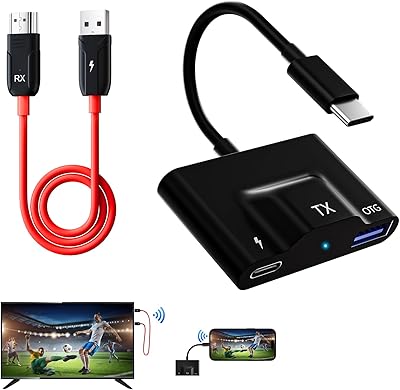
Unfortunately, no. The TTQ TR60 Wireless HDMI Transmitter and Receiver requires a physical HDMI output from the source device, which smartphones and tablets do not have. There is no app-based mirroring or casting protocol built in, so if phone or tablet screen sharing is your main goal, this is not the right device for that.
In practice, most users have both units paired and displaying video within about 10 to 15 seconds of plugging them in. There are no menus to navigate or buttons to hold down — the units find each other automatically once powered on.

The LDS antenna design does help the signal pass through walls and ceilings, so you are not strictly limited to line-of-sight use. That said, the more walls or other obstructions between the two units, the shorter the effective range. In a typical home with standard drywall, through-one-wall performance is generally solid; multiple thick walls or concrete will reduce the usable distance noticeably.

The most common culprit is an underpowered USB source. TTQ specifically flags this in their documentation — if you are powering the units from a laptop USB port or a low-output charger, the voltage may not be sufficient for stable operation. Switching to a dedicated 5V/2A wall adapter usually resolves the issue. If signal instability persists, try switching the kit from 2.4G to 5G mode to avoid channel congestion.

It accepts and decodes 4K source content, but the output to your display is 1080p at 60Hz — not 4K. This is a meaningful distinction worth being clear on before purchasing. If your display is 4K and you are hoping to view 4K content wirelessly at full resolution, this cable-free HDMI sender will not deliver that.

For casual gaming or turn-based titles, the latency is low enough that most people will not notice a problem. However, for fast-paced or competitive gaming where every millisecond counts, the real-world wireless delay is enough to cause issues. The manufacturer's latency claim is measured under ideal conditions, and actual performance in a typical home environment may be slightly higher.

There is a dedicated button on the transmitter that toggles between copy mode (which mirrors your source display exactly) and extended mode (which treats your connected display as a second independent screen). One press switches between the two, though occasionally a full power cycle of both units is needed for the change to register properly.

The kit works with any device that outputs a standard HDMI signal — laptops, desktop PCs, cameras, DV camcorders, and TV boxes are all compatible. The two included HDMI adapters in the box also let you connect devices with mini or micro HDMI outputs, such as many DSLR and mirrorless cameras, without needing a separate adapter.

It is a genuine functional difference, not just cosmetic. Metal dissipates heat better than plastic and resists the flexing and cracking that often develops on cheap plastic units after repeated packing and unpacking. For something you carry between offices or classrooms regularly, the added build quality is a practical benefit over time.