Overview

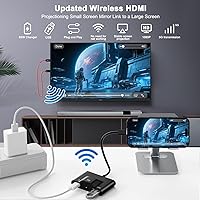
The DxInvb Wireless HDMI Transmitter and Receiver Kit arrived in mid-2024 as a no-fuss way to mirror your phone, tablet, or laptop to a larger display — no Wi-Fi, no Bluetooth, no app installation required. The transmitter plugs into your source device via USB-C, the receiver connects to your TV or projector via HDMI, and that is genuinely the entire setup process. It supports up to 1080p Full HD and covers about 164 feet in open space, making it practical across a range of real-world environments. The whole kit fits neatly into a woven hard-shell case, which reinforces that portability is central to what this plug-and-play display extender is designed for.
Features & Benefits

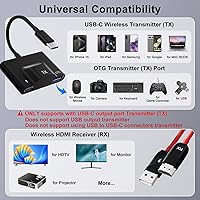
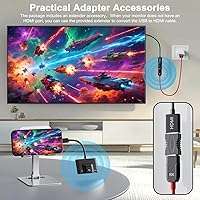
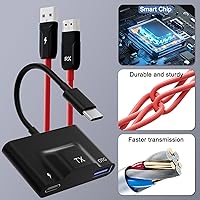
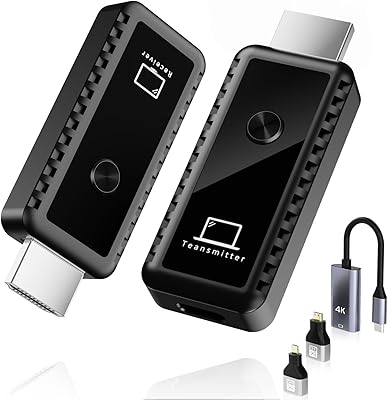
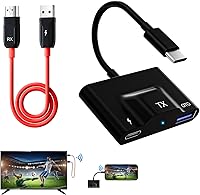
The most practical aspect of this wireless HDMI kit is what it does not ask of you — there is no pairing ritual, no driver download, and no app to configure. Plug in both units and the indicator lights on each confirm the connection is live. The transmitter has three ports worth noting: the primary USB-C carries the video signal, a second USB-C handles 60W pass-through charging so your source device stays powered, and a USB-A port supports OTG peripherals like a wireless mouse or flash drive. A 5GHz wireless chip keeps latency low enough for video playback and casual presentations. An HDMI adapter is included in the box for displays with limited port options.

Best For

This plug-and-play display extender makes the most sense for people operating in environments where a reliable network connection cannot be assumed. Think conference rooms with unreliable guest Wi-Fi, church stages, or a hotel room where you just need your laptop on the big screen. Frequent travelers and remote workers will appreciate how light and self-contained it is. Photographers using Sony Alpha or Canon EOS R bodies can mirror live footage to a monitor on set without extra hardware. Android gamers — especially Steam Deck users — get a capable wireless big-screen option without buying a dedicated dock. The one firm requirement: your source device must support DisplayPort over USB-C. iPhones on Lightning connectors are not compatible.

User Feedback

With around 82 ratings and a 4.2 average, the DxInvb sender-receiver set lands in solidly positive territory, though the sample size is still relatively modest. The most consistent praise comes from office and classroom users who found setup fast and hassle-free right out of the box. On the other side, compatibility confusion is the dominant complaint — buyers who assumed any USB-C port would work ran into problems, since DisplayPort functionality is a hard requirement. A smaller number of reviewers mention occasional sync drops, though unplugging and reinserting the units typically resolves the issue within seconds. A few owners with 4K-capable displays noted the 1080p cap as a limitation worth knowing before buying.

Pros

  • Zero Wi-Fi or Bluetooth dependency makes this wireless HDMI kit reliable in venues with locked-down or absent networks.
  • Setup takes under a minute for compatible devices — plug in both units and the indicator lights confirm connection automatically.
  • 60W pass-through charging keeps your laptop or phone powered during use without sacrificing a charging port.
  • The USB-A OTG port lets you connect a wireless mouse, keyboard, or flash drive to the transmitter simultaneously.
  • Streams DRM-protected content from Netflix, Hulu, and Amazon Prime Video since it mirrors the device display directly.
  • The included woven hard-shell case keeps both units and the adapter organized and protected during travel.
  • 5GHz proprietary wireless delivers low enough latency for video playback and slide presentations without obvious sync issues.
  • Broad compatibility across Android flagships, Windows laptops, macOS, and newer iPads covers most modern device ecosystems.
  • The included HDMI adapter adds flexibility for display setups with non-standard or limited port configurations.
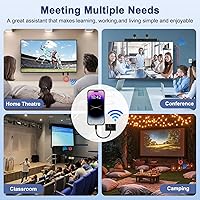
  • Works across a wide range of scenarios — living rooms, classrooms, conference rooms, and outdoor events — with the same simple two-piece setup.

Cons

  • Devices without DisplayPort over USB-C are fully incompatible, and the kit offers no diagnostic feedback to explain the failure.
  • iPhone users on Lightning connectors, including iPhone 13 and earlier models, cannot use this kit at all.
  • The 1080p output ceiling is a real limitation for anyone with a 4K display who wants to use their screen at full resolution.
  • Occasional sync drops during use require unplugging and reinserting the transmitter, which is disruptive mid-presentation.
  • Real-world range shrinks noticeably in obstacle-heavy environments, falling well below the advertised open-space maximum.
  • The USB-C connector on the transmitter has raised durability concerns among users who plug and unplug it multiple times daily.
  • OTG peripheral support is inconsistent across source devices, with some accessories failing to register reliably.
  • The manual does not clearly explain the DisplayPort requirement, which remains the leading cause of buyer confusion and returns.
  • No 4K or upscaling support means buyers with premium displays are effectively paying for a resolution the kit cannot reach.
  • The receiver needs USB power from an external source if the connected display lacks a powered USB port, which not all setups have.
  • With only 82 reviews at time of writing, long-term reliability data is still limited compared to more established alternatives.

Ratings

The DxInvb Wireless HDMI Transmitter and Receiver Kit has been evaluated by our AI rating system after analyzing verified purchase reviews from global buyers, with spam, bot activity, and incentivized feedback actively filtered out. Scores reflect the full spectrum of real-world experience — from users who rely on this plug-and-play display extender daily in professional settings to those who hit frustrating compatibility walls on day one. Strengths and shortcomings are weighted equally so you get an honest picture before buying.
Ease of Setup
91%
The plug-and-play experience lives up to its billing for compatible devices. Office workers and teachers consistently report having the kit running within under a minute — transmitter into the laptop, receiver into the projector, lights turn solid, done. No app store visits, no driver hunts.
That simplicity evaporates the moment a buyer's device turns out to lack DisplayPort over USB-C. The kit provides no diagnostic feedback in that scenario, so confused users often spend time troubleshooting before realizing the hardware itself is the incompatibility, not a setup error.
Device Compatibility
58%
42%
For Android flagship users — Galaxy S series, Pixel 8, OnePlus — and USB-C laptop owners on Windows or macOS, the compatibility list is genuinely broad. Cameras like the Sony Alpha and Canon EOS R series also work, which creative professionals find useful for on-set monitoring.
The DisplayPort-over-USB-C requirement excludes a large chunk of potential buyers who own perfectly modern hardware that simply lacks DP Alt Mode. iPhone users on Lightning connectors are fully locked out, and this caveat is not always clear at the point of purchase, leading to a notable share of frustrated returns.
Wireless Range & Stability
74%
26%
In open-plan offices, living rooms, and classrooms, the 5GHz signal holds up reliably at mid-range distances. Users presenting across a conference table or casting to a TV from a couch report stable video without obvious stuttering during standard streaming content.
Range drops noticeably when walls or furniture are involved — the real-world 98-foot obstacle figure shrinks further in densely furnished or concrete-walled spaces. A subset of reviewers also report intermittent sync drops that require a re-plug to resolve, which is a minor but recurring annoyance during live presentations.
Video Quality
69%
31%
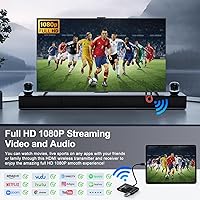
At 1080p, the picture is clean and perfectly watchable for YouTube, Netflix, and Hulu on a standard HD television. Business presentation slides render crisply, and the latency is low enough that video playback does not feel noticeably out of sync with audio in most use cases.
Users with 4K TVs or high-resolution monitors will see an immediate quality ceiling — the kit tops out at 1080p with no upscaling. For anything beyond casual streaming or slideshows, like showcasing photography portfolios or gaming on a sharp display, the resolution cap is a genuine limitation.
Build Quality & Portability
83%
Both units feel solid in hand, with no cheap flex or rattling internals. The included woven hard-shell storage case is a standout detail that many reviewers call out specifically — it keeps the TX, RX, and adapter organized and protected during travel without adding bulk to a bag.
The units are small enough that they can feel slightly fragile when plugged into heavier cables at an angle. A few users note that the USB-C connector on the transmitter feels less secure than ideal after repeated daily insertions, raising mild durability questions over a longer ownership period.
Pass-Through Charging
78%
22%
The 60W USB-C pass-through on the transmitter is a genuinely practical feature for laptop users who do not want to sacrifice charging while presenting. It removes the need to choose between keeping your device powered and using the kit, which is a real convenience during longer meetings or sessions.
60W covers most laptops in a maintenance or light-use scenario, but high-performance machines under load may still drain slowly while the kit is active. Users with USB-C phones expecting fast charging speeds should also note that 60W pass-through behaves differently across different host device charging protocols.
OTG Peripheral Support
72%
28%
The USB-A port on the transmitter is a thoughtful addition that allows a wireless mouse, keyboard, or USB flash drive to be connected simultaneously. For presenters who want to advance slides or pull a file without switching cables, it adds real practical value at no extra cost.
OTG functionality is somewhat device-dependent, and not all source devices handle it equally well. A handful of users report that certain USB peripherals are not recognized reliably, and the lack of documentation on supported devices makes it harder to know in advance whether a specific accessory will work.
Latency Performance
71%
29%
For streaming video and static presentations, latency is low enough that most users do not perceive a lag. Church AV teams and meeting room users specifically mention that the delay is unnoticeable during talk-track presentations, which is the primary use case this kit is designed around.
Gaming users — particularly those using a Steam Deck or Android phone for fast-paced titles — are more likely to notice input lag. The 5GHz chip keeps things reasonable, but this is not a zero-latency solution, and anyone expecting a wired-equivalent response time for competitive or reflex-based gaming will likely be disappointed.
Streaming App Support
77%
23%
Because this kit mirrors directly from the device rather than running its own OS, any app that plays on your phone or laptop will display on the big screen, including DRM-protected platforms like Netflix, Hulu, and Amazon Prime Video. This is a meaningful advantage over some wireless casting alternatives that get blocked by DRM.
Mirroring rather than native casting means audio and video quality are tied to what your source device can push out. Some users on older or mid-range phones notice that the source device itself becomes the bottleneck, with app-level frame drops appearing on the external display.
Value for Money
73%
27%
For buyers who confirm their device is DP-enabled before purchasing, this wireless HDMI kit delivers a solid set of features at a mid-range price point. The carrying case, pass-through charging, and OTG port collectively make the package feel more complete than similarly priced competitors that ship just the two dongles.
The price becomes hard to justify for buyers who discover post-purchase that their device is incompatible. Without a clear compatibility checker from the brand, the risk of an expensive return is real. Those with 4K displays may also feel the 1080p cap underserves their hardware for the asking price.
Documentation & Support
63%
37%
DxInvb advertises 24/7 after-sales support, and some users report getting helpful responses when they reached out with setup questions. The inclusion of a physical manual in the box is a small but appreciated touch compared to kits that ship with just a QR code.
The manual itself is not detailed enough to prevent the most common buyer mistake — misunderstanding the DisplayPort requirement. Several reviewers mention that clearer labeling or a simple compatibility checklist in the packaging would have saved them a failed setup experience and a support ticket.
Indicator & Connection Feedback
81%
19%
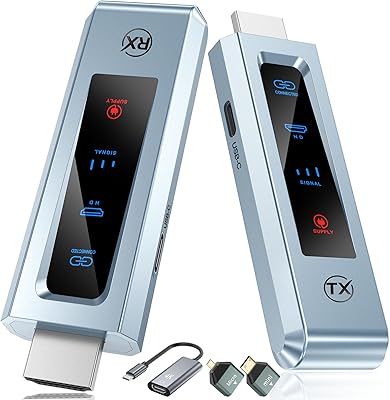
The LED indicators on both units provide immediate, unambiguous status feedback. A solid light means you are connected; flashing means you are not. In a classroom or boardroom where you need to know instantly whether the display is live before starting, this simple visual cue works reliably well.
Beyond the basic connected or not-connected state, the indicators offer no further diagnostic information. If the connection drops mid-presentation, there is no signal telling you why — it just starts flashing, and you have to re-plug and hope the issue resolves, which it usually does but not always immediately.
Package Contents
79%
21%
The box includes everything needed to get started: the TX unit, the RX unit, an HDMI adapter for non-standard displays, and the hard-shell carrying case. For most users, no additional accessories are required on day one, which reduces the friction of getting up and running quickly.
A short USB-C cable or a USB-A power adapter for the receiver would have made the kit truly self-contained. Some display setups require the receiver to draw USB power from a source other than the TV, and buyers without a spare USB adapter nearby find this a minor but avoidable inconvenience.

Suitable for:

The DxInvb Wireless HDMI Transmitter and Receiver Kit is a strong fit for anyone who needs a reliable, network-independent way to push content from a personal device to a larger screen. Business professionals who present in conference rooms, churches, or event spaces — where guest Wi-Fi is slow, locked down, or simply unavailable — will find the independence from network infrastructure genuinely valuable. Remote workers and frequent travelers benefit from the compact form factor and included carrying case, since the entire kit tucks into a bag alongside a laptop without adding meaningful weight or bulk. Home users with a non-smart TV who want to watch streaming content from a phone or tablet without paying for a separate media device will also get solid utility here. Creatives — photographers using Sony Alpha or Canon EOS R cameras, for instance — can use this plug-and-play display extender to mirror a live feed or review footage on a large monitor without running a cable across a set. Android phone users and Steam Deck owners looking for a wireless big-screen experience without buying a dedicated dock round out the core audience.
Not suitable for:

Before purchasing the DxInvb Wireless HDMI Transmitter and Receiver Kit, the single most important thing to verify is whether your source device supports DisplayPort output over its USB-C port — because if it does not, the kit simply will not work, full stop. iPhone users with Lightning connectors, and anyone on an iPhone 13 or earlier, are completely locked out with no workaround. Buyers who own a 4K television or high-resolution monitor and want to take full advantage of that display should look elsewhere, since this plug-and-play display extender caps out at 1080p with no upscaling. Competitive gamers who require near-zero input lag will likely find the wireless latency noticeable enough to affect fast-paced gameplay. Anyone operating in a heavily walled or obstacle-dense environment — think thick concrete partitions or densely furnished spaces — should expect meaningfully reduced range compared to the advertised 164-foot open-space figure. Finally, buyers who need a completely bulletproof connection for mission-critical live broadcasts or high-stakes presentations may find the occasional sync drop, however easily resolved, too much of a risk.

Specifications

  • Wireless Standard: Operates on a 5GHz proprietary RF channel with no dependency on Wi-Fi networks or Bluetooth pairing.
  • Max Resolution: Supports video output up to 1080p Full HD; no 4K or upscaling capability is available.
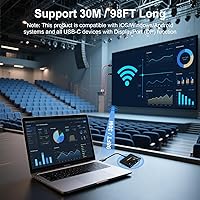
  • Open-Space Range: Transmits reliably up to 164 feet (50 meters) in unobstructed open environments.
  • Obstructed Range: Effective range reduces to approximately 98 feet (30 meters) when walls or physical obstacles are present.
  • TX Input Ports: The transmitter features one USB-C port for DisplayPort signal input, one USB-C port for 60W PD pass-through power, and one USB-A port for OTG peripherals.
  • RX Output Port: The receiver connects to the destination display via a single HDMI output port.
  • Pass-Through Charging: The transmitter supports up to 60W Power Delivery pass-through charging for the connected source device.
  • OS Compatibility: Compatible with Android, Windows, macOS, and iPadOS on devices that support DisplayPort output over USB-C.
  • Incompatible Devices: Does not work with Apple Lightning connector devices, including iPhone 13 and all earlier iPhone models.
  • Dimensions: The packaged kit measures 5.16 x 3.50 x 1.93 inches, keeping the overall footprint very compact.
  • Item Weight: The complete kit weighs 3.52 ounces, making it light enough to carry daily without adding noticeable bag weight.
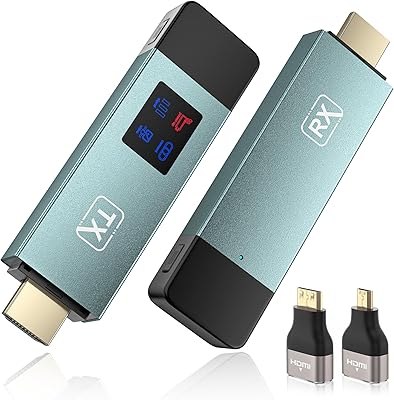
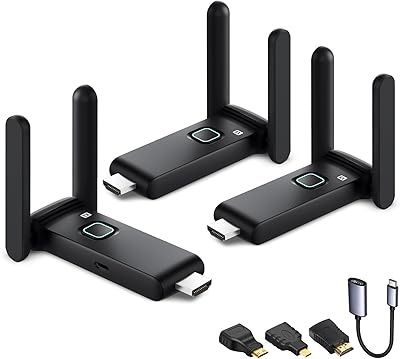
  • In the Box: Package includes the TX transmitter unit, RX receiver unit, one HDMI-to-HDMI adapter, and a woven hard-shell storage case.
  • Storage Case: A rigid woven-exterior hard-shell case is included to protect both units and accessories during transport.
  • Connection Indicator: Both the transmitter and receiver feature LED status indicators that glow solid when a stable connection is established and flash when searching or disconnected.
  • OTG Support: The USB-A port on the transmitter supports OTG-compatible peripherals such as wireless keyboards, mice, and USB flash drives.
  • Brand: Manufactured and sold by DxInvb, a consumer electronics brand first available on Amazon in May 2024.
  • ASIN: The Amazon Standard Identification Number for this product is B0D3PK3Q9D.
  • Streaming Support: Mirrors DRM-protected streaming content from apps including Netflix, YouTube, Hulu, and Amazon Prime Video directly from the source device.
  • DP Requirement: The source device must support DisplayPort Alt Mode over its USB-C port; standard USB-C ports without DP output are not compatible.
  • After-Sales Support: DxInvb provides 24-hour, 7-days-a-week customer support reachable via the contact information included in the product manual.

Related Reviews

Terzomen AirLink Wireless HDMI Transmitter and Receiver
83%
91%
Ease of Setup
88%
Wireless Performance
84%
Range and Connectivity
89%
Compatibility with Devices
85%
Streaming Quality (1080p)
More
EDUP EH-WD9905 Wireless HDMI Transmitter and Receiver
75%
91%
Ease of Setup
78%
Wireless Range (Open Space)
47%
Through-Wall Signal Penetration
83%
Video Quality at 1080p
69%
Latency
More
POFAN G58 Wireless HDMI Transmitter with 2 Receivers
72%
88%
Ease of Setup
82%
Signal Range (Open Space)
53%
Signal Range (Through Walls)
86%
Video Quality
61%
Latency Performance
More
TPUFO G02 Wireless HDMI Transmitter and Receiver
77%
91%
Ease of Setup
78%
Signal Stability
83%
Video & Image Quality
74%
Transmission Range
87%
Latency Performance
More
Vrriis Wireless HDMI Transmitter and Receiver 250m
83%
88%
Range and Signal Stability
92%
Setup and Installation
65%
Signal Quality in Obstructed Spaces
89%
Value for Money
80%
Dual Frequency Support (2.4GHz/5.8GHz)
More
IOGEAR GWHD11
IOGEAR GWHD11
75%
72%
Signal Stability
84%
Video Quality
61%
Wireless Range
91%
Setup & Ease of Use
83%
Audio Performance
More
BRAIDOL G03 Wireless HDMI Transmitter and Receiver
83%
88%
Value for Money
92%
Performance with 1080p
75%
4K Streaming Performance
96%
Ease of Setup
70%
Signal Stability
More
BRAIDOL S3 Wireless HDMI Transmitter and Receiver
86%
91%
Performance
88%
Signal Stability
94%
Setup & Installation
85%
Range/Distance
92%
Video Quality
More
WELUSOPU 1TX+2RX Wireless HDMI Extender Kit
74%
88%
Ease of Setup
74%
Wireless Range
67%
Video Output Quality
79%
Multi-Receiver Sync
81%
Latency Performance
More
TTQ TR60 Wireless HDMI Transmitter and Receiver
79%
93%
Ease of Setup
78%
Signal Stability
86%
Video & Image Quality
81%
Latency Performance
88%
Build Quality & Materials
More

FAQ

Yes, the iPhone 15 Pro and iPhone 15 Pro Max both use USB-C with DisplayPort support, so they are compatible. However, if you have an iPhone 13 or any older iPhone with a Lightning port, this kit will not work at all — there is no adapter or workaround that changes that.

The quickest way is to check your device's spec sheet on the manufacturer's website and look for DisplayPort Alt Mode or DP over USB-C in the port description. Many flagship Android phones and most modern Windows laptops include it, but mid-range and budget devices often do not. If the spec sheet is unclear, search your device model followed by DisplayPort Alt Mode and you should find a definitive answer quickly.

No, the DxInvb Wireless HDMI Transmitter and Receiver Kit requires neither a Wi-Fi connection nor any app installation. You plug the transmitter into your source device and the receiver into your display, and the two units find each other automatically over their own 5GHz RF signal. The LED lights on both units turn solid when the connection is live.
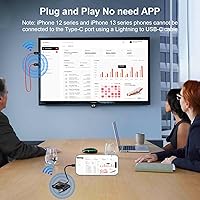
Yes, and this is one of the more practical advantages of this type of kit. Because it mirrors your device screen directly rather than using a built-in streaming OS, it bypasses the HDMI content protection restrictions that block casting on some devices. Netflix, Hulu, Amazon Prime Video, and YouTube all work through it.

The fix is straightforward but slightly disruptive: unplug the transmitter from your source device, wait a couple of seconds, and plug it back in. The two units reconnect automatically within a few seconds and the signal restores. It does not happen frequently for most users, but it is worth knowing about before you rely on this kit for something time-sensitive.

Yes, the USB-A port on the transmitter supports OTG peripherals like a wireless USB dongle for a mouse or keyboard, or a USB flash drive. That said, compatibility with specific accessories can vary depending on your source device, so if you plan to use a less common peripheral it is worth testing before a live presentation.

Probably not at full distance if your space has walls, furniture, or other obstructions between the two units. In those conditions, a more realistic working range is around 98 feet. In a typical office, classroom, or home living room you are unlikely to push anywhere near those limits, but large venues with concrete or brick walls may see the range shrink further.

The receiver needs USB power to operate, so if your TV does not have a USB port you will need a separate USB power adapter plugged into a wall outlet. A standard 5V USB charger does the job — it does not need to be anything special. Just keep in mind that you will need an outlet near your display in that scenario.

This kit functions as a mirroring solution — it replicates whatever is on your source device screen onto the connected display. Extended desktop mode, where you treat the second screen as independent additional workspace, is not supported. For presentations and streaming this is rarely an issue, but power users who rely on dual-monitor setups for productivity work should note the limitation.

It depends on how closely you watch and what you are displaying. For streaming video from a distance, most people find 1080p on a 4K panel perfectly acceptable. For detailed photography portfolios, sharp UI work, or anything where fine resolution matters, the downscale is visible. The plug-and-play display extender simply cannot push 4K output, so if that ceiling bothers you, this is not the right tool for your use case.