Overview

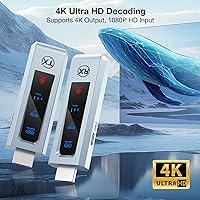
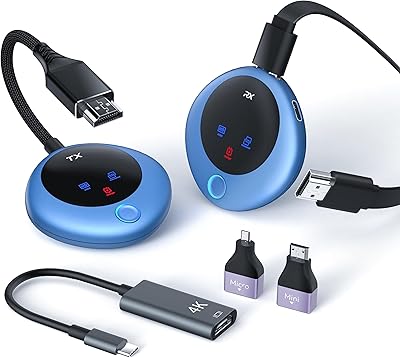
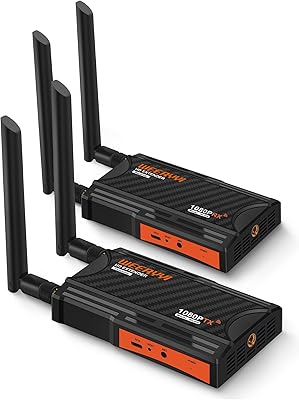
The BRAIDOL G03 Wireless HDMI Transmitter Receiver Kit enters a crowded market with a clear pitch: cut the cable between your source device and display without a complicated setup. At a mid-range price point, buyers rightly expect solid reliability rather than just novelty. One thing worth clarifying upfront — the unit decodes 4K signals but outputs at 1080p Full HD, so if your display is 4K-native, manage expectations accordingly. That distinction matters more than the marketing suggests. The dual-band 2.4G/5G design does give it a practical edge, helping it hold a stable connection in environments where 2.4GHz congestion from neighboring devices is common.
Features & Benefits

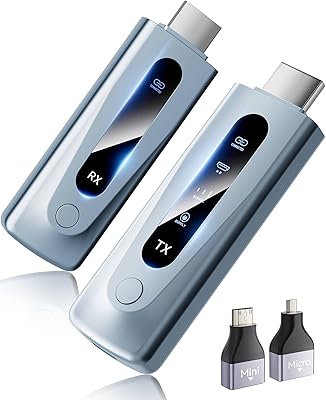
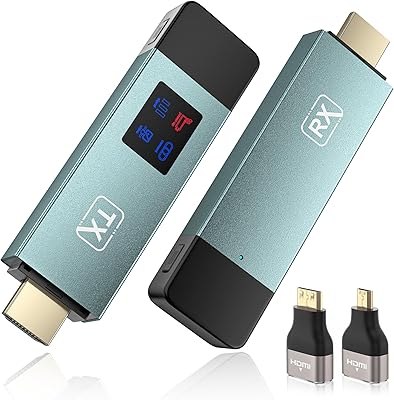
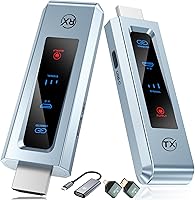
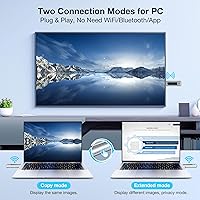
The plug-and-play setup is genuinely one of the stronger points of this cable-free HDMI solution — plug the transmitter into your source device, the receiver into your display, and the connection establishes itself. No driver downloads, no app installs, no pairing ritual. The built-in LED status screen is a small but useful touch, letting you confirm signal status at a glance instead of second-guessing a blank display. Compatibility spans laptops, PCs, TV boxes, and projectors — though smartphone users will need a separate Type-C to HDMI adapter. The compact, lightweight build makes the whole kit easy to drop into a bag for off-site presentations or classroom use.

Best For

This wireless HDMI kit is a solid fit for anyone who regularly moves between spaces — the remote worker rotating between home and conference rooms, the educator moving from classroom to classroom with a laptop. Home theater fans who want a cleaner living room without drilling holes or running cables under furniture will find it genuinely practical. It also works for casual couch gaming, though be realistic: competitive online play is not the right use case for any wireless HDMI solution, including this one. Any wireless hop introduces latency, and this kit is no exception — relaxed gaming is fine; reflex-dependent titles are not.

User Feedback

Since the G03 transmitter set is a relatively new listing, the review pool is still small — worth keeping that in mind when weighing early patterns. Feedback is largely positive about setup simplicity, with multiple users noting they had it running in under five minutes. The more consistent criticism involves signal drops in wireless-heavy homes, particularly when operating on the 2.4GHz band near a busy router. Switching to 5GHz usually resolves the issue, though distance and walls factor in. Build quality is described as functional but basic — adequate for the price, not remarkable. Latency is generally fine for video calls; gaming impressions vary based on what people were actually playing.

Pros

  • Setup takes minutes — plug transmitter into source, receiver into display, and it just works with no software needed.
  • Dual-band support lets you switch to 5GHz when the 2.4GHz band is congested, improving connection stability.
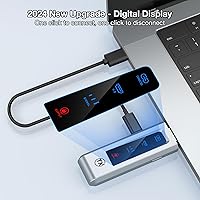
  • The built-in LED status screen removes the guesswork from troubleshooting a blank or dropped signal.
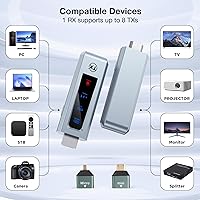
  • Broad device compatibility covers laptops, PCs, TV boxes, and projectors out of the box.
  • Compact and lightweight enough to carry daily in a laptop bag or backpack without a second thought.
  • Clean 1080p output is sharp and consistent on standard HD displays without visible compression artifacts.
  • No driver installations or app accounts required — a genuine advantage for non-technical users.
  • Works well for video calls and virtual presentations where even a modest wireless delay is not an issue.

Cons

  • Output is capped at 1080p despite the 4K decode capability, which is a real limitation for 4K display owners.
  • Signal stability can degrade noticeably in homes with many competing wireless devices on the 2.4GHz band.
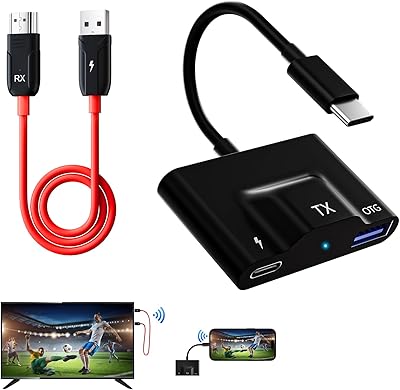
  • Smartphone connectivity requires a separate Type-C to HDMI adapter that does not come in the box.
  • Real-world transmission range may fall below expectations when walls or furniture are in the path.
  • The brand and model have a short track record, so long-term reliability data is still limited.
  • Build materials feel functional rather than premium, which may concern buyers expecting durability at this price tier.
  • Latency, while acceptable for casual use, rules this cable-free HDMI solution out for competitive or fast-paced gaming.
  • 5GHz band improves stability but reduces effective range, forcing a trade-off in larger rooms or open layouts.

Ratings

The scores below reflect our AI-driven analysis of verified global user reviews for the BRAIDOL G03 Wireless HDMI Transmitter Receiver Kit, with spam, bot-generated, and incentivized feedback actively filtered out before scoring. Each category is evaluated against real buyer experiences across home theater, office, classroom, and casual gaming environments. Both the standout strengths and the genuine friction points are represented transparently in every score.

Ease of Setup
91%
This is consistently the most praised aspect across user feedback. People who have struggled with wireless display adapters before are genuinely surprised by how quickly the G03 transmitter set gets running — most report being fully connected within two to three minutes of unboxing, with zero driver installs or app accounts involved.
A small number of users encountered initial pairing failures that required unplugging and re-plugging both units before the connection established. This is infrequent, but worth noting for buyers who need it working reliably on the first try in a live presentation setting.
Signal Stability
71%
29%
In dedicated home theater rooms or less congested wireless environments, the dual-band design performs well enough for uninterrupted HD streaming and video calls. Users who switched to the 5GHz band in busier setups reported a meaningful improvement in consistency and fewer mid-session drops.
Signal stability is the most divisive issue in user feedback. Buyers in apartments or homes with dense Wi-Fi environments — especially near active routers or microwaves — report noticeable dropouts on 2.4GHz. Even on 5GHz, walls and longer distances introduce reliability concerns that can make it frustrating in real-world layouts.
Video Output Quality
74%
26%
On standard 1080p displays, the output is clean and sharp with accurate color reproduction. Users watching movies or running presentations on HD monitors and projectors are generally satisfied, and the image does not exhibit obvious compression artifacts under typical conditions.
Buyers who specifically wanted 4K output feel misled by the marketing language around 4K decoding — the actual signal delivered to the display is 1080p, full stop. On a 4K TV, this upscaling gap is visible, and users who did not read the fine print carefully are among the most critical reviewers.
Wireless Range
66%
34%
For typical single-room use — living rooms, standard office conference rooms, or classrooms — the range is adequate and performs as expected. Users who tested it across an open-plan living space without obstructions generally got clean transmission throughout.
Real-world range shrinks noticeably the moment walls or large furniture enter the path, and the marketed distance figures assume ideal open-air conditions. Multi-room use or larger venue setups frequently disappoint, with signal degrading faster than buyers anticipate based on the product description.
Latency Performance
68%
32%
For video streaming, video conferencing, and business presentations, the latency is low enough that most users do not consciously register a delay. Teachers and remote workers using it for screen sharing in real time report that it feels responsive enough for everyday professional use.
Latency becomes a real problem for gaming beyond casual couch-play scenarios. Users who tested this cable-free HDMI solution with fast-paced or reflex-dependent titles noticed the delay clearly, and several specifically warned others not to expect it to perform like a wired connection in any gaming context.
Device Compatibility
78%
22%
The broad HDMI-based compatibility means it works reliably across a wide range of source devices — Windows and Mac laptops, streaming boxes, desktop PCs, and projectors all connect without fuss. Users appreciate not needing to think too hard about whether their device will be supported.
Smartphone users face an extra hurdle since a Type-C to HDMI adapter is required and not included, which catches some buyers off guard. Not all Android devices support HDMI output via Type-C, and iPhone users are largely locked out entirely, narrowing the mobile use case significantly.
Build Quality
62%
38%
The units are compact enough to carry daily without adding real weight to a bag, and the physical buttons on the unit respond predictably. For occasional travelers and educators packing light, the form factor is practical and the size is genuinely convenient.
The plastic housing feels noticeably lightweight in hand — not in a reassuring way. Several users question whether the units will hold up to regular packing and unpacking over months of use, and the overall material impression does not match the mid-range price expectation for durability.
LED Status Display
83%
The built-in LED screen earns consistent appreciation from users who have previously wasted time staring at a blank display wondering whether the problem is the source, the connection, or the display itself. Having a clear signal status indicator on the unit reduces troubleshooting time substantially.
A few users noted the LED readout is small and not always easy to read in brightly lit rooms or when the unit is positioned at an awkward angle behind a display. It is useful, but the information it conveys could be clearer for first-time users who are not already familiar with what the indicators mean.
Portability
86%
The compact footprint and sub-12-ounce total weight make the G03 transmitter set one of the more practical options for professionals who move between locations. Teachers, traveling consultants, and trainers frequently mention how easy it is to carry both units without dedicating significant bag space.
While the units themselves are small, users need to carry both the transmitter and receiver together to make the kit functional, which means forgetting either unit at home renders the whole setup useless. A carry case or storage pouch is not included, which some buyers pointed out as a missed convenience.
Value for Money
67%
33%
When it works well in the right environment — clean wireless bands, moderate distances, standard HD displays — users feel the price is fair for the convenience it delivers. The plug-and-play simplicity alone justifies the cost for non-technical buyers who value hassle-free setup over raw specifications.
Buyers who encounter signal instability or who realize post-purchase that the output is 1080p rather than true 4K frequently feel the price is harder to justify. At this tier, competing products offer similar or better stability, and the value case weakens if the use environment is not ideal.
Audio Transmission
73%
27%
Audio passes through alongside the video signal without requiring separate setup, which users appreciate for both entertainment and presentation use. In home theater setups with soundbars or AV receivers connected through the display, the audio sync is generally reported as clean and without noticeable drift.
A handful of users reported occasional audio sync issues during extended sessions, particularly when the wireless signal was under stress from interference. It is not a widespread complaint, but it surfaces often enough in feedback to be worth flagging for anyone planning to use this for audio-sensitive applications.
Interference Resistance
58%
42%
The 5GHz band option gives users a meaningful tool to fight back against wireless congestion, and in environments where 5GHz channels are not heavily occupied, the connection holds up well. Users in suburban homes or dedicated office environments with controlled wireless setups report fewer problems overall.
In dense urban environments or tech-heavy households, interference resistance is a genuine weak point. Competing 2.4GHz signals from routers, smart home devices, and even microwaves can destabilize the connection in ways that are difficult to predict or consistently resolve, even after switching bands.
Brand Reliability
59%
41%
Early buyers who have had positive experiences report that the units function consistently day-to-day once the initial setup is dialed in. For buyers who land in a favorable environment, the G03 transmitter set delivers what it promises without requiring ongoing maintenance or reconfiguration.
BRAIDOL is not a well-established name in the wireless display category, and the G03 listing is relatively new with a limited review history to draw long-term reliability conclusions from. Buyers who prioritize brand track record and post-purchase support will find the confidence level here lower than with more established competitors.

Suitable for:

The BRAIDOL G03 Wireless HDMI Transmitter Receiver Kit is a strong practical choice for anyone whose biggest frustration is dragging HDMI cables across a room or between locations. Remote workers and business presenters who rotate between meeting rooms or client sites will appreciate how fast and fuss-free the setup is — plug both units in, and you're transmitting. Teachers and corporate trainers who need wireless projection in classrooms or training rooms without calling IT for driver installs will find this especially useful. Home theater enthusiasts who want a cleaner living room without cable management headaches are also a natural fit, as are users who simply want to mirror a laptop screen to a TV across the room without permanent wiring. If your primary use is 1080p content on a standard HD display, the output quality will meet your expectations comfortably.
Not suitable for:

Buyers expecting true 4K output should look elsewhere — the BRAIDOL G03 Wireless HDMI Transmitter Receiver Kit decodes 4K source signals but delivers a 1080p output, which is a meaningful gap if your display and source material are both 4K-capable. Competitive gamers who depend on low input lag should also pass; any wireless HDMI hop introduces latency that is acceptable for casual watching or couch gaming but genuinely disqualifying for reflex-sensitive titles. Users in densely wireless environments — think apartment buildings with dozens of competing networks — may encounter stability issues on the 2.4GHz band, and while switching to 5GHz helps, walls and distance can limit its effectiveness there too. Those needing a long-range solution for large venues or multi-room setups should be cautious, as real-world range often falls short of ideal conditions. Smartphone users expecting plug-and-play connectivity should also know a separate Type-C to HDMI adapter is required, adding an extra step and potential point of failure.
Specifications

  • Brand: Manufactured by BRAIDOL under the model designation G03.
  • Video Output: Outputs video at 1080p Full HD resolution to the connected display.
  • Decode Support: The internal decoder can process 4K source signals, though output to the display remains at 1080p.
  • Wireless Bands: Operates on both 2.4GHz and 5GHz frequency bands for flexible signal management.
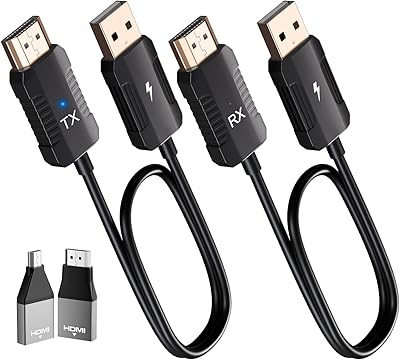
  • Connection Type: Uses standard HDMI connectors on both the transmitter and receiver units.
  • Status Display: A built-in LED screen on the unit provides real-time signal status feedback.
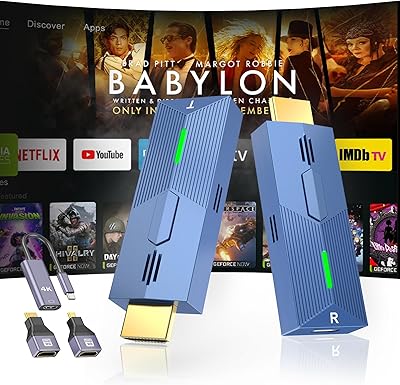
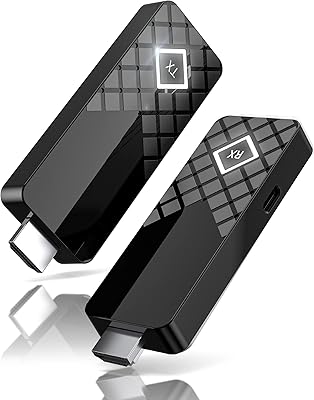
  • Form Factor: Compact TV stick-style dongle kit designed for portability and minimal desk footprint.
  • Dimensions: The kit measures 5.1″ in length, 5.3″ in width, and 2.1″ in height.
  • Weight: The complete kit weighs 11.7 ounces total.
  • Color: Available in blue as the standard colorway for this model.
  • Compatibility: Works with laptops, desktop PCs, TV boxes, and projectors; smartphone connectivity requires a separate Type-C to HDMI adapter.
  • Setup Method: Fully plug-and-play with no driver installation, software download, or account registration required.
  • Supported Services: Compatible with streaming services including YouTube when connected through a supported source device.
  • Controller Type: Managed via physical button controls directly on the hardware unit.
  • Use Cases: Designed for home theater setups, business conferencing, classroom projection, and casual gaming scenarios.

Related Reviews

BRAIDOL S3 Wireless HDMI Extender Kit
77%
92%
Ease of Setup
74%
Wireless Range Performance
78%
Signal Stability
71%
Video Output Quality
69%
Latency
More
BRAIDOL TR50 Wireless HDMI Extender Kit
79%
93%
Ease of Setup
81%
Signal Stability
78%
Video Quality
83%
Latency Performance
74%
Wireless Range
More
DxInvb Wireless HDMI Transmitter and Receiver Kit
75%
91%
Ease of Setup
58%
Device Compatibility
74%
Wireless Range & Stability
69%
Video Quality
83%
Build Quality & Portability
More
MpioLife Wireless HDMI Kit V6
74%
91%
Ease of Setup
78%
Wireless Range (Open Space)
47%
Through-Wall Performance
83%
Video Quality
69%
Latency & Responsiveness
More
Weeryyi Wireless HDMI Transmitter and Receiver 1080p
84%
92%
Value for Money
88%
Transmission Range
91%
Ease of Setup
89%
Video Quality
85%
Multi-Screen Support
More
WELUSOPU 1TX+2RX Wireless HDMI Extender Kit
74%
88%
Ease of Setup
74%
Wireless Range
67%
Video Output Quality
79%
Multi-Receiver Sync
81%
Latency Performance
More
Anytrox THT-020-8 Wireless HDMI Extender
78%
93%
Ease of Setup
78%
Video Quality
71%
Wireless Stability
82%
Audio-Video Sync
67%
Wireless Range
More
TTQ TR60 Wireless HDMI Transmitter and Receiver
79%
93%
Ease of Setup
78%
Signal Stability
86%
Video & Image Quality
81%
Latency Performance
88%
Build Quality & Materials
More
LZLOO Wireless HDMI Transmitter and Receiver
77%
91%
Ease of Setup
74%
Signal Stability
68%
Wireless Range
77%
Video Output Quality
71%
Latency Performance
More
Terzomen AirLink Wireless HDMI Transmitter Receiver
71%
88%
Ease of Setup
71%
Signal Stability
79%
Video Quality
76%
Audio Sync
63%
Wireless Range
More

FAQ

It is a bit of both, honestly. The BRAIDOL G03 Wireless HDMI Transmitter Receiver Kit can decode a 4K source signal, but the actual output sent to your display is 1080p Full HD. If your TV or monitor is 4K-native, it will still display the image, but you will not be getting 4K resolution from this device.
The G03 transmitter set has a button on the unit that lets you cycle between bands. If you are getting dropouts or interference — common in apartments with lots of competing Wi-Fi networks — switching to 5GHz often resolves it. Just keep in mind that 5GHz offers better stability in crowded environments but slightly less wall-penetrating range.

No, nothing like that is required. This is a genuine plug-and-play setup — connect the transmitter to your source device and the receiver to your display, and it establishes the wireless connection on its own. There are no apps, no drivers, and no Wi-Fi router involvement.

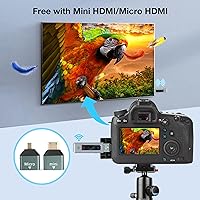
Yes, it works with both, as long as your laptop has a standard HDMI port. If your MacBook only has USB-C ports, you will need a USB-C to HDMI adapter to connect the transmitter — that adapter is not included in the box.

You can, but your phone needs to support HDMI output via a Type-C to HDMI cable or adapter, which you will need to supply separately. Not all Android phones support this, and iPhones do not support it natively, so check your phone's specs before assuming it will work.

For casual video watching and video calls, most users find the latency perfectly acceptable — it is not something you would consciously notice during a presentation or while streaming a show. Where it becomes an issue is fast-paced gaming, where any wireless delay can affect your reactions. For everyday use outside of competitive gaming, it holds up well.

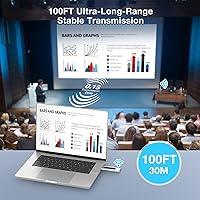
In a clear line-of-sight setup, the range is solid for typical room use. Once walls, furniture, or other obstacles get in the way, you can expect the effective range to drop noticeably. For most living rooms or meeting rooms, it will be fine — just do not expect it to reliably pass signal through multiple walls or across large open spaces.

Yes, any projector with a standard HDMI input port should work with this cable-free HDMI solution. The setup process is the same — receiver plugs into the projector's HDMI port, transmitter connects to your source device, and it links up automatically.

It gives you a quick status readout so you can tell at a glance whether the units are paired and the signal is active. It takes away the guesswork when you are staring at a blank screen and wondering whether the problem is the connection, the display settings, or something else entirely.

The build quality is functional and adequate for regular portable use, but it is not premium-grade hardware. It should hold up fine in a laptop bag for daily commutes or occasional travel. If you are planning to pack and unpack it multiple times a week in a demanding environment, treat it with reasonable care rather than tossing it loosely into a bag.