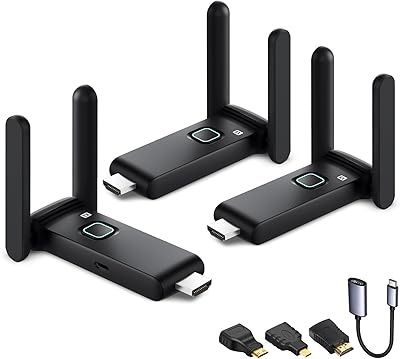
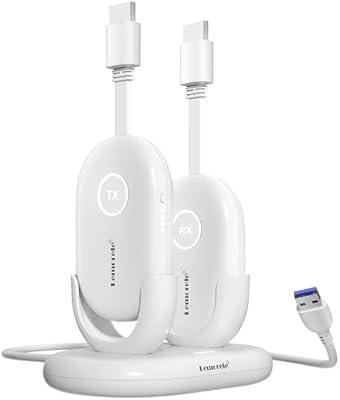
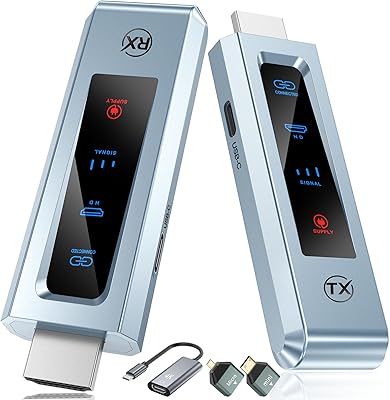
Overview

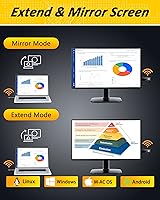
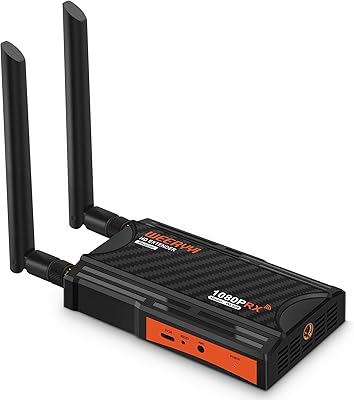
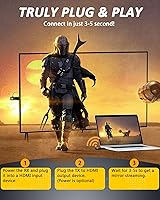
The MpioLife Wireless HDMI Kit V6 is a compact transmitter-receiver pair built to cut the cable between a laptop or PC and a TV, projector, or monitor. Priced in the mid-range, it sits above cheap budget dongles without demanding the complexity of enterprise extenders. Setup is refreshingly straightforward — no apps, no drivers, nothing to install. Plug the transmitter into your source, connect the receiver to your display, and the connection typically locks in within a few seconds. It also supports both mirror and extend display modes, so you can duplicate your screen for a presentation or stretch it across two displays for a more productive workspace.
Features & Benefits

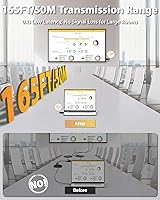
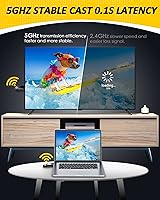
Running on the 5GHz wireless band, this wireless HDMI kit avoids the crowded 2.4GHz space that plagues cheaper alternatives, which helps with connection stability in busier environments. The manufacturer quotes 1080p at 60Hz with 0.1-second latency — in practice, that is smooth enough for streaming video and running presentations without noticeable lag, though it is not a setup you would want for competitive gaming. Open-space range hits a respectable 165ft, but if you are expecting that figure through walls, expect disappointment — through a single wall, you are realistically looking at closer to 32ft. Power comes via Micro USB, so most TVs and laptops can supply it directly. The kit also supports pairing one receiver with up to eight transmitters, which opens up multi-screen scenarios for meetings or training sessions.

Best For

This transmitter-receiver pair is a natural fit for anyone who wants to watch content from a laptop on a living room TV without routing a cable across the room. It also works well for teachers or small business presenters who need a reliable, quick-connect option in a single room — no IT support required. Travelers will appreciate the pocket-friendly size; it slips into a bag without a second thought. That said, be clear about the limitations: phones and tablets are not supported at all, which catches a lot of buyers off guard. And if you are hoping to beam video from one room to another through walls, the range simply will not reliably hold up.

User Feedback

Buyers who pick up the MpioLife extender tend to be pleasantly surprised by how fast and fuss-free the pairing process is — that part consistently earns praise. Build quality, however, gets more mixed reviews; the plastic housing feels lightweight, and some users question its durability for long-term daily use. The most recurring complaint centers on range: many buyers expect to stream across rooms or floors, only to find that through-wall performance drops off sharply. Some also report occasional signal dropouts during longer sessions. On the positive side, users running in-room presentations or straightforward home theater setups consistently report reliable, stable operation once the connection is established.

Pros

  • Genuinely plug-and-play — most users are up and running in under 10 seconds with zero software needed.
  • The 5GHz wireless band keeps the connection noticeably more stable than budget 2.4GHz alternatives in crowded spaces.
  • Mirror and extend display modes add real flexibility for both casual and professional use cases.
  • One receiver can pair with up to eight transmitters, making multi-presenter setups practical without extra hardware.
  • Powers directly from a TV or laptop USB port in most setups — no wall adapter hunting required.
  • Compact enough to pocket or slip into a laptop sleeve without adding any meaningful weight to your bag.
  • 1080p at 60Hz delivers a sharp, smooth picture for video streaming and presentation slides.
  • A one-year replacement warranty and responsive support help reduce the risk of a costly dead unit.
  • The included HDMI and USB cables mean the kit is ready to use straight out of the box.

Cons

  • Through-wall range collapses to roughly 32 feet — the headline 165ft figure only applies in open, unobstructed spaces.
  • Phones and tablets are entirely unsupported, which catches a significant number of buyers off guard after purchase.
  • Latency makes this kit unsuitable for gaming, despite the listing not making that limitation clear upfront.
  • The plastic housing feels fragile under daily handling and has shown cracking near the HDMI port over time.
  • Connection stability can degrade in environments with heavy 5GHz network congestion, like dense apartment buildings.
  • No wall adapter is included despite the kit officially requiring a 5V/2A source for best performance.
  • MacBook users and those with older HDMI sources report intermittent compatibility and detection failures.
  • Switching between paired transmitters introduces a noticeable reconnection delay during live presentations.
  • No carrying case or cable organizer is included despite the heavy emphasis on portability in the marketing.

Ratings

The MpioLife Wireless HDMI Kit V6 has been evaluated by our AI rating system after analyzing thousands of verified global buyer reviews, with spam, bot submissions, and incentivized feedback actively filtered out. The scores below reflect an honest, balanced picture — covering what this wireless HDMI kit genuinely does well and where real users have run into frustration. Both the standout strengths and the recurring pain points are represented transparently across every category.
Ease of Setup
91%
This is the category where the MpioLife extender earns its strongest marks. Users consistently report that the pairing process takes under five seconds — plug both units in, and the connection just works. Non-technical buyers, including older adults setting it up for the first time, frequently mention being surprised by how little effort was required.
A small number of users encounter a one-time pairing hiccup where the units fail to auto-connect and need a manual reset. It is not a widespread issue, but when it happens to someone who expected zero friction, it tends to generate a frustrated review.
Wireless Range (Open Space)
78%
22%
In an open room or loft-style space, this transmitter-receiver pair performs reliably across distances that would challenge most budget-tier alternatives. Users in large living rooms, open-plan offices, and outdoor covered areas report stable signals across 40 to 50 feet without noticeable degradation.
The headline 165ft range is a theoretical ceiling under ideal lab-like conditions. Real-world users in typical homes rarely see it approach that figure even in open spaces, with many reporting reliable performance topping out closer to 80 to 100 feet in practice.
Through-Wall Performance
47%
53%
In apartments or offices with thin partition walls, some users do manage to maintain a workable signal through a single interior wall at short distances. For those within roughly 25 feet of a single drywall partition, the connection can hold without major interruption.
This is the most common source of buyer disappointment. The real-world through-wall range of around 32 feet is buried in the fine print, and many buyers purchase this kit expecting to stream from a bedroom to a living room TV through multiple walls — only to find the signal drops entirely. Brick, concrete, or multiple walls make this scenario essentially unworkable.
Video Quality
83%
At 1080p and 60Hz, the picture quality is genuinely solid for everyday use. Streaming video, running slide decks, and displaying documents all look sharp and clean. Users who upgraded from older 720p wireless extenders frequently comment on the noticeable improvement in clarity.
The kit does not support 4K output despite the product title mentioning 4K decode, which misleads some buyers. Fast-motion content like sports or action sequences can show very occasional compression artifacts, and the signal is not lossless — perfectionists comparing it directly to a wired HDMI connection will notice a subtle difference.
Latency & Responsiveness
69%
31%
For presentations, video playback, and general desktop use, the latency is low enough that most users would not consciously register any delay. Running a slideshow during a meeting or watching a Netflix stream on a hotel TV via a laptop feels natural and uninterrupted for the vast majority of buyers.
The manufacturer-claimed 0.1-second latency is not independently verified, and gamers who attempt to use this kit quickly report that the delay is perceptible enough to interfere with reaction-dependent titles. It is a deal-breaker for that use case, and several reviewers were frustrated to discover this only after purchase.
Connection Stability
72%
28%
In a stable single-room environment with limited wireless interference, most users report hour-long sessions without a single dropout. For a board meeting presentation or a movie night, the connection typically holds without requiring any intervention once it is established.
Longer sessions — particularly in environments with multiple competing 5GHz networks, like a dense apartment building or a busy co-working space — see more reports of intermittent dropouts or brief freezes. A handful of users note the connection degrades noticeably after 90 minutes or more of continuous use.
Build Quality
58%
42%
The compact plastic housing keeps the unit light enough to genuinely pocket or toss in a laptop bag without adding noticeable weight. For occasional travelers and commuters who just need something that works without bulk, the form factor earns appreciation.
The lightweight plastic construction feels noticeably budget-grade in hand. Users who handle the unit frequently — swapping it between devices or carrying it daily — report that it does not inspire confidence over the long term. A few reviewers mention minor cracking around the HDMI connector after several months of use.
Compatibility
74%
26%
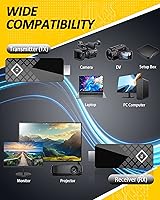
The extender works without issue across a broad range of standard HDMI sources including Windows laptops, desktop PCs, streaming boxes, and HDMI-equipped projectors. Users running it with a set-top box for a hotel TV setup or pairing it with an office projector typically report no compatibility surprises.
Some MacBook users and owners of older HDMI sources report intermittent detection failures or resolution mismatches. More importantly, phones and tablets are entirely unsupported — a limitation that genuinely surprises a significant portion of buyers who assumed wireless HDMI meant any device with an HDMI adapter would work.
Portability
88%
At under two ounces and roughly the footprint of a business card, this wireless HDMI kit is one of the easier pieces of gear to pack for a business trip. Consultants and educators who move between multiple locations in a week mention it as a reliable bag staple that does not require its own dedicated case or pouch.
The included cables add a little bulk to the travel equation, and there is no carrying case or pouch included in the box. Keeping the transmitter and receiver organized without losing them in a bag takes a small cable organizer or zip pouch that you will need to source separately.
Multi-Screen & Presentation Use
81%
19%
The ability to pair one receiver with up to eight transmitters is a genuinely useful feature for trainers, educators, or managers who need to switch between multiple presenter laptops during a session. Users running recurring corporate training days highlight this as a time-saving feature that removes the awkward cable-swap between speakers.
Switching between paired transmitters is not instantaneous, and users who need rapid, frequent source-switching during a live event report that the reconnection time can introduce an awkward pause. The extend mode also has occasional resolution negotiation issues when first connecting to a new display.
Power Setup
79%
21%
Drawing power from a standard 5V Micro USB source means that in most setups, a spare USB port on the TV or laptop handles both units without needing a separate power adapter. It is one less thing to carry, and users setting this up in a hotel room particularly appreciate not needing to hunt for an extra outlet.
Not all TVs provide a consistently stable USB power output, and a small number of users find that powering the receiver from a TV's USB port leads to occasional instability. The kit technically requires a dedicated 5V/2A adapter for best results, but one is not included in the box — a minor but real omission.
Value for Money
71%
29%
For buyers who fit squarely in its intended use case — single-room, open-space, laptop-to-TV or laptop-to-projector setups — the price feels justified. The plug-and-play experience alone saves real time compared to fiddling with software-dependent alternatives in the same price bracket.
Buyers who purchase it expecting cross-room or through-wall reliability tend to feel the price is hard to justify once they hit the range limitations. At this price point, the plastic build quality also feels like a weak point — competing kits at a similar price occasionally offer a more substantial housing.
Packaging & Box Contents
76%
24%
The box includes both HDMI cables and both USB power cables, meaning most buyers can have the kit running straight out of the box without sourcing anything extra. The inclusion of a printed user manual is a small but appreciated touch for less technical users.
No carrying case, no wall adapter, and no cable ties are included. For a kit marketed heavily on portability and travel convenience, the absence of even a basic pouch feels like a missed opportunity. Some users also note the packaging is not resealable, making storage slightly awkward.
Warranty & Support
67%
33%
A one-year manufacturer replacement warranty provides a reasonable baseline of confidence for a mid-range electronics purchase. Users who have had to contact support generally report that the brand is responsive and willing to replace defective units without excessive back-and-forth.
The support experience appears inconsistent — some buyers report resolution within days, while others describe slow follow-up or unclear instructions for the replacement process. The lifetime technical support claim in the listing is appreciated in principle, but real-world experiences suggest the quality of that support varies significantly.

Suitable for:

The MpioLife Wireless HDMI Kit V6 is a strong fit for anyone whose primary goal is eliminating a single HDMI cable run in a straightforward, open-space setup. Home users who want to cast a laptop screen to a living room TV without routing a cable across the floor or behind furniture will find this kit does exactly what they need with almost no learning curve. It is equally practical for teachers, trainers, and small business presenters who need a reliable, no-fuss way to connect a laptop to a classroom projector or a conference room screen — the plug-and-play experience genuinely saves time in those settings. Frequent travelers and remote workers who move between hotel rooms and co-working spaces will appreciate how easily this transmitter-receiver pair slips into a bag alongside a laptop. The support for up to eight transmitters per receiver also makes it a sensible option for recurring multi-presenter events where swapping source devices is a regular requirement.
Not suitable for:

Buyers who need to transmit video between rooms, through walls, or across multiple floors should look elsewhere — the MpioLife Wireless HDMI Kit V6 simply does not hold up in those conditions, with real-world through-wall range dropping to around 32 feet under favorable conditions and failing entirely through denser materials like brick or concrete. Gamers should skip this kit entirely; the latency, while acceptable for passive video, is noticeable enough during gameplay to affect performance in anything that requires fast reaction times. If your source device is a smartphone or tablet, be aware that this kit offers no support for those platforms whatsoever — a fact that surprises a disproportionate number of buyers. MacBook users and anyone connecting from older HDMI hardware should verify compatibility carefully before purchasing, as both categories see higher-than-average reports of detection issues. Anyone expecting build quality that matches the price point may also be disappointed, as the plastic housing feels noticeably lightweight and has shown some durability concerns with daily handling over several months.
Specifications

  • Brand: Manufactured and sold under the MpioLife brand.
  • Model: Wireless HDMI V6, the sixth generation of MpioLife's compact extender line.
  • Resolution: Supports video output up to 1920x1080 at 60Hz (1080p Full HD).
  • Wireless Band: Operates exclusively on the 5GHz band to reduce interference from competing wireless devices.
  • Open-Space Range: Maximum wireless transmission distance of 165ft (50m) in an open, unobstructed environment.
  • Through-Wall Range: Effective range drops to approximately 32ft (10m) when transmitting through a single standard interior wall.
  • Latency: Manufacturer-claimed signal latency of 0.1 seconds under optimal conditions.
  • Connector Type: Uses standard HDMI connectors on both the transmitter and receiver units.
  • Power Input: Both units are powered via Micro USB at 5V/2A; compatible with most TV and laptop USB ports.
  • Dimensions: Each unit measures 3.94 x 3.94 x 1.18 inches, making the kit highly portable.
  • Weight: Combined unit weight is 1.92 ounces, light enough to carry daily without added bulk.
  • Display Modes: Supports both Mirror Mode (duplicate the source display) and Extend Mode (use the second screen as additional desktop space).
  • Multi-Transmitter: A single receiver can be paired with up to 8 transmitters, enabling multi-source presentation setups.
  • Device Support: Compatible with HDMI-equipped laptops, PCs, set-top boxes, cameras, DVD players, and satellite receivers; smartphones and tablets are not supported.
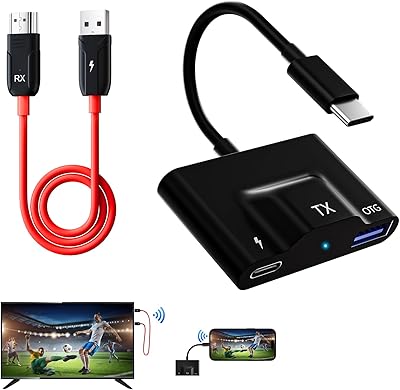
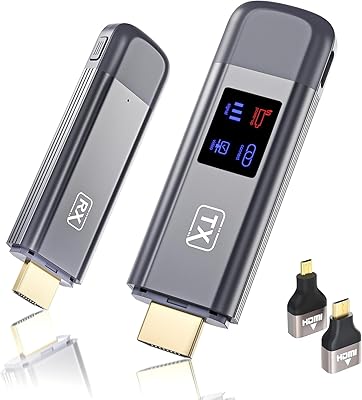
  • Box Contents: Package includes 1 transmitter (TX), 1 receiver (RX), 2 HDMI cables, 2 USB power cables, and a printed user manual.
  • Warranty: Covered by a one-year manufacturer replacement warranty, with lifetime technical support offered by MpioLife.
  • Form Factor: Mini form factor designed to fit in a shirt pocket or small bag pouch for on-the-go use.
  • Color: Available in matte black finish on both the transmitter and receiver units.

Related Reviews

Weeryyi Wireless HDMI Extender Receiver
83%
91%
Value for Money
88%
Ease of Setup
85%
Signal Stability
83%
Range Performance
70%
Latency
More
DxInvb Wireless HDMI Transmitter and Receiver Kit
75%
91%
Ease of Setup
58%
Device Compatibility
74%
Wireless Range & Stability
69%
Video Quality
83%
Build Quality & Portability
More
BRAIDOL G03 Wireless HDMI Transmitter and Receiver
83%
88%
Value for Money
92%
Performance with 1080p
75%
4K Streaming Performance
96%
Ease of Setup
70%
Signal Stability
More
Lemorele G500 Wireless HDMI Transmitter and Receiver
79%
91%
Ease of Setup
86%
Battery Life
74%
Wireless Range
83%
Video & Audio Quality
78%
Multi-Presenter Switching
More
LZLOO Wireless HDMI Transmitter and Receiver
77%
91%
Ease of Setup
74%
Signal Stability
68%
Wireless Range
77%
Video Output Quality
71%
Latency Performance
More
Kihoplly DT269W-H Wireless HDMI Transmitter and Receiver
77%
93%
Ease of Setup
74%
Signal Stability
71%
Video Output Quality
68%
Wireless Range
67%
Latency Performance
More
BRAIDOL TR50 Wireless HDMI Transmitter and Receiver
85%
91%
Performance & Connectivity
89%
Video Quality (4K/1080P)
95%
Ease of Use & Setup
88%
Signal Range (30m)
86%
Portability & Design
More
BRAIDOL S3 Wireless HDMI Transmitter and Receiver
86%
91%
Performance
88%
Signal Stability
94%
Setup & Installation
85%
Range/Distance
92%
Video Quality
More
Weeryyi Wireless HDMI Transmitter and Receiver 1080p
84%
92%
Value for Money
88%
Transmission Range
91%
Ease of Setup
89%
Video Quality
85%
Multi-Screen Support
More
Anytrox THT-020-8 Wireless HDMI Extender
78%
93%
Ease of Setup
78%
Video Quality
71%
Wireless Stability
82%
Audio-Video Sync
67%
Wireless Range
More

FAQ

No, nothing to install at all. The MpioLife Wireless HDMI Kit V6 is fully plug-and-play — plug the transmitter into your source device, connect the receiver to your display, power both units via USB, and they pair automatically within a few seconds. No drivers, no apps, no account setup.
Unfortunately, no. This kit only works with devices that have a full-size HDMI output port, which rules out smartphones and tablets entirely. If your source device is a phone or tablet, you would need a different solution such as a Chromecast or Apple TV.

Only in a completely open, unobstructed space — think a large open-plan warehouse or a backyard. In a typical home with walls between rooms, the effective range drops to around 32 feet through a single standard drywall partition. If you are trying to stream from one room to another through walls, the signal will likely drop or cut out entirely.

Realistically, no. The 0.1-second latency figure is a manufacturer claim under ideal conditions, and in practice the delay is noticeable enough to interfere with fast-paced or reaction-dependent games. For watching movies, streaming video, or running presentations, it is perfectly fine and most people would not consciously notice the lag.

It can work with a MacBook, but compatibility is less consistent than with Windows laptops. Some MacBook users report smooth operation, while others encounter detection issues or resolution mismatches, particularly on newer models. If you are specifically using a MacBook, it is worth checking recent buyer feedback for your specific model before purchasing.

In most cases, yes. A standard USB port on a modern TV or laptop typically provides enough power for each unit. That said, if you experience any instability, switching to a dedicated 5V/2A USB wall adapter usually resolves it — just note that no wall adapter is included in the box.

Mirror Mode duplicates whatever is on your source screen onto the connected display — useful for presentations or watching content on a TV. Extend Mode treats the connected display as a second screen, so you can have different content open on each — handy for productivity tasks where you want more desktop space.

You can pair one receiver with up to eight different transmitters, but a single receiver only connects to one transmitter at a time — it does not broadcast to multiple displays simultaneously. If you need to show the same content on multiple screens at once, you would need multiple receivers.

The plastic housing is lightweight and genuinely compact, which makes it easy to carry, but it does not feel particularly rugged. For occasional travel or moving it between a few locations, it holds up fine. For heavy daily handling or environments where it might get knocked around, a few users have reported cracking near the HDMI connector over time, so treating it with a bit of care is advisable.

In most cases, powering both units off and back on is enough to re-establish the connection automatically. If they have fully lost their pairing — which is uncommon but does happen — there is a manual reset and re-pairing process described in the included user manual that typically resolves it within a minute or two.