Trust Gaming GXT 212 Mico USB Microphone
Trust Gaming GXT 212 Mico USB Microphone — image 1
Trust Gaming GXT 212 Mico USB Microphone — image 2
Trust Gaming GXT 212 Mico USB Microphone — image 3
Trust Gaming GXT 212 Mico USB Microphone — image 4
Trust Gaming GXT 212 Mico USB Microphone — image 5
Trust Gaming GXT 212 Mico USB Microphone — image 6
Trust Gaming GXT 212 Mico USB Microphone — image 7

Trust Gaming GXT 212 Mico USB Microphone — image 8
Trust Gaming GXT 212 Mico USB Microphone — image 9
Trust Gaming GXT 212 Mico USB Microphone — image 10
Trust Gaming GXT 212 Mico USB Microphone — image 11
71%
29%

Overview

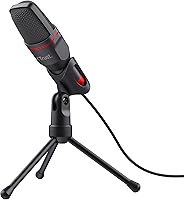
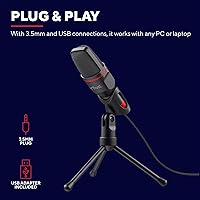
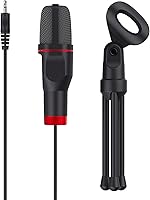
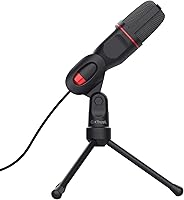
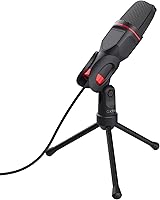
The Trust Gaming GXT 212 Mico USB Microphone is Trust Gaming's answer to the classic beginner dilemma: you want to start streaming, but you're not ready to spend serious money on gear you might not commit to. The brand has carved out a niche in affordable gaming peripherals, and this entry-level streaming mic fits right in. There's no software to install, no drivers to hunt down — plug it in and you're live within seconds. It works over USB or 3.5mm analog, which gives it real-world flexibility across different setups, and it ships with a compact adjustable tripod stand already in the box.

Features & Benefits

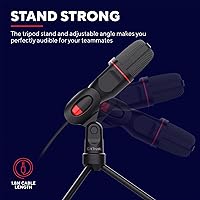
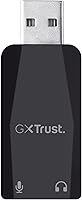
The GXT 212 Mico uses a cardioid pickup pattern, which in plain terms means it captures sound from directly in front and largely ignores noise coming from the sides or rear — useful if your room is not acoustically treated. The USB connection feeds a clean digital signal to your PC or console, and the solid signal-to-noise ratio keeps background hiss low during quiet passages. The 3.5mm option is not just a backup; if your device lacks a USB-A port, the included adapter handles it without any extra spending. At roughly 154 grams with a 1.80-meter cable, it does not crowd your desk, and the adjustable tripod angle lets you dial in the sweet spot without fuss.

Best For

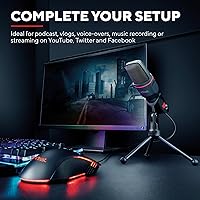
This budget USB microphone makes the most sense for people at the very start of their content creation journey. If you have been streaming on a headset mic and want something that sounds noticeably cleaner without a big investment, this fits the bill. PS4 and PS5 owners who want a dedicated desk microphone rather than relying on a controller or headset will find the USB connection works without any setup fuss. It is also a solid pick for students on video calls or remote workers who just need reliable voice input. What it is not is a studio or instrument-recording mic — if you are doing serious audio work, you will want to look further up the price ladder.

User Feedback

Most buyers come away satisfied given what they paid, which is really the right way to judge this mic. The most common praise centers on ease of setup and the fact that it actually sounds better than built-in laptop or headset mics — a low bar, but a meaningful one for the target audience. On the flip side, users in untreated rooms with hard floors and bare walls frequently notice more echo than expected, and a handful mention that the all-plastic construction feels lightweight in a way that does not inspire long-term confidence. PS5 and PS4 users generally report the same experience as PC owners. Compared to similarly priced options, the dual-connection flexibility consistently stands out as a genuine differentiator.

Pros

  • Plug-and-play setup works immediately on PC, Mac, PS4, and PS5 without installing anything.
  • Dual USB and 3.5mm connectivity means it works across more devices than most rivals at this price.
  • The cardioid pickup pattern does a solid job isolating your voice from side and rear noise.
  • At under 160 grams, the GXT 212 Mico is light enough to reposition or pack away with ease.
  • A 1.80-meter cable gives enough reach to suit most standard desk arrangements comfortably.
  • Comes with both a tripod stand and a USB adapter included, so there are no hidden extra costs.
  • Delivers a noticeable audio quality improvement over built-in laptop and webcam microphones.
  • Bus-powered over USB means no batteries to buy and no external power supply to manage.

Cons

  • All-plastic construction feels noticeably cheap and does not inspire confidence in long-term durability.
  • Audio quality degrades quickly in untreated rooms, picking up echo and reflections clearly.
  • No onboard volume control or mute button forces you to manage levels through software instead.
  • The fixed cardioid pattern cannot be adjusted, limiting flexibility for different recording scenarios.
  • Louder voices or close-mic speaking can introduce distortion that is hard to fix in post-production.
  • No headphone monitoring jack means you cannot listen to your own audio levels in real time.
  • The cable construction feels thin and may not hold up well under repeated bending and daily use.
  • At the same price point, several competing options now offer stronger build quality and more features.

Ratings

The scores for the Trust Gaming GXT 212 Mico USB Microphone were generated by our AI system after analyzing thousands of verified global buyer reviews, with spam, incentivized submissions, and bot-driven ratings systematically filtered out. The result is a balanced picture that weighs both the genuine strengths this entry-level streaming mic delivers and the recurring frustrations real owners encounter. Nothing has been softened to favor the brand, and nothing exaggerated — just an honest synthesis of what buyers worldwide actually think.

Value for Money
83%
At its price tier, the GXT 212 Mico delivers more than most beginners expect — a working cardioid mic, an adjustable tripod, and a USB adapter included, all without hidden extras. First-time streamers and students routinely mention that it punches above its weight compared to headset mics or built-in laptop audio.
As soon as buyers step up to the next price bracket, the value proposition starts to feel thinner — marginally more money buys noticeably better construction and audio performance. Some users felt they outgrew this mic quickly and wished they had invested slightly more from the start.
Ease of Setup
94%
This is genuinely one of the strongest points — users on PC, Mac, PS4, and PS5 consistently report that it works the instant it is plugged in, with zero driver hunting or software installation required. For beginners who dread the setup process, that kind of simplicity is hard to overstate.
The only friction some users encounter is on PS5, where you need to manually navigate into sound settings to assign it as the active input — the console does not always default to it automatically. It is a minor step, but worth knowing if you are streaming from a console for the first time.
Audio Quality
67%
33%
For spoken-word streaming and gaming chat, most beginners find the audio noticeably cleaner than their laptop built-in microphone or headset mic. The solid signal-to-noise ratio keeps hiss low, and voices come through clearly enough for Twitch streams, Discord calls, and online class sessions.
Users in untreated rooms consistently report that echo and room reflections are clearly audible, and the mic does not handle loud or close-proximity voices well — dynamics compress awkwardly rather than staying clean. Anyone expecting broadcast-level audio will be disappointed; this is firmly a beginner voice-capture tool, not a studio mic.
Build Quality
58%
42%
The lightweight polycarbonate construction keeps the mic at just 154 g, making it easy to angle and reposition during a session without the stand toppling. For users who treat their gear carefully, the build holds up well enough over the short to medium term.
The all-plastic feel is the most common complaint across reviews — it does not inspire confidence when picked up, and several buyers noted that connectors started feeling loose after months of regular use. The tripod in particular is widely regarded as a fragile weak point worth replacing early.
Noise Rejection
72%
28%
The cardioid pattern does meaningful work in controlled environments — users seated at a standard desk with the mic pointed at their mouth find that keyboard clatter from the side and ambient room hum stay largely out of the recording. For a budget mic, the directional behavior is genuinely functional rather than just a spec sheet checkbox.
In noisier environments — a shared flat with background music, a room with a loud PC tower, or open-plan spaces — the rejection starts to break down noticeably, with voices competing against background sounds. The mic has no onboard noise gate, so any workaround has to come from software like OBS or Discord's own noise suppression.
Connectivity
88%
The dual USB and 3.5mm setup is a genuine practical differentiator — this budget USB microphone works equally well on a gaming PC, a laptop via adapter, or a PS5 without needing to buy anything extra. Users who switch regularly between a desktop and a laptop particularly appreciate having both connection types available.
The 3.5mm signal path is noticeably noisier than USB in real-world use — buyers report a slight hiss or analog hum when going the analog route, especially on devices with budget-tier audio hardware. It works, but USB is the clearly recommended connection for anyone who cares about clean audio.
Cable Quality
63%
37%
At 1.80 m, the cable gives enough reach for most standard desk arrangements without creating a tangle behind the monitor, and users with a typical PC-on-the-desk layout find it lands at a comfortable length without needing an extension. It is not something buyers actively raise as a concern at first use.
The cable jacket feels thin and somewhat fragile, and a recurring pattern in longer-term reviews is that it starts to fray or develops micro-breaks near the connectors with sustained daily use. The fixed, non-detachable design means that if the cable fails, the entire microphone becomes unusable with no repair option.
Stand Stability
61%
39%
The included tripod covers the basics — it keeps the mic upright on a flat desk, the angle adjustment is easy to operate, and the footprint is small enough that it does not crowd a typical workspace. For casual daily use, it serves as a decent starting point included at no extra cost.
Users consistently flag the stand as the most fragile component — plastic joints loosen over time, and a single accidental bump can send the mic crashing to the desk. Several buyers replaced it with a budget boom arm relatively quickly, which suggests the included stand is more of a stopgap than a lasting solution.
Compatibility
91%
Buyers across PC, Mac, PS4, and PS5 almost universally report that the mic is recognized immediately without any configuration steps — a plug-in-and-start experience that holds true regardless of the platform. This breadth of compatibility is a real convenience for users who game on a console but also take online classes on a laptop.
A small subset of Mac users has reported inconsistent recognition on certain OS versions, though this appears to be an edge case rather than a widespread issue. Chromebook and mobile device compatibility is also not confirmed by the manufacturer, leaving those users without official support.
Voice Clarity
71%
29%
At a standard talking distance of roughly 20 to 30 cm, voices come through with a clean, intelligible quality that works well for gaming chat, video calls, and beginner podcast recordings. Users upgrading from integrated laptop microphones consistently describe the difference as immediately and obviously noticeable.
Voices with naturally louder projection or deeper tones tend to overload the fixed gain, producing a compressed or slightly harsh result that is difficult to correct without external processing. There is no onboard gain dial to compensate, putting the entire adjustment burden on the recording or streaming software.
Room Sensitivity
54%
46%
In a reasonably quiet room with soft furnishings — a carpeted bedroom or a home office lined with bookshelves — the mic performs adequately, capturing voice without excessive room coloration. Users who have any degree of acoustic dampening in their space report meaningfully more satisfying results than those recording in sparse environments.
In bare rooms with wooden floors, painted walls, and minimal furniture, the mic picks up a pronounced flutter echo and reverb that makes voices sound hollow and distant. This is not a fixable hardware limitation at this price tier; without at least some acoustic treatment, results will consistently disappoint regardless of mic placement.
Durability
52%
48%
Users who handle the GXT 212 Mico with consistent care — storing it properly, avoiding cable stress, and keeping it away from desk edges — report that it continues to function reliably over many months. The core audio hardware appears reasonably stable even if the physical construction does not age particularly gracefully.
Multiple reviewers describe issues appearing within six to twelve months: the cable developing a persistent crackle near the plug, the tripod joint loosening irreparably, or the USB connection becoming intermittent under regular use. The fully fixed, non-modular design means any component failure effectively ends the product's useful life with no realistic repair pathway.

Suitable for:

The Trust Gaming GXT 212 Mico USB Microphone is squarely aimed at anyone taking their first real step into streaming or content creation who simply needs something that works straight out of the box. First-time Twitch and YouTube streamers will appreciate that there is zero setup friction — no driver installations, no configuration software, just a cable and an immediate improvement over a built-in laptop mic. PS4 and PS5 owners who are tired of relying on headset microphones will find the USB connection recognized by their console instantly. Students attending online classes and remote workers juggling daily video calls will also get solid value, since the cardioid pickup pattern does a reasonable job keeping surrounding noise out of conversations. If your current audio situation is a webcam mic or a gaming headset, this entry-level streaming mic delivers a clear and noticeable upgrade without demanding a serious financial commitment.

Not suitable for:

The Trust Gaming GXT 212 Mico USB Microphone is not the right tool if your audio expectations go beyond clean voice capture in a reasonably quiet environment. Musicians looking to record instruments, vocalists chasing studio-quality takes, or podcasters with professional production standards will quickly run into the ceiling this mic imposes. The all-plastic construction and budget-tier components mean it was not engineered for heavy daily punishment over many years, so if long-term durability matters to you, spending more upfront is the smarter move. Anyone recording in an untreated room with hard floors, bare walls, and ambient noise should know that room acoustics will still dominate the result — no microphone at this price erases that problem. If you already own or are seriously considering a mid-range USB condenser with onboard gain control, a headphone monitoring jack, or switchable polar patterns, this budget USB microphone will feel like a compromise rather than a solution.

Specifications

  • Connectivity: Connects via USB-A for digital audio output or 3.5mm analog; a free USB adapter is included in the box.
  • Polar Pattern: Unidirectional (cardioid) pattern captures audio from directly in front of the mic while rejecting sound from the sides and rear.
  • Signal-to-Noise: Rated at 78 dB signal-to-noise ratio, meaning background hiss stays low relative to the intended voice signal.
  • Frequency Response: Covers the full audible spectrum up to 20 kHz, which is sufficient for clear spoken-word and streaming applications.
  • Cable Length: Fixed attached cable measures 1.80 m (approximately 5.9 ft), suitable for most standard desk placements.
  • Weight: Microphone body weighs 154 g (5.4 oz), making it easy to reposition on a desk without the stand tipping.
  • Dimensions: Body measures 1.69 × 1.57 × 5.31 inches, occupying a compact footprint on a desk or workspace.
  • Material: Housing is constructed from polycarbonate plastic throughout, keeping the overall unit lightweight.
  • In The Box: Package includes the microphone, an adjustable tripod stand, and a USB adapter for use with 3.5mm-only devices.
  • Compatibility: Officially compatible with PC, Mac, PS4, and PS5 without requiring any additional software or drivers.
  • Form Factor: Table array (desktop) design intended for placement on a desk surface, either freestanding on the tripod or repositioned by hand.
  • Power Source: Fully bus-powered via the USB connection; no batteries, external power adapters, or phantom power supply required.
  • Impedance: Output impedance is rated at 2200 Ohm, consistent with entry-level USB microphones designed for voice capture.
  • Audio Channels: Records and outputs in mono (single channel), which is standard for voice-focused gaming and streaming microphones.
  • Warranty: Trust provides a 2-year EU spare part availability duration, indicating the manufacturer supports the product post-purchase.

Related Reviews
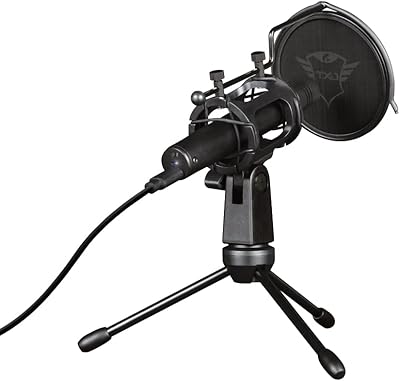
Trust Gaming GXT 241 Velica USB Microphone
76%
78%
Audio Clarity
83%
Build Quality
89%
Value for Money
94%
Ease of Setup
34%
Onboard Controls
More
Trust Gaming GXT 252 Emita Streaming Microphone
76%
76%
Audio Clarity
88%
Build Quality
93%
Ease of Setup
61%
Background Noise Rejection
82%
Value for Money
More
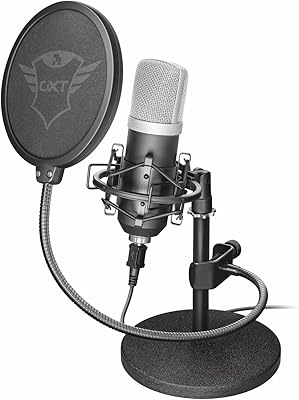
Trust Gaming GXT 258 Fyru USB Microphone
76%
76%
Audio Clarity
88%
Build Quality
93%
Ease of Setup
81%
Polar Pattern Versatility
54%
Background Noise Rejection
More
Trust Gaming GXT 144 Rexx Vertical Ergonomic Gaming Mouse
85%
89%
Ergonomics & Comfort
92%
Precision & Performance
85%
RGB Customization
78%
Software & Configuration
84%
Build Quality & Durability
More
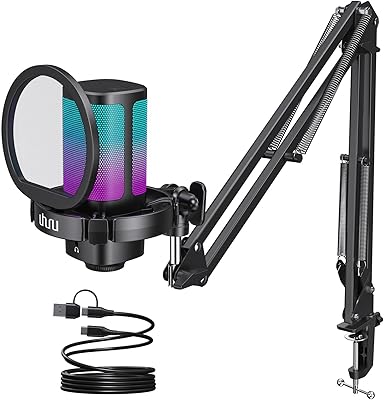
UHURU UM2S
UHURU UM2S
79%
78%
Sound Quality
71%
Noise Cancellation
94%
Ease of Setup
66%
Build Quality
88%
Value for Money
More
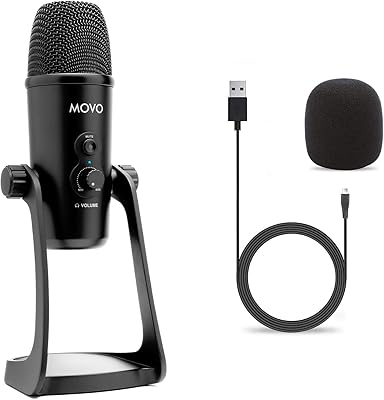
Movo UM700
Movo UM700
82%
83%
Audio Clarity
89%
Polar Pattern Versatility
94%
Ease of Setup
81%
Build Quality
86%
Gain Control & Mute Function
More
HyperX SoloCast
HyperX SoloCast
84%
89%
Audio Clarity
97%
Ease of Setup
93%
Mute Functionality
42%
Vibration Isolation
86%
Build Quality
More
KingSom Mic-1
KingSom Mic-1
76%
91%
Value for Money
74%
Audio Clarity
94%
Ease of Setup
58%
Build Quality
66%
Boom Arm Usability
More
Neat Microphones Skyline USB Desktop Condenser Microphone
89%
94%
Audio Quality
91%
Ease of Use
89%
Build Quality
90%
Mute Button Functionality
92%
Value for Money
More
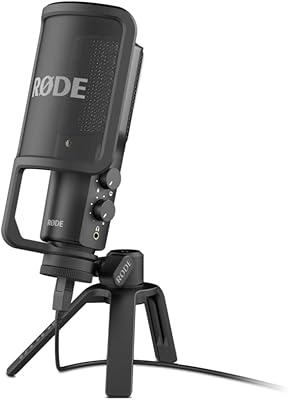
RØDE NT-USB Microphone
87%
94%
Sound Quality
92%
Ease of Setup
89%
Build Quality
85%
Noise Isolation
87%
Mic Sensitivity
More

FAQ

Yes, it does. The USB connection is recognized by the PS5 as a standard audio device, so you plug it in and assign it as your input source in the console sound settings. No adapters, no firmware updates, no configuration headaches. PS4 owners report the exact same experience.

No drivers or software are required at all. It relies on standard USB audio class support, which every modern operating system already handles natively. Plug it in and your PC, Mac, or console picks it up automatically within a few seconds.

USB is the stronger choice when available — it transmits a clean digital signal directly to your device and typically produces less background noise than analog. The 3.5mm option is a genuine backup for devices that lack a USB-A port, like slimmer laptops or tablets, and the included adapter covers most of those cases without any extra spending.

The cardioid pickup pattern helps by focusing on sound from directly in front and pushing back against noise coming from the sides or rear. That said, a loud mechanical keyboard sitting right beside the mic, or a noisy PC fan nearby, will still bleed through to some degree. Positioning matters a lot here — angling the mic toward your mouth and away from noise sources gives you noticeably cleaner results.

It is not designed for that, and you will likely be disappointed if you try. This entry-level streaming mic is built for spoken-word use cases like streaming, gaming, and calls. For recording instruments or singing, you need a proper condenser microphone with better transient response and wider dynamic handling.

For the majority of standard desk arrangements — monitor at the back, mic positioned in front of you — 1.80 m (about 5.9 ft) is comfortable. If your setup is more unusual, like placing the mic on a side table or using a larger standing desk, a short USB extension cable will sort it out, though you may want to test for any minor latency depending on your system.

It is functional, and the angle adjustment works well enough for normal use. The catch is that the all-plastic build means it will not shrug off being knocked off a desk or handled roughly over time. Treat it with reasonable care and it does the job; if you want something sturdier, a budget boom arm is an easy and affordable upgrade that makes a noticeable difference in stability.

Yes, all three applications recognize it automatically as a standard audio input. You simply open the audio settings in each program, select it as your microphone source, and you are good to go. No plugins, no configuration files — just a quick one-time selection the first time you use it.

It competes reasonably well mainly because of the dual USB and 3.5mm connectivity, which most direct rivals at this price do not offer. Raw audio quality is broadly comparable to others in this budget tier — you are unlikely to hear a dramatic sonic difference between this and similar-priced mics. Where it earns its place is in practical flexibility and the fact that the tripod stand and USB adapter are already included, avoiding any extra purchases at setup.

No, there is neither a physical mute button nor an onboard volume control anywhere on the GXT 212 Mico. All audio management has to happen through your operating system, your streaming or chat software, or your game audio settings. This is a common trade-off at this price point, but it is worth knowing upfront if quick one-touch muting during live streams is important to your workflow.