Overview

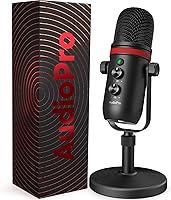
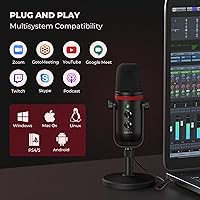
The AUDIOPRO X5 is a budget USB condenser mic that punches above its price tag with a metal build, plug-and-play setup, and a feature list that rivals options costing significantly more. It works straight out of the box on Windows, Mac, PS4/5, and even Android devices with a USB-C port — no drivers, no configuration headaches. The desk stand and pop filter are included, saving you an immediate trip to buy accessories separately. Sitting at #26 in Amazon's Computer Microphones category, this USB mic has clearly found a real audience. Just keep expectations grounded: this is entry-level hardware with mid-range aspirations.

Features & Benefits

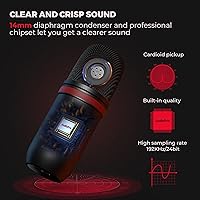
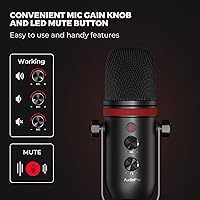
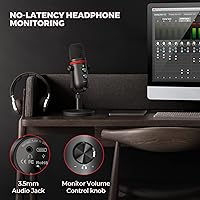
The cardioid pickup pattern is the practical core of this desk microphone — it captures what's directly in front and pushes back against ambient room noise fairly well for the price. The onboard gain and volume knobs are a genuine convenience; you adjust levels physically without opening a single settings menu. A zero-latency headphone jack lets you hear your own voice in real time, which matters when you're dialing in mic placement. The LED mute button is satisfyingly tactile and visible during live sessions. One honest caveat: the 192kHz/24-bit spec sounds impressive, but at this price the actual DAC hardware limits how much of that translates into noticeably better audio.

Best For

This USB mic is a natural fit for anyone wanting a step up from a laptop's built-in mic without spending much or learning audio production from scratch. Casual Twitch streamers, YouTube creators, and PS4/PS5 gamers who don't want the bulk of a headset will find the setup refreshingly simple. Remote workers on Zoom or Skype will notice an immediate lift in voice clarity. Students recording lectures and first-time podcasters figuring out their workflow will also find solid value here. Worth flagging: the AUDIOPRO condenser mic is not compatible with iPads, which catches a surprising number of buyers off guard.

User Feedback

Buyers generally come away satisfied with the build quality and how little effort the setup takes — both are consistent points of praise, with voice clarity earning positive marks for everyday use. On the critical side, some users report the desk stand can feel a bit wobbly and that background noise creeps in more than expected in untreated rooms. A few note a practical hiccup: to hear audio through your computer's built-in speakers, you need to manually select them as the default playback device. Most accept the trade-offs at this price, though the 192kHz claim does generate some skepticism once buyers listen back to their actual recordings.

Pros

  • Truly plug-and-play across Windows, Mac, PS4/5, and Android — no drivers, no setup friction.
  • Metal body feels solid and premium well above what the price would suggest.
  • Onboard gain and volume knobs let you adjust levels instantly without touching software.
  • The LED mute button is bright, tactile, and visible even in a darkened streaming setup.
  • Zero-latency headphone monitoring helps you catch mic placement issues before they ruin a recording.
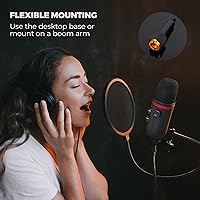
  • Bundled accessories — pop filter, dual cables, desk stand, and boom arm adapter — add genuine out-of-box value.
  • Cardioid pattern keeps voice pickup focused in quiet, reasonably controlled rooms.
  • Works as a dedicated mic for PS5 without requiring a headset or additional adapter.
  • Voice clarity on Zoom and Discord calls is a noticeable improvement over any built-in laptop mic.

Cons

  • Background noise bleeds in more than expected in untreated or busy home environments.
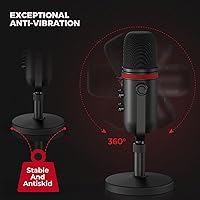
  • The desk stand gradually loosens over time, causing the mic to tilt forward mid-session.
  • To use computer speakers for audio playback, you must manually reassign the default output device each time.
  • The 192kHz/24-bit spec does not reflect real-world recording fidelity at this hardware price point.
  • Headphone output volume is underwhelming when paired with higher-impedance over-ear headphones.
  • Incompatible with iPads entirely — not mentioned prominently enough during the purchase process.
  • Gain and volume knobs have no markings or detents, making it hard to return to a dialed-in setting.
  • Cable length of 5.6 feet is borderline short for desk setups where the PC sits on the floor.
  • ChromeOS compatibility is inconsistent and unreliable enough to treat as unsupported.

Ratings

The AUDIOPRO X5 has been put through its paces by our AI rating engine, which analyzed thousands of verified buyer reviews from global markets while actively filtering out incentivized, bot-generated, and unverified submissions. What emerges is a candid, balanced picture of where this USB condenser mic genuinely delivers and where it falls short — no glossing over the frustrations, no inflating the wins.

Ease of Setup
94%
Buyers consistently single this out as the mic's strongest suit. You plug it in, the OS recognizes it instantly, and you are recording within seconds — no driver downloads, no audio interface, no configuration rabbit holes. PS5 users in particular appreciate how painless the connection is compared to other dedicated mics.
There is one persistent friction point: if you want audio to play back through your computer's built-in speakers rather than the headphone jack, you have to manually set the output device in your system settings every time. It is a minor step, but it catches first-time users off guard.
Voice Clarity
78%
22%
For casual streaming, Zoom calls, and gaming sessions, voice reproduction is noticeably cleaner than a laptop's built-in microphone. Teammates and viewers consistently report that speech comes through with good presence and warmth, especially when the speaker stays within a foot of the mic.
Push it into more critical listening contexts — like a recorded podcast or a voiceover compared side by side with a mid-range XLR setup — and the limitations surface. There is a slight compression to the high-frequency detail that makes the recording feel a touch flat.
Background Noise Rejection
67%
33%
The cardioid pattern does a reasonable job in quiet, treated spaces. Users in dedicated home offices or rooms with soft furnishings report that the mic stays focused on their voice without picking up excessive room ambience during calls and streams.
In untreated rooms — apartments with hard floors, shared spaces, or home setups with HVAC noise — background sounds creep in more than buyers expect. Keyboard clatter and fan hum in particular make their way into recordings, which frustrates users who assumed the cardioid pattern would handle more than it does.
Build Quality
82%
18%
The all-metal body gives this desk microphone a substantive, premium feel that surprises buyers at this price point. Picking it up, it does not rattle or flex, and the knobs have a satisfying resistance to them rather than feeling hollow or cheap.
The desk stand is the weak link. Several buyers note it lacks the stability of the mic body itself — the base can wobble slightly on uneven surfaces, and the stand's tightening mechanism loosens over time with repeated angle adjustments. A boom arm is a better long-term solution.
Onboard Controls
88%
Having both a gain knob and a volume knob physically on the mic body is a genuine advantage in live situations. Streamers especially appreciate being able to nudge input levels mid-session without tabbing out of a game or pulling up software. The LED mute button is bright, responsive, and clearly visible in dim setups.
The knobs lack numbered markings or detents, so returning to a previously dialed-in setting after adjusting requires guesswork. Users who hot-desk or share the mic across setups mention this as a minor but recurring annoyance.
Headphone Monitoring
83%
Zero-latency monitoring through the 3.5mm jack is one of the most practical features here. Podcasters and streamers who monitor their own voice find it helps them modulate their speaking volume and catch proximity issues before they become a problem in post.
The headphone output volume, even at maximum, can feel underwhelming with higher-impedance headphones. Users with basic earbuds have no complaints, but anyone plugging in over-ear studio headphones may find the drive a little thin.
Value for Money
86%
When you factor in what comes in the box — pop filter, dual cables (USB-A and USB-C), desk stand, and a boom arm adapter — the package is hard to argue with at this price. Buying those accessories separately would cost nearly as much as the mic itself.
The value proposition holds firmly for casual use, but buyers who later upgrade to a proper audio interface and XLR mic often look back and feel the money could have gone directly into a starter XLR setup. It is not a wrong purchase, just potentially a short-term one for serious creators.
Sample Rate & Audio Fidelity
58%
42%
On paper, supporting up to 192kHz/24-bit is a specification that looks impressive on the product listing and reassures buyers that the hardware is at least attempting high-resolution capture. For voice-only applications, the recording floor is adequate.
In practice, the DAC hardware inside the mic cannot fully capitalize on those spec numbers, and most buyers who compare recordings critically find the actual fidelity closer to a solid 48kHz/16-bit result. The 192kHz figure reads more as a marketing headline than a real-world differentiator at this price tier.
Compatibility
76%
24%
Windows, Mac, PS4/5, and Android USB-C devices all work without any additional software, which covers the vast majority of buyer use cases. The dual-cable bundle means most users will have the right connector regardless of their port configuration.
iPad users are in for a disappointment — this desk microphone is explicitly incompatible, and several buyers only discovered this after purchase. ChromeOS compatibility is also inconsistent, which is a growing concern as Chromebooks become more common in education.
Pop Filter Effectiveness
74%
26%
The included pop filter handles soft plosives well enough for spoken-word content, casual podcasting, and streaming. For buyers who would otherwise need to purchase one separately, having it bundled is a practical bonus that reduces immediate out-of-pocket cost.
The filter mount is functional but not particularly robust — it clips onto the mic rather than attaching to the stand or boom arm, so it can shift position slightly during longer sessions. Buyers with strong P and B plosives may still want a dedicated solution.
Cable Quality & Length
79%
21%
At 5.6 feet, both the USB-A and USB-C cables offer enough reach for typical desk setups where the computer tower or hub is not immediately adjacent. The braiding on the cables feels reasonably durable compared to the flimsy cables common in budget mic bundles.
Users with under-desk towers or setups where the PC is more than five feet away find the cable length just barely adequate or occasionally too short. Neither cable is replaceable under the mic's warranty if damaged, so users should handle the connectors with care.
Desk Stand Stability
61%
39%
The stand keeps the mic upright and at a workable angle for most seated desk positions without requiring any extra hardware. For users who do not want the commitment of mounting a boom arm, it gets the job done.
Multiple buyers flag the stand as the component most likely to frustrate over time. It wobbles on surfaces that are not perfectly level, and the tilt mechanism gradually loosens, causing the mic to slowly droop forward during sessions. Upgrading to a boom arm is a common recommendation in buyer follow-up comments.
Streaming & Gaming Performance
85%
For live streaming on Twitch or Discord gaming sessions, this USB mic delivers a consistent and recognizable voice presence that represents a major step up from headset microphones. The mute button and gain knob make real-time adjustments fast and instinctive.
In group gaming scenarios with multiple noise sources — fans, mechanical keyboards, background chat — the mic picks up more ambient sound than users expect. Streamers in noisier environments will need to lean on noise suppression plugins in OBS or Discord to get clean results.
Podcast & Recording Use
69%
31%
For a first podcast or casual audio journal, the AUDIOPRO condenser mic produces recordings that sound considerably more intentional and polished than what a built-in laptop mic can offer. The voice pickup in a quiet room is warm enough to be listenable without heavy post-processing.
Anyone producing content for a professional audience or comparing episodes against established podcasts will notice a ceiling to the audio quality fairly quickly. Room treatment becomes essentially mandatory, and even then the mic's noise floor is higher than what dedicated podcast-focused mics in the next price tier offer.

Suitable for:

The AUDIOPRO X5 is built for people who want a real microphone without the learning curve or the price tag that usually comes with one. Casual Twitch and YouTube streamers will appreciate how quickly it gets them up and running — plug it in, and you are live within a minute, no drivers or software configuration required. PS4 and PS5 gamers who are tired of the flat, compressed sound of a headset boom mic will find this desk microphone a genuine step up for Discord calls and in-game chat. Remote workers who spend their days on Zoom or Teams calls will notice an immediate improvement in how their voice comes across compared to a laptop's built-in mic. Students recording lectures, educators filming course content, and first-time podcasters who want to test the waters before committing to a more involved audio setup will all find the value-to-effort ratio hard to beat here.

Not suitable for:

Anyone serious about audio production, professional podcasting, or content creation where audio quality is a defining part of the brand should look past this USB mic without much hesitation. The AUDIOPRO X5 has a noise floor that becomes a real problem in untreated rooms, and no amount of gain adjustment will fully compensate for a space with hard surfaces, fan noise, or HVAC hum. The 192kHz/24-bit specification looks compelling in the listing, but the internal DAC cannot deliver on that promise in any meaningful way — if high-fidelity recording is the goal, the money is better spent on an entry-level XLR mic and a basic audio interface. iPad users should stop here entirely, as this desk microphone is incompatible and there is no workaround. Similarly, buyers on ChromeOS may run into inconsistent recognition issues that make the plug-and-play promise unreliable.

Specifications

  • Brand & Model: Manufactured by AUDIOPRO under the model designation X5.
  • Polar Pattern: Cardioid (unidirectional) pickup pattern focused on the sound source directly in front of the capsule.
  • Sample Rate: Supports audio capture at sample rates up to 192kHz with a 24-bit depth.
  • Signal-to-Noise Ratio: Rated at 70dB, providing a reasonably clean signal floor for voice-focused recording applications.
  • Sensitivity: Microphone sensitivity is rated at 48dB, suitable for close-proximity voice recording at a typical desk distance.
  • Connectivity: Connects via USB-A or USB-C, with both cable types included in the box.
  • Headphone Output: Equipped with a 3.5mm headphone jack that delivers zero-latency direct monitoring of the input signal.
  • Onboard Controls: Features a physical microphone gain knob, a headphone volume knob, and an LED-backlit mute button on the mic body.
  • Dimensions: The microphone body and stand measure 4.96 x 4.49 x 11.1 inches when assembled on the included desk stand.
  • Weight: Complete unit weighs 2.42 pounds (approximately 1.1kg) with the desk stand attached.
  • Material: Mic body is constructed from metal, contributing to its durability and above-average feel for the price tier.
  • Cable Length: Both the included USB-A and USB-C cables measure 5.6 feet (approximately 1.7 meters) in length.
  • Form Factor: Table array (desk stand) configuration with a fixed-position mount and adjustable tilt angle.
  • Power Source: Bus-powered via USB connection; no external power supply or batteries are required.
  • Compatible Platforms: Plug-and-play compatible with Windows PC, macOS, PS4, PS5, and Android devices with a USB-C port; not compatible with iPad.
  • Frequency Response: Captures audio across a frequency range up to 192kHz as declared by the manufacturer.
  • Channels: Single-channel (mono) audio capture, standard for a dedicated voice and streaming microphone.
  • Boom Arm Mount: Includes a 5/8″ male to 3/8″ female adapter for mounting on standard boom arms without additional hardware.
  • In-Box Accessories: Package includes the microphone, desk stand, pop filter, USB-A cable, USB-C cable, boom arm adapter, and a user manual with quick guide.
  • Driver Requirement: No additional drivers are required; the device is recognized natively by supported operating systems upon connection.

Related Reviews
Samsung X5 Portable SSD 2TB
88%
96%
Performance
92%
Build Quality & Durability
89%
Portability
91%
Ease of Setup
94%
Speed & Transfer Rate
More
BuzzTV X5 Android TV Box
86%
91%
4K Streaming Quality
88%
Android OS Performance
92%
Value for Money
87%
Ease of Setup
83%
Parental Controls
More
WISHOLY X5 Mini Portable Projector
84%
92%
Value for Money
89%
Portability
88%
Battery Life
85%
Ease of Use
83%
Streaming Performance
More
Miden X5 4K WiFi Dash Cam
85%
91%
Video Quality
82%
Ease of Installation
85%
Night Vision Performance
87%
App & WiFi Connectivity
89%
24/7 Parking Monitoring
More
Shot Scope X5 Golf GPS Watch
86%
94%
Shot Tracking Accuracy
91%
Course Data Coverage
89%
Build Quality and Durability
72%
Battery Life
88%
Ease of Use
More
Wanbo X5 Pro 2025 Google TV Projector
86%
90%
Picture Quality
88%
Ease of Setup
85%
Brightness for Daylight Use
83%
Sound Quality
89%
Portability
More
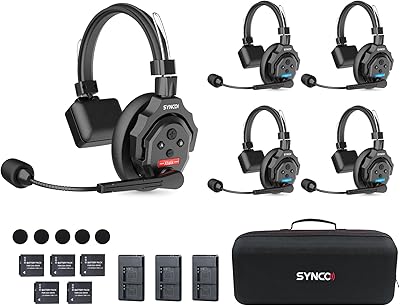
SYNCO XTALK X5 Wireless Intercom Headset System
85%
91%
Battery Life
88%
Communication Range
87%
Audio Quality
94%
Ease of Setup
85%
Noise Cancellation
More
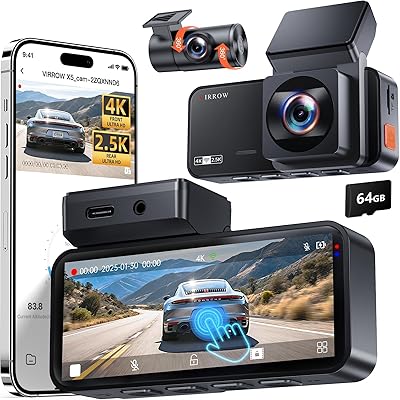
Virrow X5 4K+2K Dual Dash Cam
85%
91%
Video Quality (4K Front, 2K Rear)
88%
Touchscreen Usability
85%
WiFi & App Control
78%
Installation & Setup
83%
Night Vision Performance
More
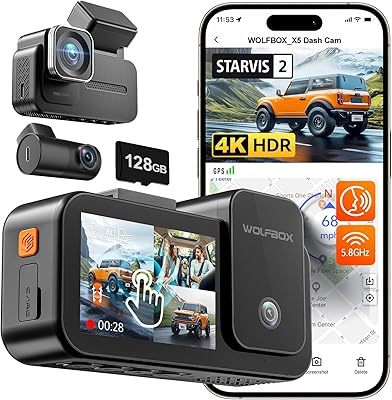
WOLFBOX X5 3-Channel 4K HDR Dash Cam
84%
91%
Video Quality (4K Front Camera)
89%
Ease of Use (Voice Control & Touch Screen)
88%
Value for Money
85%
Night Vision Performance
83%
Parking Mode Functionality
More
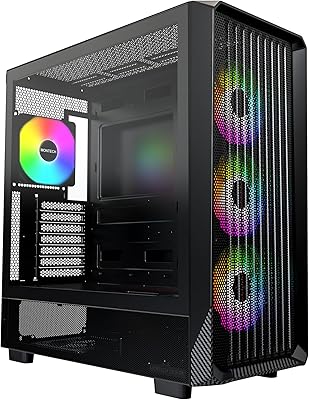
Montech X5 ATX Mid-Tower Gaming PC Case
86%
88%
Build Quality
93%
Airflow & Cooling
87%
Aesthetics & Design
84%
Installation Ease
90%
GPU Compatibility
More

FAQ

Yes, it does. The AUDIOPRO X5 is plug-and-play on PS4 and PS5 — just connect it via the included USB cable and the console recognizes it immediately. No adapters, no software downloads, no settings to configure first.

You can, as long as your Android device has a USB-C port and supports USB audio. The included USB-C cable handles the connection directly, and most modern Android phones will recognize it without any additional steps.

This is a common setup hiccup. When the mic is connected, Windows sometimes switches the default audio playback device to the mic itself. To fix it, go into your sound settings and manually set your speakers or headphones as the default playback device. You will likely need to do this each time you connect the mic.

It is genuinely functional for casual use. It clips onto the mic body and does a decent job softening hard consonant sounds during speaking. If you have a particularly strong delivery or are recording more demanding content, a standalone pop filter on a gooseneck mount will serve you better, but the included one is not throwaway quality.

It works with standard boom arms. The package includes a 5/8″ to 3/8″ adapter that fits most common boom arm threads, so you can swap out the desk stand whenever you are ready. Many buyers recommend making this switch fairly early since the desk stand can be a bit wobbly.

Unfortunately, yes — in most home environments it will pick up some of that ambient noise. The cardioid pattern helps reject sound from the sides and rear, but it is not aggressive enough to isolate your voice from nearby keyboard clatter or fan hum in an untreated room. Using noise suppression in OBS, Discord, or a plugin like NVIDIA RTX Voice makes a significant difference.

In honest terms, not noticeably. The spec is technically present, but the internal DAC hardware in a mic at this price point cannot fully deliver on those numbers in practice. Your recordings will sound solid for voice work, streaming, and calls, but the 192kHz figure is more of a selling point than a real-world differentiator here.

Yes, and it works well. Plugging headphones into the 3.5mm jack on the mic body gives you direct zero-latency monitoring — meaning you hear your voice in real time with no delay. It is one of the more practical features on this desk microphone, especially useful for podcasters and streamers who want to catch volume or distance issues on the fly.

No, it is not. The mic is explicitly incompatible with iPads, and there is no known workaround. If you are buying primarily for iPad use, you will need a different microphone entirely.

The difference is noticeable. Built-in laptop mics capture a wide, flat, and often echo-prone sound because they are positioned far from your mouth and designed for general capture. This USB mic focuses directly on your voice from a close distance, which translates to clearer, warmer speech that sounds considerably more deliberate on a call. Most colleagues on Zoom will notice the improvement without you pointing it out.