Overview

The TONGVEO 20X PTZ Conference Camera sits in an interesting middle ground — capable enough to handle real production scenarios, yet accessible enough for a church volunteer or small IT team to set up without calling in a specialist. It connects via USB or HDMI with no drivers needed, which matters more than people realize when you're scrambling before a Sunday service. The build is solid — roughly a 7-inch cube weighing just over 6 pounds — so it feels substantial on a desk or wall mount. Tongveo launched this camera in April 2023 as part of their conference-focused lineup, and the design decisions clearly reflect real AV workflows rather than checkbox spec-building.

Features & Benefits

The standout here is the 20X optical zoom paired with a nearly 60° field of view — you can start wide enough to cover a full congregation or conference table, then punch in to a speaker's face without pixelation. The 1080p 60fps output is smooth and sharp across Zoom, OBS, and similar platforms. What actually impresses in practice is how quiet the pan-and-tilt motor is; during a live church service or lecture, the last thing you want is mechanical noise bleeding into the audio. The IR remote reaches up to 320 feet, so whoever is running the stream doesn't need to be hovering next to the camera. Preset positioning makes repeatable shot sequences genuinely practical.

Best For

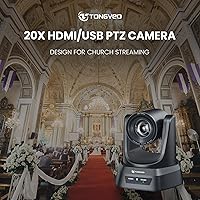
This conference room camera was clearly designed with a specific audience in mind, and it delivers best when that audience buys it. Small-to-midsize churches are the obvious fit — a single unit can cover the sanctuary, zoom to the pulpit, and stream to YouTube or a local network without a dedicated camera operator. Hybrid classrooms are another strong match; educators can pan to a whiteboard or zoom to a student without touching the camera mid-lecture. Remote teams with large meeting rooms will also benefit, since a basic webcam simply can't keep a presenter in frame across 20 feet. If you need preset shot recall for a repeatable broadcast setup, this PTZ camera handles it without a complex controller system.

User Feedback

Buyers in church and education settings generally land in a positive place, with setup simplicity drawing consistent praise — most users report being operational within minutes of unboxing. Zoom clarity at distance also earns strong marks, particularly from users covering large rooms. The criticisms that surface most often center on the plastic housing, which some feel doesn't quite match expectations at this price point. A handful of users have noted inconsistent preset recall after power cycling, and there are scattered mentions of minor latency on older USB connections. The IR remote gets mixed reviews — reliable for most, but a few found it finicky in brightly lit rooms. Overall, church AV volunteers seem satisfied; professional broadcast users may want to look higher.

Pros

  • 20X optical zoom lets you cover an entire room wide and pull tight on a speaker — all from one fixed mount.
  • Genuinely plug-and-play over USB; most users are live on Zoom or OBS within minutes of unboxing.
  • Silent PTZ motor means the camera repositions during live services without any noise reaching nearby microphones.
  • Preset positions make weekly church broadcasts repeatable without reconfiguring the shot every Sunday.
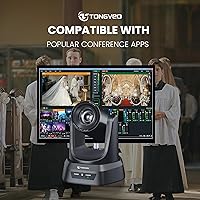
  • Works reliably across Zoom, WebEx, OBS, GoToMeeting, and BlueJeans with no custom driver installation.
  • IR remote control reaches up to 320 feet, giving operators real freedom to move around large rooms.
  • Multiple mounting configurations — wall, ceiling, desk, tripod — make installation flexible across different room layouts.
  • 1080p 60fps output looks sharp and smooth on livestreams, a clear step above standard webcam quality.
  • Broad Windows OS compatibility, including older versions still common in nonprofit and church environments.
  • 350-degree pan range covers irregular room shapes without needing to reposition the camera base.

Cons

  • Preset positions occasionally reset after a full power cycle, requiring recalibration before going live.
  • Plastic housing feels noticeably inexpensive relative to the price and the camera's actual performance capabilities.
  • No built-in microphone means buyers need a separate audio solution — this is not obvious from the product listing.
  • IR remote reception becomes unreliable in rooms with strong ambient light or direct sunlight through windows.
  • Low-light image quality degrades significantly in dimly lit or theatrically lit environments without added lighting.
  • Older USB 2.0 host machines may experience frame drops at 60fps, requiring manual encoding adjustments.
  • The included mounting hardware is minimal; permanent wall installations in older buildings often need additional parts.
  • 4K is absent entirely, which feels like a gap as display infrastructure in offices and churches continues to upgrade.
  • macOS compatibility, particularly on Apple Silicon, requires occasional troubleshooting that undercuts the plug-and-play promise.
  • The remote control build quality feels cheap and button response can lag during fast pan or zoom commands.

Ratings

The scores below for the TONGVEO 20X PTZ Conference Camera were generated by our AI engine after analyzing verified purchase reviews from buyers worldwide, with spam, bot activity, and incentivized feedback actively filtered out. Ratings reflect a genuine cross-section of real-world use cases — from Sunday morning church streams to corporate hybrid meetings — and both the strengths and the frustrations are represented honestly. No score has been inflated to protect a brand relationship.

Zoom Clarity & Optical Performance
88%
The 20X optical zoom is where this camera earns its keep. Users consistently report being able to pull a tight shot on a pastor at the pulpit or a presenter at the far end of a conference table without the muddy, pixelated results you get from digital zoom on cheaper cameras. At mid-zoom ranges, sharpness is particularly praised.
At full 20X zoom in lower-light environments — think a candlelit church sanctuary or a dim boardroom — some users notice a drop in clarity and increased noise in the image. It handles bright, well-lit rooms well, but edge-case lighting conditions expose the CMOS sensor's limits.
Setup & Ease of Use
93%
Plug-and-play functionality is genuinely plug-and-play here, not just marketing copy. Church volunteers with no AV background repeatedly mention being up and running within minutes of opening the box, connecting via USB to a laptop already running Zoom or OBS without touching a single driver or settings menu.
A small number of users ran into confusion when attempting ceiling-inverted mounting, as the image flip setting is not immediately obvious in the menu. The included manual is functional but thin, and first-timers mounting on a wall bracket occasionally needed to search online for clarification.
PTZ Movement & Preset Recall
79%
21%
The silent motor is a genuine selling point for live environments. During worship services or recorded lectures, the camera repositions without any mechanical whirring bleeding into microphones. Preset recall works reliably for users who set positions once and leave them, making repeatable shot sequences practical for weekly broadcasts.
Several users report that presets occasionally reset or lose accuracy after a full power cycle, requiring recalibration. This is a meaningful pain point for churches that rely on saved positions every Sunday morning without wanting to re-check the setup before going live.
Video Quality at 1080p 60fps
86%
At 60 frames per second, motion during presentations and live worship is smooth and broadcast-worthy for the target audience. Users streaming to YouTube or Facebook Live consistently note that the output looks several tiers above a typical laptop webcam, with accurate color reproduction in normally lit rooms.
The camera does not support 4K, which is increasingly expected even in the mid-range segment. For organizations future-proofing their AV setup or streaming to large displays, the 1080p ceiling may become a limitation sooner than the price point would suggest.
Remote Control Reliability
71%
29%
The IR remote's 320-foot range claim holds up well in standard indoor environments, letting a single operator control pan, tilt, zoom, and preset recall from across a large sanctuary or conference hall without being tethered to the camera itself.
Bright ambient light — especially direct sunlight through windows or strong stage lighting — interferes with IR reception for a notable minority of users. A few buyers also reported the remote feeling cheaply constructed relative to the camera body, and button responsiveness can feel sluggish during fast pan commands.
Build Quality & Materials
67%
33%
The overall form factor is sturdy enough that users feel comfortable mounting it on a wall or ceiling without worry. At roughly 6 pounds, there is a reassuring solidity to the unit, and the motor housing does not wobble or rattle during movement.
The plastic shell finish is the most common complaint when buyers unbox the camera. At this price tier, several users expected a metal chassis or at minimum a more premium-feeling surface texture. The contrast between how capable the camera performs and how mid-range it feels in the hand is a recurring theme in critical reviews.
Software & Platform Compatibility
91%
Compatibility across Zoom, WebEx, OBS, GoToMeeting, and BlueJeans is broad and largely trouble-free. Windows users across a wide range of OS versions — including older Windows 7 installs still common in nonprofit and church environments — report clean recognition and stable performance.
macOS users occasionally encounter hiccups, particularly on newer Apple Silicon machines where USB device behavior can differ. A small number of OBS users on older hardware reported frame drops at 60fps, though switching to H.264 output mode generally resolved the issue.
Low-Light Performance
62%
38%
In adequately lit meeting rooms and sanctuaries with overhead lighting, the camera holds its own with reasonable white balance and exposure handling. Auto white balance adapts reasonably well when switching from warm tungsten stage lighting to cooler ambient sources.
Low-light performance is a clear weakness. Dimly lit environments — common in church settings with theatrical lighting or candlelit services — produce noticeably grainy footage. Users expecting usable video in sub-optimal lighting without supplementary lighting equipment are frequently disappointed.
Mounting Versatility
84%
The range of mounting configurations is one of the more practical aspects of this camera. Users appreciate being able to desk-mount for temporary setups, wall-mount for permanent installations, or go ceiling-inverted in rooms where a top-down placement makes more sense aesthetically or spatially.
The included mounting hardware is adequate but not generous. A few users needed additional screws or a sturdier bracket for permanent wall installations in older building environments, and the monitor clip option feels like an afterthought in terms of grip strength for heavier display bezels.
Value for Money
76%
24%
For church AV coordinators or small business IT managers who need genuine PTZ functionality without a four-figure budget, this camera represents a reasonable entry point. The optical zoom alone — something almost entirely absent from webcams at lower price points — justifies the spend for distance-shooting use cases.
Users comparing this to competing PTZ cameras in the same price bracket sometimes find the build quality and low-light performance falling short of expectations. For buyers stretching their budget expecting near-broadcast results, there can be disappointment; for those with realistic expectations, the value equation is fairer.
Audio Integration
58%
42%
The silent PTZ motor indirectly benefits audio quality by avoiding mechanical noise pickup on nearby microphones. The camera does not introduce fan noise or motor buzz that would complicate audio post-processing during recorded or live-streamed events.
This camera has no built-in microphone, which catches some buyers off guard. Users expecting an all-in-one conferencing solution will need to source a separate audio solution, and the product listing could be clearer about this omission for buyers who do not read the specs carefully.
Latency & Streaming Stability
74%
26%
For the majority of users on modern hardware and stable network connections, latency over USB is acceptable for live conferencing and streaming applications. H.264 encoding helps keep bandwidth consumption manageable without introducing significant lag in typical office or church network conditions.
On older USB 2.0 systems or weaker host machines, some users experience buffering or frame drop issues, particularly at 60fps. Switching to 30fps or MJPG format tends to stabilize things, but the need to manually troubleshoot encoding settings is a friction point for non-technical operators.
Pan & Tilt Range
83%
350 degrees of pan coverage means this camera can genuinely sweep an entire room without a blind spot, which matters in irregular room shapes or when the camera is not optimally centered. The tilt range handles most elevated mounting positions without cutting off sight lines.
While the range numbers are impressive on paper, users mounting the camera in corner positions sometimes find the physical cable routing limits the full range of motion. The tilt mechanism, while smooth, does not have a locking mode to hold a fixed angle under power failure and resets to default on restart.

Suitable for:

The TONGVEO 20X PTZ Conference Camera is built for a very specific kind of buyer, and when it lands in the right hands, it genuinely delivers. Small and midsize churches are the clearest fit — particularly congregations with a volunteer AV crew that needs a capable streaming camera without a dedicated operator standing next to it during service. The 20X optical zoom means a single camera can cover a wide sanctuary shot and then pull tight on the pastor at the pulpit, all from a preset the volunteer triggers with a remote from across the room. Hybrid educators who need to track themselves around a classroom whiteboard without asking a student to manage the camera will find the pan-and-tilt range genuinely useful. Corporate teams with large conference rooms — where a laptop webcam simply cannot keep a presenter in frame — will appreciate the room-wide coverage and the clean output on Zoom and WebEx calls. Event organizers running recurring broadcasts who want repeatable, pre-saved camera positions will also find the preset system practical once it is configured correctly.

Not suitable for:

Buyers expecting broadcast-grade hardware at a mid-range price will likely come away frustrated with the TONGVEO 20X PTZ Conference Camera. The 1080p ceiling is a real constraint for organizations investing in 4K display infrastructure or future-proofing their AV stack, and the plastic housing will disappoint anyone used to handling professional-grade camera equipment. Low-light performance is a genuine weak point — if your church runs heavily theatrical lighting with deep shadows, or your conference room has inconsistent ambient light, the image quality will suffer noticeably without supplementary lighting. Professional video producers, broadcast studios, or any setting where image fidelity under challenging lighting is non-negotiable should be looking at a higher price tier. The lack of a built-in microphone also makes this a poor fit for buyers expecting a single-cable all-in-one conferencing solution. And if your team runs entirely on Apple Silicon Macs with the latest macOS releases, be prepared for occasional compatibility troubleshooting that a plug-and-play device should not require.

Specifications

  • Resolution: Captures video at 1080p full HD resolution at up to 60 frames per second for smooth, sharp output.
  • Optical Zoom: Features a 20X optical zoom lens, allowing close-up framing from across a large room without digital quality loss.
  • Field of View: Offers a 59.8° field of view, wide enough to capture a full conference table or congregation in a single shot.
  • Pan Range: Pans up to 350° horizontally, covering nearly the full circumference of a room from a fixed mounting position.
  • Tilt Range: Tilts across a 180° vertical range to accommodate elevated wall mounts, ceiling installations, or low desk placements.
  • PTZ Motor: Silent motor mechanism repositions the camera without audible mechanical noise, preventing interference with nearby microphones.
  • Video Formats: Supports YUV, MJPG, and H.264 output formats, giving operators flexibility to balance image quality against available bandwidth.
  • Connectivity: Connects to host devices via USB 2.0 or HDMI, with IR receiver for remote control input.
  • Remote Range: Included IR remote control operates reliably at distances of up to 320 feet (approximately 100 meters) in standard indoor conditions.
  • OS Compatibility: Compatible with Windows XP through Windows 11 and macOS 10.4 or higher, with no driver installation required on supported systems.
  • App Compatibility: Works with Zoom, WebEx, GoToMeeting, BlueJeans, OBS, and other standard USB UVC-class conferencing and streaming applications.
  • Sensor: Uses a CMOS image sensor with automatic white balance and exposure adjustment to handle varied lighting conditions.
  • Dimensions: Measures 7.09 x 7.09 x 6.69 inches, making it a compact but substantial unit suitable for desk or permanent mounting.
  • Weight: Weighs 6.03 pounds, providing enough mass for stable placement while remaining manageable for wall or ceiling installation.
  • Power Supply: Powered via an included DC 12V external power adapter; the camera does not draw power through USB alone.
  • Mounting Options: Supports five mounting configurations: desktop, wall bracket, tripod, monitor clip, and inverted ceiling installation.
  • Audio: No built-in microphone is included; an external microphone or audio interface is required for complete conferencing or streaming setups.
  • Focal Length: Maximum focal length of 42mm supports tight close-up shots at full optical zoom on subjects at significant distance.
  • Box Contents: Package includes one PTZ camera, DC 12V power adapter, IR remote control, USB 2.0 cable, mounting brackets, screws, and printed manual.
  • Maximum Aperture: Lens maximum aperture is f/3.5, which is adequate in well-lit environments but limits low-light sensitivity in dim conditions.

Related Reviews

TONGVEO PTZ 3X Wireless Conference Camera System
74%
74%
Wireless Connection Reliability
83%
Video Quality
71%
PTZ Control Responsiveness
78%
Speakerphone Audio Quality
89%
Ease of Setup
More
AVKANS AV-E20-NDI PTZ Camera
79%
88%
Image Quality
91%
NDI Integration
93%
Connectivity & Output Options
82%
Low-Light Performance
74%
PTZ Motor & Movement Smoothness
More
TONGVEO 4K Conference Room Camera System
78%
83%
AI Auto-Tracking Performance
78%
Video Quality
58%
Digital Zoom Quality
74%
Speakerphone Audio Clarity
91%
Ease of Setup
More
NexiGo P610 Conference Room PTZ Camera
86%
87%
Video Quality
91%
Ease of Setup
85%
Pan and Tilt Range
90%
Remote Control Functionality
88%
Build Quality
More
AVKANS NDI PTZ Camera 30X
82%
91%
NDI Reliability
83%
Installation Simplicity
74%
AI Auto-Tracking Accuracy
88%
Video Output Quality
93%
Multi-Output Flexibility
More
Tenveo VL12U 4K PTZ Camera
83%
91%
AI Tracking Performance
88%
Image Quality (4K)
86%
Zoom Functionality
82%
Ease of Setup
85%
Field of View
More
Prisual PT20X-4K PTZ Camera
90%
96%
Video Quality
94%
PTZ Smoothness
91%
Auto Tracking Accuracy
88%
Low-Light Performance
90%
Setup & Installation
More
Tenveo VHD630A-NDI PTZ Camera Bundle
88%
95%
AI Auto-Tracking Accuracy
92%
Video Quality
90%
Zoom Performance
88%
Controller Usability
85%
Installation & Setup
More
Yealink A10 4K Video Conference Camera
86%
91%
Video Quality
88%
Audio Clarity
85%
Ease of Setup
92%
AI Features (Auto-framing & Speaker Tracking)
78%
Software Usability
More
SV3C HX02 4K PTZ Security Camera
86%
88%
Video Quality
91%
Night Vision Performance
85%
Motion Detection Accuracy
89%
Ease of Setup
90%
Build Quality
More

FAQ

No drivers needed. The TONGVEO 20X PTZ Conference Camera is plug-and-play on both Windows and Mac — plug it into a USB port, open Zoom, select it as your camera source, and you are live. Most users report the whole process taking under five minutes.

Yes, that is exactly what the included IR remote is for. It works up to around 320 feet away in a typical indoor environment, so whoever is running the stream can reposition the camera, trigger zoom, or recall saved presets from across a large sanctuary or conference hall without leaving their station.

You can save preset positions using the IR remote by holding the preset number button until the camera confirms the save. However, some users have reported that presets occasionally need to be re-saved after a full power cycle, so it is worth building a quick pre-broadcast check into your routine just to confirm positions are where you left them.

There is no built-in microphone. This PTZ camera handles video only, so you will need a separate USB microphone, a room audio system, or a dedicated audio interface to capture sound. This catches some buyers off guard, so it is worth planning your audio setup separately before you go live.

Yes, ceiling-inverted mounting is a supported configuration. There is an image flip setting in the camera menu to correct the orientation when mounted overhead. The process is straightforward once you know where the setting is, though the manual is light on detail — a quick search for the specific menu option will save you time during installation.

In well-lit rooms, the 20X optical zoom produces genuinely sharp, usable close-up footage — significantly better than any digital zoom webcam in the same price range. In lower-light conditions like dimly lit sanctuaries or rooms without adequate overhead lighting, you will notice some image noise at full zoom, so supplementary lighting is worth considering if your venue runs dark.

The Tongveo zoom camera supports saving multiple preset positions via the remote, which is one of the practical advantages for recurring events like weekly church services where you want the same three or four shots every time. The exact number of storable presets depends on the firmware version, but most users work comfortably within the available preset slots for typical streaming setups.

Mostly yes, but with some caveats. The camera is broadly compatible with macOS 10.4 and higher, and most users on Intel Macs report no issues. On Apple Silicon machines running newer macOS versions, a small number of users have experienced USB recognition hiccups. If you are on a recent MacBook Pro or Mac Mini with an M-series chip, it is worth testing the connection before your first live event.

In practice, the motor is quiet enough that it does not cause problems in typical church or conference room environments with nearby microphones. Users running live worship services specifically praise this — you can pan across the congregation mid-service and the movement does not show up as audible noise in recordings. It is not inaudible in a completely silent room with a sensitive condenser mic inches away, but for real-world streaming use, it performs well.

The box includes brackets and screws for standard mounting configurations. For most wall installations in modern rooms, the included hardware is sufficient. In older buildings with non-standard wall materials, or if you are doing a ceiling installation that requires longer cable runs or more robust anchoring, you may need to source additional hardware locally. The mounting system is functional, but it is not built to professional AV installer standards.