Overview

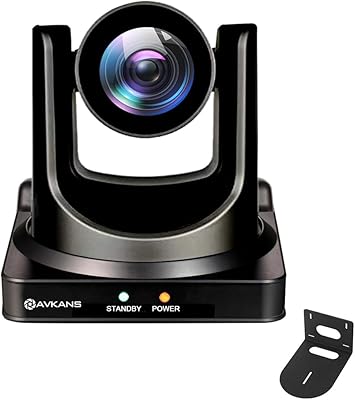
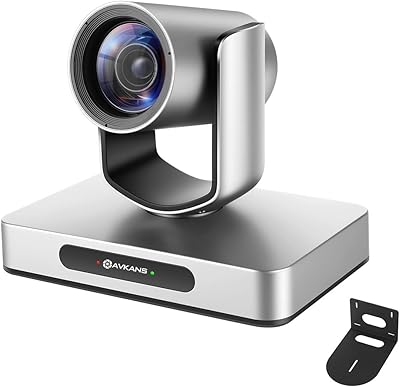
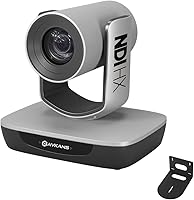
The AVKANS AV-E20-NDI PTZ Camera enters the mid-range PTZ market as a legitimate, officially licensed NDI camera — verified through NewTek directly — which matters more than it might sound when you're building a reliable streaming workflow. Many cameras claim NDI compatibility but run unofficial implementations that introduce lag and dropouts under network load. This one doesn't have that problem. The 1/2.8-inch Sony CMOS sensor handles 1080p at 60fps with respectable low-light output, and PoE support means one cable handles both power and network, which any church AV volunteer will appreciate when running a clean install.
Features & Benefits

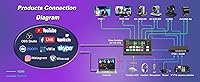
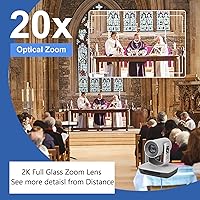
What makes this NDI PTZ camera genuinely practical is the combination of outputs available simultaneously: NDI, HDMI, 3G-SDI, and USB all active at once. The SDI run of 100 meters without an extender is a real advantage in larger sanctuaries where distances quickly exceed what HDMI can handle. The 20x full-glass optical zoom holds sharpness well across its range. Control options are flexible too — browser-based setup, free CMS software, and VISCA over IP support mean you don't need expensive controller hardware just to get started. It drops right into vMix, OBS, ProPresenter, and Wirecast without fuss.

Best For

This church streaming camera is a strong fit for houses of worship, schools, and nonprofits making the jump from consumer camcorders to a proper networked camera system. It pairs naturally with BlackMagic ATEM switchers and handles multi-camera live production on YouTube, Facebook, or Zoom without requiring a dedicated IT team. AVKANS also offers remote setup sessions, which is genuinely useful for volunteer-run AV teams who don't have a systems integrator on call. Smaller broadcast studios looking for an NDI source that still carries SDI connectivity will also find it fits their workflow without forcing a full infrastructure overhaul.

User Feedback

Buyers consistently highlight the image quality and NDI stability as standout strengths, particularly in low-light environments like candlelit sanctuaries or dimly lit stages. Vendor responsiveness also earns frequent praise — AVKANS appears to take support seriously, which is reassuring for organizations without in-house tech staff. That said, two limitations come up regularly: no built-in audio input means you'll need a separate audio solution, and the absence of auto-tracking is a genuine trade-off if you're covering solo speakers or mobile presenters. Neither is a dealbreaker for most fixed-installation setups, but they're worth knowing before you buy.

Pros

  • Official NDI HX licensing by NewTek ensures stable, low-latency streams even on busy networks.
  • Simultaneous NDI, SDI, HDMI, and USB outputs give AV teams real flexibility without extra hardware.
  • SDI cable runs up to 100 meters make this church streaming camera practical for large venues.
  • PoE support means a single CAT6 cable handles both power and network — clean installs, fewer headaches.
  • The Sony CMOS sensor handles mixed sanctuary lighting and low-light stage environments reliably.
  • Native compatibility with vMix, OBS, ProPresenter, Wirecast, and Zoom cuts setup time significantly.
  • Browser-based control and VISCA over IP work without purchasing a dedicated controller upfront.
  • AVKANS remote onboarding sessions are genuine — a real advantage for volunteer-run AV teams.
  • 20x optical zoom holds sharpness well through the mid-range, covering most auditorium distances comfortably.
  • Free CMS software ships in the box, reducing immediate out-of-pocket software costs for new buyers.

Cons

  • No auto-tracking means a dedicated operator is required whenever a speaker or subject moves around.
  • Zero audio input forces buyers to source a separate audio interface even for simple streaming setups.
  • Output tops out at 1080p, with no 4K option as competitors begin offering higher resolutions.
  • HDMI is limited to roughly 15 meters without an extender, which catches some installers off guard.
  • Free CMS software is Windows-only, leaving Mac operators dependent solely on the browser interface.
  • Pan and tilt motor noise can be picked up by sensitive microphones in quiet recording environments.
  • Written documentation is inconsistently translated and lacks the clarity needed for edge-case network setups.
  • Auto-tracking is becoming standard at this price tier, making its absence feel more significant over time.
  • PoE compatibility requires a switch rated 802.3af or higher — older hardware may need replacing.
  • USB output receives minimal documentation coverage, making that connection method harder to troubleshoot.

Ratings

The AVKANS AV-E20-NDI PTZ Camera earns its place as one of the more credible mid-range NDI options for fixed-installation streaming, and these scores reflect that — built by AI after parsing verified buyer reviews from multiple global markets, with spam, bot activity, and incentivized feedback actively filtered out. Scores capture the full picture, from where this camera genuinely outperforms expectations to the areas where real users have run into friction.
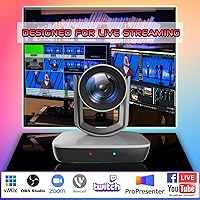
Image Quality
88%
Users in church and stage environments consistently report clean, accurate color reproduction and solid detail retention even during zoom. The Sony CMOS sensor handles the contrast challenges of mixed sanctuary lighting — spotlights against dark backgrounds — better than most cameras at this price tier.
At the extreme end of the 20x zoom range, some softness creeps in under low-contrast lighting. A handful of buyers also noted that the 1080p output, while sharp, lacks the 4K option that a few competing models are beginning to offer.
NDI Integration
91%
Being an officially licensed NDI HX camera rather than a third-party implementation makes a meaningful difference in practice. Users dropping it into vMix or ProPresenter workflows report stable streams with minimal configuration, even on moderately congested networks in multi-camera church setups.
NDI HX does impose some compression compared to full NDI, which purists will notice in high-motion scenes. A small number of users on older network switches reported occasional stream instability before upgrading their network infrastructure.
Connectivity & Output Options
93%
The simultaneous NDI, 3G-SDI, HDMI, and USB output combination is genuinely rare at this price point and it matters in real AV workflows. Installers running SDI to a front-of-house switcher while monitoring via HDMI locally no longer have to choose one or the other.
HDMI tops out at around 15 meters without an extender, which is limiting in larger venues. USB output, while handy for direct computer connections, is not the primary workflow for most professional installs and gets little attention in the documentation.
Low-Light Performance
82%
18%
Multiple reviewers specifically tested this camera in candlelit church services and dimly lit auditoriums, reporting noticeably less noise than consumer camcorders in the same conditions. The Sony sensor handles available-light environments with enough grace to avoid embarrassing results on a live stream.
In truly dark conditions — think a black-curtain stage with a single spotlight — the camera does show grain and some color shift. It is not a specialist low-light tool, and users expecting cinema-grade performance in darkness will be disappointed.
PTZ Motor & Movement Smoothness
74%
26%
Pan and tilt movements are smooth enough for broadcast use during live services, and preset recall is accurate and repeatable. Most AV volunteers find the movement speed presets sufficient for following a speaker moving across a stage.
In quiet recording environments — small chapel services or intimate interviews — the motor noise is audible enough to be picked up by nearby microphones. A few users reported minor positional drift on long-duration static shots, requiring occasional recalibration.
Ease of Setup
86%
Browser-based control with a default login means first-timers can have the camera live on a network within minutes of unboxing. AVKANS also offers remote setup sessions, which users without dedicated IT support found genuinely useful rather than a hollow marketing promise.
The free CMS software is Windows-only, leaving Mac-based operators relying solely on the browser interface. Initial network configuration can trip up users unfamiliar with static IP assignment, and the manual could use clearer step-by-step diagrams for first-time PTZ installers.
Build Quality
79%
21%
The camera feels solid and purposeful in hand, with a metal base and a housing that does not flex or creak under normal installation stress. Users who have mounted it on ceiling brackets report no issues with structural rigidity over months of continuous use.
The overall finish does not quite match the premium feel of higher-tier PTZ brands. A couple of reviewers noted that the lens housing shows minor play when pushed, and the silver color option can look slightly plasticky in certain lighting conditions.
Zoom Range & Accuracy
84%
Twenty times optical zoom is more than adequate for most sanctuary or auditorium deployments, allowing tight framing of a speaker from 20-plus meters away without visible quality degradation in the mid-zoom range. Preset zoom positions hold consistently across sessions.
The optical zoom lacks the fine-grained incremental control some broadcast operators prefer for slow, imperceptible push-ins during live services. At maximum zoom, any vibration in the mounting surface becomes visibly amplified.
Software Compatibility
89%
Out-of-the-box compatibility with the major streaming and switching platforms — OBS, vMix, Wirecast, ProPresenter, Streamlabs, and Zoom — means most operators find the camera recognized and functional without hunting for drivers or plugins. It also works with BlackMagic ATEM switchers via SDI without additional configuration.
StreamYards and some browser-based platforms occasionally require workarounds to detect the NDI stream reliably. Integration documentation is sparse for less common software setups, so users outside the mainstream platforms may need to lean on community forums.
PoE Support
92%
PoE 802.3af/at support is one of the most practical features for permanent installs. A single CAT6 run handles both network and power, which simplifies ceiling and wall mounts considerably and reduces the visible cable clutter that volunteer AV teams struggle to manage.
Users on older PoE switches rated below 802.3af may find the camera draws more power than their switch can reliably supply, leading to intermittent resets. A small number of buyers had to upgrade their network hardware to support PoE at scale across multiple cameras.
Remote Control Options
81%
19%
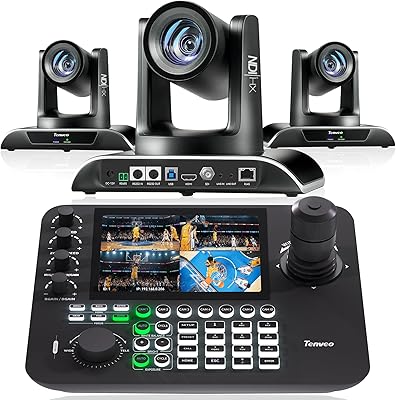
VISCA over IP support opens the door to hardware joystick controllers without needing proprietary accessories, and the browser interface is functional enough for basic camera management without any additional software installed. Preset creation and recall via the browser is intuitive for non-technical users.
The free CMS software, while useful, feels dated in its interface design and lacks the polish of third-party PTZ control platforms. Users looking for advanced automation or camera grouping features will likely need to invest in a third-party VISCA controller.
Value for Money
83%
At its price point, the combination of official NDI licensing, simultaneous multi-output support, and a Sony sensor is difficult to match in the PTZ market. For a church or school operating on a tight AV budget, this camera delivers professional-grade networking features that would have cost significantly more just a few years ago.
Competitors have started shipping auto-tracking at similar or slightly higher prices, making the absence of that feature feel more significant than it once did. Buyers who discover they need auto-tracking after purchase face a meaningful additional investment rather than a simple upgrade.
Auto-Tracking
41%
59%
This limitation is worth acknowledging clearly: the camera does not include auto-tracking, and for fixed shots with a live operator at the controller, that is not necessarily a dealbreaker. Many church AV teams with a dedicated camera operator prefer manual control anyway for artistic reasons.
The lack of auto-tracking is the single most common complaint in user reviews, particularly from solo operators managing multiple cameras without a full production team. Competing models at comparable prices are increasingly shipping with AI-based tracking, making this omission harder to overlook.
Audio Capabilities
38%
62%
For users who already have a dedicated audio chain feeding their switcher or streaming encoder, the absence of onboard audio is simply a non-issue. Most professional AV setups treat video and audio routing as entirely separate concerns anyway.
There is no audio input whatsoever on this camera, which surprises buyers expecting even a basic 3.5mm jack. In simple one-camera setups where users hoped to capture a room microphone through the camera, this requires sourcing a separate audio interface, adding cost and complexity.
Documentation & Support
77%
23%
AVKANS stands out for actually following through on its customer service promises — multiple buyers confirmed that remote setup assistance sessions are real and staffed by knowledgeable technicians. For nonprofit AV teams with no in-house expertise, this is a meaningful differentiator versus cheaper alternatives with zero support.
Written documentation is inconsistent in quality, with some sections of the manual clearly translated and lacking technical precision. Users troubleshooting edge-case network configurations often find the official materials insufficient and rely on community forums or direct vendor contact to resolve issues.

Suitable for:

The AVKANS AV-E20-NDI PTZ Camera is built for the kind of buyer who needs professional-grade networking features without a professional-grade budget — and that describes a surprisingly wide range of real-world setups. Church AV teams making the jump from consumer camcorders will find the PoE support and SDI runs up to 100 meters genuinely transformative for fixed installations in larger sanctuaries. Schools and nonprofits running multi-camera live streams on YouTube or Facebook will appreciate how cleanly it drops into existing software like OBS, ProPresenter, or vMix without requiring specialist configuration. Small broadcast studios that need a legitimate NDI source on their network — one that won't introduce latency or dropout under load — benefit from the official NewTek licensing rather than a third-party workaround. Organizations without dedicated IT staff will find the browser-based setup and AVKANS remote onboarding sessions surprisingly capable of getting even a first-time installer through a working deployment.

Not suitable for:

The AVKANS AV-E20-NDI PTZ Camera is a harder sell for anyone whose workflow depends on a camera tracking a moving subject autonomously — there is no auto-tracking here, and if you are a solo operator covering a mobile speaker or a performer who moves across a wide stage, that absence will be felt in every service or event. Buyers hoping to capture audio through the camera itself will also be disappointed; there is no audio input of any kind, so anyone building a simple one-camera streaming setup expecting an all-in-one solution needs to budget for a separate audio interface. Videographers looking for 4K output will need to look elsewhere, as the camera tops out at 1080p. If your venue relies heavily on HDMI runs longer than about 15 meters, you will need extenders or should route through SDI instead — worth planning for before the cable is already in the wall. Finally, operators who need auto-tracking and are comparing this against newer competitors at similar price points may find those alternatives a stronger long-term investment.

Specifications

  • Model Number: The camera is identified by model number AV-E20-NDI, manufactured by AVKANS.
  • Image Sensor: Uses a 1/2.8-inch Sony CMOS sensor, which provides reliable color accuracy and low-light performance for a camera in this class.
  • Resolution: Captures video at up to 1080p at 60 frames per second, covering standard broadcast and live streaming requirements.
  • Optical Zoom: Features a 20x full-glass optical zoom lens with a maximum focal length of 94mm and a maximum aperture of f/3.5.
  • Video Outputs: Supports simultaneous 3G-SDI, HDMI, NDI HX, and USB video outputs, allowing connection to multiple devices at the same time.
  • NDI Version: Runs NDI HX, an officially licensed implementation verified through NewTek, ensuring compatibility with the broader NDI ecosystem.
  • PoE Support: Accepts Power over Ethernet via 802.3af/at standard, eliminating the need for a separate power cable in fixed installations.
  • SDI Cable Run: 3G-SDI output supports cable runs of up to 100 meters without a signal extender, suitable for large sanctuaries and auditoriums.
  • HDMI Cable Run: HDMI output supports cable runs up to approximately 15 meters without an extender, best suited for shorter local monitoring connections.
  • Control Methods: Can be controlled via web browser interface, free Windows CMS software, and VISCA over IP for joystick controller compatibility.
  • Audio Input: This camera does not include any audio input, so external audio must be handled separately through a dedicated interface or mixer.
  • Auto-Tracking: Auto-tracking is not available on this model; camera movement must be managed manually via controller or software presets.
  • Supported Software: Natively compatible with vMix, OBS, Wirecast, ProPresenter, StreamYards, Streamlabs, Zoom, and other major streaming platforms.
  • Video Format: Records and outputs video in MPEG-4 format with AAC and FLAC audio format support where applicable.
  • Dimensions: The camera body measures 7 x 5.4 x 6.6 inches, making it a compact but substantial unit suitable for ceiling or wall bracket mounting.
  • Weight: Weighs 6.09 pounds, which is within standard range for permanent PTZ mounting hardware rated for this camera class.
  • Storage: Accepts SD flash memory cards for local recording, providing an onboard backup option alongside network streaming outputs.
  • Switcher Compatibility: Works with BlackMagic ATEM series switchers via SDI or HDMI, and supports IP PTZ joystick controllers using VISCA over IP protocol.
  • Included Software: Ships with free CMS software for Windows that enables camera setup, preview, and preset management without additional purchase.
  • Warranty & Support: AVKANS offers a 30-day return policy for any reason and provides remote setup assistance sessions for buyers who need onboarding support.

Related Reviews

AVKANS NDI PTZ Camera 30X
82%
91%
NDI Reliability
83%
Installation Simplicity
74%
AI Auto-Tracking Accuracy
88%
Video Output Quality
93%
Multi-Output Flexibility
More
AVKANS 4K NDI PTZ Camera with AI Tracking
85%
89%
AI Tracking Accuracy
91%
Ease of Setup (PoE & NDI Integration)
88%
Video Output Flexibility (HDMI, SDI, USB, IP)
85%
Build Quality
90%
Software Compatibility (OBS, Zoom, vMix)
More
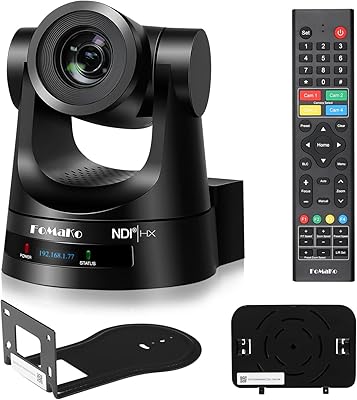
FoMaKo KN30A Pro NDI PTZ Camera
86%
94%
Video Quality
92%
AI Auto-Tracking Accuracy
89%
Low-Light Performance
90%
Build Quality
88%
PTZ Mechanism Precision
More
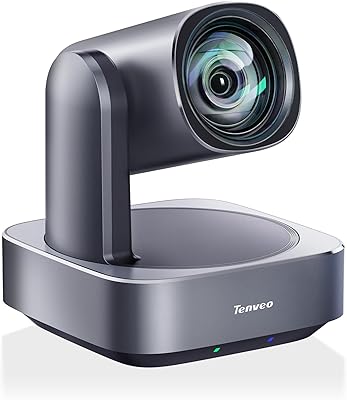
Tenveo VHD630A-NDI PTZ Camera Bundle
88%
95%
AI Auto-Tracking Accuracy
92%
Video Quality
90%
Zoom Performance
88%
Controller Usability
85%
Installation & Setup
More
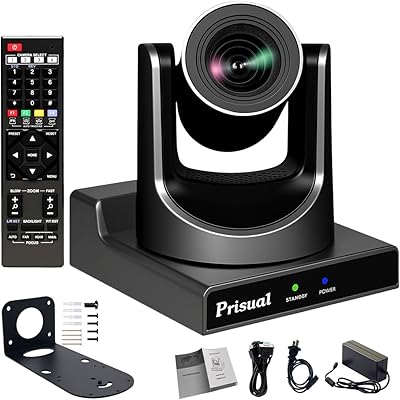
Prisual TEM-20N PRO NDI PTZ Camera
88%
85%
Performance in Low-Light
91%
Zoom Quality
88%
Setup & Installation
87%
AI Tracking Accuracy
92%
Video Output Flexibility
More
Prisual PT20X-4K PTZ Camera
90%
96%
Video Quality
94%
PTZ Smoothness
91%
Auto Tracking Accuracy
88%
Low-Light Performance
90%
Setup & Installation
More
Tenveo VL12U 4K PTZ Camera
83%
91%
AI Tracking Performance
88%
Image Quality (4K)
86%
Zoom Functionality
82%
Ease of Setup
85%
Field of View
More
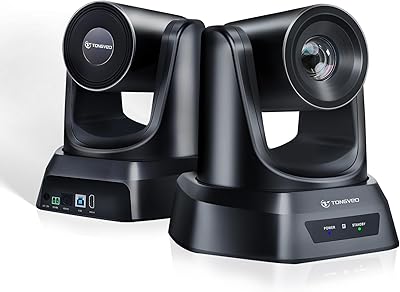
TONGVEO 20X PTZ Conference Camera
78%
88%
Zoom Clarity & Optical Performance
93%
Setup & Ease of Use
79%
PTZ Movement & Preset Recall
86%
Video Quality at 1080p 60fps
71%
Remote Control Reliability
More
SOVMIKU SFWS318 6MP PTZ Security Camera
85%
88%
Ease of Setup
91%
Video Quality
85%
360° Field of View
86%
Auto-Tracking Performance
89%
Night Vision Clarity
More
NexiGo P610 Conference Room PTZ Camera
86%
87%
Video Quality
91%
Ease of Setup
85%
Pan and Tilt Range
90%
Remote Control Functionality
88%
Build Quality
More

FAQ

Yes, it works well with OBS and most other major streaming applications. You can connect it via USB for a direct computer feed, or use the NDI HX output if your OBS setup includes the NDI plugin. Either way, getting a live feed into OBS is straightforward and does not require any special drivers.

Your switch needs to support the 802.3af or 802.3at PoE standard to power the camera over the network cable. If your existing switch does not support PoE, a standalone PoE injector placed inline on the cable run is an inexpensive alternative. Just check the power budget on your switch if you are running multiple cameras simultaneously.

It is the genuine article — the AVKANS AV-E20-NDI PTZ Camera is an officially licensed NDI camera verified through NewTek. That distinction matters in practice because licensed NDI implementations tend to be more stable under network load and receive ongoing compatibility updates as the NDI protocol evolves.
Up to 100 meters on a single 3G-SDI cable run without any extender hardware. That covers most sanctuary and auditorium installations comfortably. Beyond that distance, a standard SDI repeater will extend the run further without signal degradation.

No, this model does not include auto-tracking. You will need a live operator at the controls or programmed presets to move the camera during a service or event. If auto-tracking is essential for your workflow — particularly if you run productions solo — you may want to look at AVKANS's newer models like the LV20N, which does include that feature.

Yes, both the HDMI and 3G-SDI outputs are compatible with ATEM series switchers. For shorter cable runs, HDMI works fine; for longer runs to a front-of-house position, SDI is the better choice and will carry signal up to 100 meters cleanly.

There is no audio input on this camera at all — no 3.5mm jack, no XLR, nothing. Audio needs to be handled entirely through a separate interface, mixer, or directly into your streaming encoder or switcher. For most professional AV setups this is standard practice, but it can catch solo operators off guard.

You can control the camera entirely through a web browser by entering its IP address — no additional software needed for basic operation. AVKANS also includes free CMS software for Windows that adds more control and preset management capabilities. VISCA over IP support means you can add a hardware joystick controller later without any compatibility concerns.

In most sanctuary environments with ambient sound — music, congregation noise, HVAC — the motors are not an issue. However, in very quiet settings with sensitive microphones placed near the camera, some motor noise can be picked up. Mounting the camera away from open microphones and using directional mics pointed at the speaker rather than the camera position helps manage this.

Based on real buyer feedback, the remote setup support is genuine. AVKANS provides live remote sessions where a technician connects to your system and walks through the configuration with you. For volunteer AV teams or nonprofits without dedicated IT staff, this is one of the more practical differentiators compared to budget competitors that offer little more than a PDF manual.