Overview

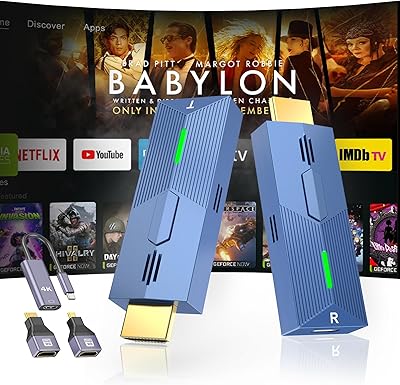
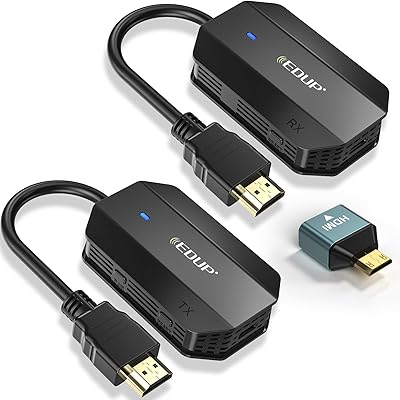
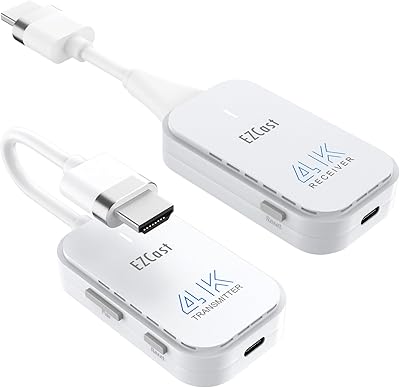
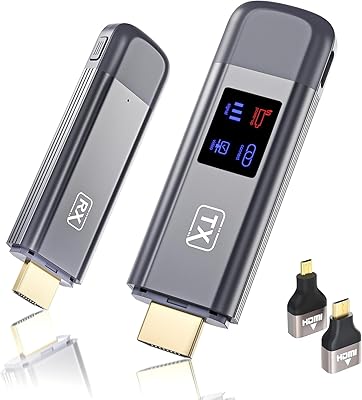
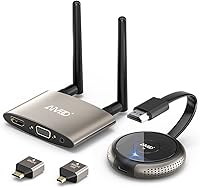
The TIMBOOTECH G48 Wireless HDMI Transmitter Receiver is a plug-and-play kit built for anyone tired of running long HDMI cables across a room. It creates its own dual-band 2.4/5GHz signal, so there's no router, app, or Bluetooth pairing involved — just plug in the transmitter, connect the receiver to your display, and you're casting. The G48 supports 4K@30Hz output and can drive two screens simultaneously through its HDMI and VGA ports. Since its 2022 launch, this wireless HDMI kit has earned a solid 4.2-star rating, which suggests it's doing something right for a mid-range device in a crowded category.
Features & Benefits

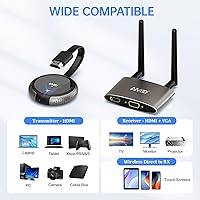
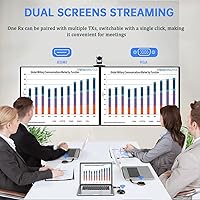
The standout feature of this cable-free HDMI extender is its dual-screen output — the receiver has both HDMI and VGA ports, letting you feed two displays at once, which is genuinely useful for presentations or side-by-side monitoring. The claimed latency sits under 0.1 seconds, which holds up well for slideshows and video playback, though dedicated gamers may notice it during fast-paced titles. One underappreciated function is the receiver's ability to act as a wireless casting dongle, accepting Miracast, AirPlay, and DLNA signals directly from phones and tablets — no transmitter required for that mode. The kit also supports pairing up to 8 transmitters to a single receiver, making multi-source switching practical in meeting rooms.

Best For

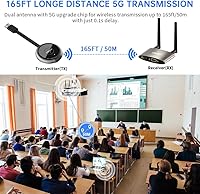
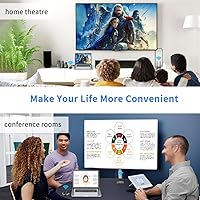
This wireless HDMI kit fits a fairly specific niche, and knowing whether you fall into it saves real frustration. It's a strong pick for home theater setups where you want to push video from a cable box, Blu-ray player, or console to a screen across the room — especially in open-plan spaces. Conference rooms and classrooms also benefit, particularly when presenters need to switch between laptop inputs without re-plugging cables. The phone-to-TV dongle mode adds value for anyone who can't rely on a shared Wi-Fi network for casting. That said, users working in heavily partitioned spaces or through multiple walls should temper their expectations on the 165-foot range claim.

User Feedback

Buyers who've used the G48 transmitter-receiver in open rooms — think large living areas or unfurnished event spaces — tend to report solid signal stability and appreciate how little setup is involved. The plug-and-play experience gets mentioned often as a genuine plus. On the flip side, the 165-foot range is a best-case figure; users with walls, furniture, and competing wireless devices in the mix report noticeably shorter reliable distances. A few buyers noted that 4K@30Hz looks good on large screens but isn't as crisp as a wired 4K@60Hz connection. Build quality draws mixed remarks — the antennas feel functional, not premium. The 24-month warranty is a reassuring cushion at this price point.

Pros

  • No router, app, or Wi-Fi network required — the kit creates its own independent wireless signal.
  • Setup is genuinely fast; most users report being up and running in under five minutes.
  • The dual HDMI and VGA outputs on the receiver let you feed two displays simultaneously.
  • One receiver can handle up to 8 paired transmitters, making multi-source switching practical in meeting rooms.
  • The receiver doubles as a Miracast, AirPlay, and DLNA dongle for phone and tablet casting.
  • Up to four independent pairs can run in the same room without interfering with each other.
  • The kit ships with all the adapters and cables needed, so there are no surprise accessory costs.
  • A 24-month warranty is generous for a mid-range wireless video device.
  • Compact, stick-style form factor makes it easy to pack for travel or temporary installations.
  • Works with a wide range of sources including laptops, gaming consoles, Blu-ray players, and cable boxes.

Cons

  • 4K output is capped at 30Hz, which is visibly less smooth than the 60Hz wired connections most displays support.
  • Real-world range through walls and furniture falls well short of the advertised 165-foot maximum.
  • Fast-paced gaming exposes the sub-0.1s latency in ways that casual movie watching does not.
  • Build quality feels functional rather than durable; the antennas in particular feel lightweight.
  • The dongle casting mode and the standard HDMI transmitter mode are easy to confuse during initial setup.
  • Signal stability can suffer in environments with heavy Wi-Fi congestion from neighboring networks.
  • No support for resolutions above 4K@30Hz limits future-proofing as displays improve.
  • Multi-transmitter pairing, while useful in theory, involves a learning curve that some users find fiddly.
  • The receiver does not support multiple simultaneous receivers, so one-to-many broadcasting is not possible.
  • Occasional signal drop reports suggest the connection may not be reliable enough for mission-critical live presentations.

Ratings

The scores below were produced by an AI system trained to analyze verified global buyer reviews for the TIMBOOTECH G48 Wireless HDMI Transmitter Receiver, with automated filtering applied to remove incentivized, bot-generated, and duplicate submissions. The result is a balanced scorecard that reflects both what this cable-free HDMI extender does well and where real users have run into friction. Nothing has been softened — the pain points are scored as transparently as the strengths.

Ease of Setup
88%
Most buyers report being fully operational within a few minutes of opening the box — plug the transmitter into the source, connect the receiver to the display, and the signal locks in automatically. For non-technical users, the absence of apps, driver installs, or network configuration is a genuine relief.
A meaningful subset of users gets tripped up distinguishing between the standalone dongle mode and the standard transmitter mode, since the receiver behaves differently in each scenario. Without clearer documentation, this initial confusion leads to frustrating restarts before the correct setup clicks.
Signal Stability
74%
26%
In open-plan environments — large living rooms, unfurnished event halls, or corporate training spaces — the dual-band connection holds steady across reasonable distances without noticeable dropouts. Buyers in these scenarios consistently praise the reliability of the 5GHz band for uninterrupted video playback.
Signal consistency deteriorates meaningfully once walls, doors, and competing wireless networks enter the picture. Users in apartments or multi-room office setups frequently report intermittent drops and occasional reconnection delays that would be unacceptable during a live presentation.
Transmission Range
61%
39%
For users working within a single open room, the range is more than adequate — crossing a large living room or a conference hall without a cable is exactly what this kit was designed to do, and within those bounds it performs as advertised.
The 165-foot headline figure is a line-of-sight maximum that most buyers will never reach in practice. Through even a single drywall partition, effective range drops noticeably, and several buyers reported reliable performance only up to around 50 to 70 feet in real home environments — a significant gap from what the packaging implies.
Video Quality
71%
29%
At 4K and 30Hz, images look sharp and detailed on large screens, and for movie playback or static presentation slides the output is genuinely impressive at this price tier. Buyers using it with Blu-ray players or cable boxes in a home theater context are generally satisfied.
The 30Hz frame rate cap is a real limitation that becomes apparent during any fast-moving content — panning shots, action sequences, and sports broadcasts all show a slight judder that a wired 4K@60Hz connection would not. Buyers who assume 4K means full cinematic smoothness tend to be disappointed.
Latency Performance
76%
24%
For presentations, video conferencing, and casual streaming the sub-0.1-second delay is effectively imperceptible, and business users consistently report that switching between transmitter inputs during meetings feels responsive and clean.
Latency that is invisible during a PowerPoint deck becomes noticeable during fast-paced gaming. Buyers who tested this with action or rhythm titles flagged input lag as a frustration, and competitive gamers should treat this as a dealbreaker rather than an acceptable trade-off.
Dual-Screen Functionality
82%
18%
The combination of HDMI and VGA outputs on the receiver is a standout feature in this category, and presenters who use it to simultaneously drive a podium monitor and a room projector find it genuinely practical. Educators and corporate trainers reference this as the primary reason they chose this kit over simpler alternatives.
Some users note that the VGA output introduces a slight quality drop compared to the HDMI port, which is an inherent VGA limitation rather than a product defect — but buyers expecting identical quality on both outputs should adjust expectations before purchasing.
Multi-Transmitter Pairing
67%
33%
The ability to pair up to 8 transmitters to a single receiver is a feature that meeting room coordinators and AV technicians genuinely appreciate, reducing the need to unplug and re-plug between speakers or presenters. When it works smoothly, it adds meaningful workflow efficiency.
The pairing and channel-switching process has a learning curve that non-technical users find frustrating, and documentation does not walk through the process clearly enough. Several buyers noted that transmitters occasionally needed to be re-paired after a power cycle, which undermines the convenience argument.
Mobile Device Casting
73%
27%
The receiver's built-in Miracast, AirPlay, and DLNA support means iPhone and Android users can cast directly to a display without pulling out a laptop or fumbling with cables — a feature that works well in informal presentation settings or quick screen-share moments.
This wireless casting mode depends on the phone and display being on the same local Wi-Fi network, which contradicts the kit's network-free pitch and catches some buyers off guard. Performance also varies significantly by phone brand and operating system version.
Build Quality
63%
37%
The compact form factor is genuinely convenient — both units are light enough to be mounted, tucked behind a display, or tossed into a laptop bag without adding bulk. The design is clean and unobtrusive in both home and office settings.
The physical construction feels underwhelming for a mid-range device. The antennas in particular feel thin and slightly fragile, and a few long-term users reported antenna connections loosening after repeated repositioning. This is not a kit that inspires confidence if it will be moved frequently.
Device Compatibility
84%
The range of supported input connectors — standard HDMI, Micro HDMI, and USB-C — covers the vast majority of modern laptops, consoles, streaming sticks, and AV sources without requiring additional adapters. Buyers with older VGA-only projectors also benefit from the receiver-side VGA output.
Devices that output via DisplayPort or proprietary connectors need a separate adapter that is not included in the box. A small number of users also reported handshake issues with certain older projectors that required manually cycling the resolution settings to establish a stable picture.
Kit Completeness
81%
19%
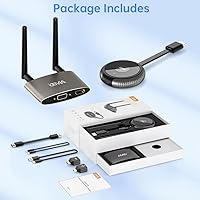
The box includes everything most buyers need to get started — transmitter, receiver, antennas, HDMI cables, and adapters — which removes the friction of tracking down missing accessories before first use. This out-of-box completeness is frequently mentioned positively in reviews.
The included HDMI cables are short, which limits flexibility in how you position the transmitter relative to the source device. A few buyers also noted that the power cables feel thin and would have preferred braided alternatives given the kit's price point.
Value for Money
77%
23%
For buyers who need genuine dual-screen wireless output without relying on a network, the G48 transmitter-receiver delivers a feature set that would cost significantly more in dedicated AV equipment. The 24-month warranty adds meaningful peace of mind that budget-tier alternatives typically do not offer.
At its price point, buyers hold this kit to a higher standard than entry-level options, and the 30Hz cap, range limitations, and lightweight build make it feel like it is stretching to justify its tier. Users who later discover these limitations often feel the value case weakens considerably.
Interference Resistance
69%
31%
The dual-band design and channel-switching capability give the kit a real advantage over single-band alternatives in environments where multiple wireless devices are competing for spectrum. In most standard office or home environments, the unit finds a workable channel without manual intervention.
In high-density wireless environments — apartment buildings with dozens of neighboring networks, or trade show floors with walls of competing AV gear — the interference resistance shows its limits. A handful of buyers in these conditions reported persistent signal instability that persisted even after channel switching.
Long-Term Reliability
66%
34%
Many buyers who have used this cable-free HDMI extender for over a year in stable home theater setups report continued consistent performance, suggesting the core hardware holds up adequately under light to moderate use.
Reports of degraded performance after extended daily use — particularly in always-on presentation environments — appear with enough frequency to be a concern. Some units developed connectivity quirks over time that required full re-pairing, hinting at firmware or hardware instability under sustained workloads.

Suitable for:

The TIMBOOTECH G48 Wireless HDMI Transmitter Receiver is genuinely well-suited for anyone whose main frustration is running long cables through a room that wasn't designed for it. Think of a living room where the media source sits on one wall and the projector mounts on the opposite end, or a training room where a presenter needs to switch between multiple laptops without asking everyone to wait while cables get swapped. It also works well for educators who need to mirror a tablet to a classroom display without depending on the school's often-unreliable Wi-Fi network — the kit creates its own independent signal, which removes a common point of failure. Event organizers and small business owners who regularly set up temporary display stations in open spaces will find real value in the multi-transmitter pairing and the ability to run up to four independent pairs in the same room. If your use case involves open-plan spaces, minimal obstructions, and a need for flexible multi-source control, this cable-free HDMI extender fits the brief well.
Not suitable for:

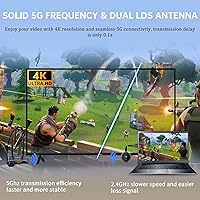
Buyers who need rock-solid 4K performance for critical applications — color-accurate video editing monitoring, high-refresh-rate gaming, or professional broadcast preview — should look elsewhere, because the TIMBOOTECH G48 Wireless HDMI Transmitter Receiver tops out at 4K@30Hz, which is a meaningful step below the 60Hz standard that wired HDMI connections deliver. The 165-foot range is a line-of-sight figure measured under ideal conditions; in a typical home or office with walls, doors, and competing wireless devices, the effective range shrinks noticeably, sometimes to half that distance. Latency under 0.1 seconds is acceptable for slideshows and streaming, but competitive or fast-paced gaming will likely expose that delay in ways that frustrate players. Users in dense apartment buildings or wireless-congested environments may also experience intermittent signal drops despite the dual-band design. If you need guaranteed, zero-compromise signal quality over long distances through solid walls, a wired HDMI extender or a fiber-based solution is the more reliable choice.
Specifications

  • Model: This kit carries the model designation G48, also referenced as Q3+G48 in some bundle configurations.
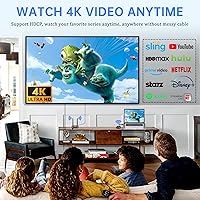
  • Resolution: The transmitter outputs video at up to 4K at 30Hz; 1080p is also supported for displays that do not accept 4K input.
  • Transmission Range: Maximum wireless range is rated at 165 feet (50 meters) under unobstructed, line-of-sight conditions.
  • Frequency: The device operates on dual-band 2.4GHz and 5GHz frequencies to reduce interference and maintain signal stability.
  • Latency: Signal latency is rated at under 0.1 seconds, making it suitable for presentations, streaming, and general video playback.
  • Video Outputs: The receiver unit provides one HDMI port and one VGA port, allowing simultaneous connection to two separate displays.
  • Connector Types: Supported input connectors on the transmitter include standard HDMI, Micro HDMI, and USB Type-C, broadening source device compatibility.
  • Wireless Casting: The receiver can function independently as a wireless display dongle, supporting Miracast, AirPlay, and DLNA protocols from mobile devices.
  • Multi-Transmitter: A single receiver can be paired with up to 8 individual transmitters, enabling switching between multiple video sources.
  • Multi-Set Use: Up to 4 separate transmitter-receiver pairs can operate simultaneously in the same room without cross-interference.
  • HDCP Support: The kit supports HDCP content protection, which is required for playback of protected content from streaming sticks and Blu-ray players.
  • Power Output: The system operates at 5 watts output power, keeping energy consumption low during continuous use.
  • Dimensions: The device measures 5.5 x 1.96 x 0.78 inches in its compact TV-stick form factor, making it easy to mount or reposition.
  • Weight: The full kit weighs 10.4 ounces including all included accessories and antennas.
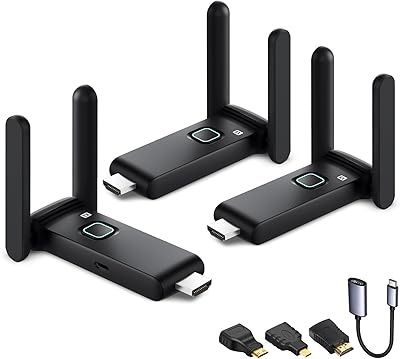
  • Antenna Type: External LDS (Laser Direct Structuring) antennas are used on both transmitter and receiver to strengthen wireless signal reach.
  • Warranty: TIMBOOTECH covers this kit with a 24-month manufacturer warranty and dedicated customer support.
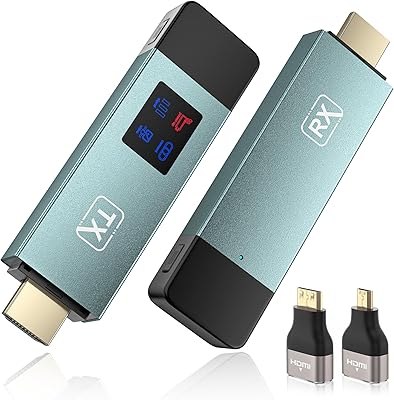
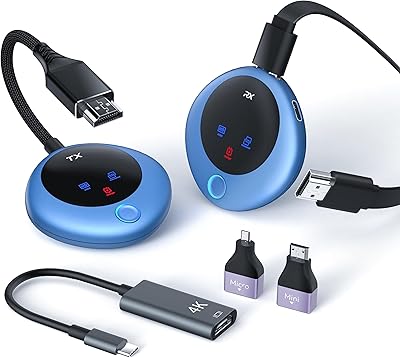
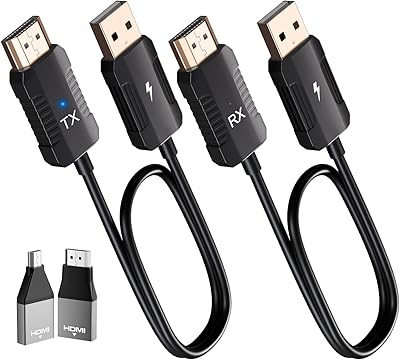
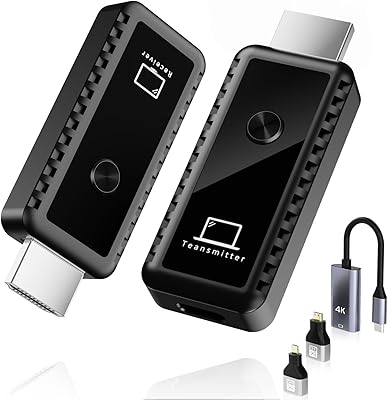
  • Kit Contents: The box includes the transmitter unit, receiver unit, HDMI adapters, external antennas, and all necessary connecting cables.
  • Network Dependency: The kit creates its own independent wireless link and does not require an existing Wi-Fi router, Bluetooth pairing, or any companion app.

Related Reviews

DxInvb Wireless HDMI Transmitter and Receiver Kit
75%
91%
Ease of Setup
58%
Device Compatibility
74%
Wireless Range & Stability
69%
Video Quality
83%
Build Quality & Portability
More
IOGEAR GWHD11
IOGEAR GWHD11
75%
72%
Signal Stability
84%
Video Quality
61%
Wireless Range
91%
Setup & Ease of Use
83%
Audio Performance
More
BRAIDOL TR50 Wireless HDMI Extender Kit
79%
93%
Ease of Setup
81%
Signal Stability
78%
Video Quality
83%
Latency Performance
74%
Wireless Range
More
MpioLife Wireless HDMI Kit V6
74%
91%
Ease of Setup
78%
Wireless Range (Open Space)
47%
Through-Wall Performance
83%
Video Quality
69%
Latency & Responsiveness
More
Anytrox THT-020-8 Wireless HDMI Extender
78%
93%
Ease of Setup
78%
Video Quality
71%
Wireless Stability
82%
Audio-Video Sync
67%
Wireless Range
More
Weeryyi Wireless HDMI Transmitter and Receiver 1080p
84%
92%
Value for Money
88%
Transmission Range
91%
Ease of Setup
89%
Video Quality
85%
Multi-Screen Support
More
LZLOO Wireless HDMI Transmitter and Receiver
77%
91%
Ease of Setup
74%
Signal Stability
68%
Wireless Range
77%
Video Output Quality
71%
Latency Performance
More
WELUSOPU 1TX+2RX Wireless HDMI Extender Kit
74%
88%
Ease of Setup
74%
Wireless Range
67%
Video Output Quality
79%
Multi-Receiver Sync
81%
Latency Performance
More
TTQ TR60 Wireless HDMI Transmitter and Receiver
79%
93%
Ease of Setup
78%
Signal Stability
86%
Video & Image Quality
81%
Latency Performance
88%
Build Quality & Materials
More
TPUFO G02 Wireless HDMI Transmitter and Receiver
77%
91%
Ease of Setup
78%
Signal Stability
83%
Video & Image Quality
74%
Transmission Range
87%
Latency Performance
More

FAQ

No, and that is one of its more practical qualities. The transmitter and receiver establish their own direct wireless link on the 2.4GHz or 5GHz band, so your home or office network is never involved. You can use it in a basement, a rented event space, or anywhere else without touching a router setting.

The 165-foot figure is a line-of-sight measurement taken in open, unobstructed space. In a typical home or office with drywall, furniture, and other wireless devices competing for signal, you should realistically plan for somewhere between 50 and 100 feet of reliable range. Thick concrete or brick walls will reduce that further. If your source and display are in the same room or separated by just one interior wall, you should be fine.

The sub-0.1-second latency works well for casual gaming and does not cause issues with most single-player titles. That said, competitive or fast-paced multiplayer games — particularly fighting games, shooters, or rhythm games — are sensitive enough that even a small delay becomes noticeable. For those use cases, a wired connection is the safer choice.

These are two distinct ways to use this kit. In standard transmitter mode, you plug the physical transmitter into an HDMI source like a laptop or Blu-ray player, and the receiver picks up that signal wirelessly. In dongle mode, you skip the transmitter entirely and use the receiver on its own — your phone or tablet casts to it directly via Miracast, AirPlay, or DLNA over your local Wi-Fi. The two modes serve different situations and should not be confused during setup.

Yes. The receiver has both an HDMI port and a VGA port, and both can be active simultaneously. This means you can run the same video source to two different displays at once, which is useful for presentations where you want a monitor at the podium and a projector facing the audience.

It should, as long as your console outputs a standard HDMI signal. The G48 transmitter-receiver supports HDCP, which handles content protection from gaming consoles, so you are unlikely to hit compatibility walls there. Just connect the transmitter to the console's HDMI output and the receiver to your TV or projector as you normally would.

Up to 8 transmitters can be paired to a single receiver. In practice, this is useful in conference or classroom settings where multiple laptops or devices need to share one display, and you want to switch between them quickly without re-plugging anything. Each transmitter gets a numbered channel, and switching between them is handled via a button on the receiver.

At 4K and 30Hz, the image is sharper than 1080p on larger screens, but it does not look as fluid as a native 4K@60Hz wired connection. For movies and presentations it looks good. For fast-moving content like sports or action gaming, the 30Hz cap produces a slight motion blur that a wired 4K@60Hz signal would not. It is worth setting your expectations accordingly rather than assuming it matches a full wired 4K setup.

The TIMBOOTECH G48 Wireless HDMI Transmitter Receiver works with any device that outputs via standard HDMI, Micro HDMI, or USB-C with DisplayPort Alt Mode. That covers most laptops, desktop PCs, Blu-ray players, cable and satellite boxes, streaming sticks, and recent gaming consoles. If your source device has a non-standard output like DisplayPort or Thunderbolt, you would need a separate adapter to convert it to HDMI before connecting the transmitter.
Up to 4 independent pairs can operate in the same physical space without interfering with each other, according to the specifications. The dual-band design and channel-switching capability help the units find clear frequencies. In very dense wireless environments, some signal competition is still possible, but for most office or event scenarios with a handful of units running side by side, interference is manageable.