Overview

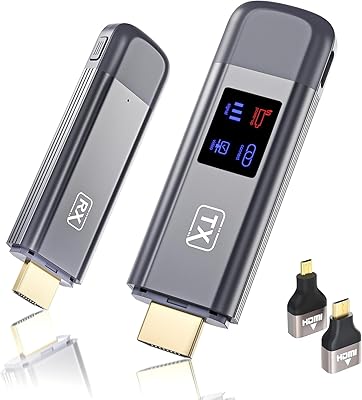
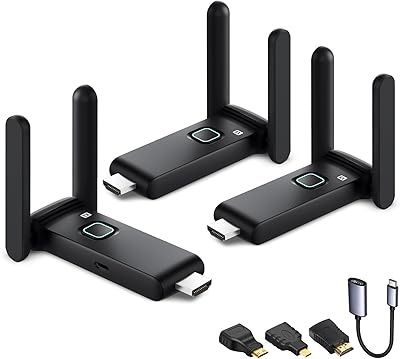
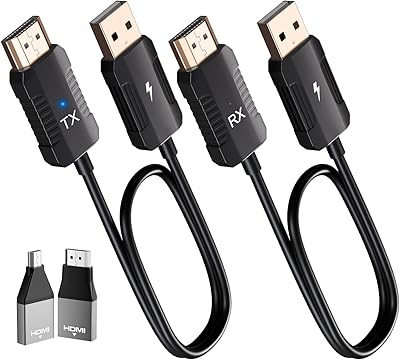
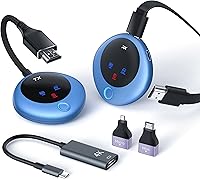
The TPUFO G02 Wireless HDMI Transmitter and Receiver is a compact dual-band kit that launched in early 2025 with a simple goal: get your laptop or camera output onto a big screen without hunting for cables. It occupies a sensible middle ground in terms of pricing — more capable than the budget dongles cluttering search results, but nowhere near the cost of professional AV systems. The G02 transmitter-receiver set comes with three adapters in the box — USB-C to HDMI, Micro HDMI, and Mini HDMI — which saves you a separate purchase for most setups. With an advertised 98-foot range and support for both 2.4GHz and 5GHz bands, it's built to handle real rooms, not just desktop distances.
Features & Benefits

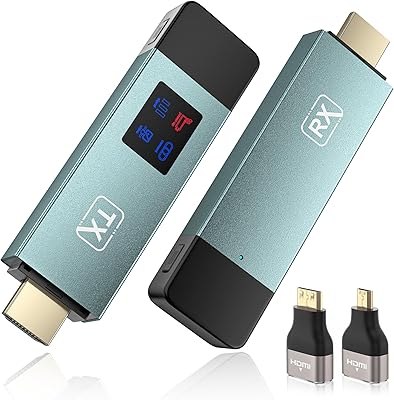
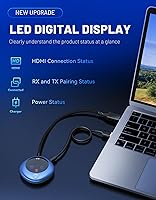
Setup is the first thing most buyers worry about with wireless AV gear, and this cable-free display solution handles it well. Plug the transmitter into your source, plug the receiver into your display, and you're connected in seconds — no app, no Wi-Fi, no Bluetooth required. Worth clarifying upfront: the kit decodes 4K source content but outputs at 1080p at 60Hz. That's not a flaw, just a spec to understand before you buy — visuals will look sharp on a 1080p screen, but don't expect native 4K on your display. The LED status indicator is a practical touch, showing connection and power state at a glance. Display modes — mirror, extend, privacy — are all toggled with a single button press.

Best For

This wireless HDMI kit is a natural fit for anyone who presents regularly in spaces where cables are either missing or just too far away. A teacher connecting a laptop to a classroom projector, a sales rep demoing in a conference room, a photographer pushing live camera feeds to a client monitor — all solid matches. Home theater users will appreciate the flexibility too, especially if running a cable across the room is impractical. Frequent travelers will find the compact form factor and bundled adapters genuinely useful. That said, smartphone compatibility is limited to specific models only, so it's worth double-checking your device before buying.

User Feedback

Early reception for the G02 transmitter-receiver set is encouraging. With a 4.5-star average across 134 ratings since its January 2025 launch, most buyers appear satisfied with the core promise. The setup experience draws consistent praise — people genuinely appreciate that it works without navigating software hoops. Real-world range reports generally match the advertised figure, though users in heavily obstructed spaces note some drop-off through multiple walls. The power supply issue does come up: if your laptop's USB port can't deliver enough juice, you'll likely need an external 5V/2A adapter — a fixable inconvenience, but worth planning for. A few buyers flagged limited phone support as a frustration discovered post-purchase. On the upside, the bundled adapters consistently earn positive mentions as a genuine bonus.

Pros

  • No app, Wi-Fi, or Bluetooth required — the kit connects in seconds without touching any settings menus.
  • The plug-and-play experience is genuinely reliable for laptops, desktops, and cameras in standard setups.
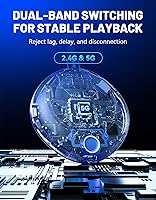
  • Dual-band support lets you switch to 5GHz in crowded wireless environments to reduce dropout.
  • Three adapters in the box cover USB-C, Micro HDMI, and Mini HDMI source devices without extra purchases.
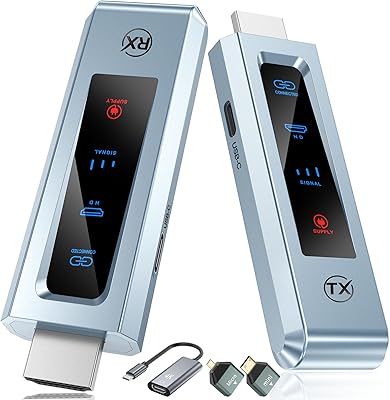
  • The LED status indicator makes basic troubleshooting fast and obvious without digging through a manual.
  • Mirror, extend, and privacy display modes are all accessible from a single button press.
  • At roughly 0.2 lbs combined, the transmitter and receiver fit easily in a laptop bag or jacket pocket.
  • 1080p output at 60Hz delivers smooth, sharp visuals for presentations, media playback, and live camera feeds.
  • Works independently of venue Wi-Fi or IT infrastructure — a real advantage in schools and external meeting spaces.
  • The G02 transmitter-receiver set occupies a practical middle ground between cheap dongles and expensive AV systems.

Cons

  • Output is capped at 1080p — buyers expecting a 4K signal on their display will be disappointed.
  • Smartphone compatibility is limited to a short list of specific models, causing frequent post-purchase returns.
  • Real-world range through multiple walls falls noticeably short of the advertised 98-foot figure.
  • Laptops with low-output USB ports may require an external power adapter to maintain a stable connection.
  • The mode-switching button behavior is not intuitive on first use and lacks clear printed guidance.
  • Extended sessions of 90 minutes or more can cause the transmitter to run warm, with occasional signal drops.
  • Customer support response quality has been flagged as inconsistent when edge-case issues arise.
  • The HDMI connector fit feels slightly loose on some monitors, occasionally causing drops that mimic wireless issues.

Ratings

The TPUFO G02 Wireless HDMI Transmitter and Receiver has been evaluated by our AI rating engine after analyzing verified global buyer feedback, with spam, bot-generated, and incentivized reviews actively filtered out. Across more than a dozen performance dimensions, this cable-free display solution earns a largely positive profile — but a few friction points around compatibility and power delivery keep it from being a universal recommendation. Both the genuine strengths and the real frustrations are reflected transparently in the scores below.

Ease of Setup
91%
Most buyers are up and running within seconds — no software to install, no network credentials to enter, no app to pair. For conference room presenters or teachers who just need things to work before the meeting starts, that reliability is consistently praised as the kit's single biggest selling point.
A small number of users report that the initial pairing occasionally fails and requires an unplug-replug cycle to establish. While rare, it's a frustrating experience precisely because the plug-and-play promise sets such a high expectation.
Signal Stability
78%
22%
In open-plan spaces and single-room setups, the dual-band chip handles the job well — buyers streaming to a TV across a living room or presenting in a mid-sized conference room report steady, uninterrupted feeds. Switching to the 5GHz band noticeably reduces dropout in crowded wireless environments.
Multi-wall penetration is where the real-world experience diverges from the spec sheet. Users in older buildings or those attempting transmission through two or more solid walls report degraded stability, and the 98-foot range claim holds up much better in line-of-sight conditions than through obstacles.
Video & Image Quality
83%
At 1080p and 60Hz, the output looks sharp and fluid for presentations, video playback, and live camera feeds. Buyers using this for business slides or home media streaming consistently note that the picture holds up well without visible compression artifacts under normal viewing distances.
The 4K decoding spec confuses buyers who expect a 4K signal on their display — the output is capped at 1080p regardless of source resolution. This is a spec distinction TPUFO could communicate more clearly, and a handful of buyers flagged disappointment after expecting native 4K output.
Transmission Range
74%
26%
For the majority of intended use cases — classrooms, living rooms, standard conference rooms — the effective range is more than adequate. Buyers regularly confirm clean transmission at 30 to 50 feet, which covers most real-world deployments without issue.
The headline 98-foot figure appears to be a best-case, open-air measurement. In practical environments with walls, furniture, or competing wireless signals, several users put the reliable range closer to 50 to 60 feet. It's not a dealbreaker, but worth calibrating expectations before purchase.
Latency Performance
87%
For presentations, mirroring, and video playback, the lag is imperceptible in everyday use. Buyers using the kit in business and educational settings consistently report that the display responds in real time with no noticeable delay between source and screen.
A smaller subset of users — particularly those attempting casual gaming or fast-motion video — notice that the sub-10ms claim may be optimistic under load. Latency-sensitive applications remain a weak fit for this class of wireless HDMI hardware in general.
Smartphone Compatibility
49%
51%
For the specific models listed — Samsung S21, iPhone 15, and iPad 10 or later — the connection works as expected when the device supports USB-C to HDMI video output. Buyers who fall within this supported range report no extra steps beyond plugging in the included adapter.
The compatibility list is narrow, and buyers with Android devices outside the Samsung S21 or older iPhones have frequently discovered post-purchase that their phones simply don't work with this kit. This is one of the most common sources of negative reviews and return requests, and it deserves prominent disclosure before purchase.
Power Delivery & Stability
66%
34%
When connected to a desktop or a laptop with a robust USB port, power delivery is consistent and the kit runs without issue. Users in these standard configurations rarely report any power-related instability during extended sessions.
Laptops with lower-output USB ports — particularly older ultrabooks — can cause the transmitter to behave erratically or lose connection intermittently. The workaround is a 5V/2A adapter, but having to carry an extra power brick partially undermines the kit's portability appeal.
Build Quality & Portability
82%
18%
Both units feel solid for their size and weight class. At roughly 0.2 lbs combined, the transmitter and receiver slip easily into a laptop bag or jacket pocket, making them a practical carry for frequent travelers or those moving between rooms and buildings regularly.
The plastic casing is functional but doesn't convey a premium feel in hand. A few buyers noted that the HDMI connector fit feels slightly loose on certain monitors or projectors, which introduces occasional signal drops that can be mistaken for wireless issues.
LED Status Indicator
88%
A small but genuinely useful feature. The LED display shows connection and power status at a glance, which helps users troubleshoot quickly rather than guessing whether an issue is with the source device, the receiver, or the display. Buyers consistently mention it as a practical touch.
The indicator's iconography isn't always intuitive without referencing the manual first. A couple of users found themselves unsure what certain blink patterns meant during initial setup, which slightly offsets the otherwise helpful real-time feedback it provides.
Included Accessories Value
84%
The bundled USB-C to HDMI, Micro HDMI, and Mini HDMI adapters cover a wide range of source devices without requiring separate purchases. Buyers with cameras, older laptops, or tablets with non-standard ports found the accessory pack genuinely useful rather than filler.
Users with purely standard HDMI setups may find the extra adapters irrelevant to their use case. The adapters are high quality enough, but buyers who already own these connectors gain no additional value from them being included.
Display Mode Flexibility
79%
21%
Having mirror, extend, and privacy modes accessible from a single button press is a thoughtful design choice for professional users. Teachers toggling between showing and hiding their screen, or presenters who need to switch display layouts mid-meeting, appreciate not having to dig through settings menus.
The mode-switching logic isn't always predictable on first use — some buyers cycle through modes unintentionally before understanding the button behavior. A short printed guide or clearer LED feedback for each mode would reduce the learning curve noticeably.
Value for Money
77%
23%
Relative to enterprise-grade wireless HDMI systems, the G02 transmitter-receiver set delivers a strong set of core capabilities at a fraction of the cost. The inclusion of three adapters and the LED indicator add tangible utility that justifies paying above the bottom-of-market price tier.
Budget-minded buyers will find cheaper wireless HDMI options available, and the narrowed smartphone compatibility makes the value equation harder to justify for mobile-first users. At its price point, slightly broader device support would make this a much easier recommendation.
Thermal Management
71%
29%
Under typical use — a one-hour presentation or a couple of hours of home streaming — both units stay at an acceptable temperature. Most buyers running standard workloads report no discomfort when handling the devices mid-session.
Extended continuous use, particularly in warm environments, can cause the transmitter to run noticeably warm. A few buyers reported brief signal drops after 90 minutes or more of uninterrupted use, suggesting thermal throttling may be a factor in long sessions.
Documentation & Support
63%
37%
The physical setup process is simple enough that most users never need the manual at all. For the straightforward plug-and-display use case the kit is designed for, the learning curve is minimal and the LED feedback handles basic troubleshooting adequately.
When things go wrong — power instability, mode confusion, compatibility questions — the documentation leaves users without clear guidance. Several buyers reported difficulty getting helpful responses from TPUFO support, which is a gap worth noting for a product with known edge-case issues around power and device compatibility.

Suitable for:

The TPUFO G02 Wireless HDMI Transmitter and Receiver is a strong fit for anyone who regularly needs to get a laptop or camera feed onto a larger screen without the hassle of running cables across a room. Business professionals who present in conference rooms, training spaces, or client offices will find the no-app, no-network setup especially practical — it removes a whole category of pre-meeting stress. Teachers and corporate trainers benefit similarly, since the kit works independently of the venue's IT infrastructure, which is often locked down or unreliable. Home theater users who want to stream from a laptop to a TV without drilling cable runs through walls will also get solid value here. Photographers and videographers doing live on-site previews or client reviews can take advantage of the included adapter bundle, which covers a wide range of camera output ports. If you travel frequently and need a pocket-sized solution that works across projectors, monitors, and HDTVs without carrying a bag of cables, this cable-free display solution punches above its weight class.
Not suitable for:

The TPUFO G02 Wireless HDMI Transmitter and Receiver is the wrong choice for buyers expecting native 4K output on their display — the kit decodes 4K source content but outputs at 1080p, a distinction that trips up a meaningful number of buyers post-purchase. Anyone planning to use this primarily with a smartphone should check the compatibility list very carefully before ordering, as support is limited to specific models only and does not extend broadly across Android or older iOS devices. Gamers or users running latency-sensitive applications should also look elsewhere, since even low-latency wireless HDMI introduces enough delay to impact fast-paced interactive content. If your primary workspace involves thick concrete walls or multiple physical barriers between transmitter and receiver, the real-world range will fall short of the advertised figure and signal stability may disappoint. Users with laptops that have lower-output USB ports should factor in the potential need for an external 5V/2A power adapter — it is a manageable workaround, but it reduces the kit's plug-and-play simplicity in those specific setups. If you need native 4K, broad mobile device support, or zero-latency performance, this particular wireless HDMI kit is not the right tool.

Specifications

  • Brand & Model: Manufactured by TPUFO under model number G02, first available January 2025.
  • Dimensions: The combined kit measures 5.82 x 4.40 x 2.16 inches for the packaged unit.
  • Weight: The transmitter and receiver together weigh approximately 0.2 lbs, making the set pocket-portable.
  • Frequency Bands: Operates on both 2.4GHz and 5GHz dual-band wireless frequencies via a dedicated dual-band chip with LDS antenna.
  • Transmission Range: Rated for up to 98 feet of wireless range under open, unobstructed conditions.
  • Latency: Specified signal latency is under 0.01 seconds, suitable for presentations and standard video playback.
  • Video Output: Outputs video at 1080p resolution and 60Hz refresh rate to the connected display.
  • Video Decoding: Supports 4K source decoding using H.264 and H.265/HEVC compression formats.
  • Connectivity: Connects via HDMI, USB-C, and proprietary wireless transmission between the transmitter and receiver units.
  • Display Modes: Supports three display modes — mirror, extend, and privacy — toggled via a single function button on the transmitter.
  • Audio: Includes autosync audio output with surround sound channel configuration handled automatically.
  • LED Indicator: Both units feature an LED digital display showing real-time connection and power status.
  • HDMI Ports: The kit provides a total of two HDMI ports across the transmitter and receiver units.
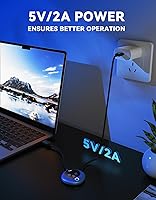
  • Power Requirement: Requires 5V/2A power input; an external adapter is recommended when the host device cannot supply sufficient USB power.
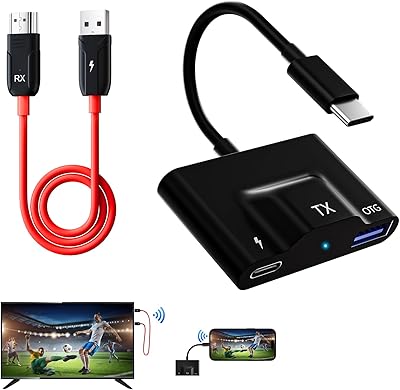
  • Included Accessories: Box includes a USB-C to HDMI 4K adapter, a Micro HDMI 8K adapter, and a Mini HDMI 8K adapter.
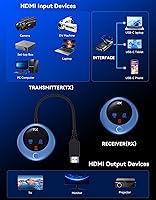
  • Source Compatibility: Compatible source devices include PCs, laptops, cameras, DV recorders, tablets, TV boxes, and select smartphones.
  • Phone Support: Smartphone compatibility is limited to Samsung S21, iPhone 15, and iPad 10 or later models with USB-C to HDMI output capability.
  • Display Compatibility: Works with HDMI-equipped output devices including HDTVs, monitors, and projectors.
  • Controller Type: Includes a remote control and supports automatic power-on functionality when source devices are connected.
  • Setup Method: Plug-and-play design requires no Wi-Fi network, Bluetooth pairing, or software installation to operate.

Related Reviews

DxInvb Wireless HDMI Transmitter and Receiver Kit
75%
91%
Ease of Setup
58%
Device Compatibility
74%
Wireless Range & Stability
69%
Video Quality
83%
Build Quality & Portability
More
DXchip 4KEZH01R01 Wireless HDMI Extender Kit
72%
88%
Ease of Setup
61%
Wireless Range (Real-World)
78%
Video Quality
54%
Latency & Responsiveness
71%
Device Compatibility
More
Terzomen AirLink Wireless HDMI Transmitter and Receiver
83%
91%
Ease of Setup
88%
Wireless Performance
84%
Range and Connectivity
89%
Compatibility with Devices
85%
Streaming Quality (1080p)
More
WELUSOPU 1TX+2RX Wireless HDMI Extender Kit
74%
88%
Ease of Setup
74%
Wireless Range
67%
Video Output Quality
79%
Multi-Receiver Sync
81%
Latency Performance
More
LZLOO Wireless HDMI Transmitter and Receiver
77%
91%
Ease of Setup
74%
Signal Stability
68%
Wireless Range
77%
Video Output Quality
71%
Latency Performance
More
BRAIDOL G03 Wireless HDMI Transmitter and Receiver
83%
88%
Value for Money
92%
Performance with 1080p
75%
4K Streaming Performance
96%
Ease of Setup
70%
Signal Stability
More
IOGEAR GWHD11
IOGEAR GWHD11
75%
72%
Signal Stability
84%
Video Quality
61%
Wireless Range
91%
Setup & Ease of Use
83%
Audio Performance
More
Vrriis Wireless HDMI Transmitter and Receiver 250m
83%
88%
Range and Signal Stability
92%
Setup and Installation
65%
Signal Quality in Obstructed Spaces
89%
Value for Money
80%
Dual Frequency Support (2.4GHz/5.8GHz)
More
BRAIDOL S3 Wireless HDMI Transmitter and Receiver
86%
91%
Performance
88%
Signal Stability
94%
Setup & Installation
85%
Range/Distance
92%
Video Quality
More
Lemorele G500 Wireless HDMI Transmitter and Receiver
79%
91%
Ease of Setup
86%
Battery Life
74%
Wireless Range
83%
Video & Audio Quality
78%
Multi-Presenter Switching
More

FAQ

No, and that is genuinely one of its strongest points. You plug the transmitter into your source device and the receiver into your display, and the two units find each other automatically. There is no app to download, no network to join, and no Bluetooth pairing involved.

This is worth clarifying before you buy. The TPUFO G02 Wireless HDMI Transmitter and Receiver can decode 4K source content, but the signal it sends to your display is capped at 1080p. If your TV or monitor is 4K, you will not get a native 4K picture through this kit — it will output at 1080p regardless of your display's capability.
In an open room without obstructions, the 98-foot range holds up well. In practice, most users find reliable performance in the 30-to-60-foot range when walls or furniture are involved. If you are transmitting through multiple solid walls, expect some degradation in stability compared to line-of-sight use.

It might not. Some laptops, especially older ultrabooks, cannot supply enough power through USB to keep the transmitter running stably. If you notice intermittent drops or connection issues, connect the transmitter to an external 5V/2A power adapter instead of relying on the host device's port. It is a straightforward fix and does not affect the wireless performance itself.

Compatibility is limited to Samsung S21, iPhone 15, and iPad 10 or later. The key requirement is that your phone or tablet must support USB-C to HDMI video output — not all devices with a USB-C port have this capability. If your phone is not on that list, there is a real chance it simply will not work, so it is worth confirming before purchasing.

You can do both. The kit supports mirror mode, extend mode, and a privacy mode that disconnects the display without powering down the system. You switch between them with a single button press on the transmitter, which is handy during presentations when you need to show or hide your screen quickly.

For video calls, presentations, and streaming media, the lag is imperceptible in normal use. Where it starts to show limitations is in fast-paced gaming or other latency-critical applications — wireless HDMI at this price tier is not designed for that use case, and you will likely notice delay with anything requiring real-time precision input.

The kit comes with a USB-C to HDMI adapter, a Micro HDMI adapter, and a Mini HDMI adapter. This covers a wide range of cameras, tablets, and laptops with non-standard HDMI ports, so you can often get started without a separate purchase. If your device uses standard full-size HDMI, the adapters will simply sit unused.

Both units have an LED display that shows connection and power status in real time. Once paired, the indicators confirm the link is active, which takes the guesswork out of troubleshooting. If something looks off, a quick unplug and replug typically re-establishes the connection within seconds.

Yes, this is actually one of the strongest use cases for this cable-free display solution. Because it operates on its own dedicated wireless link between the two units — completely independent of any network — it works the same whether you are in a corporate IT-controlled environment, a school classroom, or a hotel meeting room. You are not competing with other devices on the venue's network, which makes for a noticeably more stable experience than screen-casting solutions that rely on shared Wi-Fi.