Overview

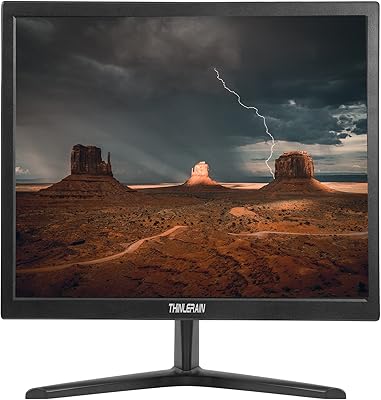
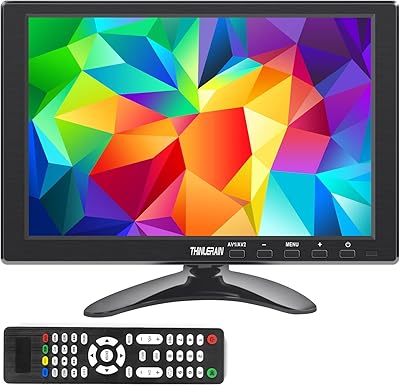
The Thinlerain HD1303 13.3-inch Small Monitor sits in a narrow but genuinely useful niche — a compact, budget-priced secondary display built for casual, practical use rather than professional work. Right away, it's worth being honest: this uses a TFT panel, not IPS, so don't expect wide viewing angles or vivid color reproduction. What makes it stand out at this size is the surprisingly broad range of inputs — HDMI, VGA, BNC, and AV — which most small monitors at this price simply don't offer. Thinlerain isn't a household name, but they back this small HDMI display with a 24-month support period, which is a reassuring touch for a budget buy.

Features & Benefits

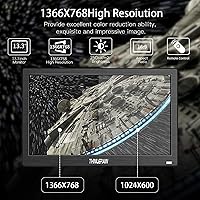
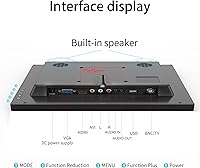
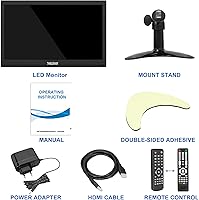
The 1366x768 resolution across 13 inches gives you a pixel density that's adequate for web browsing, video playback, or keeping a reference window open — not crisp by modern standards, but respectable for utility use. Where this 13-inch secondary screen genuinely surprises is in its connectivity: HDMI, VGA, BNC and AV inputs, and USB packed into one compact chassis is a real rarity at this size and price. Those analog inputs alone open doors for security camera feeds or legacy hardware that most modern monitors have quietly abandoned. Add a 75x75mm VESA mount, a desk stand, and a remote control, and you get a surprisingly flexible setup without buying a single extra accessory. The built-in speakers are basic but get the job done for background audio.

Best For

This compact Thinlerain monitor finds its natural home with hobbyists and makers — anyone running a Raspberry Pi project who wants a small, dedicated display without hunting down adapters will find it immediately useful. It's also a solid pick for a kitchen wall mount with a Fire Stick running, or a workshop bench where you just need a small screen for a recipe or a reference video. The BNC and AV inputs make it a workable choice for connecting older security cameras or legacy consoles. Budget home-office users in need of a lightweight second display for a reference tab or a side window will get what they need here — as long as they don't go in expecting strong color accuracy or high brightness.

User Feedback

Buyers who pick up this small HDMI display tend to appreciate how quickly it connects and works across different devices — plug-and-play ease and the generous port selection come up often in positive reviews. The complaints are just as consistent, though. Users in well-lit rooms flag that the panel doesn't get bright enough to hold up against ambient light, and the TFT color output looks noticeably washed out compared to most modern screens. The all-plastic build gets a split reaction: light enough to mount without fuss, but it doesn't feel particularly durable. Speakers are useful for low-volume background sound, nothing more. Customer service feedback is mixed — some buyers report smooth warranty support, while others have found response times slow for a brand making a 24-month commitment.

Pros

  • Unusually broad input options — HDMI, VGA, BNC, AV, and USB — for a monitor this small and affordable.
  • BNC and AV support lets you connect older security cameras and legacy devices most modern screens have abandoned.
  • The included VESA mount and desk stand mean you can place or hang it without buying extra hardware.
  • A bundled remote control makes this practical for kitchen or workshop installs where you are not always at arm's reach.
  • Built-in dual speakers eliminate the need for separate audio gear in casual, low-demand setups.
  • Setup is straightforward and plug-and-play across a wide range of source devices.
  • At 3 pounds and compact dimensions, this small HDMI display is easy to relocate or repurpose between rooms.
  • The 24-month manufacturer warranty offers a reasonable safety net for a budget-tier brand.
  • 1366x768 resolution on a 13-inch panel delivers adequate sharpness for utility tasks, reference windows, and casual streaming.
  • The 75x75mm VESA pattern is standard, so it works with a wide range of third-party mounts and arms.

Cons

  • The TFT panel delivers noticeably weaker color accuracy and narrower viewing angles compared to any IPS alternative.
  • 250 cd/m² brightness struggles in well-lit rooms — glare and washout are recurring complaints from buyers near windows.
  • The all-plastic housing feels lightweight rather than solid, and long-term durability is uncertain.
  • Built-in speakers are thin and low-volume — fine for background noise, but not a substitute for even basic external speakers.
  • Customer service responsiveness has been inconsistent, which undercuts confidence in that 24-month warranty promise.
  • The glossy screen surface amplifies reflections in bright environments, compounding the brightness limitation.
  • No USB-C input limits compatibility with newer laptops and devices that have dropped full-size HDMI.
  • The 95-degree horizontal viewing angle is narrower than what most IPS panels offer, making shared viewing awkward.
  • There is no height or tilt adjustment on the included stand, so ergonomic positioning is limited on a desk.

Ratings

The Thinlerain HD1303 13.3-inch Small Monitor has been evaluated by our AI system after analyzing thousands of verified global user reviews, with spam, bot-generated, and incentivized submissions actively filtered out before scoring. The results reflect a genuinely balanced picture — where this compact display earns real praise for versatility and ease of use, but also where recurring frustrations around panel quality and brightness hold it back. Both the strengths and the honest pain points are built directly into every score below.

Input Versatility
91%
Buyers consistently call out the HDMI, VGA, BNC, AV, and USB inputs as the single biggest reason they chose this over competing small monitors. For hobbyists wiring up a Raspberry Pi project one week and connecting an old analog security camera the next, having all those options on one compact screen is a genuine convenience that saves real money on adapters and workarounds.
A handful of users noted the absence of a USB-C port, which limits compatibility with newer ultrabooks and recent single-board computers that have dropped full-size HDMI. For buyers working with modern hardware exclusively, that gap is worth keeping in mind.
Setup & Ease of Use
88%
Getting this screen running is one of its strongest points — most buyers report a true plug-and-play experience across HDMI and VGA with no driver installation or configuration needed. The included remote control makes input switching and brightness adjustment easy, especially for wall-mounted kitchen or workshop installs where walking up to the screen every time would be a hassle.
A few users mentioned that the on-screen menu navigation via the remote feels slightly unintuitive at first, with button labeling that does not always match what the menu shows. It is a minor learning curve, but it does take a few minutes to get comfortable.
Value for Money
83%
For a secondary or utility screen, buyers broadly agree that the price-to-feature ratio holds up well, particularly because of the analog inputs and included accessories like the stand and remote. Users setting up a dedicated Pi display or a wall-mounted kitchen screen noted they would have paid more for a comparable setup with separate components.
Buyers who compared it directly to slightly pricier IPS alternatives in the same size range felt the TFT panel made the value case weaker for anything beyond pure utility use. If color quality or brightness matter to the use case, the savings feel less compelling.
Display Clarity
67%
33%
At 13 inches, the 1366x768 resolution delivers a workable pixel density for video streaming, reference windows, and light productivity tasks. Users running a Fire Stick for casual kitchen viewing or displaying a recipe page generally found the image clear enough for comfortable use at normal viewing distances.
Buyers accustomed to 1080p or higher-resolution screens noticed the lower resolution quickly, especially with text-heavy content or fine UI elements. It is not a dealbreaker for utility scenarios, but anyone using this as a primary display or for detailed work will find the clarity underwhelming.
Panel & Color Quality
53%
47%
For straightforward video content viewed head-on in a controlled lighting environment, the TFT panel produces a reasonably watchable image with decent contrast for its class. Users with limited expectations — primarily those using this as a workshop reference screen or a background media display — found it acceptable for the purpose.
This is the most consistently criticized aspect of the monitor. The TFT panel cannot match IPS screens in color accuracy, saturation, or consistency, and colors shift noticeably when viewing from any meaningful off-axis angle. Users who purchased it without understanding the panel type often expressed buyer's remorse when they saw the image quality firsthand.
Brightness & Glare Handling
49%
51%
In a shaded or dimly lit indoor space — a workshop corner, a pantry wall, or a bedroom desk — the 250 cd/m² output is functional and does not cause eye strain. Users who mounted it in controlled lighting conditions rarely flagged brightness as a problem.
In any room with significant ambient light or direct window exposure, the screen struggles badly. The glossy surface amplifies reflections and the brightness ceiling is simply too low to compete, which makes it a poor choice for open-plan kitchens or any well-lit workspace. This is one of the most frequently mentioned pain points in negative reviews.
Build Quality
58%
42%
The light weight — just over 3 pounds — is genuinely appreciated by users mounting this on a wall or moving it between locations. The slim profile fits tightly in compact spaces, and the all-plastic construction does at least keep the unit feeling manageable and easy to handle.
The plastic chassis does not inspire confidence in long-term durability, and several buyers described it as feeling cheaper than the price point suggested it should. Flex in the housing when picking it up, and a general lightweight feel that reads as flimsy rather than portable, were common complaints.
VESA & Mounting
79%
21%
The 75x75mm VESA pattern is a standard, widely-supported size, and users who wall-mounted this display in a kitchen, garage, or utility room found the process straightforward with any compatible bracket. At just over 3 pounds, it does not stress lightweight mounts at all.
The included desk stand is basic and fixed — no tilt adjustment, no height change — which frustrates users who want flexibility on a flat surface. The VESA mount itself is a positive, but buyers expecting the stand to do more ergonomic heavy lifting will be disappointed.
Built-in Audio
44%
56%
For truly minimal audio needs — hearing dialogue from a recipe video or catching background news in a quiet room — the built-in speakers are enough to avoid total silence. Users in calm, low-noise environments noted they were at least functional for low-volume casual content.
At any volume above whisper-level, the speakers sound thin, tinny, and lack any meaningful bass. In a kitchen environment where ambient noise is common, they are essentially useless without headphones or an external speaker. Most buyers who use this in a noisy setting quickly plug in external audio.
Viewing Angles
51%
49%
Straight-on viewing is reasonably solid for a TFT panel, and users mounting this at eye level with a single viewer in front — a workbench setup or a personal desk display — generally reported no issues with the image at the intended position.
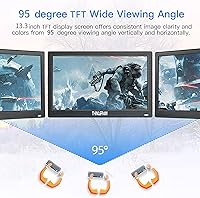
The 95-degree horizontal and 100-degree vertical angles are noticeably narrow by modern standards. Families trying to watch content together, or users with the screen positioned above or to the side of the natural eye line, encountered significant color shift and contrast loss. It is clearly designed for single-viewer, fixed-position use.
Connectivity & Compatibility
84%
Beyond the broad input selection, buyers appreciated how reliably this screen auto-detected signal sources without fiddling. Compatibility across Windows, macOS, Raspberry Pi OS, and streaming sticks was reported as consistent, with no common reports of resolution negotiation failures or blank-screen issues on first connection.
A few users running higher-resolution source devices noted the monitor caps output at 1366x768 regardless of what the source sends, which can require a manual resolution adjustment on the host device. This is expected behavior but was a mild surprise for less technical buyers.
Remote Control
74%
26%
Having a remote included at this price point is a real bonus, and users who mounted this in a kitchen or workshop consistently praised being able to switch inputs, mute audio, or tweak brightness from across the room. It meaningfully improves the usability of the monitor in non-desk scenarios.
The remote feels lightweight and the button travel is shallow, giving it a low-cost feel that matches the overall build. A few buyers also reported the remote becoming less responsive at wider angles or greater distances, suggesting the IR receiver has a relatively narrow acceptance cone.
Warranty & Support
62%
38%
A 24-month warranty from a budget-tier brand is genuinely above average for this category and gives buyers a reasonable safety net. Some users reported positive and timely resolutions to defective unit issues within the warranty window.
Customer service responsiveness has been inconsistent across buyer reports, with a portion of users describing slow follow-up and difficulty getting clear responses. The warranty is a meaningful offering on paper, but execution appears to vary enough that buyers should not rely on it as a primary confidence factor.

Suitable for:

The Thinlerain HD1303 13.3-inch Small Monitor is a strong fit for anyone who needs a compact, versatile secondary screen without spending much. Raspberry Pi hobbyists and makers will appreciate the wide input selection — HDMI, VGA, BNC, and AV in a single small chassis is genuinely rare at this price point, and it removes the adapter headache that plagues most mini display setups. It also makes a practical kitchen or workshop screen, where you just want something wall-mounted via the VESA bracket to stream a Fire Stick or pull up a recipe without dedicating a full-sized monitor to the job. Security enthusiasts running older analog cameras will find the BNC and AV inputs particularly useful, since most modern monitors have dropped them entirely. Budget home-office users who need a low-stakes reference display alongside a primary screen, and on-the-go users pairing it with a laptop or mini PC, will also get solid value from this 13-inch secondary screen.

Not suitable for:

Anyone shopping for a primary workstation monitor or a display for color-sensitive work should look elsewhere — the TFT panel on the Thinlerain HD1303 13.3-inch Small Monitor simply cannot match the color accuracy, brightness, or wide viewing angles that IPS screens deliver. Graphic designers, photographers, or video editors who rely on consistent color reproduction will find this panel frustrating from the first use. Gamers expecting fluid motion or sharp detail will also be disappointed; the 1366x768 resolution and modest brightness are not built for that purpose. If you plan to use this in a well-lit room or near a window, the 250 cd/m² brightness ceiling becomes a real problem — the image washes out quickly under direct ambient light. Buyers who prioritize build quality or a premium feel should also be aware that the all-plastic housing is lightweight by necessity, not by design choice, and it shows.

Specifications

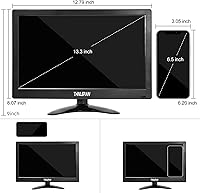
  • Screen Size: The display measures 13.3 inches diagonally, making it a genuinely compact screen suited for secondary or dedicated single-device setups.
  • Resolution: Native resolution is 1366x768 pixels at a 16:9 aspect ratio, providing adequate clarity for video playback, casual browsing, and utility tasks.
  • Panel Type: Uses a TFT (Twisted Nematic) panel rather than IPS, which means color accuracy and off-axis viewing are noticeably limited compared to modern IPS displays.
  • Brightness: Peak brightness is rated at 250 cd/m², which is sufficient for dim to moderately lit indoor environments but can struggle against direct ambient light.
  • Contrast Ratio: Static contrast ratio is 1000:1, a standard figure for TFT panels that produces acceptable depth for everyday content but not for anything color-critical.
  • Viewing Angles: Horizontal viewing angle reaches 95 degrees and vertical viewing angle reaches 100 degrees, both narrower than what a typical IPS panel offers.
  • Video Inputs: Connectivity includes HDMI, VGA, BNC, composite AV, and USB, covering an unusually wide range of both modern and legacy signal sources.
  • Audio: Two built-in speakers are included for basic audio output, eliminating the need for external speakers in low-demand listening situations.
  • VESA Mount: The rear of the unit features a standard 75x75mm VESA mounting pattern, compatible with most low-profile wall brackets and monitor arms.
  • Stand: A desk stand is included in the box, though it offers no height adjustment or tilt, so ergonomic positioning on a flat surface is fixed.
  • Remote Control: A remote control is included, allowing input switching, volume adjustment, and brightness control from a distance — practical for kitchen or workshop installs.
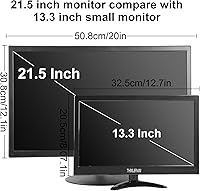
  • Dimensions: The unit measures 12.79 x 9 x 1.5 inches, keeping its footprint small enough to fit comfortably on a countertop, workbench, or shallow wall space.
  • Weight: Total weight is 3.01 pounds, light enough for straightforward single-person wall mounting and easy relocation between rooms.
  • Housing Material: The entire chassis is constructed from plastic, which keeps weight low but does not convey a premium or particularly durable feel in hand.
  • Screen Surface: The panel has a glossy surface finish, which can intensify reflections in bright rooms and compound the limitations of the modest brightness rating.
  • Power Supply: The unit operates on 12V DC power; a compatible power adapter is included, and the low voltage makes it straightforward to run from an external DC source if needed.
  • Warranty: Thinlerain provides 24 months of manufacturer support, which is a longer coverage window than many comparable budget monitors in this category.

Related Reviews
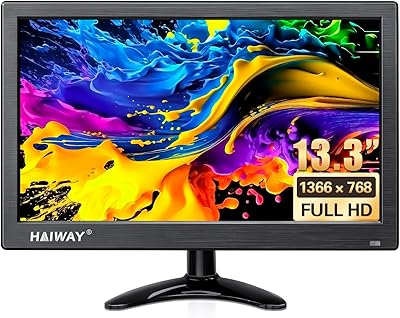
Haiway 13.3-inch Security Monitor
69%
91%
Input Versatility
88%
BNC Connectivity
86%
Ease of Setup
53%
Build Quality
61%
Image Quality
More
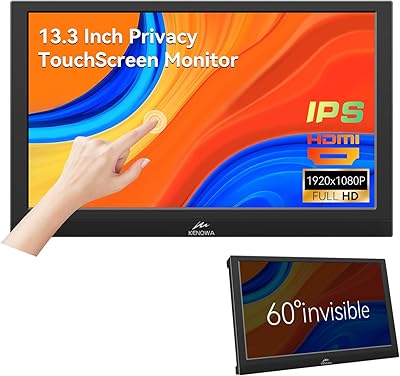
Kenowa 13.3-inch Touchscreen Portable Monitor
68%
86%
Value for Money
78%
Display Quality
71%
Privacy Screen Effectiveness
67%
Touchscreen Performance
88%
Portability
More
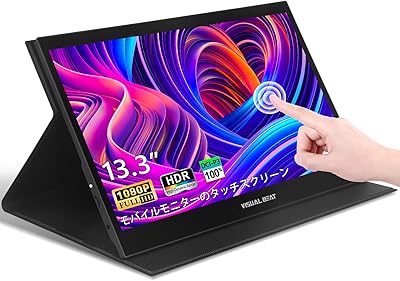
Visual Beat R13PMT101 13.3-inch Portable Touchscreen Monitor
85%
89%
Display Quality
92%
Portability & Weight
88%
Touchscreen Responsiveness
94%
Ease of Setup
85%
Brightness & Visibility
More
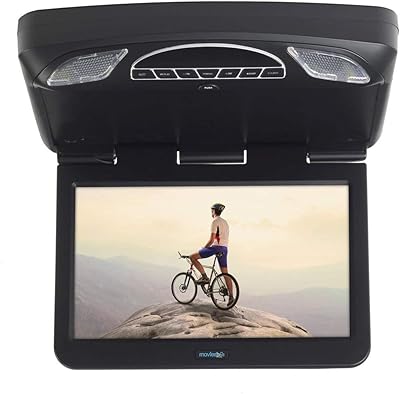
Audiovox AVXMTG13UHD 13.3-inch Car Overhead DVD Monitor
71%
83%
Picture Quality
88%
DVD Playback
51%
Installation Experience
79%
FM Audio Quality
74%
Connectivity Range
More
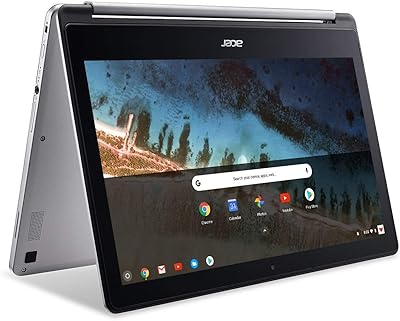
Acer Chromebook R 13 Convertible CB5-312T-K40U, 13.3-inch, 64GB eMMC, 4GB RAM
80%
91%
Portability & Weight
89%
Battery Life
88%
Display Quality
80%
Performance for Basic Tasks
60%
Storage Capacity
More
Thinlerain 17-inch HD170 Monitor
80%
89%
Value for Money
93%
Ease of Setup
65%
Display Quality
78%
Build Quality
55%
Sound Quality
More
Hosyond 7-inch TFT LCD Portable Monitor
71%
83%
Value for Money
86%
Setup & Connectivity
61%
Display Quality
54%
Build Quality
88%
Portability & Size
More
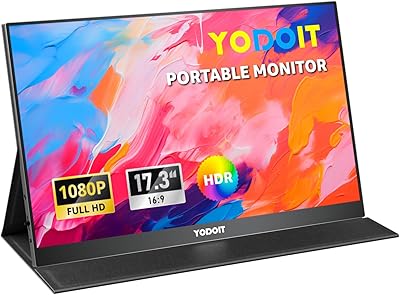
Yodoit PTM17 17.3″ Portable Monitor
75%
91%
Screen Size & Usability
76%
Image & Color Quality
62%
Brightness & Glare
54%
HDR Performance
83%
Connectivity & Compatibility
More
AISHICHEN 7-Inch IPS Mini Monitor
70%
82%
Value for Money
74%
Picture Quality
88%
Connectivity
83%
Setup & Ease of Use
84%
Compatibility
More
Thinlerain HD-116 11.6-inch Portable Monitor
68%
88%
Portability & Form Factor
62%
Display Quality
47%
Color Accuracy
53%
Viewing Angles
61%
Brightness
More

FAQ

Yes, it works well with Raspberry Pi units that have a standard HDMI output. Just connect the HDMI cable, power on both devices, and the screen should detect the signal automatically. Most Pi users report a clean, no-fuss setup experience with no driver installation required.

Absolutely, as long as your laptop has an HDMI or VGA output. Connect the cable, switch the input on the monitor using the remote or side buttons, and your operating system should recognize it as an extended or mirrored display. Keep in mind the 1366x768 resolution, so it works best as a reference or secondary window rather than a primary workspace.

It handles a kitchen install well, provided you are not mounting it directly above a stove or in a high-humidity spot. The VESA mount makes wall installation straightforward, and the included remote means you can change inputs or adjust volume without having to walk up to the screen. Just note that the glossy panel picks up reflections, so placement opposite a bright window is not ideal.

The difference is noticeable if you sit at an angle or care about color accuracy. Viewed straight on in a reasonably dim room, it looks acceptable for video and casual use. But if you shift to the side by more than 30 or 40 degrees, the image loses contrast and colors quickly shift. For a kitchen screen or a Pi project display, that trade-off is usually fine; for anything color-sensitive or shared-viewing, it is a real limitation.

Yes, and this is one of the more practical reasons to choose this display. The BNC and composite AV inputs support analog camera feeds directly, which most modern monitors have dropped entirely. You just connect the camera output cable to the corresponding input and select it with the remote.

They are functional for low-volume background audio — news, recipes, YouTube at a reasonable volume in a quiet room. Do not expect anything impressive in terms of bass or loudness. If you are putting this in a louder kitchen or workshop environment, a small Bluetooth speaker will serve you much better.

Yes, it works with a Fire Stick plugged directly into the HDMI port. Power the Fire Stick via the USB port on the monitor itself or a separate USB charger. Setup is the same as any other HDMI device — plug in, select the HDMI input, and you are ready to stream.

In a shaded or dimly lit spot, the brightness is perfectly adequate. Near a window with direct sunlight or strong daylight, it struggles. At 250 cd/m², it is not designed for high-ambient-light environments, and the glossy screen surface makes reflections worse. If your intended location gets a lot of natural light, consider repositioning or adding a shade.

The monitor uses a standard 75x75mm VESA pattern, so any VESA-compatible wall bracket in that size will work. The bracket itself is not included — you will need to purchase one separately. At just over 3 pounds, even a lightweight, inexpensive bracket is more than enough to hold it securely.

Thinlerain offers 24 months of manufacturer support, which is longer than many budget brands provide. That said, buyer experiences with their customer service have been mixed — some report prompt, helpful responses while others have found follow-up slow. If you run into an issue, reaching out directly via the contact details on their product page is the fastest route, and having your order details ready will help speed things along.