Overview

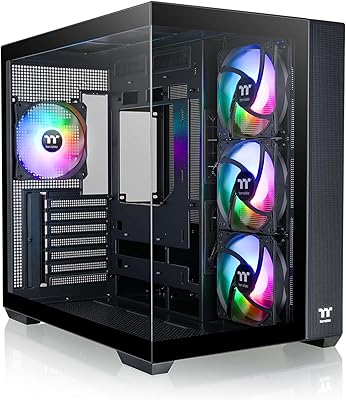
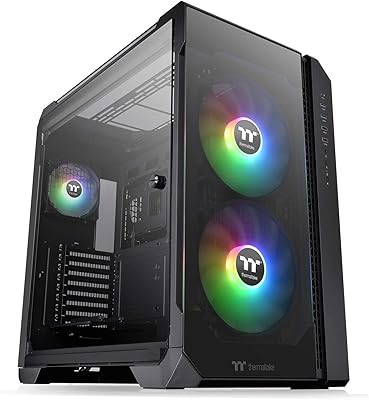
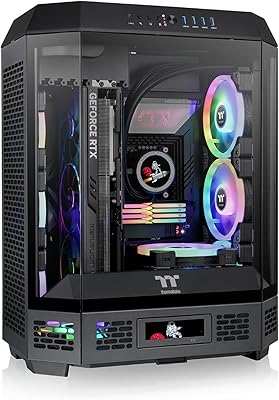
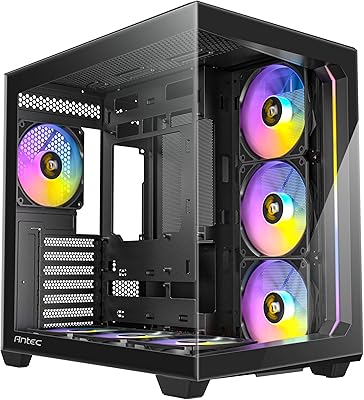
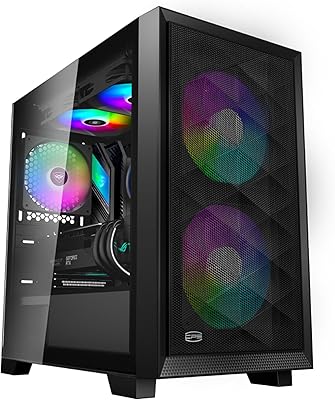
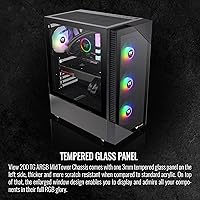
The Thermaltake View 200 TG ARGB Mid Tower Case is Thermaltake's answer to builders who want a good-looking rig without spending a fortune. Thermaltake has a long history of producing cases across every price tier, and this tempered glass case sits comfortably in their accessible mid-range — not their flagship lineup, but not a throwaway budget box either. Dual tempered glass panels on the front and side give it genuine visual presence, and the three preinstalled ARGB fans sync with your motherboard's RGB software right out of the box. It's a case that looks more expensive than it actually is.
Features & Benefits

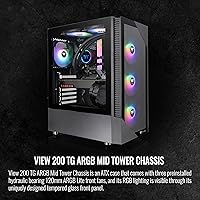
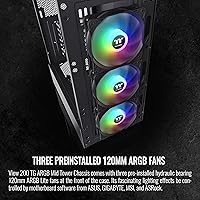
The View 200 TG ARGB ships with three 120mm ARGB front fans running on hydraulic bearings — functional and quiet enough at normal loads, though not the premium option you'd find in higher-end builds. A built-in PSU shroud keeps the lower half of the interior tidy, which makes a real visual difference once your system is running. The bottom-mounted power supply placement separates heat zones nicely. ATX board support means most standard builds fit without issue, and there's enough vertical clearance for tall CPU coolers and long GPUs. Expansion options for additional fans or a modest AIO are workable, though not generous.

Best For

This Thermaltake mid-tower is a strong match for first-time builders or anyone putting together a gaming PC on a tighter budget who still wants the setup to look good on a desk. If your board is standard ATX and your cooling plan doesn't involve a 360mm radiator, you'll likely find it fits your needs well. It genuinely shines as a showcase-style desktop build — the kind you keep visible rather than tucked under a desk. That said, it's not the right call for enthusiast cooling setups, E-ATX boards, or builders who prioritize raw airflow performance over aesthetics.

User Feedback

Owners generally appreciate the build quality for the price, noting the panels feel solid and the included fans perform decently straight out of the box. Assembly feedback is mostly positive, with straightforward standoff placement and panels that come off without a fight. The most consistent criticism? The tempered glass front panel restricts airflow noticeably compared to mesh alternatives, which can matter under sustained heavy loads. Cable management behind the motherboard tray is tight but manageable. A few users have flagged minor concerns about panel latch durability over time, and fan noise at full speed gets mixed reviews — acceptable to most, bothersome to some.

Pros

  • Dual tempered glass panels create a genuinely premium-looking interior window at an accessible price point.
  • Three ARGB fans are preinstalled and ready to sync with most modern motherboard RGB software out of the box.
  • The built-in PSU shroud keeps the lower interior clean and hides cable clutter without any extra effort.
  • Bottom-mount PSU placement sensibly separates heat zones inside the chassis.
  • Standard ATX builds fit comfortably, with room for long GPUs and tall CPU air coolers.
  • Assembly is straightforward — clear standoff labeling and tool-free side panel removal make the process approachable for newcomers.
  • The ARGB lighting effect looks polished and vibrant, especially in a darker room or desk setup.
  • Build quality feels solid and well above what the price tag might suggest to a first-time buyer.
  • The overall package — fans, glass panels, shroud — delivers strong out-of-box value without immediate upgrade pressure.

Cons

  • The tempered glass front panel noticeably restricts intake airflow compared to mesh-front cases at the same price.
  • Hydraulic bearing fans wear faster over time than higher-grade bearing types, raising long-term reliability questions.
  • Cable management behind the motherboard tray is tighter than average, making a very clean rear finish harder to achieve.
  • Fan noise becomes noticeable at higher RPMs, which can be irritating in quieter environments.
  • No front USB-C port is a genuine omission that will feel increasingly limiting as newer peripherals become standard.
  • The front panel latch mechanism shows wear with repeated removal, which matters for builders who clean or modify their system regularly.
  • Radiator mounting options are limited — a 360mm front radiator is not a realistic configuration in this case.
  • The rear cable space could use an extra centimeter of depth to accommodate thicker or modular PSU cable sets comfortably.

Ratings

The Thermaltake View 200 TG ARGB Mid Tower Case earns its place as one of the more popular choices in the budget-friendly ATX mid-tower segment, and these scores reflect exactly that reality — strengths, compromises, and all. Our AI rating system analyzed thousands of verified global buyer reviews, actively filtering out incentivized, bot-generated, and duplicate feedback to surface what real builders actually experienced. The result is a balanced scorecard that highlights where this tempered glass case genuinely delivers and where it asks you to make trade-offs.
Build Quality
78%
22%
For the price tier, buyers consistently report that the chassis feels more solid than expected — panels don't flex excessively, and the steel frame holds its shape through assembly without drama. The tempered glass side panel in particular draws praise for having a clean fit and a premium feel relative to cost.
Some users note that the front glass panel latch mechanism feels less refined over repeated removal, with a few reporting looseness after months of use. The steel gauge is adequate but not impressive, and sharp interior edges were flagged by a handful of builders during cable routing.
Airflow Performance
53%
47%
The three preinstalled front fans do push a reasonable volume of air at mid-range RPMs, and for light to moderate workloads — office builds, casual gaming rigs — temperatures stay manageable without any fan swaps.
The tempered glass front panel is the single biggest airflow bottleneck this case has, and builders running mid-to-high-end CPUs and GPUs will feel it. Compared to mesh-front alternatives at the same price, real-world temperatures under sustained load run noticeably warmer, which is a meaningful trade-off.
Included Fans
67%
33%
Getting three ARGB fans preinstalled and ready to sync with motherboard RGB software is genuinely useful for first-time builders who don't want to budget separately for fans. At idle and low loads they run quietly and the lighting effect looks polished.
Hydraulic bearing fans are functional, not premium — they lack the longevity or acoustic refinement of higher-grade bearings like fluid dynamic or rifle bearing designs. At higher RPMs, the noise level becomes noticeable, and long-term durability past the two-year mark is a reasonable concern some owners raised.
RGB & Lighting
84%
The ARGB implementation is one of this case's clearest wins. The fans sync reliably with major motherboard RGB ecosystems, and the dual glass panels create a wide viewing window that makes the lighting effect look genuinely impressive on a desk setup, especially in a darker room.
The lighting sync requires a compatible motherboard header, which most modern boards have but older or budget boards may lack. A small number of users reported inconsistent sync behavior that required manual troubleshooting through their motherboard's RGB software.
Cable Management
62%
38%
The built-in PSU shroud does meaningful work here — it hides the power supply and loose cables from the main viewing window, giving the build a much cleaner finished look without any extra effort from the builder.
The space behind the motherboard tray is tighter than ideal, particularly for thicker cable sets or modular PSU cables with large connectors. Builders who like a very tidy rear-panel finish will need patience, and a few noted that the routing channels could use an extra centimeter of depth.
Ease of Assembly
79%
21%
First-time builders specifically called out how straightforward the standoff placement is, with clear labeling inside the case. Panel removal is tool-free for the side glass, which speeds up the build process considerably and reduces the risk of scratching panels during installation.
A few users mentioned that the front panel is slightly awkward to remove for fan access or cleaning, requiring more force than expected. The manual provided is basic, and builders unfamiliar with cable routing near the PSU shroud may find the interior layout a little confusing initially.
Value for Money
81%
19%
When you factor in three preinstalled ARGB fans, dual tempered glass panels, and a PSU shroud in a single purchase, the overall package represents solid value at this price point. Most buyers felt they got more than they paid for visually.
The value proposition weakens slightly if airflow is a priority — you may end up spending extra on a mesh front replacement or additional exhaust fans to compensate for the glass panel restriction. That additional cost erodes the initial savings for performance-focused builds.
Interior Layout & Space
73%
27%
Standard ATX builds fit comfortably with room for long graphics cards and tall CPU air coolers. The bottom-mount PSU configuration separates the heat zones sensibly, which is a thoughtful layout choice that holds up in real builds.
E-ATX boards are not supported, and the interior space feels tighter than average once a large GPU, 240mm AIO, and cable runs are all competing for room. Builders planning a more complex configuration may find the case limiting earlier than expected.
Cooling Expandability
61%
39%
There is room to add a rear 120mm exhaust fan and some AIO radiator support depending on configuration, which gives builders a reasonable upgrade path beyond the stock setup if temperatures become a concern later.
The radiator mounting options are more limited than competing cases at this price, and a 360mm front radiator is essentially off the table given the panel design. Serious water-cooling builds should look elsewhere — this case was not designed with them in mind.
Aesthetic Design
86%
The combination of a glass front, glass side, and a clean blacked-out interior with a hidden PSU area produces a build that looks genuinely polished on a desk. Buyers frequently noted that guests assumed the rig cost significantly more than it did.
The all-black exterior with no texture variation can look a little plain from certain angles when the RGB is off, and there is no white colorway available for builders who prefer a lighter aesthetic. It is a fairly conventional gaming case look rather than a distinctive design statement.
Panel Durability
64%
36%
The tempered glass panels arrive well-protected and show no issues with clarity or minor warping right out of the box. Most short-term users reported zero problems with panel integrity through their build process.
Longer-term owners flagged that the front glass clips and latching points show wear with repeated removal, which matters for builders who clean their system or swap components regularly. Tempered glass carries inherent shatter risk if the case is knocked, and the mounting system does not feel overbuilt.
Noise Levels
66%
34%
At default fan curves and moderate workloads, the View 200 TG ARGB runs at an acceptable noise floor that most builders in a typical room setup will not find distracting. The fans are not aggressively loud at idle.
Push the fans harder — whether manually or via an aggressive motherboard profile — and the hydraulic bearing design becomes audible in a way that higher-quality bearings would not. Users in quieter environments, or those sensitive to fan noise, reported it as an ongoing mild annoyance.
I/O Connectivity
71%
29%
The front panel I/O covers the basics adequately for a mid-range build — USB ports are accessible and positioned sensibly for desk use. Builders report the connectors feel secure and the port placement is practical day-to-day.
There is no USB-C front panel port, which is a genuine omission at this point in the market. Builders with newer peripherals that rely on USB-C will have to route around to the rear of their motherboard, which is an inconvenience that will grow more noticeable over time.

Suitable for:

The Thermaltake View 200 TG ARGB Mid Tower Case is a genuinely smart pick for first-time PC builders who want their setup to look impressive on a desk without stretching their budget into uncomfortable territory. If you're building around a standard ATX motherboard, running a mid-range GPU, and planning to use air cooling or a modest 120mm or 240mm AIO, this case accommodates that kind of build without asking you to fight it. It's particularly well-suited to gamers who keep their rig visible — on a desk, in a content creator's background, or in a setup where the lighting and interior are part of the overall aesthetic. The dual tempered glass panels and preinstalled ARGB fans mean you can have a lit-up, polished-looking system right away without sourcing fans separately or spending extra. Budget-conscious builders who are prioritizing looks, ease of assembly, and a clean PSU-shrouded interior will find the View 200 TG ARGB hits a genuinely useful sweet spot for the money.
Not suitable for:

The Thermaltake View 200 TG ARGB Mid Tower Case runs into real limitations the moment your build priorities shift toward performance cooling or hardware complexity. If you're planning a high-end gaming or workstation rig where thermals are a serious concern — especially with a power-hungry CPU and GPU running sustained loads — the tempered glass front panel will work against you, restricting intake airflow in a way that mesh-front alternatives simply don't. Enthusiast water-cooling builds with 360mm radiators are largely off the table given the case's design constraints. E-ATX motherboard users won't find compatibility here either, so larger platform builds need to look elsewhere. Builders who like to swap components or deep-clean their systems frequently may also find the front panel latch mechanism wears on them over time — both literally and figuratively. And if a front USB-C port is non-negotiable for your peripheral setup, this case's front I/O will leave you reaching around to the back of your board more often than you'd like.
Specifications

  • Form Factor: ATX mid-tower chassis designed to fit standard ATX, Micro-ATX, and Mini-ITX motherboards.
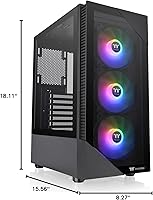
  • Dimensions: The case measures 15.56 x 18.11 x 8.27 inches (H x D x W) for a compact but capable mid-tower footprint.
  • Weight: The chassis weighs approximately 4.8 pounds unloaded, making it manageable to position and reposition on a desk.
  • Front Panel: Tempered glass front panel provides a clear, unobstructed view of the installed front fans and interior lighting.
  • Side Panel: Full tempered glass left side panel allows a wide view of the motherboard, GPU, and internal components.
  • Preinstalled Fans: Three 120mm ARGB Lite hydraulic bearing fans come preinstalled in the front intake position, ready for immediate use.
  • Fan Sync: Preinstalled fans support motherboard ARGB sync via a standard 3-pin ARGB header, compatible with major RGB software ecosystems.
  • PSU Mount: Bottom-mounted power supply bay includes a built-in PSU shroud to conceal cables and improve interior aesthetics.
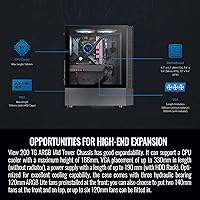
  • CPU Cooler Clearance: The case accommodates CPU air coolers up to approximately 160mm in height, covering most mainstream tower coolers.
  • GPU Clearance: Graphics card clearance reaches up to approximately 330mm in length, supporting most current full-size gaming GPUs.
  • Radiator Support: The front supports up to a 240mm radiator configuration, while the rear accommodates a single 120mm radiator or fan.
  • Drive Bays: The case includes support for 2.5-inch SSD mounts and limited 3.5-inch HDD bays suitable for standard storage configurations.
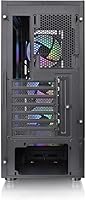
  • Expansion Slots: Seven expansion slot positions are available at the rear, supporting multi-GPU or large GPU bracket configurations on standard ATX boards.
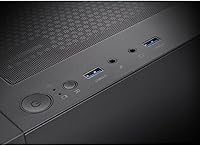
  • I/O Ports: The front I/O panel includes two USB 3.0 Type-A ports, a 3.5mm audio combo jack, and a power button with LED indicator.
  • Cooling Method: Primary cooling relies on air convection, with front intake fans and provision for a single rear exhaust fan (not included).
  • Material: The chassis is constructed from steel with tempered glass panels on the front and left side for structural rigidity and visual clarity.
  • Color: Available in black with a clean, unbranded exterior finish suited to most desk setups and gaming environments.
  • Model Number: The official model number is CA-1X3-00M1WN-00, which can be used to verify compatibility and locate official documentation.
  • Availability: This case has been available on the market since October 2022 and currently ranks among the top 600 listings in the Computer Cases category.
  • Warranty: Thermaltake provides a limited manufacturer warranty on this product; buyers should verify current terms directly with Thermaltake or the retailer at time of purchase.

Related Reviews
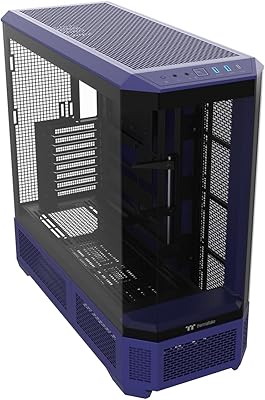
Thermaltake View 600 TG Full Tower Case
87%
92%
Cooling Performance
89%
Build Quality
85%
Ease of Installation
93%
Aesthetics
88%
Cable Management
More
Thermaltake View 170 TG ARGB Micro-ATX Case
88%
91%
Build Quality
89%
Cooling Performance
94%
Design & Aesthetics
72%
Cable Management
88%
Ease of Assembly
More
Thermaltake View 51 TG ARGB Edition Gaming Case
85%
92%
Design and Aesthetics
88%
Cooling and Airflow Performance
85%
Ease of Assembly
90%
Space and Expandability
89%
Build Quality and Durability
More
Thermaltake View 380 ARGB Mid Tower Case
83%
93%
Aesthetic Design
88%
Tempered Glass Quality
91%
Hidden-Connector Compatibility
89%
Included Fan Bundle
82%
Airflow Performance
More
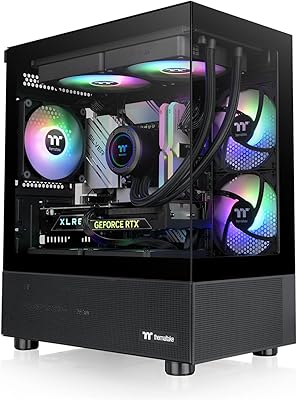
Thermaltake E550 TG Mid Tower ATX Case
79%
93%
Aesthetic Design
88%
Build Quality
84%
Cable Management
91%
Cooling Potential
86%
GPU Installation Flexibility
More
Thermaltake Tower 600 Mid-Tower ATX Case
79%
91%
Build Quality
93%
Aesthetic Design
88%
Cable Management
94%
Cooling Capacity
71%
Installation Experience
More
AMANSON H9 Mid-Tower ATX Gaming PC Case
76%
88%
Value for Money
81%
Airflow Performance
67%
Pre-Installed Fan Quality
63%
Build Quality
79%
Tempered Glass Panels
More
Thermaltake Versa H21 ATX Mid Tower Case
69%
91%
Ease of Assembly
86%
Interior Space
73%
Airflow & Ventilation
58%
Build Quality & Materials
67%
Cable Management
More
Corsair 3500X ARGB Mid-Tower ATX PC Case
84%
92%
Cooling Performance
87%
Build Quality
90%
Design & Aesthetics
85%
Ease of Installation
89%
Airflow Support
More
Thermaltake Ceres 500 Mid Tower ATX Case
82%
93%
Airflow Performance
88%
Build Quality
91%
Cooling Compatibility
89%
Aesthetic Design
87%
Fan Quality
More

FAQ

Yes, the case supports ATX, Micro-ATX, and Mini-ITX form factors. If you're building on a smaller board, you'll just have unused mounting points, but everything lines up and fits without any modifications needed.

Unfortunately, no. The front panel design limits radiator support to a 240mm configuration at most, and the tempered glass front makes a 360mm AIO installation impractical. If a 360mm radiator is a firm requirement for your build, you'll want to look at a case with a mesh front and more radiator clearance.

In most cases, yes — the fans use a standard 3-pin ARGB header, which is compatible with Asus Aura, MSI Mystic Light, Gigabyte RGB Fusion, and similar platforms. You'll just need an available ARGB header on your board. If your motherboard doesn't have one, you'll need a separate ARGB controller.

It's a genuine trade-off, and worth being honest about. The glass front restricts intake airflow compared to mesh alternatives, so if you're running a high-power CPU and GPU under sustained load, temperatures will run warmer than they would in a comparable mesh-front case. For moderate builds and light-to-mid gaming workloads it's manageable, but thermal-focused builders should weigh this carefully.

The View 200 TG ARGB supports graphics cards up to approximately 330mm in length, which covers the vast majority of mainstream and high-end gaming GPUs currently on the market. Just double-check your specific card's length spec if you're running something particularly large.

It's doable but not the most generous layout. The PSU shroud helps a lot by hiding the lower cable runs from view, but the space behind the motherboard tray is on the tighter side — especially if you're working with thick modular PSU cables. Plan your routing before you start and you should be fine; just don't expect the same ease you'd get from a case with a wider rear channel.

Absolutely. The front supports up to three 120mm fans (the preinstalled ones occupy those slots), and the rear has space for one additional 120mm exhaust fan. If you want better airflow down the line, swapping the front fans for higher-quality units with better-bearing designs is a straightforward upgrade.

At idle and light loads they're quiet enough that most people won't notice them. Once you push the system harder and fan speeds climb, the hydraulic bearing design does become audible — not dramatically so, but noticeably. If you're in a quiet room or sensitive to fan noise, you may want to consider running a custom fan curve or eventually replacing them.

The side panel comes off without tools and is straightforward to handle. The front glass panel is a bit more involved — it clips into place and requires a bit more deliberate force to remove, which catches some builders off guard the first time. It's not difficult, just less intuitive than the side panel. Repeated removal over time can wear the clips slightly, so be gentle with it.

No, it does not. The front I/O includes two USB 3.0 Type-A ports and an audio combo jack, but there is no USB-C port on the front panel. If you rely on USB-C for frequent device connections, you'll need to route to the rear of your motherboard, which is a legitimate inconvenience worth factoring into your decision.

Where to Buy