Overview

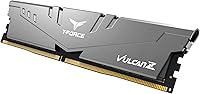
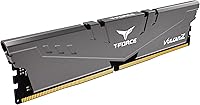
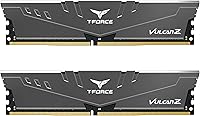
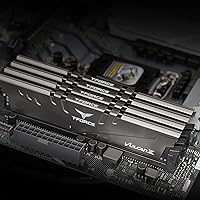
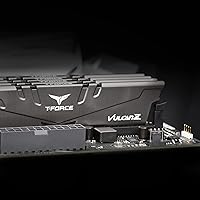
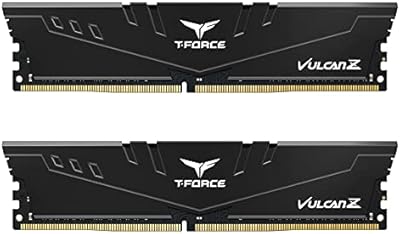
The TEAMGROUP T-Force Vulcan Z DDR4 16GB Kit (2x8GB) 3200MHz is a straightforward dual-channel memory kit built for practical desktop builders who want reliable performance without overspending. The gray heatspreader is no-nonsense — there's no RGB lighting, no aggressive styling, just a clean low-profile design that does its job quietly. Running at 3200MHz with CL16 timings, this DDR4 memory kit sits comfortably in the mainstream tier, where most everyday builds actually live. It works across both Intel and AMD platforms, which keeps things simple when you're shopping. And if anything ever goes wrong, lifetime warranty coverage backs every purchase — a genuinely reassuring detail for buyers who want long-term peace of mind.
Features & Benefits

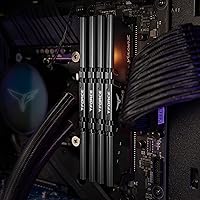
The 2x8GB dual-channel setup is the right call for modern desktop platforms — running memory in pairs gives your CPU's memory controller better bandwidth to work with, and that matters for both everyday computing and gaming. Drop into the BIOS, enable the XMP 2.0 profile, and the kit locks in at 3200MHz automatically — no manual tuning needed. The low-profile heatspreader is genuinely practical; it keeps thermals in check and won't clash with oversized air coolers. Operating at 1.35V, the Vulcan Z 3200MHz RAM draws less power than older high-voltage DDR4 sticks. Before buying, it's worth cross-referencing your motherboard's QVL — that's simply the list of memory modules the manufacturer has tested and confirmed compatible.

Best For

This DDR4 memory kit is a natural fit for builders who want a dependable 16GB foundation without chasing flagship specs. If you're putting together an everyday desktop, a home office machine, or a budget gaming rig, the Vulcan Z kit handles all of it without complaint. AMD Ryzen users in particular will appreciate that 3200MHz sits right in the sweet spot for Ryzen's Infinity Fabric — you get a meaningful performance bump over slower kits without paying a premium. It's also a good choice for anyone refreshing an older platform, since installation is about as simple as it gets. If aesthetics don't matter — no windowed case, no RGB setup — pure reliability is the whole pitch here.

User Feedback

Across nearly 12,000 ratings and a 4.7-star average, the reception for this Vulcan Z kit has been consistently strong. Most buyers call out easy installation and note that the XMP profile kicks in without fuss — no head-scratching in the BIOS. Reviewers with non-windowed cases also appreciate the understated look; no distracting glow, no bulk. On the flip side, a handful of users on older motherboards found they needed a BIOS update before the kit would post at its rated speed — worth knowing if you're running aging hardware. Dead-on-arrival reports are rare, which points to solid manufacturing consistency. For a kit at this price point, the combination of broad user satisfaction and minimal reliability complaints is hard to argue with.

Pros

  • Lifetime warranty provides genuine long-term protection across multiple future builds.
  • XMP 2.0 setup is painless — enable it in BIOS and 3200MHz locks in immediately.
  • Dual-channel configuration delivers noticeably better bandwidth than single-stick alternatives.
  • Works across both Intel and AMD platforms without compatibility headaches.
  • Low-profile heatspreader clears virtually all large tower CPU coolers without issue.
  • Near-zero DOA reports across thousands of verified purchases signals strong manufacturing consistency.
  • 3200MHz hits the Ryzen performance sweet spot, delivering real-world gains over slower DDR4 kits.
  • Energy-efficient 1.35V operation keeps thermals lower in compact or restricted builds.
  • Strong value relative to competing kits at the same speed class and capacity.
  • Plain design is genuinely appreciated by builders who prioritize function over visual flair.

Cons

  • Older motherboards may need a BIOS update before the kit runs at its rated 3200MHz speed.
  • No RGB or alternate colorway options limits use in windowed, themed builds.
  • CL16 timings trail behind tighter kits when memory bandwidth genuinely matters for the workload.
  • Overclocking headroom beyond 3200MHz is inconsistent and unreliable across individual units.
  • Printed documentation is minimal — new builders dealing with XMP issues will need to seek help online.
  • RMA turnaround through TEAMGROUP can be slow depending on region, despite the solid warranty terms.
  • At certain sale windows, competing kits close the price gap enough to challenge the value case.
  • Single colorway and fixed heatspreader height offer no customization for specialized build requirements.

Ratings

The TEAMGROUP T-Force Vulcan Z DDR4 16GB Kit (2x8GB) 3200MHz has been put through its paces by thousands of real desktop builders worldwide, and the scores below reflect what they actually experienced — not marketing claims. Our AI has processed verified purchase reviews globally, actively filtering out incentivized, bot-generated, and low-quality feedback to surface genuine patterns. Both the strengths that make this Vulcan Z kit a consistent bestseller and the friction points that occasionally trip up buyers are represented transparently here.
Value for Money
93%
Buyers building budget gaming rigs or home office desktops consistently point to this DDR4 memory kit as one of the most cost-efficient ways to hit 16GB at 3200MHz. The combination of lifetime warranty coverage and solid out-of-box performance makes the price feel like a genuinely fair trade, not a compromise.
A small group of reviewers feel the gap between this kit and slightly faster CL14 alternatives has narrowed enough that the value argument weakens for buyers who can stretch their budget just a little further. At certain sale periods, competing kits close the price gap significantly.
Installation & Setup
91%
The vast majority of builders report a smooth installation experience — drop the sticks in, enable XMP 2.0 in the BIOS, and the system posts at 3200MHz without any manual intervention. First-time builders especially appreciate that there is nothing complicated about getting this kit running correctly.
A recurring minority complaint involves older motherboards requiring a BIOS update before the kit will operate at its rated speed. This is not unique to this kit, but it catches unprepared buyers off guard, particularly those upgrading an existing system rather than building fresh.
XMP Profile Reliability
88%
XMP 2.0 profile recognition is consistently reliable across a wide range of Intel and AMD motherboards, which matters a lot for buyers who are not comfortable with manual memory tuning. Reviewers on Ryzen platforms specifically note that 3200MHz locks in cleanly and stays stable under sustained workloads.
A handful of users on budget B450 and older Z370 boards report the XMP profile triggering instability at stock voltages, requiring slight manual adjustments to stabilize. These cases are uncommon, but they do suggest the kit is not entirely immune to platform-specific quirks.
Build Quality & Durability
86%
The gray aluminum heatspreader feels solid and well-fitted — it is not a flimsy plastic shell. Long-term owners who have been running this DDR4 memory kit for two or more years report zero degradation in stability or performance, which speaks well to the IC quality TEAMGROUP selected for this series.
The heatspreader finish can show light scuff marks during handling, which is a minor cosmetic issue but noticeable for builders who care about presentation. There is also no aesthetic flexibility here — the gray-only design means it blends in rather than standing out.
Thermal Management
84%
The low-profile heatspreader does its job well in standard mid-tower builds with reasonable airflow. Temperatures stay in a normal operating range during gaming sessions and productivity workloads, and the design avoids any conflict with large tower CPU coolers — a practical consideration many buyers overlook until it is too late.
Builders running very compact ITX cases with restricted airflow note that the heatspreader provides limited thermal headroom compared to taller, more elaborate designs. At sustained heavy loads in thermally constrained enclosures, temperatures creep higher than ideal, though rarely to problematic levels.
Compatibility (Intel & AMD)
89%
Cross-platform support is one of this kit's genuine strengths. Buyers swapping between an Intel and AMD build — or purchasing for a system where the final CPU choice was not yet locked in — appreciate not having to second-guess compatibility. QVL presence on boards from ASUS, MSI, Gigabyte, and ASRock is well-documented.
As with any RAM purchase, checking your specific motherboard's QVL list before buying is still the right move. A small number of reviewers on niche or entry-level boards encountered rated-speed instability, which could have been avoided with a quick pre-purchase compatibility check.
Performance at 3200MHz CL16
78%
22%
For everyday desktop use, gaming at 1080p and 1440p, and general multitasking, the performance delivered at 3200MHz CL16 is more than adequate. Ryzen builds in particular benefit noticeably compared to slower DDR4 kits, and the jump from 2666MHz to 3200MHz is genuinely felt in real-world workloads.
Enthusiasts and content creators who run memory-bandwidth-sensitive applications will find CL16 timings leave something on the table compared to tighter CL14 kits at similar speeds. This is not a high-performance kit, and buyers expecting top-tier bandwidth benchmarks should calibrate their expectations accordingly.
Aesthetic Design
62%
38%
For builders using non-windowed cases or those who simply want memory that stays out of sight and does its job, the plain gray heatspreader is a clean, inoffensive choice. Several reviewers specifically call out the no-RGB design as a plus — one less blinking component in a work-focused build.
Buyers putting together a windowed or glass-panel build with a themed color scheme will find this kit limiting. There is no RGB, no alternative colorway, and no visual flair whatsoever — which is a deliberate design choice but a dealbreaker for those where aesthetics are part of the build brief.
Overclock Headroom
67%
33%
Some technically experienced users report successfully pushing this Vulcan Z kit to 3400MHz or 3600MHz with modest voltage and timing adjustments, which is a pleasant surprise at this price tier. The IC quality appears consistent enough to give a portion of buyers a little extra overhead to experiment with.
This kit is not designed or marketed as an overclocking product, and results beyond rated speed vary considerably between individual units. Buyers expecting guaranteed headroom above 3200MHz will be disappointed — treat any overclock here as a bonus, not a feature.
QC Consistency
92%
Dead-on-arrival rates for this kit are remarkably low based on buyer feedback volume — a strong signal that manufacturing consistency is tightly controlled. Across nearly 12,000 ratings, complaints about faulty sticks represent a very small fraction, which is encouraging for a kit at this volume and price point.
The rare DOA reports that do exist tend to involve one stick in the pair rather than both, suggesting occasional isolated unit-level defects rather than systemic batch issues. The lifetime warranty handles these situations, but the RMA process still costs time and can disrupt a build timeline.
Warranty & After-Sales Support
83%
A lifetime warranty on a budget DDR4 kit is not something to gloss over. For buyers who plan to reuse this memory across multiple builds over many years, that coverage provides meaningful long-term reassurance that most competing kits at this tier do not match.
Some users report that the warranty RMA process requires direct coordination with TEAMGROUP and can take longer than expected depending on region. The warranty itself is solid in principle, but the practical experience of using it is inconsistent based on geography and timing.
Documentation & Packaging
71%
29%
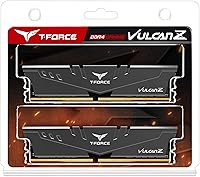
The packaging is clean and functional, and the sticks arrive well-protected. Builders appreciate that the kit is presented in a dual-slot tray format rather than loose in a single blister pack, which makes handling and installation straightforward right out of the box.
The included documentation is minimal — essentially just a basic spec card. Buyers who are new to enabling XMP or who encounter any setup friction will need to turn to online resources, since the printed guidance offers very little practical help beyond confirming the model number.
Energy Efficiency
81%
19%
Operating at 1.35V rather than the 1.5V common in older DDR4 kits, the Vulcan Z 3200MHz RAM runs cooler and draws less power from the motherboard. In small form factor and home theater PC builds where thermal and power budgets are tighter, this lower voltage is a quietly useful characteristic.
The efficiency advantage over competing kits at the same spec is minimal in practical terms — most modern DDR4 memory runs at comparable voltages. The benefit is real but unlikely to be a deciding factor for most buyers unless they are building a very power-constrained system.

Suitable for:

The TEAMGROUP T-Force Vulcan Z DDR4 16GB Kit (2x8GB) 3200MHz is a genuinely smart pick for the practical desktop builder who wants a solid, reliable foundation without overcomplicating the purchase. If you are assembling an everyday PC for gaming, web browsing, office work, or light content consumption, this Vulcan Z kit covers all of that without asking you to overpay for features you will never use. AMD Ryzen builders in particular are well-served here — 3200MHz sits right at the performance sweet spot for Ryzen's memory architecture, so you get a real-world benefit that slower kits simply cannot match. It also works cleanly on Intel platforms, which makes it a flexible choice if you are still finalizing your build. First-time builders will appreciate that XMP setup is about as painless as it gets, and anyone upgrading an older desktop to DDR4 will find the transition straightforward. The lifetime warranty is also worth factoring in if you plan to reuse these sticks across future builds — it is a long-term safety net that most competing kits at this tier do not offer.
Not suitable for:

The TEAMGROUP T-Force Vulcan Z DDR4 16GB Kit (2x8GB) 3200MHz is not the right call for every buyer, and it is worth being honest about where it falls short. If you are building a showcase rig with a windowed side panel and a deliberate color scheme, the plain gray heatspreader and total absence of RGB will leave the build feeling unfinished aesthetically — there is simply no version of this kit that lights up. Enthusiasts running memory-bandwidth-intensive workloads like 3D rendering, heavy video editing, or professional simulation software will find that CL16 timings leave measurable performance on the table compared to tighter, faster alternatives. Hardcore overclockers should also look elsewhere — while occasional users report modest headroom above 3200MHz, this DDR4 memory kit was not engineered for pushing limits, and results beyond its rated speed are inconsistent. Buyers on very old motherboards should verify BIOS compatibility before purchasing, as some aging boards need a firmware update before the kit will run at full speed — skipping that check has caused frustration for a notable subset of reviewers. If your budget allows for a CL14 kit at the same speed, and performance is a genuine priority, the upgrade is worth considering.
Specifications

  • Total Capacity: This kit provides 16GB of total memory across two 8GB DDR4 SDRAM modules configured for dual-channel operation.
  • Memory Type: DDR4 SDRAM, the current mainstream standard for desktop platforms, offering improved bandwidth and lower voltage compared to DDR3.
  • Rated Speed: Modules are rated at 3200MHz (PC4-25600) when XMP 2.0 is enabled in the motherboard BIOS.
  • CAS Latency: CL16 primary latency timings are standard for DDR4 3200MHz kits in the mainstream performance tier.
  • Operating Voltage: Designed to run at 1.35V, which is lower than older high-performance DDR4 kits and contributes to cooler operation.
  • Form Factor: Standard full-size DIMM format intended exclusively for desktop motherboards; not compatible with laptop SO-DIMM slots.
  • XMP Support: XMP 2.0 profile is embedded, allowing the modules to reach their rated 3200MHz speed through a single BIOS setting change.
  • Platform Support: Compatible with both Intel and AMD desktop motherboards that support DDR4 memory and XMP or DOCP/EXPO profile activation.
  • Heatspreader: A low-profile aluminum heatspreader in gray finish aids passive thermal dissipation without adding significant height above the DIMM slot.
  • Module Dimensions: Each module measures 5.51 x 0.28 x 1.26 inches, keeping the profile compact enough to avoid clearance conflicts with most tower CPU coolers.
  • Kit Weight: The complete two-module kit weighs 3.36 ounces, consistent with standard heatspreader-equipped DDR4 DIMMs.
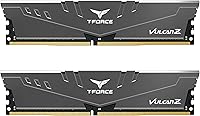
  • Module Count: The kit ships as two individual 8GB modules intended to be installed together in matching dual-channel slots on the motherboard.
  • Warranty: TEAMGROUP provides a lifetime warranty on this kit, covering manufacturing defects for the full lifespan of the product.
  • Brand & Series: Manufactured by TEAMGROUP under the T-Force Vulcan Z product line, positioned as a reliability-focused mainstream memory series.
  • Model Number: The official model identifier for this specific kit configuration is TLZGD416G3200HC16CDC01.
  • Release Date: This kit was first made available for purchase in April 2019 and has maintained consistent availability since launch.
  • Default Speed: Without XMP enabled, modules will initialize at the JEDEC default speed of 2133MHz or 2400MHz depending on motherboard behavior.
  • RGB Lighting: This kit does not include any RGB or addressable lighting; the heatspreader is a fixed matte gray finish throughout.

Related Reviews
TEAMGROUP T-Force Vulcan Z DDR4 16GB Kit 3600MHz
89%
91%
Performance
95%
Ease of Installation
88%
Overclocking Potential
94%
Compatibility
90%
Energy Efficiency
More
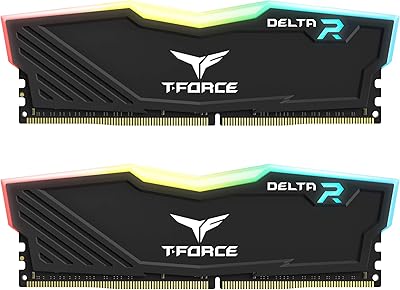
TEAMGROUP T-Force Delta RGB DDR4 16GB (2x8GB) 3600MHz
87%
89%
Performance
92%
RGB Lighting Customization
87%
Ease of Installation
84%
Thermal Management
91%
Value for Money
More
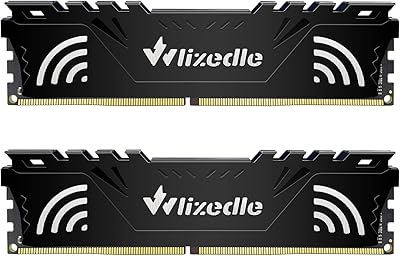
Wlizedle DDR4 3200MHz 16GB Kit (2x8GB)
85%
88%
Performance
93%
Ease of Installation
89%
Stability at High Speeds
77%
Compatibility with Motherboards
85%
Energy Efficiency (1.35V)
More
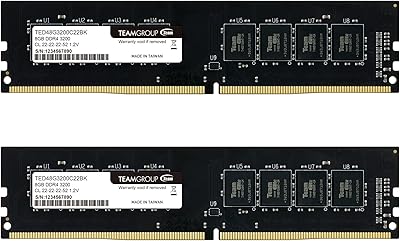
TEAMGROUP Elite DDR4 16GB Kit 3200MHz
86%
88%
Performance
91%
Installation Process
93%
Value for Money
89%
Energy Efficiency
85%
Compatibility
More
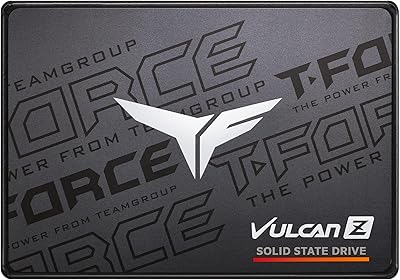
TEAMGROUP T-FORCE VULCAN Z 1TB SSD
87%
88%
Performance
85%
Durability
92%
Value for Money
89%
Read Speed
81%
Write Speed
More
TEAMGROUP T-Force Vulcan Z 2TB SSD
85%
85%
Performance for Everyday Tasks
92%
Installation Ease
91%
Value for Money
88%
Compatibility with Laptops and Desktops
90%
Durability and Build Quality
More
TEAMGROUP T-Force Vulcan Z 4TB SSD
85%
85%
Performance
92%
Value for Money
88%
Build Quality & Durability
90%
Ease of Installation
94%
Capacity
More
TEAMGROUP T-Force Vulcan Z 512GB SSD
86%
87%
Performance
90%
Reliability
92%
Value for Money
88%
Ease of Installation
85%
Durability
More
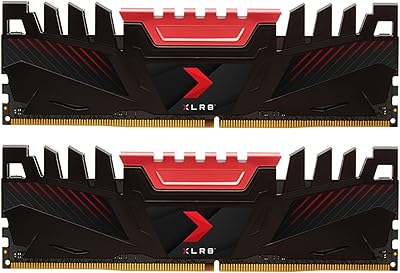
PNY XLR8 Gaming 16GB (2x8GB) DDR4 3200MHz Memory Kit
89%
91%
Performance
88%
Installation Ease
89%
Overclocking Capability
85%
Power Efficiency
92%
Reliability
More
PNY Performance 16GB (2x8GB) DDR4 3200MHz Laptop Memory Kit
86%
91%
Performance Boost
94%
Ease of Installation
89%
Compatibility
87%
Gaming Performance
88%
Multitasking Performance
More

FAQ

Yes, one small step is required. After installing the modules, enter your BIOS and enable the XMP 2.0 profile — it is usually found under a memory or overclocking settings menu. Without that step, the board will default to a slower JEDEC speed like 2133MHz or 2400MHz. The XMP profile does all the heavy lifting once it is switched on.

It works well on Ryzen platforms, and 3200MHz is actually a particularly good speed choice for Ryzen systems specifically. AMD's memory controller tends to perform best when memory speed aligns with the Infinity Fabric clock, and 3200MHz hits that target cleanly. Just make sure your specific motherboard lists this kit or a compatible spec on its QVL to avoid any surprises.

QVL stands for Qualified Vendor List — it is simply a list your motherboard manufacturer publishes of memory kits they have physically tested and confirmed work correctly with that board. You do not always run into problems if your kit is not on the list, but checking it before buying takes two minutes and can save you a frustrating troubleshooting session later. Most major motherboard brands post their QVL on their support pages.

Technically possible in some cases, but generally not recommended. Mixing memory kits from different manufacturers or with different timings often leads to instability or forces the system to run everything at the slower kit's speed. If you need more than 16GB, the cleaner solution is to buy a second identical kit of the Vulcan Z 3200MHz RAM rather than pairing mismatched modules.

Nothing is wrong with the kit itself. DDR4 memory always initializes at a safe default speed until you manually enable the XMP profile in BIOS. Go into your BIOS settings, find the XMP or memory profile option, enable it, save and restart. The system should then post at 3200MHz on the next boot.

It can be, but this is where a BIOS update may come into play. Some older boards need updated firmware before they can reliably run memory at 3200MHz. Check your motherboard manufacturer's website for the latest BIOS version before installing, particularly if your board is from 2017 or earlier. A quick update often resolves rated-speed instability entirely.

AMD motherboards use a similar feature called DOCP or EXPO depending on the platform generation, which reads the same XMP profile data stored on the module. So yes, you can enable it on AMD boards — just look for DOCP in your BIOS rather than XMP, and it will achieve the same result of running at the rated 3200MHz speed.

Unlikely. The low-profile design keeps the module height modest, and the vast majority of tower CPU coolers — including popular large dual-tower models — have no issue with this kit. If you are using an exceptionally wide cooler that overhangs the first DIMM slot, double-check the cooler manufacturer's RAM clearance specification, but for most builds this is a non-issue.

The warranty covers manufacturing defects — so if a stick fails under normal use conditions, TEAMGROUP will replace it. To use it, you would contact TEAMGROUP support directly and initiate an RMA. Keep your purchase receipt, as proof of purchase is typically required. Worth noting that some users have reported the process taking a bit longer depending on their region, but the coverage itself is genuine and transferable for the life of the product.

For the majority of current PC games, 16GB remains a comfortable and fully capable amount. Most titles are optimized for 16GB, and you will not hit meaningful limitations in standard gaming scenarios. Where 16GB starts to feel tight is when you are running a game alongside heavy background applications simultaneously, or in a small number of memory-hungry open-world titles. For a dedicated gaming rig at this budget level, 16GB is the right starting point.