Overview

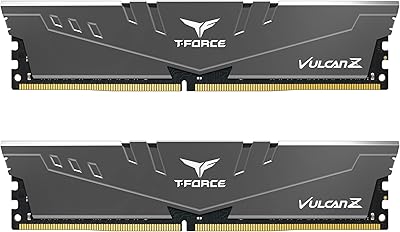
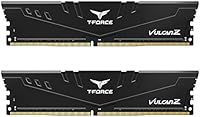
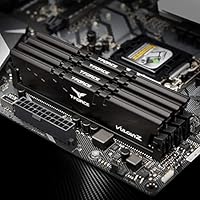
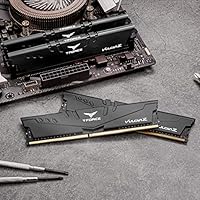
The TEAMGROUP T-Force Vulcan Z 16GB DDR4 RAM is built for builders who want reliable 3600MHz performance without paying a premium for flashy branding or extras. Within TEAMGROUP's lineup, the T-Force Vulcan Z occupies a practical middle ground — no elaborate heatspreader, no RGB strips, just a clean module that does its job without fuss. The 2x8GB dual-channel configuration matters more than it might seem: two sticks running in tandem deliver meaningfully better bandwidth than a single 16GB stick would. Its low-profile, all-black build slots into most mid-tower cases without clashing with a tall CPU cooler. This is a workhorse kit. Not a showpiece.
Features & Benefits

Running at 3600MHz with CL18 timings, this Vulcan Z kit hits a speed that most everyday users and gamers will never feel limited by. Yes, tighter timings exist at this frequency, but the real-world difference in gaming or general productivity is negligible for most people. What makes daily use smooth is XMP 2.0 support — enable it in BIOS with a single toggle and the kit runs at rated speed, no manual tuning needed. The 1.35V operating voltage keeps thermals in check during long sessions. Chip quality also matters: TEAMGROUP uses selected ICs here, which translates to stable operation under extended workloads rather than just clean benchmark numbers. Pair that with a lifetime warranty and direct support, and the value proposition is hard to argue with.

Best For

This DDR4 memory kit makes the most sense for a few specific types of buyers. AMD Ryzen builders are the obvious fit — 3600MHz aligns closely with the Ryzen architecture's Infinity Fabric frequency, which means memory speed actually translates into tangible CPU performance gains on those platforms. It's also well-suited to anyone upgrading from 8GB who wants reliable 16GB capacity without spending on premium brands. First-time builders benefit from the plug-and-play XMP setup, which removes most of the guesswork. Low-profile modules also mean fewer headaches with cooler clearance in tighter cases. That said, if you're chasing extreme overclocks or want tighter sub-CL16 timings, this Vulcan Z kit isn't really built for that pursuit.

User Feedback

With over 11,800 ratings averaging 4.7 stars and a #7 rank in Computer Memory, this Vulcan Z kit clearly resonates with a broad audience. Buyers consistently praise easy XMP activation and long-term stability — many report running it for months without a crash or instability issue. The clean look also gets noted positively, especially in builds where aesthetics matter but budget doesn't allow RGB kits. On the downside, a minority of users report compatibility friction with certain motherboards, particularly at the rated 3600MHz — a reminder to check your board's QVL list before purchasing. Some also note that customer support response times can vary. Overall, the consensus is that this DDR4 memory kit delivers on its core promise: dependable daily performance at a fair price.

Pros

  • 3600MHz speed hits the ideal frequency range for AMD Ryzen builds, maximizing Infinity Fabric synchronization.
  • XMP 2.0 support means rated speeds activate with a single BIOS toggle — no manual configuration needed.
  • Dual-channel 2x8GB setup delivers noticeably better real-world bandwidth than a single 16GB stick.
  • The 1.35V low-voltage operation keeps temperatures modest during extended gaming or productivity sessions.
  • A lifetime warranty at this price point is genuinely rare and adds meaningful long-term peace of mind.
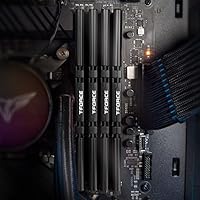
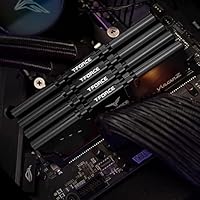
  • Clean, all-black, low-profile design fits virtually any mid-tower build without cooler clearance conflicts.
  • Broad compatibility across both Intel and AMD platforms makes it a flexible choice for diverse builds.
  • Over 11,800 verified buyers rate this DDR4 memory kit at 4.7 stars, reflecting consistent real-world satisfaction.
  • Selected IC quality translates to stable performance under heavy sustained loads, not just synthetic benchmarks.

Cons

  • CL18 latency is on the looser end at 3600MHz; enthusiasts chasing tight timings will want to look elsewhere.
  • Some users report compatibility issues getting the kit to post at full speed on certain motherboards without BIOS updates.
  • No RGB or visual customization options — builders prioritizing aesthetics may find the plain black design underwhelming.
  • 16GB may feel limiting sooner than expected for content creators or anyone running memory-intensive workloads.
  • Customer support response times can be inconsistent, according to a portion of verified buyer feedback.
  • The TEAMGROUP T-Force Vulcan Z 16GB DDR4 RAM offers limited overclocking headroom beyond its rated specifications.
  • At 3600MHz CL18, competing kits with tighter timings exist at similar price points, worth comparing before buying.
  • Checking your motherboard's QVL compatibility list before purchasing is a necessary extra step, not just a formality.

Ratings

The TEAMGROUP T-Force Vulcan Z 16GB DDR4 RAM scores below were generated by AI after analyzing thousands of verified global buyer reviews, with automated filtering applied to remove incentivized, duplicate, and bot-generated submissions. The analysis draws on real usage patterns — from first-time Ryzen builders enabling XMP for the first time to long-term owners running the kit through sustained daily workloads. Both the performance strengths buyers consistently rely on and the genuine pain points a minority encountered are transparently reflected in every score.
Value for Money
93%
Buyers consistently point to this kit as one of the strongest price-to-performance options in the DDR4 space, especially for Ryzen builds where 3600MHz actually makes a measurable difference. Getting a dual-channel 16GB kit with lifetime warranty coverage at this tier is a combination that most competing brands simply do not offer.
A handful of buyers who needed to run the kit at 3600MHz on older or less common motherboards spent extra time troubleshooting BIOS settings to stabilize it, adding hidden effort to an otherwise straightforward purchase. A few also noted that at very similar price points, some competitors offer slightly tighter primary timings.
Performance at Rated Speed
86%
Once XMP is active, the T-Force Vulcan Z delivers consistent 3600MHz operation that holds up during gaming sessions, video rendering, and heavy multitasking — not just clean benchmark runs. Ryzen users in particular report that the kit noticeably improved system responsiveness compared to their previous 2666MHz or 3200MHz sticks.
The CL18 primary latency is the main performance ceiling — users chasing tighter timings for competitive gaming or latency-sensitive applications will hit a wall here. Manually tightening subtimings beyond defaults is possible for experienced builders, but this kit is not binned for it and results vary considerably.
Ease of Setup
91%
The XMP 2.0 implementation is exactly what first-time builders need — install the sticks, toggle XMP in BIOS, and the kit runs at rated 3600MHz without touching a single timing manually. Verified buyers frequently describe the setup process as effortless, with many noting they had their system booted and stable within minutes.
A subset of buyers with older or budget motherboards found that XMP did not activate cleanly on the first attempt, requiring BIOS updates or slot reassignment before the kit posted at full speed. These cases are a minority, but they occur often enough to be worth flagging for builders using less mainstream boards.
Stability & Reliability
88%
The majority of long-term owners report zero stability issues — no unexpected crashes, no memory errors under extended gaming sessions or overnight rendering workloads. TEAMGROUP's IC selection appears to deliver on its promise: this DDR4 memory kit runs cleanly day after day without requiring additional tuning or voltage adjustments.
A small but recurring group of buyers encountered instability specifically at 3600MHz on boards with weaker memory controllers, forcing them to drop to 3200MHz for a stable daily setup. In isolated cases, individual sticks arrived defective, though warranty replacement through TEAMGROUP's coverage appears to have resolved most of these incidents.
Compatibility
79%
21%
The broad Intel and AMD platform support means this kit works across a wide range of mainstream motherboards without needing special configuration, and most buyers with current-generation boards slot it in without friction. It pairs naturally with popular Ryzen 5000 and Intel 12th and 13th-gen platforms, where 3600MHz sits well within spec.
A meaningful minority of reviews document compatibility friction on older or budget-tier motherboards, particularly those needing a QVL-listed kit to post at 3600MHz reliably. Buyers with B450 or older X470 boards specifically reported needing BIOS updates or running the kit at a lower frequency to maintain day-to-day stability.
Thermal Performance
89%
Running at 1.35V, this kit stays noticeably cooler than standard 1.5V DDR4 modules during extended gaming or rendering sessions — a meaningful benefit in small form factor builds where airflow is limited. Most buyers who monitor system temperatures report the modules barely register above ambient even during sustained stress tests.
The thin, no-frills heatspreader, while keeping the module low-profile, does less thermal dissipation work than the thicker aluminum spreaders found on performance-tier kits. For the vast majority of use cases this is completely acceptable, but users running the kit in very poorly ventilated enclosures may see temperatures climb more than expected.
Build Quality
82%
18%
The PCB and heatspreader construction feel solid for a kit at this price point — sticks seat firmly in DIMM slots without feeling flimsy, and the black heatspreader stays properly adhered even after multiple installation and removal cycles. Buyers rarely report physical defects straight out of the box.
The heatspreader is a thin, stamped aluminum piece — functional, but clearly not in the same class as the thicker, contoured spreaders on premium kits from Corsair or G.Skill. A small number of buyers noted minor cosmetic scratches on arrival, suggesting the packaging could offer marginally more protective cushioning.
Aesthetics & Design
67%
33%
The all-black, low-profile design is genuinely clean — it sits quietly in a build without drawing attention, which works well in professional setups or cases where the user wants components to fade into the background. Builders who prefer minimalist builds frequently cite the understated look as a specific positive.
Buyers building showcase rigs with tempered glass panels and coordinated RGB ecosystems are consistently disappointed — there is no lighting, no software integration, and no visual customization whatsoever. For that growing segment of builders, the plain black finish reads as dated compared to nearly every competing kit in the same price range.
Dual-Channel Performance
87%
The 2x8GB configuration consistently delivers the bandwidth advantage that dual-channel mode promises — buyers upgrading from a single-stick setup frequently report noticeable improvements in multitasking, game load times, and frame pacing. Running two populated slots also keeps the memory controller operating closer to its optimal conditions on most platforms.
The 2x8GB kit leaves only two DIMM slots occupied on a four-slot board, which is fine initially, but future upgrades to 32GB require purchasing a second matching kit — and mixing kits from different production batches carries real compatibility risks. Users planning ahead may find it more economical to replace the full set than to expand it later.
Overclocking Headroom
54%
46%
For buyers with no interest in manual overclocking, this is a complete non-issue — the kit runs reliably at its 3600MHz XMP profile with no intervention needed. Some experienced builders also report modest success tightening tRCD and tRP subtimings slightly beyond defaults, extracting a small but real performance edge without triggering instability.
The CL18 primary latency and IC selection are not optimized for aggressive manual tuning — pushing the kit to 3800MHz or beyond frequently results in instability, and achieving CL16 at 3600MHz is not reliably possible. Buyers specifically hunting for meaningful overclocking headroom are simply buying the wrong category of DDR4 kit here.
Latency
71%
29%
At 3600MHz, CL18 yields an absolute latency of roughly 10 nanoseconds, which is perfectly acceptable for gaming, content creation, and everyday productivity use. Buyers running the kit for moderate gaming and general workloads report no perceptible delay that could be attributed to memory latency in normal operation.
Compared to competing 3600MHz kits rated at CL16 or CL14, this kit's primary timings are noticeably looser on paper — a gap that does surface in latency-sensitive benchmarks and matters for users optimizing a high-refresh-rate competitive gaming setup. For those buyers, the latency trade-off is a legitimate reason to consider alternatives.
Warranty & Support
83%
A lifetime warranty on a budget-tier DDR4 kit is a genuine differentiator — most of the competition at this price point offers only limited or time-capped coverage. Buyers who have needed to invoke the warranty generally report that TEAMGROUP honored it and processed replacements without excessive back-and-forth.
Customer support response times are inconsistent — some buyers report quick, helpful interactions while others describe multi-day waits before receiving a reply, which is particularly frustrating when a system is completely down. The support process is entirely web-based through TEAMGROUP's official portal, adding a step compared to brands with direct phone options.
Documentation & Packaging
76%
24%
The packaging keeps both sticks adequately protected and clearly labeled, and most buyers find the out-of-box experience clean and straightforward with no unnecessary accessories cluttering the contents. Buyers new to DDR4 installation appreciate that the kit arrives ready to install with no additional components required.
There is no printed installation guide or compatibility reference card included in the box, meaning first-time builders must source setup instructions independently online. A small number of buyers also noted that the packaging provides only minimal cushioning, resulting in cosmetically scratched heatspreaders in a fraction of deliveries.
Long-Term Durability
84%
Buyers who have been running this Vulcan Z kit for a year or more consistently report that it holds its rated frequency and stability without degradation — no memory errors creeping in, no unexpected instability developing over time. The low-voltage design likely contributes to the sustained reliability that long-term owners frequently describe.
The limited volume of very long-term reviews spanning three or four years of continuous use makes it difficult to fully assess durability at the far end of the product lifecycle. A small number of buyers report modules developing intermittent instability after extended use in high-ambient-temperature environments, though these cases appear isolated rather than systemic.

Suitable for:

The TEAMGROUP T-Force Vulcan Z 16GB DDR4 RAM is a strong match for budget-conscious PC builders who want dependable 3600MHz performance without the markup that comes with premium-branded kits. AMD Ryzen users stand to benefit the most — 3600MHz sits at the sweet spot for Ryzen's Infinity Fabric, meaning real performance gains rather than just a spec sheet number. First-time builders will appreciate the XMP 2.0 support, which lets the kit run at its rated speed with a single BIOS toggle, no manual tuning required. Anyone upgrading a desktop from 8GB to 16GB will find the 2x8GB dual-channel setup a tangible improvement in multitasking and general responsiveness. The low-profile, no-frills design also suits compact and mid-tower builds where cooler clearance is tight and RGB lighting is simply not a priority.
Not suitable for:

The TEAMGROUP T-Force Vulcan Z 16GB DDR4 RAM is not the right choice for enthusiasts who prioritize tight latency over raw frequency — the CL18 timings, while perfectly acceptable for everyday use, leave something on the table compared to kits running CL14 or CL16 at similar speeds. Serious overclockers looking to push memory beyond rated specifications will likely find more headroom and flexibility in purpose-built overclocking kits with better-binned ICs. If your build revolves around aesthetics — think tempered glass panels and coordinated RGB setups — this plain black module will look underwhelming next to more visually designed alternatives. Users with older or more exotic motherboards should verify compatibility via their board's QVL before purchasing, as a portion of buyers have reported friction getting the kit to post at full 3600MHz on certain platforms. If you anticipate needing more than 16GB for workloads like video editing or 3D rendering, a larger-capacity kit would be the smarter starting point.
Specifications

  • Capacity: This kit provides 16GB of total memory across two 8GB DDR4 modules, configured for dual-channel operation.
  • Memory Type: The modules use DDR4 SDRAM technology, the prevailing standard for desktop systems from 2015 through the early 2020s.
  • Clock Speed: Both modules are rated at 3600MHz (PC4-28800), offering a peak theoretical transfer bandwidth of 28,800 MB/s.
  • CAS Latency: The primary latency is CL18, representing an 18-cycle delay between a memory access command and the first data output.
  • Voltage: Operating at 1.35V, this kit runs below the DDR4 standard ceiling of 1.5V, which contributes to lower heat output during sustained use.
  • Form Factor: Both modules are full-size DIMM sticks designed exclusively for desktop motherboards equipped with DDR4 memory slots.
  • XMP Support: The kit supports XMP 2.0, enabling automatic activation of the 3600MHz rated speed through a single BIOS toggle without manual timing entry.
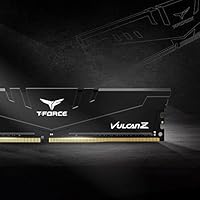
  • Color: The heatspreader features a matte black finish with no RGB lighting, LED zones, or decorative elements of any kind.
  • Dimensions: Each module measures 5.51 x 0.26 x 1.26 inches (L x W x H), placing it within the standard-height DDR4 DIMM profile.
  • Weight: The listed product weight is 0.96 ounces, consistent with a lightweight heatspreader design that prioritizes function over bulk.
  • Compatibility: The kit supports both Intel and AMD desktop platforms; users should verify their specific motherboard model against the manufacturer's QVL before purchasing.
  • Warranty: TEAMGROUP backs this kit with a lifetime warranty and provides direct technical support through their official website.
  • Model Number: The official model number is TLZBD416G3600HC18JDC01, used for warranty registration, QVL cross-referencing, and compatibility verification.
  • Brand Series: This kit belongs to the T-Force Vulcan Z series, TEAMGROUP's value-focused product line emphasizing stability and functional design over premium aesthetics.

Related Reviews

TEAMGROUP T-Force Vulcan Z DDR4 16GB Kit (2x8GB) 3200MHz
82%
93%
Value for Money
91%
Installation & Setup
88%
XMP Profile Reliability
86%
Build Quality & Durability
84%
Thermal Management
More
TEAMGROUP T-Force Vulcan Z 2TB SSD
85%
85%
Performance for Everyday Tasks
92%
Installation Ease
91%
Value for Money
88%
Compatibility with Laptops and Desktops
90%
Durability and Build Quality
More
TEAMGROUP T-Force Vulcan Z 4TB SSD
85%
85%
Performance
92%
Value for Money
88%
Build Quality & Durability
90%
Ease of Installation
94%
Capacity
More
TEAMGROUP T-Force Vulcan Z 512GB SSD
80%
93%
Value for Money
86%
Read Speed Performance
78%
Write Speed Performance
94%
Installation Ease
88%
Long-Term Reliability
More
TEAMGROUP Vulcan Z 1TB SATA SSD
79%
93%
Value for Money
78%
Read & Write Performance
67%
SLC Cache Behavior
88%
Installation & Compatibility
74%
Long-Term Endurance
More
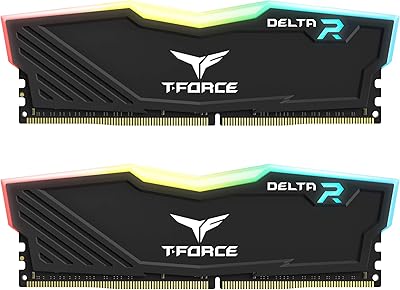
TEAMGROUP T-Force Delta RGB 16GB DDR4 RAM
83%
91%
Value for Money
93%
RGB Lighting Quality
88%
Ease of Installation
86%
Performance at Rated Speed
67%
RGB Software Compatibility
More
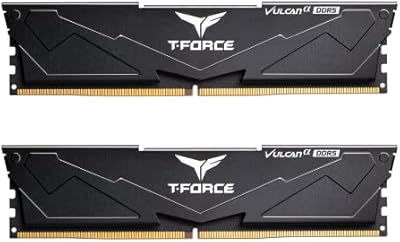
TEAMGROUP T-Force Vulcan 64GB DDR5 Desktop RAM
84%
88%
Value for Money
93%
XMP & EXPO Activation
91%
System Stability
72%
Motherboard Compatibility
86%
Build & Physical Quality
More
TEAMGROUP T-Force Vulcan Alpha DDR5 32GB (2x16GB) 5600MHz RAM
89%
94%
Gaming Performance
89%
Ease of Installation
90%
Compatibility with Intel Systems
91%
Compatibility with AMD Systems
87%
Overclocking Stability
More
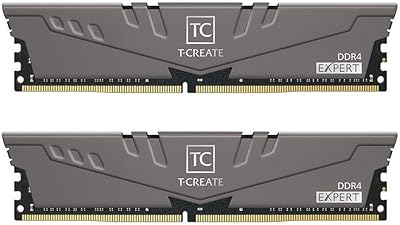
TEAMGROUP T-Create Expert 32GB DDR4 RAM Kit
85%
93%
XMP Compatibility
91%
Stability & Reliability
88%
Performance at 3600MHz
92%
Value for Money
89%
Ease of Installation
More
TEAMGROUP T-Create Expert 16GB DDR4 Desktop RAM
83%
93%
XMP Stability
91%
Value for Money
89%
Long-Term Reliability
74%
Motherboard Compatibility
86%
Performance at Rated Speed
More

FAQ

Yes, but the process is straightforward. DDR4 sticks default to a slower speed — usually 2133MHz or 2400MHz — when first installed. To unlock the rated 3600MHz, enter your BIOS after the first boot and enable XMP, which is typically a single drop-down or toggle. Once you save and reboot, the kit will run at full speed automatically with no further adjustments needed.

It should be a good fit. 3600MHz is widely regarded as the optimal memory frequency for most Ryzen CPUs because it aligns with the Infinity Fabric clock, which can improve overall system responsiveness. That said, always cross-reference your specific motherboard model against its QVL list before ordering — most modern AMD boards handle this kit without issue, but the check takes only a couple of minutes and is worth doing.

You can, but it is not ideal. Running a single stick disables dual-channel mode, which reduces memory bandwidth noticeably. Installing both sticks from day one will give you better overall performance, and 16GB is a reasonable baseline for most modern builds anyway.

For the vast majority of gamers, no. The real-world difference between CL18 and tighter timings like CL14 or CL16 at 3600MHz is measurable only in benchmarks and rarely translates into felt differences during gameplay. If you are building a high-end competitive rig where every last frame matters and cost is not a concern, tighter kits exist — but for general gaming and everyday use, CL18 at 3600MHz is genuinely solid.

Each stick stands 1.26 inches tall, which is on the lower end for DDR4 DIMMs. Most tower air coolers and all-in-one liquid coolers clear this height comfortably. If you have a very large cooler that overhangs the first DIMM slot, double-check that cooler's clearance specification — but for the majority of builds, these modules will not cause any conflict.

No, the T-Force Vulcan Z has no RGB at all. The heatspreader is a plain matte black with no LED zones or lighting software integration. If you want coordinated lighting in a windowed case, you would need to look at a different product line. For builds where aesthetics are not a priority, the understated look fits most setups cleanly.

The TEAMGROUP T-Force Vulcan Z 16GB DDR4 RAM is backed by a lifetime warranty, which is a meaningful perk at this price tier. If a module develops a defect, TEAMGROUP's support team can be reached through their official website to initiate a replacement. Keep your purchase receipt handy, as most warranty claims require proof of purchase.
XMP was originally developed by Intel, but AMD motherboards widely support it under slightly different labeling — you may see it listed as DOCP or EXPO depending on your board's BIOS. The result is the same: enabling the profile allows the kit to run at its rated 3600MHz. Check your motherboard's manual to confirm how it surfaces this option, as the menu path varies by brand.

It is generally not recommended. Even when specs appear to match on paper, mixing sticks from different manufacturers or IC batches can introduce instability. If you want to expand beyond 16GB, the safer approach is to purchase a second identical kit of this DDR4 memory kit, or replace both existing sticks with a purpose-built 32GB dual-channel set.

QVL stands for Qualified Vendor List — it is the list of RAM kits that a motherboard manufacturer has officially tested and verified on a specific board. Most major motherboard brands publish their QVL on their support pages. Checking it is a good habit, especially if you have an older board or a less common chipset. This kit is widely compatible, but a quick two-minute QVL check before ordering can save you a frustrating troubleshooting session later.

Where to Buy