Overview

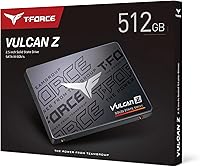
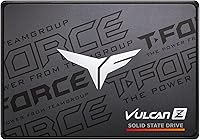
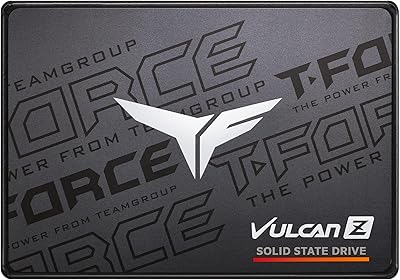
The TEAMGROUP T-Force Vulcan Z 512GB SSD is the kind of straightforward, no-nonsense upgrade that aging laptops and desktops have been waiting for. TEAMGROUP is a Taiwanese memory brand that has quietly built a solid reputation in the value storage market, and this drive reflects that positioning well. It uses the standard 2.5-inch form factor, meaning it slots directly into the vast majority of older systems without any adapter gymnastics. One thing worth setting straight upfront: this is a SATA III drive, not NVMe, so there is a physical speed ceiling in play. That is not a knock — just the reality of the interface. With over 7,400 buyers handing it a 4.6-star rating, the market has already spoken pretty clearly.
Features & Benefits

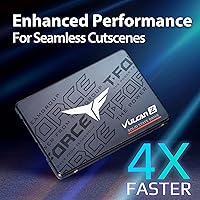
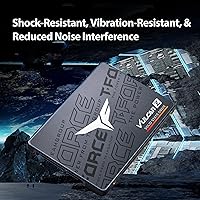
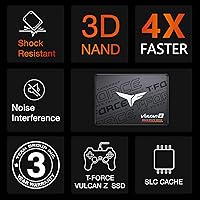
What makes this Vulcan Z SSD genuinely useful is how well its specs translate to real-world use. Reads top out around 530 MB/s and writes around 470 MB/s — those figures sit near the SATA ceiling, so you are squeezing about as much performance as the interface can physically offer. The drive pairs 3D TLC NAND with an SLC cache layer to handle burst writes quickly, which covers most everyday tasks like installing apps, transferring documents, or loading games. It carries a 120 TBW endurance rating, reasonable for personal or light office workloads. At 7mm thick and 45 grams, it fits neatly into laptop bays and external enclosures, and a 1,500G shock rating makes it a sensible pick for portable setups too.

Best For

This SATA drive shines brightest as a budget HDD replacement in older machines — particularly laptops and desktops that lack an M.2 slot and are still struggling along with a spinning hard drive. The difference in boot times alone tends to genuinely surprise people. Students and everyday users will find 512GB more than adequate for general computing, and the price point keeps the investment low enough to make sense even for short-term use cases. Small offices or IT teams refreshing a batch of older workstations will find it practical at scale. It also works well as a secondary storage drive in a desktop build where the primary NVMe handles the OS and this handles the overflow.

User Feedback

The reception from buyers has been largely positive, and the praise is consistent: people love how much faster their machines feel after swapping in the Vulcan Z. Installation gets mentioned repeatedly as painless, even by users who had never opened a laptop before. That said, a handful of reviewers have flagged a noticeable slowdown on large transfers once the SLC cache fills — something worth knowing if you regularly move big video files or bulk backups. A small number of users also recommend double-checking BIOS compatibility on very old hardware before purchasing. On balance, long-term reliability earns consistent praise from owners who have run the drive daily for a year or more without issue.

Pros

  • Delivers a dramatic, immediately noticeable speed improvement over any mechanical hard drive.
  • Broad 2.5-inch compatibility means it fits most laptops, desktops, and external enclosures without adapters.
  • SLC caching handles everyday burst writes quickly, keeping typical tasks feeling snappy.
  • A 120 TBW endurance rating is solid for personal or light office use over several years.
  • At 7mm and 45 grams, this SATA drive is light and slim enough for ultrabooks and portable setups.
  • Shock resistance rated at 1500G makes it a reliable choice in laptops that get moved around daily.
  • Over 7,400 verified buyers and a 4.6-star average rating reflects genuine, widespread satisfaction.
  • Installation is consistently described as painless, even for first-timers with no technical background.
  • Compatible with Windows, macOS, and Linux, covering virtually every common use case.
  • Long-term owners report stable, consistent performance well beyond the first year of daily use.

Cons

  • SLC cache exhaustion during large sequential writes can cause speeds to drop noticeably mid-transfer.
  • SATA III bandwidth is physically capped, making this a poor fit for users who have an M.2 slot available.
  • 512GB may feel limiting within a few years as software and media libraries continue to grow.
  • No included mounting hardware or SATA cable, which can be an inconvenience for desktop installations.
  • A small subset of users with legacy BIOS systems have encountered drive recognition issues on first boot.
  • No bundled cloning software, meaning users migrating from an existing drive need to source their own tool.
  • Write speeds on the smaller 240GB and 256GB variants are lower, making capacity selection important.
  • TLC NAND is a step below higher-endurance MLC options, which matters for write-intensive workloads.

Ratings

Our AI rating system analyzed thousands of verified global buyer reviews for the TEAMGROUP T-Force Vulcan Z 512GB SSD, actively filtering out incentivized, bot-generated, and duplicate submissions to surface what real users genuinely experience. The scores below reflect both the consistent strengths and the honest pain points that emerge across long-term ownership — nothing is glossed over. Whether this Vulcan Z SSD earns a place in your build or not, these ratings give you a transparent, ground-level picture before you decide.

Value for Money
93%
For budget-conscious buyers — students, home users, small offices — the price-to-performance ratio here is difficult to argue with. Getting near-maximum SATA speeds from a reputable brand at this price tier puts it ahead of many similarly priced competitors that cut corners on NAND quality or controller choice.
Savvy shoppers who compare closely will notice that spending slightly more unlocks entry-level NVMe drives with dramatically higher throughput. If your system has an M.2 slot, the value proposition shifts considerably and this drive starts to look less compelling.
Read Speed Performance
86%
Sequential reads pushing close to 530 MB/s make a tangible difference in day-to-day use — OS boots are fast, applications launch promptly, and file browsing feels crisp. For anyone upgrading from a spinning hard drive, the improvement is immediately and consistently noticeable.
SATA III puts a hard ceiling on how fast this drive can ever go, regardless of how good the controller is. Users who have experienced NVMe drives will find the read speeds underwhelming, and there is no upgrade path within the SATA interface to close that gap.
Write Speed Performance
78%
22%
For typical workloads — saving documents, installing apps, downloading games — the SLC cache layer keeps write speeds feeling fast and responsive. Burst write performance holds up well during the kinds of tasks most everyday users actually perform.
Once the SLC cache fills during sustained large transfers, write speeds drop noticeably to the drive's native TLC rate. Users copying large video archives or doing bulk backups regularly will feel this slowdown, and it is one of the more commonly flagged frustrations in verified reviews.
Installation Ease
94%
Buyers across all technical skill levels consistently call this one of the easiest hardware upgrades they have ever done. The standard 2.5-inch form factor means no adapters, no proprietary brackets, and no surprises — it physically fits where the old drive was, and that is the end of the hardware story for most people.
TEAMGROUP does not include a SATA data cable or mounting screws in the box, which can catch desktop builders off guard. There is also no bundled cloning software, meaning users migrating an existing OS need to source their own solution before they can get up and running.
Long-Term Reliability
88%
With a 1,000,000-hour MTBF rating and a 120 TBW endurance specification, this SATA drive is built to outlast the systems it is likely being installed into. Long-term owners in the review pool frequently report stable, consistent behavior well past the one-year mark with no performance degradation.
TLC NAND, while perfectly adequate for consumer use, carries inherently lower write endurance than MLC-based alternatives. Users running write-intensive workloads — database hosting, frequent large-scale backups — may want to track drive health proactively using tools like CrystalDiskInfo over time.
Compatibility
82%
18%
The 2.5-inch SATA form factor is about as universal as storage gets — it works across a vast range of laptops, desktops, and external enclosures, and the drive is officially supported on Windows, macOS, and Linux without any driver installation required.
A small but consistent group of reviewers with older hardware report BIOS recognition issues on first boot, requiring a firmware update or BIOS setting adjustment before the drive appears. Systems from the mid-2000s or earlier may need extra legwork before the drive cooperates reliably.
Build Quality
81%
19%
The Vulcan Z feels solid and well-constructed for a budget drive, and the 1500G shock rating is not just a marketing figure — users who have accidentally knocked their laptops around report no drive-related failures. At 45 grams, it is light without feeling cheap or hollow.
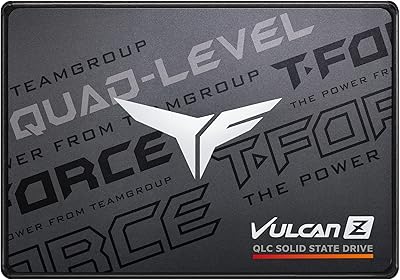
The casing is plain black plastic with no standout design elements, which matters little functionally but is worth noting for anyone building a windowed case. There is no heatspreader or thermal padding, which is standard at this price point but absent nonetheless.
Thermal Management
74%
26%
Under everyday computing conditions — browsing, office apps, light gaming — this SATA drive runs cool and quiet without any active cooling required. SATA drives inherently generate less heat than NVMe alternatives, which is a genuine practical benefit in thermally constrained laptops.
During sustained heavy workloads in poorly ventilated enclosures, temperatures can creep upward, though the 0°C to 70°C operating range provides reasonable headroom. No thermal throttling mechanism is disclosed, so users pushing the drive hard in warm environments should ensure adequate airflow.
Boot Time Improvement
91%
This is where the Vulcan Z earns some of its strongest praise — users replacing old HDDs frequently report their systems going from sluggish 60-to-90-second boots down to under 20 seconds. For a machine that had become genuinely frustrating to use, that change alone justifies the upgrade for most buyers.
The improvement is dramatic versus a hard drive but less impressive if you are coming from another SSD. Users upgrading from an older budget SATA SSD may notice only a modest gain in boot performance, making the value case slightly harder to justify in that specific scenario.
Software & Ecosystem
58%
42%
The drive works plug-and-play across all major operating systems with zero driver installation, which keeps setup friction low for non-technical users. TEAMGROUP does offer some basic drive management utilities on their website for those who want to monitor health or update firmware.
There is no bundled SSD management software included in the box or via a prominent download prompt, which puts it behind competitors that ship with robust toolkits. Cloning, secure erase, and health monitoring all require the user to independently source third-party tools, which is a meaningful gap for less experienced buyers.
Noise & Vibration
97%
Like all solid-state drives, the Vulcan Z produces absolutely no audible noise during operation — no spinning platters, no read heads clicking or seeking. For users replacing noisy aging hard drives, this silence is often mentioned as one of the more pleasant and unexpected quality-of-life improvements.
There is genuinely little to criticize here — the absence of moving parts eliminates the noise and vibration concerns that plague mechanical drives entirely. The only caveat is that silent operation is a baseline expectation for any SSD, not a distinguishing feature of this particular drive.
Capacity Adequacy
77%
23%
For most everyday users — web browsing, document work, streaming, and a modest game library — 512GB hits a practical sweet spot that avoids constant storage management. It is enough to install a full operating system, a suite of applications, and still have meaningful room left over.
Heavy media collectors, video editors, or users with large game libraries will bump against the 512GB ceiling faster than they expect, especially as modern game installs routinely exceed 50GB each. Buyers should honestly assess their storage habits before committing, rather than assuming 512GB will remain comfortable long-term.
Packaging & Presentation
69%
31%
The drive arrives securely packaged with appropriate anti-static protection, and the no-frills presentation is consistent with the budget positioning of the product. For buyers who care about getting a safe, undamaged product, the packaging does its job without excess waste.
The box includes only the bare drive — no SATA cable, no mounting bracket, no screws, and no documentation beyond a basic warranty card. Buyers who are new to hardware upgrades may be caught off guard by how little is included, particularly if they expected a more complete kit.
OS Migration Support
55%
45%
The drive itself is fully capable of hosting any migrated operating system, and its SATA interface ensures broad compatibility with cloning workflows using standard third-party tools. Plenty of free solutions work reliably with this drive when set up correctly.
TEAMGROUP provides no first-party cloning software, no step-by-step migration guide, and no dedicated support resources specifically for OS transfer. New users who assumed the upgrade would be fully turnkey often express frustration when they realize the migration process requires independent research and additional software sourcing.

Suitable for:

The TEAMGROUP T-Force Vulcan Z 512GB SSD is a strong match for anyone whose older laptop or desktop is still running a mechanical hard drive and feeling the pain every single boot. If your machine has a free 2.5-inch bay and a SATA port — which covers the vast majority of systems built in the last fifteen years — installation is about as straightforward as it gets. Students on a tight budget will appreciate the meaningful performance jump without a steep financial commitment, and the 512GB capacity is genuinely comfortable for coursework, media, and everyday apps. Small business owners or IT coordinators refreshing a fleet of aging office machines will find this Vulcan Z an efficient, cost-effective choice that does not require any hardware modifications. It also works well as a secondary data drive in a desktop build, handling document storage or game installs while a faster NVMe handles the operating system.
Not suitable for:

The TEAMGROUP T-Force Vulcan Z 512GB SSD is the wrong tool if raw storage speed is a priority. Being a SATA III drive, it is physically capped near 550 MB/s — a ceiling that NVMe drives cleared years ago — so anyone building a modern high-performance workstation or content creation rig will want to look at M.2 NVMe options instead. Video editors regularly moving large project files, or users who frequently write tens of gigabytes in a single session, may notice the drive slowing once the SLC write cache is exhausted, which can turn what seemed like a fast drive into something more ordinary mid-transfer. Gamers chasing faster load times on current-gen titles will also see more benefit from an NVMe upgrade if their motherboard supports it. And if your system is running a very old BIOS, it is worth doing a compatibility check before purchasing, as a small number of users have encountered recognition issues.
Specifications

  • Capacity: This drive provides 512GB of usable storage, though the formatted capacity visible in your operating system will be slightly lower due to how storage is calculated.
  • Interface: It connects via SATA III running at 6Gb/s, which is the standard high-speed SATA revision found on virtually all motherboards and laptops made in the last decade.
  • Form Factor: The drive uses the 2.5-inch form factor, making it a direct physical replacement for any standard 2.5-inch hard drive or older SSD.
  • Height: At 7mm thick, it fits both standard 9.5mm bays and slim laptop bays without requiring a spacer in most cases.
  • Sequential Read: Peak sequential read speed reaches up to 530 MB/s under optimal conditions, sitting close to the practical ceiling of the SATA III interface.
  • Sequential Write: Sequential write speed tops out at up to 470 MB/s, which reflects strong performance for a SATA drive in this capacity tier.
  • NAND Type: Storage cells use 3D TLC NAND flash paired with an SLC cache layer to improve burst write responsiveness for typical everyday tasks.
  • Endurance: The 512GB variant is rated for 120 TBW (Terabytes Written), which is sufficient for years of normal personal or light office workloads.
  • Reliability Rating: TEAMGROUP rates this drive at an MTBF of 1,000,000 hours, reflecting the expected long-term durability under standard operating conditions.
  • Shock Resistance: The drive is rated to withstand non-operating shocks of up to 1500G at 0.5ms, providing meaningful protection against drops and impacts when used in a laptop.
  • Vibration Tolerance: Non-operating vibration resistance is rated at 20G, helping the drive hold up during transport in bags or mobile work environments.
  • Weight: The drive weighs just 45 grams, adding virtually no meaningful weight to a laptop or external enclosure build.
  • Operating Temp: Safe operating temperature ranges from 0°C to 70°C, covering all normal indoor computing environments without concern.
  • Storage Humidity: The drive tolerates humidity between 5% and 95% relative humidity (non-condensing) across a temperature range of 0°C to 55°C during storage.
  • Voltage: It operates on a standard DC +5V supply, which is what all 2.5-inch SATA bays and USB-to-SATA enclosures deliver by default.
  • OS Support: Compatible with Windows 10, 8, and 7, macOS 10.4 or later, and Linux kernel 2.6.33 or later, covering the vast majority of active operating systems.
  • Dimensions: The drive measures 100mm in length by 69.9mm in width by 7mm in height, matching the standard 2.5-inch SSD footprint exactly.
  • Brand Origin: TEAMGROUP is a Taiwanese memory and storage manufacturer that has been producing consumer and enthusiast storage products since 1997.

Related Reviews
TEAMGROUP Vulcan Z 1TB SATA SSD
79%
93%
Value for Money
78%
Read & Write Performance
67%
SLC Cache Behavior
88%
Installation & Compatibility
74%
Long-Term Endurance
More
TEAMGROUP T-Force Vulcan Z 4TB SSD
85%
85%
Performance
92%
Value for Money
88%
Build Quality & Durability
90%
Ease of Installation
94%
Capacity
More
TEAMGROUP T-Force Vulcan Z 2TB SSD
85%
85%
Performance for Everyday Tasks
92%
Installation Ease
91%
Value for Money
88%
Compatibility with Laptops and Desktops
90%
Durability and Build Quality
More
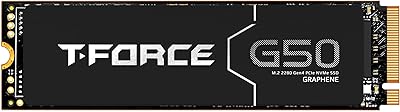
TEAMGROUP T-Force G50 512GB NVMe SSD
84%
88%
Read Speed Performance
71%
Write Speed Performance
93%
PS5 Compatibility
84%
Thermal Management
91%
Installation Experience
More
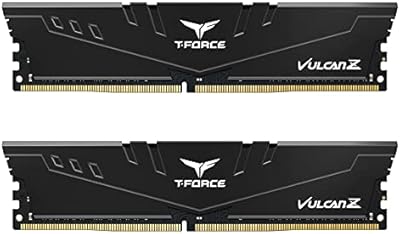
TEAMGROUP T-Force Vulcan Z DDR4 16GB Kit 3600MHz
89%
91%
Performance
95%
Ease of Installation
88%
Overclocking Potential
94%
Compatibility
90%
Energy Efficiency
More
TEAMGROUP T-Force Vulcan Z DDR4 16GB Kit (2x8GB) 3200MHz
82%
93%
Value for Money
91%
Installation & Setup
88%
XMP Profile Reliability
86%
Build Quality & Durability
84%
Thermal Management
More
TEAMGROUP T-Force G50 1TB NVMe M.2 SSD
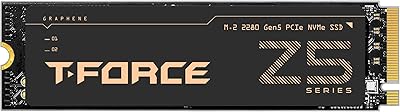
82%
88%
Sequential Read Speed
83%
Sequential Write Speed
93%
PS5 Compatibility
81%
Thermal Management
79%
Build & Physical Quality
More
TEAMGROUP T-Force GC PRO 2TB SSD
87%
94%
Performance
96%
Read Speed
92%
Write Speed
89%
Thermal Performance
90%
Build Quality
More
TEAMGROUP T-FORCE A440 2TB NVMe SSD
88%
94%
Performance
88%
Thermals
83%
Value for Money
92%
Build Quality
90%
PS5 Compatibility
More
TEAMGROUP T-Force G70 Pro 2TB NVMe SSD
83%
91%
Read Speed Performance
74%
Write Speed Consistency
93%
PS5 Compatibility
88%
Thermal Management
94%
Ease of Installation
More

FAQ

In most cases, yes. If your laptop uses a 2.5-inch drive bay — which the majority of laptops from roughly 2008 through 2018 do — this Vulcan Z SSD will slot right in. The 7mm height fits both slim and standard bays, so physical compatibility is rarely an issue. Just double-check your laptop specs to confirm it uses a SATA connection rather than a proprietary interface.

The difference versus a mechanical hard drive is dramatic. Boot times that used to take a minute or more often drop to under 20 seconds, and applications open almost instantly. For everyday tasks like browsing, office work, and light media use, the machine will feel like a different computer entirely.

Yes, this SATA drive works perfectly in any USB-to-SATA 2.5-inch enclosure. The enclosure will cap the transfer speeds to whatever the USB version supports — USB 3.0 tops out around 400-500 MB/s in practice — but the drive itself handles it without any issues.

In normal use you will never notice it. The SLC cache acts as a fast buffer that handles the vast majority of typical read and write operations quickly. Where it matters is if you are copying 50GB or more in one go — once the cache fills, speeds drop to the drive's native TLC write rate, which is slower. For everyday computing, documents, and even gaming, it is completely transparent.

Yes, it works with macOS 10.4 and later. You can use it as an internal replacement drive in older MacBooks that use a 2.5-inch SATA bay, or as an external drive in an enclosure on any Mac. Newer MacBook models use proprietary or M.2 NVMe storage and would not be compatible internally.

Usually just a small Phillips-head screwdriver to open the laptop or desktop panel. For cloning your existing drive to the new one, TEAMGROUP does not bundle cloning software, so you would need a free tool like Macrium Reflect or Clonezilla, or you can do a fresh OS install if you prefer.

With a 120 TBW endurance rating and a 1,000,000-hour MTBF, it is built for years of regular use. For a typical home user writing 20-30GB per day, the rated endurance alone covers well over a decade. Long-term owners in buyer reviews consistently report no issues after a year or more of daily use.

Absolutely — it makes a great secondary drive for a desktop. You would use it for storing games, documents, photos, or backups while your faster NVMe handles the operating system. Most desktop cases have at least one free 2.5-inch bay, and if not, a simple bracket adapter costs just a couple of dollars.

Mostly no, but a small number of users with very old BIOS firmware have reported the drive not being recognized on first boot. It is worth checking if your motherboard has a BIOS update available before installing. Systems from the last ten to twelve years should have no issues whatsoever.

It is a solid choice for game storage. Load times will be far better than a hard drive, and for older or less demanding titles the experience is excellent. That said, if you are playing modern games that explicitly benefit from NVMe-level speeds — like titles built around DirectStorage — you would get more out of an M.2 NVMe drive if your system supports one.

Where to Buy