Overview

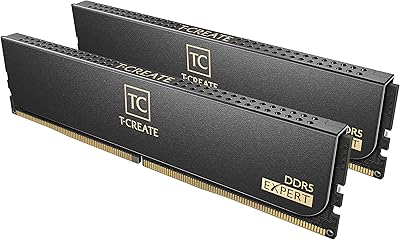
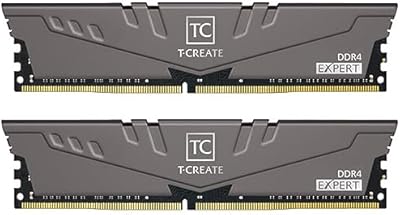
The TEAMGROUP T-Create Expert 16GB DDR4 Desktop RAM is a dual-channel kit built for creators and enthusiasts who want stable overclocked performance without paying extra for aesthetics. Where most budget memory stops at a basic four- or six-layer PCB, this overclocking RAM kit uses a 10-layer board that actively reduces electrical interference — a practical engineering choice rarely seen at this price tier. Running at 3600MHz CL18, it lands in the sweet spot that both Ryzen 5000 and Intel 12th-gen platforms handle well. No RGB, no heatspreader drama — just clean sticks and a lifetime warranty that quietly signals TEAMGROUP's confidence in their own product.
Features & Benefits

The 10-layer PCB is the headline engineering detail here. On standard four- or six-layer boards, signal crosstalk becomes a real problem under continuous load — extended rendering sessions, large Premiere timelines, sustained compiles. This TEAMGROUP memory kit sidesteps that with dedicated interference shielding baked into the board itself. Pair that with XMP profile support and hitting 3600MHz becomes a one-toggle operation in BIOS, no manual sub-timing gymnastics required. Running at 1.35 volts, it keeps thermals reasonable even in compact builds, and the custom high-temperature capacitors mean component stability does not quietly erode over years of heavy daily use.

Best For

This overclocking RAM kit makes the most sense for content creators doing video editing, 3D rendering, or large Lightroom catalogs — workloads where memory bandwidth directly affects how fast assets load and previews render. It also suits anyone building a Ryzen 5000 or Intel 12th-gen system who wants to stay near that platform's optimal 3600MHz range without budgeting for flashier alternatives. The clean, no-heatspreader look is genuinely useful in builds with tight cooler clearance. Worth noting before committing: check your motherboard's QVL list, since the T-Create Expert DDR4 runs well on most modern boards, but compatibility still depends on your specific BIOS version and CPU memory controller.

User Feedback

With a 4.7-star average across more than 3,000 ratings, this TEAMGROUP memory kit has built a credible reputation in the enthusiast community. Buyers consistently praise how reliably XMP kicks in — many report a straightforward BIOS toggle with no instability, which is not guaranteed with budget RAM. The value-to-performance ratio comes up often in comparisons against pricier Corsair or G.Skill alternatives. That said, a minority of users have encountered compatibility hiccups on older B450 boards or when pushing tighter secondary timings manually. A few also mention needing a BIOS update before the XMP profile was recognized. These are edge cases, not systemic issues, but worth factoring in if your board is older or less mainstream.

Pros

  • XMP profile enables 3600MHz with a single BIOS toggle — no manual timing work needed for most users.
  • The 10-layer PCB construction provides better signal integrity than standard budget memory boards under sustained workloads.
  • Running at 1.35V keeps thermals low, which matters in compact or poorly ventilated builds.
  • High-temperature-resistant capacitors support long daily sessions without gradual performance degradation.
  • The lifetime warranty is a genuine long-term safety net, not just a marketing footnote.
  • Dual-channel 2x8GB configuration delivers real bandwidth gains on Ryzen 5000 and Intel 12th-gen platforms.
  • The no-heatspreader design fits easily under large tower coolers without clearance concerns.
  • Community validation is strong — over 3,000 ratings averaging 4.7 stars reflects consistent real-world reliability.
  • Value-to-performance ratio consistently outperforms pricier alternatives in the same speed class according to buyer feedback.
  • Clean, minimal aesthetics suit professional or minimalist builds where flashy components would look out of place.

Cons

  • CL18 latency is not competitive against premium binned kits at CL14 or CL16 at the same frequency.
  • Older B450 and X470 boards may require a BIOS update before the XMP profile is recognized correctly.
  • No RGB lighting makes this a non-starter for builders prioritizing visual customization.
  • A small subset of users report instability when pushing tighter secondary timings manually beyond the XMP preset.
  • 16GB total capacity may feel restrictive for users running multiple heavy applications simultaneously or future-proofing for years ahead.
  • Compatibility is not guaranteed across all motherboards — checking the QVL list is a necessary extra step before buying.
  • No heatspreader means there is no passive cooling assistance if installed in a chassis with poor airflow.
  • TEAMGROUP is a less established brand in some markets, which can affect reseller support and warranty claim convenience.

Ratings

The TEAMGROUP T-Create Expert 16GB DDR4 Desktop RAM earns a strong overall standing in our analysis, which was built by processing thousands of verified global buyer reviews through an AI scoring system that actively filters out incentivized, bot-generated, and duplicate submissions. Scores reflect the honest distribution of real experiences — including the friction points that most manufacturer pages quietly omit. Where this overclocking RAM kit genuinely excels and where it falls short are both represented transparently below.

XMP Stability
93%
The vast majority of users report that enabling the XMP profile in BIOS delivers a clean, first-try 3600MHz lock with no crashes or manual adjustments needed. On Ryzen 5000 and Intel 12th-gen platforms especially, the profile loads reliably and holds stable through long rendering and editing sessions.
A smaller but notable group of users on older AMD 400-series boards encountered XMP instability or failure to post until a BIOS update was applied. This is less a flaw in the kit itself and more a reminder that platform maturity matters when pushing above 3200MHz.
Value for Money
91%
Buyers consistently flag this TEAMGROUP memory kit as punching above its price bracket, especially when compared against equivalent-speed options from Corsair or G.Skill that cost noticeably more. The 10-layer PCB and lifetime warranty make the price feel genuinely justified rather than just competitive.
A handful of users feel that CL18 latency slightly undercuts the value argument — for a few dollars more, some competing kits offer CL16 at the same frequency. For purely price-sensitive builds, the gap is minor, but for performance-focused buyers it is a real trade-off to weigh.
Long-Term Reliability
89%
The combination of a 10-layer PCB, high-temperature-resistant capacitors, and lifetime warranty creates a strong reliability profile that buyers running 24/7 workstations or daily heavy creative workloads appreciate. Multiple reviewers specifically mention running this kit for over a year without a single stability incident.
Because this is a relatively recent product line from a brand with less mainstream name recognition, long-term failure rate data is still accumulating. A small number of users report receiving a DOA stick, though TEAMGROUP's RMA process appears to resolve these cases without major friction.
Motherboard Compatibility
74%
26%
On current-generation boards — B550, X570, Z690, Z790 — compatibility is broadly good and QVL coverage is solid. Most users slot the kit in, enable XMP, and never revisit the issue.
Compatibility becomes less predictable on B450 and X470 boards where BIOS maturity varies significantly between manufacturers. Several users report needing a specific BIOS version before the kit would POST at rated speed, and a few never achieved stable 3600MHz operation on their specific board at all.
Performance at Rated Speed
86%
At 3600MHz dual-channel, the T-Create Expert DDR4 delivers tangible real-world improvements over stock JEDEC speeds — faster Premiere Pro timeline scrubbing, quicker Blender scene loads, and snappier large-file Lightroom exports are all cited by users who upgraded from 2133 or 2400MHz kits.
CL18 is a looser timing than what premium bins offer at this frequency. Users doing competitive benchmarking or chasing the absolute lowest memory latency for gaming frame times will find that this kit is not at the top of the hierarchy — it is a workload performer, not a benchmark chaser.
Build Quality
88%
The 10-layer PCB is a genuine build quality differentiator at this price point. Users who have handled multiple RAM brands note the modules feel solid and consistently manufactured, with no reports of bent pins, misaligned notches, or PCB flex during installation.
The absence of a heatspreader is a neutral-to-positive for most builders but does leave the PCB components visually exposed. A small number of users in very warm environments or poorly ventilated cases mention preferring the added passive cooling a heatspreader would provide.
Ease of Installation
94%
Physical installation is as straightforward as DDR4 gets — standard UDIMM form factor, labeled dual-channel slot pairing in the manual, and clear notch alignment. Most users report a first-boot POST without issues on modern platforms.
The one consistent friction point is the BIOS XMP toggle step, which new builders occasionally miss, leaving the kit running at default JEDEC 2133MHz. This is not a hardware issue, but the kit offers no out-of-the-box indication that a BIOS change is required to achieve the rated speed.
Overclocking Headroom
67%
33%
Some users successfully push this overclocking RAM kit beyond 3600MHz with manual BIOS tuning — reports of stable 3800MHz operation exist, particularly on high-quality Ryzen 5000 systems with strong memory controllers. For users who want a bit more without buying new hardware, there is some room to explore.
Overclocking headroom beyond XMP is inconsistent and heavily dependent on CPU silicon lottery and motherboard VRM quality. CL18 base timings also limit how much tightening is realistically achievable without sacrificing stability, and TEAMGROUP does not publish tested overclock profiles beyond the rated XMP spec.
Thermal Performance
87%
Operating at 1.35V keeps heat production low enough that even in compact mid-tower builds with modest airflow, users report no thermal throttling or heat-related instability during hours-long creative workloads. The custom capacitors appear to hold up well under prolonged elevated temperature conditions.
Without a heatspreader, heat dissipation relies entirely on ambient case airflow. In small form factor builds or ITX cases with restricted airflow, a handful of users note slightly higher module temperatures than they would prefer during intensive sustained tasks.
Aesthetics
61%
39%
For builders who actively want clean, understated hardware — dark PCB, no RGB, no bulky shroud — this kit looks exactly right. It fits professional-looking all-black or monochrome builds without competing visually with other components.
Anyone who cares about RGB lighting or premium visual design will find this kit disappointing. There is nothing to configure, no lighting ecosystem to sync, and the bare PCB look is simply not appealing to a significant segment of the PC building community that prioritizes aesthetics alongside performance.
Warranty & Support
82%
18%
A lifetime warranty on memory is not universal, and buyers treat it as a meaningful signal of manufacturer confidence. Users who have gone through the RMA process generally describe it as functional and resolution-oriented, with replacement units arriving within a reasonable timeframe.
TEAMGROUP's customer support infrastructure is less developed in some regions compared to Corsair or Kingston, meaning response times and local RMA handling can vary depending on where you purchased. A few international buyers report longer-than-expected wait times for warranty resolutions.
Packaging & Presentation
71%
29%
The modules arrive in a clear plastic clamshell that keeps both sticks protected and allows visual inspection before opening. Packaging is minimal and functional, which suits the no-frills positioning of the product.
There are no accessories, installation guides, or extras included beyond the sticks themselves. Users who are new to memory installation and hoped for printed guidance or a QR code linking to setup instructions found the packaging underwhelming compared to more polished retail alternatives.
Dual-Channel Consistency
91%
Factory-matched pairs running in dual-channel mode is a baseline expectation, and this kit meets it reliably. Users pairing these sticks on the correct DIMM slots report consistent dual-channel recognition across a wide range of motherboards without needing to fiddle with memory training settings.
A very small number of users report that one of the two sticks in their kit initially ran at a different voltage or was not recognized at full speed during first boot — resolved after a BIOS update or reseat, but enough of an occurrence to mention for completeness.

Suitable for:

The TEAMGROUP T-Create Expert 16GB DDR4 Desktop RAM is an especially practical choice for content creators who spend hours inside video editors, 3D rendering software, or large photo libraries — workloads where memory bandwidth and thermal stability under sustained load genuinely matter. Builders pairing it with Ryzen 5000 series or Intel 12th-gen processors will get the most out of it, since those platforms are optimized around the 3600MHz frequency range and reward dual-channel configurations. It also makes strong sense for anyone upgrading from stock-speed DDR4 (2133 or 2400MHz) who wants a meaningful performance lift without overhauling their entire build. Budget-conscious builders who have no interest in RGB lighting or decorative heatspreaders will appreciate the clean profile, particularly in cases with limited clearance. If you want dependable overclocked memory backed by a lifetime warranty and do not want to spend extra for brand-name prestige, this kit covers the essentials well.

Not suitable for:

The TEAMGROUP T-Create Expert 16GB DDR4 Desktop RAM is not the right fit for enthusiasts chasing the tightest possible memory timings or maximum overclocking headroom — CL18 at 3600MHz is a solid everyday spec, but it is not competitive against binned kits tuned for CL14 or CL16 at similar speeds. Gamers or builders who specifically want RGB lighting for aesthetic reasons will find nothing here; the sticks are entirely plain. Anyone running an older AMD 300- or 400-series board should verify QVL compatibility carefully before purchasing, since BIOS maturity and CPU memory controller quality on aging platforms can prevent the XMP profile from loading reliably. If your use case requires 32GB or more right out of the box, this 16GB kit will feel limiting quickly. Power users who manually tune secondary and tertiary timings for competitive benchmarking will likely find pricier, more precisely binned alternatives more rewarding.

Specifications

  • Capacity: This kit includes two 8GB modules for a total of 16GB of DDR4 SDRAM in a dual-channel configuration.
  • Memory Type: The modules use DDR4 SDRAM technology, compatible with desktop motherboards supporting DDR4 memory slots.
  • Speed: Rated at 3600MHz (PC4-28800), which represents a strong overclocked frequency for both Ryzen and Intel desktop platforms.
  • Latency: The CAS latency is CL18, with primary timings of 18-22-22-42 at the rated XMP frequency.
  • Voltage: Operating voltage is 1.35V, which is within the low-voltage DDR4 specification and helps keep thermals manageable.
  • PCB Layers: The circuit board uses a 10-layer design specifically engineered to reduce electrical interference during sustained high-frequency operation.
  • Form Factor: Standard UDIMM form factor designed exclusively for desktop motherboards; not compatible with laptop SO-DIMM slots.
  • XMP Support: Includes an Intel XMP 2.0 profile allowing the 3600MHz speed to be enabled with a single BIOS setting change.
  • Capacitors: Fitted with customized high-temperature-resistant capacitors rated to maintain stable electrical characteristics over extended operating sessions.
  • Module Count: Ships as a matched pair of two identical 8GB sticks, factory-tested for dual-channel compatibility.
  • Warranty: Covered by TEAMGROUP's lifetime warranty, which applies to manufacturing defects under normal operating conditions.
  • Model Number: The official model identifier is TTCED416G3600HC18JDC01, used for QVL lookups and RMA requests.
  • Release Date: This kit was first made available in March 2021 and remains an active product in TEAMGROUP's T-Create lineup.
  • Brand Series: Part of TEAMGROUP's T-Create Expert line, which targets content creation workloads rather than competitive gaming aesthetics.
  • Heatspreader: The modules ship without a heatspreader, keeping the physical height low and improving clearance under large CPU coolers.

Related Reviews
TEAMGROUP T-Create Expert 32GB DDR4 RAM Kit
85%
93%
XMP Compatibility
91%
Stability & Reliability
88%
Performance at 3600MHz
92%
Value for Money
89%
Ease of Installation
More
TEAMGROUP T-Create Expert 32GB DDR4 Desktop RAM
81%
93%
Overall Stability
88%
XMP Compatibility
79%
Thermal Performance
91%
Build Quality
74%
Value for Money
More
TEAMGROUP T-Create Expert 64GB DDR5 RAM Kit
86%
91%
Out-of-Box Performance
88%
Memory Bandwidth
79%
Platform Compatibility
93%
Build Quality
84%
Thermal Management
More
TEAMGROUP T-Create Expert Overclocking 32GB DDR5 7200MHz RAM Kit
88%
94%
Performance
89%
Overclocking Support
91%
Stability Under Load
90%
Compatibility with Intel & AMD
75%
Temperature Management
More
TEAMGROUP T-Create Expert DDR5 32GB (2x16GB) 6000MHz
83%
88%
Performance at Rated Speed
91%
XMP 3.0 & EXPO Compatibility
86%
Build Quality & PCB
84%
Value for Money
82%
Thermal Performance
More
Crucial 16GB DDR4 3200MHz Desktop RAM
78%
93%
Ease of Installation
88%
Compatibility Range
79%
Real-World Performance
91%
Long-Term Reliability
74%
Value for Money
More
Timetec 16GB KIT DDR4 3200MHz Desktop RAM
81%
88%
Value for Money
93%
Installation Ease
82%
Compatibility
86%
Stability & Reliability
62%
Latency Performance
More
TEAMGROUP T-Create Expert DDR5 48GB 6400MHz RAM
83%
88%
Performance
91%
Ease of Setup
76%
Compatibility
71%
Value for Money
89%
Stability & Reliability
More
A-Tech 16GB (2x8GB) DDR4 2133 MHz Desktop RAM
85%
94%
Ease of Installation
87%
System Responsiveness
90%
Energy Efficiency
85%
Performance for General Use
92%
Price to Performance Ratio
More
TeamGroup T-Create Expert 96GB DDR5 RAM
76%
88%
Raw Performance
84%
XMP/EXPO Reliability
79%
Capacity Value
74%
Overclocking Headroom
86%
Build & Module Quality
More

FAQ

Yes, and it is actually one of the better fits for that platform. Ryzen 5000 CPUs using the Zen 3 architecture have a memory controller sweet spot around 3600MHz, so this kit lands right where you want it. Just enable the XMP profile in your BIOS and you should be good to go on most current AM4 boards.

The only step required for most users is enabling the XMP profile in BIOS — usually found under the memory or overclocking section depending on your board. The kit ships configured at the JEDEC default speed (typically 2133MHz), so without enabling XMP it will not automatically run at 3600MHz. No manual timing entry is needed for the standard XMP preset.

Almost certainly yes. Because the T-Create Expert DDR4 has no heatspreader attached, the module height stays within standard DIMM dimensions, which clears even bulky coolers like the Noctua NH-D15 or be quiet! Dark Rock Pro without issue. If clearance is a concern, always verify your specific cooler's RAM clearance spec.

It works well on both. Intel 12th-gen Alder Lake and 13th-gen Raptor Lake motherboards support DDR4 (on DDR4-based board variants), and 3600MHz falls within a comfortable operating range for those platforms. As always, check that your specific motherboard has this kit or similar modules on its QVL list to avoid surprises.

You can physically install a single 8GB stick, but you will lose the dual-channel benefit until both are in. The kit is factory-matched as a pair, so both sticks are guaranteed to work together at the rated XMP speed. Using them as a pair from the start is strongly recommended.

TEAMGROUP covers the TEAMGROUP T-Create Expert 16GB DDR4 Desktop RAM with a lifetime warranty against manufacturing defects. If a module fails under normal use, you can contact TEAMGROUP's support to initiate a replacement. Keep your purchase receipt and packaging information, as those will be needed for any RMA process.

It likely will, but you should check two things first. Make sure your B450 board has a recent BIOS update installed, as older firmware versions on some 400-series boards have had issues recognizing XMP profiles above 3200MHz. Also cross-reference TEAMGROUP's QVL or your board manufacturer's memory compatibility list before purchasing.

In practice, the two are very close. CL16 at 3200MHz and CL18 at 3600MHz have similar effective latency, and real-world performance differences in typical workloads — browsing, video editing, light gaming — will be minimal. The 3600MHz kit has a slight raw bandwidth advantage, which can matter more in bandwidth-sensitive tasks like rendering or large data processing.

Some users do push this TEAMGROUP memory kit beyond 3600MHz with manual BIOS tuning, but results vary heavily depending on your CPU's memory controller quality and motherboard capability. The XMP profile is the reliable operating point; anything beyond that is considered manual overclocking and falls outside warranty coverage if it causes damage.

Not under normal conditions. DDR4 modules at 1.35V generally produce modest heat, and the absence of a heatspreader is not a problem in a well-ventilated case. Heatspreaders on DDR4 are largely cosmetic for most use cases. If your build has very poor airflow and you run sustained heavy workloads for hours, adding a small case fan directed at the memory area is a reasonable precaution.