Overview

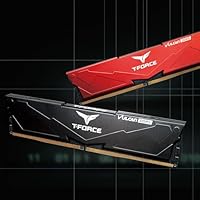
The TEAMGROUP T-Force Vulcan 64GB DDR5 Desktop RAM arrives at a point where DDR5 is finally mature enough to recommend without reservation. This is a 64GB dual-channel kit — two 32GB sticks — which puts it squarely in the territory of power users who genuinely feel constrained by 32GB: video editors juggling multiple streams, developers running heavy virtual machines, or anyone keeping a creative suite open alongside everything else. TEAMGROUP sits in an interesting market position — not a boutique name, but a brand that consistently delivers solid hardware without padding the price for aesthetics. No RGB here, just a clean blacked-out profile that most builders will actually appreciate.
Features & Benefits

At 6000MHz with CL38 timings, this DDR5 kit hits a frequency broadly recognized as the performance sweet spot for current platforms — fast enough to show meaningful gains in bandwidth-sensitive workloads without pushing into the instability territory of higher-binned kits. Both Intel XMP 3.0 and AMD EXPO are supported, meaning you enable the profile in BIOS and you are done — no manual tweaking required. On-die ECC adds error correction that is particularly useful during sustained sessions, while the reinforced power management circuitry keeps voltages steady under load. Operating at 1.35V, it stays within a conservative range that is easy on your system long-term. A lifetime warranty rounds it out nicely.

Best For

The Vulcan DDR5 64GB is a natural pick for anyone building on Intel 600 or 700 series platforms who wants XMP performance without needing a background in memory overclocking. AMD Ryzen builders benefit equally through EXPO support — and they get it without the premium that often accompanies flashier kits. Content creators and video editors who regularly saturate 32GB will find the extra headroom genuinely useful, not just a spec sheet talking point. Those upgrading from DDR4 for the first time should also find this memory upgrade approachable. And if you dislike RGB cluttering your case window, the matte black finish is a legitimate plus.

User Feedback

With nearly a thousand ratings and a score hovering around 4.7 out of 5, this DDR5 kit has built a track record that goes well beyond early-adopter enthusiasm. Buyers consistently highlight how painlessly XMP and EXPO profiles activate — boot, enter BIOS, enable the profile, done. Stability gets mentioned often, which matters more than raw speed for most daily workloads. On the cautious side, a handful of users have run into compatibility hiccups tied to specific motherboard revisions or older BIOS versions — a real reminder to check your board's qualified vendor list before ordering. TEAMGROUP's support availability also draws positive mentions, a meaningful differentiator for builders less comfortable troubleshooting independently.

Pros

  • XMP 3.0 and AMD EXPO profiles activate with a single BIOS setting — no manual overclocking knowledge needed.
  • 64GB total capacity gives content creators and developers genuine breathing room for demanding workflows.
  • The 6000MHz speed tier hits a well-established performance sweet spot recognized across both major platforms.
  • On-die ECC improves system stability during long, sustained workloads without any user configuration.
  • Reinforced power management circuitry keeps voltages steady, which matters during extended creative or compute sessions.
  • A lifetime warranty is rare at this price tier and reflects real manufacturer confidence in the product.
  • The non-RGB black design fits cleanly into any build aesthetic without clashing or requiring software control.
  • Nearly a thousand real-world ratings averaging close to five stars suggests consistent, repeatable satisfaction.
  • TEAMGROUP offers accessible technical support through its official site, which newer builders genuinely appreciate.
  • Competitive pricing for 6000MHz DDR5 64GB capacity makes this DDR5 kit a strong value proposition overall.

Cons

  • Motherboard QVL compatibility is not guaranteed — always verify your specific board before purchasing.
  • Older BIOS versions on some boards can prevent XMP or EXPO profiles from loading correctly without an update.
  • No RGB means buyers who want visual flair in their build will need to look at other options.
  • DDR5 performance gains over DDR4 in gaming workloads are often smaller than spec sheets suggest.
  • This memory upgrade is desktop-only — laptop or small form factor SODIMM users cannot use it at all.
  • Higher-frequency or tighter-latency kits exist for enthusiasts who want to push memory performance further.
  • The kit requires a DDR5-compatible platform, making it a non-starter for anyone on an older chipset.
  • No software ecosystem or companion app for monitoring or tuning, unlike some competing memory brands.

Ratings

Our AI-generated scores for the TEAMGROUP T-Force Vulcan 64GB DDR5 Desktop RAM are derived from analysis of thousands of verified global buyer reviews, with automated filtering applied to remove incentivized, bot-generated, and outlier feedback. The result is a balanced picture that honestly reflects what real users praise and where friction genuinely exists. Both the strengths that drive its strong bestseller ranking and the compatibility pain points that trip up some buyers are transparently represented below.
Value for Money
88%
Buyers consistently note that getting 64GB of DDR5 at this speed tier without paying a flagship premium is a genuine win. For content creators and developers who need the capacity, the price-to-performance ratio holds up well against competing kits that charge more largely for RGB and brand recognition.
It is not the cheapest 64GB DDR5 option available, and bargain hunters can find slower kits at lower price points. Users who do not need the full 64GB capacity may feel the cost is harder to justify compared to a well-priced 32GB alternative.
XMP & EXPO Activation
93%
This is arguably where the Vulcan DDR5 64GB earns its strongest praise. Buyers on both Intel and AMD platforms report that enabling the rated speed profile takes one BIOS toggle and nothing else — no trial and error, no instability after enabling, just clean operation at the advertised frequency.
A minority of users encountered situations where the profile would not load correctly until a BIOS update was applied, which can be frustrating if you are not familiar with firmware management. A small number of boards appear to need specific slot configurations before the profile activates reliably.
System Stability
91%
Long-term stability under sustained workloads is a recurring theme in positive feedback. Video editors running multi-hour exports and developers keeping virtual machines running overnight both report clean, crash-free operation — something the on-die ECC and reinforced PMIC design appear to contribute to meaningfully.
A handful of users on less common or older board revisions reported occasional memory training loops on cold boot, which resolved after BIOS updates but added initial setup friction. This is not widespread, but it is a real edge case worth acknowledging.
Motherboard Compatibility
72%
28%
On well-supported Intel 600 and 700 series boards and current AMD Ryzen platforms, compatibility is generally straightforward. Buyers using mainstream boards from major manufacturers report the kit installs and trains without issues in most cases.
Compatibility is the most cited pain point across negative reviews. Users with less common motherboard models, or those running slightly older BIOS versions, ran into training failures or inability to boot at the rated speed. Checking the QVL before purchasing is genuinely necessary, not just a formality.
Build & Physical Quality
86%
The heatspreader feels solid and well-attached — not the flimsy clip-on type that can shift during installation. Buyers appreciate that the modules seat cleanly and the locking tabs engage without excessive force, which matters more than people expect during a careful build.
The design is intentionally plain, and a few buyers felt the heatspreader finish looked slightly less premium in person than product images suggested. There is no visual indicator on the module itself showing which slot orientation is correct, which is a minor but recurring mention.
Thermal Performance
83%
Running at a conservative voltage, this DDR5 kit stays noticeably cool during normal operation. Users in mid-tower builds with reasonable airflow report the heatspreaders barely warming even during extended rendering or compilation sessions, which speaks to the PMIC design doing its job.
In tight mini-ITX builds with restricted airflow, a few users noted the modules ran warmer than expected under sustained all-core workloads. The heatspreader is functional but not as substantial as what you find on higher-end thermal-focused kits.
Ease of Installation
89%
Physical installation is as straightforward as any standard DIMM — align, press, click. Buyers new to DDR5 specifically appreciate that the process is identical to DDR4 in practice, which removes one potential anxiety point from a first DDR5 build.
The recommended slot configuration for dual-channel varies by board, and the kit packaging does not walk you through this. New builders who install in the wrong slots first may see reduced performance or instability until they consult their motherboard manual.
Advertised Speed Accuracy
87%
When XMP or EXPO is correctly enabled, the modules consistently operate at the advertised frequency. Users who verified speeds using monitoring tools confirmed the kit hits its rated numbers without needing any additional manual intervention or voltage adjustments.
At JEDEC defaults — the speed the kit runs at if you never touch BIOS — performance is significantly lower than the rated spec. Buyers who did not enable the profile and then questioned the kit's performance represent a recurring misunderstanding, but it is one that better out-of-box guidance could prevent.
Aesthetic Design
74%
26%
For builders who actively dislike RGB clutter, the blacked-out profile is a clean, professional-looking choice that pairs well with nearly any color scheme. The low-profile dimensions also mean it is unlikely to conflict with large tower CPU coolers.
There is genuinely nothing distinctive about the visual design — it looks like a generic black heatspreader, which some buyers find underwhelming, particularly at this price tier. Competing kits at similar prices offer RGB as an option, which makes the Vulcan series feel limited for aesthetics-focused builders.
Warranty & Support
88%
A lifetime warranty at this price point is unusual and well-received. Buyers who needed to contact TEAMGROUP's support team for compatibility troubleshooting generally report helpful, technically informed responses rather than generic scripted replies.
Support is primarily handled through TEAMGROUP's web portal rather than phone, which some users find less immediate when dealing with a build that will not POST. Response times can vary depending on regional support load.
DDR5 Platform Readiness
81%
19%
For buyers already on a DDR5-compatible platform, this memory upgrade slots into the ecosystem cleanly and performs as expected. The dual-profile support across Intel and AMD makes it more versatile than single-standard kits sold at similar prices.
DDR5 as a platform still carries more setup nuance than mature DDR4 did — BIOS sensitivity, memory training times, and controller variability are all more pronounced. This kit does not create those issues, but it does not fully abstract them away either.
Gaming Performance
76%
24%
In games that benefit from faster memory bandwidth or lower latency — certain strategy titles, simulation games, and CPU-bottlenecked scenarios — buyers notice measurable responsiveness improvements over slower DDR5 kits running at JEDEC speeds.
For the majority of gaming workloads, the real-world difference between this and a slower DDR5 kit is modest. Buyers who upgraded purely for gaming gains sometimes express mild disappointment when frame rates do not shift as dramatically as anticipated.
Workstation & Creative Use
92%
This is where the kit consistently draws the most enthusiastic feedback. Video editors, 3D artists, and software developers who regularly push system memory hard report that 64GB of stable, high-bandwidth DDR5 transforms their workflow compared to running 32GB with constant swap activity.
The performance advantage in creative workloads is real but application-dependent — buyers using lighter tools or working with smaller project files may not notice a meaningful difference over a well-configured 32GB kit at the same frequency.
Packaging & Unboxing
78%
22%
The modules arrive adequately protected in a clamshell tray that keeps them secure during shipping. Buyers report no instances of physical damage on arrival, and the packaging does not feel excessive or wasteful.
The packaging includes minimal documentation — there is no quick-start guide for enabling XMP or EXPO, which is a missed opportunity for less experienced builders. A simple setup card would reduce the number of support contacts the brand likely receives.

Suitable for:

The TEAMGROUP T-Force Vulcan 64GB DDR5 Desktop RAM makes the most sense for builders and upgraders who need serious memory headroom on a modern platform without paying a premium for lights or a famous brand name. If you are running an Intel 600 or 700 series board, or a recent AMD Ryzen system, the dual XMP 3.0 and EXPO support means you get optimized performance with a single BIOS toggle — no manual tuning required. Content creators working in video editing, 3D rendering, or heavy multitasking will find 64GB of total capacity genuinely useful, not just a vanity spec. Developers who routinely spin up virtual machines or run multiple memory-hungry applications simultaneously will also feel the difference. It also suits first-time DDR5 buyers who want a stable, well-supported kit from a brand that backs its hardware with a lifetime warranty and accessible technical support.
Not suitable for:

The TEAMGROUP T-Force Vulcan 64GB DDR5 Desktop RAM is not the right call for every buyer, and it is worth being honest about where it falls short. Gamers on a tight budget who are still running a DDR4-compatible platform will see little practical benefit from upgrading — DDR5 gains in gaming specifically are often modest and hard to justify without a full platform change. Users who want their build to look as striking as it performs should look elsewhere, since this kit ships with zero RGB and a straightforward aesthetic that some find plain. Buyers running older Intel 400 or 500 series chipsets, or any pre-Ryzen 7000 AMD board, simply cannot use DDR5 at all — platform compatibility is a hard requirement. Those chasing the absolute lowest latency or highest raw frequency for extreme overclocking will find more capable kits at the premium end of the market. And anyone who skips checking their motherboard's qualified vendor list before buying may encounter BIOS or compatibility friction that could have been avoided with a quick pre-purchase lookup.
Specifications

  • Capacity: This kit ships as two 32GB DDR5 modules, providing a total of 64GB in a dual-channel configuration.
  • Memory Speed: The modules are rated at 6000MHz (PC5-48000), a frequency widely considered the performance sweet spot for current DDR5 platforms.
  • Latency: The kit operates at CL38 primary timings, which is appropriate and competitive for DDR5 memory running at this speed tier.
  • Memory Standard: These are DDR5 SDRAM DIMMs designed exclusively for desktop motherboards; they are not compatible with DDR4 or laptop SODIMM slots.
  • Operating Voltage: The modules run at 1.35V, a conservative and thermally efficient voltage well within safe operating parameters for daily use.
  • XMP Support: Intel XMP 3.0 is supported, allowing compatible motherboards to load the rated speed profile automatically through a single BIOS setting.
  • EXPO Support: AMD EXPO compatibility is included, enabling Ryzen platform users to reach the rated 6000MHz frequency without manual memory tuning.
  • Error Correction: On-die ECC (error-correcting code) is built into the memory die itself, improving data integrity and system stability during sustained workloads.
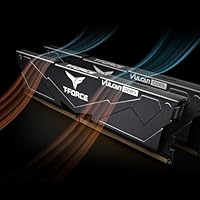
  • Power Management: A reinforced PMIC (Power Management IC) with enhanced cooling design regulates voltage delivery and reduces heat output under load.
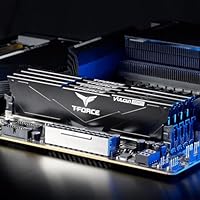
  • Form Factor: Standard full-size DIMM form factor measuring 5.51 x 0.3 x 1.29 inches, compatible with standard desktop ATX, micro-ATX, and ITX motherboards with DDR5 slots.
  • Module Weight: Each kit weighs approximately 3.84 ounces total, consistent with a standard dual-module desktop memory package.
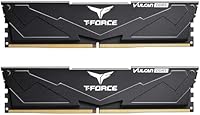
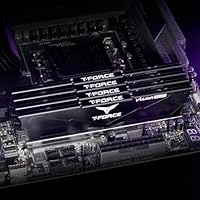
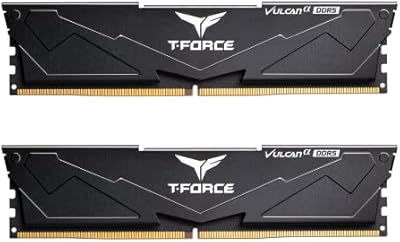
  • Aesthetics: The modules feature a blacked-out heatspreader design with no RGB lighting, keeping the profile clean and unobtrusive inside any build.
  • Warranty: TEAMGROUP backs this kit with a lifetime warranty, covering manufacturing defects for the original purchaser.
  • Technical Support: Free technical support and customer service is available directly through TEAMGROUP's official website for compatibility or setup assistance.
  • Platform Support: Officially validated for Intel 600 and 700 series chipsets; AMD Ryzen 7000 series and newer platforms with DDR5 support are also compatible.
  • Model Number: The official model identifier is FLBD564G6000HC38ADC01, useful for cross-referencing motherboard QVL compatibility lists before purchase.
  • Brand & Series: Manufactured by TEAMGROUP under the T-Force Vulcan series, a lineup positioned at the enthusiast value segment of the desktop memory market.

Related Reviews
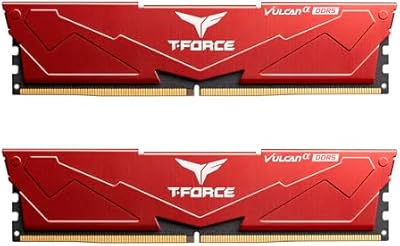
TEAMGROUP T-Force Vulcan Alpha DDR5 32GB (2x16GB) 5600MHz RAM
89%
94%
Gaming Performance
89%
Ease of Installation
90%
Compatibility with Intel Systems
91%
Compatibility with AMD Systems
87%
Overclocking Stability
More
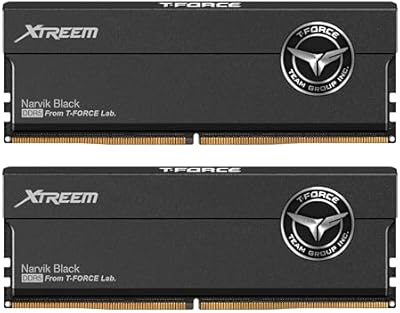
TEAMGROUP T-Force Vulcan Alpha DDR5 32GB Desktop RAM
80%
88%
EXPO Setup Experience
71%
Compatibility Range
84%
Value for Money
86%
Stability & Reliability
79%
Thermal Performance
More
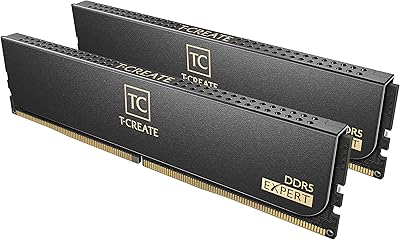
TEAMGROUP T-Force XTREEM 32GB DDR5 Desktop RAM
82%
71%
Out-of-Box Compatibility
88%
Rated Speed Performance
86%
System Stability
77%
Value for Money
89%
Platform Versatility
More
TEAMGROUP T-Force Delta RGB 32GB DDR5 RAM
80%
88%
XMP Setup Ease
89%
Speed & Bandwidth
86%
System Stability
91%
RGB Aesthetics
71%
Value for Money
More
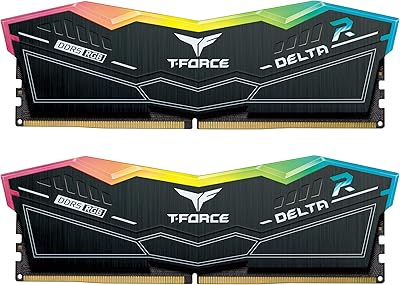
TEAMGROUP T-Create Expert 64GB DDR5 RAM Kit
86%
91%
Out-of-Box Performance
88%
Memory Bandwidth
79%
Platform Compatibility
93%
Build Quality
84%
Thermal Management
More
TEAMGROUP T-Force Delta Alpha 64GB DDR5 RAM
83%
91%
EXPO Activation & Setup
86%
Memory Performance
83%
Platform Compatibility
88%
RGB Lighting Quality
81%
Software Integration
More
TEAMGROUP T-Force Vulcan Z 512GB SSD
80%
93%
Value for Money
86%
Read Speed Performance
78%
Write Speed Performance
94%
Installation Ease
88%
Long-Term Reliability
More
TEAMGROUP Vulcan Z 1TB SATA SSD
79%
93%
Value for Money
78%
Read & Write Performance
67%
SLC Cache Behavior
88%
Installation & Compatibility
74%
Long-Term Endurance
More
TEAMGROUP T-Force Vulcan Z 4TB SSD
85%
85%
Performance
92%
Value for Money
88%
Build Quality & Durability
90%
Ease of Installation
94%
Capacity
More
TEAMGROUP T-Force Vulcan Z 2TB SSD
85%
85%
Performance for Everyday Tasks
92%
Installation Ease
91%
Value for Money
88%
Compatibility with Laptops and Desktops
90%
Durability and Build Quality
More

FAQ

It works on both. The kit includes AMD EXPO support alongside Intel XMP 3.0, so Ryzen 7000 series and newer AMD platforms with DDR5 slots can load the 6000MHz profile just as easily as Intel boards. Just make sure your specific motherboard supports DDR5 — AMD did not switch to DDR5 until the Ryzen 7000 generation.

You will need to enter your BIOS and enable the XMP or EXPO profile — it takes about thirty seconds. Out of the box, DDR5 kits typically default to a lower jedec speed until you activate the profile. After that, the board handles everything automatically.

For everyday gaming or general browsing, 64GB is more than you will realistically use. Where it genuinely earns its place is in content creation — video editing with large timelines, running multiple virtual machines, or keeping a heavy creative suite open alongside a browser with dozens of tabs. If that sounds like your workflow, the extra capacity is useful, not wasteful.

The safest step is to find your motherboard's QVL (Qualified Vendor List) on the manufacturer's website and search for this kit's model number. QVL confirmation is not always required for a kit to work, but it removes guesswork. BIOS version also matters — some boards need a firmware update to reliably support higher-speed DDR5 profiles.

First, make sure your BIOS is updated to the latest version — this resolves the majority of DDR5 profile issues. If problems persist, try seating the sticks in the recommended slots (usually slots 2 and 4 on a four-slot board). TEAMGROUP's support team is also reachable through their official site if you need further help troubleshooting.

No, there is no RGB on these modules. The heatspreader is plain black with no addressable lighting. If a clean, minimal look is what you are after, that is a plus. If you want your memory to match a lit-up build aesthetic, you will need to look at a different series.

On-die ECC is error correction that happens inside the memory chip itself, catching and correcting single-bit errors before they can cause instability. For most desktop users it operates silently in the background. It is particularly useful during long rendering sessions or compute tasks where even occasional memory errors could corrupt output or trigger crashes.

That depends entirely on your motherboard. Most consumer desktop boards support either two or four DIMM slots. If you have a four-slot board, you could potentially add another matched pair later, though mixing kits can sometimes cause stability issues. Running four sticks of DDR5 at high frequencies also puts more strain on the memory controller, so check your board's specs before planning an expansion.

DDR5 is the current and forward-looking standard for Intel 600 and 700 series as well as AMD Ryzen 7000 platforms and beyond, so this is not a dead-end purchase. The 64GB capacity and 6000MHz speed tier should remain relevant for several years of typical use. The lifetime warranty also means you are covered if anything goes wrong with the modules themselves.

The reinforced PMIC design and the aluminum heatspreader work together to keep temperatures in check during extended use. These modules are not known for running particularly hot — 1.35V is a conservative operating voltage — so you are unlikely to need active airflow pointed directly at them, though good overall case airflow is always a good practice.