Overview

The YuanLey YS100-0410TP 5-Port 10G PoE Switch is one of the more accessible ways to bring multi-gigabit speeds and PoE into a home lab or small office without spending significantly more on a managed alternative. YuanLey has been quietly building a reputation in the value networking space, and this switch reflects that approach — solid hardware at a price that makes 10G feel attainable. It is unmanaged by design, meaning no VLAN configuration, no QoS controls, and no remote monitoring. That is a deliberate trade-off, not an oversight. If you just want to plug in and go, this 10G PoE switch delivers exactly that — reliable connectivity with zero setup friction.
Features & Benefits

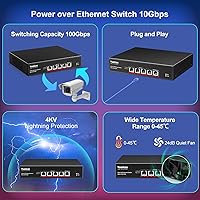
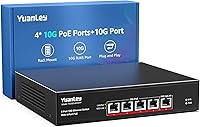
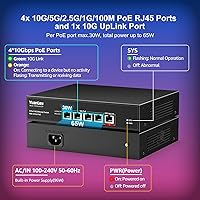
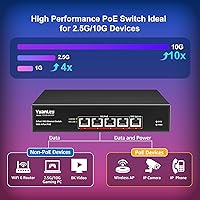
All four PoE ports on this unmanaged multi-gig switch auto-negotiate across the full speed range — from 100Mbps all the way up to 10G — which means you are not locked into matching every device to the same tier. The total PoE budget sits at 65W, with a per-port ceiling of 30W, enough to run a Wi-Fi 6E access point or a PoE+ IP camera without issue. Push all four ports to their maximum draw simultaneously, though, and you will hit that ceiling fast. The single uplink port handles your router or NAS connection cleanly. Jumbo frame support and a high switching capacity make it genuinely capable for high-throughput NAS transfers or 8K video streaming. The metal chassis includes 4KV lightning protection, a detail that matters for always-on deployments.

Best For

This 10G PoE switch is a strong fit for anyone building out a small rack or home lab on a sensible budget. If you are running a 10G-capable NAS and want to stop bottlenecking at gigabit speeds, this is a practical starting point. It is equally well-suited for powering Wi-Fi 6E access points that need both high-speed backhaul and PoE+ in a single connection. Small offices with four or fewer 10G endpoints will find the port count adequate. Prosumers who need a compact 1U rackmount solution without the overhead of managed switch configuration will appreciate how little effort this requires. It is not the right tool if you need VLANs or per-port traffic controls — but for straightforward 10G deployments, it covers a lot of ground.

User Feedback

Across a substantial pool of buyer reviews, the YuanLey switch earns its high rating largely on reliability and ease of setup — most users report it just works, right out of the box, with no surprises. The fan is an occasional talking point; it is audible, closer in character to a quiet desktop fan than true silence, though most find it acceptable in a closet rack or wiring cabinet. Where some buyers push back is the total PoE headroom — running three or four power-hungry devices simultaneously can strain the budget. A handful of users also report link speed inconsistencies on older cable runs, so cabling quality matters here. On balance, satisfaction levels are notably high for a switch in this price tier.

Pros

  • Plug-and-play setup requires no configuration — just connect and it works immediately.
  • All four PoE ports auto-negotiate across multiple speed tiers, handling mixed-speed devices without manual adjustment.
  • The metal chassis feels solid and includes lightning protection, making it appropriate for always-on deployments.
  • Multi-gig auto-negotiation is particularly well-regarded by users pairing it with 2.5G NAS devices or Wi-Fi 6E APs.
  • Jumbo frame support makes the YuanLey switch a capable performer for high-throughput workloads like large NAS file transfers.
  • 1U rackmount compatibility makes it easy to integrate into a structured home lab or small office rack.
  • Buyers report stable, consistent long-term performance with no notable drop-outs after extended use.
  • Broad input voltage range means it works reliably across different regional power standards.
  • Per-port PoE output is high enough to comfortably drive demanding devices like PoE+ access points.

Cons

  • No VLAN or QoS support limits usefulness in environments that require traffic segmentation or prioritization.
  • The 65W total PoE budget can become a bottleneck when all four ports are powering high-draw devices at the same time.
  • Fan noise, while not loud, is audible enough to be noticeable in quiet environments like a home office or bedroom.
  • Link speed inconsistencies have been reported on older or lower-grade cable runs, requiring good cabling infrastructure.
  • Only five ports total — users needing more than four downstream connections will immediately outgrow it.
  • No management interface means zero visibility into traffic, port status, or error diagnostics.
  • The unit can run warm under sustained load, which may concern buyers in poorly ventilated enclosures.
  • No SFP or fiber uplink option limits flexibility for longer-distance or fiber-based backbone connections.

Ratings

The scores below for the YuanLey YS100-0410TP 5-Port 10G PoE Switch were generated by our AI engine after analyzing verified buyer reviews from multiple global markets, with spam, incentivized, and bot-flagged submissions actively filtered out. The result is an honest, data-grounded picture of where this switch genuinely delivers and where real users have run into frustration. Both strengths and recurring pain points are reflected without softening.
Value for Money
91%
For buyers stepping into 10G networking on a realistic budget, this switch consistently earns high praise. Users frequently note that comparable 10G PoE hardware from established brands costs significantly more, making the YuanLey switch a compelling entry point without obvious corners cut.
A small segment of buyers who expected enterprise-tier reliability for the price were disappointed by the limited PoE headroom when all four ports are loaded. At that point, the value proposition feels thinner for power-heavy deployments.
Ease of Setup
94%
Plug-and-play performance is the most consistently praised aspect across the review pool. Users with no prior networking experience report having all devices connected and running at full speed within minutes, with zero driver installs or configuration steps required.
The simplicity is also a ceiling — users who expected any form of guided setup or indicator-based diagnostics beyond the LED lights found the experience barebones. There is no app, no web interface, and no feedback beyond link and activity LEDs.
PoE Performance
78%
22%
For typical single or dual PoE+ device setups — like powering a Wi-Fi 6 access point and a PoE camera — the switch handles the load cleanly and maintains stable power delivery without flickering or cycling. The auto-negotiation between af and at standards works correctly in practice.
The shared 65W PoE ceiling becomes a real constraint when three or four high-draw devices are connected simultaneously. Users running multiple PoE+ APs or powered cameras at full load report hitting the budget limit, which can cause devices to drop power intermittently.
Multi-Gig Speed Performance
88%
Auto-negotiation across the full speed range from 100Mbps to 10G is one of the switch’s most practically useful traits. Users pairing it with 2.5G NAS devices or 10G workstations report accurate link negotiation and sustained throughput that reflects the advertised speeds under real workloads.
A meaningful subset of reviewers experienced inconsistent link speeds specifically on older or marginal Cat5e cable runs, where the switch occasionally failed to hold a stable 10G connection. The hardware is capable, but the switch is less forgiving of subpar cabling than some alternatives.
Build Quality
83%
The all-metal enclosure feels noticeably more substantial than plastic-bodied alternatives in the same price range. Buyers who rack-mount the unit report that the chassis sits rigidly without flex, and the included mounting hardware is described as properly fitted and secure.
A few buyers noted the unit runs warmer than expected during sustained operation, which raised questions about long-term thermal reliability in tight rack enclosures with limited airflow. Nothing outside the rated range, but enough to flag for anyone planning a densely packed install.
Noise Level
72%
28%
In most rack or closet deployments, the built-in fan is reported as a non-issue — quiet enough to be masked by ambient HVAC noise or other rack equipment. Users in dedicated networking closets rarely mention it as a concern.
In quieter environments — a home office, a bedroom rack, or a living room setup — the fan is consistently mentioned as audible. It is not loud by networking standards, but it is not silent either, and buyers expecting quiet operation in open living spaces should factor that in.
Thermal Management
69%
31%
The dual-side ventilation design and active fan cooling do keep the unit within its rated operating range even under sustained full-port loads, which buyers in warm server rooms have confirmed over extended runtimes. The 4KV lightning protection also adds a layer of durability beyond just heat management.
The chassis surface gets noticeably warm to the touch during heavy use, and users in poorly ventilated enclosures or warm ambient environments express more concern. The operating ceiling of 45°C leaves less thermal headroom than some competing units rated higher.
Port Count & Layout
67%
33%
For a focused use case — four downstream 10G devices and one uplink — the layout is efficient and clean. Home lab users building a compact rack find the five-port form factor avoids unnecessary bulk while covering the most common small-network topologies.
Five ports is a hard ceiling that users outgrow quickly. Several reviewers note they needed to add a second switch within months of purchase as their device count increased, which reduces the long-term cost efficiency of the investment.
Uplink Flexibility
61%
39%
The dedicated 10G RJ45 uplink port handles a clean connection to a router, NAS, or upstream switch without competing for PoE port bandwidth, which is a sensible architectural choice for the target use case.
There is no SFP+ or fiber uplink option, which limits the switch to copper-only connectivity. Users who need to connect over longer distances or integrate into a fiber backbone have no path forward with this hardware alone.
Compatibility
86%
Broad compatibility with 802.3af/at devices is consistently confirmed across the review base — IP cameras, Wi-Fi 6 APs, VoIP phones, and multi-gig NAS units all link up correctly without any configuration. The wide AC input range also makes it regionally versatile.
A small number of users encountered minor link negotiation quirks with specific third-party 10G NICs, requiring cable swaps or port reseating to resolve. These appear to be edge cases rather than systematic issues, but they are worth noting.
Long-Term Reliability
81%
19%
Users who have owned the switch for over six months consistently report stable, uninterrupted operation with no port failures, unexpected reboots, or degraded performance over time. For an always-on deployment, the track record across the review base is reassuring.
The sample of very long-term owners is still relatively limited given the product’s age, so multi-year durability data is not yet robust. A small percentage of buyers report early port failures, though these appear to be outliers rather than a trend.
Rackmount Design
87%
The 1U form factor and included rack hardware are well-regarded by users building structured home lab or small office racks. The shallow depth fits comfortably in wall-mount enclosures and short-depth racks where larger switches would not fit.
The mounting ears feel slightly less robust than the chassis itself, and a couple of reviewers noted minor flex in the bracket hardware under rack tension. It works correctly, but the mounting kit quality does not fully match the chassis build.
LED Indicators
74%
26%
Port activity and link-speed LEDs give enough at-a-glance feedback to confirm that connections are established and running at the expected speed tier, which is genuinely useful for quick troubleshooting without any management interface.
Beyond basic link and activity status, the LEDs provide no further diagnostic information. Users trying to identify whether a PoE device is drawing power, or whether a port is operating at 2.5G versus 5G, cannot determine that from the indicators alone.

Suitable for:

The YuanLey YS100-0410TP 5-Port 10G PoE Switch is purpose-built for buyers who want to step into multi-gigabit networking without the cost or complexity of a managed platform. Home lab enthusiasts who have outgrown gigabit speeds will find it a natural, low-friction upgrade — especially when pairing with a 10G-capable NAS for fast local transfers or large file movement across the network. It is equally well-matched for anyone deploying Wi-Fi 6 or 6E access points that require both PoE+ power and a high-speed backhaul in one connection. Small offices with a handful of 10G endpoints and a single uplink to a router or server will find the port count fits neatly. Prosumers building a tidy 1U rack on a practical budget, where plug-and-play simplicity is more valuable than advanced traffic controls, will get a lot of mileage out of this switch.
Not suitable for:

The YuanLey YS100-0410TP 5-Port 10G PoE Switch is not the right choice for anyone who needs granular network control — there are no VLANs, no QoS policies, and no remote monitoring capabilities, full stop. If you are managing a multi-tenant environment, separating IoT traffic from corporate devices, or need to prioritize voice or video streams at the switch level, you will need to look at a managed alternative. The total PoE power envelope is also a genuine constraint: running four high-draw devices simultaneously, such as multiple PoE+ access points at full load, can push against the ceiling and cause instability. Buyers in environments with older or lower-grade copper cabling should be aware that link speed consistency can suffer, so this switch rewards a network with clean, well-rated cable runs. Anyone expecting near-silent operation in a bedroom or recording space may also find the fan more noticeable than anticipated.
Specifications

  • Total Ports: The switch provides four 10G RJ45 PoE-enabled ports plus one dedicated 10G RJ45 uplink port, for five ports total.
  • PoE Standard: All four PoE ports comply with IEEE 802.3af and IEEE 802.3at, supporting both standard and high-power PoE+ devices.
  • PoE Power Budget: The total PoE output capacity across all four ports combined is 65W, with a maximum of 30W available on any single port.
  • Speed Support: Each PoE port auto-negotiates across 100Mbps, 1G, 2.5G, 5G, and 10G, allowing mixed-speed devices to coexist on the same switch.
  • Switching Capacity: The internal switching fabric operates at a non-blocking capacity sufficient to handle simultaneous full-speed traffic across all five ports.
  • Jumbo Frames: The switch supports jumbo frames up to 12KB, which benefits high-throughput applications such as NAS transfers and virtualization traffic.
  • MAC Table: The MAC address table holds up to 16,000 entries, providing adequate capacity for small-to-medium network environments.
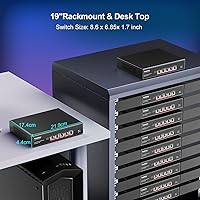
  • Chassis: The enclosure is constructed from metal and sized for standard 19-inch 1U rackmount installation, with wall-mount support also included.
  • Dimensions: The unit measures 218mm long by 173mm wide by 44mm tall, making it a compact fit in shallow rack enclosures.
  • Weight: The switch weighs 1.6kg without packaging, which is typical for a metal-chassis 1U networking device of this size.
  • Cooling: An internal fan handles thermal management and operates at approximately 24dB under normal load, audible but quieter than many comparable switches.
  • Lightning Protection: Each port incorporates 4KV surge protection to guard against transient voltage spikes from nearby lightning strikes.
  • Operating Temperature: The switch is rated for continuous operation between 0°C and 45°C, suitable for most indoor rack and office environments.
  • Power Input: The unit accepts a wide AC input range of 100V to 240V at 50–60Hz, making it compatible with power systems across different regions.
  • Management: This is an unmanaged switch with no web interface, CLI, or SNMP support — configuration is handled entirely through physical connections.
  • Mounting Options: The package includes rack mounting hardware for 19-inch rack installation, and the chassis also supports wall-mount deployment.
  • Included Items: In the box you will find the switch itself, rack mounting kits, a power cable, and a printed user manual.
  • Network Protocols: The switch supports IEEE 802.3, 802.3u, 802.3ab, 802.3bz, 802.3at, 802.3af, 802.3x, 802.3cb, and 802.3z standards.
  • Max Cable Reach: At all supported speeds up to 10G, the switch maintains standard Ethernet reach of up to 100 meters over appropriate copper cabling.
  • Humidity Range: The switch is rated for operating humidity between 10% and 90%, non-condensing, covering typical indoor installation conditions.

Related Reviews

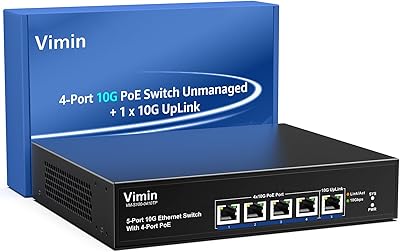
VIMIN 4-Port 10G PoE Switch with 10G Uplink
87%
92%
Performance & Speed
88%
Ease of Setup
90%
Build Quality & Durability
85%
Power over Ethernet (PoE) Capability
89%
Compatibility with Devices
More
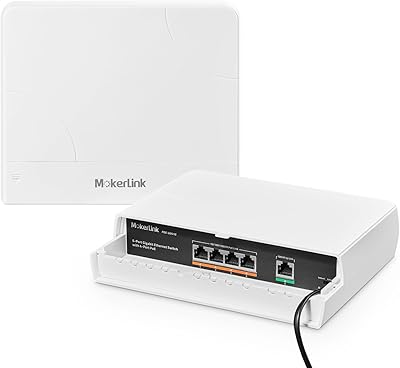
MokerLink POE-G041GO Outdoor Gigabit PoE Switch
81%
93%
Ease of Setup
84%
PoE Power Delivery
78%
Build Quality
76%
Weather Resistance
88%
Value for Money
More
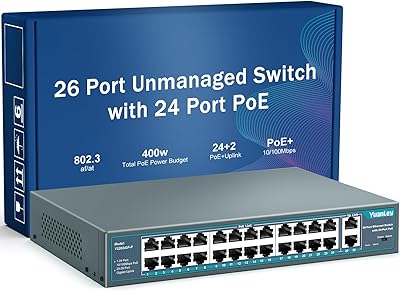
YuanLey 26-Port 400W Unmanaged PoE+ Switch
78%
91%
Value for Money
88%
PoE Performance
94%
Ease of Setup
79%
Build Quality
52%
Fan Noise
More
YuLinca 6-Port Gigabit PoE Switch with 4 PoE+ Ports
87%
95%
Ease of Installation
88%
PoE Functionality
91%
Build Quality
87%
Performance and Speed
94%
Fanless Operation (Noise)
More
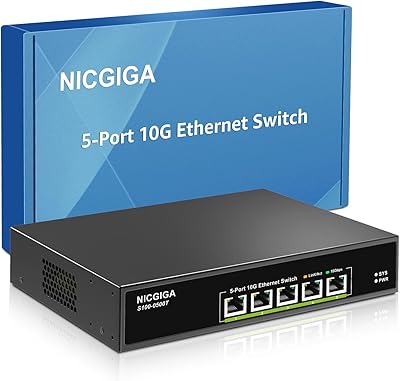
NICGIGA S100-0500T 5-Port 10G Ethernet Switch
82%
96%
Ease of Setup
91%
Link Stability
88%
10G Throughput Performance
58%
Fan Noise
84%
Build Quality
More
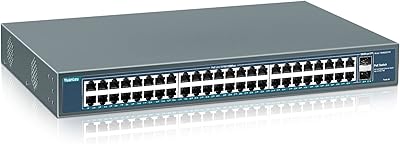
YuanLey YS4802GS-P8 48-Port Gigabit PoE Switch
79%
91%
Value for Money
93%
Ease of Installation
84%
PoE Performance
86%
Build Quality
52%
Fan Noise
More
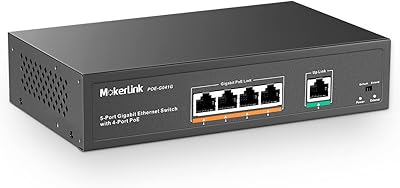
MokerLink 5-Port Gigabit POE Switch
86%
94%
Ease of Setup
88%
Performance
85%
Build Quality
75%
PoE Power Output
91%
Fanless Design (Noise Level)
More
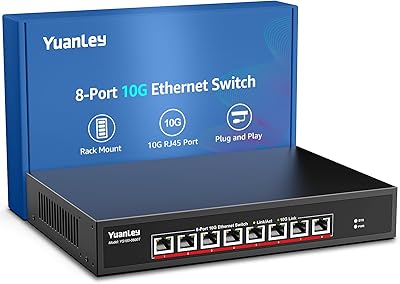
YuanLey 8-Port 10G Unmanaged Ethernet Switch
80%
93%
Setup & Ease of Use
89%
Throughput Performance
86%
Build Quality
88%
Value for Money
71%
Fan Noise & Acoustics
More
Cudy GS1005P 5-Port Gigabit PoE Switch
80%
91%
Value for Money
94%
Ease of Setup
87%
Build Quality
82%
PoE Performance
97%
Noise Level
More
YuanLey 8-Port 120W Gigabit PoE Switch
80%
91%
Value for Money
94%
Ease of Setup
78%
PoE Power Delivery
83%
Build Quality
74%
Thermal Performance
More

FAQ

No, there is nothing to configure. The YuanLey YS100-0410TP 5-Port 10G PoE Switch is fully unmanaged, so you plug in your devices and it starts working immediately. There is no web UI, no app, and no setup wizard involved.
It depends on the cable quality and run length. Cat5e is officially rated for 2.5G speeds up to 100 meters, but a handful of users have reported that older or marginal Cat5e runs can struggle to reliably hold 10G link speeds. For 10G over copper, Cat6 or Cat6A cables are the safer choice, especially for runs longer than about 30 meters.

Potentially yes, but you need to check the power draw of each AP first. The total PoE budget across all four ports is 65W, and each port maxes out at 30W. Many Wi-Fi 6E APs draw between 15W and 25W, so four units could push close to or past the combined limit. If your APs are on the higher end of that range, you may see instability or devices cycling on and off.

It is audible, so that is worth knowing upfront. At around 24dB it is quieter than many switches in this class, but it is not silent. In a closed rack cabinet or a dedicated wiring closet you likely would not notice it. On an open desk in a quiet room at night, some people do find it noticeable.

No, VLAN support is not available on this switch. It is unmanaged, which means all connected devices share the same broadcast domain. If you need to segment traffic — isolating IoT, guest devices, or cameras from your main LAN — you will need a managed switch that supports 802.1Q VLANs.

Each individual PoE port can supply up to 30W, which covers most IEEE 802.3at (PoE+) devices including higher-end access points and PTZ cameras. Keep in mind that the total shared budget across all four ports together is 65W, so heavy simultaneous draws will compete for the same pool.

Rack mounting hardware is included, but it is not required. The switch sits flat on a desk or shelf without any issues. Just make sure there is reasonable airflow around it, especially on the sides where the cooling vents are, since it does run warm under sustained load.

It is fully automatic. The switch negotiates PoE delivery based on the IEEE 802.3af/at handshake, so it only supplies power to devices that request it. Standard non-PoE devices like a laptop or desktop connected via Ethernet will not receive any power — there is nothing to configure or risk.

Yes, and this is actually one of its strongest use cases. The PoE ports auto-negotiate down to 2.5G, so a NAS with a 2.5G port will link up at full 2.5G speed automatically. Users pairing this switch with multi-gig NAS devices report clean, stable connections and noticeably faster transfer speeds compared to standard gigabit setups.

The switch will limit power delivery to the per-port maximum and the device may not function correctly if it requires more than that ceiling. In practice, most compliant PoE devices negotiate their power requirements during the handshake and will either operate within the available budget or not power on if the requested wattage cannot be met. It is always worth checking your device’s PoE power requirements before connecting.