Overview

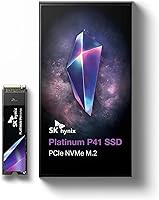
The SK hynix Platinum P41 500GB NVMe SSD stands out in the crowded Gen4 storage market for one compelling reason: SK hynix actually makes its own NAND. Most SSD brands source memory chips from third parties, but this Gen4 NVMe drive is built from the ground up using in-house silicon — from the flash cells to the controller. That vertical integration tends to mean better quality control and more consistent real-world performance, not just impressive peak numbers. At 500GB, the capacity hits a practical sweet spot for PS5 storage expansion or a lean PC build, offering enough room without paying for space you may never fill. The price-to-performance ratio is genuinely competitive for what the hardware delivers.
Features & Benefits

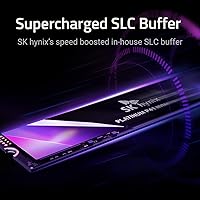
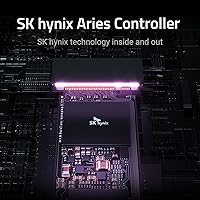
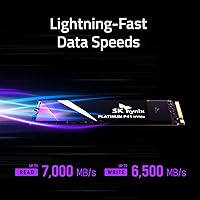
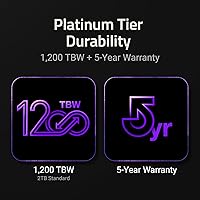
The Platinum P41 hits peak sequential read speeds that approach what PCIe Gen4 can realistically deliver on consumer hardware — fast enough that large game installs, OS boots, and hefty video files load without any perceptible wait. What keeps things interesting under sustained workloads is SK hynix's HYPERWRITE cache technology, which prevents the write speed cliff that cheaper Gen4 drives often hit when their cache runs dry. The fully in-house stack — 176-layer NAND, proprietary Aries controller, and LPDDR4 DRAM — gives the drive a coherent design rather than a patchwork of third-party components. Add a 1,200 TBW endurance rating and a five-year warranty, and this SK hynix SSD is clearly built to last well beyond most usage cycles.

Best For

PS5 owners will find the Platinum P41 one of the more straightforward internal upgrades available — Sony's console is fully compatible, and the speed headroom means the drive never holds back the system. Laptop users with a PCIe Gen4 slot benefit from the drive's power-efficient design, which matters more in battery-dependent machines than raw throughput numbers. Content creators moving large RAW photo batches or 4K footage will appreciate the sustained write consistency. PC builders who want a drive backed by a genuine memory manufacturer rather than a brand that simply rebadges components will feel confident here. It's also a logical step for anyone graduating from a SATA or older Gen3 SSD and wanting a real, tangible upgrade.

User Feedback

Across nearly 5,000 ratings, this Gen4 NVMe drive carries a 4.7-star average — a score that holds up when you read through what buyers actually say. The most consistent praise centers on easy installation, with PS5 users in particular noting how straightforward the process is, and the bundled Macrium cloning software drawing genuine appreciation from PC upgraders who expected to fight with migration. Where buyers push back is around thermals. A handful of users in slim laptops or compact PC cases report throttling without a heatsink, which is worth factoring in before you buy. Long-term durability feedback skews positive, though the drive hasn't been on the market long enough to draw firm conclusions about multi-year reliability from real-world data.

Pros

  • Fully in-house silicon stack — NAND, controller, and DRAM all made by SK hynix — means tighter quality control than most competitors.
  • Sustained write speeds hold up well under heavy load, avoiding the sharp drop-off common with cheaper Gen4 drives.
  • PS5 compatibility is verified and installation is straightforward, with no technical surprises for console users.
  • Bundled Macrium cloning software makes migrating from an old drive genuinely painless for PC upgraders.
  • The five-year warranty and 1,200 TBW endurance rating are confidence-inspiring for a drive at this price tier.
  • Power efficiency is better than many Gen4 rivals, a real advantage in battery-powered laptops.
  • AES 256-bit encryption support adds meaningful data security without any performance trade-off.
  • At 0.247 ounces, the drive adds virtually no weight — relevant for ultraportable laptop builds.
  • Near 5,000 ratings with a 4.7-star average signals consistent real-world satisfaction across a large buyer pool.

Cons

  • 500GB fills quickly when modern AAA games routinely consume 80GB to 100GB each — capacity planning is essential.
  • No heatsink is included, and the drive can throttle in thermally tight environments without one.
  • Gen3 systems will not benefit from the drive's full speed potential, making it a poor fit for older motherboards.
  • The Platinum P41 has not been on the market long enough for strong multi-year durability data to emerge from real users.
  • Cloning software is Windows-only, leaving macOS users without a migration tool despite the drive being marketed broadly.
  • Buyers who rarely transfer large files or run demanding workloads may never experience a noticeable speed advantage over cheaper alternatives.
  • Pricing can fluctuate, and at certain market price points the value proposition narrows compared to well-established rivals.
  • No thermal pad or accessory bundle is included, meaning additional spend may be required for optimal laptop or PS5 installation.

Ratings

The SK hynix Platinum P41 500GB NVMe SSD has been evaluated by our AI rating system after processing thousands of verified global buyer reviews, with spam, incentivized feedback, and bot activity actively filtered out to ensure the scores reflect genuine ownership experiences. The results paint a picture of a drive that earns its strong reputation in most areas while carrying a handful of real-world limitations worth understanding before you buy. Both the standout strengths and the recurring frustrations are transparently reflected in every scorecard below.
Read & Write Speed
93%
Buyers consistently report that the Platinum P41 delivers on its speed promises in daily use — not just in synthetic benchmarks. Game load times on PS5 and PC drop noticeably, and moving large video project folders feels meaningfully faster compared to Gen3 or SATA drives.
A small number of users in Gen3 systems reported confusion when speeds did not meet expectations, not realizing the interface bottleneck was on their motherboard's side. On Gen4 systems, sustained write speed under very large continuous transfers can occasionally dip below peak, though this is common across the category.
Sustained Performance
88%
Unlike cheaper Gen4 drives that collapse in write speed once their cache fills, the Platinum P41 holds its performance through lengthy file transfers with notable consistency. Content creators copying multi-gigabyte video exports found the throughput stayed steady rather than stuttering partway through.
Under extreme and prolonged write loads — think hours of continuous backup operations — the drive does eventually slow, which is an inherent characteristic of TLC NAND rather than a product defect. Most everyday workloads never push long enough to hit this ceiling.
Thermal Behavior
71%
29%
In desktop builds with adequate airflow and a heatsink attached, temperatures stay within a reasonable operating range even during sustained transfers. Users with mid-tower cases and M.2 heatsinks included on their motherboards reported no throttling concerns in normal use.
This is the most common friction point across buyer feedback. Users in slim laptops and compact form-factor PCs without heatsinks reported thermal throttling during extended heavy workloads, with drive temperatures climbing enough to visibly reduce transfer rates. A heatsink is effectively a necessity for PS5 and thermally tight builds, yet nothing is included in the box.
PS5 Compatibility
91%
PS5 owners make up a significant portion of the buyer base, and the installation experience is consistently described as smooth and trouble-free. The drive is recognized immediately by the console, the format process is quick, and performance in PS5-optimized titles is exactly what Sony's Gen4 expansion slot was designed to enable.
The absence of an included heatsink is a recurring complaint from PS5 buyers specifically, since Sony's installation guide strongly recommends one. This means most console users face an additional purchase before they can install the drive with confidence, which feels like an oversight at this price tier.
Reliability & Endurance
89%
The 1,200 TBW endurance rating and five-year warranty are among the more reassuring figures in this product category, and buyers cite them as a key reason for choosing this drive over lesser-known brands. Early ownership feedback on drive health monitoring shows consistently clean S.M.A.R.T data over months of use.
Because the drive has not been on the market for many years, long-term multi-year reliability data from real users is still thin. Buyers looking for a decade of proven field data simply cannot find it yet — the track record is promising, but not yet as deep as older rivals like Samsung's Pro series.
Installation Experience
86%
The M.2 2280 form factor is universally compatible with modern motherboards, laptops with a Gen4 slot, and the PS5 — no adapters, brackets, or special tools required beyond a small screwdriver. Buyers who had never installed an SSD before described the process as less intimidating than expected.
Some laptop users noted that accessing the M.2 slot required more disassembly than anticipated depending on their specific chassis, though this is a device-specific issue rather than anything related to the drive itself. Documentation in the box is minimal, which can leave first-time installers searching for guidance online.
Cloning Software
78%
22%
The bundled SK hynix edition of Macrium Reflect is a genuinely useful inclusion that many buyers called out specifically as a value-add. PC upgraders who needed to migrate their existing Windows installation to the new drive found the process manageable without prior technical experience.
The software is Windows-only, which leaves macOS users without any migration tool and forces them to source a third-party solution. A handful of users also reported the activation process for the bundled license was less straightforward than expected, requiring a few extra steps beyond simply installing the application.
Power Efficiency
83%
Laptop users specifically flagged this drive as running cooler and drawing less power compared to some rival Gen4 options they had tested previously. For users who work on battery regularly — commuters, students, remote workers — the efficiency advantage translates into a modest but real improvement in unplugged endurance.
Gen4 drives as a class are less efficient than Gen3, and the Platinum P41 is no exception when pushed hard. Users who run sustained workloads on battery will see a more significant drain, and the efficiency advantage is most apparent at idle or light loads rather than during active transfers.
Value for Money
84%
Buyers consistently rate this Gen4 NVMe drive as sitting at a competitive price point relative to what you get: a fully in-house silicon stack, DRAM cache, strong endurance rating, and a five-year warranty from a manufacturer that actually produces the NAND inside the drive.
At certain retail price points, the gap between this drive and well-established competitors narrows enough that a few buyers felt the decision required more research than expected. The 500GB capacity can also feel limiting in hindsight for users who install several modern games, making the 1TB variant potentially better value for heavy users.
Capacity Adequacy
69%
31%
For users targeting a dedicated OS drive, a PS5 expansion slot, or a secondary game library drive, 500GB hits a practical and cost-effective capacity for the use case. Buyers with lighter storage needs found it more than sufficient for their workflows.
Modern AAA titles routinely consume 80GB to 100GB each, and several buyers noted they filled the drive faster than anticipated — particularly on PS5 where game sizes are not negotiable. A recurring post-purchase observation was that 1TB would have been the smarter choice, even at a higher outlay.
Build & Form Factor
87%
At just 0.247 ounces, the drive adds essentially nothing to a laptop's weight, and the standard M.2 2280 dimensions ensure it fits anywhere a Gen4 slot exists. Buyers appreciated that there was no compatibility guesswork involved — it simply fits.
There is no physical heatsink, thermal pad, or protective accessory included, which means buyers installing into environments where thermals matter are immediately looking at extra spend. The bare PCB form factor is entirely standard for the category, but some buyers expected more in the box.
Software Ecosystem
72%
28%
SK hynix offers a dedicated SSD management utility that allows users to monitor drive health, check temperatures, and update firmware — useful for buyers who want ongoing visibility into their storage's condition rather than set-and-forget blind faith.
The management software is not as polished or feature-rich as Samsung's Magician tool, which remains the benchmark for SSD companion applications. Some buyers found the interface dated and the feature set thinner than they expected from a premium manufacturer.
Noise & Vibration
97%
As a solid-state drive with no moving parts, the Platinum P41 operates in complete silence under all workloads — a genuine quality-of-life improvement over mechanical drives, and something buyers upgrading from HDDs consistently highlighted with satisfaction.
There is nothing meaningful to criticize here; SSDs are inherently silent. The score reflects a category ceiling rather than any product-specific achievement, and buyers should not treat silent operation as a differentiating factor when comparing NVMe drives against each other.
Security Features
76%
24%
AES 256-bit hardware encryption support is a meaningful feature for business users or anyone storing sensitive data, and it operates at the hardware level without imposing a software performance tax. Buyers who needed encrypted storage found it straightforward to enable through supported system settings.
Encryption setup requires operating system and sometimes BIOS-level configuration that less technical users found confusing to activate correctly. There is no simplified SK hynix tool to walk users through the encryption setup process, leaving some buyers unaware the feature was available to them at all.

Suitable for:

The SK hynix Platinum P41 500GB NVMe SSD is a strong match for PS5 owners who have exhausted their console's internal storage and want a verified, high-speed upgrade without overcomplicating the installation process. PC builders and upgraders coming from SATA or older Gen3 drives will notice a real, tangible difference in how quickly their system boots and how fast large files move — not just in benchmarks, but in daily use. Laptop users with a PCIe Gen4 M.2 slot will appreciate that this drive is designed with power efficiency in mind, which matters when you're not always plugged into a wall. Content creators who regularly push large RAW image batches or high-bitrate video exports will benefit from the sustained write consistency that HYPERWRITE cache technology provides. Anyone who values long-term reliability from a manufacturer that actually produces its own memory chips — rather than assembling drives from third-party components — will find a lot to trust here.
Not suitable for:

The SK hynix Platinum P41 500GB NVMe SSD is not the right call for users who need raw storage volume — 500GB fills up faster than people expect when modern games routinely consume 80GB to 100GB each. If your system only supports PCIe Gen3, you will not come close to realizing the drive's speed potential, and a well-priced Gen3 alternative would serve you just as well for less. Users installing this into a compact laptop chassis or a small-form-factor PC without a heatsink should be aware that Gen4 drives generate meaningful heat, and throttling is a real possibility in thermally constrained environments. Budget-focused buyers who primarily run lighter workloads — casual web browsing, document editing, or light gaming — are unlikely to feel a meaningful difference compared to a solid but cheaper Gen3 option. Finally, anyone who needs 1TB or more right from the start should look at a larger capacity variant rather than treating 500GB as a stopgap.
Specifications

  • Capacity: The drive offers 500GB of usable storage, suitable for OS installations, game libraries, or active project files.
  • Interface: Connects via PCIe NVMe Gen4, the current mainstream high-speed standard for M.2 SSDs in modern systems.
  • Form Factor: Uses the M.2 2280 form factor, meaning it is 22mm wide and 80mm long — the most common M.2 size across laptops, desktops, and the PS5.
  • Sequential Read: Peak sequential read speed reaches up to 7,000 MB/s, near the practical ceiling for PCIe Gen4 consumer drives.
  • Sequential Write: Peak sequential write speed reaches up to 6,500 MB/s, sustained more consistently than typical drives thanks to HYPERWRITE cache technology.
  • NAND Flash: Uses SK hynix 176-layer TLC NAND flash, manufactured in-house for tighter quality control and efficiency.
  • DRAM Cache: Equipped with SK hynix LPDDR4 DRAM, which accelerates random read and write access for tasks like OS booting and game loading.
  • Controller: Powered by the SK hynix Aries controller, a proprietary chip developed internally to optimize the full in-house silicon stack.
  • Endurance: Rated for 1,200 TBW (TeraBytes Written), which comfortably exceeds typical consumer workloads over the life of the drive.
  • MTBF: Mean Time Between Failures is rated at 1.5 million hours, reflecting the manufacturer's confidence in long-term reliability.
  • Warranty: Covered by a 5-year limited warranty, which is among the stronger coverage periods offered in this product category.
  • Encryption: Supports AES 256-bit hardware encryption, allowing sensitive data to be secured without measurable performance impact.
  • Drive Features: Includes TRIM support, S.M.A.R.T monitoring, and Garbage Collection to maintain performance and health over time.
  • Compatible Devices: Officially compatible with PS5, PCIe Gen4 laptops, and desktop PCs — no adapter required for standard M.2 slots.
  • Weight: The drive weighs just 0.247 ounces, adding negligible mass to any laptop or compact build.
  • Included Software: Comes bundled with SK hynix edition Macrium Reflect cloning software, which supports migration from an existing Windows drive.
  • Power Efficiency: Engineered with power consumption in mind, making it a practical choice for battery-powered laptops where idle and active wattage matter.
  • Security Standard: Compliant with TCG Opal security specifications, enabling enterprise-grade drive locking features on supported systems.

Related Reviews
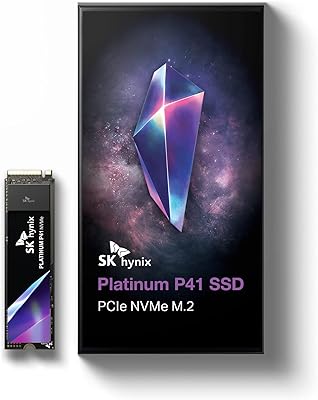
SK hynix Platinum P41 2TB NVMe SSD
83%
93%
Sequential Read Performance
89%
Sequential Write Performance
88%
Random Read/Write (4K IOPS)
67%
Thermal Management
91%
Build Quality & Reliability
More
SK hynix Platinum P41 1TB PCIe NVMe Gen4 M.2 SSD
88%
94%
Performance (Read/Write Speeds)
91%
Reliability & Endurance
93%
Gaming Performance
85%
Value for Money
88%
Installation & Setup
More
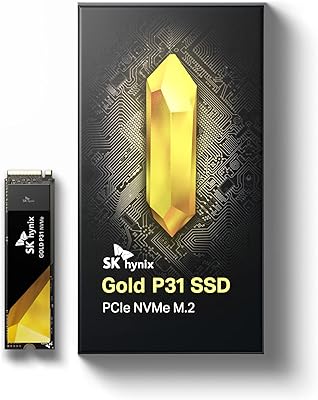
SK Hynix Gold P31 1TB NVMe SSD
83%
88%
Sequential Read Speed
85%
Sequential Write Speed
93%
Thermal Performance
91%
Long-Term Reliability
86%
Warranty & Brand Support
More
SK Hynix BC711 128GB NVMe M.2 SSD
73%
93%
Form Factor Fit
88%
Installation Ease
81%
Everyday Performance
58%
Capacity Adequacy
84%
Value for Money
More
WD_BLACK SN7100 500GB NVMe SSD
83%
91%
Read Performance
83%
Write Performance
89%
Power Efficiency
58%
Storage Capacity
72%
Thermal Management
More
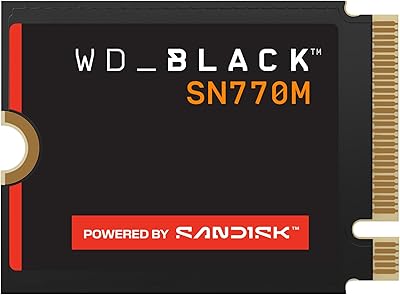
WD_BLACK SN770M 500GB NVMe SSD
89%
93%
Performance
95%
Compatibility with Gaming Consoles
91%
Speed (Read/Write)
88%
Installation Ease
87%
Durability
More
Crucial P3 500GB NVMe M.2 SSD

82%
88%
Read Speed Performance
71%
Write Speed Performance
93%
Value for Money
94%
Ease of Installation
86%
Reliability & Longevity
More
TEAMGROUP MP44L 500GB Gen4 NVMe SSD
78%
88%
Sequential Read Speed
61%
Sustained Write Performance
79%
Thermal Management
91%
Installation & Compatibility
93%
Value for Money
More
Crucial P310 500GB NVMe SSD

87%
93%
Read & Write Speed
91%
Value for Money
88%
Thermal Management
94%
Compatibility
92%
Installation Ease
More
fanxiang S880E 500GB NVMe SSD
78%
83%
Raw Speed Performance
86%
PS5 Compatibility
91%
Value for Money
77%
Thermal Management
93%
Installation Ease
More

FAQ

No adapter needed. The Platinum P41 uses the M.2 2280 form factor, which fits directly into the PS5's expansion slot. Sony requires a heatsink for PS5 installation though, and one is not included in the box, so you will need to purchase a compatible M.2 heatsink separately or use the console's slot cover as a makeshift solution.

For sequential transfers — moving large video files, installing big game updates — yes, the difference is noticeable. For everyday tasks like web browsing or opening documents, the gap narrows considerably. Where you will feel it most is in game load times on PC and PS5, and in sustained write tasks like exporting video.

It will work, but it will be limited to Gen3 speeds — roughly half the peak throughput. The drive is backward compatible, so it will function without issues, but you will not get anywhere near 7,000 MB/s on an older board. If your system is Gen3-only, a well-rated Gen3 drive may offer better value.

A heatsink is not included. For PS5 installation, it is required by Sony. For desktop PCs, many motherboards include one with the M.2 slot, but if yours does not, a third-party M.2 heatsink is inexpensive and worth adding. In laptops, thermal headroom depends heavily on the chassis design — slim ultrabooks may throttle the drive under sustained heavy loads.

The Platinum P41 trades blows with the 980 Pro in most real-world tests, often matching or slightly outperforming it in sustained write scenarios thanks to HYPERWRITE cache technology. The 980 Pro has a longer track record, but the Platinum P41 has earned strong credibility for a newer entrant, particularly given that SK hynix manufactures its own NAND rather than sourcing it externally.

TBW stands for TeraBytes Written — it is the total amount of data the drive is rated to write before potential wear concerns arise. Writing 100GB per day, every single day, would take over 30 years to hit 1,200 TBW. For virtually any home user, gamer, or creator, this drive's endurance rating is not a practical concern.

Macrium Reflect has a graphical interface and guides you through the cloning process step by step. Most users without a technical background complete a successful clone on their first try. It only works on Windows, so macOS users will need to find an alternative migration tool.

Technically yes — if you place it in an M.2 NVMe USB enclosure, it will work as external storage. Keep in mind that USB 3.2 Gen 2 enclosures top out around 1,000 MB/s, so you would not come close to the drive's rated speeds externally. It is perfectly functional in that configuration, just not an efficient use of a Gen4 drive.

Like most PCIe Gen4 drives, it runs warmer than Gen3 alternatives, especially under sustained read or write loads. In a desktop with decent airflow and a heatsink attached, temperatures stay manageable. In a cramped laptop or a PS5 without a proper heatsink, you may see thermal throttling kick in during extended heavy workloads. It is not unusual behavior — it is a characteristic of the Gen4 standard.

SK hynix handles warranty claims directly through their consumer support channels. You will need proof of purchase and the drive's serial number. The 5-year coverage is one of the more generous policies in this segment, and user reports suggest the process is straightforward rather than deliberately difficult — which is not always the case with storage manufacturers.

Where to Buy