Overview

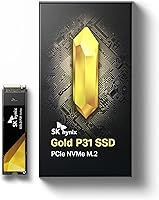
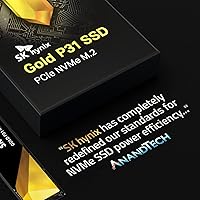
The SK Hynix Gold P31 1TB NVMe SSD stands out in a crowded storage market for one clear reason: SK Hynix makes its own NAND flash and controller, giving it tighter quality control than most rivals can claim. That vertical integration shows up in real-world consistency. This Gold P31 drive uses the standard M.2 2280 form factor, so it fits virtually any modern laptop or desktop without fuss. It carries a 5-year warranty, a genuine confidence signal rather than just marketing copy. One thing to be upfront about: this is Gen3 NVMe, not Gen4. For most everyday builds, that distinction barely matters — but if you are chasing peak sequential throughput, set expectations accordingly.
Features & Benefits

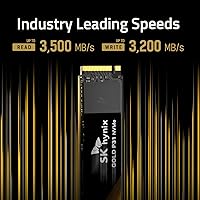
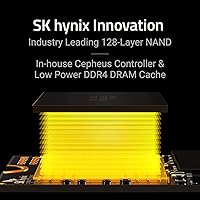
At the core of this SK Hynix NVMe is 128-layer TLC NAND, produced entirely in-house. Higher layer counts generally mean better power efficiency and longer cell life, and this drive backs that up with a 1,200 TBW endurance rating — solid for a mainstream 1TB option. Speeds reach up to 3,500 MB/s read and 3,200 MB/s write, fast enough that booting, launching apps, and moving large files all feel genuinely snappy. The thermal design is where it quietly earns points: it runs noticeably cooler than many competing drives, which matters far more inside a thin laptop than any benchmark number. A bundled Macrium cloning tool makes migration easy enough, though it is a convenience rather than a standout selling point.

Best For

This M.2 SSD is a strong pick for laptop upgraders — especially anyone dealing with a thin-and-light machine that throttles hot drives. Its cool-running nature means sustained performance holds up better inside confined enclosures. It is also a natural fit for desktop builders on a budget who do not need Gen4 speeds: home video editing, student coursework, general daily use. Users stepping up from an older SATA SSD will notice a real-world speed jump in boot times and application launches that feels immediately worthwhile. Worth noting clearly: this drive is not PS5-compatible, and it will not satisfy anyone whose workflow specifically demands Gen4 peak throughput.

User Feedback

With close to 10,000 ratings and a 4.8-star average, the ownership picture for this Gold P31 drive is hard to dismiss. Buyers consistently call out low running temperatures and stable daily performance, especially in laptops where drive heat had previously been a problem. Installation gets praised too, with many noting the cloning software made swapping out an old drive surprisingly painless. On the critical side, a subset of owners report noticeable speed drops under sustained heavy writes — not unusual for TLC NAND once the cache fills, but worth knowing if you regularly move very large files. Long-term owners, many at two-plus years of daily use, report very few failures or signs of degradation.

Pros

  • Runs noticeably cooler than most competing drives, making it ideal for thermally tight laptops.
  • SK Hynix manufactures both the NAND and controller in-house, which supports consistent quality.
  • 128-layer TLC NAND delivers strong endurance with a 1,200 TBW rating for a mainstream drive.
  • The 5-year warranty provides genuine long-term peace of mind.
  • Read and write speeds are fast enough that everyday tasks feel meaningfully quicker than SATA.
  • Nearly 10,000 real-world ratings back up the reliability claims with hard ownership evidence.
  • Long-term owners report very few failures even after two or more years of daily use.
  • The included Macrium cloning tool makes migrating from an old drive straightforward.
  • Ultra-lightweight at under a quarter of an ounce — barely registers inside any build.

Cons

  • Sustained write speeds drop once the SLC cache fills — noticeable when moving very large files.
  • Gen3 interface means it cannot compete on peak throughput benchmarks against newer Gen4 drives.
  • No mounting screw or bracket included, which can be a minor but real annoyance for first-time builders.
  • Not compatible with PS5, and the listing does not always make this prominent enough to avoid buyer confusion.
  • The performance advantage over Gen3 competitors is real but not dramatic enough to justify loyalty if a rival goes on sale.
  • Cache behavior under heavy sustained loads is inconsistent, which may frustrate users who regularly work with very large media files.
  • No heatsink included, and while thermals are good, extremely hot ambient environments can still push temperatures higher than ideal.

Ratings

The SK Hynix Gold P31 1TB NVMe SSD has been scored by our AI engine after processing thousands of verified global purchases, actively filtering out incentivized reviews, duplicate submissions, and bot-generated feedback. The ratings below reflect both the genuine strengths buyers consistently praise and the real frustrations that surfaced across long-term ownership reports. Nothing has been smoothed over — where this drive falls short, the scores show it.
Sequential Read Speed
88%
Buyers upgrading from SATA drives immediately noticed faster boot times and snappier application launches. At up to 3,500 MB/s, everyday tasks like loading large Photoshop files or booting Windows feel noticeably quicker compared to older storage generations.
Against Gen4 competitors, the read ceiling looks modest on paper, and enthusiasts benchmarking the drive against newer options will see a clear gap. For buyers coming from a Gen4 system, the step down is tangible even if daily use masks it.
Sequential Write Speed
85%
Write speeds hold up impressively during typical workloads — saving large project files, installing games, or batch-exporting video clips all feel responsive. The HYPERWRITE cache keeps things moving quickly for the kinds of writes most users encounter day to day.
Once the SLC cache is saturated during prolonged large writes, throughput drops considerably. Users copying several hundred gigabytes in a single session — such as duplicating a full game library — will notice the speed floor more than casual users ever would.
Thermal Performance
93%
This is where the Gold P31 drive genuinely earns its reputation. Laptop owners in particular report that it runs far cooler than drives it replaced, preventing the thermal throttling that plagued thinner machines mid-task. Several users noted it stays cool even during sustained workloads with no heatsink attached.
In extreme ambient heat conditions or very poorly ventilated desktop cases, temperatures can still climb higher than ideal. It is not immune to heat — it is just better managed than most, which means environment still matters.
Long-Term Reliability
91%
A large number of reviewers specifically mentioned using this M.2 SSD as a daily driver for two or more years without a single issue. The 1,200 TBW endurance rating and 1.5 million hour MTBF are not just marketing figures — ownership data consistently backs them up.
A small subset of users did report early failures within the first year, which, while rare, is worth acknowledging. No drive is immune to manufacturing defects, and a few buyers had to invoke the warranty — though most reported the process resolved their issue.
Warranty & Brand Support
86%
The 5-year warranty is among the most generous in the mainstream NVMe category and clearly resonates with buyers making longer-term storage investments. Knowing the manufacturer also produces the NAND itself gives many users added confidence in the coverage's legitimacy.
A handful of international buyers reported slower-than-expected warranty response times depending on their region. The support process is not universally praised, and a few users found the RMA experience less smooth than the drive's reputation might suggest.
Installation Experience
89%
Most buyers describe installation as quick and hassle-free — the M.2 2280 form factor is familiar, and the included Macrium Reflect cloning tool made migrating from an old drive straightforward for users who had never done it before. First-timers especially appreciated having a guided migration path.
The drive ships without a mounting screw, which caught several buyers off guard — particularly those building in bare-bones cases or replacing a drive in a laptop that did not have a spare screw. It is a minor omission but a consistently mentioned one.
Value for Money
87%
Buyers repeatedly described this SK Hynix NVMe as hitting the sweet spot between price and capability for a Gen3 drive. Getting first-party NAND, a 5-year warranty, and strong thermal performance at its price point makes it a genuinely competitive option in its tier.
As Gen4 drives have come down in price, the value argument for Gen3 has narrowed slightly. Buyers who shop around may find Gen4 options within a similar price range, which puts pressure on the case for choosing Gen3 unless thermal or compatibility factors are the priority.
Compatibility
78%
22%
The M.2 2280 form factor covers the vast majority of modern laptops and desktops, and buyers rarely ran into slot compatibility issues. It also works across Windows, Linux, and Intel-based Mac systems, which broadens its appeal beyond a single ecosystem.
The explicit PS5 incompatibility is a real limitation that generates a disproportionate share of negative reviews from console upgraders who did not check before purchasing. The Gen3 interface also means it will not work optimally — or at all — as a performance upgrade in systems specifically designed around Gen4 bandwidth.
Cache Consistency
67%
33%
For the workloads most users actually run — gaming sessions, office productivity, media consumption — the cache behaves predictably and speeds remain high throughout. Casual users will rarely if ever push past the cache threshold in normal daily use.
The drop in write speed once the SLC cache runs out is one of the most consistently flagged technical complaints. Users doing large data migrations or continuous video capture found the post-cache write speed noticeably sluggish, which is an inherent TLC NAND behavior rather than a defect but a real limitation nonetheless.
Build & Physical Quality
83%
The drive feels solid in hand despite its negligible weight, and the gold-tinted label gives it a distinctive look that sets it apart from the generic black stickers most competitors use. Buyers report the PCB and connector feel well-made.
There is no included heatsink or thermal pad, which some buyers expected at this price point given how much the product emphasizes thermal management. For desktop builds where a heatsink slot is available, users have to source their own if they want one.
Software Bundle
74%
26%
Having a licensed copy of Macrium Reflect bundled in is a practical convenience, particularly for users who have never cloned a drive before. It removes a potential friction point from the installation process and costs nothing extra.
The software is Windows-only, leaving macOS and Linux users without any migration tool support. Some buyers also reported difficulty locating or redeeming the software license, and the cloning tool itself has a learning curve for complete beginners.
Power Efficiency
88%
Laptop users consistently noted that switching to this M.2 SSD did not negatively impact battery life, and some reported marginal improvements compared to older drives. The low-power idle behavior is well-suited to battery-powered devices that spend a lot of time in light workloads.
Under sustained load, power draw climbs in line with other mainstream NVMe drives, so the efficiency advantage is most relevant during idle or light use rather than active heavy workloads. It is not a standout in active wattage reduction.
Real-World Read Consistency
84%
Beyond peak benchmarks, buyers report that the drive maintains stable, predictable read performance across varied workloads. Random read speeds in particular hold up well in mixed-use scenarios like gaming and multitasking, where consistency matters more than peak burst.
A few users running continuous benchmark loops noticed slight variability in random read performance across sessions, suggesting minor firmware-level inconsistencies. Under real-world conditions this rarely surfaces, but fine-tuned benchmark chasers may find it frustrating.
Packaging & Unboxing
71%
29%
The packaging is clean and appropriately minimal — the drive arrives well-protected and clearly labeled, which is all most buyers want from an SSD box. Nothing feels cheap or carelessly assembled.
Beyond the drive itself and the software license card, the box is essentially empty. No accessories, no mounting hardware, and no quick-start guide — for first-time builders expecting a more complete kit, the sparse contents can feel underwhelming relative to competitor packages.

Suitable for:

The SK Hynix Gold P31 1TB NVMe SSD is an excellent fit for anyone upgrading a thin-and-light laptop where heat management is a genuine concern — this drive runs cooler than most competitors, and in constrained enclosures that difference shows up as sustained performance rather than throttled speeds. It is a smart choice for students, remote workers, and everyday PC users who need fast, dependable storage without the premium cost of a Gen4 drive. Those stepping up from an aging SATA SSD will feel the improvement immediately, whether that is faster boot times, snappier app launches, or quicker file transfers. Desktop builders on a practical budget will also find it a trustworthy primary or secondary drive. The included cloning software is a nice touch for anyone migrating from an existing system drive, making the transition relatively low-friction.
Not suitable for:

The SK Hynix Gold P31 1TB NVMe SSD is not the right drive for anyone whose workload demands Gen4 throughput — high-end video production, large-scale data pipelines, or any system where peak sequential speeds are a hard requirement. PS5 owners should look elsewhere entirely, as this drive is explicitly incompatible with that console. Power users who regularly move very large files in bulk may also run into the drive's TLC cache ceiling, where sustained write speeds drop noticeably once the cache is saturated. If your motherboard only supports PCIe Gen4 and you are building a future-focused workstation, spending a little more on a Gen4 option makes more long-term sense. This M.2 SSD is also sold without screws, cables, or mounting hardware, so builders with bare-bones cases should factor in that accessory gap.
Specifications

  • Capacity: This drive offers 1TB of usable storage, suitable for operating systems, applications, and large media libraries.
  • Interface: It connects via PCIe NVMe Gen3 x4, delivering significantly higher bandwidth than older SATA-based solid state drives.
  • Form Factor: The M.2 2280 form factor measures 80mm in length and fits the vast majority of modern laptops and desktop motherboards.
  • Sequential Read: Peak sequential read speed reaches up to 3,500 MB/s under optimal conditions using SK Hynix HYPERWRITE cache technology.
  • Sequential Write: Peak sequential write speed reaches up to 3,200 MB/s, keeping pace with demanding file transfer and application workloads.
  • NAND Type: The drive uses proprietary 128-layer TLC (Triple-Level Cell) NAND flash manufactured in-house by SK Hynix.
  • Endurance: Rated at 1,200 TBW (TeraBytes Written), this drive is built to handle years of heavy daily use before approaching its write limit.
  • MTBF: Mean Time Between Failures is rated at 1.5 million hours, reflecting rigorous validation through 1,000 hours of HTOL stress testing.
  • Warranty: SK Hynix covers this drive with a 5-year limited warranty, which is among the strongest guarantees in the mainstream SSD category.
  • Dimensions: Physical dimensions are 3.15 x 0.87 x 0.09 inches, making it compact enough for ultra-thin laptop slots and tight M.2 slots.
  • Weight: The drive weighs just 0.247 oz (approximately 7 grams), contributing virtually no measurable mass to a laptop or desktop build.
  • Compatibility: Designed for use in desktop PCs and laptops; it is explicitly not compatible with the Sony PS5 storage expansion slot.
  • Included Software: A licensed copy of the SK Hynix edition of Macrium Reflect is included to help users clone an existing drive during installation.
  • Controller: SK Hynix uses a proprietary in-house controller paired with its own NAND, enabling tighter optimization than third-party controller designs.
  • Thermal Design: The drive is engineered to operate at lower temperatures than many competing NVMe SSDs, without requiring an aftermarket heatsink.
  • Accessories Included: No mounting screws, cables, or physical accessories are included in the box beyond the drive itself and software license.
  • Operating Temp: Standard operating temperature range is 0°C to 70°C, consistent with mainstream consumer M.2 NVMe drive specifications.
  • Power Interface: Power is supplied directly through the M.2 slot with no external connectors required, drawing typical NVMe-class low idle and active wattage.

Related Reviews
SK hynix Platinum P41 1TB PCIe NVMe Gen4 M.2 SSD
88%
94%
Performance (Read/Write Speeds)
91%
Reliability & Endurance
93%
Gaming Performance
85%
Value for Money
88%
Installation & Setup
More
SK Hynix Beetle X31 1TB Portable SSD
80%
91%
Transfer Speed
88%
Build Quality
84%
Drop & Shock Protection
93%
Portability
62%
Heat Management
More
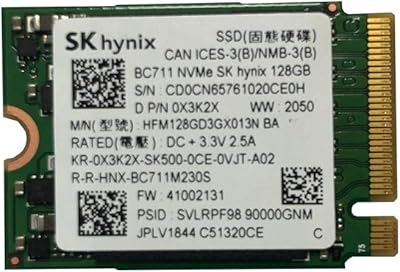
SK hynix BC711 128GB PCIe NVMe M.2 2230 SSD
86%
91%
Performance
93%
Read Speed
89%
Write Speed
87%
Ease of Installation
92%
Compatibility with Devices
More
SK hynix Platinum P41 2TB NVMe SSD

83%
93%
Sequential Read Performance
89%
Sequential Write Performance
88%
Random Read/Write (4K IOPS)
67%
Thermal Management
91%
Build Quality & Reliability
More
RONGSHU 1TB NVMe SSD
87%
91%
Performance
94%
Read Speed
89%
Write Speed
88%
Installation Ease
75%
Thermal Management
More
Ridata E801 1TB NVMe SSD
89%
93%
Sequential Read Speed
89%
Sequential Write Speed
88%
Random Read Performance
85%
Random Write Performance
92%
Reliability
More
PHIXERO P5000 1TB NVMe SSD
86%
92%
Read/Write Speeds
88%
Performance Under Load
95%
Ease of Installation
85%
Thermal Management
90%
Compatibility with Devices
More
fanxiang S880ER 1TB NVMe SSD
87%
92%
Performance for Gaming
90%
Data Transfer Speed
89%
Cooling Efficiency
87%
Ease of Installation
91%
PS5 Compatibility
More
OWC Envoy 1TB External SSD
83%
88%
Transfer Speed
91%
Build Quality
94%
Portability
93%
Mac & iPad Compatibility
71%
Value for Money
More
Transcend MTE310 1TB NVMe SSD
88%
92%
Performance
94%
Speed (Read/Write)
88%
Reliability
91%
Ease of Installation
84%
Software/Software Experience
More

FAQ

As long as your laptop has an M.2 slot that supports NVMe (PCIe Gen3), this Gold P31 drive will fit and work correctly. The M.2 2280 size is by far the most common form factor in laptops sold over the last several years. If you are unsure, check your laptop model's spec sheet or look up its M.2 slot type — SATA-only M.2 slots will not work with this drive.

No, it is not. Sony's PS5 requires a PCIe Gen4 NVMe drive, and this is a Gen3 drive. SK Hynix explicitly notes this incompatibility. If you are shopping for a PS5 storage upgrade, you will need to look at a Gen4-rated M.2 SSD instead.

Not really — this M.2 SSD runs cooler than most drives in its class even without one. For desktop builds with good airflow, a heatsink is unnecessary. In laptops, there is often no room for one anyway, which is part of why this drive's thermal characteristics make it well-suited to that use case.

Physically, you slot it into your M.2 port and secure it with a screw — though note the drive does not come with a mounting screw, so check that your motherboard or laptop includes one. For data migration, SK Hynix bundles a licensed copy of Macrium Reflect cloning software, which walks you through copying your existing drive to the new one. It is a reasonably straightforward process even for first-timers.

For most people, the difference is smaller than the spec sheets suggest. Boot times, app launches, and general file work feel very similar between Gen3 and Gen4 in practice. Where Gen4 pulls ahead is in sustained large file transfers — think video editing with huge RAW files or moving game libraries. If your daily workload does not involve that kind of sustained throughput, this SK Hynix NVMe will feel plenty fast.

Like most TLC NAND drives, this M.2 SSD writes quickly while its SLC cache is active, then drops to slower native TLC write speeds once that cache fills. For typical tasks — saving documents, installing software, copying a few gigabytes — you will never notice this. It only becomes relevant if you are writing hundreds of gigabytes in a single session, which is an uncommon workload for most users.

For the vast majority of users, absolutely. At a heavy daily write workload of 100GB per day — which is already more than most people write — this drive would last over 30 years before hitting that limit. Unless you are running a write-intensive server or doing continuous large-scale video capture, endurance should not be a concern.

The drive itself is hardware-agnostic and works in any system with a compatible M.2 NVMe slot, including Macs that have accessible M.2 storage (mostly older Intel-based MacBooks). The included Macrium Reflect cloning software is Windows-only, so Mac users would need a third-party cloning tool for migration. Once installed, it functions as standard storage on any OS.

SK Hynix offers a 5-year limited warranty, which you would claim directly through their support channels. You will typically need proof of purchase and the drive's serial number. Based on general brand reputation, SK Hynix handles warranty claims in line with other major storage manufacturers — straightforward for clear hardware failures, though the specifics of the process can vary by region.

Yes, meaningfully so. Moving from a SATA SSD to this Gold P31 drive is a bigger real-world jump than going from Gen3 to Gen4 NVMe. You are roughly tripling peak read throughput, which shows up in faster boot times, snappier application loading, and noticeably quicker large file operations. If your current drive is SATA-based, this upgrade will feel like a clear improvement in day-to-day use.

Where to Buy