Overview

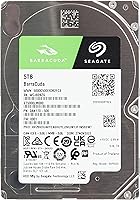
The Seagate Barracuda ST5000LM000 5TB Internal Hard Drive occupies an interesting spot in the storage market — it packs a genuinely large amount of space into a 2.5-inch form factor that most people associate with smaller laptop drives. Five terabytes in this size is still not something you see everywhere, which makes it appealing for anyone working with space-constrained builds. Seagate's Barracuda line has been around long enough to carry real credibility with buyers who follow the storage industry, though that reputation comes with honest caveats. This is a 5400 RPM mechanical drive, so raw speed was never the priority — capacity and cost-per-terabyte were, and that trade-off shapes everything about who should realistically buy it.
Features & Benefits

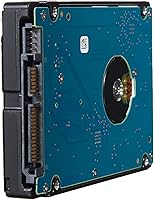
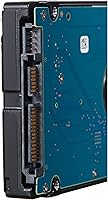
The Barracuda 5TB fits into a standard 2.5-inch bay at just 15mm tall, making it compatible with a wider range of enclosures than you might expect. Connectivity runs through a SATA 6Gb/s interface, so it works with practically any modern laptop, desktop motherboard, or external USB enclosure without adapter headaches. The 128MB cache helps smooth out read performance during sequential transfers, which is exactly the kind of workload this drive handles best — large file moves, media libraries, and backups. At just under seven ounces, it slots comfortably into a portable enclosure too. Just don't expect SSD-level responsiveness; the 5400 RPM spindle keeps heat and noise manageable but also caps your transfer ceiling accordingly.

Best For

This 5TB laptop drive makes the most sense as a secondary or backup drive rather than a primary boot disk. If you're running a laptop with an M.2 SSD for your OS and apps, adding this in a second bay or an external caddy gives you serious bulk storage without a significant hit to your budget. Home media server builders and NAS users who need affordable terabytes in a small footprint will find it a practical fit. Students and creative professionals who accumulate large project files, raw footage, or photo archives also have a clear use case here. What it won't handle well is fast random access workloads or gaming installs — those tasks belong to an SSD.

User Feedback

Across nearly 720 ratings, this high-capacity 2.5-inch drive holds a solid 4.1-star average, which tells a fairly consistent story. Buyers regularly praise straightforward installation and broad compatibility across Windows, Mac, and Linux setups. The value per terabyte draws consistent appreciation, particularly from users who had been waiting for drives in this capacity range to become genuinely accessible. On the critical side, a handful of users note an audible hum or occasional clicking under heavy sequential reads — not unusual for a mechanical drive, but worth knowing if you are sensitive to noise. A small number of buyers have reported early failures, so registering the warranty promptly is wise. Long-term owners past the two-year mark report mixed reliability results, making a solid backup routine essential.

Pros

  • Five terabytes in a 2.5-inch form factor remains genuinely rare and practical for space-limited builds.
  • The Barracuda 5TB delivers one of the lowest cost-per-terabyte ratios available in its size class.
  • SATA 6Gb/s interface means it drops into virtually any laptop bay, desktop, or external enclosure without adapters.
  • Lightweight at under seven ounces, making it easy to pair with a portable USB enclosure for on-the-go backup.
  • Sequential read and write performance is solid enough for media streaming and large file archiving.
  • 128MB cache buffer noticeably smooths transfers when moving big batches of files.
  • Installation is plug-and-play across Windows, Mac, and Linux with no special drivers needed.
  • Sits at a competitive rank among internal hard drives, reflecting broad buyer confidence.
  • The 15mm height is compatible with a wider range of laptop chassis than thinner alternatives at this capacity.

Cons

  • 5400 RPM makes this a poor choice as a boot or primary application drive — expect slow load times.
  • Some users report audible humming or intermittent clicking under sustained sequential reads.
  • Long-term reliability is mixed past the two-year mark, so a solid backup routine is not optional.
  • A small but notable portion of buyers have reported early failures, making warranty registration essential.
  • The 15mm height physically cannot fit into ultra-slim laptops designed for 7mm or 9.5mm drives.
  • Sustained write speeds can throttle during prolonged large transfers, which frustrates heavier workloads.
  • Mechanical drives are inherently more vulnerable to damage from drops or vibration than solid-state alternatives.
  • No hardware encryption support, which limits appeal for users handling sensitive or regulated data.

Ratings

Our AI-powered scoring system analyzed verified global buyer reviews for the Seagate Barracuda ST5000LM000 5TB Internal Hard Drive, actively filtering out incentivized, duplicate, and bot-generated feedback to surface what real users genuinely experienced. The scores below reflect both the genuine strengths and the honest frustrations reported across hundreds of real-world installations — from home NAS builds to laptop storage upgrades. Nothing has been softened or inflated; the numbers tell the full story.

Value for Money
88%
Buyers consistently point to the cost-per-terabyte as the single biggest reason they chose this drive over the competition. For archiving large photo collections, video projects, or years of documents, getting five terabytes at this price point in a compact form factor feels like a genuinely smart buy.
A handful of users who experienced early failures felt the value proposition collapsed quickly when they had to factor in data recovery costs or the hassle of a warranty replacement. If the drive fails within the first year, the cost savings feel a lot less meaningful in hindsight.
Storage Capacity
93%
Five terabytes in a 2.5-inch shell is the headline strength here, and buyers are genuinely impressed by it. Media professionals storing raw footage and photographers with sprawling RAW libraries particularly appreciated not having to compromise on space just because they needed a compact drive.
There are no real capacity complaints — the gripes in this category are more about formatted capacity being slightly lower than advertised, which is a standard industry practice but still catches some first-time buyers off guard.
Read & Write Speed
54%
46%
For sequential workloads like transferring a large archive or streaming stored media, the drive performs adequately. Users copying full backup sets or dumping camera footage onto the drive found it acceptable for one-time large transfers when speed was not the priority.
The 5400 RPM limitation becomes immediately apparent for anyone expecting anything close to SSD responsiveness. Opening folders with thousands of files, launching apps, or running any workload with heavy random access feels noticeably sluggish — several buyers regretted using it as their only drive for an active system.
Installation Ease
91%
The plug-and-play experience across Windows, macOS, and Linux earned consistent praise. Most buyers reported the drive was recognized immediately without any driver installation, and even less experienced users found the physical installation in a laptop bay or external enclosure straightforward.
The 15mm height caught a meaningful number of buyers off guard — several reported ordering the drive only to find it physically would not fit in their slim laptop chassis designed for 7mm or 9.5mm drives. This is a compatibility gap that causes real frustration and return shipments.
Noise & Vibration
61%
39%
Under light workloads and at idle, most users describe the drive as acceptably quiet — not silent, but not distracting either. In a desktop tower or an enclosed NAS unit, the ambient hum tends to get lost in the surrounding noise.
Under sustained sequential reads or writes — like a full backup operation running for several hours — a noticeable low hum and occasional vibration is reported fairly widely. A smaller but vocal group of buyers mentioned intermittent clicking sounds, which understandably created anxiety about drive health even when the drive was technically functioning.
Build Quality
67%
33%
The physical construction feels solid and the drive is well within standard tolerances for a consumer mechanical hard disk. It survived the shipping and handling process without issue for the vast majority of buyers, and the metal casing gives it a reassuring density for its weight.
As a mechanical drive, it is inherently more fragile than solid-state alternatives — a drop or sharp knock can cause physical head crashes that permanently destroy data. Several buyers noted this vulnerability when using it in portable setups where the drive was moved regularly.
Long-Term Reliability
63%
37%
A solid portion of buyers who had used the Barracuda 5TB for over a year reported no issues, and several praised it as a dependable background workhorse for secondary storage duties where it is not under constant stress.
The reliability picture becomes patchier beyond the 18-month mark, with a noticeable uptick in failure reports from verified long-term owners. The rate of early failures — within the first few months — is higher than some competing drives, which keeps the score from climbing into the 70s despite many trouble-free units in the field.
Compatibility
86%
The standard SATA 6Gb/s interface means this drive integrates without friction into an enormous range of systems — from decade-old laptops to current-generation desktop motherboards and popular NAS enclosures from QNAP and Synology. Cross-platform support across operating systems is essentially universal.
The 15mm form factor remains a recurring compatibility problem specifically for slim laptops, and buyers who did not verify their chassis clearance beforehand make up a disproportionate share of the one-star reviews. A small number of NAS users also noted that running the drive 24/7 in a higher-demand environment voided warranty coverage under the consumer-grade classification.
Heat Management
78%
22%
Running at 5400 RPM rather than 7200 RPM pays dividends in thermal performance — buyers using this drive in enclosed external caddies or compact NAS units reported it staying at comfortable operating temperatures even during extended use. This directly contributes to a quieter and more energy-efficient setup.
In poorly ventilated enclosures or during very long continuous write sessions, some users observed the drive running warmer than expected. It is not a dealbreaker, but those building tight NAS enclosures should factor in basic airflow planning to keep thermals in check.
Power Consumption
82%
18%
The 2.5-inch 5400 RPM design draws meaningfully less power than a 3.5-inch drive of comparable capacity, which matters for NAS users managing energy costs and laptop users concerned about battery drain when the drive is running.
A few NAS-focused buyers noted that the drive does not support aggressive power-saving spin-down behavior as reliably as drives from Seagate's IronWolf range, which was a mild disappointment in always-on low-power setups.
Packaging & Delivery
74%
26%
Most buyers received the drive in adequate protective packaging with no shipping damage, and the bare-drive format meant it arrived ready to install without unnecessary accessories cluttering the box.
A small share of buyers reported receiving drives with minor cosmetic damage to the outer casing due to insufficient cushioning in transit, and bare internal drives inherently lack the anti-static packaging that more cautious buyers would prefer for electronics shipped without retail boxing.
Warranty Experience
58%
42%
Buyers who engaged Seagate's warranty process for manufacturing defects within the covered period generally reported that the claim process was functional and that replacement units were issued without excessive friction when documentation was in order.
The two-year consumer warranty felt short to many buyers given the investment, especially when compared to the five-year warranties common on enterprise-grade drives. Some users reported confusion about warranty terms when using the drive in NAS environments, and data recovery is never covered — a pain point that stings hardest when a failure happens without a backup in place.
Use Case Flexibility
76%
24%
The Barracuda 5TB covers a wide range of secondary storage scenarios well — internal laptop bay upgrades, desktop secondary slots, external caddies, and light NAS use all work without major caveats. That versatility across different physical setups is a genuine selling point.
It falls short as a do-everything drive. Buyers who tried to use it as their sole storage in an active workstation or as a gaming drive were consistently disappointed, and its mechanical nature means it is categorically unsuitable for environments where vibration or portability is a concern.

Suitable for:

The Seagate Barracuda ST5000LM000 5TB Internal Hard Drive is a strong pick for anyone whose primary need is bulk storage capacity in a compact physical footprint, not raw speed. Laptop owners who already run an SSD for their operating system and apps — and want to add a second bay filled with mass storage — will get real, practical value here. Home media server and NAS builders on a budget will appreciate fitting five terabytes into a 2.5-inch enclosure that draws less power and generates less heat than a 3.5-inch alternative. Students and creative professionals who need a reliable place to archive raw footage, project files, or large photo libraries without spending SSD prices per terabyte will find this drive hits a sensible cost-to-capacity balance. It also works well for anyone building a portable external backup solution inside a USB enclosure.
Not suitable for:

Buyers expecting SSD-level responsiveness should look elsewhere — this high-capacity 2.5-inch drive runs at 5400 RPM, which means application launches, boot times, and random read performance will feel noticeably sluggish compared to any modern solid-state option. Using it as a primary OS drive is a choice you will likely regret within a week of daily use. Gamers looking to store large game libraries also need to be cautious, since the slow random access speeds lead to long load times that SSDs have largely eliminated. Anyone who needs to move large volumes of data quickly and repeatedly — video editors working in real time, for example — will hit the ceiling of what a mechanical drive at this speed rating can comfortably sustain. Finally, buyers who simply cannot tolerate any drive noise should be aware that some units produce an audible hum or low-level vibration under load.

Specifications

  • Storage Capacity: This drive provides 5TB of formatted storage, suitable for holding large media libraries, document archives, and backup volumes.
  • Form Factor: Built to the 2.5-inch standard at 15mm height, it fits a wider range of laptop bays and enclosures than thinner 7mm or 9.5mm designs.
  • Dimensions: The physical footprint measures 3.95 x 2.75 x 0.59 inches, keeping it compact and easy to house in portable enclosures.
  • Weight: At 6.7 ounces, it is light enough to use comfortably inside a portable USB hard drive caddy without adding meaningful bulk.
  • Interface: Uses a SATA 6Gb/s connection, which is compatible with the vast majority of modern laptops, desktops, and NAS devices without any adapter.
  • Spindle Speed: The drive platters spin at 5400 RPM, a deliberate choice that balances heat output and power consumption against raw transfer speed.
  • Cache Buffer: A 128MB cache helps smooth out sequential read and write operations, particularly when handling large batches of files at once.
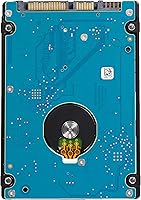
  • Drive Type: This is a traditional mechanical hard disk drive, using spinning platters and a read/write head rather than flash memory.
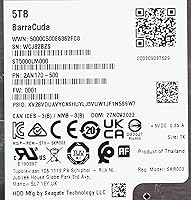
  • Model Number: The official Seagate model identifier is ST5000LM000, which is useful for confirming compatibility or searching for firmware updates.
  • Compatible Platforms: Works across laptops, desktops, and PCs running Windows, macOS, or Linux without requiring proprietary drivers for basic operation.
  • Installation Type: Designed as an internal drive, though it is equally practical when installed in an external USB enclosure for portable backup use.
  • Manufacturer: Made by Seagate Technology, one of the longest-established hard drive manufacturers with decades of consumer and enterprise storage experience.
  • Buyer Rating: Holds an average rating of 4.1 out of 5 stars across 718 verified ratings on Amazon, reflecting broadly positive real-world experiences.
  • Market Rank: Ranked number 32 in the Internal Hard Drives category on Amazon, indicating consistent demand and broad buyer confidence in the product.
  • Power Draw: As a 5400 RPM 2.5-inch mechanical drive, it draws significantly less power than a comparable 3.5-inch drive, making it NAS and laptop-friendly.

Related Reviews
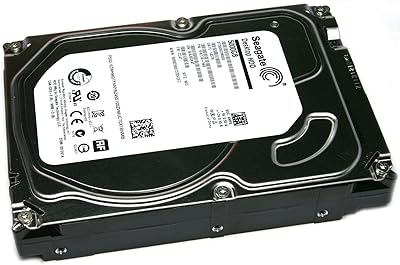
Seagate Barracuda ST5000DM000 5TB Internal Hard Drive
67%
83%
Storage Capacity Value
44%
Write Performance
71%
Read Performance
41%
Long-Term Reliability
86%
Installation & Setup
More
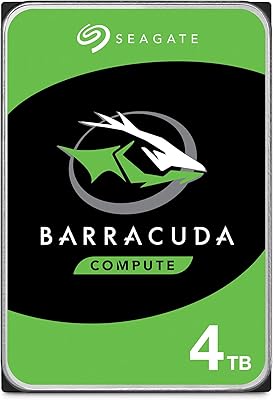
Seagate BarraCuda 4TB Internal Hard Drive
87%
86%
Performance
90%
Reliability
93%
Setup & Installation
95%
Storage Capacity
72%
Data Transfer Speed
More
Seagate BarraCuda 2TB Internal Hard Drive
79%
91%
Value for Money
74%
Transfer Speed
77%
Reliability & Longevity
93%
Installation Ease
79%
Noise Level
More
Seagate BarraCuda ST1000DM010 1TB Internal Hard Drive
77%
91%
Value for Money
74%
Reliability & Longevity
79%
Read & Write Performance
93%
Installation Ease
68%
Noise & Vibration
More
Seagate Barracuda 6TB Internal Hard Drive
77%
93%
Value for Money
91%
Storage Capacity
74%
Reliability & Longevity
89%
Installation Ease
61%
Read/Write Performance
More
Seagate BarraCuda ST8000DM004 8TB Internal Hard Drive
73%
93%
Storage Capacity Value
67%
Reliability & Longevity
61%
Read & Write Performance
89%
Installation & Compatibility
63%
Noise & Vibration
More
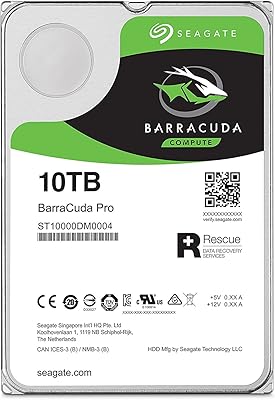
Seagate BarraCuda Pro 10TB Internal Hard Drive
74%
93%
Storage Capacity
78%
Read/Write Performance
61%
Reliability & Longevity
54%
Noise & Vibration
91%
Warranty Coverage
More
Seagate Barracuda XT 3TB Internal Hard Drive
84%
89%
Performance
95%
Storage Capacity
88%
Speed/Access Time
92%
Value for Money
85%
Build Quality
More
Seagate BarraCuda Pro 6TB Internal Hard Drive
87%
88%
Performance
95%
Storage Capacity
89%
Speed (7200 RPM)
85%
Reliability
91%
Ease of Setup
More
Seagate BarraCuda Pro 1TB 2.5-Inch HDD
81%
78%
Read/Write Speed
91%
Storage Capacity
81%
Build Quality
73%
Reliability
67%
Noise & Vibration
More

FAQ

Technically yes, but in practice it will feel painfully slow for daily use. The 5400 RPM speed makes system boot times, app launches, and general responsiveness far worse than even a budget SSD. You are much better off using this as a secondary storage or backup drive alongside a solid-state primary.

That is a valid concern. Most modern ultra-slim laptops only accept drives up to 7mm or 9.5mm tall, so this 15mm drive would not physically fit in those. You need to check your laptop's service manual or the manufacturer's spec page to confirm it has a 15mm-compatible bay before ordering. Older or thicker laptops and dedicated workstations are usually fine.

Yes, it works in most NAS enclosures that accept 2.5-inch SATA drives. It is not specifically rated as a NAS-class drive the way Seagate's IronWolf lineup is, so it may not be covered under warranty for 24/7 NAS operation. For light home NAS use it tends to work fine, but for heavy always-on workloads, a purpose-built NAS drive is the safer long-term investment.

At idle, most users report it is quiet enough to ignore. Under active use — especially during long sequential reads or writes — a noticeable low hum or soft vibration is common. A small number of buyers have mentioned occasional clicking sounds, which is something to monitor. If you hear persistent loud clicking, that is a sign of potential drive issues and you should back up immediately.

Yes, as long as the enclosure supports 2.5-inch SATA drives and can physically accommodate the 15mm height. Many off-the-shelf USB enclosures are designed for slimmer 7mm or 9.5mm drives, so double-check the enclosure spec before buying. Once matched with the right housing, it works well as a portable backup solution.

For sequential reads and writes — like copying a large video file from one location to another — expect roughly 100 to 130 MB/s under good conditions. Random read performance, which affects how fast files open or apps load, is considerably slower and is where mechanical drives at this speed class show their age compared to SSDs.

Seagate typically covers this model with a two-year limited warranty, though it is worth registering the drive on Seagate's website promptly after purchase to make any future claim easier. Keep in mind that warranty coverage handles manufacturing defects, not data recovery — so maintaining regular backups is essential regardless of how the drive performs.

For archiving and storing 4K footage, it works well. The capacity is generous and the sequential read speeds are sufficient for playing back most 4K files locally. Where it struggles is real-time editing directly from the drive — that kind of sustained random access workload is better handled by an SSD. Use this drive for your finished project archive, not your active editing scratch disk.

The Barracuda 5TB has a reasonable reliability track record for a consumer mechanical drive, but no hard disk is immune to failure over time — and that applies to every brand and model in this category. Past the two-year mark, user reports on reliability become more mixed. Treat it as one part of a backup strategy rather than a single point of storage for anything irreplaceable.

The core storage hardware inside many 5TB external drives is often similar or identical to this bare internal drive. Going the internal route gives you more flexibility — you choose your own enclosure, you can install it directly in a compatible laptop or desktop, and there is no built-in USB bridge chip that could fail independently of the drive itself. The trade-off is that you need to handle installation yourself, which is straightforward for most users but worth considering if you are not comfortable with basic hardware work.