Overview

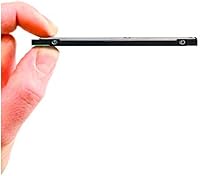
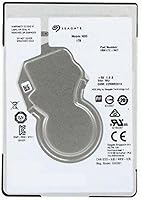
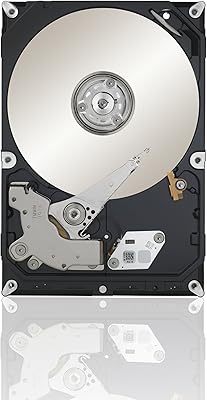
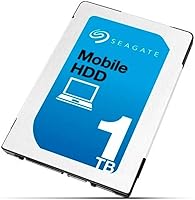
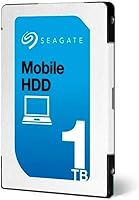
The Seagate ST1000LM035 1TB Laptop Internal Hard Drive is a slim mechanical drive built specifically for laptop upgrades and direct replacements. What sets it apart from bulkier 2.5-inch options is its 7mm z-height — a detail that sounds minor until you realize a 9.5mm drive simply will not close inside an ultrabook or convertible chassis. Launched in 2016, it targeted users who needed serious storage capacity without sacrificing physical compatibility. It has since earned a strong following, sitting near the top of Amazon's internal drive rankings with a 4.5-star average across more than a thousand ratings. For anyone upgrading from a cramped or failing drive, this Seagate laptop drive delivers a meaningful jump in usable space at a practical price.
Features & Benefits

Packing 1TB onto a 7mm frame is genuinely notable for a spinning drive — most mechanical HDDs at this capacity are thicker, and the difference matters in tight laptop bays. The ST1000LM035 uses a standard SATA 6Gb/s connection, so it drops into virtually any modern laptop or desktop without adapter drama. At 5400 RPM, it runs cool and quiet, which is exactly what you want in a portable system where heat and battery life are real concerns. The 128MB cache helps smooth out everyday tasks like transferring large files or loading a sizable photo library. Seagate rates its sequential read performance as meaningfully ahead of comparable mechanical competitors, though real-world gains will depend on the specific workload.

Best For

This slim 1TB HDD makes the most sense for people who have already committed to a mechanical drive and need it to physically fit inside a thin laptop. The 7mm height restriction is the deciding factor — if your laptop bay demands it, this is one of the few 1TB options that qualifies. It also works well as secondary internal storage alongside an SSD, with this Seagate laptop drive handling photos, video, music, and backups while the faster drive runs the OS. Repair technicians and DIY upgraders will appreciate the straightforward bare drive format. Anyone chasing speed for gaming or intensive editing should be looking at solid-state options — that is simply not what this drive is designed for.

User Feedback

Among verified buyers, installation gets consistent praise — most describe it as a clean, no-surprises swap. Quiet operation and low running temperatures come up repeatedly, which aligns with the conservative 5400 RPM design. The most common critique is that it behaves like a spinning disk: boot times and app launches are slower than what an SSD delivers. That is not a defect; it is simply the trade-off of mechanical storage. A portion of buyers report early failures, but Seagate backs the drive with a 2-year warranty, which provides reasonable coverage for those cases. The repair and refurbishment community views the ST1000LM035 as a dependable, no-fuss option. Most negative reviews reflect mismatched expectations rather than flaws in the drive itself.

Pros

  • Fits 7mm slim laptop bays where most 1TB drives simply will not physically close
  • Broad SATA 6Gb/s compatibility means no adapter headaches across virtually any modern laptop
  • Runs noticeably quiet during normal workloads, which matters in quiet environments
  • Low heat output helps preserve battery life in portable systems over extended sessions
  • Drop-in installation is consistently reported as straightforward, even for first-time upgraders
  • 128MB cache keeps everyday file transfers and large folder operations feeling reasonably smooth
  • At 3.17 ounces, it adds almost nothing to overall laptop weight
  • Seagate backs it with a 2-year limited warranty, offering decent coverage relative to its price tier
  • Strong long-term sales rank and rating signal broad real-world reliability across many users
  • Solid secondary storage option alongside an SSD, handling bulk files without touching OS performance

Cons

  • Boot times and app launches are noticeably slower than any SSD, full stop
  • A minority of buyers have reported early drive failures, which is always a concern with mechanical storage
  • No upgrade kit or cloning cable included — buyers need to source those tools separately
  • 5400 RPM is on the slower end even among HDDs, limiting peak sequential throughput
  • Vibration sensitivity inherent to spinning platters makes it less forgiving in rough handling scenarios
  • Not a viable option for users whose laptops require NVMe or M.2 form factors
  • Two-year warranty is shorter than some competing mechanical drives in the same category
  • Performance advantage over rival HDDs, while real in benchmarks, is modest in everyday use
  • Bare drive packaging means no software bundle for backup or drive health monitoring
  • Long-term durability data beyond the warranty period is harder to assess for this specific model

Ratings

The scores below were generated by AI after analyzing thousands of verified global user reviews for the Seagate ST1000LM035 1TB Laptop Internal Hard Drive, with spam, bot-submitted, and incentivized feedback actively filtered out before scoring. Each category reflects the honest distribution of buyer sentiment — strengths are credited where they are earned, and recurring pain points are weighted transparently. The result is a balanced picture of what real owners actually experience, not a sanitized promotional summary.

Storage Capacity
93%
A full terabyte in a 7mm slim drive is genuinely uncommon in the mechanical HDD space, and buyers upgrading from 256GB or 500GB original laptop drives consistently describe it as a transformative jump. Photographers, students storing large course files, and media collectors all cite the headroom as the single biggest reason they chose this drive.
For a small group of power users managing 4K video projects or large game libraries across multiple titles, 1TB still fills up faster than expected. Those users often find themselves back in the market within a year or two, wishing they had planned for a higher-capacity option from the start.
Physical Compatibility
91%
The 7mm z-height is the defining spec here, and it consistently delivers — buyers report clean, no-modification installations in ultrabooks, convertibles, and thin-chassis laptops where 9.5mm drives are a non-starter. The standard SATA interface means virtually no one runs into controller or connector issues across different laptop brands.
A small number of buyers were caught off guard discovering their laptop uses an M.2 or NVMe slot rather than a 2.5-inch SATA bay, which makes this drive incompatible regardless of height. This is a buyer research gap rather than a product flaw, but it accounts for a portion of the frustrated one-star reviews.
Read/Write Performance
61%
39%
For bulk file transfers — moving a folder of RAW photos, copying a video archive — the 128MB cache and SATA 6Gb/s interface keep things moving at a pace most users find acceptable. Sequential throughput is competitive among 5400 RPM mechanical peers, which is the relevant comparison for this drive class.
Against any SSD, the performance gap is stark and immediately noticeable in boot times and application launches. Users who switch to this drive from an SSD-equipped machine often describe the experience as a significant step backward in responsiveness, and that frustration shows up consistently in critical reviews.
Noise & Vibration
84%
Most owners describe day-to-day operation as nearly silent — the 5400 RPM spin speed keeps mechanical noise well below what you would hear from older or higher-RPM drives. In library settings, home offices, or quiet bedrooms, the drive is effectively inaudible during idle or light use.
Brief clicking during intensive read/write cycles is a recurring observation, and while it is normal for mechanical drives, it catches some buyers off guard if they have only used SSDs before. A small number of users report louder-than-expected seek noise, which may indicate unit variance rather than a systematic issue.
Heat Output
86%
Running cool is one of the ST1000LM035's most consistently praised qualities among users who monitor system temperatures. Laptop owners report no meaningful increase in chassis warmth or fan activity after installation, which matters for battery life and component longevity in portable systems.
Under sustained heavy workloads — large backup jobs running in the background for hours — some users note a modest temperature rise. It never crosses into dangerous territory based on reported data, but it is worth knowing if you plan to run intensive background tasks continuously.
Installation Experience
89%
Drop-in replacement is the phrase buyers use repeatedly, and it holds up across a wide range of laptop brands and models. The standard form factor and SATA interface mean there are no firmware gymnastics, driver installations, or jumper settings to worry about — you slot it in, and the system recognizes it.
The drive ships as a bare unit with no cloning cable, mounting bracket, or software included, which means first-timers need to budget extra time and a few dollars for a USB-to-SATA adapter to transfer data before swapping drives. This is a common frustration in reviews from less experienced buyers.
Reliability & Longevity
72%
28%
The broad install base and sustained sales rank suggest the vast majority of units perform without issue through the 2-year warranty window and beyond. Repair communities actively stock this drive for refurbishment work, which reflects a degree of professional confidence in its consistent behavior over time.
A statistically meaningful minority of buyers report early failures — within the first few months of use — which is more than you would hope to see from a brand-name drive. Seagate's warranty process covers these cases, but data loss during a sudden failure is not covered, and that risk is real with any mechanical drive.
Value for Money
88%
For buyers who need slim-bay 1TB storage specifically, the price-to-capacity ratio is hard to argue with. There are very few alternatives that hit the 7mm constraint and the 1TB mark simultaneously, which gives this Seagate laptop drive a near-exclusive position in its niche at its price tier.
When compared against entry-level SSDs in a broader market context, the value calculus shifts — speed-per-dollar increasingly favors solid-state options. Buyers who do not specifically need the 7mm slim profile may find a competing HDD or budget SSD offers a more compelling overall package.
Power Consumption
82%
18%
The 5400 RPM spin speed contributes to a lower power draw compared to 7200 RPM alternatives, and laptop owners generally report no perceptible battery life decrease after installation. For users running on battery through long work sessions, that efficiency is a genuine practical benefit.
Compared to a low-power SSD, this slim 1TB HDD does consume meaningfully more energy, which compounds over a full workday of use. Buyers prioritizing maximum battery runtime in ultralight systems might find an SSD pays back its higher upfront cost through extended runtime over time.
Warranty & Support
74%
26%
A 2-year limited warranty is standard for the mechanical HDD category and provides a reasonable safety net for manufacturing defects. Seagate's RMA process is well-documented and accessible online, and most users who have gone through it describe the replacement experience as straightforward.
Two years is shorter than the 3 to 5 year coverage some competing drive brands offer in the same price range, which is a legitimate knock. Warranty coverage also does not extend to data recovery, meaning a failed drive mid-warranty could still result in permanent data loss if no backup exists.
Weight & Portability
91%
At just over three ounces, this drive adds essentially nothing noticeable to a laptop's carry weight — a detail that matters more than it sounds for daily bag-carriers who are already optimizing every ounce. The compact physical footprint means it installs cleanly without protruding or stressing the drive bay.
Weight is basically a non-issue for this product category, and almost no buyer complaints touch on it. The only marginal context where it could matter is in ultra-minimalist builds where even grams count, but those use cases almost universally call for an SSD anyway.
Broad OS Compatibility
92%
Windows, macOS (in compatible machines), Linux distributions, and even gaming consoles like the PS4 all recognize this drive immediately without additional configuration. The universal SATA standard means it works across an unusually wide range of host systems for a single internal drive purchase.
Compatibility is essentially a non-issue for standard use cases, but buyers on older systems with legacy IDE interfaces or newer machines with only M.2 slots will find it unusable. These are edge cases, but they account for a share of negative reviews from buyers who did not verify their system specs first.

Suitable for:

The Seagate ST1000LM035 1TB Laptop Internal Hard Drive is the right call for anyone who needs to squeeze a full terabyte of storage into a thin laptop that physically cannot accommodate a standard 9.5mm drive. That 7mm z-height is the critical detail — if your ultrabook, convertible, or detachable specifies a slim-bay requirement, this is one of the very few 1TB mechanical options that will actually fit and close properly. It is also a smart pick for users reviving older machines saddled with small, slow, or failing original drives, where a straightforward capacity upgrade can extend a laptop's useful life by years. DIY repair technicians and refurbishers will appreciate the no-frills bare drive format and the broad SATA compatibility that makes it a reliable stock item. Budget-conscious users who prioritize raw storage volume over read/write speed — think large photo libraries, video archives, or music collections — will find this Seagate laptop drive hits a practical sweet spot between capacity and cost.
Not suitable for:

The Seagate ST1000LM035 1TB Laptop Internal Hard Drive is simply the wrong tool if speed is your primary concern. Buyers expecting faster boot times, snappier application launches, or improved gaming load times will be disappointed — this is a 5400 RPM mechanical drive, and no amount of cache smooths over the fundamental latency gap between spinning platters and solid-state storage. If your laptop has a standard-depth bay and you are not constrained by the 7mm height limit, a higher-RPM HDD or an entry-level SSD might offer better day-to-day responsiveness for a comparable outlay. Users who regularly work with large sequential writes — video editing, continuous backup streams — may find the drive's throughput adequate but uninspiring compared to modern alternatives. Anyone storing irreplaceable data without a backup strategy should also think twice: all mechanical drives, regardless of brand, carry inherent failure risk over time, and this slim 1TB HDD is no exception to that reality.
Specifications

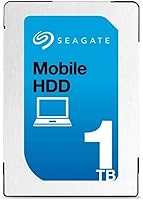
  • Brand: Manufactured by Seagate, a long-established name in mechanical hard drive production.
  • Model Number: The official model designation is ST1000LM035, part of the Laptop (Momentus Thin) series.
  • Capacity: Provides 1TB (1024 GB) of raw storage on a single internal platter.
  • Form Factor: Standard 2.5-inch form factor designed for internal laptop and mobile device installation.
  • Z-Height: Measures just 7mm in height, enabling compatibility with ultra-thin and slim-bay laptop chassis.
  • Interface: Uses a Serial ATA-600 (SATA 6Gb/s) interface for broad compatibility with modern laptops and desktops.
  • Rotational Speed: Spins at 5400 RPM, a speed optimized for low heat output, quiet operation, and reduced power draw.
  • Cache: Equipped with a 128MB cache buffer to help smooth read and write operations during typical workloads.
  • Drive Type: Mechanical hard disk drive (HDD) using spinning platters and a read/write head, not solid-state technology.
  • Dimensions: Physical dimensions measure 3.95 x 2.75 x 0.27 inches (L x W x H).
  • Weight: Weighs 3.17 ounces, adding minimal mass to portable laptop systems.
  • Compatible Devices: Designed for use in traditional clamshell laptops, convertibles, detachables, and compatible desktop systems.
  • Installation Type: Internal installation only; this is a bare drive and does not include an external enclosure.
  • Warranty: Covered by a 2-year limited warranty provided directly by Seagate.
  • Date Available: First made available in February 2016 and remains an active, non-discontinued product.
  • Hardware Platform: Compatible with PC-based systems; check your specific laptop manual for bay dimension requirements before purchasing.

Related Reviews
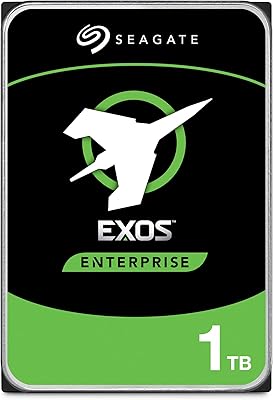
Seagate Exos 1TB Internal Hard Drive
85%
91%
Performance
94%
Reliability
89%
Durability
87%
Workload Handling
80%
Installation Ease
More
Seagate BarraCuda ST1000DM010 1TB Internal Hard Drive
77%
91%
Value for Money
74%
Reliability & Longevity
79%
Read & Write Performance
93%
Installation Ease
68%
Noise & Vibration
More
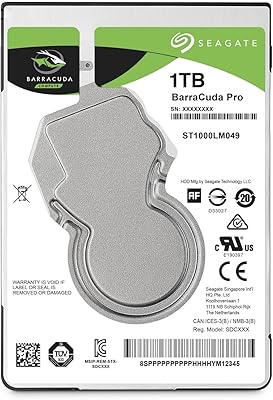
Seagate BarraCuda Pro 1TB 7200RPM Internal Hard Drive
87%
92%
Performance
90%
Speed
88%
Reliability
95%
Ease of Installation
65%
Noise Levels
More
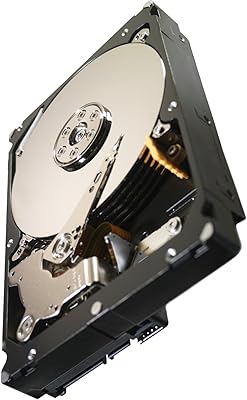
Seagate Constellation ES 1TB 7200RPM SATA Internal Hard Drive
84%
89%
Performance
88%
Reliability & Durability
90%
Power Consumption
65%
Noise Levels
87%
Vibration Tolerance
More
Seagate 1TB Pipeline HD SATA 6Gb/s Internal Hard Drive
88%
88%
Performance
91%
Reliability for 24/7 Use
93%
Power Efficiency
85%
Noise Level
86%
Ease of Installation
More
Seagate BarraCuda 2TB Internal Hard Drive
85%
88%
Performance
91%
Reliability
86%
Build Quality
72%
Noise Level
85%
Data Transfer Speed
More
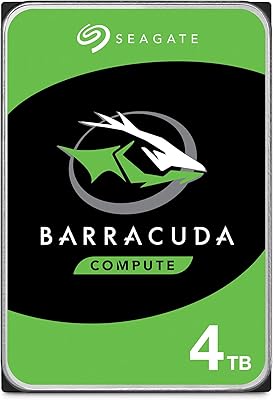
Seagate BarraCuda 4TB Internal Hard Drive
87%
86%
Performance
90%
Reliability
93%
Setup & Installation
95%
Storage Capacity
72%
Data Transfer Speed
More
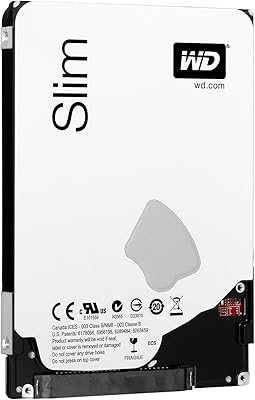
WD Blue 1TB Laptop Hard Drive
82%
75%
Performance
80%
Reliability
92%
Value for Money
85%
Installation Ease
88%
Quiet Operation
More
Seagate Barracuda 6TB Internal Hard Drive
77%
93%
Value for Money
91%
Storage Capacity
74%
Reliability & Longevity
89%
Installation Ease
61%
Read/Write Performance
More
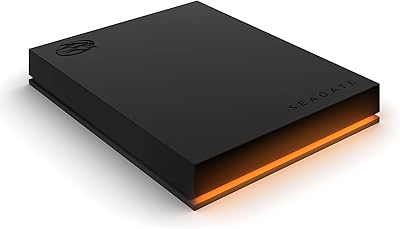
Seagate FireCuda Gaming Hard Drive 1TB
84%
88%
Performance
91%
Data Transfer Speed
94%
Ease of Setup
80%
RGB Lighting Customization
85%
Compatibility with PC & Mac
More
Seagate BarraCuda ST8000DM004 8TB Internal Hard Drive
73%
93%
Storage Capacity Value
67%
Reliability & Longevity
61%
Read & Write Performance
89%
Installation & Compatibility
63%
Noise & Vibration
More

FAQ

The key measurement to check is your laptop's drive bay height. This Seagate laptop drive is 7mm tall, which fits slim-bay laptops that cannot accept the older 9.5mm standard. Check your laptop's service manual or manufacturer specs — if it calls for a 7mm drive, you are good. If the bay supports 9.5mm, this drive will also fit with a spacer adapter, though that step is rarely necessary.

Yes, the ST1000LM035 is a standard SATA drive and works with any operating system that supports SATA storage, including Windows 10, Windows 11, and most Linux distributions. The OS simply sees it as a standard internal disk. No special drivers are required.

The most common approach is to use cloning software — tools like Macrium Reflect Free or Seagate's own DiscWizard (which is based on Acronis) let you clone your existing drive to the new one before the physical swap. You will need a USB-to-SATA adapter or an external enclosure to connect the new drive alongside your old one during the cloning process. Neither the adapter nor the software is included in the box, so plan for that step ahead of time.

It is noticeable, yes — particularly at boot and when launching applications. A modern SSD can be three to five times faster in real-world read speeds compared to a 5400 RPM mechanical drive. That said, for storing and accessing large files like photos, videos, or music libraries, the gap feels less dramatic. If you are using this drive as secondary bulk storage alongside an SSD primary drive, you likely will not notice the speed difference in daily use.

Absolutely. Just pick up any 2.5-inch USB enclosure that supports SATA drives — they are widely available and inexpensive. Slide the drive in, and it will show up as a standard external USB drive on any computer. It is a practical option if you want a portable backup drive on the cheap.

After formatting, you will typically see around 930 to 932 GB of usable space, depending on the operating system and file system you use. This is normal — it reflects the difference between how drive manufacturers count gigabytes (base 10) and how operating systems report capacity (base 2). Nothing is wrong with the drive; this is standard across all storage devices.

It is one of the quieter mechanical drives in its class. The 5400 RPM spin speed keeps operational noise low, and most users describe it as barely audible during normal use. You may hear brief clicking during heavy read/write activity, which is normal for any HDD, but idle noise is minimal.

Seagate offers a 2-year limited warranty, and their RMA process is handled through their online support portal. You submit a claim, they verify the drive failure, and typically ship a replacement. Keep your purchase receipt as proof of purchase date. It is worth noting that warranty coverage does not include data recovery, so keeping a backup of anything important is always a smart habit regardless of warranty terms.

Yes, the PS4 and PS4 Pro both use a standard 2.5-inch SATA drive bay, and this slim 1TB HDD is compatible. The z-height of 7mm fits without any issues. For the PS4, you simply format the drive through the console's storage settings — Sony provides step-by-step guidance in their official support documentation.

Every mechanical hard drive carries some inherent failure risk, and this one is no different. That said, the ST1000LM035 has a broad track record across thousands of buyers and sits near the top of its Amazon category, which suggests it performs reliably for most people. The practical advice is the same for any HDD: do not rely on a single drive as your only copy of important data. A simple backup routine — even to a cheap USB stick or cloud storage — gives you real protection regardless of which drive you choose.

Where to Buy