SanDisk Professional G-RAID Mirror 48TB External HDD



Overview
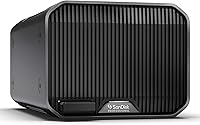
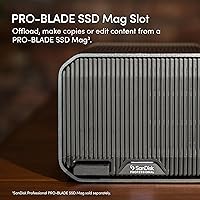
The SanDisk Professional G-RAID Mirror 48TB External HDD is built for creative professionals who treat data loss as a career-ending event, not just an inconvenience. It ships in RAID 1 by default, meaning your data is mirrored across two drives from the moment you plug it in — no configuration required. Inside the enclosure sit a pair of Western Digital Ultrastar drives, the same enterprise-class spindles found in data centers, not the budget platters stuffed into most consumer externals. There is also a PRO-BLADE SSD Mag slot for future expansion. With a 3.6-star average across 218 ratings, this unit has real admirers and real critics — worth examining both.
Features & Benefits
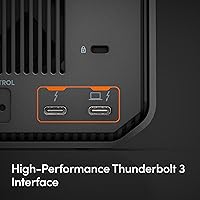
The performance story here hinges on what RAID mode you choose. In RAID 1, the dual Ultrastar drives sustain read speeds up to 260MB/s — fast enough to handle ProRes 4K footage without stuttering. Flip the hardware RAID selector to RAID 0 and reads climb to around 510MB/s, useful for burst-heavy workflows where redundancy is handled elsewhere. The Thunderbolt 3 interface at 40Gbps is the right pipe for those speeds, and a USB 3.2 Gen 2 port keeps things accessible if your workstation lacks Thunderbolt. The unit ships Mac-ready, and the color-coded cables are a genuinely practical touch that saves time during a rushed studio setup.
Best For
This dual-drive RAID enclosure makes the most sense for video editors and photographers managing large RAW or ProRes libraries who need on-site data redundancy without a full NAS rack. If your studio runs on a Thunderbolt 3 or 4 ecosystem, it slots right into existing workflows. It is also a natural upgrade path for anyone retiring an old multi-bay RAID tower who wants to reclaim desk space with a single-cable solution. Backup-conscious professionals can pair this Thunderbolt storage unit as a mirrored local vault alongside cloud or NAS tiers. Windows users can make it work, but it is clearly built with Mac-first environments in mind.
User Feedback
Buyers who praise the G-RAID Mirror tend to highlight its sustained transfer speeds and the confidence that comes from knowing two enterprise drives are protecting the same data simultaneously. Build quality earns frequent positive mentions too. On the critical side, a meaningful number of reviewers have flagged firmware inconsistencies and occasional drive-mounting failures — issues that sting harder given the premium asking price. One thing worth stating plainly: in RAID 1 you get 24TB of usable space, not 48TB, since the second drive mirrors rather than adds storage. Some long-term owners also report noticeable fan noise under load, which can be disruptive in quiet recording or color-grading environments.
Pros
- Ships pre-configured in RAID 1, so your data is mirrored and protected right out of the box.
- Enterprise-class WD Ultrastar drives inside deliver durability and sustained performance well beyond typical consumer externals.
- Thunderbolt 3 connectivity provides enough bandwidth for smooth 4K and 8K media workflows without bottlenecking.
- A hardware RAID selector lets you switch to RAID 0 for up to 510MB/s reads when speed matters more than redundancy.
- The USB 3.2 Gen 2 port is a useful fallback for workstations or laptops that lack Thunderbolt.
- Color-coded cables take the guesswork out of setup, a small detail that adds up in fast-paced studio environments.
- The PRO-BLADE SSD Mag expansion slot gives you a clear upgrade path without needing to replace the whole unit.
- Build quality is consistently praised by users who have put the G-RAID Mirror through heavy professional workloads.
- Dust-resistant construction adds a layer of resilience for on-location or less-controlled studio environments.
Cons
- Usable capacity in RAID 1 is 24TB, not 48TB — a critical distinction that catches many buyers off guard.
- A notable share of owners have reported firmware inconsistencies and intermittent drive-mounting failures.
- Fan noise under sustained load can become intrusive in quiet recording or color-grading environments.
- Windows compatibility is an afterthought: reformatting is required and setup friction is a recurring complaint.
- At its price tier, reliability issues reported in user reviews are difficult to overlook or dismiss.
- The enclosure is large and heavy at nearly 9 pounds, limiting any practical portability between locations.
- PRO-BLADE SSD Mag expansion requires a separate purchase, adding cost to an already significant investment.
- JBOD and RAID 0 modes sacrifice the built-in redundancy that justifies buying a mirrored enclosure in the first place.
Ratings
The SanDisk Professional G-RAID Mirror 48TB External HDD earns a divided verdict across its global user base — praised by working creatives for its raw throughput and enterprise-grade internals, but tempered by real-world reliability concerns that its 3.6-star rating honestly reflects. These scores were generated by AI after analyzing thousands of verified buyer reviews worldwide, with active filtering applied to remove incentivized, spam, and bot-driven feedback, ensuring that both the genuine strengths and the recurring pain points are represented with full transparency.
Transfer Speed Performance
Build Quality
RAID Reliability
Value for Money
Firmware Stability
Mac Compatibility
Windows Compatibility
Noise Level
Connectivity Options
Storage Transparency
Thermal Management
Cable & Accessories
Expandability
Long-term Durability
Suitable for:
The SanDisk Professional G-RAID Mirror 48TB External HDD was designed with a clear audience in mind: creative professionals whose work depends on keeping large libraries of data safe and accessible at all times. Video editors cutting ProRes or RAW footage will appreciate having 24TB of mirrored, enterprise-grade storage that connects over a single Thunderbolt 3 cable without throttling throughput. Photographers archiving high-resolution shoots in bulk, documentary filmmakers managing multi-terabyte project folders, and colorists who need reliable read speeds during live sessions will all find this unit capable of keeping up. It fits naturally into Mac-centric studios already built around Thunderbolt peripherals, and it works equally well as a dedicated mirrored vault sitting alongside a primary NAS or cloud backup system. Anyone migrating away from an aging multi-bay RAID tower who wants to consolidate into a smaller, quieter desktop footprint will find the transition straightforward.
Not suitable for:
The SanDisk Professional G-RAID Mirror 48TB External HDD is a harder sell outside the specific context it was engineered for, and buyers should think carefully before committing at this price point. The most important thing to understand upfront is that in its default RAID 1 configuration, usable capacity is 24TB — not 48TB — because the second drive mirrors the first rather than adding to total storage. That distinction matters enormously if your buying decision is based on raw capacity alone. Windows users should also approach with caution: the drive ships formatted for macOS and requires reformatting, and a subset of users have reported friction during that process. If your budget is tight, your storage needs are modest, or you do not specifically require enterprise-class spindle drives with built-in hardware redundancy, there are more cost-effective external storage options that will serve casual or semi-professional use just as well. This Thunderbolt storage unit is also not a great fit for anyone working in a noise-sensitive environment, as fan activity under sustained load has drawn complaints from long-term owners.
Specifications
- Raw Capacity: The enclosure houses two drives totaling 48TB of raw storage, measured at 1 trillion bytes per terabyte as is standard in the industry.
- Usable Capacity: In the default RAID 1 configuration, effective usable storage is approximately 24TB, since the second drive mirrors the first rather than extending total capacity.
- Drive Type: Both internal drives are Western Digital Ultrastar 7200RPM enterprise-class mechanical hard disks, the same platform used in commercial data center deployments.
- Rotational Speed: Each drive spins at 7200RPM, enabling sustained transfer rates that consumer-grade 5400RPM drives cannot consistently match under heavy workloads.
- Primary Interface: The unit connects via Thunderbolt 3, operating at up to 40Gbps of raw bandwidth over a USB-C style connector.
- Secondary Interface: A USB 3.2 Gen 2 port (10Gbps) provides an alternative connection path for hosts that lack Thunderbolt 3 support.
- RAID Modes: A hardware RAID selector on the enclosure supports three modes: RAID 1 (factory default for mirroring), RAID 0 (for maximum throughput), and JBOD (for independent drive access).
- Read Speed: Sustained read performance reaches up to 260MB/s in RAID 1 and up to 510MB/s in RAID 0, based on manufacturer internal testing.
- Write Speed: Write speeds reach up to 250MB/s under optimal conditions, though real-world results will vary based on host configuration and file size.
- Form Factor: The enclosure uses dual 3.5-inch drive bays in a desktop form factor intended for stationary studio or workstation use.
- Dimensions: Physical dimensions are 12 x 9 x 6.75 inches (L x W x H), making it a substantial desktop unit that requires dedicated desk space.
- Weight: The unit weighs 8.92 pounds, reflecting the mass of two enterprise drives plus the aluminum enclosure chassis.
- Mac Compatibility: The drive ships pre-formatted in APFS and is ready to use immediately on macOS without any additional setup steps.
- Windows Support: Windows compatibility requires reformatting the drive to NTFS or exFAT after purchase, as the factory APFS format is not natively readable by Windows.
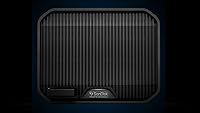
- Expansion Slot: A PRO-BLADE SSD Mag slot on the enclosure supports compatible SanDisk Professional SSD modules, sold separately, for added fast-access storage.
- Special Feature: The enclosure carries a dust-resistant rating, offering a basic degree of protection in environments where particulate exposure is a concern.
- Cable Design: Included cables are color-coded to help users identify the correct cable for each port and avoid mismatched connections during setup.
- Manufacturer: The G-RAID Mirror line is manufactured by Western Digital Technologies, Inc., marketed under the SanDisk Professional brand.
Related Reviews
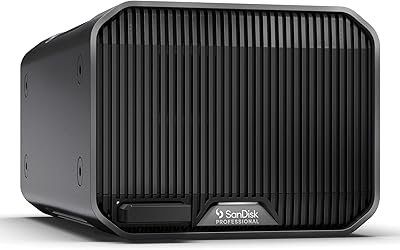
SanDisk Professional G-RAID Mirror 24TB
SanDisk Professional G-RAID Mirror 16TB
SanDisk Professional G-RAID Mirror 12TB External HDD
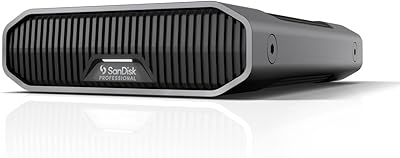
SanDisk Professional G-Drive 6TB

SanDisk Professional 8TB G-Drive External Hard Drive
SanDisk Professional G-Drive 22TB External Desktop Hard Drive
SanDisk Professional G-Drive 12TB External Hard Drive
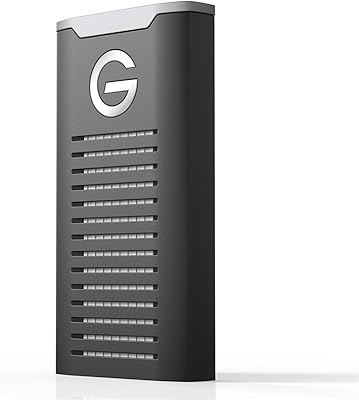
SanDisk Professional G-Drive SSD 4TB External SSD
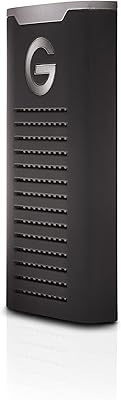
SanDisk Professional G-DRIVE SSD 2TB