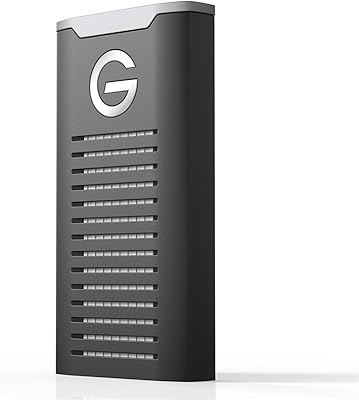
SanDisk Professional G-RAID Mirror 16TB


Overview
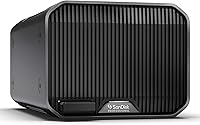
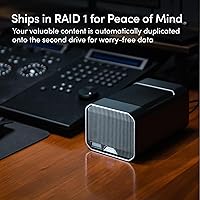
The SanDisk Professional G-RAID Mirror 16TB is a dual-drive desktop RAID enclosure built squarely for creative professionals who refuse to choose between speed and data protection. It ships pre-configured in RAID 1 mirrored mode, so your data is automatically duplicated across both drives the moment you plug it in. A physical hardware RAID selector lets you switch between RAID 0, RAID 1, and JBOD without touching any software — a genuinely useful touch for pros who need flexibility. Manufactured by Western Digital under the SanDisk Professional brand, this desktop storage solution sits at a premium price point that puts it in direct competition with NAS setups and other Thunderbolt RAID alternatives.
Features & Benefits
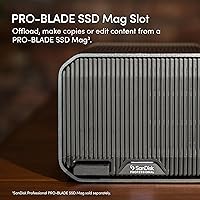
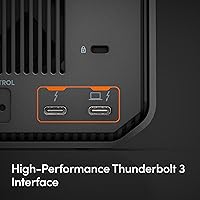
At the core of this RAID enclosure are two enterprise-class 7200RPM Ultrastar HDDs — the same drives Western Digital deploys in data centers — which means you are getting serious hardware, not consumer-grade platters dressed up in a nice box. The Thunderbolt 3 interface pushes read speeds up to 250MB/s in RAID 1, or up to 500MB/s when you switch to RAID 0 for pure throughput. A USB 3.2 Gen 2 port keeps things compatible with non-Thunderbolt machines. The built-in PRO-BLADE SSD Mag slot lets you add SSD capacity on the fly, though the SSD module itself is sold separately. Color-coded cables help you connect the right interface without hunting through a manual.
Best For
This desktop storage solution is a strong fit for Mac-based video editors and photographers who work with large file volumes daily — think 4K or 6K video projects, RAW image archives, or anything where losing a drive means losing irreplaceable work. The default RAID 1 setup delivers genuinely set-and-forget redundancy: no NAS software to configure, no network to manage. It also suits creative studios that want Thunderbolt speeds without sacrificing data safety. The PRO-BLADE SSD Mag slot is a real bonus for users who anticipate needing faster scratch storage later. That said, Windows users should know upfront that reformatting is required before the drive will work on a PC.
User Feedback
The G-RAID Mirror carries a 3.7 out of 5 rating across more than 200 reviews — a score that reflects a genuinely split audience. Satisfied buyers highlight the reliable RAID 1 performance and the peace of mind that comes from knowing two copies of their data exist at all times. On the other side, a notable number of users have flagged DOA units and early drive failures, which raises real questions about quality control consistency. The RAID-switching process also trips people up — documentation is thin, and the process is not intuitive. Windows compatibility surprises buyers who do not realize reformatting is required. A few experienced users also question whether the value holds up against NAS or all-SSD alternatives.
Pros
- Ships in RAID 1 by default, so your data is mirrored and protected from the moment you plug it in.
- Enterprise-class Ultrastar HDDs inside — not repurposed consumer drives — which matters for long-term archival workloads.
- Thunderbolt 3 delivers serious sustained throughput for large file transfers and active video editing sessions.
- Hardware RAID selector switches between RAID 0, RAID 1, and JBOD with no software dependency.
- Plug-and-play on any Thunderbolt 3 Mac — APFS formatted and recognized by the OS immediately.
- USB 3.2 Gen 2 port provides a fallback connection for non-Thunderbolt systems when needed.
- The PRO-BLADE SSD Mag slot lets you expand storage capacity later without adding another device to your desk.
- Color-coded cables reduce setup confusion and help you consistently use the faster interface.
- This RAID enclosure avoids the network configuration overhead that comes with NAS-based redundancy solutions.
- Compact enough to sit on a busy editing desk without dominating your workspace.
Cons
- A notable share of buyers report DOA units and early drive failures, which is a serious quality control concern.
- RAID mode switching is poorly documented, leaving users anxious about whether switching will erase their data.
- The PRO-BLADE SSD Mag slot ships completely empty — the SSD module is an expensive separate purchase.
- Windows users must reformat the drive before use, and this requirement is not made clear before purchase.
- At this price tier, NAS alternatives offer more drives, remote access, and greater long-term expandability.
- Usable capacity in RAID 1 is only 8TB despite the 16TB total — half the raw storage is consumed by mirroring.
- The enclosure runs warm under sustained use, with limited active cooling to manage heat during intensive workflows.
- Switching to RAID 0 for full speed sacrifices all redundancy — the tradeoff is steep and not intuitive for new users.
- No meaningful cross-platform guidance is included in the box for buyers who use both Mac and Windows machines.
Ratings
The SanDisk Professional G-RAID Mirror 16TB has been put through its paces by creative professionals worldwide, and our AI-driven scoring system has analyzed verified buyer reviews globally — actively filtering out incentivized, bot-generated, and spam feedback — to produce the scores below. The results are mixed in ways that matter: where this RAID enclosure genuinely excels, it earns strong marks, but real pain points around reliability and value transparency are reflected just as honestly.
Transfer Speed Performance
Data Redundancy & RAID Reliability
Build Quality & Design
Mac Compatibility & Setup
Windows Compatibility
RAID Configuration Flexibility
Value for Money
Enterprise Drive Quality
Documentation & Out-of-Box Experience
PRO-BLADE SSD Mag Slot Utility
Thermal Management & Noise
Portability & Form Factor
Long-Term Durability
Suitable for:
The SanDisk Professional G-RAID Mirror 16TB is built for a specific kind of buyer, and when it lands in the right hands, it genuinely earns its place on a desk. Mac-based creative professionals — video editors cutting 4K and 6K footage, photographers managing multi-terabyte RAW libraries, and studio operators who need fast local storage that does not require a network setup — are the core audience here. If you run Final Cut Pro or Premiere on a Thunderbolt-equipped Mac and you want the peace of mind that comes from knowing your active project files exist on two mirrored drives simultaneously, this RAID enclosure delivers that without asking you to manage NAS software or configure anything beyond a single physical switch. It also suits professionals who anticipate future storage needs, since the PRO-BLADE SSD Mag slot allows you to add SSD capacity later without buying an entirely new device. For anyone whose workflow already lives in the SanDisk Professional ecosystem, the integration is a practical advantage.
Not suitable for:
The SanDisk Professional G-RAID Mirror 16TB is a harder sell outside that narrow Mac-centric creative context, and there are several buyer profiles who should think carefully before committing at this price. Windows users face an immediate reformatting requirement that is not clearly disclosed upfront — you will need to wipe the drive and reconfigure it before it functions on a PC, which is a genuine inconvenience and a source of real frustration among buyers who discover it after the fact. Anyone expecting the PRO-BLADE SSD Mag slot to include a module will be disappointed; it ships empty, and the compatible SSD expansions are expensive add-ons sold separately. Buyers comparing this desktop storage solution against modern NAS alternatives or fast external SSDs at similar price points may find the value proposition unconvincing — NAS systems offer remote access, more bays, and greater scalability, while SSDs deliver dramatically faster throughput with no moving parts. Users who need a portable or travel-ready storage solution should also look elsewhere, as the 7-pound weight and desk-bound form factor make it impractical to move. Finally, the reported DOA and early drive failure rate in user reviews is high enough that buyers who cannot tolerate the risk of receiving a non-functional unit should factor in the possibility of a return process before purchasing.
Specifications
- Total Capacity: The enclosure houses two 8TB Ultrastar HDDs for 16TB raw total; usable capacity in the default RAID 1 configuration is 8TB.
- Drive Type: Both internal drives are 7200RPM Ultrastar enterprise-class mechanical hard disks manufactured by Western Digital.
- Primary Interface: Thunderbolt 3 at 40Gbps is the primary connection interface, delivered via a standard Thunderbolt 3 port on the enclosure.
- Secondary Interface: A USB 3.2 Gen 2 port operating at 10Gbps provides compatibility with systems that lack Thunderbolt 3 support.
- RAID Modes: The enclosure supports RAID 0, RAID 1, and JBOD, selectable via a physical hardware switch without any software required.
- Read Speed: Maximum read speed is up to 250MB/s in RAID 1 mode and up to 500MB/s in RAID 0 mode, based on internal testing.
- Default Format: The drives ship pre-formatted as APFS, making the enclosure immediately compatible with macOS without any additional setup.
- Windows Format: Windows users must reformat the drives to exFAT or NTFS before use, as the default APFS format is not natively supported by Windows.
- Expansion Slot: A PRO-BLADE SSD Mag slot is integrated into the enclosure, allowing compatible SSD Mag modules to be added separately for expanded capacity.
- Dimensions: The enclosure measures 5.24 x 8.27 x 4.06 inches (L x W x H), suitable for placement on a standard desktop workspace.
- Weight: The unit weighs 7.03 pounds, making it a stationary desktop device rather than a portable storage solution.
- Form Factor: The G-RAID Mirror uses a 3.5-inch desktop external enclosure form factor housing two full-size mechanical hard drives.
- Cable System: Color-coded cables are included to help users identify and connect the correct interface for optimal performance.
- Manufacturer: The enclosure is designed and manufactured by Western Digital Technologies, Inc., marketed under the SanDisk Professional brand.
- Model Number: The exact model identifier for this 16TB variant is SDPHH2H-016T-NBAAD.
- Mac Compatibility: The enclosure is Mac-ready out of the box and is compatible with macOS systems equipped with Thunderbolt 3 ports.
- Release Date: This product was first made available on September 8, 2023.
- Series: This enclosure belongs to the G-RAID Mirror product line within the SanDisk Professional storage family.
Related Reviews
SanDisk Professional G-RAID Mirror 24TB
SanDisk Professional G-RAID Mirror 48TB External HDD
SanDisk Professional G-RAID Mirror 12TB External HDD
SanDisk Professional G-Drive 12TB External Hard Drive
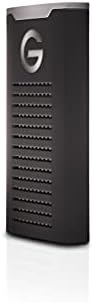
SanDisk Professional G-Drive SSD 1TB
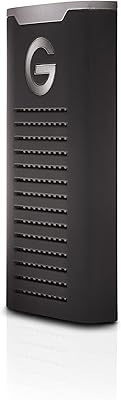
SanDisk Professional G-DRIVE SSD 2TB
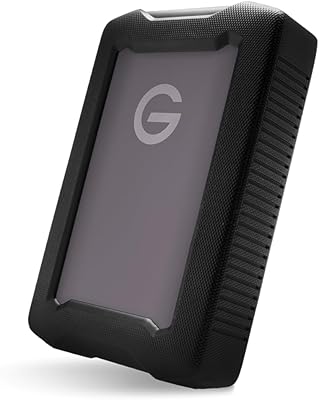
SanDisk Professional G-Drive ArmorATD 6TB External HDD
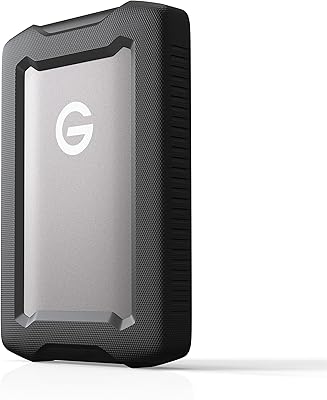
SanDisk Professional 2TB G-Drive ArmorATD Hard Drive
SanDisk Professional G-DRIVE 500GB Portable SSD