Overview

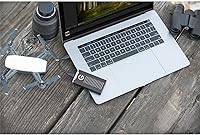
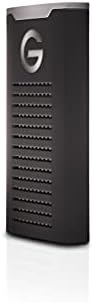
The SanDisk Professional G-Drive SSD 4TB External SSD is built for professionals who can't afford to lose footage or data when conditions turn rough. This rugged external SSD sits at the intersection of serious durability and pro-level transfer performance — not a combination you find often in a drive small enough to pocket. It ships formatted for Mac out of the box, which is convenient if you're in an Apple-centric workflow, but Windows users will need to reformat before use — worth knowing before you plug it in on a deadline. Backed by a 5-year limited warranty, it signals a level of confidence in longevity that matches its premium positioning.
Features & Benefits

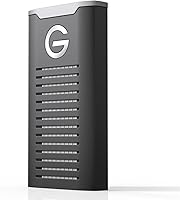
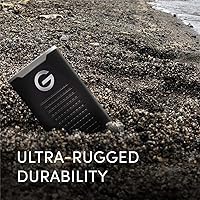
The NVMe internals push up to 1,050 MB/s read and 1,000 MB/s write — to put that in practical terms, a 10GB 4K video clip transfers in roughly ten seconds. The G-Drive SSD carries an IP67 rating, meaning it can survive submersion in up to a meter of water for 30 minutes and shrug off dust — though it's worth noting those figures come from internal testing, not independent third-party certification. It's also rated to handle drops from up to 3 meters and withstand 2,000 lbs of crush force. An aluminum cooling core keeps sustained speeds stable during long transfers, and hardware encryption is on board for anyone handling sensitive client work.

Best For

This pro-grade portable drive is an obvious fit for videographers and photographers who shoot in unpredictable environments — think coastal locations, dusty construction sites, or rain-soaked outdoor sets where lesser drives simply wouldn't survive. Studio professionals will also find it useful as a fast scratch disk or backup solution, where sustained transfer speeds genuinely matter when working directly with high-res media. At 4TB, it's large enough to hold a serious project archive without constantly juggling multiple drives. If your workflow is Mac-based, setup is entirely plug-and-play. Windows users can get there after a quick reformat, but that's a step worth building into your first-use plan.

User Feedback

Buyers consistently praise the build quality and real-world durability of this rugged external SSD, with several reviewers noting it held up through tough field conditions without any noticeable slowdown. Transfer speed satisfaction is high, particularly among video editors who work with large files daily. The most common criticism is the price point relative to non-rugged alternatives — buyers understand they're paying for the protection and pedigree, but not everyone finds that tradeoff worthwhile. The Mac-only out-of-box formatting catches Windows users off guard more often than it should. Long-term reliability feedback is broadly positive, and a number of buyers specifically chose this drive over the LaCie Rugged or Samsung T7 Shield based on its higher rated speeds.

Pros

  • NVMe internals deliver transfer speeds fast enough to work directly from the drive with large 4K or 8K media files.
  • IP67-rated protection covers both water immersion and dust — genuinely useful for field work, not just a marketing badge.
  • Crush resistance up to 2,000 lbs and drop protection up to 3 meters make this one of the more physically resilient drives available.
  • The aluminum cooling core helps sustain high speeds during long transfers without throttling — a real advantage for extended backup sessions.
  • At 4TB, it offers enough headroom to store a full project archive without constantly managing space.
  • Hardware encryption is built in, giving creative professionals a straightforward way to protect sensitive client data.
  • The 5-year limited warranty is one of the longest in its category and adds genuine long-term confidence.
  • The compact form factor fits in a jacket pocket, making it practical for travel and on-location shoots.

Cons

  • Windows users must reformat the drive before first use — not optional, and not something to discover mid-project.
  • The price premium over non-rugged alternatives is steep for users who work exclusively in safe, controlled environments.
  • Durability ratings are based on internal manufacturer testing, not independent third-party certification.
  • The USB-C cable is the only connection option — users with older USB-A-only setups will need an adapter.
  • No ArmorLock app integration means remote drive locking and advanced security management are not available on this model.
  • The drive runs warm during sustained high-speed transfers, which may concern users in already hot environments.
  • At 4TB, there is no higher-capacity option in the same G-Drive SSD line for users with very large archive needs.

Ratings

The SanDisk Professional G-Drive SSD 4TB External SSD earns its reputation as one of the more capable rugged portable drives on the market, and these scores reflect what real buyers across the globe actually experienced — not what the box promises. Our AI has analyzed verified purchase reviews worldwide, actively filtering out incentivized, bot-generated, and spam submissions to surface honest signal. The result is a transparent picture of where this pro-grade portable drive genuinely excels and where it falls short of expectations.

Transfer Speed
93%
Users who work with large media files consistently report that the G-Drive SSD delivers on its speed claims in real-world conditions. Transferring a 10GB 4K clip in around ten seconds is not unusual, and video editors note they can cut directly from the drive without lag or dropped frames during playback.
A small number of users reported that sustained speeds dipped noticeably when the drive ran warm during very long backup sessions. Achieving peak speeds also requires a USB 3.2 Gen 2 host port, which not all laptops have — older machines will bottleneck the drive significantly.
Build Quality
91%
The aluminum body feels genuinely solid in hand, and buyers who have put this rugged external SSD through rough field conditions — rain, sand, accidental drops on concrete — frequently come back to report it survived without issue. The overall fit and finish reads as premium rather than plasticky.
A few users noted that the USB-C port area feels slightly less reinforced than the rest of the chassis, and scuffs do appear on the aluminum finish after extended use in a bag with other gear. These are cosmetic concerns more than functional ones, but worth noting at this price level.
Durability & Ruggedness
88%
The IP67 water and dust resistance has held up for real buyers working near bodies of water, in construction environments, and through unexpected downpours. The drive has also survived accidental drops reported by multiple verified buyers without data loss or physical failure.
It is important to remember that the IP67 and crush resistance ratings come from internal manufacturer testing rather than independent certification, so professional users requiring compliance-grade documentation should verify independently. Some buyers also noted the ratings apply only when the drive is clean and dry before exposure.
Mac Compatibility
94%
Out of the box, this pro-grade portable drive connects to any modern Mac and mounts instantly without drivers, software installs, or configuration. For Apple-centric creative workflows — Final Cut Pro, Logic, Adobe on macOS — it is a plug-and-play experience that saves real time on set or in the studio.
There is essentially no friction for Mac users, but this very polish is partly what creates the frustration for Windows buyers who expect the same experience and encounter it only after a reformat. The Mac-first design is a deliberate trade-off, not an oversight.
Windows Compatibility
52%
48%
Once reformatted to exFAT or NTFS, the drive works reliably on Windows and performs well with compatible USB 3.2 Gen 2 hardware. Windows users who are prepared for the reformat step report no ongoing compatibility issues after initial setup.
The HFS+ default format means the drive is completely unreadable on Windows straight out of the box, which catches a meaningful number of buyers off guard. The reformat requirement is a genuine friction point, particularly for users who share drives between Mac and PC colleagues or who work in mixed-platform environments.
Thermal Management
79%
21%
The aluminum cooling core does measurably better than typical plastic-shelled drives at keeping temperatures stable during sustained transfers. Studio professionals running long backup jobs report the drive stays manageable and does not throttle as aggressively as some competing drives do under load.
During very prolonged, intensive transfer sessions the drive runs noticeably warm to the touch, and a handful of users reported some speed reduction during extended high-load use. Keeping the drive in open air during heavy transfers is recommended but not always practical in field scenarios.
Portability
89%
At under 4 inches long and weighing next to nothing, this rugged external SSD fits in a shirt pocket or clips into a small pouch without adding weight to a camera bag. Photographers and field videographers specifically appreciate not having to think about carrying it.
The drive ships without any clip, carabiner, or mounting accessory, which means users who want to physically secure it to a bag or kit need to source their own solution. Some competitors in this category include basic attachment hardware in the box.
Value for Money
63%
37%
For professionals whose work genuinely demands both NVMe speed and field-grade protection, the total package is defensible — the warranty, the build, and the sustained performance are real. Buyers who need exactly this combination consistently report feeling the purchase was justified after extended use.
For anyone whose work does not regularly expose drives to physical risk, the price premium over non-rugged NVMe alternatives is hard to rationalize. Casual users and even many office-based professionals will find comparable speeds at a substantially lower cost from unprotected alternatives.
Hardware Encryption
82%
18%
The built-in hardware encryption gives creative professionals handling client footage or sensitive project files a meaningful layer of protection without relying on software solutions that can slow down transfer speeds. Users working in media production and legal industries specifically called this out as a practical feature.
The encryption setup process is not as intuitive as some buyers expected, and documentation on how to activate and manage it is minimal in the box. A few users reported confusion about whether encryption was active by default or required explicit configuration.
Long-Term Reliability
84%
Verified buyers who have owned the G-Drive SSD for a year or more generally report it continues to perform without degradation in speed or physical condition. The 5-year warranty backing gives additional confidence, and the brand's track record in professional storage adds to the sense of security.
The sample of very long-term reviews is still relatively limited given the product's release date, so definitive statements about multi-year reliability are difficult to make with certainty. A small number of users reported drive failures within the first year, though these appear to be isolated rather than systemic.
Setup Experience
71%
29%
Mac users have a genuinely frictionless first experience — connect the cable, and the drive appears on the desktop ready to use. No software download, no account creation, no registration required to get started.
Windows users face an extra setup step that is not clearly communicated in the packaging, which leads to a frustrating first impression. The lack of a quick-start guide that addresses the Windows reformat process explicitly is a recurring complaint in verified reviews.
Cable & Accessories
61%
39%
The included USB-C cable is well-built and of adequate length for desk use, and it handles the USB 3.2 Gen 2 bandwidth without issue. Most users found it sufficient for their standard setup.
No USB-A adapter is included, which is a practical gap for users whose computers or monitors only have USB-A ports. At this price point, buyers reasonably expect a more complete accessory kit rather than a single cable in the box.
Noise & Heat in Use
86%
Being a solid state drive, it operates in complete silence — no spinning, no clicking, no vibration. For studio environments where audio recording is happening nearby, this matters more than most buyers consider in advance.
While silent, the drive does emit heat during intensive use, and in a warm editing room or under direct sunlight in the field, this can be more noticeable. It never becomes dangerously hot under normal use conditions, but it is worth factoring in for enclosed storage scenarios.

Suitable for:

The SanDisk Professional G-Drive SSD 4TB External SSD was designed with a very specific type of user in mind, and for that user, it genuinely delivers. Videographers and photographers who regularly work in demanding outdoor environments — rain, dust, sand, unpredictable terrain — will find the combination of IP67 protection and NVMe-level transfer speeds genuinely hard to match in a drive this compact. Studio professionals who need a fast scratch disk or reliable on-set backup solution will appreciate that sustained read speeds mean a 10GB 4K clip moves in roughly ten seconds, not a minute. If your primary machine is a Mac, setup is entirely plug-and-play with no configuration needed. Anyone handling sensitive client media will also value the built-in hardware encryption, which adds a meaningful layer of protection without requiring third-party software.

Not suitable for:

The SanDisk Professional G-Drive SSD 4TB External SSD is not the right choice for every buyer, and it is worth being direct about where it falls short. Windows users face an unavoidable reformat before the drive is usable — this is not a quick toggle in settings, and if you are on a tight deadline when you first unbox it, that friction is real. Budget-conscious buyers who primarily work in controlled environments like a home office or editing suite will find the ruggedness premium hard to justify when non-rugged NVMe alternatives offer comparable speeds at a noticeably lower cost. Casual users who just need extra storage for documents, photos, or media consumption will likely find this drive overkill in both capability and price. If your workflow spans multiple platforms or you frequently hand drives between Mac and Windows colleagues, the default HFS+ formatting adds an ongoing compatibility consideration worth factoring in.
Specifications

  • Capacity: The drive provides 4TB of usable NVMe flash storage, suitable for large media libraries and extended project archives.
  • Drive Type: It uses an NVMe solid state drive internally, which enables significantly faster sustained read and write performance compared to SATA-based portable drives.
  • Read Speed: Maximum sequential read speed reaches up to 1,050 MB/s under optimal conditions, allowing a 10GB 4K video file to transfer in approximately ten seconds.
  • Write Speed: Maximum sequential write speed reaches up to 1,000 MB/s, making it practical as a real-time capture or scratch disk for high-resolution media.
  • Interface: The drive connects via USB 3.2 Gen 2, delivering the bandwidth needed to sustain NVMe-level transfer speeds over a single cable.
  • IP Rating: Rated IP67 under IEC 60529, meaning it can withstand immersion in up to 1 meter of water for up to 30 minutes and resist meaningful dust ingress.
  • Drop Resistance: Tested to survive drops of up to 3 meters onto a carpeted concrete surface, based on internal manufacturer testing.
  • Crush Resistance: Rated to withstand up to 2,000 lbs of static crush force, based on internal testing to IEC standards.
  • Cooling: An aluminum core runs through the body of the drive to dissipate heat during sustained high-speed transfers and help prevent performance throttling.
  • Dimensions: The drive measures 3.74 x 1.97 x 0.59 inches, compact enough to fit in a jacket pocket or a small camera bag pouch.
  • Weight: At 0.45 ounces, it is light enough to carry all day in the field without adding meaningful burden to a gear kit.
  • Encryption: Hardware-level encryption is built in, protecting stored data without requiring additional software installation or configuration.
  • File System: Ships pre-formatted in HFS+ for immediate plug-and-play use with macOS; Windows users must reformat before the drive will be recognized and usable.
  • Warranty: Covered by a 5-year limited warranty from Western Digital Technologies, Inc., which is among the longest coverage periods available for portable SSDs in this category.
  • Manufacturer: Designed and backed by Western Digital Technologies, Inc. under the SanDisk Professional brand, which focuses on storage solutions for creative and media professionals.
  • Color: Available in a gray aluminum finish that reflects its professional positioning and helps with passive heat management.
  • Series: Part of the G-Drive SSD line, which is specifically engineered to balance field-ready durability with pro-grade data transfer performance.

Related Reviews
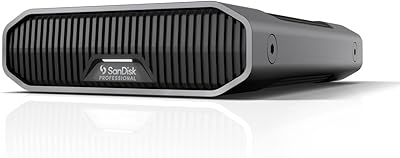
SanDisk Professional G-Drive 6TB
67%
84%
Build Quality
51%
Drive Reliability
76%
Transfer Speed
89%
Mac Compatibility
53%
Value for Money
More
SanDisk Professional G-Drive 22TB External Desktop Hard Drive

84%
89%
Performance
91%
Build Quality
96%
Capacity
72%
Ease of Setup
65%
Noise Level
More
SanDisk Professional 8TB G-Drive External Hard Drive
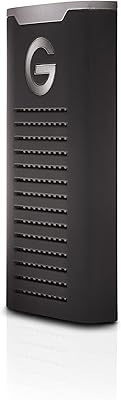
68%
83%
Transfer Speed
88%
Build Quality
58%
Reliability
91%
Mac Compatibility
41%
Windows Compatibility
More
SanDisk Professional G-DRIVE 500GB Portable SSD
81%
91%
Transfer Speed
93%
Durability & Ruggedness
96%
Water & Dust Resistance
61%
Value for Money
47%
Windows Compatibility
More
SanDisk Professional G-DRIVE SSD 2TB
88%
94%
Performance
91%
Durability
87%
Ease of Use
92%
Transfer Speed
86%
Compatibility
More
SanDisk Professional G-Drive SSD 1TB
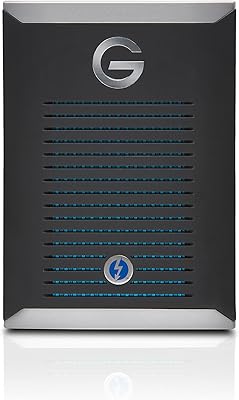
89%
94%
Read/Write Performance
96%
Durability & Build Quality
91%
Portability & Size
95%
Water & Dust Resistance
89%
Thermal Stability
More
SanDisk Professional G-DRIVE Pro 1TB External SSD

73%
93%
Transfer Speed
88%
Build Quality
91%
Portability
89%
Mac Compatibility
41%
Windows Compatibility
More
G-Technology G-DRIVE Mobile 4TB Portable Hard Drive
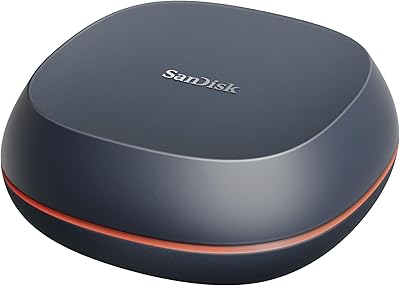
77%
93%
Build Quality
91%
Mac Compatibility
61%
Transfer Speed
88%
Portability
58%
Value for Money
More
SanDisk Desk Drive 4TB External SSD
78%
91%
Transfer Speed
88%
Storage Capacity
62%
Value for Money
93%
Setup & Ease of Use
74%
Build Quality
More
SanDisk Professional G-Drive 12TB External Hard Drive
75%
88%
Build Quality
63%
Reliability & Longevity
82%
Transfer Speed
91%
Mac Compatibility
58%
Windows Compatibility
More

FAQ

It works with Windows, but it ships pre-formatted for Mac in HFS+, which Windows cannot read out of the box. Before you can use it on a Windows machine, you will need to reformat it — typically to exFAT if you want cross-platform compatibility. This is not a difficult process, but it is something to plan for before your first use, especially if you are on a deadline.

Yes, and it handles that role well. The NVMe internals sustain read and write speeds that are fast enough to edit directly from the drive with 4K or even 8K footage without significant buffering or lag. The aluminum cooling core also helps keep performance steady during long editing sessions rather than throttling after a few minutes of heavy use.

The IP67 rating is based on internal testing by the manufacturer rather than independent third-party certification. In practice that still means meaningful water and dust protection, but it is worth knowing the distinction if you need certified compliance for a specific professional or regulatory context.

The G-Drive SSD edges out both in rated transfer speeds, which matters if you are working with very large files regularly. The LaCie Rugged SSD Pro is similarly positioned but carries a different form factor and IP rating. The Samsung T7 Shield is a solid, more budget-friendly alternative, but its speeds and ruggedness ratings are lower. Which one makes sense really comes down to whether you need the highest sustained throughput or a more affordable level of protection.

The aluminum core does a reasonable job of managing heat, and most users report no throttling during typical transfers. During very prolonged, intensive sessions — say, continuously backing up hundreds of gigabytes — it can run warm to the touch, but that heat is being managed by design. Keeping it in open air rather than a closed bag during transfers is a sensible habit.

Yes, it ships with a USB-C cable. The drive itself uses a USB-C port, so if your laptop or desktop only has USB-A ports you will need a separate adapter or a USB-A to USB-C cable, which is not included in the box.

It can work with iPad Pro models that have a USB-C port, provided the tablet supports external storage access, which iPadOS does with the Files app. Performance over a tablet connection will depend on the specific iPad model and its USB implementation, so you may not hit the drive's maximum rated speeds in that setup.

Yes, reformatting to exFAT is a common solution for users who need to move the drive between Mac and Windows machines. Just be aware that reformatting will erase everything on the drive, so do it before loading any data. Both macOS Disk Utility and Windows Disk Management can handle the reformat without any third-party tools.

The hardware encryption is built into the drive's controller and operates at the hardware level, so there is no separate app to install for basic protection. That said, managing encryption keys and setting passphrases typically involves the manufacturer's companion software or your operating system's disk management tools. It is more practical than software-based encryption in terms of performance impact, since it does not slow down transfers.

4TB is a solid working capacity for most project-based workflows — enough to hold several large shoots or a full documentary project in high-resolution formats. That said, professional video work has a way of filling storage faster than expected, especially with RAW or ProRes footage. Many working professionals treat this as an active project drive and move completed work to a larger archive solution, which is a practical approach regardless of which portable drive you use.