Overview

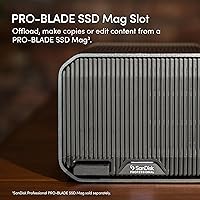
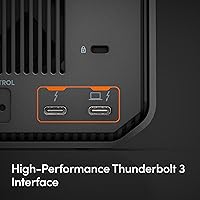
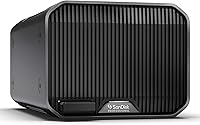
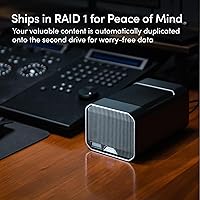
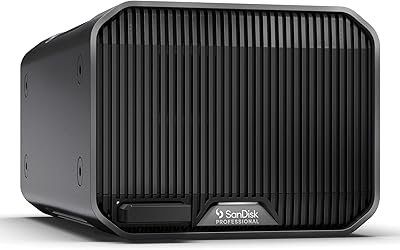
The SanDisk Professional G-RAID Mirror 12TB External HDD is a dual-drive enclosure built specifically for creative professionals who can't afford to lose a project file mid-deadline. It ships in RAID 1 by default, meaning every byte you write gets mirrored across both internal drives automatically — no configuration, no software, no second-guessing. The interface is Thunderbolt 3, which matters here because it's the reason this RAID mirror drive can sustain read speeds that mechanical drives rarely reach. Inside sit two WD Ultrastar drives — enterprise-class hardware that runs harder and longer than what you'd find in a typical desktop enclosure. The PRO-BLADE SSD Mag slot is a notable design touch that anticipates future workflow demands without forcing an immediate investment.
Features & Benefits

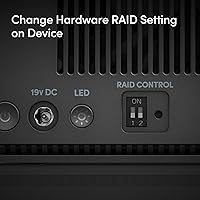
Out of the box, RAID 1 mirroring is already active — plug it in and your data is protected from a single drive failure without touching a setting. When you need raw throughput over redundancy, a physical RAID selector switch on the unit lets you flip to RAID 0, pushing read performance significantly higher. The Thunderbolt 3 connection handles the heavy lifting for large media files, while the USB 3.2 Gen 2 port keeps it compatible with non-Thunderbolt setups. The color-coded cable system is a small but practical touch for anyone juggling multiple peripherals. And the PRO-BLADE SSD Mag slot means you can add fast SSD capacity later without cluttering your desk with another drive.

Best For

This dual-drive enclosure is purpose-built for working creatives — video editors pulling 4K or 6K footage, photographers managing large RAW libraries, or anyone whose livelihood depends on not losing files. It shines most in Mac-centric setups, where Thunderbolt 3 can be fully exploited and the drive arrives pre-formatted and ready to use. Space-conscious studios will appreciate that it doesn't sprawl across a desk despite holding substantial capacity. It's also a smart pick for professionals who want a single device that functions as both an active working drive and a live backup simultaneously. If you're planning to add NVMe-speed SSD storage down the line, the expansion slot makes that possible without buying another enclosure.

User Feedback

Owners of the G-RAID Mirror consistently praise its solid build quality and the reassurance of knowing their data has a live mirror running at all times. That said, the overall rating sits at a modest 3.6 stars, and the criticism is worth paying attention to. The 7200RPM drives are audible — not distracting in a loud studio, but noticeable in a quiet room. Windows users are often caught off guard by the reformat requirement; this drive is Mac-ready out of the box and needs extra steps before it works on a PC. Some buyers have noted concerns about long-term drive reliability and mixed experiences with manufacturer support when issues arise. For the price, expectations run high, and not everyone feels they're met.

Pros

  • Ships in RAID 1 out of the box — no setup required for immediate drive redundancy.
  • Enterprise-class WD Ultrastar drives inside are rated for heavier, longer workloads than consumer-grade alternatives.
  • The physical RAID selector switch makes switching between RAID modes fast, with no software needed.
  • Thunderbolt 3 support delivers read speeds that push the practical ceiling for mechanical hard drives.
  • PRO-BLADE SSD Mag slot allows future capacity expansion without adding another device to your desk.
  • Color-coded cables take the guesswork out of connections during fast studio setups.
  • USB 3.2 Gen 2 port ensures compatibility with systems that lack Thunderbolt.
  • Mac users get a plug-and-play experience with no reformatting required.
  • The enclosure feels genuinely well-built — solid, dense, and reassuringly sturdy for a desktop drive.
  • Acts as both a primary working drive and a live backup simultaneously, consolidating two roles into one device.

Cons

  • Twin 7200RPM drives produce audible noise that can be distracting in quiet work environments.
  • Windows users must reformat the drive before use — this is not clearly flagged at purchase for many buyers.
  • At this price tier, the 3.6-star average rating suggests quality consistency is not always reliable.
  • Some buyers have reported concerns about long-term drive reliability and frustrating experiences with manufacturer support.
  • Thunderbolt 3 cables are not universally included, and accessory completeness has drawn criticism in user reviews.
  • Mechanical drives cannot match the speed of SSD-based enclosures, which matters for demanding real-time workflows.
  • The enclosure is heavy at over 7 pounds and is not suited to portable or travel use cases.
  • No software-based RAID management means limited visibility into drive health without third-party tools.
  • Switching RAID modes requires careful handling and risks data loss if done without proper preparation.
  • Value-for-money perception is mixed — users who encounter reliability issues feel the premium price is not justified.

Ratings

The scores below reflect an AI-driven analysis of verified global buyer reviews for the SanDisk Professional G-RAID Mirror 12TB External HDD, with spam, incentivized, and bot-generated feedback actively filtered out before scoring. Each category was evaluated against real-world usage patterns reported by working professionals, not just spec-sheet claims. Both the genuine strengths and the recurring frustrations are transparently captured in every score.

Data Redundancy & RAID Reliability
83%
For professionals whose workflow depends on not losing a single file, the automatic RAID 1 mirroring is a genuine asset. Users consistently report that the drive does exactly what it promises — write once, mirror instantly, with no software intervention required. That zero-configuration peace of mind is one of the most praised aspects across the review base.
A meaningful subset of users has flagged concerns about drive reliability over longer ownership periods, with some reporting unexpected failures that undermined confidence in the very redundancy the device is marketed on. When both drives in an enclosure are from the same batch, a simultaneous failure — while rare — is not impossible, and that risk is rarely acknowledged upfront.
Build Quality & Enclosure Design
78%
22%
The physical enclosure earns consistent praise for feeling dense, solid, and purposefully made — not like consumer-grade plastic. Studio professionals in particular appreciate that it sits firmly on a desk without vibrating excessively during operation, and the overall industrial aesthetic fits well in professional workspaces.
Despite the premium feel, some users have noted that the enclosure runs warm during extended sessions, and a few have raised questions about long-term thermal management. The weight — over seven pounds — makes repositioning it more cumbersome than expected for a device that occasionally needs to move between workstations.
Read & Write Performance
71%
29%
Over Thunderbolt 3, the G-RAID Mirror delivers speeds that push the realistic ceiling for mechanical hard drives, making it genuinely capable for editing compressed video formats or managing large photo libraries. Users who understand they are buying an HDD — not an SSD — report that the throughput meets their expectations for the drive type.
Buyers who assumed premium pricing meant SSD-competitive speeds were frequently disappointed. The performance gap between this enclosure and a mid-range external SSD is significant, and for editors working with high-bitrate 6K or 8K raw footage, the mechanical speed ceiling becomes a real-world bottleneck during demanding playback or export tasks.
Mac Compatibility & Setup Experience
89%
On a Mac with Thunderbolt 3, the setup experience is about as frictionless as it gets — plug it in, and it mounts immediately in APFS, fully mirrored and ready to use. Time Machine integration works without any configuration, and multiple users highlight this as the single biggest reason they recommend the drive to fellow Mac-based creative professionals.
The out-of-box Mac experience inadvertently sets a high expectation that Windows users then fail to meet. The contrast between the two platform experiences is stark enough that some Mac users are simply unaware of the reformatting requirement until they try to use the drive on a colleague's PC.
Windows Compatibility
44%
56%
Once reformatted, the dual-drive enclosure functions reliably on Windows systems, and the USB 3.2 Gen 2 connection provides a workable fallback for PC users who lack Thunderbolt ports. A small number of Windows users report a smooth experience after completing the reformat process.
The reformat requirement catches a disproportionate number of Windows buyers off guard, and several reviews reflect genuine frustration at discovering this only after purchase. The lack of clear upfront labeling around PC compatibility is one of the most cited pain points in critical reviews, with some buyers returning the unit entirely.
Noise Levels
52%
48%
In louder studio environments — editing bays with monitors running, HVAC noise, or general office ambiance — the drive blends into the background without drawing attention. Users in those conditions rarely list noise as a concern, suggesting the enclosure is reasonably well-dampened for its drive class.
In quiet home offices, podcast studios, or anywhere acoustic sensitivity matters, twin 7200RPM enterprise drives are audible during both idle operation and active seek cycles. This is one of the more consistent complaints from solo professionals working in silent environments, and it is not easily resolved short of physical isolation or relocation of the drive.
Value for Money
58%
42%
For Mac-based video professionals who need live redundancy, fast mechanical throughput, and future SSD expandability in a single device, the price reflects a coherent bundle of capabilities. Users who deploy it in the right context tend to justify the cost against the alternative of managing two separate drives plus a backup workflow.
The 3.6-star overall rating is largely driven by buyers who feel the price-to-reliability ratio does not hold up over time. When drive issues emerge outside warranty, or when the Windows incompatibility is discovered post-purchase, the premium cost amplifies the frustration significantly and colors the perceived value of the entire product.
Connectivity & Interface Options
77%
23%
Having both Thunderbolt 3 and USB 3.2 Gen 2 on the same enclosure gives users meaningful flexibility — Thunderbolt for maximum performance on supported systems, USB as a dependable fallback. The color-coded cable system is a small but practical detail that studio users with cluttered setups specifically call out as helpful.
Some users report that the included cables feel underwhelming relative to the product's price tier, and a few note that a Thunderbolt cable is not always included in the box — a frustrating omission when Thunderbolt cables remain expensive to purchase separately. Accessory completeness is an area where the unboxing experience falls short of expectations.
PRO-BLADE Expansion Slot
66%
34%
For users who are already invested in the SanDisk Professional ecosystem, the PRO-BLADE SSD Mag slot is a genuinely useful feature that extends the life and versatility of the enclosure. The ability to add fast NVMe-speed flash storage without adding another device to the desk is a logical workflow upgrade for growing creative operations.
For buyers outside the SanDisk Professional ecosystem, the expansion slot offers no immediate value and the proprietary format locks future upgrades to a single vendor. The SSD Mag modules themselves carry a significant additional cost, making the expansion path less accessible than it initially appears in product marketing.
RAID Configuration Flexibility
74%
26%
The hardware RAID selector is a practical solution that removes the need for driver installations or software utilities to change modes. Professionals who occasionally need RAID 0 throughput for a specific project — then want to return to RAID 1 protection — appreciate having a physical switch rather than navigating a software dashboard.
The mode-switching process inherently requires a full reformat, meaning it is not a casual or reversible action. Several users report being caught unprepared by this requirement, having assumed they could toggle between modes without data loss — a misconception that resulted in accidental erasure of files.
Long-term Drive Reliability
55%
45%
The WD Ultrastar drives at the core of this enclosure are genuinely enterprise-rated components with strong duty cycle specifications, and many owners report years of problem-free operation in demanding daily use environments. The hardware pedigree is real and not just a marketing claim.
A notable pattern in critical reviews involves drive failures occurring outside of typical consumer warranty windows, with some users reporting that both drives in the enclosure degraded within a similar timeframe. Manufacturer support experiences after warranty expiry have been described as inconsistent, which is a meaningful concern for a product positioned at the professional tier.
Thermal Management
61%
39%
Under moderate workloads — standard file transfers, background backups, routine media access — the enclosure maintains reasonable operating temperatures without becoming a concern. Users running typical creative workflows rarely flag heat as a problem during normal daily sessions.
During sustained heavy transfers or extended RAID rebuilds, users report that the enclosure becomes noticeably warm to the touch. There is no active cooling in the unit, and in poorly ventilated setups this has contributed to performance throttling complaints from a subset of power users who push the drive hard for extended periods.
Software & Driver Requirements
81%
19%
The complete absence of required drivers or management software is a genuine advantage — the drive operates entirely through hardware-level RAID with no installation steps on macOS. For professionals who distrust bloatware or manage locked-down studio systems, this clean approach is consistently appreciated.
The lack of software also means there is no built-in health monitoring dashboard or SMART data visualization for non-technical users. Tracking drive health requires third-party tools, and buyers unfamiliar with those utilities may not realize a drive is degrading until it is too late to act proactively.

Suitable for:

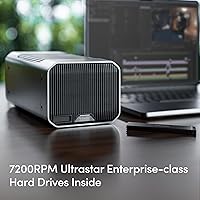
The SanDisk Professional G-RAID Mirror 12TB External HDD is built for creative professionals who treat data loss as a business-ending event, not just an inconvenience. Video editors working with large raw footage libraries, photographers managing years of client archives, and motion graphics artists who need a reliable working drive will all find real value here. It fits especially well in Mac-centric studios, where Thunderbolt 3 connectivity is available and the drive arrives ready to use without any reformatting. The live RAID 1 mirroring is genuinely useful for anyone who wants a passive, always-on safety net without relying on scheduled backups or cloud sync. Professionals who anticipate growing storage needs will also appreciate the PRO-BLADE SSD Mag expansion slot, which lets the enclosure evolve with a changing workflow without requiring a full hardware swap.
Not suitable for:

The SanDisk Professional G-RAID Mirror 12TB External HDD is a harder sell for Windows-primary users, who will need to reformat the drive before it works in their environment — a step that trips up more buyers than it should, given the price point. Anyone expecting SSD-level speed will be disappointed; this is a mechanical hard drive system, and while it performs well for HDDs, it cannot compete with modern NVMe or SATA SSD enclosures on raw throughput. Users working in quiet home offices or recording studios may find the noise from twin 7200RPM drives distracting during extended sessions. Budget-conscious buyers or hobbyists who only need occasional external storage will likely find the cost hard to justify when simpler, cheaper single-drive options would meet their needs. And if you don't have a Thunderbolt 3 port available, you're leaving the drive's best performance feature completely untapped.
Specifications

  • Total Capacity: The enclosure holds 12TB across two drives, with 6TB of usable protected storage in RAID 1 or the full 12TB available in RAID 0.
  • Drive Type: Both internal drives are WD Ultrastar enterprise-class mechanical hard drives spinning at 7200RPM.
  • RAID Modes: Supports RAID 0, RAID 1 (factory default), and JBOD configurations, switchable via a hardware selector on the unit.
  • Primary Interface: Thunderbolt 3 at 40Gbps provides the highest bandwidth connection for compatible Mac and PC systems.
  • Secondary Interface: A USB 3.2 Gen 2 port (10Gbps) offers broad compatibility with systems that do not have Thunderbolt 3.
  • Read Speed: Delivers up to 250MB/s read in RAID 1 mode and up to 510MB/s read in RAID 0 mode based on internal testing.
  • Form Factor: Desktop 3.5-inch dual-drive enclosure designed for stationary studio or desk use, not portable transport.
  • Dimensions: The unit measures 5.24 x 8.27 x 4.06 inches (L x W x H).
  • Weight: The enclosure weighs 7.02 pounds, reflecting the density of two internal enterprise-class hard drives.
  • Mac Compatibility: Ships pre-formatted in APFS and is ready to use immediately on macOS without any reformatting.
  • Windows Compatibility: Requires reformatting before use on Windows systems; it is not plug-and-play on PC out of the box.
  • Expansion Slot: Includes a PRO-BLADE SSD Mag slot for adding compatible NVMe SSD modules without an additional enclosure.
  • RAID Selector: RAID mode is changed via a physical hardware switch on the unit; no software installation or drivers are required.
  • Cable System: Ships with a color-coded cable set designed to simplify correct port identification during setup.
  • Manufacturer: Designed and sold under the SanDisk Professional brand, which is owned and manufactured by Western Digital Technologies, Inc.
  • Release Date: This product was first made available for purchase in September 2023.
  • Rotational Speed: Both internal drives operate at 7200RPM, the standard for enterprise-class performance-oriented hard drives.
  • Drive Count: The enclosure houses exactly two 3.5-inch hard drives operating in tandem under the selected RAID configuration.

Related Reviews
SanDisk Professional G-RAID Mirror 16TB
67%
83%
Transfer Speed Performance
78%
Data Redundancy & RAID Reliability
74%
Build Quality & Design
88%
Mac Compatibility & Setup
41%
Windows Compatibility
More
SanDisk Professional G-RAID Mirror 48TB External HDD
71%
86%
Transfer Speed Performance
82%
Build Quality
61%
RAID Reliability
63%
Value for Money
54%
Firmware Stability
More
SanDisk Professional G-RAID Mirror 24TB
81%
88%
Performance
92%
Build Quality
91%
Data Protection (RAID 1)
85%
Transfer Speeds
80%
Compatibility
More
SanDisk Professional G-Drive 12TB External Hard Drive
75%
88%
Build Quality
63%
Reliability & Longevity
82%
Transfer Speed
91%
Mac Compatibility
58%
Windows Compatibility
More
SanDisk Professional G-Drive 6TB
67%
84%
Build Quality
51%
Drive Reliability
76%
Transfer Speed
89%
Mac Compatibility
53%
Value for Money
More
SanDisk Professional 8TB G-Drive External Hard Drive
68%
83%
Transfer Speed
88%
Build Quality
58%
Reliability
91%
Mac Compatibility
41%
Windows Compatibility
More
SanDisk Professional G-Drive 22TB External Desktop Hard Drive

84%
89%
Performance
91%
Build Quality
96%
Capacity
72%
Ease of Setup
65%
Noise Level
More
SanDisk Professional G-Drive SSD 4TB External SSD
79%
93%
Transfer Speed
91%
Build Quality
88%
Durability & Ruggedness
94%
Mac Compatibility
52%
Windows Compatibility
More
SanDisk Professional G-DRIVE 500GB Portable SSD
81%
91%
Transfer Speed
93%
Durability & Ruggedness
96%
Water & Dust Resistance
61%
Value for Money
47%
Windows Compatibility
More
SanDisk Professional G-Drive SSD 1TB
89%
94%
Read/Write Performance
96%
Durability & Build Quality
91%
Portability & Size
95%
Water & Dust Resistance
89%
Thermal Stability
More

FAQ

If you are on a Mac, it is genuinely plug-and-play. The drive ships pre-formatted in APFS with RAID 1 already active, so the moment you connect it via Thunderbolt 3 it starts mirroring your data automatically. Windows users will need to reformat it first, which takes a little time and wipes whatever is on the drive, so plan for that step before you start copying files.

In RAID 1, both drives hold an identical copy of your data at all times. If one drive fails, the other keeps working normally and your files remain fully accessible. You will typically get a warning light or alert, at which point you can replace the failed drive and the enclosure will rebuild the mirror onto the new drive. It is a genuine safety net, not just a marketing claim.

No — switching RAID modes requires the enclosure to reformat both drives, which erases everything on them. If you want to change modes, back up your data first, flip the hardware switch, reformat, and then restore. Treat any RAID mode change as a full reset.

Yes, it works with both platforms, but the experience differs. Mac users get immediate compatibility right out of the box. Windows users need to reformat the drive to exFAT or NTFS before it becomes usable. If you regularly switch between both operating systems, formatting to exFAT is the most practical approach.

It is audible. Two 7200RPM enterprise drives in an enclosure produce a consistent low hum and some seek noise during heavy read or write activity. In a busy studio with ambient noise it fades into the background, but in a quiet home office or recording environment you will hear it. This is one of the more common complaints among owners.

USB works fine and the drive will function normally through the USB 3.2 Gen 2 port. That said, you will not get anywhere near the top-end speeds the enclosure is capable of. Thunderbolt 3 is where the performance really opens up, so if your system only has USB, the drive is functional but not running at its best.

It is a proprietary expansion slot that accepts compatible SanDisk Professional NVMe SSD modules, letting you add fast flash storage to the same physical footprint. You do not need it at all — the drive works perfectly without it. It is really aimed at users who anticipate needing faster scratch storage or additional capacity down the road and want to keep their desk setup consolidated.

Yes, the G-RAID Mirror works well as a Time Machine destination. In RAID 1 mode you also get the added benefit that the backup itself is mirrored across two drives, which is a meaningful layer of protection for a backup volume. Just make sure to designate the correct volume in Time Machine settings after first connecting the drive.

The main advantage of this dual-drive enclosure over two separate drives is automation and simplicity. With RAID 1, the mirroring happens instantly and invisibly — there is no manual step, no remembering to sync, and no software to schedule. Two separate drives can achieve the same redundancy, but only if you actually remember to copy files to both of them consistently. For busy professionals, the set-it-and-forget-it nature of RAID 1 is genuinely worth it.

The internal drives are WD Ultrastar units, which are widely available through enterprise storage suppliers and major retailers. Replacing a failed drive is technically possible, but it does require opening the enclosure and sourcing a compatible drive at the right capacity. Some users have reported mixed experiences getting support from WD after warranty expiry, so it is worth factoring that into your long-term ownership expectations.

Where to Buy