Overview

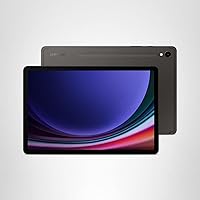
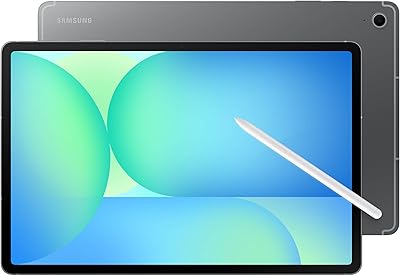
The Samsung Galaxy Tab S9 11″ 256GB Tablet arrived in 2023 as Samsung's most refined compact Android tablet, striking a balance between genuine portability and flagship-level performance. At just over a pound and barely a third of an inch thick, it feels more composed than its specs suggest. What sets it apart from most Android competitors is the S Pen included in the box — no extra cost, no accessories to track down. Rated IP68 for water and dust resistance, it's one of very few tablets you could confidently take poolside. The Armor Aluminum frame and slim bezels round out an unmistakably premium physical package.
Features & Benefits

The 120Hz AMOLED display is one of the best screens on any tablet right now — colors are vivid without looking oversaturated, and the Vision Booster feature makes outdoor use far more practical than on most competitors. Under the hood, the Snapdragon 8 Gen 2 processor handles everything from heavy multitasking to graphically demanding games without hesitation. Battery life is solid; most users get through a full day on a single charge, and Super Fast Charging means downtime stays short. The 256GB of onboard storage is generous, and microSD expansion keeps things flexible for media-heavy users. Galaxy AI adds practical tools — real-time transcription and photo cleanup — that are genuinely useful without being overhyped.

Best For

The Tab S9 makes the most sense for people who genuinely use a stylus. Students annotating PDFs or professionals sketching wireframes will appreciate S Pen precision — it's close enough to paper that switching back feels jarring. Content creators doing light photo edits on the go will find the display accurate enough for real work. It's also a strong pick for streaming; the AMOLED screen and stereo speakers make movies noticeably more enjoyable than on lesser displays. Android power users who won't switch to iPadOS will find this the fastest option in the Android tablet category. The IP68 rating adds genuine peace of mind for outdoor and travel use.

User Feedback

Owners consistently praise the display and S Pen responsiveness, with many calling it the best Android tablet experience they've used. Samsung DeX — the desktop mode that mirrors a PC-like interface — gets solid marks from productivity users who pair it with a keyboard. That said, the price is a real sticking point for many: at this level, buyers are cross-shopping iPads, and some feel the Android app ecosystem still lags behind iPadOS for tablet-specific software. A handful of reviewers flag Samsung's pre-installed apps as a minor annoyance. Long-term battery holds up well according to owners past the one-year mark, which offers some reassurance given the commitment involved.

Pros

  • S Pen is included out of the box — no extra purchase required, unlike most stylus-driven competitors.
  • The AMOLED display delivers visibly richer colors and deeper blacks than IPS panels at this price tier.
  • IP68 water and dust resistance is genuinely rare among Android tablets and adds real everyday peace of mind.
  • Snapdragon 8 Gen 2 handles intensive multitasking without lag, even with multiple heavy apps running simultaneously.
  • 256GB of storage plus a microSD slot gives media-heavy users meaningful flexibility that iPad models don't offer.
  • Super Fast Charging recovers battery quickly, reducing the anxiety of running low during a busy day.
  • The Armor Aluminum build feels durable and premium without adding significant weight to the 1.1 lb frame.
  • Samsung DeX provides a practical desktop-style workflow for professionals pairing the Tab S9 with a keyboard and external display.
  • Wi-Fi 6E support ensures the tablet is ready for fast modern routers without any performance ceiling.
  • Galaxy AI transcription and note summarization are practical, functional tools — not just marketing bullet points.

Cons

  • The S Pen attaches magnetically but has no internal storage slot, making it easy to lose without a case.
  • Android tablet app optimization still lags behind iPadOS, with some popular apps displaying phone-scaled interfaces instead of true tablet layouts.
  • Pre-installed Samsung and partner apps clutter the experience and cannot all be fully uninstalled.
  • No headphone jack forces reliance on Bluetooth or a USB-C adapter, limiting wired audio options.
  • Battery capacity noticeably degrades for users past the 18-month mark under heavy daily use patterns.
  • Sustained gaming or extended DeX sessions cause the upper portion of the device to run warm.
  • No USB-A port means older peripherals and accessories require a hub or adapter to function.
  • This is a Wi-Fi-only model — users who frequently travel without a mobile hotspot have no cellular fallback.
  • At this price point, iPads with stronger app ecosystems and longer software support windows are a direct and credible alternative.
  • Buyers who don't use the stylus regularly will struggle to feel they are getting full value from the premium they paid.

Ratings

The Samsung Galaxy Tab S9 11″ 256GB Tablet scores here reflect an AI-driven analysis of thousands of verified global user reviews, with spam, bot activity, and incentivized feedback actively filtered out before any score was calculated. The results capture what real owners genuinely love about Samsung's 11-inch flagship — and where it falls short of expectations — giving you an honest picture before you commit to a purchase.
Display Quality
93%
Owners consistently describe watching movies and browsing photos as noticeably more vivid than on any tablet they've owned before. The 120Hz refresh rate makes scrolling feel almost physical, and Vision Booster earns specific praise from users who frequently work in bright outdoor environments.
A small number of reviewers report that auto-brightness can occasionally overcompensate in mixed lighting, requiring manual adjustment. At peak brightness, the display can also generate noticeable warmth during extended use.
S Pen Experience
91%
Students and illustrators consistently call the S Pen the single biggest reason they chose this tablet over the competition. Latency is low enough that handwriting notes or sketching feels natural rather than like tracing a cursor, and the fact that it's included at no extra cost remains a genuine differentiator.
The S Pen has no internal storage slot in the tablet body — it attaches magnetically but can detach in a bag. Users who want to store it more securely need a folio case, which adds cost.
Performance & Speed
89%
The Snapdragon 8 Gen 2 handles demanding workloads without complaint — switching between a video call, a browser with a dozen tabs, and a photo editor produces no perceptible lag. Gamers running graphically intensive titles report consistently smooth frame rates without the thermal throttling seen in older chipsets.
The performance headroom is honestly beyond what Android tablet apps currently demand, leaving some buyers feeling the chip's full potential goes untapped due to software optimization gaps on the platform.
Battery Life
84%
Most users comfortably get through a full day of mixed use — streaming, note-taking, and occasional video calls — without reaching for a charger. Super Fast Charging means topping up from low battery during a lunch break adds meaningful charge quickly.
Long-term owners past 18 months report a modest reduction in capacity that shows up during heavy use days. Battery performance under sustained gaming or prolonged DeX sessions is noticeably shorter than the manufacturer estimate.
Build Quality & Durability
92%
The Armor Aluminum frame feels solid and premium in a way that cheaper tablets simply do not replicate. The IP68 rating has been tested in real life by owners who've dropped it near sinks or used it in light rain, reporting no issues whatsoever.
The slim profile, while attractive, means the tablet flexes very slightly under deliberate pressure at the center of the back panel. It is not a functional concern for normal use, but perfectionists will notice it.
Value for Money
67%
33%
For buyers who use the S Pen daily, the value proposition improves significantly since comparable stylus-enabled tablets from rivals charge extra for the accessory. The combination of IP68 protection, top-tier chip, and AMOLED display in one package is difficult to match at any price in the Android ecosystem.
At this price tier, the Tab S9 competes directly with iPad models that benefit from a more mature app ecosystem and stronger long-term software support. Buyers who don't use the S Pen regularly will question whether they are paying for features they don't need.
Software & Galaxy AI
72%
28%
Galaxy AI features like live transcription and note summarization are practical additions that work as advertised for users in supported languages. DeX mode earns genuine appreciation from professionals who pair the tablet with a keyboard and monitor for a desktop-like workflow.
Pre-installed Samsung and carrier apps frustrate a meaningful portion of buyers, many of whom immediately audit the app list. Galaxy AI features are helpful but not transformative, and some are limited to specific Samsung ecosystem integrations.
Portability & Design
88%
At just over a pound, the Tab S9 is light enough to hold one-handed during extended reading sessions without arm fatigue. The slim bezels give the 11-inch screen a surprisingly compact footprint, and the Graphite finish resists fingerprints better than glossy-backed competitors.
The minimalist design leaves out a headphone jack, which frustrates users who prefer wired audio — particularly those who want studio-accurate sound while editing audio or watching content on a plane.
Camera Quality
71%
29%
The 13MP rear camera performs well for scanning whiteboards, photographing documents, and capturing reference shots during creative work. Auto Focus adds practical value in situations where tablet cameras are genuinely useful, such as video calls or scanning materials.
As a standalone camera for photography, the Tab S9 is not a replacement for even a mid-range phone. Low-light images lack detail, and the camera app is less refined than what smartphone users expect.
Audio Experience
74%
26%
The stereo speaker setup is strong by tablet standards — dialogue in films is clear, and the soundstage feels wider than the physical size of the device suggests. Volume levels are generous enough for small group viewing without an external speaker.
Bass response is thin, as expected from tablet-sized drivers. Users who care about music quality or cinematic audio will likely rely on Bluetooth headphones, and the absence of a headphone jack forces that choice.
Connectivity
83%
Wi-Fi 6E support means the Tab S9 takes full advantage of modern routers, producing fast and stable connections ideal for video calls and large file downloads. Bluetooth pairing with keyboards and earbuds is reliable and quick across multiple devices.
The USB-C port is USB 3.2, which is capable, but there is no USB-A port, meaning older accessories require a hub. There is no cellular option in this specific Wi-Fi model, which limits use cases for users who travel without a mobile hotspot.
Display Size & Usability
81%
19%
The 11-inch form factor hits a practical sweet spot — large enough for comfortable split-screen multitasking and detailed illustration, but compact enough to slide into a bag without a dedicated sleeve. The slim bezels maximize screen real estate without increasing the physical footprint unnecessarily.
Users stepping up from a smaller tablet occasionally find the screen just short of ideal for complex spreadsheet work or video editing timelines. Those wanting a larger canvas typically look at the Tab S9+ or S9 Ultra variants instead.
Storage & Expandability
86%
256GB covers most real-world needs generously, handling large app libraries, offline video downloads, and substantial photo archives without issue. The microSD slot remains a meaningful advantage over iPad models, giving users a straightforward way to expand capacity as needs grow.
Power users managing large 4K video libraries or music production files may still exhaust 256GB faster than expected. The microSD slot, while useful, does not allow the expanded storage to be used as seamlessly as internal memory for app installations.
Ecosystem & App Support
63%
37%
Android's open nature gives the Tab S9 flexibility that iPadOS does not — side-loading apps, broader file management, and deeper customization appeal strongly to tech-savvy users. Integration with Samsung Galaxy phones is tight and genuinely useful for those already in the ecosystem.
The Android tablet app ecosystem still trails iPadOS in meaningful ways, particularly for creative and productivity applications that offer tablet-optimized versions only on Apple's platform. Certain popular apps present phone-scaled interfaces rather than true tablet layouts, which is a persistent frustration.
Thermal Management
76%
24%
Under typical daily workloads — browsing, streaming, note-taking — the Tab S9 stays cool and comfortable to hold for extended periods. Most users report no warmth issues during casual and moderate use sessions.
Sustained gaming sessions or prolonged video rendering in DeX mode cause the tablet to become noticeably warm around the upper-left corner. It does not throttle aggressively, but the heat is tangible and reported consistently by users pushing the chip hard.

Suitable for:

The Samsung Galaxy Tab S9 11″ 256GB Tablet is an excellent match for students and working professionals who rely on handwritten notes, annotated PDFs, or sketched diagrams as part of their daily workflow — the included S Pen removes a barrier that holds back most competing Android tablets. Creative users who want a portable canvas for illustration or light photo editing will appreciate the color accuracy and low stylus latency without needing to invest in additional accessories. If you spend serious time consuming media — long flights, commutes, or weekend binges — the AMOLED display and stereo speakers create an experience noticeably above what budget and mid-range tablets offer. The IP68 water and dust resistance makes it a genuinely practical choice for anyone who works in outdoor environments, takes their tablet to the gym, or simply wants peace of mind near water. Android enthusiasts who want the most powerful chip available outside Apple's ecosystem, along with the flexibility of microSD expansion and open file management, will find the Tab S9 a strong fit that iPadOS simply cannot replicate.
Not suitable for:

The Samsung Galaxy Tab S9 11″ 256GB Tablet is a harder sell for buyers who have no real use for the S Pen, since a significant portion of what justifies the price is tied directly to that stylus experience. If your primary tablet use is casual browsing, light social media, and occasional streaming, this level of hardware investment is difficult to rationalize — capable alternatives exist at considerably lower price points. Users deeply embedded in creative or productivity apps that only offer full tablet-optimized interfaces on iPadOS will likely run into frustrating limitations, as Android's tablet app ecosystem still has meaningful gaps in that space. Anyone expecting a laptop replacement should know that while Samsung DeX adds useful desktop-like functionality, it does not fully close the gap with a proper computer for complex file work or professional software. The absence of a headphone jack is a concrete trade-off that wired-audio users and frequent flyers who prefer in-ear monitors should weigh carefully before committing.
Specifications

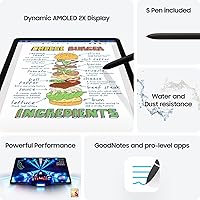
  • Display: The tablet features an 11″ Dynamic AMOLED 2X panel with a 2560 x 1600 pixel resolution and a 120Hz adaptive refresh rate.
  • Processor: A Qualcomm Snapdragon 8 Gen 2 chip clocked at up to 3.36GHz powers the device, paired with an Adreno GPU for graphics workloads.
  • RAM: The 256GB storage configuration is available with either 8GB or 12GB of LPDDR5 RAM depending on the variant selected.
  • Storage: 256GB of onboard UFS storage is included, and a microSD card slot supports additional capacity expansion.
  • Battery: An 8,400mAh battery supports up to approximately 15 hours of typical mixed use and is compatible with Samsung's Super Fast Charging.
  • Front Camera: A 12MP ultrawide front-facing camera with Auto Focus is built in, optimized for video calls and self-facing capture.
  • Rear Camera: The rear camera is a single 13MP sensor with Auto Focus, suitable for document scanning, reference photography, and video recording.
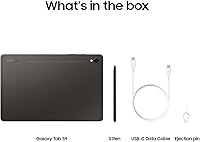
  • Stylus: A Samsung S Pen stylus is included in the box at no additional cost, with low-latency input designed for handwriting and illustration.
  • Water Resistance: The tablet carries an IP68 rating, meaning it is tested to withstand submersion in up to 1.5 meters of fresh water for 30 minutes.
  • Frame & Build: The chassis is constructed from Armor Aluminum, providing structural rigidity while keeping the profile at 0.3 inches thick.
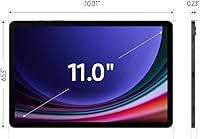
  • Dimensions: The tablet measures 8.3 x 4.9 x 0.3 inches and weighs 1.10 lb without accessories.
  • Wireless: Wi-Fi 6E (802.11ax) is supported, along with Bluetooth 5.3 for peripheral and audio device connectivity.
  • USB Port: A single USB Type-C port (USB 3.2 Gen 1) handles charging, data transfer, and video output via compatible adapters.
  • Operating System: The tablet ships with Android and Samsung One UI, with Samsung committing to multiple years of OS and security updates.
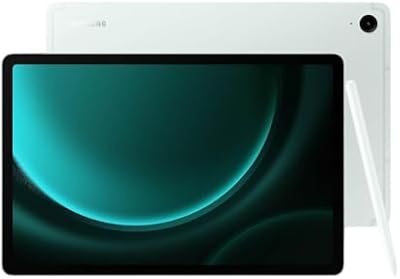
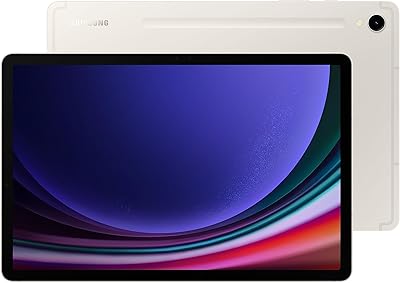
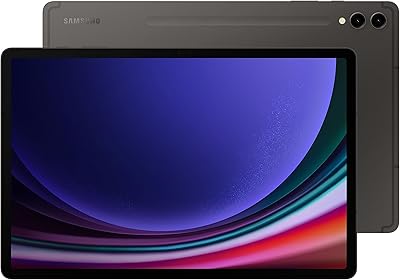
  • Colors: The 256GB model is available in Beige and Graphite finishes.
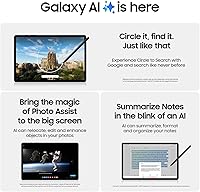
  • Galaxy AI: Built-in Galaxy AI features include live transcript assistance, note summarization, and AI-assisted photo editing tools within Samsung's native apps.
  • Audio: Four-speaker AKG-tuned stereo audio with Dolby Atmos support is built into the tablet body.
  • Biometrics: An under-display fingerprint sensor and face recognition are both supported for device unlock and authentication.

Related Reviews
Samsung Galaxy Tab S9 11” 128GB WiFi
87%
94%
Performance
91%
Display Quality
89%
Battery Life
87%
Build Quality
92%
S Pen Functionality
More
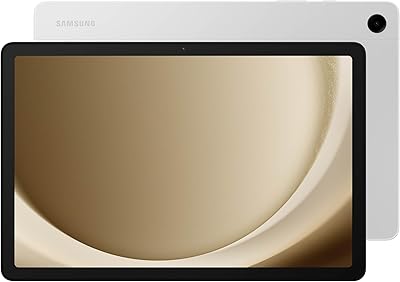
Samsung Galaxy Tab S9+ 12.4-inch 256GB Tablet
78%
96%
Display Quality
91%
S Pen Experience
93%
Performance
84%
Battery Life
92%
Build Quality
More
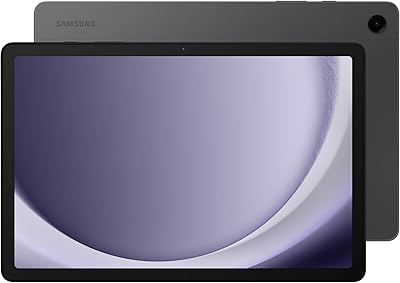
Samsung Galaxy Tab A9+ 11″ 128GB Tablet
76%
76%
Display Quality
88%
Audio Performance
71%
Performance & Speed
67%
Battery Life
63%
Build & Design
More
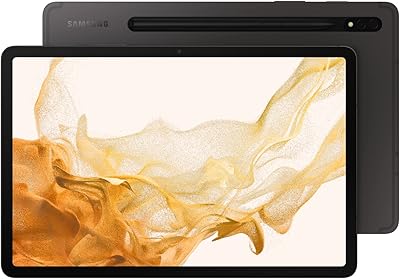
Samsung Galaxy Tab S10 FE+ 13.1″ Tablet
80%
91%
Display Quality
88%
S Pen Experience
86%
Battery Life
89%
Build Quality
72%
Processor Performance
More
Samsung Galaxy Tab A9+ 11-inch 64GB
82%
82%
Display Quality
88%
Audio Performance
67%
Multitasking & Speed
86%
Build Quality & Design
73%
Storage Capacity
More
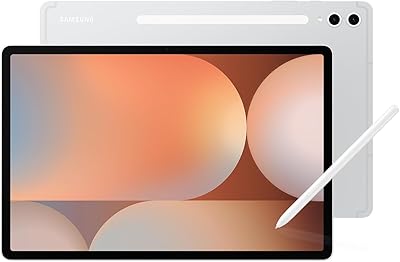
Samsung Galaxy Tab S8 11-inch 128GB Tablet
78%
88%
Display Quality
91%
S Pen Experience
86%
Performance & Speed
74%
Battery Life
89%
Build Quality
More
Samsung Galaxy Tab A 9.7-Inch 16GB Tablet
70%
74%
Display Quality
61%
Performance
83%
Battery Life
79%
Build Quality
53%
Storage & Expandability
More
Samsung Galaxy Tab S10+ 256GB Android Tablet
82%
94%
Display Quality
91%
S Pen Performance
88%
Performance & Speed
83%
Battery Life
89%
Build Quality
More
Samsung Galaxy Tab S9 FE+ 12.4″ Tablet
74%
78%
Display Quality
88%
S Pen Experience
86%
Battery Life
63%
Performance
82%
Build Quality
More
Samsung Galaxy Tab S9 FE 128GB Tablet
78%
88%
Value for Money
76%
Display Quality
91%
Battery Life
53%
Charging Speed
87%
S Pen Experience
More

FAQ

It comes included in the box — no extra purchase needed. That is actually one of the Tab S9's clearest advantages over competing tablets at this price, where stylus accessories are typically sold separately and add meaningful cost.

Yes, the tablet has a microSD card slot that supports additional storage. Keep in mind that apps generally cannot be installed directly to a microSD card on Android, so the expanded space is best used for media files, downloads, and documents rather than app libraries.

IP68 is a standardized lab rating that tests resistance to submersion in up to 1.5 meters of fresh water for 30 minutes. Real-world exposure like rain, splashes, or an accidental drop near a sink is well within its tolerance. That said, Samsung's warranty does not cover water damage, so treating it with care around water is still advisable even with the rating.

The Tab S9 matches or beats the iPad on display technology — the AMOLED panel is widely considered superior to LCD iPad models — and includes the S Pen without extra cost. Where iPads pull ahead is in the app ecosystem, particularly for creative and productivity software that offers more polished tablet-optimized experiences on iPadOS. If you are committed to Android or already use Samsung devices, the Tab S9 is the stronger Android choice; if app availability matters most, the iPad Air is worth a close look.

No, there is no 3.5mm headphone jack. You will need to use Bluetooth headphones or earbuds, or connect wired audio through a USB-C to 3.5mm adapter, which is not included in the box.

Samsung DeX is a built-in mode that transforms the tablet into a desktop-like interface when connected to an external monitor or when used with a keyboard cover. It is genuinely useful for document editing, spreadsheet work, and managing files in a more traditional computer layout. It is not a full laptop replacement, but for light productivity tasks it closes the gap considerably.

With a compatible Super Fast Charger — note that Samsung does not include a charger in the box in many markets — the 8,400mAh battery charges meaningfully faster than standard charging. Most users report going from near-empty to a usable level within about an hour, and a full charge typically takes under two hours.

Samsung has committed to four generations of Android OS updates and five years of security patches for the Tab S9 series. That makes it a reasonably future-proof choice compared to many Android devices, though it still trails Apple's track record for long-term software support.

It works well for both. The S Pen has low enough latency that illustrators and designers use it for digital artwork in apps like Samsung Notes, Adobe Fresco, and Clip Studio Paint. It is pressure-sensitive, which means brush strokes vary naturally based on how hard you press. Casual note-takers and serious illustrators alike tend to find it responsive enough for their needs.

Yes, One UI on this tablet supports split-screen multitasking, floating windows, and pop-up app views. You can run two apps side by side, which is practical for tasks like taking notes while watching a video or referencing a document while writing an email. The Snapdragon 8 Gen 2 handles these workloads without noticeable slowdown.

Where to Buy