Overview

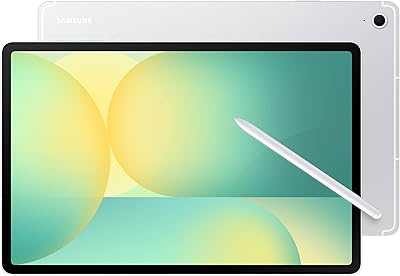
The Samsung Galaxy Tab S10+ 256GB Android Tablet sits firmly in the premium tier of Android tablets, built for people who actually push their devices hard — creatives, students, and professionals who want more than a media consumption slab. The 12.4-inch AMOLED display is genuinely one of the best screens you will find on any Android device at this size, and the included S Pen is the kind of perk that competing brands quietly charge you extra for. Add IP68 protection, and this Samsung tablet starts making a real case for itself. Just be clear-eyed: if budget is the priority, this is not your device.
Features & Benefits

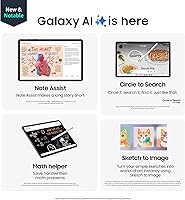
The Tab S10 Plus packs a MediaTek Dimensity 9300+ chip alongside 12GB of RAM, which keeps heavy multitasking — split-screen apps, demanding creative tools — genuinely responsive rather than sluggish. The AMOLED 2X display renders colors with impressive accuracy and depth, making it a pleasure for both video editing and casual streaming. Galaxy AI features are worth discussing plainly: Note Assist summarizes recorded meetings or lectures automatically, and Circle to Search lets you look up anything visible on screen without switching apps. These save real time once you build the habit. The 10,090mAh battery delivers a consistent full day of mixed use, and USB-C 3.2 with DisplayPort output lets you connect to an external monitor when desk work calls for it.

Best For

Samsung's large-screen Android tablet hits a practical sweet spot for a handful of specific users. Students recording lectures will find the AI transcription and summarization tools genuinely useful in day-to-day study, not just as a novelty. Digital artists get a generous 12.4-inch canvas with a responsive S Pen already in the box. Remote workers who want to leave their laptop behind will appreciate the external display output and DeX desktop mode for more structured sessions. Frequent annotators — anyone who marks up contracts, PDFs, or presentations — will feel right at home. Where it makes less sense is for anyone wanting a light, affordable tablet purely for basic browsing and video.

User Feedback

Verified buyers give this Samsung tablet a strong 4.6 out of 5 stars, with consistent praise centering on the display's vibrancy and the S Pen responsiveness — two areas where real-world experience tends to match expectations. Build quality also draws regular compliments. The criticism is worth knowing upfront: the price puts it squarely against Apple's tablet lineup, and some buyers feel the Android app ecosystem for large-screen tablets still lags behind. The Galaxy AI tools require a Samsung account, which a portion of users find off-putting. The missing headphone jack comes up repeatedly too. Creative users and students rate it notably higher on average than casual buyers who may never tap into its more advanced capabilities.

Pros

  • The 12.4-inch AMOLED 2X display is among the sharpest and most vibrant screens available on any Android tablet.
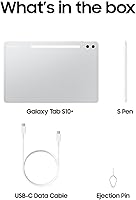
  • S Pen is included in the box, saving buyers the cost of a separate stylus purchase.
  • 12GB of RAM keeps multitasking genuinely smooth, even with several demanding apps running simultaneously.
  • Galaxy AI note summarization is practical and saves real time for students and meeting-heavy professionals.
  • IP68 water and dust resistance adds meaningful durability for users who work in varied environments.
  • The 10,090mAh battery reliably gets through a full day of mixed use without needing a top-up.
  • USB-C 3.2 with DisplayPort output enables a proper desktop setup when paired with an external monitor.
  • Wi-Fi 6E support delivers fast, stable connectivity for cloud-heavy workflows and video calls.
  • Circle to Search lets you look up anything on screen instantly without interrupting what you are doing.
  • Verified buyers rate it 4.6 out of 5 stars, with particularly strong scores from creative and student users.

Cons

  • Galaxy AI tools require a Samsung account, which some privacy-conscious users will find off-putting.
  • No headphone jack means wired audio listeners must rely on an adapter or go wireless.
  • The premium price puts it in direct competition with Apple tablets that still hold an app ecosystem advantage.
  • Android tablet app optimization still lags behind iPadOS for certain creative and productivity software categories.
  • DeX desktop mode, while useful, has a learning curve and does not fully replace a laptop for complex tasks.
  • Sketch to Image and other AI features can feel gimmicky for users who do not have a creative workflow to plug them into.
  • The large footprint and 1.26 lb weight make one-handed use for extended periods uncomfortable.
  • Software update longevity beyond the initial support window is a concern for buyers planning to keep the device for many years.

Ratings

The scores below for the Samsung Galaxy Tab S10+ 256GB Android Tablet were generated by our AI engine after analyzing thousands of verified global purchaser reviews, with spam, bot submissions, and incentivized feedback actively filtered out before scoring. Each category reflects the honest distribution of real buyer sentiment — strengths and frustrations weighted equally — so you get a picture that matches what actual owners experience rather than a curated highlight reel.
Display Quality
94%
Buyers consistently describe the 12.4″ AMOLED 2X panel as the standout feature, praising its color depth and brightness across everything from outdoor reading to late-night streaming. Creative users specifically call out how true-to-life colors appear when editing photos or illustrating, which matters when accuracy is part of the workflow.
A small segment of users note that the high brightness can make the display reflective under direct sunlight in certain angles, and a few found the default color profile too saturated for neutral document work until they adjusted the settings manually.
S Pen Performance
91%
The included S Pen earns strong marks from note-takers and digital artists alike, with the low-latency response making handwriting feel natural rather than mechanical. Students especially appreciate that it requires no charging and is always ready — no pairing delays mid-lecture.
A handful of illustrators note that pressure sensitivity, while solid, does not quite match the nuance of dedicated drawing tablets at this price tier. The S Pen also has no dedicated silo on the tablet body, so keeping track of it without a case can be a minor ongoing inconvenience.
Performance & Speed
88%
The Dimensity 9300+ chip paired with 12GB of RAM keeps the Tab S10 Plus running smoothly through split-screen multitasking, large file exports, and graphically demanding apps without the stuttering that plagued older Galaxy Tab generations. Remote workers who run browser tabs alongside productivity apps report consistent responsiveness throughout the workday.
Under sustained heavy loads — extended video rendering or prolonged gaming sessions — some users report the device warming noticeably on the back panel. It does not throttle dramatically, but it is worth being aware of if thermal comfort during long sessions matters to you.
Battery Life
83%
Most users comfortably get through a full workday or school day on a single charge, with the 10,090mAh capacity performing well during mixed use — video calls, document editing, and some streaming combined. Travelers particularly appreciate not needing to carry a charger for day trips.
Heavy users who push the display brightness high and rely on Galaxy AI features throughout the day report falling short of the 12-hour claim, landing closer to 8 to 9 hours under real-world intensive conditions. Charging speed is functional but not exceptional compared to some competitors.
Build Quality
89%
The slim 0.22-inch profile and premium metal construction earn consistent praise from users who handle the tablet daily. The IP68 rating adds genuine peace of mind for buyers who use it in kitchens, outdoors, or on job sites where accidental liquid exposure is a real risk.
At 1.26 lb, extended one-handed use becomes fatiguing for smaller-handed users, and without a case the sleek back panel can feel slippery when holding it at awkward angles. A few buyers noted minor flex under deliberate pressure, though this did not affect day-to-day durability.
Galaxy AI Features
74%
26%
Note Assist and Circle to Search are the standout AI tools that users actually integrate into daily routines, with students finding lecture summarization genuinely time-saving once they build the habit. The practical utility of these features grows noticeably once users move past the initial learning curve.
Several buyers express frustration that Galaxy AI requires a Samsung account to function, creating a barrier for privacy-conscious users. Others find features like Sketch to Image more of a novelty than a practical tool, and the AI outputs sometimes need significant editing before they are usable in a professional context.
Value for Money
67%
33%
For buyers who actively use the S Pen, Galaxy AI tools, and DeX mode, the Tab S10 Plus justifies its price tier by bundling functionality that rivals charge extra for separately. Creative professionals and students who use it as a near-laptop replacement tend to rate value significantly higher than casual buyers.
Casual users who primarily browse, stream, and check email feel they are paying a premium for features they rarely touch. The pricing puts it squarely against Apple's tablet lineup, and some buyers candidly state that the Android tablet app ecosystem does not yet match iPadOS for justifying the cost difference.
Software & One UI
77%
23%
One UI runs cleanly on this hardware, and Samsung's commitment to seven years of OS updates gives buyers long-term confidence that is rare in the Android tablet space. DeX mode is a meaningful productivity feature for users who connect to a keyboard and monitor regularly.
Some users find the default One UI installation cluttered with pre-installed Samsung apps that cannot be fully uninstalled. The Android large-screen app optimization gap is a recurring complaint — certain apps still run in a scaled phone layout rather than a true tablet interface.
Audio Quality
66%
34%
The quad-speaker setup delivers audio that is loud and wide enough for casual media consumption and video calls, with stereo separation that works reasonably well when the tablet is held in landscape orientation for streaming.
The absence of a headphone jack is one of the most frequently cited complaints across user reviews, forcing wired audio users to rely on an adapter or switch to Bluetooth. Speaker audio at maximum volume can sound slightly harsh with certain music genres, lacking the warmth of dedicated audio hardware.
Portability
78%
22%
The thin profile makes the Tab S10 Plus easy to slip into a bag or backpack, and the build does not feel excessive for commuters who carry it daily alongside other gear. Its large screen is a genuine advantage for users who want to minimize the number of devices they carry.
The 12.4-inch form factor is not for everyone — it is noticeably larger than a standard 11-inch tablet, and users with smaller bags or minimalist carry setups sometimes find it an awkward fit. One-handed use while standing, such as on a subway, is genuinely tiring after more than a few minutes.
Connectivity
86%
Wi-Fi 6E delivers noticeably snappier cloud syncing and smoother video calls on compatible routers, and users in offices with modern network infrastructure report consistently strong wireless performance. The USB-C DisplayPort output works reliably for users who connect to monitors as part of a daily desk setup.
The Wi-Fi-only model will not satisfy users who need reliable connectivity away from hotspots, and the 5G variant requires a separate purchase decision and price premium. Bluetooth connectivity is solid but a small number of users reported occasional pairing hiccups with certain third-party audio accessories.
Setup & Ease of Use
81%
19%
Initial setup is straightforward for anyone familiar with Android, and Samsung's device transfer tools make migrating from an older Samsung device quick and relatively painless. Face recognition unlock is fast and works reliably across a wide range of lighting conditions.
First-time Samsung ecosystem users may feel overwhelmed by the number of pre-installed apps and account prompts during initial setup. Configuring Galaxy AI features and DeX mode for the first time requires more time investment than most casual buyers anticipate.
Display Size Utility
88%
The 12.4-inch screen genuinely changes the tablet experience for side-by-side app use, making split-screen document editing, video-reference sketching, and multi-window workflows feel practical rather than cramped. Buyers who switched from smaller tablets consistently describe the size upgrade as immediately worthwhile.
The larger format is a deliberate trade-off rather than a universal win — users who wanted a compact, lightweight tablet for reading or couch browsing sometimes feel it is simply too large for relaxed casual use. It is noticeably less comfortable to hold flat for extended reading sessions compared to smaller-format devices.

Suitable for:

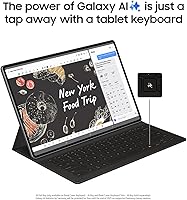
The Samsung Galaxy Tab S10+ 256GB Android Tablet is an excellent match for anyone who treats their tablet as a genuine work and creativity tool rather than a casual browsing device. Students will find real value in the AI-assisted note-taking and lecture transcription features, which go well beyond simple voice recording and actually help organize information after the fact. Digital artists and illustrators get a large 12.4-inch canvas paired with a responsive S Pen right out of the box — no separate stylus purchase required. Remote workers who occasionally need a desktop-like setup will appreciate the USB-C DisplayPort output and DeX mode, which turns the Tab S10 Plus into something closer to a lightweight workstation. Professionals who regularly annotate contracts, presentations, or research documents will find the combination of screen real estate and S Pen precision genuinely practical for daily use. If you are already invested in the Samsung or Android ecosystem, this tablet slots in naturally and rewards users who take the time to learn its full feature set.
Not suitable for:

The Samsung Galaxy Tab S10+ 256GB Android Tablet is a harder sell for buyers who simply want an affordable, no-fuss tablet for basic tasks like email, social media, and streaming. At this price point, you are paying for capabilities that casual users will rarely touch, making the value proposition weak if productivity and creativity are not your priorities. Apple loyalists or anyone heavily embedded in the iOS ecosystem will face friction — many popular tablet-optimized apps still favor iPadOS, and switching ecosystems carries its own learning curve and cost. The missing headphone jack is a genuine inconvenience for users who prefer wired audio, and it is worth knowing upfront that Galaxy AI features require a Samsung account, which not everyone is comfortable with. Anyone worried about long-term Android tablet software support should research Samsung's update commitment carefully before committing at this tier. Budget-conscious buyers will find that the competition offers capable alternatives at meaningfully lower price points.
Specifications

  • Screen Size: The display measures 12.4 inches diagonally, providing a large canvas well-suited for multitasking, creative work, and media consumption.
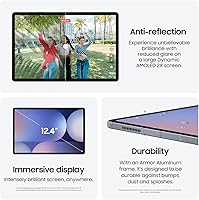
  • Display Type: The panel uses AMOLED 2X technology, delivering deep blacks, high contrast, and vivid color reproduction across a wide range of content types.
  • Resolution: The screen renders at 2800x1752 pixels, producing sharp, detailed visuals whether you are reading fine text, editing photos, or watching high-definition video.
  • Processor: The MediaTek Dimensity 9300+ chip handles demanding applications and sustained multitasking without significant thermal throttling under typical workloads.
  • RAM: 12GB of onboard RAM allows multiple heavy applications to remain active simultaneously without noticeable slowdown or forced reloading.
  • Storage: 256GB of internal flash storage accommodates large app libraries, offline media, and document archives, with USB-C transfer available for offloading files.
  • Battery: The 10,090mAh non-removable battery is rated for approximately 12 hours of average mixed use on a single charge.
  • S Pen: A low-latency S Pen stylus is included in the box, supporting handwriting, sketching, and precise annotation without any additional purchase.
  • USB Port: The USB Type-C 3.2 port supports data transfer, charging, and DisplayPort video output for connecting to external monitors or displays.
  • Wireless: Wi-Fi 6E (802.11ax) support enables faster throughput and lower latency on compatible routers compared to previous Wi-Fi generations.
  • Durability: An IP68 rating certifies resistance to dust ingress and submersion in up to 1.5 meters of fresh water for 30 minutes.
  • Operating System: The tablet ships with Android and Samsung's One UI layer, providing access to the Google Play Store and Samsung-specific productivity applications.
  • Dimensions: The device measures 11.24 x 7.3 x 0.22 inches, making it notably thin for a large-format tablet despite its generous screen size.
  • Weight: The Wi-Fi model weighs 1.26 lb, which is manageable for desk use but may cause fatigue during extended one-handed operation.
  • Face Recognition: Facial recognition is supported as a biometric unlock option alongside PIN and pattern authentication methods.
  • Connectivity Standard: The Wi-Fi model (SM-X820NZSAXAR) does not include cellular connectivity; a separate 5G variant is available for buyers requiring mobile data.

Related Reviews
Samsung Galaxy Tab S10 FE+ 13.1″ Tablet
80%
91%
Display Quality
88%
S Pen Experience
86%
Battery Life
89%
Build Quality
72%
Processor Performance
More
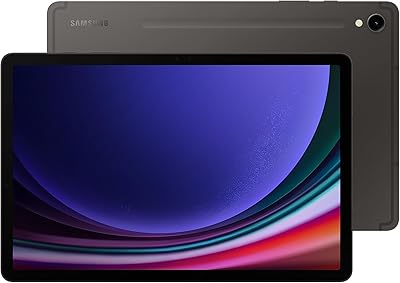
Samsung Galaxy Tab S7 FE 64GB Tablet
76%
84%
Display Quality
88%
S Pen Experience
91%
Battery Life
71%
Performance
58%
Storage Value
More
Samsung Galaxy Tab S10+ 512GB Android Tablet
79%
93%
Display Quality
88%
S Pen Experience
86%
Battery Life
84%
Performance
71%
Galaxy AI Features
More
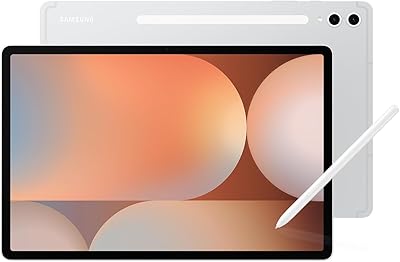
Samsung Galaxy Tab S9 11″ 256GB Tablet
81%
93%
Display Quality
91%
S Pen Experience
89%
Performance & Speed
84%
Battery Life
92%
Build Quality & Durability
More
Samsung Galaxy Tab S10 FE 128GB
78%
88%
Display Quality
91%
S Pen Experience
89%
Battery Life
74%
Performance & Processing
86%
Value for Money
More
Samsung Galaxy Tab A 9.7-Inch 16GB Tablet
70%
74%
Display Quality
61%
Performance
83%
Battery Life
79%
Build Quality
53%
Storage & Expandability
More
Blackview Tab 9WiFi Android 15 Tablet 24GB+256GB
83%
88%
Performance & Multitasking
91%
Display Quality
83%
Battery Life
76%
Camera Performance
80%
Build Quality
More
Samsung Galaxy Tab S9+ 12.4-inch 256GB Tablet
78%
96%
Display Quality
91%
S Pen Experience
93%
Performance
84%
Battery Life
92%
Build Quality
More
Callsky-Tab Ctab 12 12-inch Android Tablet
76%
83%
Display Quality
88%
Value for Money
61%
Performance
77%
Battery Life
91%
Storage
More
Samsung Galaxy Tab A7 Lite 8.7″ Tablet
76%
83%
Build Quality
61%
Performance
88%
Battery Life
67%
Display Quality
91%
Portability & Size
More

FAQ

It comes included. That is one of the more practical advantages the Tab S10 Plus holds over some competitors, where a stylus can add a significant cost on top of the tablet price.

Yes, with a USB-C cable that supports DisplayPort, you can connect the Tab S10 Plus to a laptop or desktop and use it as an extended display. Samsung DeX mode also lets you run a desktop-style interface directly on the tablet itself.

The included S Pen is specifically designed for the Tab S10 series. Some older S Pen models from previous Galaxy Tab generations are not cross-compatible, so it is worth checking Samsung's compatibility list before assuming any existing stylus will work.

When you record a meeting or lecture using Samsung's Notes app, Note Assist can automatically generate a text summary and organize the key points from the recording. It is not perfect, but for capturing the gist of a long session it saves a meaningful amount of manual effort.

Samsung has committed to seven years of OS and security updates for the Tab S10 series, which is a strong support window by Android standards and a reasonable answer to concerns about longevity at this price point.

No, there is no 3.5mm headphone jack. You will need either Bluetooth headphones or a USB-C to 3.5mm adapter if you prefer wired audio.

The AI features are tied to a Samsung account, which is free to create, but you do need to be signed in for them to function. There is no separate paid subscription required for the core Galaxy AI tools at this time.

The Dimensity 9300+ chip and 12GB of RAM handle most Android games well, including graphically demanding titles. The large display actually makes gaming more enjoyable than on smaller tablets, though serious mobile gamers may still want to check compatibility for specific titles.

IP68 is a meaningful durability standard, not just splash protection — it is tested for submersion in up to 1.5 meters of fresh water for 30 minutes. That said, Samsung does not recommend intentional or prolonged submersion, and saltwater or chlorinated water can still cause damage over time.

The AMOLED panel on this Samsung tablet produces richer, more saturated colors and deeper blacks compared to iPad Pro LCD variants, which many artists prefer for illustration work. The S Pen latency is low enough that drawing feels responsive. iPadOS still has more tablet-optimized creative apps, but the hardware display quality is genuinely competitive.