





Overview

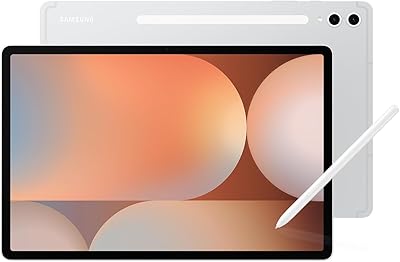
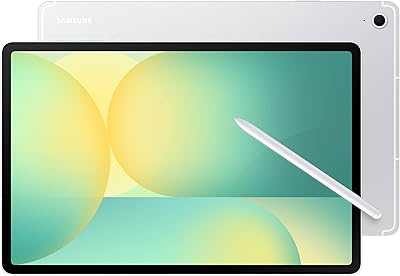
The Samsung Galaxy Tab S10 FE+ 13.1″ Tablet arrived in April 2025 as a genuinely compelling option for anyone who wants a large Android display without paying flagship prices. That 13.1-inch screen is the headline — it's noticeably bigger than what most competitors offer at this price tier, and it makes a real difference when you're watching video, reading, or spreading out a document. The included S Pen isn't an afterthought; it ships in the box and opens up note-taking and sketching right away. Samsung has also baked in Galaxy AI features, which add some practical software smarts — though more on that shortly.

Features & Benefits

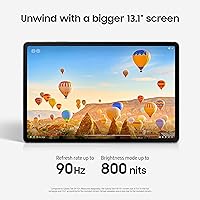
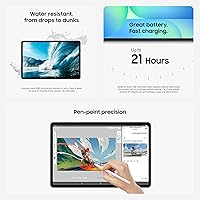
The display is where this Galaxy tablet earns its keep. At 2880x1800 resolution with a 90Hz refresh rate, scrolling feels fluid and text stays crisp even on that large canvas — a noticeable step up for reading long documents or watching HD content. The Exynos 1580 processor handles streaming, note-taking, and casual gaming without complaints, though it won't impress anyone running intensive workloads side by side. The S Pen's Handwriting Assist tidies up messy notes automatically, and Math Solver can convert handwritten equations into clean text — both genuinely useful for students. The IP68 rating means you don't have to panic near a sink or in the rain, and the 10,090mAh battery realistically gets through a full day of mixed use with room to spare.

Best For

The Tab S10 FE+ is a natural fit for students who want a big writing surface for handwritten notes and the occasional sketch — the S Pen makes that workflow genuinely practical rather than gimmicky. Remote workers who need a secondary display for reference or light annotation will also find it capable. Casual entertainment users upgrading from a smaller tablet will immediately notice the difference in screen real estate for video and reading. Travelers who want something durable enough to use without obsessing over case protection will appreciate the water resistance. That said, power users who need LTE connectivity, a headphone jack, or maximum processing speed should look elsewhere — this large-screen Samsung tablet is built for breadth, not raw horsepower.

User Feedback

Buyers consistently single out the display quality and S Pen usability as standout strengths, with many noting they use the Tab S10 FE+ for everything from classroom notes to weekend sketching and couch reading. Build quality also draws repeated praise — the tablet feels solid and the IP68 rating gives real peace of mind. The criticism that comes up most often is the absence of an LTE option, which limits flexibility for users without reliable Wi-Fi. Some reviewers have also flagged that Galaxy AI features require account sign-in and a connection to work fully, which can feel restrictive. A handful of Android enthusiasts note the Exynos chip trails Snapdragon alternatives at this price range, though most everyday users report no frustrations in practice.

Pros

  • The 13.1-inch display with 90Hz refresh makes video and reading noticeably more comfortable than on smaller tablets.
  • S Pen is included out of the box — no extra purchase needed to start writing or sketching immediately.
  • Handwriting Assist and Math Solver add genuine daily utility for students beyond basic note-taking.
  • IP68 water resistance provides real peace of mind without needing to baby the device around liquids.
  • The 10,090mAh battery holds up well through a full day of mixed use without anxiety about finding a charger.
  • 256GB of built-in storage is generous and reduces reliance on cloud workarounds for local files.
  • Build quality feels solid and premium relative to the price tier, according to consistent buyer feedback.
  • Circle to Search with Google makes on-screen research quick and natural during browsing or reading sessions.
  • Face recognition login is fast and works well as a daily convenience feature.
  • At its price point, the combination of screen size, stylus, and durability is difficult to match in the Android tablet space.

Cons

  • No LTE option exists at all — if Wi-Fi is unavailable, so is your connection.
  • The Exynos 1580 trails competing Snapdragon chips in sustained performance benchmarks at a similar price.
  • No headphone jack means wired audio requires a USB-C adapter that does not come in the box.
  • Galaxy AI features require a Samsung account and internet access to work fully, which limits offline usefulness.
  • RAM specs are not officially disclosed, which makes it harder to evaluate multitasking headroom upfront.
  • Wi-Fi is limited to older 802.11b/g/n standards, which may bottleneck speeds on modern routers.
  • The large form factor, while a strength for some, makes one-handed use or commute portability awkward.
  • Software update longevity beyond the initial years has not yet been confirmed for this model.
  • Intensive gaming sessions can expose the processor's thermal limits faster than flagship-tier chips.
  • Some buyers report that Samsung's pre-installed app suite feels heavy and takes effort to pare back.

Ratings

The Samsung Galaxy Tab S10 FE+ 13.1″ Tablet scores below are generated by AI after analyzing thousands of verified global user reviews, with spam, bot activity, and incentivized feedback actively filtered out. This large-screen Samsung tablet earns strong marks in several key areas, though real buyer pain points — from chip performance to connectivity limits — are reflected transparently in every category score.

Display Quality
91%
Users consistently describe the 13.1-inch screen as one of the best reasons to own this tablet — the 2880x1800 resolution makes text crisp enough for long reading sessions, and the 90Hz refresh rate gives scrolling and S Pen input a noticeably fluid feel. Reviewers who use it for watching shows or video calls say the screen holds up well in both bright and dim environments.
A handful of buyers note that the display, while sharp, doesn't reach the brightness peaks of some premium AMOLED competitors, which can be limiting outdoors on sunny days. Color accuracy, while good, isn't quite at the level that professional photo editors or color-critical creatives would expect.
S Pen Experience
88%
Most buyers who purchased this Galaxy tablet specifically for note-taking or sketching come away genuinely impressed — the S Pen feels responsive and natural on the large canvas, and features like Handwriting Assist that auto-tidies messy notes have been called out as legitimately useful by students and professionals alike. The fact that it's included at no extra cost is repeatedly flagged as a meaningful advantage.
Some users with experience on the flagship Tab S Ultra line notice that the S Pen here lacks Bluetooth functionality, which limits its use to on-screen input only. A small number of reviewers also report occasional lag with very fast handwriting strokes during intensive note sessions.
Battery Life
86%
Everyday users — students, remote workers, couch browsers — consistently report getting through a full day without reaching for a charger, even with screen-on time exceeding six to seven hours. The 10,090mAh cell is large enough that lighter use days stretch comfortably into a second day before needing a top-up.
Charging speed is where some frustration surfaces — the Tab S10 FE+ does not support the fastest charging standards, and several buyers note that a full recharge from nearly empty takes longer than they expected. Heavy users running the display at high brightness with constant app activity report the battery draining noticeably faster than Samsung's 21-hour claim suggests.
Build Quality
89%
The physical construction of this large-screen Samsung tablet earns consistent praise — buyers describe it as feeling solid and premium without being unnecessarily heavy. The IP68 water resistance rating is frequently mentioned as a confidence booster, with users reporting they no longer worry about using it near sinks, during outdoor meals, or in unpredictable weather.
At 1.49 pounds and with a large footprint, extended handheld use — especially for reading in bed — can become tiring for some buyers. A few reviewers note that the gray finish shows fingerprints and smudges more readily than they hoped, which bothers users who prefer a clean look.
Processor Performance
72%
28%
For the use cases this tablet is designed around — streaming, note-taking, casual browsing, and light gaming — the Exynos 1580 chip performs without noticeable hitches. Users who run a handful of apps simultaneously, manage documents, or watch 4K content report smooth, responsive day-to-day behavior.
Buyers who came from Snapdragon-based devices or who push the tablet with demanding games or heavy multitasking workflows flag the Exynos 1580 as the weakest link. Under sustained load, some users notice thermal throttling that slows things down — and benchmark-conscious reviewers consistently point out that competing tablets at similar prices offer better raw performance.
Value for Money
83%
Considering that the S Pen is included, the storage is generous at 256GB, and the screen is larger than nearly every competitor in the price range, most buyers feel the Tab S10 FE+ justifies its cost reasonably well. Students and casual users who compare it against smaller or more basic tablets frequently say it punches above its tier.
A segment of buyers feel the price would be easier to swallow if the Wi-Fi standards were more current or if a cellular option existed. Tech-savvy shoppers who dig into the chip specs sometimes conclude that rival brands offer comparable or better hardware at similar prices, which creates hesitation around long-term value.
Galaxy AI Features
74%
26%
Circle to Search, Handwriting Assist, and Math Solver are called out as genuinely useful tools in real-world use by students and office workers who actually engage with them regularly. Buyers already in the Samsung ecosystem find the AI features integrate naturally with their workflow and feel like a meaningful software addition.
The requirement for a Samsung account and active internet connection to unlock most Galaxy AI functionality frustrates users who expected these to work offline or without account sign-in. Some reviewers also note that certain features feel more like polished demos than deeply integrated tools, and updates to expand their capability have been slow.
Software & One UI
77%
23%
Most buyers find One UI well-optimized for the large screen, with split-screen multitasking and the taskbar making tablet use feel more intentional than on stock Android. App availability through the Google Play Store is a consistent positive, and the interface is widely described as intuitive for new users.
Samsung's pre-installed bloatware is a recurring complaint — several buyers mention spending time uninstalling or disabling apps they never asked for. Software update communication from Samsung has also drawn criticism, with some users unsure how many years of Android updates this model will receive.
Portability
68%
32%
For desk use, couch sessions, or travel where the tablet goes into a bag, the slim 0.24-inch profile and relatively managed weight make it easy to transport. Buyers who use it as a secondary travel device appreciate how little bulk it adds to a carry-on.
One-handed use is essentially off the table for most people — the 13.1-inch display is simply too large and the weight too unevenly distributed for comfortable single-hand operation. Users upgrading from a compact tablet sometimes express mild surprise at how much physical space it occupies on a desk or in a backpack.
Audio Quality
71%
29%
The dual speakers are frequently mentioned as a step up from budget tablets, delivering enough volume and stereo separation to make video content genuinely enjoyable without earphones. Users watching shows on a couch or doing video calls in a quiet room report the audio as clear and well-balanced.
The lack of a headphone jack is a friction point for buyers who use wired headphones — adapters are required and not included. At higher volumes, the speakers can lose some clarity and low-end depth, which is disappointing for music listeners who were hoping for richer sound from a tablet this size.
Connectivity
61%
39%
For users who are always within reach of a reliable Wi-Fi network — at home, at school, or in an office — the wireless performance is stable and fast enough for streaming and video calls without frustration. Bluetooth connectivity for headphones and peripherals works reliably in buyer feedback.
The absence of any LTE or 5G option is the single most frequently cited structural limitation across user reviews — it cuts the tablet off from independent connectivity entirely. The Wi-Fi standards topping out at 802.11n rather than Wi-Fi 5 or Wi-Fi 6 also means the tablet cannot fully take advantage of modern router speeds, which some users in fast-network households find frustrating.
Display Size for Use Case
93%
Among buyers who specifically sought a large-screen tablet, satisfaction with the 13.1-inch size is exceptionally high — students describe it as having genuine room to spread out notes and reference material simultaneously, while entertainment users say it makes streaming feel closer to a small TV than a handheld device.
A small minority of buyers find the size overwhelming for portable use and wish they had opted for something more compact before purchasing. For commuters who hoped to use it on public transport, the large footprint can be impractical in tight spaces.
Note-Taking Capability
87%
The combination of a large screen, responsive S Pen, and AI-assisted tools like Handwriting Assist and Math Solver makes this Galaxy tablet one of the more capable note-taking devices in the Android space at this price point. Buyers who use it for academic work — diagrams, equations, annotated PDFs — are among its most enthusiastic advocates.
Without Bluetooth S Pen functionality, remote presentation or air-gesture control is not possible, which limits use cases for some professional buyers. A few users who switched from iPad note-taking apps also note that the Android app ecosystem for handwriting-specific apps, while solid, doesn't match iOS in terms of polish for certain niche tools.
Setup & Ease of Use
84%
Most buyers describe unboxing and initial setup as straightforward — the Samsung account setup is guided, and the interface is accessible enough that less tech-savvy users, including older adults and younger students, report getting comfortable quickly. Face recognition login is frequently praised as a fast and reliable daily convenience.
The Samsung account requirement during setup feels intrusive to some buyers who would prefer a more minimal onboarding process. Galaxy AI setup in particular involves additional steps and permissions that some users found confusing or easy to skip without realizing they were disabling features they would later want.

Suitable for:

The Samsung Galaxy Tab S10 FE+ 13.1″ Tablet is a strong match for students who spend serious time on handwritten notes, equations, or diagrams — the included S Pen and large screen make that kind of work genuinely comfortable rather than cramped. It also suits remote workers or creatives who want a capable secondary display for reading documents, annotating PDFs, or sketching out ideas without carrying a laptop everywhere. Casual entertainment users who have outgrown a smaller tablet will find the step up in screen size immediately rewarding for video, reading, and light browsing. Travelers and users who tend to use their tablet in kitchens, near pools, or outdoors will appreciate the IP68 rating as a real safety net, not just a spec on paper. If you're already using Samsung phones or other Galaxy devices, the ecosystem continuity and Galaxy AI integration will feel like a natural extension of what you already know.

Not suitable for:

The Samsung Galaxy Tab S10 FE+ 13.1″ Tablet is not the right call for buyers who need mobile connectivity on the go — there is no LTE option, so you are entirely dependent on Wi-Fi, which can be a genuine problem for commuters or frequent travelers. Power users who run demanding apps side by side or expect console-level gaming performance will likely find the Exynos 1580 chip underwhelming compared to Snapdragon-based alternatives at similar price points. Anyone who relies on a headphone jack for wired audio will need to plan around an adapter, as there is none built in. Heavy multitaskers who want to push eight or ten apps simultaneously may hit the limits of this chip sooner than expected. Finally, users who prefer minimal account dependencies should know that several Galaxy AI features require a Samsung account and an active internet connection to function fully — they are not fully offline tools.

Specifications

  • Screen Size: The display measures 13.1 inches diagonally, making it one of the larger screens available in the Android tablet segment.
  • Resolution: The panel renders at 2880 x 1800 pixels, delivering sharp, detailed visuals suitable for reading, video, and creative work.
  • Refresh Rate: A 90Hz refresh rate ensures smooth scrolling and fluid motion across apps, video playback, and S Pen input.
  • Processor: The Samsung Exynos 1580 chip handles everyday tasks like streaming, browsing, and note-taking with consistent, capable performance.
  • Storage: 256GB of internal flash storage provides ample room for apps, documents, media files, and offline content.
  • Battery: A 10,090mAh battery supports up to 21 hours of claimed use, with realistic all-day performance under mixed workloads.
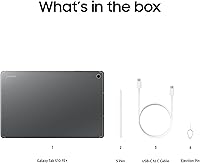
  • S Pen: An S Pen stylus is included in the box, supporting handwriting, annotation, sketching, and Galaxy AI-powered note features.
  • Water Resistance: The tablet carries an IP68 rating, meaning it can withstand submersion in up to 1.5 meters of fresh water for 30 minutes.
  • Connectivity: Wi-Fi support covers 802.11b, 802.11g, and 802.11n standards; no LTE or 5G cellular option is available for this model.
  • Operating System: The device runs Android with Samsung One UI on top, including access to the Google Play Store and Galaxy AI features.
  • USB Port: A USB Type-C port handles charging, data transfer, and audio output via adapter.
  • Weight: The tablet weighs 1.49 pounds in its Wi-Fi configuration, which is manageable for desk use but noticeable during extended handheld sessions.
  • Dimensions: Physical dimensions are 11.83 x 7.67 x 0.24 inches, giving it a slim profile despite the large screen footprint.
  • Face Recognition: Built-in face recognition enables quick biometric login as a convenient alternative to PIN or password entry.
  • Galaxy AI: Galaxy AI features include Circle to Search, Handwriting Assist, and Math Solver, most of which require a Samsung account and internet access.
  • Chipset Brand: Both the processor and the integrated graphics are designed and manufactured by Samsung under the Exynos product line.
  • Audio: Dual speakers are built into the chassis, providing stereo sound for video and media playback without external accessories.
  • Color Options: The Gray colorway is the listed US version; availability of additional colors may vary by retailer.
  • Availability: This model was first listed for sale in April 2025 and is currently ranked in the top 25 tablets in its Amazon category.
  • Model Number: The official US model identifier is SM-X620NZAMXAR, which can be used to confirm compatibility with accessories and software updates.

Related Reviews
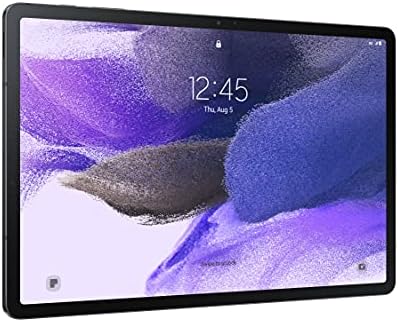
Samsung Galaxy Tab S10 FE 128GB
78%
88%
Display Quality
91%
S Pen Experience
89%
Battery Life
74%
Performance & Processing
86%
Value for Money
More
Samsung Galaxy Tab S7 FE 64GB Tablet
76%
84%
Display Quality
88%
S Pen Experience
91%
Battery Life
71%
Performance
58%
Storage Value
More
Samsung Galaxy Tab S10+ 512GB Android Tablet
79%
93%
Display Quality
88%
S Pen Experience
86%
Battery Life
84%
Performance
71%
Galaxy AI Features
More
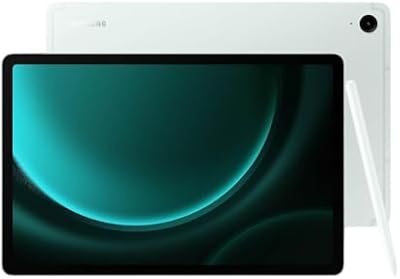
Samsung Galaxy Tab S10+ 256GB Android Tablet
82%
94%
Display Quality
91%
S Pen Performance
88%
Performance & Speed
83%
Battery Life
89%
Build Quality
More
Samsung Galaxy Tab A 9.7-Inch 16GB Tablet
70%
74%
Display Quality
61%
Performance
83%
Battery Life
79%
Build Quality
53%
Storage & Expandability
More
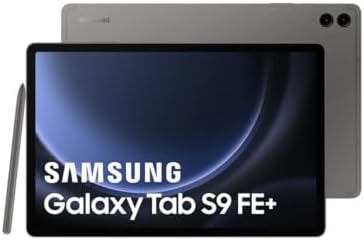
Samsung Galaxy Tab S9 FE+ 12.4″ Tablet
74%
78%
Display Quality
88%
S Pen Experience
86%
Battery Life
63%
Performance
82%
Build Quality
More
Samsung Galaxy Tab S9 FE 128GB Tablet
78%
88%
Value for Money
76%
Display Quality
91%
Battery Life
53%
Charging Speed
87%
S Pen Experience
More
Samsung Galaxy Tab A7 Lite 8.7″ Tablet
76%
83%
Build Quality
61%
Performance
88%
Battery Life
67%
Display Quality
91%
Portability & Size
More
Samsung Galaxy Tab S6 Lite (2024) Tablet
73%
83%
Value for Money
81%
Display Quality
79%
S Pen Experience
63%
Performance & Speed
88%
Battery Life
More
Samsung Galaxy Tab S6 Lite 10.4″ Tablet
72%
83%
Display Quality
88%
S Pen Experience
91%
Battery Life
67%
Performance
84%
Value for Money
More

FAQ

It comes included — no extra purchase needed. You can start writing, sketching, or annotating the moment you unbox the tablet, which is genuinely one of the better value aspects of this device at its price tier.

Unfortunately, no. The Tab S10 FE+ is a Wi-Fi-only device — there is no LTE or 5G version available for this model in the US. If mobile connectivity is important to you, you'd need a phone hotspot or to look at a different tablet that offers cellular options.

Samsung claims up to 21 hours, which is the upper limit under light conditions like reading or video playback at moderate brightness. Realistically, most users report getting through a full day comfortably with mixed use — some streaming, some note-taking, some browsing — without needing to charge mid-day.

It's a solid fit. The large screen gives you real room to spread out notes or PDFs side by side, and the S Pen with Handwriting Assist makes taking and tidying up handwritten notes genuinely practical. Math Solver is also a nice bonus for STEM students. Just keep in mind that most Galaxy AI features need Wi-Fi and a Samsung account to work fully.

The IP68 rating means it can handle submersion in up to 1.5 meters of fresh water for about 30 minutes, so accidental drops in a sink, puddle, or bathtub should be fine. That said, IP ratings are tested in controlled lab conditions, and Samsung's warranty typically does not cover water damage, so treat the rating as a safety net, not a guarantee.

No, there is no 3.5mm headphone jack. You would need a USB-C to 3.5mm adapter for wired headphones, which does not come included in the box. Bluetooth headphones work without any adapter.

It's a capable chip that handles most everyday tasks without issues — streaming, browsing, multitasking, and casual gaming all run well. Where it starts to show its limits is under sustained heavy workloads, like running multiple demanding apps simultaneously or playing graphically intense games for long periods. Some competing tablets at similar prices use Snapdragon chips that edge it out in raw benchmarks, but for the typical use cases this tablet is designed for, most users won't feel the difference day to day.

You don't need one for basic Android functionality — apps, browsing, and the S Pen all work without signing in to Samsung. However, Galaxy AI features like Handwriting Assist, Circle to Search integration, and other smart tools require both a Samsung account and an active internet connection to function fully. It's worth factoring that in if you prefer minimal account setups.

At 1.49 pounds and with an 11.83-inch footprint, it is definitely a two-handed device for most people. Propped on a pillow or in a stand it's very comfortable, but holding it up with one hand for extended reading sessions can get tiring. If you're planning to use it mostly on a desk, lap, or stand, the size works in your favor.

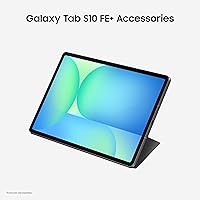
A keyboard case is worth considering if you plan to use the Tab S10 FE+ for productivity work — Samsung makes official Book Cover Keyboard cases designed for this model. A screen protector is also a smart add given the large display surface. If you use wired headphones, pick up a USB-C audio adapter. Beyond that, the S Pen and 256GB of storage mean you don't need much else out of the gate.

Where to Buy