Overview

The Samsung Galaxy Tab S8 11-inch 128GB Tablet is Samsung's mid-to-upper-tier 2022 Android offering, aimed at users who want real productivity out of a portable device without going full laptop. It finds a practical balance between getting work done and enjoying media, and the included S Pen is a genuine differentiator — most rivals at this price point charge extra for a stylus or skip it entirely. Worth noting upfront: this is still an Android tablet, and some workflows that feel natural on an iPad or a Windows device can feel a bit constrained here, particularly around professional-grade software.
Features & Benefits

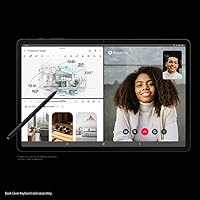
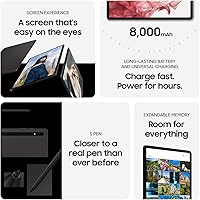
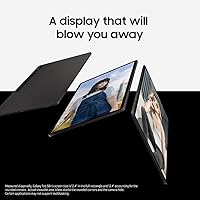
The display on the Galaxy Tab S8 is genuinely impressive for an LCD panel — sharp, color-rich, and comfortable in well-lit rooms. Paired with the Snapdragon chipset and ample RAM, the tablet handles heavy multitasking without skipping a beat, whether you are juggling multiple apps or editing a document while something streams in the background. Samsung DeX adds a windowed, desktop-style interface that works well for quick productivity sessions, though it will not replace a proper workstation. The S Pen experience stands out for its low latency; writing and sketching feel natural and responsive. WiFi 6E ensures fast, stable connections, and real-world battery life typically lands around 10 to 12 hours under mixed use.

Best For

This Android slate is a strong match for students and remote workers who need a portable device for note-taking, spreadsheets, and video calls without lugging a laptop around. Digital artists and note-takers will appreciate how precise the S Pen feels — handwriting and sketching on-screen no longer feel like a compromise. Fans of streaming and media consumption get a large, sharp screen with solid speaker output. If you are already in the Samsung ecosystem, integration with other Galaxy devices adds real convenience. It also suits anyone who occasionally wants a desktop-like workflow without the weight and cost of a full computer setup.

User Feedback

Buyers consistently highlight the build quality and display as standout positives — the hardware feels premium, and screen vibrancy earns frequent praise. The S Pen also draws high marks for its out-of-the-box reliability. On the flip side, a common frustration is Android app optimization; a number of popular apps still are not designed to make full use of the larger screen, leading to stretched or letterboxed layouts. Some buyers raise concerns about long-term software support compared to what Apple offers. Battery life in daily use tends to come in below the advertised ceiling, though most users report comfortably getting through a full workday on a single charge.

Pros

  • The included S Pen is a polished, low-latency stylus that genuinely improves note-taking and sketching without any extra purchase.
  • The display delivers vivid, sharp visuals that hold up well for both productivity tasks and long media sessions.
  • Powerful internals handle multitasking, gaming, and streaming simultaneously without noticeable slowdown.
  • Samsung DeX adds real versatility for users who occasionally need a desktop-style interface on the road.
  • WiFi 6E support ensures fast, stable wireless performance in modern network environments.
  • Expandable storage via microSD removes the anxiety of running out of space for files, photos, and offline content.
  • The slim, lightweight build makes it easy to hold for extended reading or note-taking sessions.
  • USB-C fast charging gets the tablet back to full quickly, reducing downtime during busy days.
  • The ultra-wide front camera with Auto Framing makes video calls feel polished and hands-free.
  • 128GB of base storage provides a reasonable starting point for most users without immediate need for expansion.

Cons

  • Many popular Android apps are still not optimized for large screens, leading to awkward layouts or phone-sized windows.
  • Software update longevity is not as strong as Apple's iPad lineup, which may concern buyers planning long-term use.
  • Real-world battery life under heavy workloads tends to fall noticeably short of the advertised ceiling.
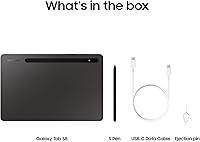
  • No charger is included in the box, which is a frustrating omission at this price tier.
  • DeX mode, while useful, cannot run full desktop software and will disappoint power users with complex workflows.
  • The LCD panel, while sharp, lacks the contrast depth and black levels of an OLED display found in pricier alternatives.
  • The rear camera is serviceable but not a reason to buy — dedicated camera users will be underwhelmed.
  • At this price point, competition from Apple and even other Android makers means value comparisons are tough.
  • The tablet can feel warm under sustained heavy loads, which some users find uncomfortable during long sessions.

Ratings

The Samsung Galaxy Tab S8 11-inch 128GB Tablet has been scored by our AI system after analyzing thousands of verified global user reviews, with spam, bot submissions, and incentivized feedback actively filtered out before any scoring was applied. The results reflect a balanced picture — highlighting where this Android slate genuinely earns its place in the market and where real buyers have run into frustration. Both the strengths and the recurring pain points are represented transparently in the scores below.
Display Quality
88%
Users consistently describe the screen as one of the most satisfying aspects of daily use — colors pop during streaming, text stays crisp during long reading sessions, and the brightness holds up reasonably well in lit indoor environments. For its panel type, it outperforms expectations at this price tier.
Being an LCD rather than OLED, users who switched from premium OLED phones notice that dark scenes in movies look more washed out, with greys appearing where true blacks should be. Outdoor visibility in direct sunlight also draws occasional complaints.
S Pen Experience
91%
The S Pen earns unusually high praise for how natural it feels during extended note-taking and sketching sessions — buyers describe it as noticeably more responsive than previous generations, with minimal lag that makes handwriting feel close to pen on paper. The fact that it is included at no extra cost is repeatedly called out as a major win.
A smaller segment of users, particularly professional illustrators, note that the S Pen ecosystem lacks the depth of Apple Pencil-compatible apps, with Procreate being the most cited missing option. The pen also has no flat edge for magnetic attachment, which some find inconvenient for storage.
Performance & Speed
86%
Day-to-day use — switching between apps, running video calls alongside a document, or streaming while browsing — feels fluid and responsive without any meaningful hesitation. Buyers who use the tablet for light creative work and productivity tasks report that it rarely shows strain.
Under sustained loads like extended gaming or rendering, some users report the chassis warming up noticeably, which can feel uncomfortable during handheld use. A small number of reviewers also note occasional frame drops in graphically intensive games.
Battery Life
74%
26%
For moderate users — those mixing video calls, light productivity, and some streaming across a typical workday — the battery comfortably lasts through the day without needing a top-up. Many commuters and students mention going two days between charges under lighter usage patterns.
Heavy users pushing the tablet with gaming, sustained high brightness, or DeX mode connected to an external display find real-world endurance noticeably shorter than the advertised ceiling. Several verified buyers express disappointment that the included box contains no charger to pair with the battery capacity.
Build Quality
89%
The aluminum chassis feels solid and premium in hand, with buyers frequently noting that it does not flex or creak under pressure the way budget tablets do. The slim profile and balanced weight make it comfortable to hold for extended reading or note-taking sessions.
The glass back picks up minor scratches over time without a case, and a few users mention that the tablet feels slippery without a cover. Some buyers feel that at this price point, a protective case should be included rather than sold separately.
Samsung DeX
72%
28%
For users who need an occasional desktop-style workspace — handling email, spreadsheets, or document editing on a larger screen — DeX works well and reduces the need to carry a separate laptop on short trips. Integration with Microsoft 365 makes this workflow practical for office tasks.
DeX is frequently described as a useful bonus rather than a genuine laptop substitute, with users hitting real ceilings when trying to run complex workflows. App support within DeX mode is inconsistent, with some applications refusing to scale properly or defaulting back to mobile layouts.
Software & App Ecosystem
63%
37%
Samsung One UI is widely praised for being cleaner and more intuitive than stock Android on a large screen, with thoughtful additions like the taskbar and multi-window tools making productivity more accessible. Regular feature updates keep the experience feeling current.
Android app optimization for large tablet screens remains the most repeated frustration across user feedback — many popular apps still render in stretched or phone-sized windows, which feels jarring on an 11-inch display. This is an industry-wide Android issue, but it directly affects daily usability on this slate.
Value for Money
71%
29%
Compared to an equivalent iPad with a stylus purchased separately, the Galaxy Tab S8 frequently comes out ahead on overall cost, and buyers who prioritize the S Pen inclusion see strong value. For Android loyalists, it represents the best the platform offers at this tier.
Buyers comparing it directly to the iPad Air report feeling that the software experience and long-term support justify Apple's pricing for their needs. Some users also feel the lack of an included charger and case at this price point chips away at the overall value proposition.
Camera Quality
67%
33%
The 12MP ultra-wide front camera with Auto Framing draws genuine praise from remote workers who use it for video calls — automatically keeping the subject framed as they move around is a practical feature that improves daily meetings noticeably.
The rear camera is widely described as adequate for document scanning and occasional snapshots but unremarkable for serious photography. Users who hoped to use the tablet as a primary camera device consistently express disappointment with low-light performance.
Connectivity
84%
WiFi 6E support delivers measurably faster and more stable connections for users on compatible routers, and buyers in dense apartment buildings or offices note fewer dropped connections compared to older WiFi standards. Bluetooth pairing with keyboards and earbuds is reported as reliable.
The absence of a cellular option on this base model is a sticking point for buyers who want internet access away from WiFi without relying on a phone hotspot. A small number of users also report that Bluetooth audio can occasionally stutter when multiple devices are paired simultaneously.
Audio Quality
69%
31%
For a slim tablet, the quad-speaker setup produces a wider, more immersive soundstage than most competing Android devices, and buyers who use it for music and movie watching report that volume levels are satisfying in medium-sized rooms.
Bass response is thin and lacks depth compared to dedicated Bluetooth speakers, and at maximum volume some users notice distortion in the high frequencies. Buyers who prioritize audio quality typically reach for external speakers or headphones for serious listening.
Software Support Longevity
66%
34%
Samsung's commitment to four years of OS updates and five years of security patches is a genuine step forward from earlier Galaxy devices, giving buyers more confidence in the tablet's long-term usability than was historically associated with Android hardware.
Apple's iPad lineup continues to receive updates for six or more years, making long-term support comparisons unfavorable for the Galaxy Tab S8. Buyers who plan to keep their tablet for five or more years flag this as a legitimate concern before purchasing.
Portability
87%
At just over a pound and barely a quarter-inch thick, the tablet slips into backpacks and sleeves effortlessly, and users who carry it daily on commutes or between classes consistently describe it as one of the least burdensome devices they own.
Without a case, the slim form factor can feel precarious in bags without a dedicated sleeve, and the glass back does not inspire confidence when the tablet is unprotected. A keyboard cover or folio case, which most power users end up buying, adds meaningful weight and bulk.
Expandable Storage
83%
The microSD slot is one of the most appreciated practical features among long-term users, allowing offline media libraries, photo archives, and downloaded files to grow without hitting a wall. Buyers who store large video files or use the tablet as a media hub call this essential.
App installation to the microSD card is restricted by Android, meaning the internal 128GB fills faster than users expect once apps, system data, and cached files accumulate. A small number of users wish the base storage started higher given the price.

Suitable for:

The Samsung Galaxy Tab S8 11-inch 128GB Tablet is a well-rounded choice for students, remote workers, and anyone who wants a capable portable device that handles both productivity and leisure without needing to carry a laptop. If you take handwritten notes, sketch ideas, or annotate documents regularly, the included S Pen makes this slate genuinely useful in ways that most competing Android tablets simply cannot match at this price. Professionals who travel frequently will appreciate how Samsung DeX turns the tablet into a functional desktop-style workspace when connected to a monitor or keyboard, handling email, spreadsheets, and video calls with minimal friction. Media consumers who spend long hours watching content will find the large, sharp display a real pleasure to use, and the all-day battery means fewer interruptions during a work trip or a long commute. Those already invested in the Samsung ecosystem — owning a Galaxy phone or Galaxy Watch — will also benefit from tight cross-device integration that adds everyday convenience.
Not suitable for:

The Samsung Galaxy Tab S8 11-inch 128GB Tablet is not the right pick for buyers expecting a full laptop replacement. Samsung DeX is a capable bonus feature, but it does not run full desktop-class software, and users who depend on tools like Adobe Premiere, AutoCAD, or complex Excel macros will hit real walls quickly. Android app optimization on large screens remains an industry-wide problem, and several popular apps still render in phone-sized windows or with awkward scaling, which can undercut the premium hardware. Buyers who prioritize long-term software support should also weigh this carefully — Samsung's update commitment, while improving, still trails Apple's iPad lineup by a noticeable margin. If you are deeply embedded in the Apple ecosystem and rely on iCloud, Handoff, or Final Cut Pro, switching to this Android slate for tablet tasks will require meaningful compromise. Budget-focused buyers who only need basic media consumption may also find simpler, cheaper tablets sufficient for their needs.
Specifications

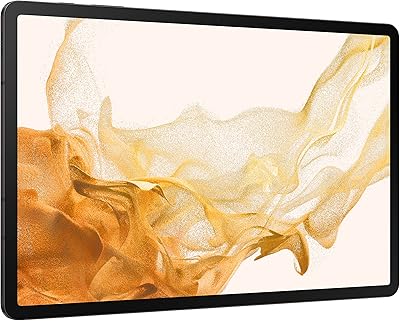
  • Display Size: The tablet features an 11-inch LCD panel with a resolution of 2560 x 1600 pixels, delivering sharp, detailed visuals suitable for reading, media, and creative work.
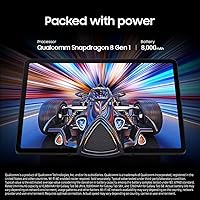
  • Processor: Powered by a Qualcomm Snapdragon 8 Gen 1 chipset clocked at up to 2.99 GHz, providing strong performance across multitasking, gaming, and productivity applications.
  • RAM: 8GB of onboard RAM allows the tablet to handle multiple open apps simultaneously without significant slowdown under typical workloads.
  • Storage: 128GB of internal flash storage is included, with a microSD card slot available for expanding capacity as needed.
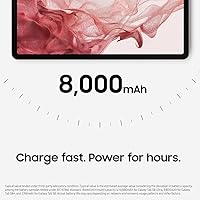
  • Battery: A built-in battery is rated for up to 15 hours of use, with real-world endurance typically falling between 10 and 12 hours depending on usage intensity.
  • Charging: USB-C fast charging is supported, allowing the tablet to return to full charge significantly faster than standard charging methods.
  • Wireless: WiFi 6E (802.11ax) support enables faster, lower-latency wireless connections on compatible 6 GHz band routers.
  • S Pen: An S Pen stylus is included in the box, offering low-latency input suited for handwriting, annotation, and digital illustration.
  • Front Camera: A 12MP ultra-wide front camera with Auto Framing automatically adjusts the field of view to keep subjects centered during video calls.
  • Rear Camera: The 13MP rear camera supports 4K video recording and is capable of capturing detailed photos for document scanning and general photography.
  • Operating System: The tablet runs Android with Samsung One UI layered on top, providing a customized interface with productivity-focused features built in.
  • DeX Support: Samsung DeX mode enables a windowed, desktop-style interface when connected to an external monitor or used with a compatible keyboard cover.
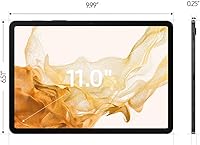
  • Dimensions: The tablet measures 9.99 x 6.51 x 0.25 inches, making it slim enough to slip into most bags and backpack sleeves without difficulty.
  • Weight: At 1.1 pounds, the Galaxy Tab S8 is light enough for extended handheld use during reading or note-taking sessions.
  • Connectivity: The tablet connects via USB-C and supports Bluetooth alongside WiFi 6E, with no cellular option on the base WiFi model.
  • Microsoft 365: Built-in Microsoft 365 integration allows users to access Word, Excel, and related apps in a format that pairs well with the DeX desktop interface.
  • Color Option: The reviewed unit is available in Graphite, a neutral dark finish that resists visible fingerprints better than lighter color variants.
  • Memory Type: The tablet uses DDR3 SDRAM for system memory, which handles everyday tasks efficiently within the context of its software environment.

Related Reviews
Samsung Galaxy Tab S8+ 5G 128GB Tablet
77%
93%
Display Quality
89%
S Pen Experience
86%
Performance & Speed
72%
Samsung DeX Usability
68%
Battery Life
More
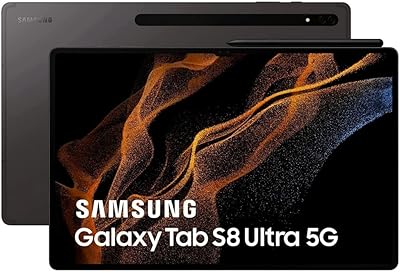
Samsung Galaxy Tab S8 Ultra 14.6″ Tablet
78%
96%
Display Quality
89%
Performance & Speed
67%
Battery Life
51%
Portability & Weight
73%
Value for Money
More
Samsung Galaxy Tab A9+ 11″ 128GB Tablet
76%
76%
Display Quality
88%
Audio Performance
71%
Performance & Speed
67%
Battery Life
63%
Build & Design
More
Samsung Galaxy Tab S9 11” 128GB WiFi
87%
94%
Performance
91%
Display Quality
89%
Battery Life
87%
Build Quality
92%
S Pen Functionality
More
Samsung Galaxy Tab A 9.7-Inch 16GB Tablet
70%
74%
Display Quality
61%
Performance
83%
Battery Life
79%
Build Quality
53%
Storage & Expandability
More
Samsung Galaxy Tab S9 FE+ 12.4″ Tablet
74%
78%
Display Quality
88%
S Pen Experience
86%
Battery Life
63%
Performance
82%
Build Quality
More
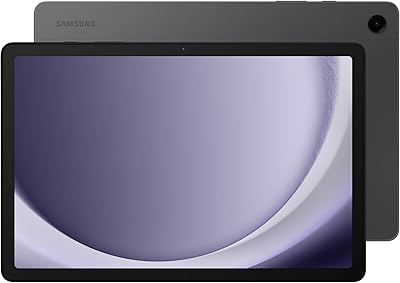
Samsung Galaxy Tab S6 Lite (2024) Tablet
73%
83%
Value for Money
81%
Display Quality
79%
S Pen Experience
63%
Performance & Speed
88%
Battery Life
More
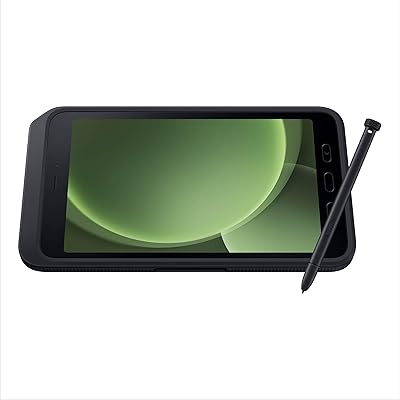
Samsung Galaxy Tab Active5 128GB Android Tablet
80%
93%
Build Quality & Durability
91%
Battery Life & Replaceability
74%
Display Visibility
88%
Glove-Touch Performance
81%
Processing Performance
More
Samsung Galaxy Tab A9+ 11-inch 64GB
82%
82%
Display Quality
88%
Audio Performance
67%
Multitasking & Speed
86%
Build Quality & Design
73%
Storage Capacity
More
ApoloSign EP1095T 11-inch Android Tablet
73%
84%
Value for Money
78%
Display Quality
61%
Performance
57%
RAM & Multitasking
81%
Battery Life
More

FAQ

The S Pen is included in the box at no extra cost, which is one of the genuine advantages this tablet has over many competitors. You do not need to purchase anything additional to start writing or sketching right away.

It depends on your workflow. The Galaxy Tab S8 handles email, document editing, video calls, and light spreadsheet work very well, especially with a keyboard case and Samsung DeX mode active. However, if your job relies on specialized desktop software like full Adobe Creative Suite or advanced data tools, you will hit real limitations that no Android tablet can currently overcome.

Most users report getting somewhere between 10 and 12 hours on a mixed workload of browsing, streaming, and productivity apps. If you are running games or keeping the screen at maximum brightness continuously, expect that number to drop closer to 8 hours. It is still solid enough to get most people through a full day without needing to charge mid-session.

No, Samsung does not include a wall charger in the box with this tablet. You will need to supply your own USB-C charger. Samsung recommends using a 45W USB-C adapter for fast charging, which you would need to purchase separately if you do not already own one.

Yes, the tablet has a microSD card slot that lets you add extra storage for photos, videos, downloaded media, and offline files. This is a meaningful advantage over devices like the iPad, which offer no storage expansion option at any price.

It is a genuinely capable option for digital artists, particularly at this price tier. The S Pen has noticeably low latency, making brush strokes and handwritten lines feel responsive and natural. Apps like Samsung Notes, Clip Studio Paint, and Sketchbook work well on it. Professional illustrators who rely on Procreate, however, should note that app is exclusive to iPad.

This particular model is WiFi only and does not have a SIM card slot. If you need mobile data connectivity while away from WiFi, you would need to use your phone as a hotspot or look for a cellular variant of the tablet.

The main practical differences come down to ecosystem and software. If you are already using Apple devices or depend on iPad-exclusive apps, the iPad will serve you better. If you are on Android and want a stylus included without extra cost, along with Samsung DeX for occasional desktop use, the Galaxy Tab S8 makes a strong case. App optimization on large Android screens still lags behind iPadOS in some areas, which is worth factoring in.

Samsung has committed to four years of operating system upgrades and five years of security patches for the Tab S8, which is a meaningful improvement over earlier Samsung devices. That said, Apple still holds the lead on long-term support for its iPad lineup if software longevity is a top priority for you.

The screen is one of the stronger points of this Android slate. The resolution is high enough that individual pixels are not visible at normal viewing distances, colors are vibrant, and the size is generous for a portable device. It is an LCD panel rather than OLED, so dark scenes will not have the same inky blacks you would get on a premium OLED display, but for everyday streaming and casual movie watching it performs very well.

Where to Buy