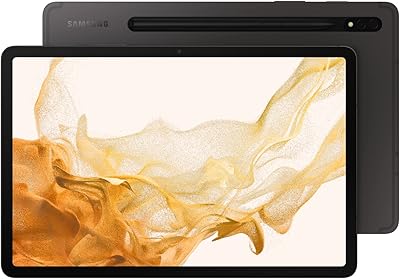
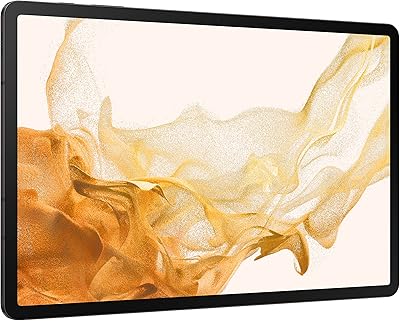
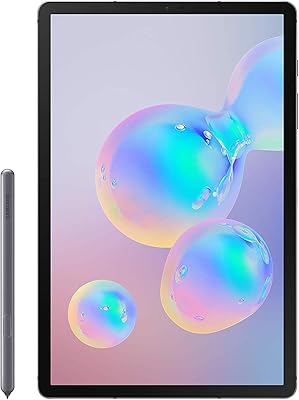
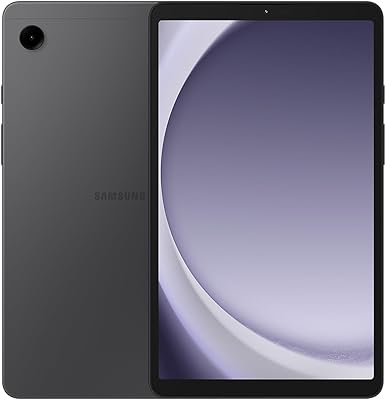
Samsung Galaxy Tab A9+ 11″ 128GB Tablet

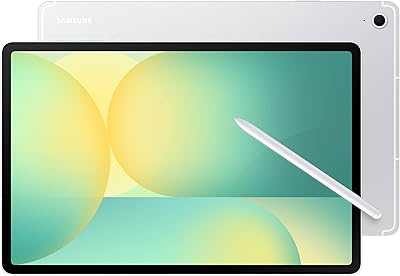
Samsung Galaxy Tab A9+ 11″ 128GB Tablet — image 1
Samsung Galaxy Tab A9+ 11″ 128GB Tablet — image 2
Samsung Galaxy Tab A9+ 11″ 128GB Tablet — image 3

Samsung Galaxy Tab A9+ 11″ 128GB Tablet — image 4

Samsung Galaxy Tab A9+ 11″ 128GB Tablet — image 5
Samsung Galaxy Tab A9+ 11″ 128GB Tablet — image 6

Samsung Galaxy Tab A9+ 11″ 128GB Tablet — image 7
Samsung Galaxy Tab A9+ 11″ 128GB Tablet — image 8
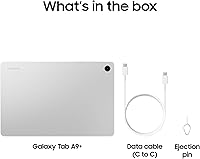
Samsung Galaxy Tab A9+ 11″ 128GB Tablet — image 9
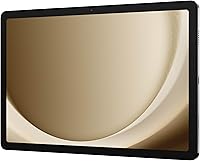
Samsung Galaxy Tab A9+ 11″ 128GB Tablet — image 10

Samsung Galaxy Tab A9+ 11″ 128GB Tablet — image 11
Samsung Galaxy Tab A9+ 11″ 128GB Tablet — image 12
76%
24%

Overview

The Samsung Galaxy Tab A9+ 11″ 128GB Tablet is Samsung's answer to families and casual users who want a genuinely large screen without paying flagship prices. Launched in early 2024, it steps up from the older A8 with a faster Snapdragon 695 chipset, more RAM, and a smoother 90Hz display — upgrades that add up noticeably in daily use. The 11-inch TFT LCD is the clear headline, making it well-suited for streaming, browsing, and keeping kids entertained. Just be honest going in: this is not a workhorse for heavy multitasking or creative work. It's a family entertainment tablet, and within that lane, it performs confidently.

Features & Benefits

The 11-inch LCD panel runs at 90Hz, and while it lacks the punchy contrast of an AMOLED screen, scrolling feels fluid and video playback looks crisp at 1920x1200. The four Dolby Atmos-tuned speakers are a real highlight — they get loud enough to fill a room without distorting, which matters when kids are watching cartoons or you're streaming a film. The Snapdragon 695 handles everyday tasks without drama, though it won't win any speed contests. 128GB of built-in storage plus microSD expansion keeps space concerns at bay, and at just 1.39 pounds, this Samsung tablet is easy to carry or hand off to a child without worry.

Best For

The Tab A9+ makes the most sense for families who want one tablet that works for everyone — from parents streaming shows to kids doing homework or playing games. It's a strong fit for students who need something light enough to throw in a bag and capable enough for browsing, note-taking, and video calls. Built-in Samsung Kids is a genuine selling point for parents; setup takes a few minutes and gives children a curated, age-appropriate environment without needing third-party apps. Travelers will appreciate the slim profile on long trips, and anyone upgrading from a Galaxy Tab A8 will notice a real improvement in both screen size and day-to-day responsiveness.

User Feedback

Owners of this family-friendly slate consistently praise the screen brightness and speaker volume as exceeding expectations for the price tier, with smooth scrolling earning frequent mentions from buyers upgrading from older devices. On the flip side, the plastic chassis draws some complaints — it feels less refined than the spec sheet might suggest. The cameras are functional at best, not something you would rely on for anything beyond quick snapshots. Battery feedback is mixed: light users tend to feel satisfied, but heavy streamers often wish for more capacity. Long-term software support is an occasional concern, as Samsung's mid-range lineup historically receives fewer update years than its flagship Galaxy devices.

Pros

  • The 11-inch display with a 90Hz refresh rate makes scrolling and video playback noticeably smooth for the price tier.
  • Quad speakers with Dolby Atmos tuning get genuinely loud and clear, well above average for a mid-range tablet.
  • 128GB of built-in storage plus microSD expansion up to 1TB means running out of space is rarely a concern.
  • At 1.39 pounds and just over a quarter-inch thick, the Tab A9+ is easy to carry and comfortable to hold for extended use.
  • Samsung Kids app is easy to configure and gives parents a trusted, built-in content environment without extra cost.
  • 8GB of RAM keeps everyday multitasking and app switching feeling responsive during typical use.
  • Quick Share works across Android and iOS devices, making file transfers straightforward without needing third-party apps.
  • Wi-Fi 6 support ensures fast, stable wireless performance on compatible home networks.
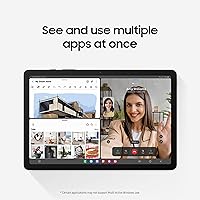
  • Multi-window support lets users run two apps side by side, which is handy for students and light multitaskers.

Cons

  • The TFT LCD panel lacks the deep blacks and vivid contrast of AMOLED screens found on competing or higher-tier tablets.
  • The plastic chassis feels noticeably less premium than the specs might lead buyers to expect.
  • Camera quality is mediocre at best and not suitable for anything beyond casual snapshots or basic video calls.
  • Battery life can fall short for heavy streamers or users who run the screen at full brightness for hours.
  • Samsung's mid-range lineup typically receives fewer years of software updates than flagship devices, which affects long-term value.
  • The Snapdragon 695 handles everyday tasks fine but can feel sluggish under heavier workloads or demanding games.
  • No stylus support in the box, and the tablet is not optimized for S Pen use like Samsung's more expensive lines.
  • Bloatware comes pre-installed and may require time to clean up for users who prefer a leaner Android experience.

Ratings

The Samsung Galaxy Tab A9+ 11″ 128GB Tablet earns its place as one of the more balanced mid-range Android tablets available today, and these scores reflect exactly that — not a polished marketing take, but an AI-driven synthesis of verified global user reviews with spam, bot activity, and incentivized feedback actively filtered out. The ratings capture where this family-friendly slate genuinely delivers and where real buyers have run into frustration. Strengths and shortcomings are weighted equally so you can make a clear-eyed decision.

Display Quality
76%
24%
The 11-inch panel at 90Hz earns consistent praise for how smooth everyday scrolling and streaming feel, especially from buyers upgrading from 60Hz tablets. At 1920x1200 resolution, text is sharp enough for reading and video content looks clean during family movie sessions.
The TFT LCD technology is the most commonly cited disappointment — blacks look washed out and colors lack the punch of AMOLED screens at similar price points. Outdoor use in bright sunlight exposes the panel's 480-nit ceiling fairly quickly, making it less versatile than some users hoped.
Audio Performance
88%
The quad Dolby Atmos speaker setup is routinely described as one of the best in its class — buyers are genuinely surprised by the volume and clarity when watching films or playing music in a room. Kids content sounds vibrant and engaging without the tinny quality common in thinner tablets.
At maximum volume, a handful of users report a subtle rattle on certain bass-heavy tracks, which is a minor but noticeable flaw for more discerning listeners. Stereo separation is also limited when the tablet is held in portrait orientation, which affects the experience during hands-on gaming sessions.
Performance & Speed
71%
29%
The Snapdragon 695 paired with 8GB of RAM handles the daily routine — streaming, browsing, video calls, and light app multitasking — without meaningful lag or hesitation. Users switching from older A-series tablets frequently mention how much snappier the interface feels compared to what they were used to.
Sustained workloads like longer gaming sessions or running several demanding apps simultaneously reveal the chipset's mid-range ceiling, with occasional slowdowns and frame drops noted. Users who expected near-flagship responsiveness for the price tend to leave more critical feedback in this area.
Battery Life
67%
33%
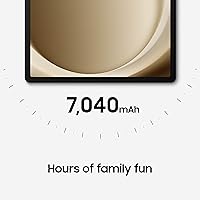
Casual users — those browsing, streaming at moderate brightness, and checking in on kids apps throughout the day — generally report getting through a full day on a single charge without stress. The battery holds up well for light school or travel use, which fits the core audience well.
Heavy streamers and users who keep the screen at full brightness consistently report the battery draining faster than expected, often needing a top-up by early evening. Several long-term owners also note a gradual reduction in capacity after 12 to 18 months of daily charging cycles.
Build & Design
63%
37%
At 1.39 pounds and just 0.27 inches thick, the slim form factor is genuinely appreciated by buyers who carry it daily in a bag or pass it between family members throughout the day. The proportions feel right for an 11-inch screen and the weight distribution is comfortable for extended handheld use.
The all-plastic chassis is the most polarizing aspect of the physical design — a noticeable number of buyers feel it undercuts the premium look of the screen and speakers. Fingerprints accumulate quickly on the silver finish, and the back panel flexes slightly under firm grip pressure.
Value for Money
83%
At its price point, the combination of an 11-inch display, Dolby Atmos quad speakers, Wi-Fi 6, and 128GB of storage represents strong value that buyers in the family and student segments consistently acknowledge. Many reviewers explicitly state they would recommend it to friends shopping in this budget range.
Some buyers feel the lack of AMOLED and the plastic build leave a small but real gap between perceived and actual value, especially when comparable AMOLED options are available for slightly more. A few users noted that occasional sales on competing tablets make the value case feel less clear-cut at full retail.
Kids & Family Features
91%
Parents are among the most satisfied segment — the Samsung Kids app is praised for being intuitive to configure, with solid content curation and clear parental controls that work reliably without needing any additional apps or subscriptions. Several reviewers specifically call it out as a reason they chose this tablet over Amazon Fire alternatives.
Some parents find that older children quickly outgrow the Kids app environment and begin requesting unrestricted access, which means the feature has a relatively narrow age window of peak utility. A small number of users also report that the Kids app selection feels limited compared to third-party parental control solutions.
Camera Quality
44%
56%
For basic video calls on Google Meet or Zoom, the front camera does the job adequately — faces are recognizable, and the wide enough field of view works for one-on-one calls from a desk or couch. It is functional for the primary use case this tablet was built around.
Beyond video calls, the cameras are a genuine weak point that multiple reviewers flag without hesitation — photos look soft, colors are flat, and low-light performance is poor. Buyers who expected even passable snapshot capability from a 2024 tablet in this price tier often feel let down.
Software & UI
74%
26%
Samsung's One UI on Android is well-regarded for its feature depth, and the Tab A9+ benefits from thoughtful additions like DeX-lite multi-window and Quick Share that make the Android experience feel more complete than on bare-bones alternatives. Regular security updates have been delivered consistently since launch.
Pre-installed bloatware is a recurring complaint, with some buyers spending time uninstalling or disabling apps they never asked for right out of the box. Longer-term software support — specifically the number of guaranteed major Android OS upgrades — remains a concern compared to what Samsung's flagship lineup promises.
Connectivity
82%
18%
Wi-Fi 6 support is a practical advantage in busy households with multiple connected devices, and users on compatible routers notice genuinely stable, fast connections for streaming and downloading. Quick Share working cross-platform with iOS is a frequently praised convenience that simplifies daily file transfers.
The US model is Wi-Fi only with no cellular option available, which limits its utility for users who travel frequently or need connectivity without relying on a phone hotspot. Bluetooth connectivity is solid but a few users report occasional re-pairing issues with certain accessories after software updates.
Portability
86%
The slim, lightweight build consistently earns appreciation from buyers who use it on commutes, during travel, or simply for moving between rooms at home. It slides easily into a standard backpack sleeve and does not add meaningful weight burden to daily carries.
The large 11-inch footprint, while great for media, makes one-handed use awkward for people with smaller hands — a trade-off that some users only fully realize after purchase. Protective case options, while plentiful, add noticeable bulk and weight to an otherwise slim device.
Multitasking
69%
31%
Multi-window support works reliably for the scenarios most buyers actually use — running YouTube beside a browser, or referencing notes while on a video call. Students in particular appreciate being able to keep a study resource open alongside their main app without constant switching.
Running more than two demanding apps simultaneously can expose the limits of the Snapdragon 695, with apps occasionally refreshing in the background rather than staying in memory. Power users who rely on sustained three-app multitasking will find the experience inconsistent compared to higher-end devices.
Setup & Ease of Use
89%
Out-of-box setup is fast and guided well by Samsung's onboarding flow, which most buyers — including less tech-savvy family members — complete without needing help. Transferring content from an older Samsung device via Smart Switch is particularly well-regarded for how effortless it makes the transition.
Some users find that configuring the Samsung Kids app and associated parental permissions requires more navigation through settings menus than it should for a feature positioned as a selling point. The sheer number of pre-loaded apps also means new users spend more time than expected tidying the home screen before it feels like their own.

Suitable for:

The Samsung Galaxy Tab A9+ 11″ 128GB Tablet is a strong choice for families who want one device that genuinely works for everyone in the household. Parents will appreciate the built-in Samsung Kids app, which creates a safe, self-contained environment for younger children without requiring extra software or subscriptions. The large 11-inch screen and loud Dolby Atmos speakers make it a capable shared entertainment device for movie nights or weekend streaming. Students at the middle or high school level will find it handles note-taking apps, web browsing, and video calls without friction, and the 1.39-pound build is light enough to carry daily. Anyone upgrading from an older Galaxy Tab A7 or A8 will notice real, tangible improvements in screen smoothness and processing speed that make the upgrade feel worthwhile.

Not suitable for:

Buyers expecting a device that can keep pace with professional workflows or replace a laptop should look elsewhere, as the Tab A9+ is not built for that kind of demand. Creative professionals who rely on color-accurate displays will find the TFT LCD panel limiting — it simply does not match the contrast or vibrancy of an AMOLED screen, which is available on Samsung's pricier tablets. Power users who frequently run demanding apps simultaneously may hit the ceiling of what the Snapdragon 695 can comfortably handle, especially under sustained load. Anyone who prioritizes long-term software support should weigh this carefully, since mid-range Samsung tablets historically receive fewer years of Android updates than flagship Galaxy models. Photographers or video callers who need reliable cameras will also be disappointed, as the cameras on this family-friendly slate are functional but not impressive by any standard.

Specifications

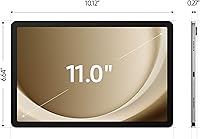
  • Display Size: The tablet features an 11-inch TFT LCD panel, offering a wide viewing area well-suited for media consumption and shared family use.
  • Resolution: The screen renders at 1920x1200 WUXGA, delivering sharp text and clear visuals for video streaming and web browsing.
  • Refresh Rate: A 90Hz refresh rate makes scrolling and casual gaming feel noticeably smoother than standard 60Hz displays in this category.
  • Brightness: The panel reaches up to 480 nits of brightness, which is adequate for indoor use but may struggle under direct outdoor sunlight.
  • Processor: The Qualcomm Snapdragon 695 chipset handles everyday tasks reliably, though it is not designed for demanding workloads or graphically intensive applications.
  • RAM: 8GB of RAM keeps common apps and browser tabs running without frequent reloads during typical day-to-day multitasking.
  • Storage: 128GB of internal storage is included, with microSD card support allowing expansion up to 1TB for photos, videos, and downloaded content.
  • Speakers: Four Dolby Atmos-tuned speakers are built in, producing room-filling stereo sound that performs well above average for a tablet in this tier.
  • Wi-Fi: Wi-Fi 6 (802.11ax) support enables faster, more reliable wireless connections on compatible routers in busy household network environments.
  • Operating System: The tablet ships with Android and includes Samsung's One UI skin, along with the built-in Samsung Kids app for child-safe content.
  • Weight: At 1.39 pounds, the Tab A9+ is light enough for extended handheld use and comfortable for children to hold independently.
  • Dimensions: The tablet measures 10.12 x 6.64 x 0.27 inches, making it slim enough to slide into most bags and backpacks with ease.
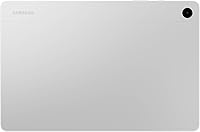
  • Build Material: The chassis is constructed from plastic, which keeps the weight down but gives the device a less premium feel compared to metal-bodied alternatives.
  • Model Number: The US version carries model number SM-X210NZSEXAR, which is the Wi-Fi-only configuration sold through major US retailers.
  • Multi-Window: Samsung's multi-window feature allows two apps to run simultaneously on screen, useful for note-taking alongside browsing or watching videos.
  • File Sharing: Quick Share enables wireless file transfers to both Android and iOS devices without requiring a third-party app or cable connection.
  • Color Option: The Silver colorway has a clean, neutral finish that resists showing fingerprints less effectively than darker options but suits most users.
  • Availability: This product was first made available in the US market in January 2024, positioning it as a current-generation mid-range release.

Related Reviews
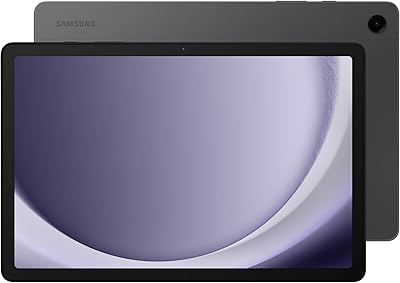
Samsung Galaxy Tab A9+ 11-inch 64GB
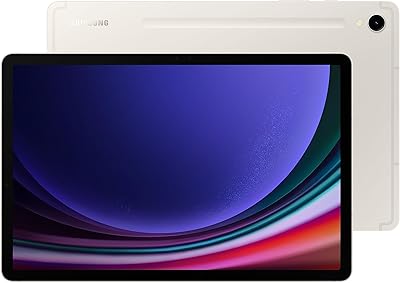
82%
82%
Display Quality
88%
Audio Performance
67%
Multitasking & Speed
86%
Build Quality & Design
73%
Storage Capacity
More
Samsung Galaxy Tab S9 11” 128GB WiFi
87%
94%
Performance
91%
Display Quality
89%
Battery Life
87%
Build Quality
92%
S Pen Functionality
More
Samsung Galaxy Tab S8 11-inch 128GB Tablet
78%
88%
Display Quality
91%
S Pen Experience
86%
Performance & Speed
74%
Battery Life
89%
Build Quality
More
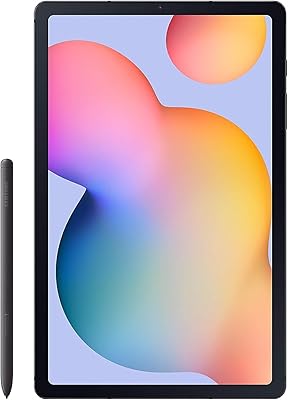
Samsung Galaxy Tab S6 Lite (2024) Tablet
73%
83%
Value for Money
81%
Display Quality
79%
S Pen Experience
63%
Performance & Speed
88%
Battery Life
More
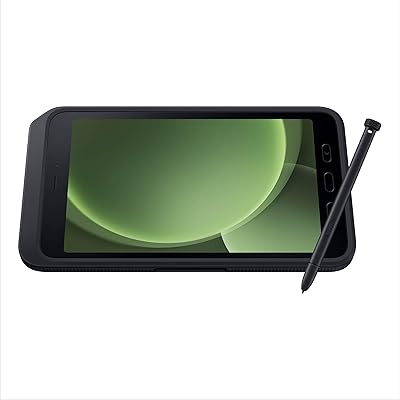
Samsung Galaxy Tab Active5 128GB Android Tablet
80%
93%
Build Quality & Durability
91%
Battery Life & Replaceability
74%
Display Visibility
88%
Glove-Touch Performance
81%
Processing Performance
More
Samsung Galaxy Tab A9 64GB (SM-X110)
77%
83%
Build Quality
91%
Portability
87%
Value for Money
63%
Display Clarity
76%
System Performance
More
Samsung Galaxy Tab S8+ 5G 128GB Tablet
77%
93%
Display Quality
89%
S Pen Experience
86%
Performance & Speed
72%
Samsung DeX Usability
68%
Battery Life
More
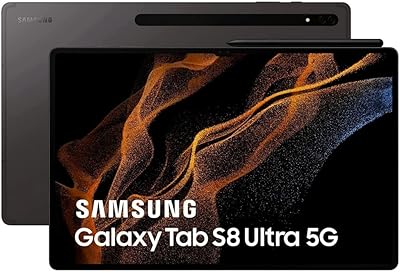
Samsung Galaxy Tab S8 Ultra 14.6″ Tablet
78%
96%
Display Quality
89%
Performance & Speed
67%
Battery Life
51%
Portability & Weight
73%
Value for Money
More
Samsung Galaxy Tab S9 11″ 256GB Tablet
81%
93%
Display Quality
91%
S Pen Experience
89%
Performance & Speed
84%
Battery Life
92%
Build Quality & Durability
More
Samsung Galaxy Tab S6 128GB 10.5″ Tablet
81%
93%
Display Quality
89%
S Pen Performance
86%
Performance & Speed
84%
Battery Life
91%
Build Quality
More

FAQ

It works well for both, honestly. The Samsung Kids app creates a walled-off environment with age-appropriate content and simple controls that young children can navigate easily. For older kids and teens, you can skip the Kids app entirely and use it as a standard Android tablet for school and entertainment.

No, the Tab A9+ does not officially support Samsung's S Pen stylus. If stylus input is important to you, you would need to look at Samsung's Galaxy Tab S series, which is designed with that feature in mind.

This is a TFT LCD panel, not AMOLED, so blacks will look grayish rather than truly deep, and colors are less vivid by comparison. For streaming and casual use it looks perfectly fine, but if you've used a Galaxy Tab S-series tablet before, the difference in contrast will be noticeable.

Yes, it handles video calling apps like Google Meet and Zoom well. The front camera is functional for this purpose, the speakers are clear enough for listening, and the screen is large enough to make calls feel comfortable. Just don't expect impressive camera quality on either lens.

Samsung has committed to several years of security patches for the A9+, but mid-range devices in this line typically receive fewer major Android OS version upgrades than Samsung's flagship tablets. It's worth checking Samsung's official update policy for the specific number of guaranteed OS upgrades.

The tablet supports standard microSD cards up to 1TB. That is plenty of room for offline video downloads, music libraries, and app data, so running out of space is unlikely to be an issue for most users.

The plastic construction is lightweight and holds up reasonably well to everyday handling, but it is not ruggedized. If young children are prone to dropping devices, a protective case is strongly recommended — there are plenty of affordable options made specifically for this model.

The SM-X210NZSEXAR model sold in the US is Wi-Fi only and does not support cellular data. If you need connectivity away from home without relying on a phone hotspot, you would need to look for a different tablet with LTE or 5G support.

Battery life is decent for light to moderate use — most users get through a full day of browsing, streaming, and general app use without needing to charge mid-day. Heavy users who stream for several hours continuously at high brightness may find themselves reaching for the charger by evening.

Yes, the improvements are meaningful rather than cosmetic. You get a larger screen, a faster and more capable chipset, more RAM, and a higher refresh rate display. If you are coming from the A8, the day-to-day experience feels genuinely more responsive and comfortable to use.

Where to Buy