Overview

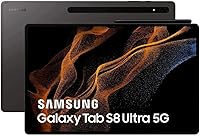
The Samsung Galaxy Tab S8 Ultra 14.6″ Tablet is Samsung's most ambitious Android tablet to date — a device built squarely for professionals and creatives who need serious screen real estate, not just something to scroll through social media. That 14.6-inch Super AMOLED display is the headline act here, and it genuinely sets this slate apart from anything else running Android. It arrived in mid-2022 and still holds its own against today's premium competition, including Apple's iPad Pro 12.9-inch. Think of this as a productivity-first machine — if you want something lightweight to carry one-handed to a coffee shop, this probably isn't it.
Features & Benefits

The 120Hz Super AMOLED panel delivers visibly smooth scrolling and razor-sharp color reproduction — watching HDR10+ content on it genuinely feels closer to a high-end monitor than a tablet. Under the hood, the Snapdragon 8 Gen 1 paired with 8GB of RAM handles aggressive multitasking without breaking a sweat; switching between Photoshop, a browser with a dozen tabs, and a video call rarely results in hesitation. The 128GB of internal storage is workable, though heavy users will want to keep an eye on it. Wi-Fi 6E connectivity keeps cloud collaboration and 4K streaming reliably fast, and the 12MP rear camera earns its keep for document scanning and video calls, even if it's no match for a dedicated smartphone shooter.

Best For

Digital artists and illustrators will find the expansive canvas and color accuracy genuinely useful for working in apps like Adobe Fresco or Clip Studio. Professionals who want a portable second screen for reviewing documents, presentations, or spreadsheets on the road will also get a lot of value here. Students juggling note-taking, research tabs, and recorded lecture playback simultaneously will appreciate how much the large display reduces the need to constantly switch between tasks. That said, if you commute on a packed train or prefer reading one-handed in bed, the Tab S8 Ultra's size and weight will feel cumbersome. Compact tablet users should look elsewhere.

User Feedback

Owners consistently single out the display quality as a standout strength — it's the reason most people buy Samsung's flagship Android slate and rarely the source of disappointment. The sheer screen space draws repeated praise for productivity workflows. On the flip side, the weight catches people off guard; at just over three pounds, extended handheld use gets tiring, and slim bezels invite accidental touches. Battery life is genuinely divisive — light users may stretch it across two days, but heavy workload users report needing a nightly charge. A recurring frustration is that the S Pen isn't always bundled, which stings at this price point. Long-term software support has been solid, with consistent Android updates reported by most owners.

Pros

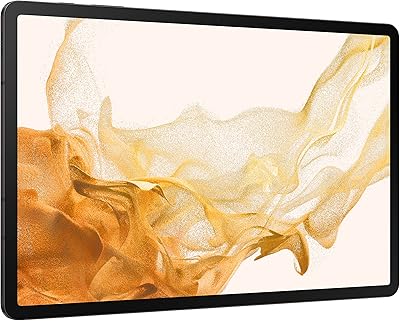
  • The 14.6-inch Super AMOLED panel produces vivid, sharp visuals that hold up even against high-end desktop monitors.
  • HDR10+ support makes streaming movies and TV shows a genuinely cinematic experience on this slate.
  • The 120Hz refresh rate keeps scrolling and app navigation feeling fluid and responsive throughout.
  • Snapdragon 8 Gen 1 handles aggressive multitasking — multiple demanding apps open simultaneously rarely causes slowdowns.
  • Wi-Fi 6E support means fast, stable connections for cloud collaboration, video calls, and 4K streaming.
  • The Tab S8 Ultra holds its own against 2024 competitors despite launching in mid-2022 — strong long-term value.
  • Consistent Android software updates reported by long-term owners, adding reassurance about software longevity.
  • The 12MP rear camera is surprisingly capable for document scanning and video conferencing use cases.
  • Screen real estate genuinely reduces multitasking friction for students and professionals who keep many apps open.
  • Build quality feels premium and sturdy — the Graphite finish looks professional in work environments.

Cons

  • At over three pounds, extended handheld use becomes physically tiring faster than most users expect.
  • Slim bezels, while visually appealing, lead to frequent accidental touches during normal handling.
  • Real-world battery life under heavy workloads falls noticeably short of Samsung's advertised two-day claim.
  • The S Pen is not bundled in all purchase configurations, which is a frustrating omission at this price point.
  • A keyboard cover accessory is essentially required for serious productivity work, adding significant extra cost.
  • 128GB of internal storage fills up quickly for users storing large creative files, high-res videos, or offline content.
  • Android's app ecosystem still lags behind iPadOS for professional-grade creative and productivity software depth.
  • The physical size makes it impractical for one-handed use, commuting, or reading in casual positions.
  • No headphone jack means relying on Bluetooth audio or a USB-C adapter — a minor but real daily inconvenience.
  • Buyers coming from iOS or macOS will face a meaningful adjustment period with Samsung's Android software layer.

Ratings

The Samsung Galaxy Tab S8 Ultra 14.6″ Tablet scores below are generated by our AI after systematically analyzing thousands of verified global buyer reviews, actively filtering out incentivized, duplicate, and bot-generated submissions to reflect only genuine ownership experiences. Every category transparently captures both what real users praised and what consistently frustrated them — because an honest picture is more useful than a flattering one.

Display Quality
96%
The 14.6″ Super AMOLED panel with HDR10+ support is, by a wide margin, the most praised aspect of this tablet — reviewers working in graphic design, video editing, and illustration routinely describe it as the single best screen they have used on any Android device. Colors are vivid and accurate without looking artificially oversaturated, and outdoor visibility holds up better than most competing panels.
A small subset of users reported minor uniformity issues near the edges under certain bright backgrounds, which is not uncommon for large AMOLED panels but can be distracting for tasks like reading long documents on white backgrounds.
Performance & Speed
89%
The Snapdragon 8 Gen 1 paired with 8GB of RAM handles aggressive multitasking confidently — switching between a video editing app, a browser with numerous tabs, and a cloud productivity suite rarely produces hesitation. Users running Android's DeX desktop mode found app-switching particularly fluid for a tablet-class device.
Some users noted that sustained heavy workloads — particularly long video rendering sessions or extended gaming — cause the device to warm up noticeably, with occasional performance throttling during prolonged stress. This is not unusual for the Snapdragon 8 Gen 1 generation, but it is worth acknowledging.
Battery Life
67%
33%
For light to moderate daily use — web browsing, document review, video calls, and streaming at moderate brightness — many users comfortably got through a full day and into a second without hunting for a charger. The battery capacity is generous given the display size.
Heavy users running the display at 120Hz with demanding applications consistently report needing a nightly charge, which sits well below Samsung's two-day claim. Reviewers doing creative work or extended streaming at high brightness found the battery drain faster than expected for a premium slate at this price tier.
Portability & Weight
51%
49%
Users who primarily use the Tab S8 Ultra docked, propped on a stand, or at a desk report that the weight becomes largely irrelevant in those contexts — the large screen real estate more than compensates for the extra heft in stationary setups.
At roughly 3.06 lbs, this is one of the heaviest tablets on the market, and one-handed use beyond a few minutes is genuinely uncomfortable for most adults. Commuters and users who read lying down are among the most vocal critics — the weight and unwieldy dimensions make casual portability a real daily frustration.
Value for Money
73%
27%
For professionals who actively use the large display as a core part of their workflow — designers, annotators, media reviewers — the Tab S8 Ultra's capabilities justify its premium positioning and deliver clear, measurable utility that cheaper alternatives simply cannot replicate.
Casual users and those who mostly browse and stream will struggle to extract value proportional to the cost, especially once accessory expenses like the keyboard cover and S Pen are factored in. The value proposition depends almost entirely on how intensively you use the screen's size advantage.
Build Quality
88%
The aluminum chassis feels solid and premium in hand, and the Graphite finish resists visible fingerprint smudges better than glossy alternatives. Long-term owners report no structural issues — flex, creak, or loose ports — even after extended daily use.
The ultra-thin 5.5mm profile, while visually striking, leaves some users concerned about long-term durability without a protective case. A few reviewers noted minor susceptibility to micro-scratches on the rear surface over time.
Display Ergonomics
63%
37%
The slim bezels give the display an immersive, edge-to-edge quality that looks impressive and maximizes usable screen space — something creative professionals who need every pixel of canvas appreciate during detailed work sessions.
In practice, those slim bezels regularly trigger accidental touch inputs when gripping the device naturally, and this is among the most consistently reported usability complaints across verified reviews. It is a design trade-off that becomes a daily annoyance rather than an occasional quirk.
Camera Quality
74%
26%
The 12MP rear camera performs well within the realistic expectations of a tablet camera — document scanning is sharp and accurate, video call quality is clear, and front-facing footage is among the better options in the Android tablet segment.
Users who expected smartphone-quality photography were routinely disappointed; the camera struggles in low light and lacks the computational photography features found in Samsung's Galaxy S phone lineup. Most reviewers treat it as a functional utility camera rather than a creative tool.
Multitasking Experience
83%
Samsung's One UI interface on this screen size genuinely shines for split-screen and pop-up window workflows — running two full-size apps side by side on a 14.6″ display is noticeably more usable than on smaller tablets, and students and professionals alike cite this as a daily productivity advantage.
Android's underlying app ecosystem still has optimization gaps for large-screen use; some apps default to phone-layout scaling rather than taking full advantage of the display, which can look awkward and reduce the multitasking benefit for certain software categories.
Software & Updates
82%
18%
Samsung has delivered consistent Android OS updates and regular security patches to the Tab S8 series, and long-term owners report a stable, reliable software experience with few critical bugs post-launch. For a 2022 device, the update track record holds up well against competitors.
One UI's pre-installed bloatware is a recurring complaint — several Samsung and third-party apps come pre-loaded and cannot be fully uninstalled, which some users find frustrating even if the performance impact is minimal.
Connectivity
87%
Wi-Fi 6E support delivers noticeably faster and more stable wireless performance on compatible routers — users in dense apartment buildings or office environments with congested networks specifically called out improved reliability compared to older Wi-Fi standards on previous tablets.
The absence of a headphone jack requires either Bluetooth audio or a USB-C adapter for wired headphones, which is a friction point for users who prefer wired audio during long work sessions or video calls — a small but consistently mentioned inconvenience.
Accessory Ecosystem
69%
31%
Samsung's first-party accessory lineup for the Tab S8 Ultra is broad and well-integrated — the Book Cover Keyboard attaches reliably and the S Pen is one of the most responsive styluses available on any Android tablet, drawing strong praise from note-takers and illustrators alike.
The total cost of ownership rises sharply once accessories are added — the keyboard cover and S Pen together represent a significant additional investment on top of an already premium base price, and the frustration that the S Pen is not universally included in the box is a recurring theme in buyer feedback.
Audio Quality
78%
22%
The quad-speaker setup produces surprisingly full and well-balanced audio for a tablet — users streaming movies, playing games, or joining video calls without headphones found the volume and clarity adequate for room-filling sound in smaller spaces.
At higher volumes, some users noticed the speakers lose a degree of low-end warmth, and the audio experience does not quite match the visual quality of the display — a gap that becomes apparent when watching cinematic content and expecting equally premium sound.
Gaming Performance
81%
19%
Graphically demanding Android titles run smoothly on the Snapdragon 8 Gen 1 at high settings, and the large display gives games a console-like visual presence that smaller tablets cannot replicate — action and strategy games in particular benefit from the screen size.
Sustained gaming sessions cause noticeable device warmth, and the weight makes handheld gaming uncomfortable over extended periods. The Tab S8 Ultra is not a device most buyers would recommend primarily as a gaming tablet given these ergonomic trade-offs.
Long-Term Durability
84%
Owners who have used the tablet for one to two years report no significant hardware degradation — battery hold, display brightness, and structural integrity have remained consistent across most long-term reviews, suggesting solid build longevity for a slim flagship device.
The premium glass display and slim aluminum body make this a device that genuinely benefits from a case — without one, it is more vulnerable to real-world drops than its flagship price implies. Some users reported screen micro-crack sensitivity from moderate impacts near the edges.

Suitable for:

The Samsung Galaxy Tab S8 Ultra 14.6″ Tablet is purpose-built for users who genuinely need a large, high-fidelity display as part of their daily workflow — not just as a nice-to-have. Digital artists and illustrators working in apps like Adobe Fresco or Procreate alternatives on Android will find the expansive canvas and accurate color reproduction a real productivity asset. Professionals who frequently review lengthy documents, annotate PDFs, or run side-by-side apps during video calls will also get clear, practical value from all that screen real estate. University students with heavy multitasking demands — simultaneously watching lecture recordings, taking notes, and browsing references — will find the large display reduces the constant tab-switching frustration common on smaller tablets. Avid streamers who want a cinematic HDR10+ viewing experience at home without committing to a dedicated TV setup will be genuinely impressed by the panel quality. If your use case involves sustained, focused work at a desk or a fixed workstation environment, this slate earns its premium price tag.

Not suitable for:

The Samsung Galaxy Tab S8 Ultra 14.6″ Tablet is a poor fit for anyone prioritizing portability, casual use, or budget-conscious buying. At just over three pounds and with dimensions closer to a small laptop than a typical tablet, it is genuinely uncomfortable to hold one-handed for extended periods — commuters, travelers, and readers who prefer lounging with a device will feel this quickly. Users expecting to replace a dedicated laptop will also hit Android ecosystem limitations; while multitasking is strong, the software depth of desktop operating systems is simply not there. Buyers on a tighter budget should weigh the total cost carefully, as the S Pen is not always included and a keyboard cover adds further expense on top of an already premium asking price. If you mostly browse the web, check email, and stream casually, a mid-range 10-inch tablet would serve you just as well for considerably less money. Anyone deeply embedded in Apple's ecosystem will also find the transition friction hard to justify.

Specifications

  • Display Size: The tablet features a 14.6″ Super AMOLED panel, the largest screen Samsung has shipped on any Galaxy Tab device.
  • Resolution: The display outputs at 2960 x 1848 pixels, delivering sharp, detailed imagery well-suited for design work and HDR video playback.
  • Refresh Rate: A 120Hz adaptive refresh rate keeps motion smooth during scrolling, drawing, and media consumption.
  • HDR Support: HDR10+ certification enables expanded dynamic range when streaming compatible content on supported platforms.
  • Processor: The Qualcomm Snapdragon 8 Gen 1 chipset powers the device, offering strong sustained performance across multitasking and graphics-intensive workloads.
  • RAM: 8GB of RAM provides ample headroom for running multiple demanding applications simultaneously without significant slowdown.
  • Storage: 128GB of internal flash storage is included, though users working with large media files should plan for external or cloud storage solutions.
  • Graphics: An integrated Qualcomm Adreno GPU handles graphics rendering for gaming, video editing previews, and design applications.
  • Operating System: The tablet ships with Android and Samsung's One UI overlay, with a track record of consistent long-term software update support.
  • Wi-Fi: Wi-Fi 6E (802.11ax) connectivity supports faster throughput and reduced network congestion on compatible routers.
  • Rear Camera: A 12MP rear camera is included, suited primarily for document scanning, video conferencing, and light photography tasks.
  • Battery: A Lithium Polymer battery is rated for approximately two days of use, though real-world heavy workloads typically reduce this to a single full day.
  • Dimensions: The device measures 326.4 x 208.6 x 5.5 mm, placing it closer in footprint to a small laptop than a traditional tablet.
  • Weight: At approximately 3.06 lbs (around 1.39 kg), the tablet is noticeably heavier than most competing slates and is best used on a surface or stand.
  • Color: Available in Graphite, a dark matte finish that presents a professional aesthetic and resists visible fingerprints reasonably well.
  • Wireless Standard: 802.11ax ensures the device is compatible with modern Wi-Fi 6E routers for optimized network performance in crowded environments.
  • Model Number: The official Samsung model identifier for this configuration is SM-X900NZAAXAR, corresponding to the Wi-Fi-only 128GB variant.
  • UPC: The product UPC is 887276634876, which can be used to verify authenticity and compatibility with retailer inventory systems.

Related Reviews
Samsung Galaxy Tab S8+ 5G 128GB Tablet
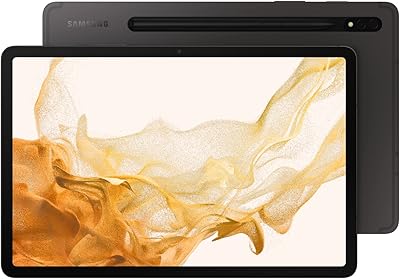
77%
93%
Display Quality
89%
S Pen Experience
86%
Performance & Speed
72%
Samsung DeX Usability
68%
Battery Life
More
Samsung Galaxy Tab S8 11-inch 128GB Tablet
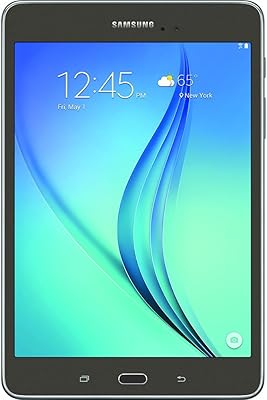
78%
88%
Display Quality
91%
S Pen Experience
86%
Performance & Speed
74%
Battery Life
89%
Build Quality
More
Samsung Galaxy Tab A 9.7-Inch 16GB Tablet
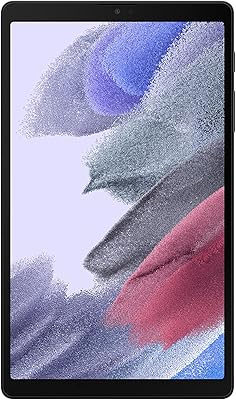
70%
74%
Display Quality
61%
Performance
83%
Battery Life
79%
Build Quality
53%
Storage & Expandability
More
Samsung Galaxy Tab A7 Lite 8.7″ Tablet
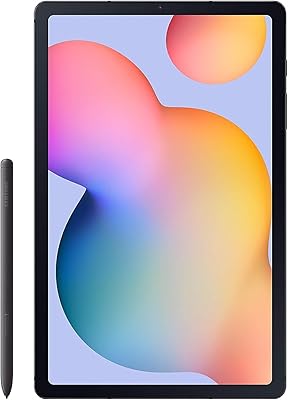
76%
83%
Build Quality
61%
Performance
88%
Battery Life
67%
Display Quality
91%
Portability & Size
More
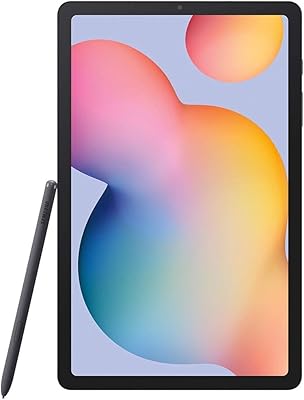
Samsung Galaxy Tab S6 Lite (2024) Tablet
73%
83%
Value for Money
81%
Display Quality
79%
S Pen Experience
63%
Performance & Speed
88%
Battery Life
More
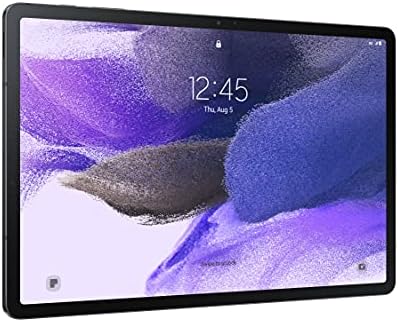
Samsung Galaxy Tab S7 FE 64GB Tablet
76%
84%
Display Quality
88%
S Pen Experience
91%
Battery Life
71%
Performance
58%
Storage Value
More
Samsung Galaxy Tab S6 Lite 10.4″ Tablet
72%
83%
Display Quality
88%
S Pen Experience
91%
Battery Life
67%
Performance
84%
Value for Money
More
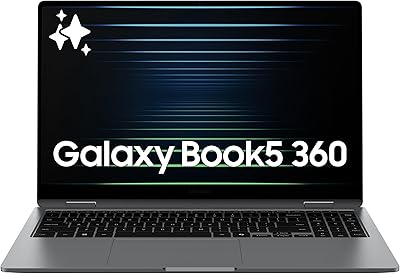
Samsung Galaxy Book5 360 15.6″ 512GB
76%
83%
Battery Life
88%
Display Quality
81%
Performance & Speed
91%
Portability & Design
71%
Keyboard & Typing Experience
More
Samsung Galaxy Tab A9+ 11-inch 64GB
82%
82%
Display Quality
88%
Audio Performance
67%
Multitasking & Speed
86%
Build Quality & Design
73%
Storage Capacity
More
Samsung Galaxy Tab S10 FE+ 13.1″ Tablet
80%
91%
Display Quality
88%
S Pen Experience
86%
Battery Life
89%
Build Quality
72%
Processor Performance
More

FAQ

It depends on where you buy it. Samsung includes the S Pen with some retail configurations, but third-party marketplace listings sometimes omit it. Always check the specific bundle contents before purchasing, and factor in the added cost if the S Pen is important to your workflow.

Samsung's two-day battery rating is achievable under light-to-moderate use — think casual browsing, video calls, and some document work with the screen brightness dialed back. If you are running the display at 120Hz with demanding apps, expect to charge it every night. It is not a bad battery by any means, just not as stamina-packed as the spec sheet implies for power users.

Yes, Samsung offers the Book Cover Keyboard designed specifically for the Tab S8 Ultra, which attaches via the keyboard connector on the device. It transforms the slate into a functional laptop-style setup, though it is a separate purchase that adds meaningful cost. Third-party keyboard cases with Bluetooth connectivity are also an option.

For many productivity tasks — document editing, spreadsheets, video calls, and email — the Tab S8 Ultra handles things well, especially with a keyboard attached. That said, if your work relies on specific desktop software or complex file management workflows, Android still has gaps that make a full laptop replacement challenging. It is a strong companion device, but a complete laptop substitute for everyone? Not quite yet.

The SM-X900NZAAXAR Wi-Fi model does not include a microSD card slot, so the 128GB of internal storage is what you get. Users with large media libraries or creative files should plan around cloud storage services or USB-C external drives to extend capacity.

Quite noticeable, honestly. At just over three pounds, the Tab S8 Ultra is heavy for a tablet, and holding it one-handed for more than a few minutes becomes uncomfortable for most people. It is best used propped on a stand, resting on a desk, or held with both hands. Commuters and people who read lying down frequently report this as their biggest gripe.

It is genuinely excellent for this. The 14.6″ Super AMOLED display with HDR10+ support produces rich contrast and vivid colors that make streaming services like Netflix, Disney+, and YouTube look exceptional. If you frequently watch content at home and want a big-screen experience without a dedicated TV, this slate delivers.

Samsung has committed to multiple years of OS and security updates for the Tab S8 series, and long-term owners report that updates have arrived reliably. The device shipped with Android 12 and has received subsequent Android upgrades. For a 2022 device, its software support track record is one of the stronger points in its favor.

Yes, this is a recurring complaint from real users. The ultra-thin bezels look sleek but leave very little room to grip the tablet without your thumb or palm registering as a touch input. It is particularly frustrating in landscape mode. Some users adapt quickly; others find it a persistent annoyance that a case or stand setup helps mitigate.

The Tab S8 Ultra actually has a size advantage with its larger 14.6″ display, which is a genuine benefit for digital artists who want more canvas space. The iPad Pro, however, still leads in creative app depth — tools like Procreate and desktop-class Photoshop are more mature on iPadOS. If you are already in the Android ecosystem and the app selection meets your needs, this slate is a compelling alternative, but iOS-exclusive apps remain a real consideration.

Where to Buy