Samsung Galaxy Tab S7 FE 64GB Tablet
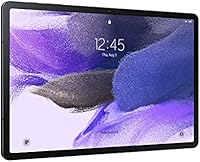
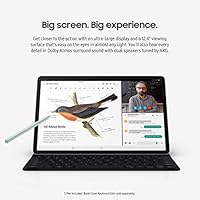
Samsung Galaxy Tab S7 FE 64GB Tablet — image 1

Samsung Galaxy Tab S7 FE 64GB Tablet — image 2
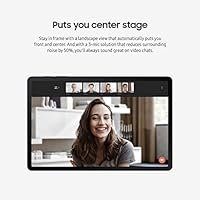
Samsung Galaxy Tab S7 FE 64GB Tablet — image 3
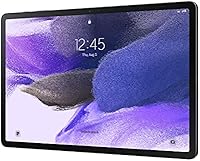
Samsung Galaxy Tab S7 FE 64GB Tablet — image 4

Samsung Galaxy Tab S7 FE 64GB Tablet — image 5
Samsung Galaxy Tab S7 FE 64GB Tablet — image 6
76%
24%

Overview

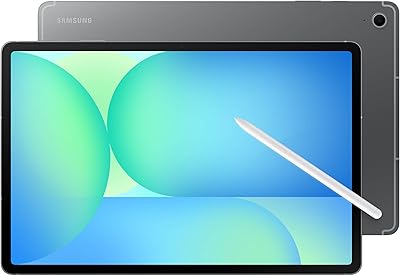
The Samsung Galaxy Tab S7 FE 64GB Tablet is Samsung's answer to buyers who want a genuinely large screen and flagship-adjacent features without paying top-tier prices. Launched in 2021, it belongs to Samsung's Fan Edition lineup — a series built around the idea that core premium experiences should not require a premium budget. The 12.4-inch display is the first thing that catches attention, and rightfully so; very few tablets at this price point offer that kind of real estate. What sharpens the value proposition further is the included S Pen, something rivals typically charge extra for. CNET recognized it as their best Android tablet pick, which is worth noting — though the real story is in how it holds up day to day.

Features & Benefits

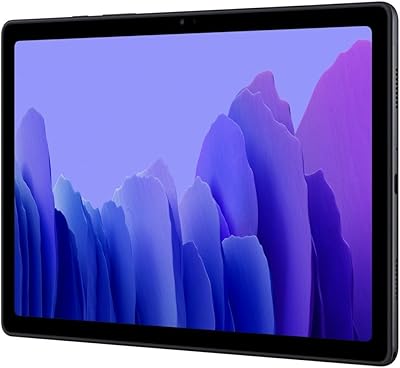
The 12.4-inch display is genuinely impressive in everyday use — colors are vivid enough for streaming and comfortable enough for extended reading sessions, even if it does not compete with AMOLED panels found at higher price points. The S Pen that ships in the box handles note-taking and sketching with satisfying responsiveness; architecture students, journalists, and hobbyist illustrators will get real mileage out of it. The Qualcomm octa-core chip manages streaming, browsing, and casual multitasking without complaint, though it does show strain under heavy workloads. Battery life is a genuine strength — the 10,090mAh cell comfortably covers a full day. Just know that 64GB fills fast, so budgeting for a microSD card is practically mandatory from day one.

Best For

The Galaxy Tab S7 FE makes the most sense for students who spend long hours annotating PDFs, sketching diagrams, or taking handwritten notes — the combination of screen size and S Pen access is hard to beat at this tier. It is also a strong pick for anyone who consumes a lot of media and simply wants more screen without upgrading to a laptop. Buyers already invested in Samsung's ecosystem will find the cross-device features genuinely useful, particularly DeX mode for light desktop-style work. Casual illustrators and digital journalers will appreciate the stylus without needing to spend on a flagship model. It is a less natural fit for power users or anyone running demanding software on a regular basis.

User Feedback

Owners of this large-screen Android tablet tend to be genuinely satisfied — the 4.7-star average reflects consistent praise for the display size, S Pen feel, and how reliably the battery carries through a full day. Students and creatives leave the most enthusiastic reviews. That said, a recurring frustration surfaces around storage: buyers who skipped the microSD card or the 256GB variant find the base capacity gone surprisingly fast. A handful of users also note the processor, while adequate, can feel sluggish in demanding scenarios. Long-term owners report that software update support has been reasonable, though some feel Samsung could push further. On balance, most buyers consider it strong value, especially when stacked against similarly priced iPad alternatives.

Pros

  • A 12.4-inch display gives students and media consumers more working and viewing space than nearly any rival at this price tier.
  • The S Pen ships in the box — no separate stylus purchase needed, which adds real out-of-the-box value.
  • Battery life is a genuine strength; the 10,090mAh cell handles a full active day without anxiety about finding an outlet.
  • The Galaxy Tab S7 FE feels premium in hand — slim at 0.3 inches thick and well-balanced at just over a pound.
  • MicroSD expandability means storage constraints are fixable without upgrading the entire device.
  • Samsung DeX support gives productivity-minded users a functional desktop-style layout when paired with a keyboard.
  • The S Pen experience is responsive and natural enough for note-taking and light illustration without a steep learning curve.
  • Four color options make it easy to personalize, which matters for buyers buying this as a gift or daily carry item.
  • A 4.7-star average across a large volume of buyers signals consistent satisfaction, particularly among students and everyday users.
  • Wi-Fi performance covers all modern standards, making this large-screen Android tablet reliable across home, campus, and cafe environments.

Cons

  • The 64GB base storage fills up quickly for anyone who downloads apps, offline videos, or large files regularly.
  • The Qualcomm SM7225 processor handles everyday tasks fine but noticeably struggles under heavy multitasking or graphically demanding games.
  • No USB-C video output on this model limits its usefulness for users who want to mirror or extend to an external display.
  • The TFT display, while large and sharp, lacks the contrast and color depth of the AMOLED screens found in Samsung's pricier tablets.
  • 4GB of RAM starts to show its limits when several demanding apps are running simultaneously in split-screen mode.
  • Software update longevity has been a concern for some long-term owners, with slower rollouts compared to Samsung's flagship lineup.
  • No headphone jack means wired audio requires a USB-C adapter, which is an extra inconvenience for commuters and students.
  • The base model launched on Android 11, and buyers should verify current OS support before purchasing if software recency matters to them.
  • At its price point, competition from newer Android tablets and refurbished iPads makes the value argument less straightforward than it was at launch.

Ratings

The Samsung Galaxy Tab S7 FE 64GB Tablet earns a strong overall reputation across thousands of verified global reviews, which our AI has analyzed while actively filtering out incentivized, bot-generated, and low-credibility submissions. The scores below reflect a balanced read of real buyer sentiment — where this large-screen Android tablet genuinely delivers, and where it falls short of expectations. Both standout strengths and recurring frustrations are represented transparently, so you can make a confident, informed decision.

Display Quality
84%
Owners consistently praise the sheer size and brightness of the 12.4-inch panel for binge-watching, reading textbooks, and sketching. Colors are vivid enough for everyday media consumption, and the 2560x1600 resolution keeps text crisp at normal viewing distances.
Buyers upgrading from AMOLED devices notice that blacks look gray in dark rooms and colors lack the depth they expected. Outdoor glare is also a recurring complaint, with several users noting the display washes out in direct sunlight.
S Pen Experience
88%
Students and note-takers are the most enthusiastic group here — the included stylus handles handwritten notes, PDF annotation, and quick sketches with a responsiveness that genuinely surprised many first-time Samsung stylus users. The fact that it ships in the box without an upcharge is consistently called out as a major win.
Dedicated illustrators and digital artists point out that the S Pen here is less precise than the Pro version found on flagship models, with occasional palm rejection issues in third-party drawing apps. For light creative use it is fine, but serious artists will feel the ceiling.
Battery Life
91%
Battery performance is one of the most praised aspects across buyer reviews — users routinely report getting through a full day of lectures, streaming, and casual browsing on a single charge, with plenty of reserve left by bedtime. Parents using it as a shared family device particularly appreciate not having to chase a charger constantly.
Charging speed is where the praise slows down; several buyers note that topping the large 10,090mAh cell back up from near-empty takes noticeably longer than they expected, especially compared to faster-charging competitors.
Performance
71%
29%
For the everyday use cases this tablet is built around — streaming Netflix, browsing the web, joining Zoom calls, and running Google Docs — the Qualcomm octa-core chip handles things without visible hesitation. Casual users report a smooth, frustration-free experience for months after purchase.
The performance ceiling becomes apparent quickly for anyone pushing the device harder: graphic-intensive games stutter, multitasking across four or more apps introduces lag, and a handful of users report the tablet warming up noticeably during extended demanding sessions.
Storage Value
58%
42%
The microSD expansion slot is genuinely appreciated — buyers who added an affordable card from day one report no ongoing storage headaches, and the flexibility to swap or upgrade cards over time is seen as a practical long-term advantage.
The 64GB base tier is a recurring pain point and probably the single most common complaint across all reviews. System files and pre-installed apps consume a meaningful chunk immediately, leaving real usable space well below the advertised figure — something buyers frequently flag as misleading.
Build Quality
83%
The slim 0.3-inch profile and solid metal-and-plastic construction leave most owners pleasantly surprised for a mid-range device. Several reviewers mention that it feels more expensive than it is, which contributes positively to overall satisfaction ratings.
The plastic back panel, while sturdy, does pick up fingerprints visibly and feels less premium than the glass backs on competing devices. A few long-term owners also report minor flex when the device is gripped firmly near the corners.
Portability
76%
24%
At 1.34 pounds, the tablet sits comfortably in a backpack and is manageable on a desk or lap for study sessions. Students carrying it between classes alongside books and a laptop report it adds minimal burden to their daily load.
Extended handheld use — holding it upright to watch a movie on a couch, for example — becomes tiring after 30 to 45 minutes for some users, particularly those with smaller hands. The footprint is wide enough that one-handed operation is essentially not an option.
Samsung DeX & Productivity
74%
26%
Samsung ecosystem users who pair this tablet with a keyboard case and their Galaxy phone report that DeX mode genuinely extends what they can accomplish without a laptop, handling document editing, email, and light project management in a familiar windowed layout.
DeX feels half-baked to buyers who are not already invested in the Samsung ecosystem — app support in desktop mode is inconsistent, and the experience lacks the polish of a true desktop OS, making it a bonus feature rather than a dependable productivity workhorse.
Camera
62%
38%
The 8MP rear camera is adequate for scanning physical documents, shooting quick reference photos, or joining a video call when no phone is nearby. Users in educational settings find it practical for photographing whiteboards and handouts.
Anyone expecting to use this tablet for real photography will be disappointed — dynamic range is narrow, low-light shots are noisy, and autofocus is sluggish. Virtually every critical camera review comes from buyers who expected more than document-scanning capability.
Software & Updates
67%
33%
Samsung's One UI skin is well-regarded for tablet usability, and buyers appreciate features like the taskbar, split-screen gestures, and the overall polish of the Android interface as Samsung has implemented it on this larger screen.
Update cadence is a consistent frustration for owners past the two-year mark — the FE lineup receives software support, but rollouts lag behind Samsung's flagship devices, and some buyers feel the OS version trail-off is too steep relative to the original asking price.
Value for Money
79%
21%
Buyers who lean into what this tablet does best — large-screen media, note-taking, and casual productivity — tend to rate value highly, especially factoring in that the S Pen is included and no additional accessories are required to unlock the core experience.
Comparisons to similarly priced refurbished iPads or newer budget Android competitors chip away at the value perception for some shoppers, particularly those who notice that the 2021 hardware is aging against newer entries without a corresponding price adjustment.
Audio Quality
73%
27%
The quad-speaker setup earns genuine praise from users who watch movies or attend video lectures — stereo separation is solid for a tablet, and volume gets loud enough for a small room without obvious distortion at moderate listening levels.
Bass response is thin, and at maximum volume the sound can feel harsh during action sequences or music playback. Users who prefer richer audio for extended entertainment sessions tend to reach for headphones fairly quickly.
Ease of Setup
87%
First-time Android tablet buyers and those switching from other Samsung devices both report a smooth initial setup process. Samsung's transfer tools and Google account sync make getting everything configured — apps, contacts, content — quick and largely painless.
A small subset of reviewers flags that pre-installed Samsung and carrier bloatware adds friction during setup and takes up storage that is already limited on the 64GB base model, requiring a cleanup step before the device feels truly ready to use.
Connectivity
77%
23%
Wi-Fi connectivity is rated reliably across home, campus, and office environments, with dual-band support keeping the connection stable during video calls and large file transfers. Users in Samsung households also appreciate Bluetooth pairing with Galaxy earbuds and accessories.
The absence of a cellular option limits flexibility for users who travel or commute without reliable Wi-Fi access — a meaningful gap for students and professionals who considered this a portable productivity device for use outside the home.

Suitable for:

The Samsung Galaxy Tab S7 FE 64GB Tablet is a strong match for students who spend significant time in class or at a desk annotating readings, sketching diagrams, or writing longhand notes — the 12.4-inch screen gives real working room, and having the S Pen already in the box means there is nothing extra to buy on day one. Media lovers who want a proper cinematic viewing experience from a tablet rather than a phone will appreciate the display size without needing to commit to a laptop-level investment. Casual creatives like digital journalers, hobbyist illustrators, or anyone who likes to sketch ideas on the go will find the stylus experience genuinely capable for everyday use. Families sharing a single device for a mix of streaming, light schoolwork, and browsing will get consistent value from the long battery life and spacious screen. Finally, buyers already running Samsung phones or PCs will find the ecosystem connectivity features — particularly DeX mode — worth having.

Not suitable for:

The Samsung Galaxy Tab S7 FE 64GB Tablet is not the right choice for anyone who needs raw processing muscle, whether that means running complex creative software, handling demanding games, or heavy multitasking across many apps simultaneously — the chip is competent but has a real ceiling. The base 64GB storage tier is genuinely limiting for users who store a lot of locally downloaded content, offline media, or large app libraries; without a microSD card, buyers will hit that wall faster than expected. Power users or professionals who need USB-C video output for external display setups will find that functionality missing on this model. Anyone coming from or seriously considering an iPad ecosystem should know that Android app availability and tablet-optimized software still lags behind iPadOS in certain productivity and creative categories. If you want the best possible display quality at this screen size, the TFT panel here — while solid — does not match the punch of AMOLED alternatives available in Samsung's own higher-end lineup.

Specifications

  • Screen Size: The tablet features a 12.4-inch TFT LCD display, one of the largest screens available in its price category.
  • Resolution: The display outputs at 2560x1600 pixels, delivering sharp text and detailed visuals suitable for reading, streaming, and creative work.
  • Processor: A Qualcomm SM7225 Octa-Core chip clocked at 2.2 GHz handles everyday tasks, media playback, and light multitasking with adequate speed.
  • RAM: The tablet ships with 4GB of RAM, which supports standard productivity and streaming use cases but may show strain under heavy multitasking.
  • Storage: Base internal storage is 64GB, and a microSD card slot allows for additional expandable storage when the built-in capacity runs short.
  • Battery: A 10,090mAh lithium polymer battery provides all-day power under typical use, with Samsung quoting up to 181 hours of standby time.
  • Operating System: The device launched on Android 11, with Samsung providing subsequent One UI updates through its standard Galaxy software support schedule.
  • Stylus: An S Pen stylus is included in the box, supporting pressure-sensitive input for note-taking, annotation, sketching, and on-screen navigation.
  • Rear Camera: An 8MP rear-facing camera handles document scanning, casual photography, and video capture for standard everyday needs.
  • Wireless: Wi-Fi connectivity supports 802.11a/b/g/n/ac dual-band standards, ensuring compatibility with modern home, campus, and office networks.
  • Dimensions: The tablet measures 11.21 x 11.2 x 0.3 inches, keeping the profile notably slim despite its large display footprint.
  • Weight: At 1.34 pounds, the device is manageable for extended handheld use, though it is more comfortable on a flat surface for long sessions.
  • DeX Support: Samsung DeX mode enables a desktop-style windowed interface when the tablet is connected to a compatible keyboard or external display setup.
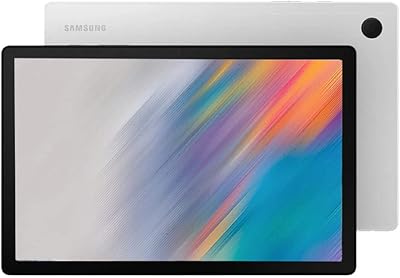
  • Color Options: The tablet is available in four finishes: Mystic Black, Mystic Green, Mystic Silver, and Mystic Pink.
  • Model Number: The US model identifier is SM-T733NZKAXAR, which corresponds to the Wi-Fi-only, 64GB configuration sold through authorized US retailers.

Related Reviews
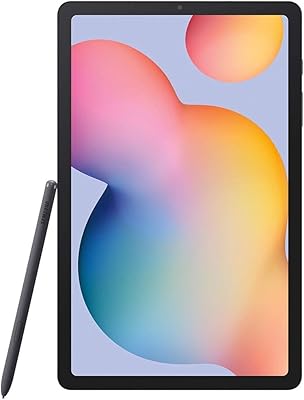
Samsung Galaxy Tab S6 Lite 10.4″ Tablet
72%
83%
Display Quality
88%
S Pen Experience
91%
Battery Life
67%
Performance
84%
Value for Money
More
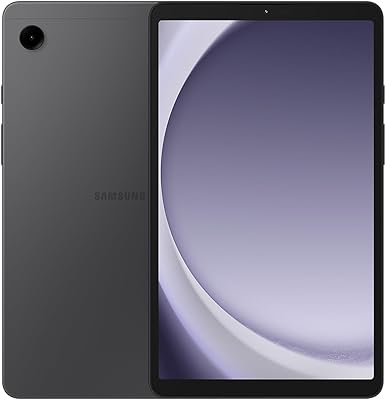
Samsung Galaxy Tab A9 64GB (SM-X110)
77%
83%
Build Quality
91%
Portability
87%
Value for Money
63%
Display Clarity
76%
System Performance
More
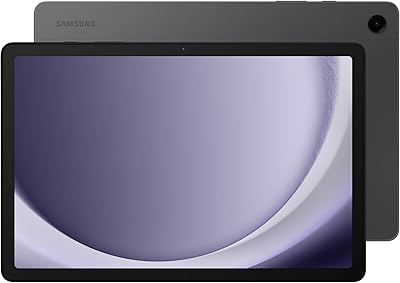
Samsung Galaxy Tab A9+ 11-inch 64GB
82%
82%
Display Quality
88%
Audio Performance
67%
Multitasking & Speed
86%
Build Quality & Design
73%
Storage Capacity
More
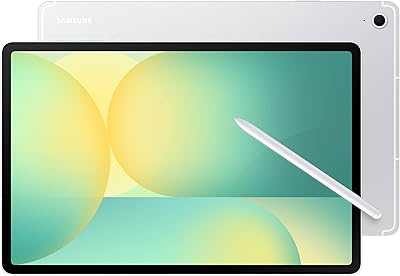
Samsung Galaxy Tab S10 FE+ 13.1″ Tablet
80%
91%
Display Quality
88%
S Pen Experience
86%
Battery Life
89%
Build Quality
72%
Processor Performance
More
Samsung Galaxy Tab A8 10.5″ Android Tablet
73%
78%
Display Quality
61%
Performance
83%
Battery Life
81%
Value for Money
84%
Build Quality
More
Samsung Galaxy Tab A7 10.4 64GB
82%
91%
Value for Money
89%
Battery Life
75%
Display Quality
83%
Performance for Everyday Use
87%
Storage Expansion
More
Samsung Galaxy Tab S10 FE 128GB
78%
88%
Display Quality
91%
S Pen Experience
89%
Battery Life
74%
Performance & Processing
86%
Value for Money
More
Samsung Galaxy Tab A 9.7-Inch 16GB Tablet
70%
74%
Display Quality
61%
Performance
83%
Battery Life
79%
Build Quality
53%
Storage & Expandability
More
Samsung Galaxy Tab S9 FE+ 12.4″ Tablet
74%
78%
Display Quality
88%
S Pen Experience
86%
Battery Life
63%
Performance
82%
Build Quality
More
Samsung Galaxy Tab A9 8.7″ 64GB Tablet
73%
83%
Value for Money
61%
Display Quality
78%
Performance
86%
Connectivity
79%
Build Quality
More

FAQ

It comes included — no extra purchase needed. The S Pen slots into the side of the tablet and is ready to use right out of the box, which is a meaningful advantage over competitors that charge separately for stylus accessories.

Honestly, 64GB is tight for most users once apps, system files, and downloaded media start accumulating. If you plan to store offline videos, a large app library, or creative project files, either pick up a microSD card early or consider the 256GB variant from the start.

Yes, all of those run without issues. The processor handles standard productivity apps and video calls comfortably. Where things get sluggish is when you start stacking several demanding apps simultaneously or run something graphically intensive alongside background tasks.

The Samsung Galaxy Tab S7 FE 64GB Tablet has a clear screen-size advantage at 12.4 inches, and including the S Pen out of the box is a genuine differentiator. That said, iPadOS still has a stronger library of tablet-optimized educational and creative apps, so if specific software matters to you, it is worth checking compatibility before deciding.

Most users comfortably get through a full day of mixed use — streaming, browsing, note-taking — without needing to recharge. The 181-hour standby figure is a manufacturer spec; realistically, expect 8 to 12 hours of active screen-on time depending on brightness and task intensity.

This specific model is Wi-Fi only. There is no built-in cellular radio, so you will need a Wi-Fi connection or a mobile hotspot if you want internet access on the go.

There is no native USB-C video output on this model, which is a known limitation. You can mirror wirelessly to a Samsung Smart TV or compatible Chromecast device, and Samsung DeX works via wireless connection, but a direct wired external display connection is not supported here.

It handles note-taking and annotation very well, and casual illustration is genuinely enjoyable. It is not going to match the precision of a Wacom tablet or the S Pen Pro found on higher-end Samsung devices, but for hobbyist sketching, diagramming, and journaling, it performs above what most buyers expect at this price.

It launched on Android 11 and has received subsequent One UI updates from Samsung. Samsung's update support for FE-series devices is more limited than its flagship lineup, so buyers who prioritize the latest OS versions should verify the current update status before purchasing.

It works well as a family or shared device. Samsung Kids mode provides a controlled environment for younger children, and the large screen makes it easy for multiple people to use together. That said, the size and weight make it less ideal for very young children to hold unassisted for long periods.

Where to Buy