

Overview

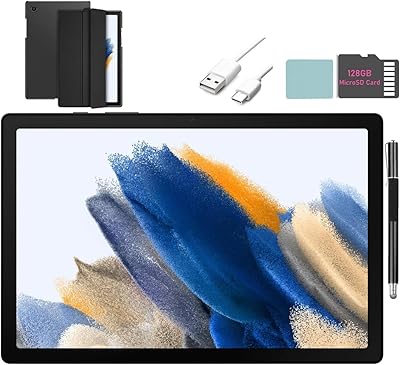
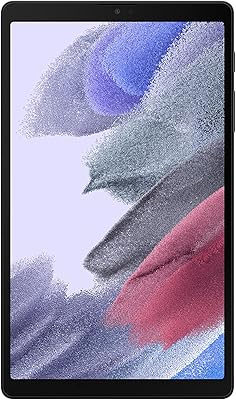
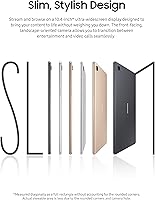
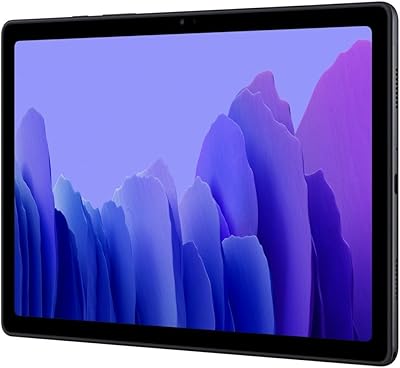
The Samsung Galaxy Tab A7 32GB 10.4-inch Tablet sits comfortably in the budget-to-mid Android tablet space, designed primarily for casual everyday use rather than demanding workflows. That 10.4-inch widescreen display is the device's most immediately noticeable quality — it's wide enough to make watching video feel genuinely comfortable, and the slim 0.28-inch profile means it doesn't feel burdensome to hold. Running Android 10 with Samsung's One UI on top, the software experience is familiar and reasonably polished. Going in with realistic expectations matters here: this is a solid media device, and it delivers on that promise well.

Features & Benefits

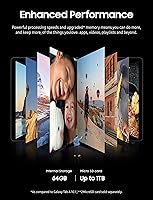
The quad-speaker Dolby Atmos setup is where the Galaxy Tab A7 genuinely surprises. At this price point, most tablets offer thin, tinny audio — the Tab A7 doesn't. The 2000x1200 WUXGA+ display handles widescreen video well, with enough clarity that text and images look sharp in normal use. Under the hood, the Exynos 9611 processor paired with 3GB RAM keeps streaming and browsing running smoothly, though don't expect it to juggle ten browser tabs without protest. Storage starts at 32GB, which is tight, but microSD expansion up to 1TB is a practical lifesaver. At 1.04 pounds, it's easy to carry around all day.

Best For

The Galaxy Tab A7 makes the most sense for people whose tablet use revolves around watching things. Netflix, YouTube, and similar streaming apps are where this Samsung tablet shines — the wide display and surprisingly capable audio create a genuinely enjoyable viewing experience. Students on a budget will also find it useful for video lectures and basic note-taking apps, and keyboard accessory support gives it a little extra flexibility. It works well as a shared household device — simple enough for older adults, light enough for kids to handle. Frequent travelers who want entertainment without carrying something expensive will appreciate the trade-off here.

User Feedback

Owners of the Tab A7 tend to highlight audio quality and display size as the two things that exceed expectations — and that tracks. Where feedback gets more mixed is around performance. The 3GB RAM ceiling shows up when users switch between multiple apps or load heavier websites, causing noticeable lag. Most report the build feels solid for the price, holding up well through regular daily use without developing serious issues. Software update support has drawn some criticism; Samsung's track record on updating older mid-range tablets isn't its strongest suit. Still, for buyers who primarily want a reliable media screen without overthinking it, satisfaction rates are generally high.

Pros

  • The quad-speaker Dolby Atmos audio genuinely outperforms what most tablets offer at this price tier.
  • A 10.4-inch widescreen display makes streaming video comfortable and immersive for extended sessions.
  • MicroSD expansion up to 1TB removes the stress of living with limited built-in storage.
  • At just over a pound, the Galaxy Tab A7 is light enough to hold for long reading or viewing sessions without fatigue.
  • The slim 0.28-inch profile makes it easy to slip into a bag without adding noticeable bulk.
  • Samsung's One UI is clean and approachable, especially for users new to Android tablets.
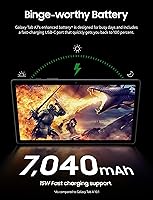
  • Battery life holds up well through a full day of moderate streaming and browsing use.
  • The 8MP rear camera is functional enough for document scanning and casual photography.
  • Keyboard accessory compatibility gives students or light writers a productivity option when needed.
  • Wi-Fi 802.11ac support ensures fast, stable wireless connections on modern home networks.

Cons

  • 3GB of RAM causes noticeable lag when switching between multiple apps or loading heavy web pages.
  • The 32GB base storage fills up quickly if you install several apps and download offline content.
  • Software update support has been inconsistent, leaving the device on older Android versions sooner than buyers expect.
  • The USB 2.0 port feels dated — file transfers and charging speeds reflect that limitation.
  • Display brightness can fall short in direct sunlight or brightly lit outdoor environments.
  • The rear camera, while adequate, struggles in low light and won't satisfy anyone with higher photo expectations.
  • No S Pen support limits creative or annotation use cases that competing tablets in a similar range now offer.
  • Performance in graphically demanding games degrades quickly, with frame drops and heat becoming noticeable.
  • The aging Exynos 9611 chipset means this tablet will feel slower compared to newer alternatives at a similar price.
  • No 5G or LTE option on this Wi-Fi-only model restricts connectivity away from known networks.

Ratings

The scores below reflect an AI-driven analysis of verified global buyer reviews for the Samsung Galaxy Tab A7 32GB 10.4-inch Tablet, with spam, bot-submitted, and incentivized feedback actively filtered out to ensure the results represent genuine ownership experiences. Ratings span everyday strengths and recurring frustrations alike, giving you an honest picture of where this tablet earns its keep and where it quietly falls short.

Display Quality
83%
For a tablet in this price bracket, the 10.4-inch WUXGA+ screen impresses most buyers. Watching movies on a long flight or streaming a series on the couch feels genuinely comfortable — the wide aspect ratio wastes very little screen space on black bars, and colors are punchy enough for casual viewing.
Outdoor use is where the display earns its mixed marks. In bright sunlight or even a well-lit room near a window, brightness falls noticeably short, requiring users to find shade or crank the brightness setting constantly. Color accuracy, while pleasing for casual use, won't satisfy anyone comparing it to an OLED or higher-end IPS panel.
Audio Performance
88%
The quad-speaker system with Dolby Atmos tuning is genuinely the Tab A7's standout feature, and buyers notice it immediately. Streaming a movie or a YouTube video fills a small room with surprisingly full-bodied sound — a rare experience at this price tier where tinny mono or weak stereo is the norm.
At maximum volume, a faint distortion creeps in on bass-heavy audio, which audiophiles will notice even if casual listeners won't. The Dolby Atmos effect is also more pronounced with headphones than through the speakers alone, so the experience is slightly inconsistent depending on how you listen.
Performance & Speed
63%
37%
For its intended use — streaming, browsing, reading, and occasional app use — the Galaxy Tab A7 gets the job done without constant frustration. Loading Netflix or switching between a browser and a messaging app is smooth enough for the average casual user who isn't pushing it hard.
The 3GB RAM ceiling becomes obvious quickly for anyone who multitasks. Opening several browser tabs alongside a streaming app, or jumping between a productivity app and a game, triggers noticeable lag and occasional app reloads. Users upgrading from a newer or better-spec'd device will find the performance gap jarring.
Build Quality
76%
24%
Most buyers report the Tab A7 feels solid and well-assembled for a mid-range plastic-body tablet. The slim profile and consistent finish give it a more premium look than its price suggests, and many long-term owners note it holds together well through daily bag-and-out use over a year or more.
The plastic back is prone to picking up scratches over time and flexes slightly under pressure — not dangerously, but noticeably. Compared to metal-chassis competitors, it doesn't project the same sense of rigidity, and without a case the back develops a worn look faster than buyers expect.
Battery Life
79%
21%
Day-to-day battery performance is one of the more pleasant surprises for owners. Light-to-moderate use — a few hours of streaming, some browsing, and a video call — rarely requires a mid-day top-up, and some users comfortably go a day and a half between charges under sensible screen brightness settings.
Heavy continuous streaming at full brightness drains the battery faster than the rated estimate suggests. Charging speed is also unremarkable — filling the battery from low to full takes a noticeable stretch of time, which can be inconvenient if you forget to plug in overnight before a travel day.
Storage & Expandability
81%
19%
The microSD expansion support, going all the way to 1TB, is a practical and well-appreciated feature. Buyers who add even a modest 128GB or 256GB card report that storage anxiety disappears entirely — you can load offline playlists, downloaded movies, and a full app library without constantly managing space.
The 32GB base storage is the limiting factor out of the box. After Android, One UI, and Samsung's pre-installed apps take their share, usable storage at first boot is closer to 20GB — enough for light users, but a real constraint for anyone who doesn't buy an SD card right away.
Software Experience
71%
29%
Samsung's One UI interface is generally well-regarded by buyers new to Android tablets and those familiar with Samsung phones. The layout is intuitive, app organization is clean, and features like multi-window and Samsung Kids Mode add genuine day-to-day usefulness for families and students.
Pre-installed bloatware is a recurring complaint — several Samsung and third-party apps come loaded on the device and cannot be fully uninstalled. More significantly, buyers have raised concerns about the pace and longevity of software updates, with the device reaching the end of major Android version updates sooner than many owners expected.
Camera Quality
54%
46%
The 8MP rear camera is competent enough for scanning documents, capturing a whiteboard during a lecture, or joining a video call in decent indoor lighting. For these functional tasks, it performs reliably without requiring any configuration.
As a photography tool, the camera disappoints. Low-light shots are grainy and lack detail, dynamic range is narrow, and the results compare unfavorably to even a mid-range smartphone. Buyers who pick up this tablet expecting a secondary camera option will likely leave underwhelmed.
Portability
87%
At just over a pound and barely a quarter-inch thick, the Tab A7 slips into a backpack or tote bag without demanding attention. Travelers and commuters consistently highlight how comfortable it is to carry all day, hold on a train, or prop up on a tray table for a flight.
The 10.4-inch footprint, while manageable, is large enough that one-handed use for extended periods becomes uncomfortable. Users with smaller hands or those hoping to use it casually like a phone-sized tablet may find the dimensions slightly awkward in certain situations.
Value for Money
78%
22%
When judged against its actual use case — a reliable, comfortable media consumption device for home and travel — the Galaxy Tab A7 delivers reasonable value. The speaker quality alone gives it an edge over cheaper rivals, and the combination of a large display with solid battery life is hard to find for less.
The value equation starts to wobble when buyers compare it to newer Android tablets that offer more RAM and better processors at a similar or slightly higher price point. For users who plan to keep the device for several years, the aging chipset and limited update path make the long-term value proposition less convincing.
Connectivity
74%
26%
Wi-Fi 802.11ac dual-band support means the tablet connects quickly and holds a stable signal on modern home routers. Bluetooth pairing with headphones, speakers, and keyboards is consistently reliable, and most buyers never report connection drops or instability during everyday use.
The absence of any LTE or cellular option is a meaningful limitation for buyers who want connectivity beyond their home network without tethering to a phone. The single USB 2.0 port also draws criticism — file transfers are slow, and there is no USB-C fast-charging advantage to speak of.
Multitasking Capability
58%
42%
For basic split-screen use — watching a video while browsing or taking notes alongside a lecture stream — the Tab A7 manages adequately under light conditions. Samsung's One UI multitasking interface is reasonably well-designed for the screen size, making the feature accessible even for less technical users.
Three gigabytes of RAM simply cannot keep up with sustained multitasking. Background apps are frequently purged from memory, meaning returning to a tab or app often means reloading from scratch rather than resuming. Power users or students juggling research tools, note apps, and video simultaneously will feel this ceiling constantly.
Setup & Ease of Use
89%
First-time Android users and older adults repeatedly call out how straightforward setup and day-to-day use are on this Samsung tablet. Google account integration, app downloads, and Samsung's guided setup process make getting started painless, even for buyers who are not particularly tech-savvy.
The initial setup experience is slowed by a wave of app permissions, Samsung account prompts, and software update checks that can feel overwhelming for less confident users. A handful of buyers also report confusion navigating the difference between Samsung's own app store and Google Play Store running in parallel.
Screen-to-Body Ratio
72%
28%
The bezels on the Tab A7 are reasonably slim for a device in this class, giving the display a clean look that buyers associate with more expensive hardware. The landscape-oriented front camera placement is a practical design choice that makes video calls feel natural without awkward repositioning.
Compared to current-generation tablets — even modestly priced ones released more recently — the bezels look noticeably thicker. It is not a dealbreaker for most buyers, but those who have handled newer devices side by side note the visual difference in how modern the screen frame appears.

Suitable for:

The Samsung Galaxy Tab A7 32GB 10.4-inch Tablet is a strong pick for anyone whose tablet needs center around media consumption and casual day-to-day use. Families looking for a shared screen to watch movies, browse recipes, or video call relatives will find it well-sized and easy to pass around. Students on tight budgets will appreciate having a large, readable display for lecture videos and light note-taking, especially with keyboard accessory support adding some flexibility. Older adults or first-time Android users benefit from the straightforward One UI interface and the generous screen size, which makes everything easier to read and navigate. Travelers who want a lightweight entertainment device — something that won't weigh down a carry-on or attract anxiety if bumped around — will find the Tab A7 hits a practical sweet spot between size, portability, and cost.

Not suitable for:

The Samsung Galaxy Tab A7 32GB 10.4-inch Tablet is not the right tool for buyers expecting a productivity-focused device. Anyone who plans to run demanding apps, edit documents heavily, multitask across several open applications, or use creative software will quickly bump into the ceiling that 3GB of RAM imposes — slowdowns and occasional app reloads are a real and recurring complaint. Power users comparing this tablet to newer mid-range competitors will also notice that the processor and RAM configuration is aging, and Samsung's history of limited software update support for this tier means the device may not stay current for long. Professionals needing a reliable secondary work screen, gamers chasing smooth performance in graphically intensive titles, or anyone who refuses to manage storage carefully on a 32GB base will find frustrations piling up faster than expected.

Specifications

  • Screen Size: The display measures 10.4 inches diagonally with a wide 16:10 aspect ratio suited to widescreen video content.
  • Resolution: The WUXGA+ panel renders at 2000x1200 pixels, delivering sharp text and clear visuals for streaming and browsing.
  • Processor: An Exynos 9611 octa-core chipset powers the device, handling everyday tasks, streaming, and light multitasking reliably.
  • RAM: 3GB of RAM is onboard, which is adequate for casual use but may show strain under heavy multitasking.
  • Internal Storage: 32GB of built-in flash storage is included, with available user space reduced by the operating system and pre-installed apps.
  • Expandable Storage: A microSD card slot supports expansion up to 1TB, offering practical flexibility for users who download media offline.
  • Operating System: The tablet ships with Android 10 and Samsung's One UI overlay, providing a clean and accessible Android experience.
  • Audio: Four speakers arranged in landscape orientation deliver Dolby Atmos-tuned surround sound, an uncommon feature at this price tier.
  • Weight: The device weighs 1.04 pounds, making it comfortable to hold for extended reading or viewing sessions.
  • Dimensions: Physical measurements are 9.75 x 6.2 x 0.28 inches, keeping the profile thin and portable.
  • Rear Camera: An 8MP rear camera handles document scanning, casual snapshots, and video recording under adequate lighting conditions.
  • Wi-Fi: Wi-Fi 802.11a/b/g/n/ac (dual-band) is supported, ensuring fast and stable connectivity on modern home and office routers.
  • Bluetooth: Bluetooth is built in, enabling wireless pairing with headphones, keyboards, and other compatible accessories.
  • USB Port: One USB 2.0 port handles wired charging and data transfers, though transfer speeds reflect the USB 2.0 standard's limitations.
  • Battery: A built-in Lithium Polymer battery is rated for up to two days of mixed use on a single charge under typical conditions.
  • Keyboard Support: The Tab A7 supports an optional Samsung keyboard accessory, extending its usability for students and light writers.
  • Color Option: This model is available in Gray, with a uniform matte finish across the plastic body.
  • Connectivity Type: This is a Wi-Fi-only model with no LTE or 5G cellular option, requiring a wireless network or hotspot for internet access.

Related Reviews
Samsung Galaxy Tab A7 10.4″ Tablet
74%
83%
Display Quality
62%
Performance
87%
Battery Life
88%
Voice Calling
79%
Value for Money
More
Samsung Galaxy Tab A7 10.4 64GB
82%
91%
Value for Money
89%
Battery Life
75%
Display Quality
83%
Performance for Everyday Use
87%
Storage Expansion
More
SAMSUNG Galaxy Tab A8 10.5-inch 32GB
83%
92%
Value for Money
88%
Display Quality
83%
Battery Life
80%
Performance
70%
Build Quality
More
Samsung Galaxy Tab A7 Lite 8.7″ Tablet
76%
83%
Build Quality
61%
Performance
88%
Battery Life
67%
Display Quality
91%
Portability & Size
More
Samsung Galaxy Tab S6 Lite (2024) Tablet
73%
83%
Value for Money
81%
Display Quality
79%
S Pen Experience
63%
Performance & Speed
88%
Battery Life
More
Samsung Galaxy Tab S6 Lite 10.4″ Tablet
72%
83%
Display Quality
88%
S Pen Experience
91%
Battery Life
67%
Performance
84%
Value for Money
More
Samsung Galaxy Tab S10+ 256GB Android Tablet
82%
94%
Display Quality
91%
S Pen Performance
88%
Performance & Speed
83%
Battery Life
89%
Build Quality
More
Samsung Galaxy Tab A 9.7-Inch 16GB Tablet
70%
74%
Display Quality
61%
Performance
83%
Battery Life
79%
Build Quality
53%
Storage & Expandability
More
Samsung Galaxy Tab S9 FE+ 12.4″ Tablet
74%
78%
Display Quality
88%
S Pen Experience
86%
Battery Life
63%
Performance
82%
Build Quality
More
Samsung Galaxy Tab S7 FE 64GB Tablet
76%
84%
Display Quality
88%
S Pen Experience
91%
Battery Life
71%
Performance
58%
Storage Value
More

FAQ

Yes, there is a dedicated microSD card slot that supports cards up to 1TB. Given the 32GB base storage, adding a microSD card early on is strongly recommended if you plan to download movies, music, or large apps.

You can. Samsung offers an optional keyboard accessory that is compatible with the Tab A7, and you can also pair any Bluetooth keyboard wirelessly. It won't replace a laptop for heavy writing work, but it handles emails, notes, and light document editing without much trouble.

For moderate use — a few hours of streaming, some browsing, and occasional app use — the battery comfortably gets through a full day. Heavy continuous streaming with high brightness will drain it faster, but most users find they only need to charge it every day or two.

It works well as a kids' tablet with the right setup. Samsung's Kids Mode provides a controlled environment, and the sturdy build holds up to moderate handling. A protective case is a wise addition for younger children. Parental controls through Google Family Link are also straightforward to configure.

This is worth being realistic about. Samsung has historically provided limited long-term software support for mid-range tablets in this line, and the device launched on Android 10. It received Android 11 and One UI updates, but buyers should not count on it staying current with the latest Android versions for many years.

Yes, the Tab A7 supports HD streaming on Netflix and other major platforms. The 2000x1200 display is well-suited to widescreen content, and the Dolby Atmos quad-speaker setup makes the audio noticeably better than most tablets in this range.

Yes, there is a 3.5mm headphone jack, so you can use wired headphones or earbuds without needing an adapter. Bluetooth headphones are also fully supported.

Light multitasking is fine — switching between a browser, a messaging app, and a streaming service works without major issues. Where it starts to feel sluggish is when you have several memory-heavy apps open simultaneously; the 3GB of RAM does show its limits in those situations. If heavy multitasking is important to you, this device will be a source of frustration.

This particular model is Wi-Fi only, so it connects to the internet via wireless networks or a mobile hotspot from your phone. There is no built-in SIM card slot in this configuration, which is worth keeping in mind if you travel often and need standalone connectivity.

The 8MP rear camera is adequate for scanning documents, taking quick snapshots, or joining a video call in decent lighting. It is not a strong performer in low light and should not be your primary reason to buy this device. Think of it as a convenient utility rather than a photography tool.