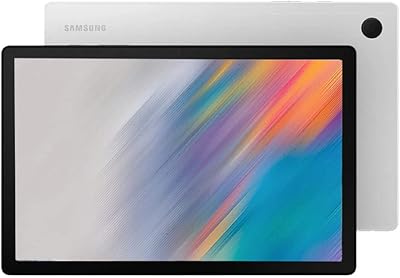
Samsung Galaxy Tab A7 64GB 10.4-inch Tablet
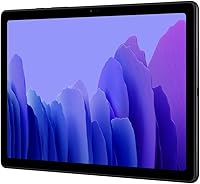
Samsung Galaxy Tab A7 64GB 10.4-inch Tablet — image 1
Samsung Galaxy Tab A7 64GB 10.4-inch Tablet — image 2
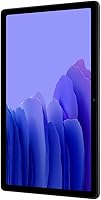
Samsung Galaxy Tab A7 64GB 10.4-inch Tablet — image 3
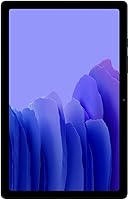
Samsung Galaxy Tab A7 64GB 10.4-inch Tablet — image 4
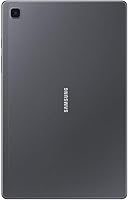
Samsung Galaxy Tab A7 64GB 10.4-inch Tablet — image 5
Samsung Galaxy Tab A7 64GB 10.4-inch Tablet — image 6
75%
25%

Overview

The Samsung Galaxy Tab A7 64GB 10.4-inch Tablet arrived in late 2020 and carved out a clear spot in the budget-to-mid Android tablet market, targeting casual users, students, and media consumers rather than power users. This Samsung tablet isn't trying to compete with flagship slates; it's built for people who want a large, usable screen at a reasonable price without unnecessary extras. Being Wi-Fi only means it leans on home networks and phone hotspots rather than standalone cellular plans, which suits most buyers just fine. Treat it as a capable daily companion — not a workstation replacement — and it rarely disappoints.

Features & Benefits

The 10.4-inch WUXGA+ display is where the Galaxy Tab A7 genuinely earns its keep — 2000x1200 resolution on a screen this size produces crisp text and comfortable colors for reading or streaming. The Snapdragon 662 chip handles everyday tasks without drama, though you will notice occasional hesitation when too many apps pile up, partly because 3GB of RAM is a modest ceiling. Battery life is a real highlight: the 7040 mAh cell covers a full day of moderate use without much anxiety. The quad Dolby Atmos speakers deliver fuller sound than the price tier typically promises, and the microSD slot means 64GB of base storage is just the starting point.

Best For

The Tab A7 fits naturally into a few specific lifestyles. Students will appreciate the screen space for reading PDFs or watching lecture recordings, and at 1.63 lbs it won't strain a backpack. Families sharing one device will find streaming and browsing genuinely comfortable on this display. Older adults or first-time tablet users get a generous, easy-to-navigate screen without an intimidating feature set. Travelers who stick to Wi-Fi or phone hotspots won't miss the absent SIM slot. Casual mobile gamers can run lighter titles without issue, though anyone expecting to push graphically intensive games should look elsewhere. It suits uncomplicated, everyday digital life well.

User Feedback

Owners are broadly satisfied with the Galaxy Tab A7, though the praise comes with honest caveats. Display brightness and color accuracy earn frequent compliments — people consistently say it looks better than anticipated. Battery endurance is another strong point, with many reporting no need to carry a charger through the day. On the downside, app-switching slowdowns surface regularly in user accounts, especially after extended ownership, a direct consequence of the limited RAM. Camera quality lands as merely adequate — fine for video calls, nothing worth bragging about. Long-term owners also raise the Android update ceiling at Android 11 as a legitimate concern for anyone planning to keep the device beyond a couple of years.

Pros

  • The 10.4-inch WUXGA+ display delivers crisp, comfortable visuals well above what you typically see at this price tier.
  • All-day battery life is genuine — the 7040 mAh cell holds up through hours of streaming and browsing without needing a top-up.
  • Quad Dolby Atmos speakers produce noticeably fuller, richer audio than most competing tablets in this range.
  • MicroSD expansion up to 1TB means storage limitations are largely a non-issue for most buyers.
  • At 1.63 lbs, the Tab A7 is light enough for extended handheld reading or travel without fatigue.
  • The Snapdragon 662 handles everyday tasks — streaming, browsing, light apps — smoothly and without overheating.
  • The USB Type-C port is a welcome modern convenience for charging and file transfers.
  • Samsung's One UI Android skin is clean and well-optimized, making navigation intuitive for new tablet users.
  • Bluetooth 5.0 support ensures reliable, low-latency connections with wireless headphones and speakers.

Cons

  • 3GB of RAM causes real, noticeable slowdowns when multitasking or after prolonged use with several apps open.
  • Android updates capped out at Android 11, leaving long-term owners without newer security patches or OS features.
  • The 8MP rear camera is mediocre — fine for a quick scan or video call, but not worth relying on for anything else.
  • Wi-Fi-only design means you are entirely dependent on a hotspot or network, which can be limiting in mobile scenarios.
  • 15W fast charging is included, but filling the large 7040 mAh battery still takes several hours from empty.
  • The TFT panel, while sharp, lacks the contrast depth and outdoor visibility of AMOLED screens found on pricier rivals.
  • No stylus support or dedicated accessory ecosystem limits its usefulness for drawing or precise note-taking.
  • The plastic build, while light, does not feel particularly durable under rough daily handling or in kids' hands.
  • Performance can feel dated when running newer, more demanding apps released after the tablet's 2020 launch.

Ratings

The Samsung Galaxy Tab A7 64GB 10.4-inch Tablet scores below were generated by our AI review engine after analyzing thousands of verified buyer experiences from global markets, with incentivized submissions, duplicate accounts, and bot activity actively filtered out. The ratings reflect a balanced view of real ownership — capturing what this Samsung tablet does well and where it genuinely disappoints, with no attempt to soften the weaker scores.

Display Quality
83%
Owners frequently mention how pleasantly sharp the 10.4-inch WUXGA+ panel looks when streaming on the couch or reading ebooks before bed. The 2000x1200 resolution punches above its weight class, and color reproduction draws repeated compliments from buyers who expected less at this price tier.
The TFT panel shows its limits in bright outdoor environments, where glare and reduced brightness make extended use uncomfortable. It also lacks the deep blacks and contrast that AMOLED screens deliver, which becomes noticeable when watching darker scenes in movies or TV shows.
Battery Life
88%
The 7040 mAh cell is one of the Tab A7's most praised features — most owners report a full day of casual use without hunting for a charger. Students doing a full day of note-taking and video calls, and families streaming through an evening, consistently report the battery holding up.
While daily endurance is strong, the 15W charging speed means getting back to a full charge after a long day takes a few hours, which can feel sluggish compared to faster-charging competitors. Heavy users who keep screen brightness maxed and run multiple apps continuously may need a mid-day top-up.
Performance
67%
33%
For the everyday tasks this tablet is designed for — web browsing, video calls, YouTube, and light app use — the Snapdragon 662 handles things without complaint. Most casual users find that day-to-day navigation feels smooth enough that they rarely notice the hardware limitations during their typical routines.
The 3GB RAM ceiling is where frustration builds: switching between several open apps, especially after hours of use, can produce noticeable lag and occasional reloads. Users who try to run productivity suites, edit photos, or keep a video call running in the background alongside other apps report fairly frequent slowdowns.
Value for Money
82%
18%
Buyers consistently feel they got more than they paid for, particularly when it comes to screen size, audio quality, and battery endurance relative to comparable alternatives. The inclusion of a microSD slot — which some rivals omit — adds tangible long-term value that owners frequently highlight in their feedback.
As the Galaxy Tab A7 ages, its mid-2020 hardware starts to feel less competitive against newer budget tablets entering the market with more RAM and longer software support commitments. For buyers planning to use a tablet for three or more years, the value proposition weakens meaningfully over time.
Audio Quality
84%
The quad speaker setup tuned with Dolby Atmos is a genuine highlight — watching movies or listening to music feels noticeably fuller than on most tablets in this range. Users moving from dual-speaker devices describe the audio as a surprisingly meaningful upgrade during evening streaming sessions.
While impressive for the price tier, the speakers still show their limits at high volumes, where some distortion creeps in and bass remains relatively thin. The Dolby Atmos tuning improves the listening experience in quiet rooms, but it is not a substitute for a dedicated Bluetooth speaker outdoors.
Build Quality
71%
29%
The slim, lightweight plastic chassis makes the Tab A7 easy to hold one-handed for extended reading sessions and comfortable to slip into a travel bag. At 1.63 lbs, it avoids the fatigue that heavier tablets cause during long commutes or lazy Sunday browsing sessions on the couch.
The plastic construction does not inspire much confidence under rough daily handling, and owners with young children frequently recommend a protective case to prevent flex and corner damage. Several long-term users also note that the back surface attracts scuffs and scratches more easily than metal-bodied alternatives.
Storage & Expansion
86%
The microSD slot supporting up to 1TB of additional storage is one of the most frequently cited reasons buyers chose this tablet over competitors. Families loading up on downloaded shows for travel, and students managing large PDF libraries, find this flexibility genuinely useful in daily life.
The 64GB base storage fills faster than many buyers expect once apps, offline media, and system files accumulate, pushing most users toward buying a microSD card early on. While the expandability solves this affordably, it is an added cost that buyers should factor in from the beginning.
Camera Quality
52%
48%
The 5MP front camera handles video calls on Zoom or Google Meet competently enough in good lighting, which covers the main use case most Tab A7 owners actually have for a tablet camera. Quick document scans and QR code reads also work without issues in everyday situations.
The 8MP rear camera struggles in anything less than ideal lighting, producing soft, washed-out images that fall short of even mid-range smartphone standards. Buyers who hoped to use this Samsung tablet for photography or casual video recording typically find themselves reverting to their phone camera instead.
Software & Updates
57%
43%
Out of the box, Samsung's One UI skin provides a clean, well-organized interface that new tablet users and those switching from other Android devices generally find intuitive and easy to personalize. The initial software experience is polished and largely free of the heavy bloatware complaints seen on older Samsung devices.
The update ceiling at Android 11 is the Tab A7's most significant long-term weakness, cutting off access to newer Android features and eventually leaving security patches behind. For buyers who hold onto devices for three or more years, this is a recurring and legitimate source of frustration.
Portability & Design
79%
21%
At 1.63 lbs with a slim profile, the Tab A7 travels well — it fits on a tray table without crowding a seatmate and feels balanced during long reading or browsing sessions. The understated Dark Gray finish looks professional enough for classroom or office settings without drawing unwanted attention.
The design, while functional, lacks the refined fit-and-finish of premium alternatives — the plastic build feels utilitarian rather than thoughtfully crafted, and wide bezels reduce the screen-to-body ratio noticeably. Users coming from higher-end Android tablets or older iPads may find the aesthetic step down apparent.
Connectivity
73%
27%
Wi-Fi performance across both 2.4GHz and 5GHz bands is reliable, and Bluetooth 5.0 pairs quickly and stays stable with wireless headphones and speakers during commutes or workouts. Most home and office environments are well-served by the wireless options this tablet provides.
The complete absence of a SIM slot is a hard stop for anyone who needs independent mobile data on the go. Users who travel frequently or find themselves in areas without reliable Wi-Fi report that dependency on a phone hotspot becomes a genuine and frustrating daily constraint.
Multitasking
61%
39%
For light parallel use — such as keeping a podcast running while checking emails or browsing social media — the Tab A7 manages without obvious strain. Casual users who stick to one or two apps at a time rarely encounter the limitations that heavier users frequently describe.
Running more than two or three demanding apps simultaneously exposes the 3GB RAM constraint quickly, with apps reloading from scratch after sitting in the background for even a short time. Power users accustomed to a more fluid multitasking experience on higher-spec devices will find this behavior persistently aggravating.
Ease of Use
87%
Getting started is straightforward — Samsung's setup wizard is clear and unhurried, and the generous screen size makes navigating menus comfortable even for first-time Android users. Older adults and families new to tablets consistently rate the initial setup experience as smooth and approachable.
Users managing Samsung accounts across multiple devices occasionally find that account linking and app permissions during setup feel repetitive and slightly cumbersome. A handful of buyers also flag that pre-installed Samsung and carrier apps add minor clutter to the home screen from day one.

Suitable for:

The Samsung Galaxy Tab A7 64GB 10.4-inch Tablet is a strong fit for anyone whose daily tablet use revolves around media consumption, light studying, and casual browsing rather than heavy productivity. Students will find it capable for reading PDFs, attending video calls, and taking notes without the bulk or cost of a premium device. Families sharing a single screen for streaming, kids' educational apps, or YouTube will appreciate the sharp 10.4-inch display and the surprisingly capable Dolby Atmos audio that makes movie nights feel more immersive. Older adults or first-time tablet owners benefit from the large, easy-to-read screen and the familiar Android interface, which doesn't demand a steep learning curve. Travelers who rely on home Wi-Fi or a phone hotspot — rather than needing cellular independence — will also find the Tab A7 a lightweight, reliable companion that fits comfortably into a bag without weighing it down.

Not suitable for:

The Samsung Galaxy Tab A7 64GB 10.4-inch Tablet is not the right choice for buyers who need a workhorse device capable of handling demanding workflows, creative apps, or heavy multitasking. The 3GB of RAM is a real ceiling: professionals who routinely switch between spreadsheets, video conferencing, and cloud tools will run into sluggishness that becomes genuinely frustrating over time. Anyone looking for a tablet that doubles as a camera for photography or content creation should look elsewhere, as the 8MP rear sensor is strictly functional and not suited beyond casual video calls. Power users who want the latest Android features and long-term security updates will also be disappointed, since software support stopped at Android 11, which is a meaningful concern for a device you intend to rely on for three or more years. Finally, buyers who need cellular connectivity on the go without tethering to a phone will find the Wi-Fi-only design a hard limitation with no workaround.

Specifications

  • Display Size: The tablet features a 10.4-inch TFT panel with a WUXGA+ resolution of 2000x1200 pixels and support for 16 million colors.
  • Processor: It runs on a Qualcomm Snapdragon 662 octa-core chipset built on an 11nm process, paired with an Adreno 610 GPU for graphics handling.
  • RAM: The device ships with 3GB of DDR3 RAM, which is sufficient for everyday tasks but can feel limited under sustained multitasking.
  • Internal Storage: 64GB of onboard flash storage is included, providing a practical base for apps, media, and documents.
  • Expandable Storage: A dedicated microSD card slot supports expansion up to 1TB, giving users significant flexibility to store large media libraries.
  • Battery: A 7040 mAh lithium-polymer battery powers the device, rated for approximately 12 hours of typical use on a full charge.
  • Charging Speed: The tablet supports 15W fast charging via its USB Type-C port, though a full charge from empty still requires several hours.
  • Operating System: It shipped with Android 10 and One UI 2, with an available upgrade path to Android 11, which represents the final supported OS version.
  • Wi-Fi: Wi-Fi connectivity covers 802.11 a/b/g/n/ac standards across both 2.4GHz and 5GHz bands, with no SIM card slot or cellular capability.
  • Bluetooth: Bluetooth 5.0 is built in, enabling stable, low-latency connections to wireless headphones, speakers, and other peripherals.
  • Rear Camera: The rear-facing camera offers 8MP resolution, suited for basic document scanning, casual snapshots, and video calls.
  • Front Camera: A 5MP front-facing camera handles video conferencing adequately under good lighting conditions.
  • Audio: Four speakers tuned with Dolby Atmos deliver stereo-style sound with noticeably more depth and volume than typical dual-speaker tablets.
  • Weight: The tablet weighs approximately 1.63 lbs (476g), keeping it comfortable for extended handheld reading and travel use.
  • Dimensions: Physical dimensions measure 10 x 8 x 1.5 inches, giving it a slim profile that fits easily into a bag or backpack pocket.
  • USB Port: A USB Type-C port handles both charging and wired data transfers, replacing the older Micro-USB connector found on earlier Samsung tablets.
  • Color Option: The reviewed unit is finished in Dark Gray, a neutral and understated tone that resists showing fingerprints and everyday smudges reasonably well.

Related Reviews
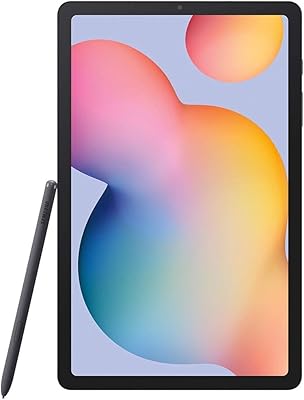
Samsung Galaxy Tab S6 Lite 10.4″ Tablet
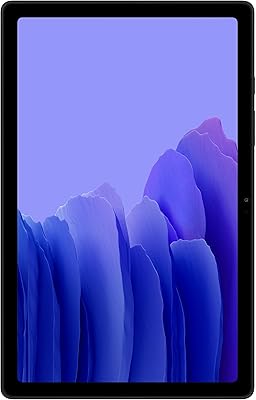
72%
83%
Display Quality
88%
S Pen Experience
91%
Battery Life
67%
Performance
84%
Value for Money
More
Samsung Galaxy Tab A7 32GB 10.4-inch Tablet
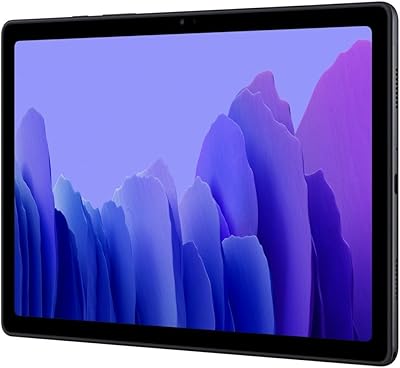
75%
83%
Display Quality
88%
Audio Performance
63%
Performance & Speed
76%
Build Quality
79%
Battery Life
More
Samsung Galaxy Tab A7 10.4″ Tablet
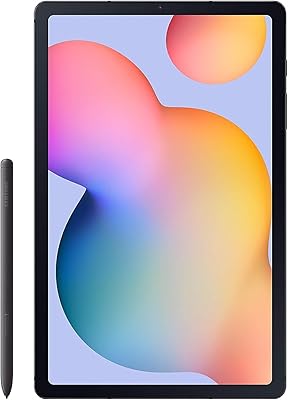
74%
83%
Display Quality
62%
Performance
87%
Battery Life
88%
Voice Calling
79%
Value for Money
More
Samsung Galaxy Tab S7 FE 64GB Tablet
76%
84%
Display Quality
88%
S Pen Experience
91%
Battery Life
71%
Performance
58%
Storage Value
More
Samsung Galaxy Tab S6 Lite (2024) Tablet
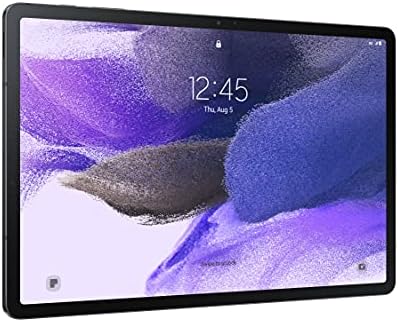
73%
83%
Value for Money
81%
Display Quality
79%
S Pen Experience
63%
Performance & Speed
88%
Battery Life
More
Samsung Galaxy Tab A8 10.5″ Android Tablet
73%
78%
Display Quality
61%
Performance
83%
Battery Life
81%
Value for Money
84%
Build Quality
More
Samsung Galaxy Tab A 9.7-Inch 16GB Tablet
70%
74%
Display Quality
61%
Performance
83%
Battery Life
79%
Build Quality
53%
Storage & Expandability
More
SAMSUNG Galaxy Tab A8 10.5-inch 32GB
83%
92%
Value for Money
88%
Display Quality
83%
Battery Life
80%
Performance
70%
Build Quality
More
Samsung Galaxy Tab S10+ 256GB Android Tablet
82%
94%
Display Quality
91%
S Pen Performance
88%
Performance & Speed
83%
Battery Life
89%
Build Quality
More
Samsung Galaxy Tab S9 FE+ 12.4″ Tablet
74%
78%
Display Quality
88%
S Pen Experience
86%
Battery Life
63%
Performance
82%
Build Quality
More

FAQ

No, the Galaxy Tab A7 is a Wi-Fi-only device and does not have a SIM card slot. You can still get online away from home by connecting it to your phone's mobile hotspot, but there is no standalone cellular option on this model.

After the operating system and pre-installed apps take their share, you can typically expect around 50 to 52GB of usable space from the 64GB base. The good news is that the microSD card slot lets you add up to 1TB of extra storage, so running out of room is unlikely to be a long-term issue.

For most casual users, yes — the 7040 mAh battery is genuinely capable of lasting through a full day of streaming, browsing, and reading. Heavy users who keep the screen on at high brightness for hours straight may need a top-up by evening, but moderate use comfortably reaches 10 to 12 hours without issue.

It works well for children in the right context. The large screen is easy to interact with, and Samsung Kids mode provides a controlled, parent-managed environment. The plastic build holds up reasonably well to everyday handling, though a protective case is strongly recommended for younger kids who are less careful with devices.

The Tab A7 officially topped out at Android 11 in terms of major OS upgrades. Samsung did issue security patches beyond that for a period, but if you are looking for a tablet that will receive the latest Android features several years from now, this model has reached the end of its update road.

Light multitasking is generally fine — switching between a browser, a messaging app, and a video works without much trouble. Where you will notice the 3GB RAM ceiling is when several heavier apps are open at the same time, or after the tablet has been running for hours without a restart. It is not a dealbreaker for casual use, but it is a real limitation worth knowing about.

Yes, the 5MP front camera is perfectly adequate for Zoom, Google Meet, FaceTime alternatives, and similar apps, especially in decent lighting. It is not a camera you would use for anything that requires sharp detail, but for everyday video calls it gets the job done comfortably.

The Tab A7 does not support Samsung's S Pen or any active stylus — that feature is reserved for the Galaxy Tab S series. Basic capacitive styluses that work with any touchscreen will function, but precision drawing or handwriting apps will not feel as responsive or accurate as they would on a dedicated stylus-compatible device.

Yes, for casual titles like card games, puzzles, and light arcade games, the Tab A7 handles things well. Graphically intensive games — think high-end action or racing titles — will push the Snapdragon 662 and 3GB of RAM harder than they are comfortable with, often resulting in reduced frame rates or the need to drop graphical settings. Keep expectations realistic and it is a decent casual gaming screen.

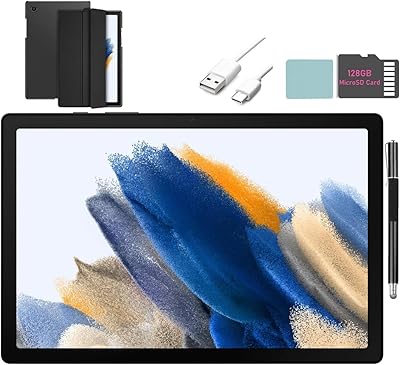
The standard box includes the tablet itself, a USB Type-C charging cable, a wall adapter, and a SIM ejection tool for the microSD slot. No earbuds, case, or stylus are included. If you plan to use a microSD card — which is highly recommended — that needs to be purchased separately.

Where to Buy