Overview

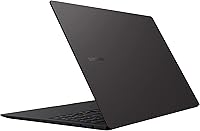
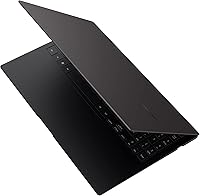
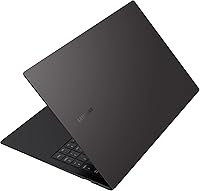
The Samsung Galaxy Book2 Pro 15.6″ Laptop made a strong case in 2022 for what a large-screen ultrabook could actually be — genuinely thin, genuinely light, and genuinely capable for daily professional use. At under two and a half pounds, the Galaxy Book2 Pro sits in rare company among 15.6-inch Windows machines; most rivals at this size feel noticeably heavier the moment you lift them. The AMOLED display is the headline differentiator here, delivering color depth and contrast that IPS panels at this tier simply cannot match. Buyers should calibrate expectations upfront, though: this is a productivity and media machine, not a workstation, and the integrated graphics make that boundary clear.
Features & Benefits

The 12th Gen i7-1260P brings a hybrid core architecture that handles everyday multitasking — browser tabs, video calls, spreadsheets — with noticeably less lag than the previous generation. Paired with fast LPDDR5 memory and a quick NVMe drive, the system boots and launches applications briskly. One real-world caveat worth knowing: the RAM is soldered to the board, so what you buy is what you keep. Battery endurance is a genuine strength; while the official figure is an ideal-conditions number, realistic mixed use still gets most people through a full workday comfortably. The upgraded 1080p webcam and Dolby Atmos audio are legitimate upgrades that remote workers will appreciate on a daily basis.

Best For

This Samsung ultrabook is a natural fit for frequent travelers and remote professionals who spend long days away from a desk — the weight advantage over competing 15-inch machines is real and adds up fast on airport runs. Design and business students get particular value from the vibrant AMOLED panel, which renders presentations and images with richer color than standard screens. Already in the Samsung ecosystem with a Galaxy phone or tablet? The cross-device continuity features add genuine convenience. One group to steer away: video editors or 3D artists expecting GPU horsepower. The Intel Iris Xe handles light photo work competently, but anything more demanding will hit a wall quickly.

User Feedback

Owners of this 15.6-inch laptop tend to land in two clear camps. Praise centers on display quality — most buyers say it genuinely exceeds expectations — and the chassis impresses people who anticipated something flimsier at this weight. Build feel gets consistent compliments across reviews. On the other side, several users flag fan noise as a real issue during sustained CPU loads, and the limited port selection draws regular criticism from those who need more connectivity without carrying a hub. Thermal throttling under heavy workloads appears as a recurring theme in longer-term reviews. Overall value sentiment is mixed: buyers coming from comparable Windows ultrabooks feel it holds up well, while those expecting discrete GPU capability walk away disappointed.

Pros

  • Exceptionally light for a 15.6-inch laptop — a genuine advantage you notice immediately when traveling.
  • The AMOLED display produces colors and contrast levels that outclass standard IPS panels at this price tier.
  • 12th Gen Intel Core i7 handles multitasking, video calls, and productivity workloads without breaking a sweat.
  • Real-world battery life comfortably covers a full workday for most mixed-use scenarios.
  • Fast-charge capability gets you a meaningful charge top-up in a short break — useful when outlets are scarce.
  • The 1080p wide-angle webcam is a meaningful upgrade over the low-quality cameras found on many competing ultrabooks.
  • Dolby Atmos audio sounds noticeably better than expected for a laptop this thin.
  • The chassis feels solid and well-constructed — not the hollow, plasticky build some thin laptops suffer from.
  • Intel Evo certification ensures consistent responsiveness, fast wake times, and reliable wireless performance.
  • Strong fit for Samsung Galaxy device owners who benefit from cross-device continuity features built into the platform.

Cons

  • RAM is soldered and non-upgradeable — you cannot add more memory as your workload grows over time.
  • Intel Iris Xe integrated graphics rule out any meaningful GPU-accelerated work or gaming.
  • Fan noise under sustained CPU load is a recurring complaint among owners and can be distracting in quiet settings.
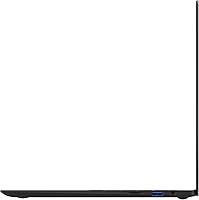
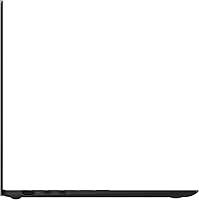
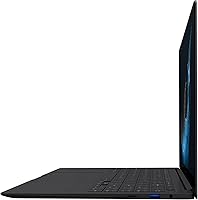
  • The port selection is limited enough that most users will need to carry a separate hub for full connectivity.
  • Thermal throttling has been reported during extended heavy workloads, which can impact sustained performance.
  • The official battery life figure is an optimistic best-case number; real mixed-use results vary considerably.
  • No discrete GPU option is available, so buyers cannot configure a more powerful graphics variant.
  • The 1080p FHD resolution on a 15.6-inch AMOLED panel is slightly disappointing — pixel density could be sharper at this screen size.
  • Storage at 512GB fills up faster than expected for users who work with large media files or local datasets.
  • Value perception drops if you compare against competitors offering discrete graphics at a similar price point.

Ratings

The Samsung Galaxy Book2 Pro 15.6″ Laptop earns a strong overall reception from professionals and frequent travelers, though the picture is more nuanced once you get past the display and portability highlights. These scores were generated by AI after analyzing thousands of verified global user reviews, with spam, bot-submitted, and incentivized feedback actively filtered out. Both the genuine strengths and the recurring frustrations buyers encounter in real daily use are reflected transparently across each category below.

Display Quality
93%
The AMOLED panel is the single most praised aspect across verified buyer feedback worldwide. Users consistently describe colors as vivid and true-to-life, with blacks that look genuinely deep rather than washed out — something immediately noticeable when switching from a standard IPS laptop in the same room.
A portion of buyers feel the 1080p resolution does not fully exploit the AMOLED technology at 15.6 inches, with pixel density falling slightly short of what the panel quality deserves. A sharper resolution option would make an already excellent screen outstanding.
Portability & Weight
91%
Frequent travelers and commuters repeatedly single out the weight as a genuine daily-life advantage — not just a spec on paper. Carrying this machine through airports or between meetings feels noticeably different from most 15-inch alternatives, and users who made the switch from heavier laptops rarely want to go back.
A small number of users note that the slim chassis creates some flex under pressure, which can feel slightly less confidence-inspiring than denser, heavier builds. It is not a structural concern for most, but buyers used to tank-like build quality may register it.
Battery Life
78%
22%
For productivity-focused use — documents, video calls, browser work — most owners comfortably get through a full workday on a single charge without anxiety. The fast-charge capability is frequently mentioned as a practical lifesaver for users who forget to plug in overnight or need a quick top-up between meetings.
The manufacturer's claimed runtime is an idealized figure that real-world usage rarely approaches. Users running more demanding workflows or keeping screen brightness high report noticeably shorter sessions, and some feel the gap between the marketing claim and actual performance is wider than it should be.
Performance & Speed
84%
Day-to-day responsiveness is consistently praised — the machine boots quickly, switches between applications without hesitation, and handles the kind of multitasking most professionals actually do without any frustrating lag. Users migrating from older-generation laptops particularly notice the improvement in sustained responsiveness during busy workdays.
Extended CPU-intensive tasks — long video exports, large file compressions, complex data processing — push the thermal system to its limits, and some users report performance dipping during these sustained workloads. It is not a machine designed for prolonged heavy lifting, and it shows under those conditions.
Thermal Management
61%
39%
For the majority of users who stick to typical office or student workloads, the cooling system keeps the chassis comfortable and surface temperatures manageable. Light use rarely triggers any noticeable heat buildup, and the machine stays pleasant on a desk or lap throughout a normal working session.
Thermal throttling under sustained heavy loads is a documented and recurring complaint in longer-term owner reviews. The slim design limits airflow, and the processor pulls back its performance ceiling when pushed hard for extended periods — a real limitation for anyone who occasionally needs the machine to work at full capacity for a long stretch.
Fan Noise
58%
42%
During quiet tasks — writing, light browsing, streaming — the fan stays genuinely inaudible, which makes the Galaxy Book2 Pro comfortable to use in libraries, shared offices, or late-night work sessions without disturbing anyone nearby.
Fan noise under moderate to heavy load draws consistent criticism across reviews. Several users describe the ramp-up as sudden and louder than expected for a premium ultrabook, which becomes distracting in quiet environments during video calls or focused work that happens to spike CPU usage.
Build & Chassis Quality
82%
18%
The overall construction feels premium for its weight category, and users frequently comment on the quality of the keyboard deck and lid finish. The Graphite colorway holds up well to daily handling without showing smudges or wear as visibly as lighter-colored alternatives.
Some flex in the display lid and keyboard deck is detectable under deliberate pressure, and buyers comparing it against magnesium-alloy or CNC-machined aluminum rivals may find the rigidity slightly less impressive. It is sturdy enough for normal use, but not the most robust chassis in its price class.
Keyboard & Trackpad
77%
23%
Writers and office users generally find the keyboard comfortable for extended typing sessions, with enough key travel to feel satisfying without adding unnecessary bulk to the chassis. The backlit layout is clean and well-spaced, and most users adapt to it quickly.
The trackpad receives more mixed feedback, with some users finding palm rejection less consistent than on competing ultrabooks. A subset of buyers also wish for more key travel depth, particularly those coming from mechanical or higher-travel keyboards on other machines.
Webcam & Video Calls
81%
19%
Remote workers and students who rely on daily video calls highlight the 1080p wide-angle camera as a genuine improvement over what most competing laptops offer at this size. Image clarity in good lighting is consistently rated as above average, and call participants on the other end reportedly notice the difference.
Low-light performance is better than average but not exceptional — users in poorly lit home offices or evening calls notice some softness and noise in the image. The wide-angle field of view, while useful, can distort facial proportions slightly at close range.
Audio Quality
79%
21%
Dolby Atmos tuning gives the speakers a more balanced, open sound than most thin laptops manage, and users who watch a lot of video content or take calls without headphones appreciate the clarity at moderate volume. Noise canceling on the microphone performs reliably during typical call environments.
Bass response is limited by the slim form factor, and users who listen to music or media at high volume find the sound thins out noticeably. Audiophiles or those who frequently consume media without headphones will find the ceiling of the speaker system reached fairly quickly.
Port Selection
54%
46%
The inclusion of Thunderbolt 4 connectivity gives users access to fast external storage and display output through a single cable, which partially compensates for the limited total port count. The MicroSD slot is a practical addition that content creators working with camera cards will appreciate.
The overall port count is one of the most consistently criticized aspects of the Galaxy Book2 Pro in user reviews. Most owners end up purchasing a hub, which undermines the portability advantage — carrying an extra accessory every day adds friction that buyers investing in an ultrabook specifically want to avoid.
Graphics Capability
47%
53%
For streaming, light Lightroom work, casual photo adjustments, and general productivity, the integrated Intel Iris Xe performs its role without complaint. Users who do not need GPU-accelerated tasks rarely have any reason to think about the graphics hardware at all.
Anyone who purchases this machine expecting to run modern games, render video, or work in GPU-accelerated creative software will be quickly and significantly disappointed. The integrated graphics are a hard ceiling, and this is arguably the most important limitation buyers should understand before committing.
Samsung Ecosystem Integration
86%
Owners who already use Samsung Galaxy smartphones or tablets find the cross-device features genuinely useful in practice — not just a checkbox feature. Quick Share, phone mirroring, and notification syncing work reliably and reduce the friction of switching between devices throughout a workday.
These features offer essentially no value to users outside the Samsung mobile ecosystem, and the software layer adds background processes that non-Samsung users simply get no benefit from. It is a meaningful advantage for the right buyer and irrelevant for everyone else.
Value for Money
71%
29%
Buyers who prioritize portability and display quality above all else tend to feel the price is justified — they are paying for the AMOLED screen and the weight reduction, and those are real, tangible advantages over cheaper alternatives. For that specific buyer profile, the value proposition holds up.
Users who compare specifications against similarly priced Windows ultrabooks with discrete graphics options often feel the Galaxy Book2 Pro asks for a premium without fully delivering on raw capability. The soldered RAM, limited ports, and integrated-only graphics make it harder to justify the cost for buyers with performance-first priorities.

Suitable for:

The Samsung Galaxy Book2 Pro 15.6″ Laptop is built for professionals who spend long days moving between offices, coffee shops, airports, and client meetings — people who genuinely need a full-size screen but cannot afford to lug a heavy machine around all day. Remote workers will find the combination of all-day battery endurance, a sharp webcam, and clear audio makes video-heavy workdays significantly more comfortable. Students in business or design programs benefit from the AMOLED panel's color richness, which makes presentations, media projects, and even casual content consumption feel noticeably better than on standard displays. If you are already embedded in the Samsung ecosystem with a Galaxy phone or tablet, the cross-device features add a layer of convenience that compounds over daily use. Office-focused users — spreadsheets, documents, browser-based tools, communication apps — will find the performance more than sufficient without ever pushing the machine to its limits.

Not suitable for:

The Samsung Galaxy Book2 Pro 15.6″ Laptop is the wrong choice for anyone whose work depends on a dedicated GPU — video editors rendering timelines, 3D artists, or casual gamers will hit a hard ceiling with the integrated Intel graphics. The RAM is soldered to the board, which means buyers cannot upgrade later if their needs grow; what ships is what you are stuck with for the life of the machine. People who regularly run sustained CPU-intensive tasks — large dataset processing, long compilation jobs, complex simulations — should also be cautious, as thermal management under prolonged load has drawn criticism from owners. The port selection is lean enough that connectivity-dependent users will almost certainly need to carry a hub, which undercuts some of the portability appeal. Anyone cross-shopping against similarly priced Windows ultrabooks that include discrete graphics should think carefully about whether the AMOLED display and weight advantage alone justify the trade-off.
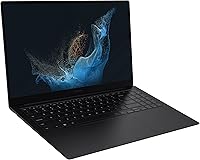
Specifications

  • Display: 15.6-inch FHD AMOLED panel with a 1920x1080 resolution and an anti-glare coating for reduced reflections in bright environments.
  • Processor: 12th Gen Intel Core i7-1260P with a hybrid core architecture, running at a 2.1GHz base clock and boosting up to 4.6GHz under load.
  • Memory: 16GB of LPDDR5 RAM, soldered directly to the motherboard and not user-upgradeable after purchase.
  • Storage: 512GB NVMe SSD providing fast read and write speeds for quick boot times and responsive application launches.
  • Graphics: Intel Iris Xe integrated graphics, sharing system memory and suited for productivity, light photo editing, and media playback.
  • Operating System: Ships with Windows 11 Home pre-installed, including standard Samsung software and ecosystem integration tools.
  • Weight: Approximately 2.45 lb (around 1.11 kg), making it one of the lightest 15.6-inch laptops in its class.
  • Dimensions: Measures 14 x 8.9 x 2 inches, keeping the overall footprint slim and travel-friendly despite the large display size.
  • Webcam: Full HD 1080p wide-angle front-facing camera with improved low-light performance compared to the previous generation.
  • Audio: Dolby Atmos-certified speaker system with intelligent noise canceling built in for clearer voice pickup during calls.
  • Battery: Rated for up to 21 hours on a single charge under ideal conditions, with fast-charge support delivering roughly 40% capacity in 30 minutes.
  • Wireless: Supports Wi-Fi and Bluetooth connectivity for wireless networking, peripherals, and Samsung cross-device features.
  • Certification: Intel Evo certified, meeting baseline standards for responsiveness, fast wake from sleep, and consistent wireless performance.
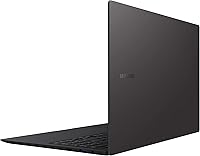
  • Color: Available in Graphite, a dark neutral tone with a matte-style finish on the lid and chassis surfaces.
  • Model Number: Official Samsung model identifier is NP950XED-KA1US, covering the 15.6-inch i7 / 16GB / 512GB Graphite configuration.

Related Reviews
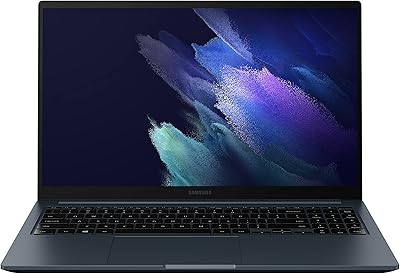
Samsung Galaxy Book Odyssey Intel Laptop 15.6″, i7, 8GB RAM, 512GB SSD
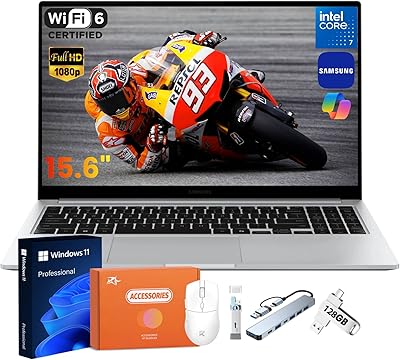
84%
89%
Performance
91%
Battery Life
87%
Gaming Experience
85%
Display Quality
72%
Portability/Weight
More
Samsung Galaxy Book4 15.6″ Laptop
78%
88%
Build Quality
91%
Portability
94%
Storage Capacity
83%
Processing Performance
76%
Display Quality
More
Samsung Galaxy Book5 360 15.6″ 512GB
76%
83%
Battery Life
88%
Display Quality
81%
Performance & Speed
91%
Portability & Design
71%
Keyboard & Typing Experience
More
Samsung Galaxy Book4 Edge 15.6-inch Laptop, Snapdragon X Plus, 16GB RAM, 512GB SSD
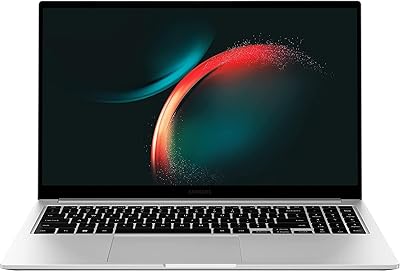
85%
93%
Battery Life
86%
Performance
84%
Display Quality
90%
Portability
91%
Charging Speed
More
Samsung Galaxy Book3 15.6-inch Laptop
74%
84%
Everyday Performance
81%
Build Quality
76%
Display Quality
78%
Battery Life
91%
Port Selection
More
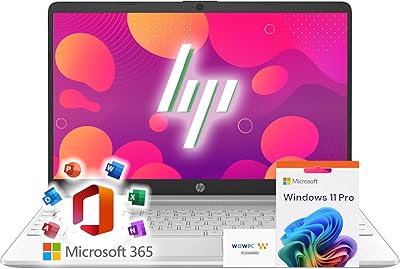
HP 15 G9 16GB 1TB Laptop
71%
88%
Value for Money
54%
Performance
83%
RAM & Multitasking
86%
Storage
74%
Display Quality
More
Samsung Galaxy Book4 Pro 14-Inch Laptop
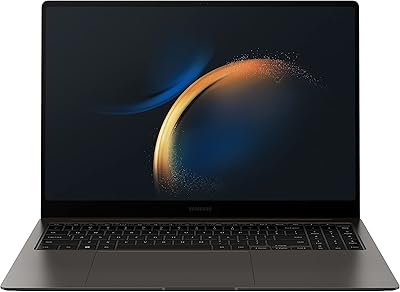
74%
94%
Display Quality
91%
Portability
88%
Build Quality
83%
Performance
67%
Battery Life
More
Samsung Galaxy Book3 Pro 16″ 1TB Laptop
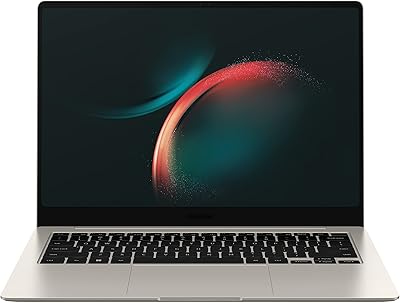
75%
93%
Display Quality
88%
Portability
84%
Processing Performance
47%
Graphics Capability
91%
Multitasking & RAM
More
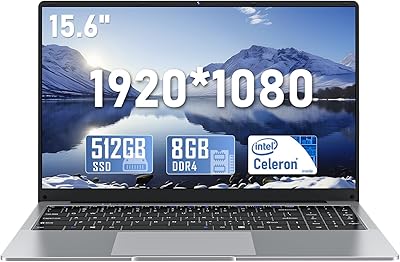
NAIKLULU VenBook Laptop, 15.6-Inch, 8GB RAM, 512GB SSD, Celeron N4000, Windows 11 Pro
80%
89%
Value for Money
84%
Battery Life
82%
Display Quality
87%
Performance for Everyday Tasks
78%
Build Quality
More
Samsung Galaxy Book3 Pro 14-inch Laptop
79%
93%
Display Quality
91%
Portability
88%
Build Quality
79%
Performance
67%
Battery Life
More

FAQ

Storage can potentially be upgraded if you are comfortable with disassembly, as the SSD uses an M.2 slot in most configurations — though this voids any remaining warranty. The RAM, however, is soldered to the board and cannot be upgraded under any circumstances, so 16GB is your ceiling for the life of the machine. If you think you will need more memory down the line, factor that into your buying decision now.

The official 21-hour figure is based on light, controlled usage and is not something most people will hit in practice. In realistic mixed use — browser tabs open, video calls, document editing, occasional streaming — expect somewhere in the 8 to 12 hour range depending on screen brightness and workload intensity. That said, this is still genuinely strong endurance for a 15.6-inch laptop, and the fast-charge feature helps top up quickly during short breaks.

Not really. The Intel Iris Xe integrated graphics can handle older or very lightweight titles, but anything modern and graphically demanding will struggle to run at acceptable frame rates. If gaming is even a secondary priority, you would be better served by a laptop with a dedicated GPU.

The Galaxy Book2 Pro wins clearly on weight — it is meaningfully lighter, which matters a lot if you travel regularly. The XPS 15 typically offers discrete GPU options and a higher-resolution display, which gives it an edge for creative professionals doing video or 3D work. For office-focused professionals who prioritize portability and do not need GPU power, this Samsung ultrabook holds its own well.

Yes, and this is one of the more practical ecosystem advantages available on Windows laptops right now. Features like Link to Windows, Second Screen, and Quick Share work reliably between the Galaxy Book2 Pro and compatible Samsung mobile devices. If you already use a Galaxy phone daily, the continuity between devices is genuinely useful rather than just a marketing bullet point.

During light tasks like browsing, writing, or video calls, the fan is quiet enough that you often will not notice it. Push the processor harder — compiling, large downloads alongside active work, or sustained multitasking — and the fan ramps up to a level that can be distracting in a quiet room. This is a known trade-off with the slim chassis design and is worth keeping in mind if you regularly do CPU-heavy work.

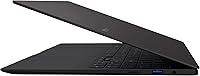
The port selection on the Galaxy Book2 Pro is on the lean side — you get a couple of USB-C Thunderbolt 4 ports, a USB-A port, HDMI, a headphone jack, and a MicroSD slot. If you regularly connect multiple peripherals, an external monitor, or wired ethernet, picking up a compact USB-C hub is a practical necessity rather than an optional accessory.

For anyone who spends meaningful time looking at their screen — which is most people — yes, the difference is visible and appreciated. AMOLED delivers deeper blacks, punchier colors, and better contrast than the IPS panels found on most competitors at this price level. The anti-glare coating also helps in mixed lighting environments, making it more usable outdoors or near windows than glossy OLED panels on some rival machines.

During normal productivity tasks, the chassis stays comfortable and the temperature is not an issue. The heat management problems that some users report are specifically tied to sustained heavy CPU loads over extended periods. For typical office, student, or remote work use, thermal behavior is unlikely to be a concern in daily practice.

Samsung includes a standard one-year limited manufacturer warranty covering defects in materials and workmanship. Accidental damage — drops, spills, screen cracks — is not included in the standard warranty. Samsung does offer extended protection plans through its own channels, and some credit cards or retailers offer additional coverage at purchase, which is worth checking before you buy.