

Overview

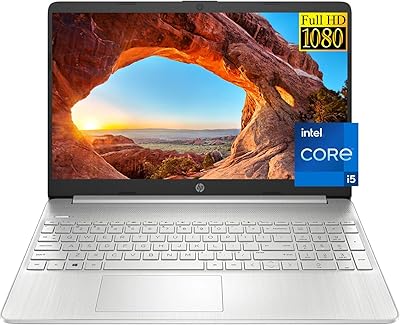
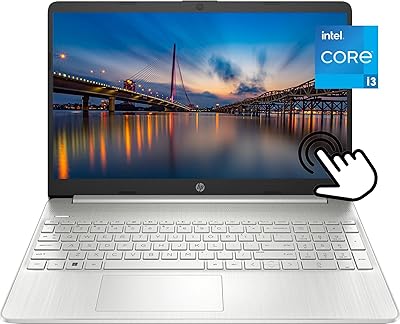
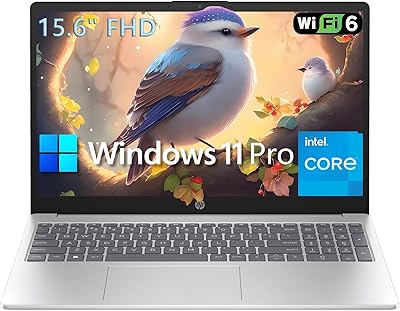
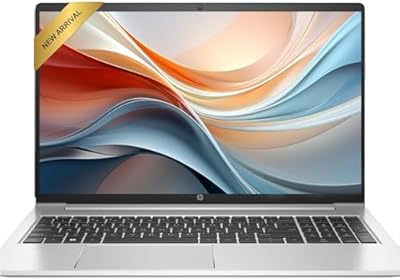
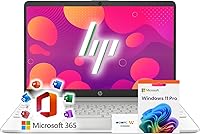
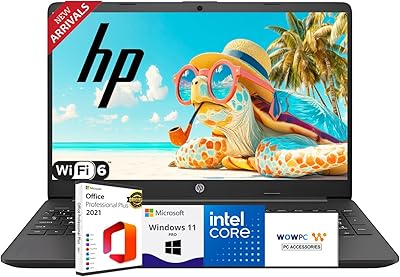
The HP 15 G9 16GB 1TB Laptop is a budget-friendly daily driver built for students, home users, and anyone who needs a dependable machine for everyday tasks — nothing more, nothing less. Powering it is the Intel Celeron N4120, a quad-core chip that handles browsing, word processing, and video calls without complaint, but won't win any speed contests with heavier workloads. What genuinely stands out at this price is the FHD IPS display — sharp, anti-glare, and comfortable for extended desk or classroom sessions. Windows 11 Pro and Microsoft Office 365 come pre-installed, a real differentiator in this tier. Savvy buyers should go in with clear expectations: this is a capable workhorse, not a powerhouse.

Features & Benefits

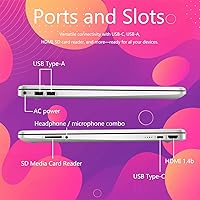
Where this budget HP genuinely punches above its weight is in memory and storage. Sixteen gigabytes of RAM is unusual at this price — most rivals ship with half that — and the difference shows when juggling a dozen browser tabs alongside a spreadsheet and a video call. The 1TB PCIe SSD loads apps quickly and gives you room for documents, media, and schoolwork without constantly pruning files. Wi-Fi 6 and Bluetooth 5.2 keep connectivity current, and the port lineup is practical: three USB 3.0 ports, HDMI, USB-C, and an SD card slot. Office 365 arriving pre-loaded is a cost offset many shoppers overlook, but it's genuinely ready to use the moment you power on.

Best For

This HP laptop makes the most sense for people whose computing needs stay firmly in everyday territory. College students and high schoolers will find it a reliable companion for writing papers, attending virtual classes, and managing research across multiple browser tabs. Remote workers handling email, spreadsheets, and video calls will have little to complain about. It's also a solid pick for families who want a shared home computer for streaming, homework, and browsing without paying for more machine than they need. Anyone still running an old laptop with 4GB of RAM or a spinning hard drive will notice an immediate lift. The Windows 11 Pro license adds BitLocker encryption and business-grade security features the Home edition simply doesn't offer.

User Feedback

Buyers consistently praise the value-to-spec ratio — particularly the RAM and storage combination, which feels almost out of place for the price point. Build quality draws mixed reactions: most describe the chassis as acceptable for the tier, with a keyboard comfortable enough for extended typing sessions, though it won't feel premium in hand. The Celeron chip earns the sharpest criticism; anyone who pushes this budget HP into photo editing, gaming, or running multiple demanding apps simultaneously will hit its ceiling fast. Battery life is practical for classroom or desk sessions but tends to fall short of the all-day claim under real use. The 250-nit screen is another consistent buyer note — perfectly adequate indoors, but noticeably dim near a bright window.

Pros

  • Sixteen gigabytes of RAM is genuinely rare at this price point and makes everyday multitasking noticeably smoother.
  • The 1TB PCIe SSD offers fast load times and plenty of room for years of documents, photos, and media.
  • Windows 11 Pro is included — most budget laptops ship with Home, so this is a meaningful upgrade.
  • Microsoft Office 365 comes pre-installed, saving a recurring subscription cost right out of the box.
  • Wi-Fi 6 and Bluetooth 5.2 keep this HP laptop current with modern wireless standards.
  • The 15.6-inch FHD IPS screen delivers sharp, accurate visuals that are comfortable for long work or study sessions indoors.
  • The port selection is practical and complete — no dongles needed for everyday peripherals.
  • Anti-glare coating reduces eye strain during extended indoor use noticeably.
  • The overall setup experience is minimal — unbox, power on, and start working within minutes.

Cons

  • The Celeron N4120 processor struggles noticeably with anything beyond light, everyday tasks.
  • At 250 nits, the display is too dim for comfortable use near bright windows or in sunlit spaces.
  • Real-world battery life under active use tends to fall short of the all-day marketing claim.
  • The plastic chassis feels utilitarian — build quality is functional but not confidence-inspiring for long-term durability.
  • Integrated Intel UHD graphics make this budget HP completely unsuitable for any gaming or GPU-dependent work.
  • The Celeron chip may feel sluggish over time as software and browser demands continue to grow.
  • At 6 pounds, the G9 15-inch is on the heavier side for a laptop students carry between classes daily.
  • No dedicated number pad backlighting or keyboard backlight is common at this tier but still a practical miss for low-light use.

Ratings

The scores below reflect an AI-driven analysis of verified global buyer reviews for the HP 15 G9 16GB 1TB Laptop, with spam, bot activity, and incentivized feedback actively filtered out to keep the picture honest. Across thousands of real-world impressions from students, home users, and remote workers, this budget HP earned genuine praise in some areas and equally genuine frustration in others. Both sides are represented transparently here so you can make a confident, informed decision.

Value for Money
88%
Buyers consistently flag this as one of the better-equipped machines available at its price tier, particularly pointing to the 16GB of RAM and 1TB SSD as specs that typically cost more elsewhere. The inclusion of Windows 11 Pro and a full Office 365 subscription adds real dollar value that many reviewers only appreciate after the fact.
A small but vocal group of buyers feel the Celeron processor undermines the overall value proposition — powerful storage and RAM mean less when the CPU becomes the bottleneck. Those who needed more processing headroom found themselves wishing they had stretched their budget further.
Performance
54%
46%
For the specific tasks this machine targets — typing documents, attending video calls, browsing the web, and streaming content — everyday performance is acceptably smooth. Users upgrading from older, low-RAM laptops or Chromebooks notice an immediate and tangible improvement in responsiveness during routine work.
The Intel Celeron N4120 is the single most criticized element across user feedback. Anyone who pushes beyond basic tasks — opening multiple heavy applications, running Zoom while editing a spreadsheet, or handling any media processing — quickly encounters sluggishness that becomes a persistent frustration in real daily use.
RAM & Multitasking
83%
The 16GB DDR4 configuration draws frequent praise precisely because it is so uncommon at this price point. Students who keep a dozen browser tabs open alongside a Word document and a streaming tab report that the machine keeps up without the constant freezing associated with 4GB or 8GB budget rivals.
While the RAM headroom is genuine, the Celeron processor means there is a ceiling regardless of how much memory is available. Users doing anything CPU-intensive find that adding more simultaneous tasks eventually degrades the experience even with memory to spare.
Storage
86%
A full terabyte of PCIe SSD storage is a standout feature for a machine in this segment, and buyers regularly mention how liberating it feels to stop worrying about running out of space. Application load times and file transfers are noticeably faster than the older spinning-drive laptops many of these users were upgrading from.
A handful of more technical reviewers noted that SSD speeds, while clearly faster than HDD, are not at the upper end of PCIe performance — adequate for everyday use but not impressive by modern NVMe standards. Upgradability concerns also surfaced for users hoping to swap drives later.
Display Quality
74%
26%
The 15.6″ Full HD IPS panel earns consistent appreciation for its sharpness and color accuracy in typical indoor environments. Students watching lectures, remote workers on long video calls, and casual streamers all report that the anti-glare coating makes extended sessions genuinely more comfortable than glossy-screen alternatives.
The 250-nit brightness ceiling is the most commonly cited display complaint. Working near a sunny window or in a bright open-plan environment makes the screen noticeably difficult to read, and several buyers wished HP had opted for a brighter panel given how frequently this machine is used in varied lighting conditions.
Battery Life
61%
39%
Under genuinely light use — quiet note-taking sessions, offline document editing, or low-brightness browsing — users report the battery holds up reasonably well through a standard school morning or a half-day of remote work without needing a charge.
Real-world battery endurance frequently falls short of the all-day marketing claim once normal workloads kick in. Multiple reviewers noted they were reaching for the charger by mid-afternoon on a typical day of video calls, streaming, and active browsing, which is a practical inconvenience for on-the-go users.
Build Quality
62%
38%
Most buyers accept the plastic construction as a fair trade-off at this price point, and the slim 0.78-inch profile gives the machine a cleaner, less bulky appearance than older budget laptops. The silver finish is described as inoffensive and presentable enough for classroom or office settings.
The chassis earns few compliments beyond adequacy — flex in the keyboard deck and lid is a recurring observation, and the overall feel does not inspire confidence about long-term durability under daily backpack transport. Buyers expecting a sturdy, solid feel are consistently reminded this is a budget build.
Keyboard & Typing
69%
31%
The full-size layout with a numeric keypad is consistently praised by students and remote workers who deal with data entry or spreadsheets regularly — it is a practical inclusion that many similarly priced laptops skip. Key spacing is comfortable enough for prolonged writing sessions without obvious fatigue.
Key travel is on the shallow side, and the tactile feedback lacks the satisfying response that regular typists tend to prefer. Several reviewers who use this budget HP for heavy writing work mentioned adapting to the keyboard rather than enjoying it, which is a notable distinction.
Connectivity & Ports
84%
The port selection draws frequent unprompted praise — three USB 3.0 ports, HDMI, USB-C, and an SD card slot mean most users never need to carry a hub or adapter. For students connecting to projectors or remote workers attaching external monitors and peripherals, this versatility is a genuine day-to-day convenience.
No Thunderbolt support and the absence of any dedicated video output beyond standard HDMI means professionals with multi-monitor setups or high-bandwidth peripheral needs will find the connectivity adequate but not forward-looking. USB-C does not support charging on all configurations, which frustrated a portion of reviewers.
Wireless Performance
81%
19%
Wi-Fi 6 support is a meaningful addition at this price tier, and buyers on compatible routers notice improved stability and speed compared to older 802.11ac budget machines. Bluetooth 5.2 pairing with headphones and peripherals is described as quick and reliable by the majority of users.
On older Wi-Fi 5 routers the advantage disappears entirely, and a few buyers in dense apartment environments reported occasional signal inconsistency. These are edge cases rather than a widespread pattern, but worth noting for users in challenging wireless environments.
Software & Setup
79%
21%
The out-of-box experience earns genuine appreciation — Windows 11 Pro and Office 365 arriving pre-installed means most buyers are productive within minutes of first boot. For students and first-time laptop owners especially, not having to navigate software purchases or installations is a meaningful reduction in setup friction.
Some technically minded buyers flagged the presence of pre-installed bloatware alongside the legitimate software, which requires time to clean up before the system feels fully optimized. A few users also noted that the Copilot AI integration, while functional, felt more like a marketing feature than a daily-use tool at this performance tier.
Portability
63%
37%
The slim profile and relatively clean industrial design make the G9 15-inch presentable and easy to slip into most laptop sleeves or bags. For a 15.6-inch machine, the physical footprint is compact enough not to dominate a desk or a standard laptop compartment.
At 6 pounds, the weight is a recurring complaint among students who carry this HP laptop between classrooms or commuters who bring it on public transit daily. Compared to lighter 13 or 14-inch alternatives, the physical burden adds up over a full day of carrying, and there is no getting around the heft for this size category.
Display Brightness
47%
53%
In controlled indoor settings — a home office with blinds drawn, a dim classroom, or an evening study session — the 250-nit brightness is perfectly workable and causes no real complaints. Anti-glare coating does meaningful work here, keeping reflections from making a dim panel feel even darker.
Two hundred and fifty nits is genuinely insufficient for flexible real-world use, and this becomes a persistent frustration for anyone who regularly works near natural light. Outdoor use is essentially impractical, and even moderately bright indoor spaces can render the screen difficult to read without adjusting position constantly.
Long-Term Reliability
67%
33%
HP's brand reputation and the machine's relatively straightforward hardware profile give most buyers reasonable confidence in its durability for basic daily tasks. Users who treat it primarily as a desk or table machine rather than subjecting it to heavy transit stress tend to report fewer issues over time.
The Celeron processor's performance margins are narrow enough that the machine may feel noticeably dated within two to three years as software and browser overhead continues to grow. Buyers planning a five-year ownership horizon may find the performance runway shorter than they hoped.

Suitable for:

The HP 15 G9 16GB 1TB Laptop is a strong match for anyone whose daily computing stays in the lane of documents, browsing, streaming, and communication. College and high school students will get the most out of it — the combination of ample RAM, a full terabyte of storage, and pre-loaded Office 365 covers virtually every academic need without requiring any additional purchases. Remote workers handling email, video calls, and light spreadsheet work will find it equally capable, especially since Windows 11 Pro brings enterprise-grade security features like BitLocker that the typical budget laptop skips entirely. Families looking for a reliable shared home machine will appreciate the no-fuss setup and generous storage for shared media and documents. It also makes a compelling upgrade target for anyone still running an old laptop with 4GB of RAM or a slow mechanical hard drive — the difference in day-to-day responsiveness will be immediately noticeable.

Not suitable for:

The HP 15 G9 16GB 1TB Laptop is not the right tool for anyone with demanding workloads. The Intel Celeron N4120 is an efficient, low-power chip, but it is firmly entry-level — users who edit video, work with large photo libraries, run virtual machines, or play modern games will hit its performance ceiling quickly and find the experience frustrating. Creative professionals, engineers, or anyone running industry-specific software with serious processing requirements should look at machines with a Core i5 or better. The 250-nit display brightness, while fine for indoor desk use, becomes a real problem in bright rooms or near windows, making it a poor fit for anyone who frequently works outdoors or in sun-drenched spaces. If you need a laptop that can handle multitasking across truly heavy applications or double as a light gaming rig, this budget HP simply is not built for that.

Specifications

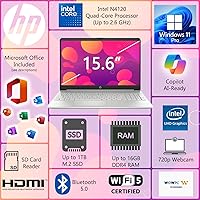
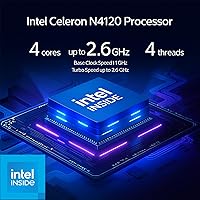
  • Processor: Powered by the Intel Celeron N4120, a quad-core chip clocked at 2.6 GHz, designed for light everyday computing rather than intensive workloads.
  • RAM: Comes with 16GB of DDR4 SDRAM, a notably generous amount for this price tier that allows comfortable multitasking across common applications.
  • Storage: Equipped with a 1TB M.2 PCIe SSD, delivering faster read and write speeds than a traditional hard drive with ample capacity for documents, media, and software.
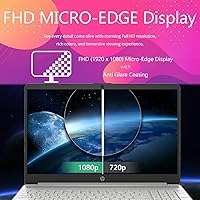
  • Display: Features a 15.6″ Full HD IPS panel with a 1920x1080 resolution, anti-glare coating, and a brightness rating of 250 nits.
  • Graphics: Uses Intel UHD integrated graphics, which is sufficient for streaming, light photo viewing, and everyday visual tasks but not for gaming or creative rendering.
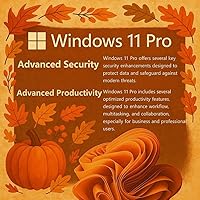
  • Operating System: Ships with Windows 11 Pro pre-installed, which includes enterprise-grade security features such as BitLocker encryption not found on the Home edition.
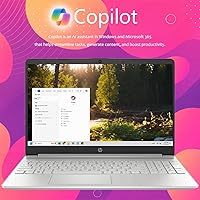
  • Bundled Software: Includes Microsoft Office 365 and Microsoft Copilot AI pre-installed, providing a ready-to-use productivity suite from the moment of first boot.
  • Wireless: Supports Wi-Fi 6 (802.11ax) and Bluetooth 5.2, providing fast, modern wireless connectivity for both internet and peripheral pairing.
  • Ports: Includes three USB 3.0 ports, one USB-C port, one HDMI output, and an SD card reader for a well-rounded selection of physical connections.
  • Battery: Rated for all-day battery life by the manufacturer, though real-world endurance will vary depending on usage intensity and screen brightness settings.
  • Weight: Weighs approximately 6 pounds, which is typical for a 15.6-inch laptop but worth considering for students carrying it between locations daily.
  • Dimensions: Measures 14.09 x 9.53 x 0.78 inches, giving it a slim profile for a full-size 15-inch class machine.
  • Color & Build: Available in silver with a plastic chassis construction that is functional and clean-looking but does not offer a premium tactile feel.
  • Memory Type: RAM runs as DDR4 SDRAM, a reliable and widely compatible memory standard suited to the machine's everyday computing profile.
  • Keyboard: Includes a full-size keyboard with a dedicated numeric keypad, which adds practical value for users who work frequently with numbers or spreadsheets.

Related Reviews
HP G9 Laptop, Intel Core i5-1235U, 16GB RAM, 1TB SSD, 15.6″ FHD Display
82%
89%
Performance
78%
Display Quality
82%
Battery Life
91%
Build Quality
85%
Software & Productivity
More
HP 15-dy1034nr Laptop, Intel Core i5-1135G7, 16GB RAM, 1TB SSD
84%
88%
Performance
92%
Value for Money
79%
Battery Life
85%
Display Quality
87%
Portability & Weight
More
HP 15 G9 Laptop, 32GB RAM, 1TB SSD, AMD Athlon Silver 3050U
83%
92%
Value for Money
88%
Performance for Everyday Tasks
89%
Display Quality
77%
Battery Life
90%
Keyboard Comfort
More
HP 15.6″ Touchscreen Laptop, Intel Core i3-1115G4, 16GB RAM, 1TB SSD
83%
91%
Value for Money
88%
Touchscreen Performance
85%
Battery Life
80%
Build Quality
92%
Storage Capacity
More
HP 15-DY5033DX 15.6″ Laptop (16GB, 1TB)
83%
96%
Software Value
93%
Storage Capacity
88%
Portability & Weight
84%
Multitasking Performance
67%
Display Quality
More
HP 15.6 G9 Laptop, 40GB RAM, 1TB SSD, Intel Core i3-1315U
83%
89%
Value for Money
91%
Battery Life
87%
Performance for Work & Study
90%
Multitasking Ability
82%
Build Quality
More
HP 15 Intel N100 16GB/256GB
77%
88%
Value for Money
83%
Everyday Performance
91%
RAM & Multitasking
67%
Display Quality
72%
Build Quality & Portability
More
Dell Inspiron 15 3520 Laptop
74%
76%
Performance & Speed
81%
Display Quality
83%
Touchscreen Responsiveness
89%
Storage & Memory
62%
Battery Life
More
HP 2020 15 15.6″ HD Touchscreen Laptop, Intel Core i5-1035G1, 16GB RAM, 512GB SSD
82%
89%
Performance
75%
Display Quality
90%
Portability
80%
Battery Life
85%
Build Quality
More
HP 250 G9 Laptop 32GB RAM 1TB SSD
83%
80%
Performance
89%
Value for Money
85%
Battery Life
88%
Display Quality
82%
Build Quality
More

FAQ

For most college work, yes. Writing papers, attending virtual lectures, managing emails, and doing research across multiple browser tabs are all well within its comfort zone. The 16GB of RAM helps keep things responsive even with several applications open at once. Just don't expect it to handle video editing or heavy design software without struggling.

Microsoft Office 365 comes pre-installed and is part of the package, not a limited trial. That covers Word, Excel, PowerPoint, and the rest of the suite. It's one of the more practical value additions at this price point, since a standalone Office subscription adds up over time.

Not really. The Intel Celeron processor and integrated UHD graphics are built for efficiency, not performance. You might get by with very old or lightweight browser-based games, but anything modern will either run poorly or not at all. If gaming is a priority, this machine is not the right fit.

The 15.6″ Full HD IPS screen looks sharp and has decent color accuracy for streaming on Netflix, YouTube, or similar platforms. The anti-glare coating makes it comfortable to watch indoors. The 250-nit brightness is the one limitation — it works fine in a dim or moderately lit room but washes out noticeably if you're sitting near a bright window.

It depends on how you use it. Under light use — note-taking, browsing, the occasional video call — you can reasonably get through a full day. If you're pushing the screen brightness up, streaming video for hours, or running multiple applications simultaneously, expect the battery to drain faster than the all-day claim suggests. Carrying the charger on longer days is still a good habit.

For the vast majority of students and home users, 1TB is more than enough. You could store tens of thousands of documents, a large photo library, and a solid music collection without coming close to filling it. The only users likely to feel constrained are those storing large video files or extensive media archives.

Yes, easily. The HDMI port lets you connect directly to most modern monitors and TVs, and the USB-C port adds another option for display output depending on your setup. It's a practical choice for anyone who occasionally wants a larger screen at a desk.

It handles video calls without issue. The Celeron processor is more than capable of running Zoom or Microsoft Teams for standard meetings, and the Wi-Fi 6 support means connection stability is solid on a compatible router. Just don't try running a video call alongside several other heavy applications at the same time.

Most users find it serviceable for extended typing, and the full-size layout with a numeric keypad is a nice practical touch. That said, it's a budget-tier keyboard — the key travel and feedback are decent but not particularly satisfying compared to a mid-range or premium machine. Writers and heavy typists may notice this, but for average daily use it holds up fine.

This is worth verifying directly with HP for this specific model, as upgrade accessibility varies even within the same product family. The SSD uses an M.2 PCIe interface, which is a standard format, but whether the slot is physically accessible without voiding the warranty depends on the chassis design. If upgradeability is important to you, it's worth confirming before purchasing.