Overview

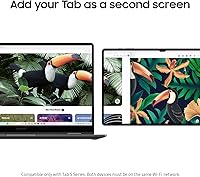
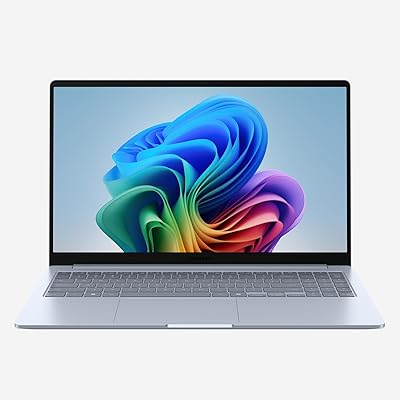
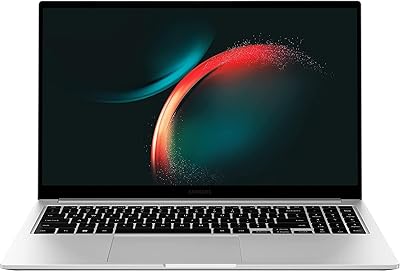
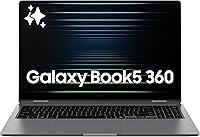
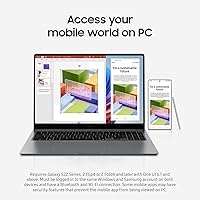
The Samsung Galaxy Book5 360 15.6″ 512GB is Samsung's 2025 entry into the premium convertible laptop space, and it arrives with a genuinely strong case for itself. The AMOLED display delivers color richness that most IPS panels simply can't match, though it tops out at 1080p — a trade-off some buyers at this price point may find frustrating. At 3.22 lbs and barely over half an inch thick, portability is real, not just a marketing claim. The Intel Core Ultra 7 (Series 2) handles everyday workloads with headroom to spare. Where this Samsung 2-in-1 really distinguishes itself is in how tightly it connects with the broader Samsung Galaxy device ecosystem.
Features & Benefits

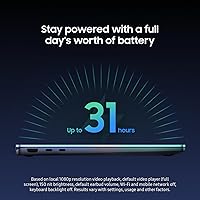
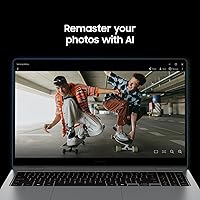
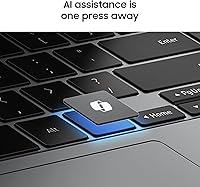
The 31-hour battery rating is this convertible laptop's headline claim, and while real-world numbers fall short under heavier use, owners consistently report getting through a full workday and beyond on a single charge — that's genuinely useful. Galaxy AI tools like AI Select let you trace over on-screen text or images to pull up search results instantly, saving small but real daily friction. Phone Link mirrors calls and notifications from your Samsung phone, while Auto Hotspot quietly taps into your phone's data whenever Wi-Fi isn't available. The Dolby Atmos quad speakers round out the experience with surprisingly capable audio for a laptop this thin.

Best For

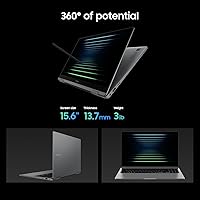
The Galaxy Book5 360 is most compelling if you're already living in the Samsung ecosystem. If your phone is a Galaxy device, the Phone Link and Auto Hotspot integrations shift from nice-to-have to genuinely practical daily tools. Students and remote workers who carry their machine all day will appreciate the light weight and battery stamina. The 360-degree hinge and touchscreen make it a reasonable note-taking companion in tablet mode, though it ships without a stylus. Content watchers will enjoy the AMOLED screen for video. If you use a non-Samsung phone or own no Galaxy devices, the value proposition narrows considerably.

User Feedback

Buyers broadly praise the display and battery life, though some note outdoor brightness can be a challenge. The keyboard draws mixed reactions — comfortable enough for long sessions, but hinge flex during heavy typing bothers certain users. A recurring concern: port selection feels limited, with no full-size USB-A on some configurations, which forces adapter use from day one. A few reviewers flag that fan noise increases noticeably under sustained loads, worth knowing if you plan to push the processor hard. On the positive side, build quality consistently draws compliments. The 16GB RAM and 512GB storage satisfy most everyday users but may feel restrictive for heavier creative workflows.

Pros

  • AMOLED display delivers rich, vivid color that most competing laptops at this price cannot match.
  • Real-world battery life comfortably covers a full workday for light to moderate users.
  • At 3.22 lbs and 0.54 inches thin, this convertible laptop disappears into any bag without strain.
  • Phone Link and Auto Hotspot work reliably for Galaxy smartphone owners, reducing device-switching friction.
  • Intel Core Ultra 7 handles multitasking, video calls, and Office workloads without hesitation.
  • Quick Share transfers large files to other Galaxy devices faster than most wireless alternatives.
  • 360-degree hinge is smooth and holds position firmly in all four usage modes.
  • AI Select is a practical, low-friction tool for on-screen searches without lifting your hands to type.
  • The Dolby Atmos quad speakers are noticeably better than what most thin laptops offer.
  • Build quality feels premium with a clean aluminum lid that holds up well to daily commuting.

Cons

  • No stylus included — a real gap for a convertible at this price tier.
  • Full-size USB-A ports are absent, forcing adapter use from day one.
  • Fan noise increases audibly under sustained CPU load, which can be distracting in quiet environments.
  • Galaxy AI and ecosystem features provide little value to non-Samsung phone owners.
  • The 1080p resolution lags behind QHD panels found on competing premium convertibles.
  • Chassis bottom warms noticeably on a lap during extended processing tasks.
  • Pre-installed bloatware requires manual cleanup and generates early notification spam.
  • 512GB storage fills quickly for users managing large media libraries or creative project files.
  • Outdoor screen visibility is limited due to reflectivity and brightness constraints.
  • No stylus compatibility beyond Samsung-specific options, limiting accessory flexibility.

Ratings

The Samsung Galaxy Book5 360 15.6″ 512GB earns a nuanced scorecard built from thousands of verified global buyer reviews, with our AI actively filtering out incentivized, bot-generated, and duplicate submissions to surface what real owners actually experience day-to-day. This convertible laptop has genuine strengths worth celebrating and real friction points worth knowing before you buy. The ratings below reflect both sides honestly, so you can judge whether this Samsung 2-in-1 fits your specific needs.
Battery Life
83%
Most owners report comfortably getting through a full workday and often into the evening on a single charge, which is rare at this size class. Light taskers — browsing, note-taking, video calls — regularly hit the 12-to-15 hour mark, making it a reliable travel companion without hunting for outlets.
The advertised 31-hour figure requires near-idle conditions most people never replicate. Under moderate workloads with the display at typical brightness, real-world numbers land significantly lower, and demanding tasks like video editing or sustained multitasking drain the battery faster than many buyers expect.
Display Quality
88%
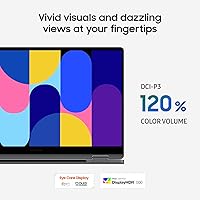
The AMOLED panel delivers punchy, vivid colors that make streaming video and photo editing genuinely enjoyable. Blacks are deep and contrast is strong, and even at 1080p the picture looks clean on a 15.6-inch screen for most everyday content consumption.
Resolution-conscious buyers — especially those coming from QHD or OLED panels on competing machines — will notice the 1080p ceiling. Outdoor brightness is a recurring complaint; direct sunlight makes the screen harder to read than the display's quality would otherwise suggest.
Performance & Speed
81%
19%
The Intel Core Ultra 7 (Series 2) handles everyday productivity tasks, multitasking across browser tabs, Office apps, and video calls without hesitation. Boot times are fast, app launches feel snappy, and the 16GB of LPDDR5 RAM keeps things moving even with a heavy tab count open.
Heavy creative workloads — sustained video rendering, large Lightroom catalogs, or simultaneous screen recording — push the integrated Intel ARC GPU to its limits and trigger noticeable fan spin-up. The 16GB RAM ceiling also means power users doing serious content creation may hit constraints sooner than expected.
Portability & Design
91%
At 3.22 lbs and barely over half an inch thick, this convertible laptop genuinely earns its portability claims. Students and commuters consistently highlight how easily it disappears into a bag without adding fatigue to a long day, and the build feels premium rather than plasticky for its weight class.
The thin chassis does flex slightly at the corners under pressure, which bothers some owners who prefer a more rigid feel. A small number of users also report that the hinge, while smooth, wobbles slightly on uneven surfaces in laptop mode, which can be distracting during typing sessions.
Keyboard & Typing Experience
71%
29%
Key travel is adequate for extended typing sessions, and the layout is sensibly spaced for a 15.6-inch form factor. Writers and students who spend hours drafting documents generally find it comfortable enough for daily use without significant fatigue.
The hinge introduces a small but noticeable flex when typing with the laptop on a soft surface like a bed or couch, which undermines confidence in the keystroke. Some reviewers also find the key feedback a touch shallow compared to dedicated productivity laptops in a similar price range.
Galaxy Ecosystem Integration
86%
For Samsung Galaxy phone owners, the Phone Link and Auto Hotspot features work reliably and reduce the constant context-switching between devices. Quick Share file transfers are noticeably faster than AirDrop-style alternatives many users have tried, and the experience feels cohesive rather than bolted-on.
If you use a non-Samsung phone or own no other Galaxy devices, a significant portion of the software value proposition simply does not apply. Even for Galaxy owners, occasional sync hiccups between Phone Link and certain Android builds have frustrated users running non-stock Samsung firmware.
Galaxy AI Features
67%
33%
AI Select — the ability to trace over on-screen content to trigger searches — is a genuinely practical shortcut once you get used to reaching for it. It handles text, QR codes, and images reliably and saves real time for research-heavy workflows.
Beyond AI Select, several Galaxy AI features feel more like demonstrations than tools people return to consistently. A number of buyers describe the broader AI suite as surface-level compared to third-party AI tools, and the features benefit Samsung device owners far more than general Windows users.
Audio Quality
78%
22%
The Dolby Atmos quad-speaker setup produces noticeably wider and more layered sound than most thin laptops in this class. Video calls, streaming, and casual music playback all benefit from a soundstage that doesn't require external speakers in a quiet room or small office.
Bass remains thin — as it does on virtually all ultrabooks — and at maximum volume some users detect a slight resonance in the chassis. It is better than average for its form factor, but audiophiles or users wanting room-filling sound will still want headphones or a Bluetooth speaker.
Touchscreen & Stylus Support
69%
31%
The touchscreen is responsive and tracking is accurate, making tablet mode functional for note-taking apps and light sketching. The 360-degree hinge rotates smoothly and locks securely in stand, tent, and tablet positions without feeling loose after extended use.
No stylus is included in the box, which is a notable omission for a convertible at this price tier. Buyers who want pen input — a core use case for this form factor — face an additional purchase, and stylus compatibility is limited to Samsung-specific options rather than universal alternatives.
Port Selection
58%
42%
The available USB-C ports support fast charging and data transfer, and Bluetooth 5 handles wireless peripherals reliably. For users who work primarily in wireless or cloud-based environments, the port layout causes minimal day-to-day friction.
The absence of full-size USB-A ports is a persistent complaint among buyers who use standard peripherals, USB drives, or presentation clickers. Adapters become a necessary accessory from day one, which feels like an unnecessary inconvenience on a machine targeting productivity-focused users.
Build Quality & Materials
84%
The aluminum chassis feels solid and the hinge mechanism operates smoothly through thousands of open-close cycles without reported loosening. Overall fit and finish consistently draw positive comments, and the Gray colorway maintains a clean, professional appearance that holds up well to regular handling.
The lid picks up fingerprints easily and the coating shows light scratches under close inspection after several weeks of bag carry. A small number of users note the plastic underside panel contrasts with the premium feel of the lid, which some find underwhelming at this price point.
Value for Money
72%
28%
For Samsung ecosystem users, the combination of AMOLED display, strong battery stamina, and tight device integration represents genuine value that comparable Windows convertibles struggle to match at the same price. The Intel Core Ultra 7 also offers future-readiness for AI-accelerated Windows features.
Non-Samsung users get a capable but less differentiated machine, and the FHD display resolution feels like a compromise given competing convertibles offering QHD at similar or lower prices. The lack of a bundled stylus and limited ports add hidden costs that chip away at the upfront value.
Software & Bloatware
63%
37%
Windows 11 Home runs reliably and Samsung's own utilities — including the Samsung Settings panel and Link to Windows — are genuinely polished compared to typical OEM software. The AI features are cleanly integrated rather than buried in obscure menus.
Pre-installed bloatware is a recurring frustration, with several Samsung and third-party apps running at startup that new owners have to manually disable. Some users also report occasional notification spam from Samsung apps during the initial setup period before everything is properly configured.
Thermal Management
66%
34%
During light to moderate workloads, the Galaxy Book5 360 runs quietly and the chassis stays comfortable to touch. Samsung's thermal tuning prioritizes silence during productivity tasks, which most everyday users will appreciate during meetings or library sessions.
Sustained CPU-intensive tasks cause the fan to ramp up audibly, and the bottom chassis can get warm enough to be noticeable on a lap. A handful of reviews mention thermal throttling during extended rendering sessions, suggesting the thin design imposes real limits under prolonged heavy loads.

Suitable for:

The Samsung Galaxy Book5 360 15.6″ 512GB is built for a specific kind of buyer, and it rewards them well. If you're a student or remote worker who already owns a Samsung Galaxy smartphone, this machine fits into your daily routine in ways that go beyond hardware specs — Phone Link, Auto Hotspot, and Quick Share collectively reduce the small but constant friction of juggling devices. The AMOLED display makes it a genuinely enjoyable screen for long study sessions, video calls, and casual streaming, and the thin, sub-3.5-lb build means it doesn't punish you for carrying it everywhere. Battery stamina in real-world moderate use is strong enough that most people can leave the charger at home for a full day. Creative note-takers who flip between laptop and tablet modes will find the 360-degree hinge responsive and the touchscreen accurate enough for handwriting apps, though they'll need to budget for a stylus separately.
Not suitable for:

Buyers who don't own Samsung Galaxy devices will find that a meaningful slice of what justifies this machine's price simply doesn't activate for them — the ecosystem integration is the differentiator, and without it, the Galaxy Book5 360 competes in a crowded field where rivals offer QHD displays or better port selection at comparable prices. Power users — video editors, 3D designers, developers running VMs — will likely hit the ceiling of the integrated Intel ARC GPU and may find the 16GB RAM constraining under serious sustained workloads. The 1080p panel, while vivid thanks to AMOLED technology, will feel like a step down to anyone accustomed to sharper QHD or 2.8K screens common on competing premium convertibles. Port-heavy users who rely on USB-A peripherals, SD cards, or wired displays will need adapters from day one, adding inconvenience and cost. If a stylus is central to your workflow, the lack of one in the box is a real omission at this price tier.

Specifications

  • Display: 15.6″ FHD AMOLED touchscreen with a 1920x1080 pixel resolution and vivid color reproduction suited for everyday media and productivity use.
  • Processor: Intel Core Ultra 7 (Series 2) running at 2.2 GHz, designed to handle AI-accelerated workloads alongside standard productivity and multitasking demands.
  • RAM: 16GB LPDDR5 RAM soldered to the motherboard, providing fast memory bandwidth for multitasking and AI feature execution.
  • Storage: 512GB NVMe SSD offering fast read and write speeds for quick boot times and responsive app launches.
  • Graphics: Intel ARC 140V integrated GPU with 8GB of dedicated graphics memory, capable of light creative tasks and smooth video playback.
  • Battery Life: Rated at up to 31 hours by Samsung under controlled conditions; real-world moderate-use sessions typically yield 10 to 15 hours.
  • Weight: 3.22 lbs (approximately 1.46 kg), making it one of the lighter options in the 15.6″ convertible laptop category.
  • Dimensions: 13.99 x 8.98 x 0.54 inches, a slim profile that fits comfortably in standard laptop sleeves and backpack compartments.
  • Operating System: Windows 11 Home comes pre-installed, with full support for Microsoft's Copilot AI features and standard Windows application ecosystem.
  • Hinge Design: 360-degree convertible hinge allows use in laptop, tablet, tent, and stand modes with a hinge mechanism rated for extended daily use.
  • Audio: Quad-speaker system tuned with Dolby Atmos for wider soundstage and improved audio layering compared to typical dual-speaker thin laptops.
  • Connectivity: Wi-Fi 6E and Bluetooth 5.3 are supported, with Auto Hotspot enabling automatic tethering to a paired Samsung Galaxy smartphone.
  • Galaxy AI: On-device Galaxy AI suite includes AI Select for gesture-based on-screen search across text, images, and QR codes without typing.
  • Phone Integration: Phone Link mirrors notifications, calls, and messages from a paired Samsung Galaxy smartphone directly to the laptop screen in real time.
  • File Sharing: Quick Share enables fast wireless file transfers — including large videos and documents — between this machine and other compatible Galaxy devices.
  • Color: Available in Gray, with an aluminum lid finish that maintains a clean professional appearance under regular daily handling.
  • Stylus Support: The touchscreen supports compatible Samsung stylus input, though no stylus is included in the retail box.
  • Warranty: Samsung provides a standard one-year limited warranty covering manufacturing defects, with optional extended coverage available through Samsung Care+.

Related Reviews

Samsung Galaxy Book2 Pro 15.6″ i7/16GB/512GB
85%
94%
Display Quality
91%
Battery Life
89%
Portability
88%
Performance
85%
Build Quality
More
Samsung Galaxy Book Odyssey Intel Laptop 15.6″, i7, 8GB RAM, 512GB SSD
84%
89%
Performance
91%
Battery Life
87%
Gaming Experience
85%
Display Quality
72%
Portability/Weight
More
Samsung Galaxy Book4 Edge 15.6-inch Laptop, Snapdragon X Plus, 16GB RAM, 512GB SSD
85%
93%
Battery Life
86%
Performance
84%
Display Quality
90%
Portability
91%
Charging Speed
More
SAMSUNG Galaxy Book3 15.6” Laptop, 13th Gen Intel Core i7-1355U, 16GB RAM, 512GB SSD
87%
91%
Performance
88%
Portability
85%
Battery Life
90%
Display Quality
78%
Webcam Quality
More
Samsung Galaxy Book5 Pro 360 16-inch 1TB
86%
91%
Overall Performance
93%
Display Quality
95%
Battery Life
78%
Portability & Weight
88%
Build Quality & Durability
More
Samsung Galaxy Book4 15.6-inch Laptop, Intel Core i7, 16GB RAM, 4TB SSD
85%
91%
Performance
97%
Storage Capacity
85%
Display Quality
88%
Portability
82%
Battery Life
More
HP 2020 15 15.6″ HD Touchscreen Laptop, Intel Core i5-1035G1, 16GB RAM, 512GB SSD
82%
89%
Performance
75%
Display Quality
90%
Portability
80%
Battery Life
85%
Build Quality
More
Samsung Chromebook 4+ 15.6″
82%
88%
Battery Life
83%
Display Quality
80%
Performance for Everyday Tasks
90%
Build Quality and Durability
85%
Portability
More
SAMSUNG Galaxy Watch 6 Classic 43mm
84%
91%
Fitness & Health Tracking
89%
Design & Build Quality
74%
Battery Life
87%
Display Quality
88%
Ease of Use
More
SAMSUNG Galaxy Tab S10+ 12.4” 512GB
86%
94%
Display Quality
91%
Battery Life
88%
Performance
85%
Build Quality
90%
S Pen Functionality
More

FAQ

Not under typical use, no. Samsung's 31-hour figure is measured under near-idle conditions with low brightness and minimal background activity. Most owners doing regular work — browsing, video calls, documents — report 10 to 14 hours, which is still excellent for a 15.6″ laptop but worth calibrating expectations around before you buy.

You don't need one to use the laptop, but a significant part of what makes the Galaxy Book5 360 stand out — Phone Link, Auto Hotspot, and Quick Share — only works properly with a Samsung Galaxy smartphone. If you use an iPhone or a non-Samsung Android device, those features simply won't be available, and the machine becomes a capable but less differentiated Windows 2-in-1.

The AMOLED panel produces vivid, high-contrast visuals that look great for casual creative work and content consumption. That said, the 1080p resolution is a limitation for serious professional editing — fine details and sharpness won't match what you'd get on a QHD or higher-resolution display. For hobbyists it's more than adequate; for working professionals it may feel restrictive.

Unfortunately, no. The 16GB RAM is soldered directly to the motherboard and cannot be upgraded after purchase. The SSD may be replaceable depending on configuration, but Samsung does not officially support user upgrades and doing so may void your warranty. If 512GB feels tight for your workflow, it's worth considering external storage or cloud solutions from the start.

No, a stylus is not included in the box, which is a notable gap for a convertible laptop at this price point. The touchscreen does support compatible Samsung stylus input, so you can purchase one separately — just make sure you check compatibility with this specific model before buying a third-party option.

For light to moderate tasks like web browsing, writing, and video calls, the fan is nearly silent and the chassis stays cool. Where things change is during sustained workloads — extended video rendering, large file compression, or running multiple demanding apps simultaneously. In those scenarios, the fan ramps up to an audible level that some users find distracting in quiet environments like libraries or open offices.

The Samsung Galaxy Book5 360 15.6″ 512GB includes two Thunderbolt 4 USB-C ports, one USB-A port, a microSD card slot, and a headphone jack. There is no full-size HDMI or SD card slot, so users who frequently connect to external displays, projectors, or use standard camera memory cards will likely need a USB-C hub or adapter.
It works well for shorter note-taking sessions — the hinge locks solidly in tablet mode and the touchscreen is responsive. At 3.22 lbs, though, holding it like a traditional tablet for extended periods gets tiring. Most users find it more practical in tent or stand mode on a desk rather than held in hand for long stretches.

Light gaming — think browser-based games, older titles, or casual indie games — runs fine. The Intel ARC 140V is a capable integrated GPU for its class, but this convertible laptop is not designed for AAA gaming or GPU-heavy creative rendering. Expecting it to handle modern 3D titles at playable frame rates will lead to disappointment.

Yes, the keyboard is backlit, which makes it usable in dim environments. For typing comfort, most users find it acceptable for daily productivity work, though the key travel is on the shallower side compared to dedicated productivity laptops. If you type heavily for hours at a stretch, it's worth trying it in person if possible, as keyboard feel is subjective and some users do find it less satisfying than thicker machines.