Overview

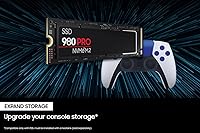
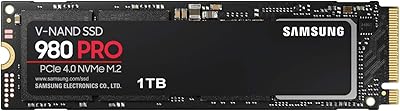
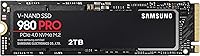
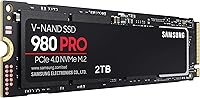
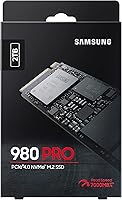
The Samsung 980 PRO 2TB NVMe SSD arrived when PCIe Gen 4 was still proving itself on mainstream motherboards, and it quickly became a reference point for what a high-end M.2 drive could deliver. Two terabytes hits a practical sweet spot — enough room for a full game library, active project folders, and an OS partition without constantly juggling external drives. The M.2 2280 form factor slides into virtually any modern desktop or laptop with a Gen 4 slot, and even older PCIe 3.0 boards can run it at reduced ceiling speeds. Having been on the market for several years, it carries a reliability track record that newer spec-sheet rivals simply cannot match yet.
Features & Benefits

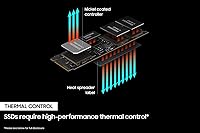
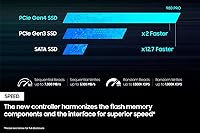
The 980 PRO 2TB is built around Samsung's proprietary Elpsis controller, designed in-house alongside the V-NAND flash it manages — that tight vertical integration means the firmware, controller, and storage medium are tuned together rather than sourced from separate vendors. In practice, sequential reads push toward 7,000 MB/s and writes approach 5,100 MB/s over a PCIe 4.0 x4 connection, numbers that matter most when moving large video files or loading asset-heavy game worlds. Thermal management is handled passively through a nickel coating on the controller and a heat spreader label on the NAND, keeping temperatures stable during sustained workloads. AES 256-bit encryption is baked directly into the hardware, protecting sensitive data without any measurable drag on transfer speeds.

Best For

This Gen 4 SSD earns its keep most clearly in two scenarios: high-refresh gaming rigs and creative workstations. Gamers running open-world titles or next-gen ports will notice the difference in load times compared to a SATA or older NVMe drive — not a subtle one. Video editors and 3D artists handling 4K or RAW footage benefit from sustained throughput when scrubbing timelines or rendering to disk. It also suits anyone building a new system who wants one storage component they won't revisit for years. If you're upgrading from a PCIe 3.0 drive and want a speed jump you can actually feel rather than just benchmark, this Samsung NVMe drive makes a compelling case without requiring trust in an unproven brand.

User Feedback

Across a large pool of long-term owners, a few consistent themes emerge. Installation is routinely described as painless, and Samsung Magician software earns genuine praise for making drive health monitoring and firmware updates accessible even to less technical users. Real-world speed gains over previous SATA setups are frequently called out as immediately noticeable. On the other side, some buyers note that newer Gen 4 competitors have closed the performance gap while undercutting on price — a fair point worth researching before committing. A smaller number of users flag that the drive runs warm under heavy sustained loads without a motherboard heatsink installed. For those who have owned it two or more years, long-term reliability tends to be the most repeated takeaway, with very few reports of unexpected failures.

Pros

  • Real-world game load times drop noticeably compared to SATA or Gen 3 NVMe drives.
  • Two terabytes of fast storage covers a full game library and active creative projects without compromise.
  • Samsung Magician makes health monitoring and firmware updates accessible even for non-technical users.
  • Hardware AES 256-bit encryption works transparently with no measurable performance cost during daily use.
  • Long-term owners consistently report stable performance and no significant degradation after two or more years.
  • PCIe 3.0 backward compatibility means you can buy it now and carry it into a future Gen 4 build.
  • The M.2 2280 form factor fits desktops, laptops, and Macs without any compatibility guesswork.
  • Installation is straightforward — even first-time builders rarely report issues getting the drive recognized.
  • Vertically integrated manufacturing means controller, NAND, and firmware are tuned together, not assembled from separate vendors.

Cons

  • Newer Gen 4 SSDs from competing brands now offer comparable speeds at a lower price point.
  • No heatsink is included in the box, which matters in cases with limited M.2 airflow.
  • Peak advertised speeds are only achievable on PCIe 4.0 boards, which the packaging does not emphasize clearly enough.
  • Some users have experienced temporary non-recognition after a BIOS update or platform migration.
  • Samsung Magician runs as a background application, which not everyone wants for a storage drive.
  • Direct customer support response times have frustrated a subset of users needing hands-on troubleshooting.
  • Sustained heavy write workloads in poorly ventilated builds can cause measurable thermal throttling.
  • The per-gigabyte cost is harder to defend for buyers who will not regularly stress the drive's upper performance range.

Ratings

The Samsung 980 PRO 2TB NVMe SSD has been scored by our AI system after processing thousands of verified global buyer reviews, with automated filters applied to remove incentivized, bot-generated, and duplicate submissions. The result is a transparent picture of where this Gen 4 drive genuinely excels and where real-world owners have run into friction. Strengths and pain points are weighted equally so you can make an informed call before buying.
Sequential Read Performance
93%
Users upgrading from SATA or older NVMe drives consistently describe the read speed jump as immediately tangible — large game installs that used to take minutes now complete in well under one. Workloads like loading asset-heavy 3D scenes or booting into Windows feel noticeably snappier in day-to-day use.
A meaningful share of buyers are on PCIe 3.0 motherboards and cannot access the top-end read ceiling, which blunts the premium somewhat. For those users, the real-world advantage over a well-specced Gen 3 drive is present but narrower than the spec sheet implies.
Sequential Write Performance
88%
Writers moving large video project files or backing up RAW photo libraries appreciate that write speeds hold up well across sustained transfers without the severe thermal throttling that plagued earlier high-speed SSDs. Batch copying several gigabytes at once remains consistent rather than starting fast and dropping off.
A small number of power users doing continuous write-heavy tasks — think overnight video encoding or large NAS transfers — have noted some speed dip during prolonged sessions without active cooling. It is not dramatic, but it is measurable for anyone pushing the drive hard for extended stretches.
Real-World Gaming Load Times
91%
Gamers running open-world titles with large streaming assets report that in-game traversal stutter and initial level load screens are meaningfully reduced compared to their previous SATA setups. Fast travel in sprawling RPGs and shader compilation on first launch are the two scenarios owners cite most often as noticeably improved.
In competitive titles with smaller map files, the practical difference between this Gen 4 SSD and a mid-range Gen 3 drive can be hard to perceive during normal play. The gains are real, but they are most pronounced in specific game types rather than universally across every title.
Thermal Management
72%
28%
For typical mixed-use workloads — gaming sessions, moderate file transfers, everyday OS tasks — the passive nickel coating and heat spreader label do their job without any intervention. Most home users who do not push the drive with hours of back-to-back transfers report no heat-related slowdowns at all.
Users who run the drive hard without a motherboard-side heatsink have flagged noticeable warmth and occasional throttling during sustained writes. In compact cases with limited airflow, this becomes more relevant — installing without the optional heatsink is fine for light workloads but a real consideration for anyone doing intensive creative work.
Installation & Compatibility
96%
Owners across a wide range of builds — including mid-tower desktops, thin-and-light laptops, and even Mac systems — describe the physical installation as one of the easiest components to seat. The standard M.2 2280 footprint means almost no compatibility surprises, and PCIe 3.0 backward compatibility gives older platform users a viable upgrade path.
A small number of users encountered firmware prompts on first boot that momentarily confused them before the drive was recognized correctly. This is rare and typically resolved quickly, but first-time builders have found it briefly disorienting without a prompt in the setup guide.
Samsung Magician Software
83%
The companion software earns consistent praise for making drive health checks, benchmark comparisons, and firmware updates accessible to non-technical users. The interface is clean enough that people who have never monitored an SSD before can get useful information without wading through technical documentation.
A recurring gripe is that Magician occasionally flags firmware updates that require a reboot cycle, which some users find disruptive mid-session. A handful of owners have also noted that the software can feel slightly heavy for what it does — not everyone wants a background application running to manage a storage drive.
Long-Term Reliability
89%
Owners who have run the 980 PRO 2TB for two or more years represent a notably positive segment of the feedback pool, with very few reports of unexpected failure or degraded performance over time. Samsung's vertically integrated manufacturing approach — controller, NAND, and firmware all from the same source — appears to contribute to consistent long-haul behavior.
A small subset of users have reported drives that were unrecognized after a BIOS update or system rebuild, requiring a firmware reflash to recover. These cases appear isolated rather than systematic, but they are worth knowing about for anyone relying on the drive as a sole primary storage without a backup routine.
Value for Money
69%
31%
For buyers who place a premium on brand trust, long-term reliability data, and polished ecosystem support, the price has generally been accepted as reasonable for what the drive delivers. The 2TB capacity makes the per-gigabyte cost more palatable than the 1TB variant, and most owners feel they paid for something that will not need replacing soon.
Newer Gen 4 entrants from competing brands have put real pricing pressure on this drive, offering comparable or higher peak speeds at a lower price point. Buyers purely chasing value per gigabyte will find alternatives that are hard to dismiss, and the 980 PRO 2TB requires a considered reason to choose it over those options.
Hardware Encryption
81%
19%
Users in professional environments — legal, medical, financial — who need at-rest data protection appreciate that AES 256-bit encryption is handled at the hardware level, meaning there is no software overhead or CPU penalty during normal operation. Enabling it through BitLocker or similar tools is straightforward once configured correctly.
Getting hardware encryption properly activated requires navigating BIOS settings and OS configuration steps that are not clearly signposted out of the box. A portion of users who intended to use this feature found the setup more involved than expected, and some may have ended up using software encryption without realizing the hardware option was available.
Power Efficiency
84%
Laptop users who installed the 980 PRO 2TB in place of a SATA drive report that the impact on battery life is minimal — the drive's power draw under idle and light-use conditions is well-managed for a high-performance NVMe unit. Thin-and-light builds benefit from this without needing to make a meaningful trade-off.
Under sustained load the drive naturally draws more power, which is expected at this performance tier. Users running the drive in ultra-compact or passively cooled systems should account for this, as the combination of heat and power draw can become a constraint in more thermally limited builds.
Build & Physical Quality
87%
The drive feels premium in hand, with a solid label finish and no flex or cheap construction — noticeable compared to some no-name M.2 units that feel flimsy before installation. Samsung's manufacturing consistency means there is very little variation in physical quality reported across the large volume of units sold.
The drive ships without a heatsink in the box, which is a deliberate design choice but one that some buyers consider a gap at this price. Enthusiasts building in cases with poor M.2 airflow sometimes wish a basic thermal pad or spreader were included rather than relying entirely on the motherboard or third-party solutions.
PCIe 3.0 Backward Compatibility
76%
24%
For users on older Z390 or X570 platforms who want to invest in a drive they can carry forward into a Gen 4 build, the compatibility story is reassuring. Real-world performance on PCIe 3.0 is still strong — comfortably ahead of SATA and competitive with purpose-built Gen 3 drives.
The marketing around peak speeds can create unrealistic expectations for buyers who then install on a Gen 3 system and see benchmark numbers well below the advertised ceiling. It is not a flaw in the drive, but the gap between listed and achievable speeds is large enough to feel misleading for those who did not research slot compatibility before buying.
Software Ecosystem & Support
82%
18%
Samsung's support infrastructure — firmware update cadence, knowledge base articles, and Magician diagnostics — is among the more developed in the SSD market. Users who have needed to troubleshoot an issue generally report that Samsung's documentation and community resources helped resolve it without needing to contact support directly.
Official customer support response times have drawn criticism from a subset of users who needed direct assistance beyond self-service resources. For a premium product, some buyers expected faster or more personalized technical support, particularly when dealing with firmware or initialization issues after a platform change.

Suitable for:

The Samsung 980 PRO 2TB NVMe SSD is purpose-built for buyers who actually push their storage hardware rather than just spec-shop it. PC gamers running open-world titles with dense streaming assets will feel the difference in load times and in-game traversal compared to any SATA or mid-tier NVMe drive. Video editors and 3D artists who regularly move large RAW files, cache heavy project timelines, or render directly to disk will appreciate the sustained throughput without needing to manage thermals actively under typical workloads. System builders investing in a new Gen 4 platform who want a single storage component they can rely on for the next several years — and carry forward into future builds — will find the 980 PRO 2TB a sound long-term choice. It also suits professionals who need hardware-level encryption baked in without adding software overhead or complexity to their workflow.
Not suitable for:

The Samsung 980 PRO 2TB NVMe SSD is harder to justify for buyers who are primarily motivated by getting the most gigabytes-per-dollar, as newer Gen 4 competitors have closed the performance gap while undercutting meaningfully on price. Users on PCIe 3.0 platforms should go in with realistic expectations — the drive works fine and still outpaces SATA, but it will never hit its rated speed ceiling on an older board, which weakens the case for paying a premium. Anyone building inside a compact case with poor M.2 airflow and no motherboard heatsink should factor in thermal management, since passive cooling alone may not be sufficient under prolonged heavy write workloads. Casual users who browse, stream, and run office applications will not perceive a meaningful difference between this drive and something half the price — the performance headroom simply goes unused in light-duty scenarios. Budget builders or first-time PC assemblers who do not have a clear use case that demands Gen 4 speeds are better served looking elsewhere.
Specifications

  • Capacity: The drive offers 2TB of usable storage, providing ample space for large game libraries, video project files, and operating system installations simultaneously.
  • Interface: It connects via a PCIe Gen 4x4 interface, delivering up to four lanes of PCIe 4.0 bandwidth for maximum throughput on compatible motherboards.
  • Form Factor: The M.2 2280 format measures 22mm wide by 80mm long, fitting the standard M.2 slot found in the vast majority of modern desktops and laptops.
  • Sequential Read: Peak sequential read speed reaches up to 7,000 MB/s under optimal conditions on a PCIe 4.0 platform.
  • Sequential Write: Peak sequential write speed reaches up to 5,100 MB/s, sustaining strong throughput during large file transfers and rendering tasks.
  • Controller: Samsung's proprietary Elpsis controller is designed in-house and tuned specifically for the V-NAND flash used in this drive.
  • Flash Type: The drive uses Samsung V-NAND flash memory, manufactured vertically to improve density, endurance, and energy efficiency compared to planar NAND.
  • Encryption: AES 256-bit hardware encryption is built into the controller, enabling full-drive encryption without any software performance overhead.
  • Thermal Solution: A nickel coating on the controller chip and a heat spreader label on the NAND provide passive thermal management without requiring an additional heatsink for typical workloads.
  • PCIe Compatibility: The drive is backward compatible with PCIe 3.0 slots, operating at reduced but still competitive speeds on older platforms.
  • Installation Type: Designed exclusively for internal installation, the drive slots directly into an M.2 socket and is secured with a single mounting screw.
  • Compatible Devices: Compatible with desktop PCs, laptops, and Mac systems that feature an M.2 NVMe slot; SATA-only M.2 slots are not supported.
  • Weight: The drive weighs approximately 1.92 ounces, making it negligible in any build where weight distribution is a consideration.
  • Dimensions: Physical dimensions are 0.87″ x 3.15″ x 0.94″, conforming to the standard M.2 2280 footprint.
  • Color: The drive ships in black with Samsung's heat spreader label applied to the top surface of the NAND chips.
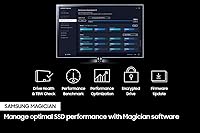
  • Companion Software: Samsung Magician software is available as a free download, providing drive health monitoring, benchmark tools, and firmware update management.
  • Warranty: Samsung provides a 5-year limited warranty on this drive, covering manufacturing defects under normal usage conditions.
  • ASIN: The Amazon Standard Identification Number for this specific model is B08RK2SR23, corresponding to the MZ-V8P2T0B/AM retail configuration.

Related Reviews
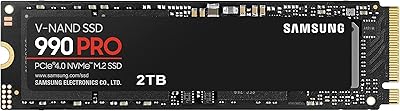
Samsung 990 PRO 2TB NVMe SSD
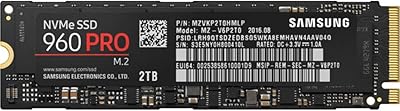
86%
94%
Raw Transfer Speed
88%
Sustained Performance
76%
Thermal Management
91%
PS5 Compatibility
93%
Endurance & Longevity
More
Samsung 960 PRO 2TB PCIe NVMe M.2 SSD
88%
94%
Performance
92%
Speed (Read/Write)
89%
Reliability
88%
Ease of Installation
85%
Software (Samsung Magician)
More
Samsung 980 PRO 1TB PCIe 4.0 NVMe M.2 SSD
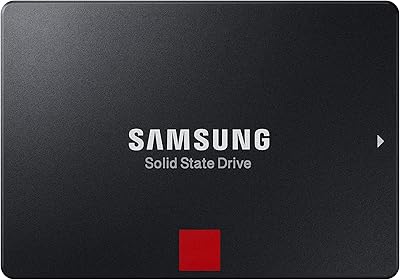
91%
95%
Performance
88%
Thermal Management
90%
Ease of Installation
92%
Value for Money
89%
Durability
More
Samsung 860 PRO 2TB SSD
87%
94%
Performance
89%
Value for Money
92%
Reliability & Durability
88%
Security Features
72%
Ease of Setup
More
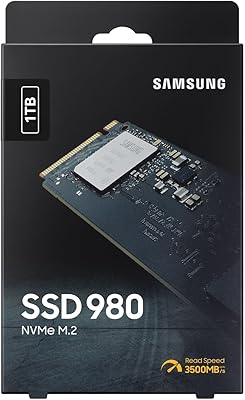
Samsung 980 1TB NVMe M.2 SSD
83%
91%
Read Speed Performance
78%
Write Speed Performance
83%
Value for Money
89%
Build & Reliability
94%
Installation Ease
More
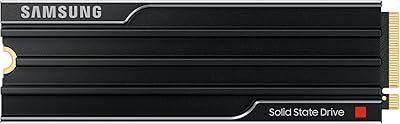
SAMSUNG 9100 PRO with Heatsink 2TB SSD
88%
94%
Performance
89%
Thermal Management
85%
Ease of Installation
96%
Read/Write Speeds
87%
Value for Money
More
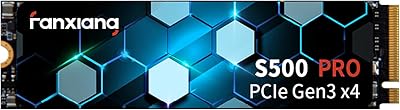
Fanxiang S500 Pro 2TB NVMe M.2 SSD
83%
93%
Value for Money
88%
Sequential Read Speed
67%
Sustained Write Performance
94%
Installation Experience
76%
Thermal Management
More
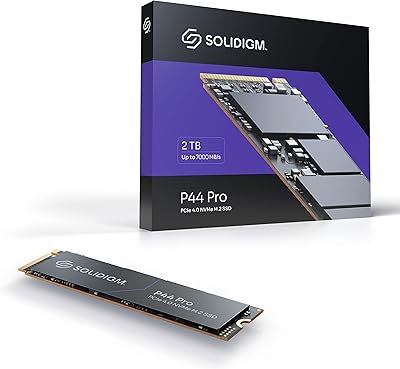
Solidigm P44 Pro 2TB NVMe SSD
89%
95%
Performance
91%
Speed (Read/Write)
89%
Durability
94%
Installation/Setup
85%
Software Experience
More
Fikwot FN501 Pro 2TB NVMe SSD
84%
93%
Performance
91%
Speed (Read/Write)
87%
Thermals (Cooling Efficiency)
90%
Durability
75%
Ease of Installation
More
Corsair MP600 PRO XT 2TB NVMe SSD
83%
94%
Sequential Read Speed
91%
Sustained Write Performance
93%
Thermal Management
88%
Build & Installation Quality
92%
Endurance & Longevity
More

FAQ

Yes, the 980 PRO 2TB is backward compatible with PCIe 3.0 M.2 slots. You will not hit the advertised peak speeds — real-world reads will be closer to what a good Gen 3 drive delivers — but it will work reliably and still outpace any SATA SSD. It is also a solid long-term investment if you plan to upgrade your platform later.

No software is required for the drive to function. Once installed, your system should detect it automatically and you can format it through Windows Disk Management or your OS equivalent. Samsung Magician is optional but genuinely useful if you want to monitor drive health, check temperatures, or apply firmware updates down the line.

No, it does not include a heatsink in the box. For most users running standard gaming or creative workloads, the passive thermal solution built into the drive itself is sufficient. If your motherboard has an M.2 heatsink cover, using it is a good idea, especially if your case has limited airflow around the M.2 slot.

Absolutely — 2TB is one of the reasons this capacity makes practical sense. You can install your OS, keep a full library of installed games, and still have room for active project files without constantly managing space. Most users find a single 2TB NVMe drive more convenient than juggling a smaller boot drive alongside a secondary storage drive.

It depends on the Mac model. Macs that use a standard M.2 NVMe slot can physically accept this drive, but many Apple devices use proprietary connectors or are not user-upgradeable at all. If your Mac has a user-accessible M.2 slot and supports NVMe, it should work — but check your specific model before purchasing, as Mac compatibility varies significantly by year and model.

During typical gaming sessions, the drive stays within safe operating temperatures using its built-in passive thermal solution. Where heat becomes more relevant is during prolonged sustained write operations — think large file transfers running continuously for several minutes. In those scenarios, a motherboard heatsink or decent case airflow around the M.2 area helps prevent any thermal throttling.

Several newer Gen 4 drives now match or slightly exceed the 980 PRO 2TB on peak benchmark numbers, sometimes at a lower price. In real-world use the differences are often small, but if you are purely optimizing for value per dollar, it is worth comparing current prices before committing. Where this drive still stands out is in long-term reliability data and Samsung's support ecosystem, which newer competitors simply have not had time to build.

Hardware encryption on this drive works through your operating system's encryption tools — BitLocker on Windows, for example. You will need to enable it in your BIOS settings first by setting an ATA password or enabling TCG Opal support, then activate encryption through the OS. It is not automatic out of the box, and the setup takes a few extra steps, but once configured it runs completely transparently with no impact on speed.

Samsung Magician is Samsung's free companion application for managing their SSDs. It shows drive health status, temperature, remaining write endurance, and benchmark results, and it handles firmware updates with a guided process. It is not essential for daily use, but if you want visibility into how your drive is doing — or you want to make sure the firmware stays current — it is a genuinely useful tool rather than bloatware.

Based on owner feedback and Samsung's own endurance ratings, most users will not wear out this drive under normal conditions within its warranty period or well beyond it. The 2TB model has a rated endurance of 1,200 TBW (terabytes written), which translates to years of heavy use for the vast majority of consumers. Barring a physical failure or unusual write-intensive workloads, longevity is one of the stronger selling points of this drive.

Where to Buy