Overview

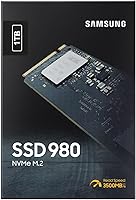
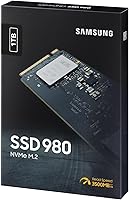
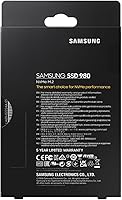
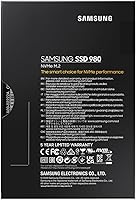
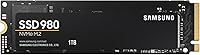
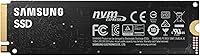
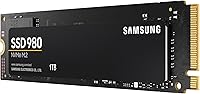
The Samsung 980 1TB NVMe M.2 SSD sits in a comfortable middle ground — fast enough to satisfy most everyday users, sensibly priced for builders who don't need cutting-edge PCIe 4.0 throughput. Plugging into the M.2 slot found on virtually every modern motherboard, it uses the NVMe protocol over PCIe 3.0, a meaningful step up from SATA in real, day-to-day use. Samsung has built a strong track record in consumer storage, and this drive carries that reputation. For most people, 1TB of NVMe storage hits the sweet spot — enough room for an OS, applications, and a solid game library without paying for capacity you won't fill.

Features & Benefits

The headline number is a sequential read speed of up to 3,500 MB/s — roughly six times what a SATA SSD can manage. In practice, that translates to noticeably snappier boot times and faster application launches rather than just benchmark bragging rights. The NVMe protocol keeps latency low, which matters when you're jumping between tasks or loading large project files. A built-in dynamic thermal guard throttles the drive before it gets dangerously hot during heavy transfers, protecting both performance and longevity. One honest caveat: this M.2 SSD relies on Host Memory Buffer instead of dedicated DRAM cache, which can affect sustained write performance compared to pricier alternatives. Samsung Magician software rounds things out with health monitoring and easy firmware updates.

Best For

This Samsung NVMe drive makes the most sense for anyone upgrading from a SATA SSD or a spinning hard drive — the speed difference is immediately noticeable. It's a natural fit for PC builders on a budget who want genuine NVMe performance without stretching to a PCIe 4.0 price point. Students and content creators handling large files will appreciate the consistent throughput for everyday work. On the laptop side, its M.2 2280 form factor and low power draw make it a practical upgrade candidate for most modern notebooks. One important note: if you're shopping for a PS5 storage upgrade, this drive is not compatible — that's explicitly confirmed by Samsung, so console buyers should look elsewhere.

User Feedback

With over 16,000 ratings and a 4.8-star average, the 980 1TB has built a compelling track record among real buyers. The most consistent praise centers on easy installation, stable real-world speeds, and the reassurance of buying from a brand with a long history in storage. People regularly mention using it in gaming builds, laptop refreshes, and even light NAS setups. On the critical side, some technically minded reviewers flag the absence of a dedicated DRAM cache as a limitation under heavy sustained writes — a fair point worth knowing before you buy. A handful also question its value against newer PCIe 4.0 options at similar prices. Still, the sheer volume of positive long-term feedback suggests consistent reliability over time.

Pros

  • Sequential read speeds up to 3,500 MB/s deliver a dramatic, immediately noticeable upgrade over SATA drives.
  • Boot times and application launches are significantly faster thanks to the low-latency NVMe protocol.
  • The M.2 2280 form factor fits the vast majority of modern laptops and desktop motherboards without adapters.
  • Samsung Magician software makes drive health monitoring and firmware updates straightforward for non-technical users.
  • A built-in thermal guard protects the drive during sustained transfers, helping preserve long-term reliability.
  • Over 16,000 buyer ratings with a 4.8-star average reflects strong, consistent real-world satisfaction.
  • Samsung's track record in consumer storage adds meaningful confidence to the purchase decision.
  • 1TB capacity hits a practical sweet spot for most users — enough for an OS, apps, and a healthy game library.
  • Low power draw makes this M.2 SSD a smart pick for battery-sensitive laptop upgrades.
  • Installation is widely described as quick and straightforward, even for first-time builders.

Cons

  • No dedicated DRAM cache means sustained write performance can dip under heavy, prolonged workloads.
  • Buyers on PCIe 4.0 motherboards can find faster drives at competitive prices, making the value case less clear.
  • Not compatible with PS5 — console users will need to shop elsewhere for a storage upgrade.
  • HMB cache reliance is a technical trade-off that budget-focused buyers may not fully anticipate before purchasing.
  • Competing drives at a similar price now offer PCIe 4.0 speeds, which may age this drive faster in comparison.
  • Random write performance under sustained load trails DRAM-equipped SSDs in demanding professional use cases.
  • No included heatsink or thermal pad, which may matter in tight laptop chassis with limited airflow.
  • Long-term value proposition weakens as PCIe 4.0 options continue to drop in price.

Ratings

The Samsung 980 1TB NVMe M.2 SSD scores below are generated by AI after analyzing thousands of verified global buyer reviews, with spam, incentivized, and bot-driven feedback actively filtered out. The result is an honest, balanced snapshot of how real users — from budget PC builders to laptop upgraders — rate this drive across the categories that actually influence a purchase decision. Both the genuine strengths and the recurring frustrations are reflected transparently in every score.

Read Speed Performance
91%
Users consistently report dramatically faster boot times and application launches compared to their previous SATA drives. The jump to NVMe speeds is tangible in everyday use — opening large Photoshop files, loading game levels, and transferring media folders all feel noticeably snappier from day one.
A small number of more technical reviewers note that real-world sequential reads don't always sustain peak rated speeds under prolonged workloads. While the difference rarely matters for typical users, those benchmarking the drive carefully may find the numbers fall slightly short of the advertised ceiling.
Write Speed Performance
78%
22%
For everyday writing tasks — installing software, saving project files, downloading games — the 980 1TB handles the load without hesitation. Most users running standard desktop or laptop workflows report no noticeable slowdowns during normal write operations.
The absence of a dedicated DRAM cache is where sustained write performance takes a measurable hit. During long sequential writes, such as cloning a full drive or ingesting large video batches, some users observe speed drops as the HMB buffer reaches its limits — a known trade-off at this price tier.
Value for Money
83%
Buyers frequently describe this Samsung NVMe drive as hitting a practical sweet spot between NVMe-grade performance and an accessible price point. For anyone upgrading from a SATA SSD or a spinning hard drive, the performance-per-dollar equation is hard to argue with at its market position.
With PCIe 4.0 drives increasingly available at comparable prices, some buyers question whether the 980 1TB still represents the best use of their budget. The value case weakens slightly for anyone building on a newer platform where faster options don't carry a meaningful premium.
Build & Reliability
89%
Samsung's reputation for durable, long-lasting storage hardware carries real weight here, and the volume of long-term positive reviews backs it up. Buyers who installed the drive one or two years ago continue to report stable performance, with very few failure reports surfacing in the review pool.
As with any consumer SSD, a small percentage of users report early failures or drive recognition issues — though these cases are statistically rare given the sample size. The lack of a DRAM cache could theoretically affect endurance under extremely heavy write workloads over years of use.
Installation Ease
94%
First-time builders and laptop upgraders consistently praise how straightforward the installation process is. The M.2 2280 form factor snaps in cleanly, and with Samsung Magician handling data migration, many users had their new system running within an hour of opening the package.
A small handful of users ran into compatibility quirks with older motherboards or certain laptop models where BIOS settings needed adjustment before the drive was recognized. These are edge cases, but they do require some technical confidence to troubleshoot without professional help.
Thermal Management
81%
19%
The built-in dynamic thermal guard does its job quietly in the background — most users running the drive in desktops or well-ventilated laptops report stable temperatures even during extended file transfers or gaming sessions lasting several hours.
In compact or fanless laptop chassis with poor airflow, some users report the drive throttling under sustained load as temperatures climb. No heatsink or thermal pad is included, which means buyers in tight builds may want to source one separately for consistent performance.
Software & Ecosystem
86%
Samsung Magician is one of the more polished drive management tools available from any storage brand. Users appreciate the clean interface for monitoring drive health, running diagnostics, and keeping firmware current — all without needing third-party utilities.
A few users on non-Windows platforms report that Magician's feature set is more limited on macOS and Linux. The core drive functionality is unaffected, but those who rely heavily on health monitoring outside of Windows get a reduced software experience.
Compatibility
79%
21%
The M.2 2280 form factor covers the overwhelming majority of modern desktop motherboards and laptops, and the drive works across Windows, macOS, and Linux without driver headaches. Most buyers slot it in and it's immediately recognized by the system.
PS5 owners searching for a console storage upgrade will find this drive is explicitly incompatible — a point that catches some buyers off guard if they don't read the listing carefully. Older systems with only M.2 SATA slots will also not benefit from the NVMe speeds this drive is designed around.
Power Efficiency
84%
Laptop users in particular highlight the drive's low idle power draw as a meaningful benefit, noting that battery life holds up well after the upgrade compared to their previous SATA or HDD-based systems. Sleep mode support further reduces consumption during inactive periods.
Under heavy sustained workloads the power draw climbs, which can have a modest impact on battery life during intensive tasks like large file transfers or extended game sessions on battery. It's not a significant concern for most users, but mobile power users may notice it.
Gaming Performance
82%
18%
Gamers report fast load times across a wide variety of titles, and the NVMe interface eliminates the storage-related stutters that can occasionally occur in open-world games with heavy asset streaming. For the vast majority of gaming builds, this M.2 SSD more than holds its own.
Hardcore PC gamers who have upgraded to PCIe 4.0 platforms note that load time differences between this drive and faster alternatives are measurable in benchmarks, even if they're less obvious in casual play. DirectStorage-optimized games in particular may extract more benefit from a PCIe 4.0 drive.
Capacity Practicality
88%
1TB sits in the practical middle ground that most buyers need — enough for a Windows installation, a full suite of creative apps, and a library of games without constantly managing space. Users regularly describe it as the capacity they wished they had started with on their previous build.
Content creators working with 4K video projects or users with very large game libraries may find 1TB fills up faster than expected. A handful of reviewers mention they wish they had gone for a larger capacity, particularly as modern game install sizes continue to grow.
Transfer Consistency
73%
27%
For typical file transfers — moving photos, downloading software updates, copying documents — the 980 1TB delivers consistent, fast results that leave SATA storage well behind. Users moving moderate-sized files in the hundreds of gigabytes range generally report reliable throughput.
Transfer consistency is where the HMB cache limitation is most visible. During very long bulk transfers, some users observe the drive slowing perceptibly once the buffer is exhausted, resulting in uneven throughput graphs that differ from the smooth performance of DRAM-equipped alternatives.
Long-Term Endurance
77%
23%
Samsung's track record and the strong volume of multi-year owner reviews suggest this drive holds up well in standard daily use scenarios. Users who have owned the drive for over a year report minimal performance degradation under normal workloads.
Without dedicated DRAM, there are theoretical endurance concerns under extremely write-heavy workloads sustained over years — such as continuous NAS or server-adjacent use. Samsung has not publicly specified TBW endurance figures for this model at the same level of detail as the Pro tier drives.

Suitable for:

The Samsung 980 1TB NVMe M.2 SSD is an excellent fit for everyday PC builders and upgraders who want a genuine performance boost without committing to top-tier pricing. If you're currently running a SATA SSD or, worse, a mechanical hard drive, the jump to this drive will feel dramatic — faster boot times, snappier app launches, and noticeably quicker file transfers are all things you'll experience within the first hour of use. Students managing large project files, content creators who regularly move video footage or design assets, and casual-to-moderate gamers loading titles from storage will all find it more than capable. Laptop owners with an open M.2 2280 slot are also strong candidates; the drive's compact footprint and low power consumption make it a natural upgrade choice for notebooks. For anyone who values Samsung's long reliability record and wants a well-supported drive backed by monitoring software, this M.2 SSD is a genuinely practical choice at its price tier.

Not suitable for:

The Samsung 980 1TB NVMe M.2 SSD is not the right call for every buyer, and it's worth being clear about where it falls short. Power users running heavy sequential write workloads — think large-scale video editing, database operations, or frequent large file transfers — may notice the lack of dedicated DRAM cache affecting sustained write performance compared to pricier DRAM-equipped alternatives like the 980 Pro. Enthusiasts who have already adopted PCIe 4.0 platforms will also find better-value options at similar price points, given how much that generation has matured. PS5 owners searching for a console storage upgrade should look elsewhere entirely — Samsung explicitly confirms this drive is not compatible with the PS5. And if you need bleeding-edge random read performance for professional-grade workloads, a drive with a full DRAM cache will serve you better in the long run.

Specifications

  • Brand: Manufactured by Samsung, a leading name in consumer and enterprise storage solutions.
  • Model Number: The official model identifier for this drive is MZ-V8V1T0BW.
  • Interface: Connects via NVMe over PCIe 3.0 x4, enabling significantly lower latency than SATA-based drives.
  • Form Factor: Uses the M.2 2280 standard, measuring 3.15 x 0.87 x 0.09 inches to fit most modern slots.
  • Capacity: Offers 1TB (1,000 GB) of usable storage, suitable for operating systems, applications, and media libraries.
  • Sequential Read: Achieves sequential read speeds of up to 3,500 MB/s under optimal conditions.
  • Sequential Write: Delivers sequential write speeds of up to 3,000 MB/s for transferring large files quickly.
  • Cache Type: Relies on Host Memory Buffer (HMB) technology rather than a dedicated onboard DRAM cache.
  • Operating Temp: Rated for safe operation between 0°C and 70°C to cover typical desktop and laptop environments.
  • Weight: Weighs just 0.282 ounces, making it one of the lightest storage upgrades available for portables.
  • OS Compatibility: Fully compatible with Windows, macOS, and Linux operating systems out of the box.
  • Sleep Mode: Supports sleep mode to reduce power consumption during idle periods, benefiting laptop battery life.
  • PS5 Support: This drive is explicitly not compatible with PlayStation 5 console storage expansion slots.
  • Thermal Protection: Includes a dynamic thermal guard that automatically adjusts performance to prevent dangerous heat buildup.
  • Management Software: Supported by Samsung Magician software for health monitoring, performance benchmarking, and firmware updates.
  • BSR Ranking: Ranked #491 in Internal Solid State Drives on Amazon, reflecting strong and consistent sales volume.
  • Review Score: Holds a 4.8-star average across more than 16,000 verified buyer ratings as of available data.
  • Hardware Platform: Compatible with Linux, Mac, and PC hardware platforms using a standard M.2 slot.

Related Reviews
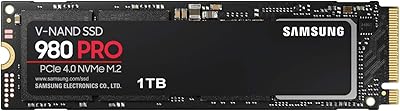
Samsung 980 PRO 1TB PCIe 4.0 NVMe M.2 SSD
91%
95%
Performance
88%
Thermal Management
90%
Ease of Installation
92%
Value for Money
89%
Durability
More
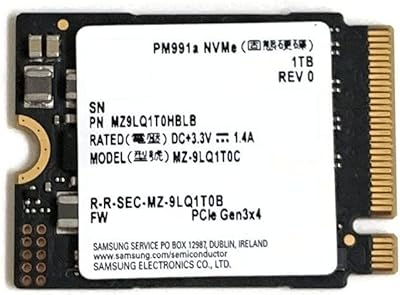
Samsung PM991a 1TB M.2 2230 NVMe SSD

73%
94%
Form Factor Compatibility
88%
Read Performance
74%
Write Performance
91%
Storage Capacity
87%
Build & Component Quality
More
GAMERKING 1TB M.2 NVMe SSD
87%
89%
Performance
92%
Speed (Read/Write)
80%
Durability (MTTF)
91%
Compatibility
94%
Ease of Installation
More
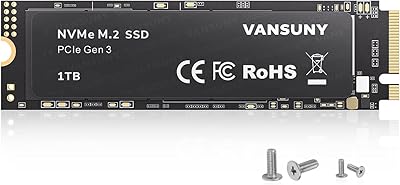
Vansuny 1TB NVMe M.2 SSD
87%
94%
Performance (Speed)
88%
Reliability
72%
Compatibility
91%
Value for Money
85%
Build Quality
More
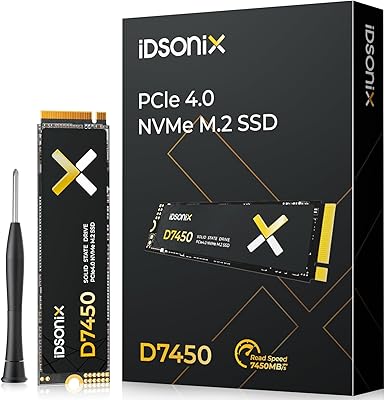
iDsonix D7450 1TB M.2 NVMe SSD

85%
94%
Performance
89%
Thermal Management
92%
Read/Write Speed
85%
Compatibility with PS5
88%
Build Quality
More
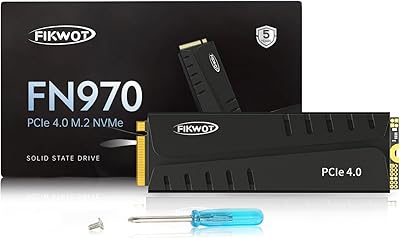
Fikwot FN970 1TB M.2 NVMe SSD
87%
93%
Performance
88%
Ease of Installation
91%
Compatibility with PS5
85%
Thermal Management (Heatsink)
86%
Write Speed
More
Samsung PM991 256GB NVMe M.2 SSD
88%
94%
Performance
91%
Read Speed
89%
Write Speed
92%
Value for Money
88%
Build Quality
More
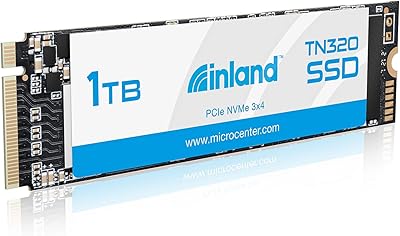
INLAND TN320 1TB NVMe M.2 SSD
87%
92%
Value for Money
88%
Performance Speed
94%
Ease of Installation
85%
Durability and Endurance
90%
Compatibility
More
ORICO M.2 2242 NVMe SSD 1TB
87%
89%
Performance
92%
Value for Money
88%
Heat Dissipation
75%
Installation Ease
91%
Build Quality
More
fanxiang S770 1TB NVMe M.2 SSD
79%
88%
Read Speed Performance
91%
PS5 Compatibility
86%
Value for Money
83%
Thermal Management
67%
Write Speed Consistency
More

FAQ

Most laptops manufactured after 2017 that include an M.2 slot will accept this drive, provided the slot supports NVMe and the PCIe interface. The M.2 2280 size is the most common standard, so it fits the majority of notebooks. Always check your laptop's service manual or manufacturer spec page to confirm M.2 NVMe support before purchasing.

No — Samsung explicitly states this drive is not compatible with the PlayStation 5. If you need a storage upgrade for a PS5, you'll need a PCIe 4.0 NVMe drive that meets Sony's specific requirements. Don't rely on workarounds; it simply won't function as intended in that console slot.

HMB stands for Host Memory Buffer — it means the drive borrows a small portion of your system's RAM to use as cache instead of having dedicated memory chips on the drive itself. For everyday tasks like gaming, web browsing, and general file storage, you likely won't notice any difference. Where it can matter is during very long, sustained write operations, like cloning large drives, where a DRAM-equipped drive might maintain higher speeds slightly longer.

The jump is real and noticeable. A typical SATA SSD tops out around 550 MB/s read; this M.2 SSD reaches up to 3,500 MB/s. In day-to-day use that means faster boot times, quicker app launches, and snappier file transfers. If you're coming from a SATA drive, the difference will be immediately apparent.

You'll need a small Phillips-head screwdriver to secure the M.2 mounting screw on your motherboard or laptop. No additional cables are required since M.2 NVMe drives connect directly to the slot. Some motherboards come with a retention screw pre-installed; others include a spare in the accessory kit. The drive itself comes ready to install.

Samsung offers its Magician software for free, which includes data migration features to help transfer your existing OS and files to the new drive. You can download it directly from Samsung's website. It's a straightforward process, and most users with no prior experience can complete a migration without any issues.

Yes, for most gaming use cases it performs well. Games load quickly, and the NVMe interface reduces the micro-stutters that can occasionally occur with slower storage during open-world streaming. Competitive gamers or those running game servers with heavy I/O demands might benefit from a DRAM-equipped drive, but for the vast majority of gaming setups, the 980 1TB handles the workload without complaint.

Samsung typically backs its 980 series with a 5-year limited warranty, though you should verify current warranty terms directly with Samsung or your retailer at the time of purchase, as these details can vary by region.

Absolutely — it works just as well as secondary storage for games, media, or project files as it does as a primary OS drive. Just make sure your motherboard has an available M.2 slot, and the drive will show up in Windows Disk Management or your OS disk utility ready to be formatted and used.

Samsung Magician is the go-to tool for this — it shows drive health status, remaining lifespan estimates, temperature readings, and lets you run performance benchmarks. It's free and straightforward to use, and setting it up takes only a few minutes after your first boot.

Where to Buy

W.B. Mason
In stock $144.72
CPU Medics
In stock $169.00
DriveSolutions.com
In stock $195.00
ServerOrbit.com
In stock $231.57