Overview

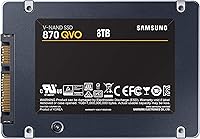
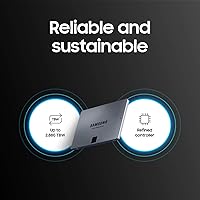
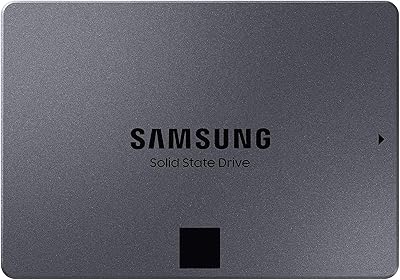
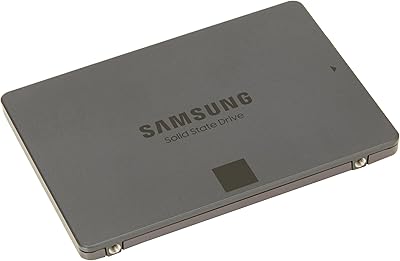
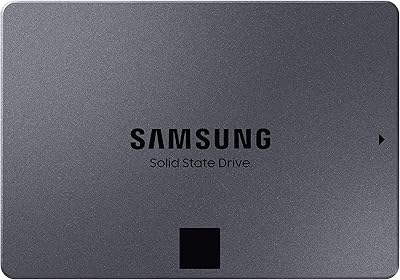
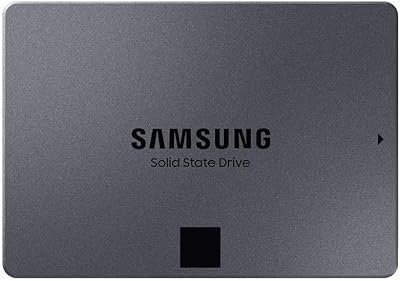
The Samsung 870 QVO 4TB Internal SSD is a high-capacity SATA drive built for everyday users who want a massive storage upgrade without the complexity or cost of switching to NVMe. It uses second-generation QLC NAND, which packs more data per cell — in practice, that means a lot of space at a reasonable price, though it comes with trade-offs in sustained write performance we'll cover shortly. At 4TB, this high-capacity drive hits a sweet spot for anyone juggling large media libraries, game installs, or archived projects. The 2.5-inch form factor means it drops into most desktops and older laptops without a second thought, and within a competitive SATA market, it holds its ground comfortably.
Features & Benefits

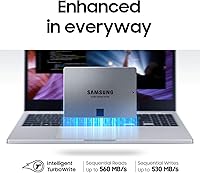
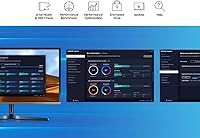
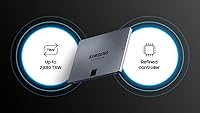
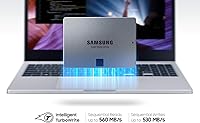
At the SATA III ceiling of 560/530 MB/s sequential speeds, this 4TB SATA SSD feels dramatically faster than any mechanical hard drive — loading applications, transferring photos, and browsing folders all happen without the constant waiting that spinning disks inflict. Samsung's TurboWrite handles burst writes well, but be upfront: once you push past the variable buffer during prolonged large transfers, write speeds drop noticeably, and buyers moving big video files regularly should know that going in. The 2,880 TBW endurance rating is genuinely strong for a QLC drive, and hardware AES 256-bit encryption adds real value for privacy-conscious users. Samsung Magician is a practical health-monitoring tool. One honest note: the 3-year warranty is shorter than the 5-year coverage some competitors offer.

Best For

This high-capacity drive makes the most sense for a specific kind of buyer. Desktop owners still running a mechanical hard drive will see the biggest transformation — the jump from spinning platters to SATA SSD speeds is still substantial. Laptop users with an open 2.5-inch bay can add it as a secondary drive for bulk storage without touching their primary system drive. Creative professionals who accumulate large photo archives, video project folders, or audio sample libraries will appreciate the breathing room. IT administrators managing cost-per-gigabyte budgets for bulk deployments also have a strong case here. Home media server builders archiving movie collections or personal backups round out the ideal audience. If you need peak write performance for constant large-file work, an NVMe drive is probably a better fit.

User Feedback

With over 20,000 ratings averaging 4.8 stars, the feedback around the Samsung 870 QVO is unusually consistent. Most owners highlight how straightforward installation was — plug it in, clone or format, and it just works. The speed improvement over a hard drive is the most common praise, especially from first-time SSD converts. Where things get more nuanced is with sustained writes: a subset of buyers doing large continuous transfers noticed the slowdown once the TurboWrite buffer filled up, and that frustration is legitimate. Samsung Magician earns positive mentions more often than not — people actually use it rather than uninstalling it immediately. Long-term owners frequently report healthy drive status after years of daily use, which says something meaningful about real-world durability.

Pros

  • Massive 4TB capacity in a compact 2.5-inch form factor makes storage expansion genuinely simple.
  • Sequential read speeds up to 560 MB/s deliver a dramatic improvement over any mechanical hard drive.
  • The 2,880 TBW endurance rating is strong for a QLC-based drive, supporting years of regular use.
  • Broad compatibility with both desktop PCs and laptops makes this high-capacity drive highly versatile.
  • Hardware AES 256-bit encryption with TCG/Opal support adds meaningful security without any performance penalty.
  • Samsung Magician software provides real health monitoring and firmware updates that owners actually find useful.
  • Installation is straightforward — most users report a smooth setup experience with no technical hurdles.
  • Long-term owners consistently report healthy drive status after extended daily use, suggesting solid real-world reliability.
  • The cost-per-gigabyte at 4TB capacity is competitive within the SATA SSD segment.

Cons

  • Sustained write speeds drop noticeably once the TurboWrite buffer fills, a real issue for large continuous transfers.
  • QLC NAND is inherently slower under sustained write loads compared to TLC-based alternatives at a similar price.
  • The 3-year warranty is shorter than the 5-year coverage offered by several direct competitors.
  • Not compatible with systems that lack a 2.5-inch SATA bay, which rules out many modern ultrabooks and compact PCs.
  • SATA III has a hard speed ceiling — this drive cannot approach the throughput of even a mid-range NVMe drive.
  • No included mounting hardware or adapter for desktop cases that require a 3.5-inch bay bracket.
  • The migration software experience can be inconsistent depending on the user's existing system configuration.

Ratings

The Samsung 870 QVO 4TB Internal SSD earns consistently strong marks across a large, global pool of verified buyer reviews — scores here are generated by AI after analyzing that feedback while actively filtering out incentivized, bot-driven, and spam submissions. Both what this high-capacity drive does well and where it genuinely falls short are reflected without softening either side.
Everyday Performance
88%
For typical desktop and laptop workloads — booting Windows, launching applications, loading saved files — the Samsung 870 QVO feels noticeably responsive. Users who upgraded from a spinning hard drive consistently describe the difference as transformative, and that reaction is well-earned at the SATA III speed ceiling.
This drive does not approach NVMe territory, and buyers who benchmark it against M.2 drives will find the gap humbling. It is fast for SATA, but expectations need to be set correctly from the start.
Sustained Write Speed
61%
39%
Burst writes — copying a batch of photos, downloading a game update, or moving a moderate-sized folder — are handled efficiently thanks to the TurboWrite variable buffer, and most casual users will never push past it in a single session.
Once the buffer fills during prolonged sequential writes, such as moving a large video archive or cloning a drive, speeds drop significantly to the raw QLC write rate. This is the most common source of frustration among buyers who work with large files regularly.
Storage Capacity Value
93%
Four terabytes in a single 2.5-inch SATA drive at this price point is genuinely hard to argue with. For buyers consolidating multiple smaller drives or replacing a mechanical disk with a single large SSD, the cost-per-gigabyte calculation works strongly in this drive's favor.
The per-gigabyte advantage narrows if you compare against larger spinning hard drives, which still undercut SSDs significantly on raw storage cost. Buyers on an extremely tight budget who only need bulk storage might still find HDDs more economical.
Installation Experience
94%
Users across all experience levels — first-time upgraders and seasoned builders alike — report that physical installation is straightforward. The drive slots into any standard 2.5-inch SATA bay without adapters, and Samsung Magician's migration tool handles data cloning cleanly for most system configurations.
A small number of users encountered hiccups with the migration software on certain older motherboards or non-standard partition layouts, requiring third-party cloning tools as a workaround. Desktop cases with only 3.5-inch bays also require a separate bracket not included in the box.
Long-Term Reliability
86%
The 2,880 TBW endurance rating is meaningfully higher than earlier QLC generations, and long-term owners frequently check in via Samsung Magician to report healthy drive status after one, two, and even three-plus years of daily use. That pattern across a large owner base is a credible reliability signal.
QLC NAND does carry a reputation for shorter cell longevity compared to TLC or MLC drives under heavy write workloads, and the 3-year warranty is shorter than the 5-year coverage some rivals offer. Buyers planning intensive write-heavy use should factor this into their decision.
Read Speed Consistency
89%
Sequential and random read performance stays consistent across typical workloads, making this drive feel snappy for read-heavy tasks like loading large Photoshop files, accessing a media library, or reading from a virtual machine image.
Like all SATA drives, there is a hard ceiling on read throughput that NVMe buyers will notice. For read-intensive professional workloads, the interface limitation becomes the bottleneck before the drive itself does.
Samsung Magician Software
82%
18%
Unlike many manufacturer utilities that collect dust after setup, Samsung Magician earns genuinely positive mentions from owners. Real-time health monitoring, drive benchmarking, and clean firmware updates make it a tool people actually return to rather than uninstall immediately.
The software requires a Windows or macOS install and is not available for Linux users, which frustrates a subset of the owner base. Some users also find the interface slightly cluttered given how few features they actually use day-to-day.
Compatibility
91%
The 2.5-inch SATA form factor is one of the most universally supported standards in PC hardware, and this drive slots into an enormous range of desktops, older laptops, and external enclosures without any special configuration.
The drive is completely incompatible with systems that only offer M.2 slots, which rules it out of many newer ultrabooks and compact desktops entirely. Buyers should confirm their system has an available SATA bay before purchasing.
Warranty Coverage
63%
37%
Samsung's warranty service has a reasonable reputation, and for most home users three years of coverage will outlast the period in which they are most likely to encounter any drive-related issues.
Three years is simply shorter than what several direct competitors offer at comparable price points, and for IT administrators managing multi-year deployments or users who simply want longer peace of mind, this gap is hard to ignore.
Security Features
84%
AES 256-bit hardware encryption with TCG/Opal 2.0 and IEEE 1667 support is a genuinely capable security stack, especially valuable for IT environments managing sensitive data across multiple machines without adding external encryption overhead.
For the majority of home users, these features require BIOS-level configuration to activate and offer no plug-and-play benefit out of the box. Buyers who are not specifically looking for hardware encryption will likely never use this capability.
Physical Build Quality
87%
The drive feels solid and well-assembled, with Samsung manufacturing all core components in-house including the NAND and DRAM. The slim 0.27-inch profile is sturdy enough for laptop installation without feeling fragile during handling.
The all-plastic outer shell, while standard for 2.5-inch SSDs, does not feel as premium as some metal-encased alternatives. This has no functional impact but is occasionally noted by buyers who handle the drive before installation.
Noise and Heat
96%
As a solid-state drive with no moving parts, this high-capacity drive operates completely silently and runs cool under typical workloads. Users building quiet home theater PCs or noise-sensitive workstations find this a significant advantage over mechanical alternatives.
Under sustained heavy write loads, the drive can generate mild warmth, which in poorly ventilated enclosures or external USB cases may occasionally trigger thermal throttling. This is uncommon in typical desktop installations with reasonable airflow.
Software Ecosystem
79%
21%
Beyond Magician, Samsung's broader ecosystem — including Data Migration software — gives buyers a reasonably complete set of tools to transition from an old drive without purchasing third-party utilities. For non-technical users, this is a meaningful convenience.
The ecosystem is Windows-centric, and macOS support is partial while Linux is largely unsupported. Users outside the Windows environment may find themselves relying on third-party tools for cloning and health monitoring regardless.

Suitable for:

The Samsung 870 QVO 4TB Internal SSD is a strong match for anyone who needs a lot of storage without the premium price of NVMe, and whose workload does not demand cutting-edge sequential write speeds. Desktop PC owners still running a mechanical hard drive will notice the biggest real-world difference — everyday tasks like opening applications, loading saved files, and browsing folders become noticeably snappier. Laptop users with an available 2.5-inch bay can slot this in as a secondary drive to offload bulky media without touching their primary system drive. Creative professionals who accumulate large photo libraries, video project archives, or music sample collections will appreciate having 4TB of reliable, fast-enough storage in a single drive. IT administrators stretching a hardware budget across multiple machines and home media server builders archiving video collections or personal backups are also a natural fit — for those buyers, cost-per-gigabyte matters far more than peak throughput.
Not suitable for:

The Samsung 870 QVO 4TB Internal SSD is not the right tool if your work involves moving very large files continuously, such as editing 4K or 8K video footage directly from the drive or running large database transfers. Once the TurboWrite buffer is exhausted during sustained sequential writes, performance drops significantly below what the headline specs suggest, and that slowdown will frustrate anyone doing heavy, back-to-back file operations. Buyers whose systems support NVMe and who want the absolute fastest storage available should look elsewhere — this drive operates at the SATA III ceiling, which is solid but a different league entirely from modern M.2 NVMe drives. Users who prioritize warranty peace of mind should also note that several competing drives in the same category offer five-year coverage, whereas this drive ships with three years. If your machine lacks a 2.5-inch SATA bay — common in many ultrabooks and newer compact desktops — this drive simply will not be compatible.
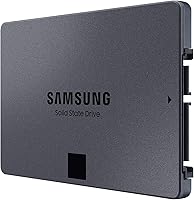
Specifications

  • Brand: Manufactured by Samsung, the world's largest producer of NAND flash memory since 2003.
  • Model Number: The drive's official model identifier is MZ-77Q4T0B/AM, part of the 870 QVO series.
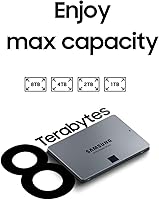
  • Capacity: This drive offers 4TB of usable storage, with formatted capacity slightly lower due to standard overhead.
  • Form Factor: The 2.5-inch form factor is the standard size for laptop and desktop SATA bays.
  • Interface: Connects via SATA III at 6 Gb/s, backward compatible with SATA II ports at reduced speeds.
  • Sequential Read: Rated sequential read speed reaches up to 560 MB/s under optimal conditions.
  • Sequential Write: Rated sequential write speed reaches up to 530 MB/s, sustained performance varies with TurboWrite buffer status.
  • NAND Type: Uses Samsung's second-generation QLC (Quad-Level Cell) NAND flash memory produced in-house.
  • Endurance: Rated for up to 2,880 TBW (terabytes written), a strong endurance figure for a QLC-based drive.
  • Encryption: Supports AES 256-bit hardware encryption, TCG/Opal 2.0, and IEEE 1667 for enterprise-grade data security.
  • Software: Compatible with Samsung Magician 6.1, which provides drive health monitoring, benchmarking, and firmware update tools.
  • Warranty: Covered by a 3-year limited manufacturer warranty from Samsung.
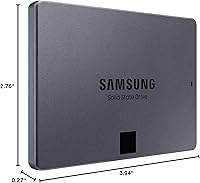
  • Dimensions: Physical dimensions are 3.94 x 2.76 x 0.27 inches, matching the standard 2.5-inch drive footprint.
  • Weight: The drive weighs 2.11 ounces, making it light enough for use in both portable and desktop systems.
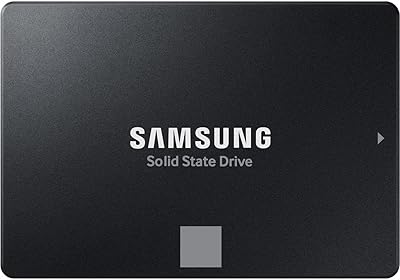
  • Color: Ships in a matte black finish with no external indicator lights or moving parts.
  • Compatible Devices: Designed for internal installation in desktop PCs and laptops that feature a standard 2.5-inch SATA bay.
  • Write Cache: Intelligent TurboWrite technology uses a variable SLC write buffer to accelerate burst write performance.
  • Power Draw: As a SATA SSD with no moving parts, the drive draws significantly less power than a mechanical hard disk.
  • Operating Temp: Rated for operation in standard indoor environments consistent with typical consumer and business PC usage conditions.
  • Date Available: The 870 QVO series was first made available in June 2020 and remains in active production.

Related Reviews

Samsung 870 QVO 1TB 2.5″ Internal SSD
85%
88%
Real-World Read Performance
67%
Sustained Write Performance
94%
Installation Experience
86%
Value for Money
79%
Long-Term Reliability
More
Samsung 870 EVO 4TB Internal SATA SSD
86%
83%
Read & Write Performance
94%
Long-Term Reliability
96%
Storage Capacity
78%
Value for Money
92%
Installation & Setup
More
Samsung 870 QVO 8TB SATA SSD
85%
85%
Performance
91%
Ease of Installation
96%
Storage Capacity
88%
Energy Efficiency
83%
Durability/Build Quality
More
Samsung 870 QVO 2TB SATA III SSD
87%
91%
Value for Money
87%
Performance in Gaming
90%
Reliability & Durability
89%
Speed (Read/Write)
94%
Ease of Setup
More
Verbatim Vi550 4TB Internal SSD
87%
91%
Performance
89%
Installation Ease
92%
Read/Write Speeds
85%
Build Quality & Durability
88%
Compatibility
More
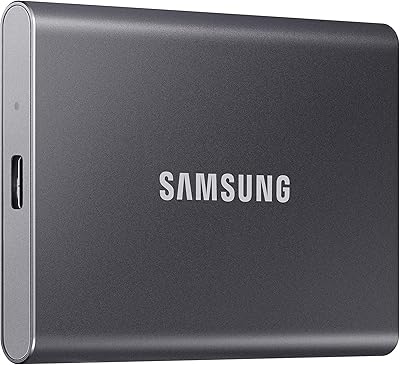
Samsung T7 4TB Portable SSD
82%
91%
Transfer Speed
93%
Build Quality
94%
Portability
67%
Value for Money
63%
Thermal Management
More
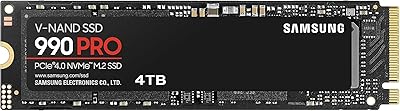
Samsung 990 PRO 4TB M.2 NVMe SSD
86%
93%
Read & Write Speed
91%
Random I/O Performance
67%
Thermal Management
94%
Installation & Compatibility
72%
Value for Money
More
Samsung 860 QVO 1TB SSD
83%
92%
Value for Money
85%
Performance for Everyday Use
90%
Ease of Installation
88%
Data Security Features
75%
Speed Compared to Premium SSDs
More
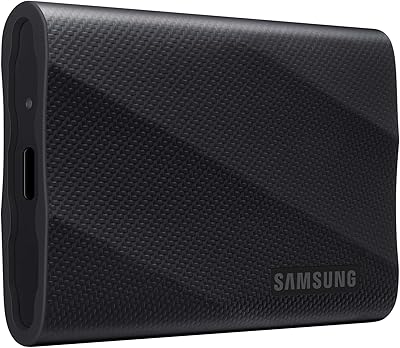
Samsung T9 Portable SSD 4TB
87%
92%
Transfer Speed
89%
Build Quality
88%
Portability
90%
Compatibility
85%
Durability
More
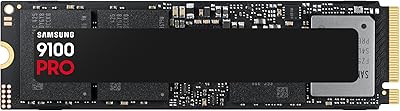
Samsung 9100 PRO 4TB M.2 SSD
85%
96%
Sequential Read/Write Speed
91%
Random I/O Performance
78%
Sustained Workload Stability
74%
Thermal Management
88%
Power Efficiency
More

FAQ

Yes, as long as your laptop has a 2.5-inch SATA bay, the Samsung 870 QVO 4TB Internal SSD will fit and function correctly. It is also backward compatible with SATA II ports, though you will see slightly lower maximum speeds on older connections. Check your laptop's specs or open the back panel to confirm the bay size before ordering.
The difference is dramatic for everyday tasks. Booting the operating system, opening applications, and loading files all feel significantly faster. Even though this is a SATA SSD rather than an NVMe drive, the jump from a spinning hard disk is one of the most impactful upgrades most users will ever make to an existing machine.

When you copy or write more data than the buffer can handle in one go — which can happen during large sustained transfers like moving dozens of gigabytes at once — the drive slows down to the underlying QLC NAND write speed. This is normal behavior for QLC-based drives and not a defect. For most everyday use, including copying a few large files here and there, you are unlikely to notice it. Where it becomes frustrating is in heavy, back-to-back large transfers.

Absolutely. Many users install their operating system directly on this high-capacity drive and use the remaining space for applications and files. The sequential read speeds are fast enough that Windows or macOS boots and runs well. Just make sure to install your OS fresh or clone your existing system drive using Samsung Magician or a third-party cloning tool.

It is actually one of the more useful manufacturer utilities in this category. It shows real-time drive health, lets you run performance benchmarks, and handles firmware updates cleanly. You do not need to keep it running in the background constantly — many users install it to set things up and check in occasionally, which is a perfectly reasonable approach.

Yes, the drive supports AES 256-bit hardware encryption along with TCG/Opal 2.0 and IEEE 1667. To use it, you typically need to enable it through your system BIOS or a compatible security management application. For most home users this will not be necessary, but IT administrators and security-conscious professionals will find the support genuinely useful without any extra hardware required.

It depends on your case. Many modern mid-tower cases have dedicated 2.5-inch drive bays, so no adapter is needed. However, if your case only has 3.5-inch drive bays, you will need an inexpensive adapter bracket to mount the drive securely. These are widely available and typically cost only a few dollars.

It is on the shorter side. Several competing drives at a similar price point offer 5-year warranties, which can be meaningful if you are buying for long-term storage or a business environment. Three years is not bad, and Samsung's support is generally reliable, but it is worth factoring in if warranty length matters to your purchase decision.

It depends entirely on what you store. If you have a large photo library, a collection of downloaded movies, game installs that have grown over the years, or you do video editing, 4TB fills up faster than you might expect. For users who mostly browse the web and work with documents, a smaller capacity would probably serve just as well at a lower cost. Think about your actual storage habits before committing.

Based on the 2,880 TBW endurance rating, the drive is designed to handle years of typical consumer use before reaching its rated write limit. For context, a user writing 50GB per day would take well over a decade to reach that threshold. Long-term owners frequently report consistent health readings in Samsung Magician after years of daily use, which aligns with what the specs suggest about real-world durability.

Where to Buy