Overview

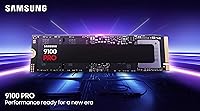
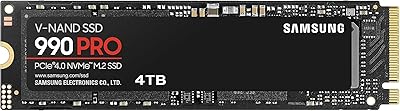
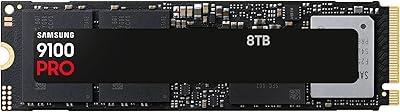
The Samsung 9100 PRO 4TB M.2 SSD represents Samsung's most ambitious consumer NVMe drive to date, built around the PCIe 5.0 interface that finally pushes storage performance into territory previously reserved for enterprise hardware. Compared to the 990 PRO, this Gen 5 SSD roughly doubles sequential throughput — a difference you actually feel when moving massive project files or loading asset-heavy applications. The 4TB variant sits in the middle of a lineup spanning 1TB to 8TB, hitting a practical sweet spot for users who need serious storage capacity without jumping to the top of the range. Early buyer reception has been notably strong, with close to 1,000 verified ratings averaging 4.8 stars.

Features & Benefits

What separates the 9100 PRO 4TB from its predecessor isn't just headline sequential figures — it's the combination of raw speed, smarter power management, and better sustained performance under load. The 5nm controller cuts power draw significantly compared to the previous generation, which matters when this drive is running inside a thin laptop or a tightly packed workstation. Thermal management is baked into the architecture, helping the drive maintain speed during back-to-back large file transfers rather than throttling early. Random I/O performance is exceptional for the class, making multitasking and application launches feel noticeably snappier. Hardware encryption and Samsung Magician round out a feature set covering both security-conscious and performance-first users.

Best For

Samsung's flagship NVMe drive makes the most sense for people whose work genuinely stresses storage — not just everyday computing. Video editors handling 4K or 8K footage will notice the difference when scrubbing timelines and exporting large renders. AI developers running local inference workloads or training smaller models locally will appreciate the combination of raw throughput and high random I/O. Competitive gamers on a PCIe 5.0-ready platform will see load times drop noticeably, though it's worth being honest: for casual gaming on an older board, a Gen 4 drive often closes that gap at lower cost. This one is for builders who want headroom, not just adequacy.

User Feedback

Among verified buyers, consistent praise centers on real-world speeds that hold close to what Samsung advertises — always reassuring when spec sheets tend to flatter. Magician software earns particular appreciation for making health monitoring and firmware updates accessible without requiring technical expertise. That said, a recurring theme in critical reviews is the importance of airflow: in compact or poorly ventilated cases, the drive can throttle under sustained heavy loads, which the hardware is designed to manage but is not immune to. A handful of users also flag that reaching full Gen 5 speeds requires a compatible M.2 slot — an easy detail to overlook before purchasing.

Pros

  • Real-world speeds closely match advertised figures, which is not always the case with high-end storage drives.
  • The generational jump over PCIe 4.0 is substantial enough to matter for professional creative and AI workloads.
  • 4TB of capacity removes the constant pressure of managing storage space across large project libraries.
  • The 5nm controller runs noticeably more efficiently than its predecessor, reducing heat output under typical loads.
  • Hardware-level encryption is available out of the box without requiring third-party software or setup complexity.
  • Samsung Magician makes monitoring drive health and applying firmware updates straightforward for non-technical users.
  • The M.2 2280 form factor is universally compatible with desktop and laptop systems that support the interface.
  • Available in multiple capacities, so buyers can right-size their investment based on actual storage needs.
  • Strong brand reliability and in-house NAND and DRAM production reduce concerns about component quality.

Cons

  • Full performance requires a PCIe 5.0 x4 compatible M.2 slot, which rules out many existing systems entirely.
  • In cases with inadequate airflow, sustained workloads can trigger thermal throttling that undermines peak performance.
  • The price premium over Gen 4 alternatives is difficult to justify for users without genuinely demanding workloads.
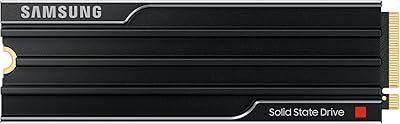
  • No heatsink is included in the base package, which is an oversight given the thermal demands of PCIe 5.0 operation.
  • Laptops with a compatible slot are still relatively rare, limiting the portable use case to a narrow set of machines.
  • The performance advantage over a good Gen 4 drive is largely invisible in gaming scenarios below the top tier.
  • Users on older platforms essentially pay a flagship price for mid-tier speeds, making platform compatibility research essential before buying.

Ratings

The scores below were generated by AI after analyzing verified global buyer reviews for the Samsung 9100 PRO 4TB M.2 SSD, with spam, bot activity, and incentivized feedback actively filtered out to reflect genuine user experiences. This Gen 5 SSD earns high marks in most categories, though the analysis transparently captures the real friction points buyers encounter — from platform compatibility hurdles to thermal considerations under sustained workloads.

Sequential Read/Write Speed
96%
Users upgrading from Gen 4 drives consistently describe the jump as immediately noticeable when transferring large video projects or game installs — not just in benchmarks but in actual felt experience. Professionals moving multi-gigabyte files regularly report that what used to be a waiting task now feels nearly instant.
These headline speeds only materialize on a PCIe 5.0 x4 slot, and a segment of buyers discovered this limitation after purchase rather than before. On a Gen 4 board the drive still performs well, but the premium paid for Gen 5 capability goes largely unused.
Random I/O Performance
91%
Application launch times and multitasking responsiveness are areas where buyers notice the 9100 PRO 4TB pulling ahead of competing drives. AI developers and workstation users in particular report smoother handling of unpredictable, parallel access patterns that would cause older drives to stutter.
For light users running standard desktop applications, the random performance advantage over a good Gen 4 drive is essentially imperceptible. The benefit is real but narrowly concentrated among users with genuinely demanding parallel workloads.
Sustained Workload Stability
78%
22%
Under most real-world conditions — video exports, large sequential transfers, and rendering tasks — Samsung's thermal management keeps the drive performing at high levels without the steep performance cliffs seen in some competing Gen 5 drives. Users with good case airflow report very consistent benchmark results over repeated runs.
In compact cases or systems with poor airflow, throttling under prolonged heavy loads is a recurring complaint. A handful of buyers noted that without a heatsink, sustained workloads caused measurable speed drops, and the lack of an included heatsink in the retail package makes this a buyer-managed problem.
Thermal Management
74%
26%
The onboard thermal architecture does meaningful work compared to previous Samsung generations, and users with motherboard-mounted heatsink covers report the drive running cooler than expected even during extended stress. The 5nm controller contributes noticeably to lower baseline heat output during lighter tasks.
PCIe 5.0 drives inherently run warmer than Gen 4, and this one is no exception under heavy load. Buyers without a motherboard heatsink cover or dedicated M.2 cooler occasionally report thermal throttling during sustained large-file operations, which is a meaningful consideration for workstation users.
Power Efficiency
88%
The shift to a 5nm controller is something laptop users notice more than desktop users — battery impact during active workloads is reduced compared to older flagship NVMe drives. Desktop builders in tightly configured systems also appreciate the lower heat contribution to overall system thermals.
Efficiency improvements are relative; this is still a high-performance NVMe drive that draws more power than a mid-range option. Ultrabook users or those running from battery in mobile workstation scenarios may still see noticeable power draw during intensive tasks.
Value for Money
67%
33%
For users who genuinely need Gen 5 throughput — video editors, AI practitioners, heavy simulation workloads — the price is defensible given the tangible time savings across a workday. The 4TB capacity at this performance tier also removes the need for supplemental fast storage, consolidating the budget into a single drive.
For the majority of buyers, including most gamers and everyday PC users, the premium over a quality Gen 4 drive is difficult to rationalize based on real-world gains. The price-per-gigabyte is high relative to competing options, and the platform requirements add implicit additional cost for those who need to upgrade their motherboard to use it fully.
Software & Ecosystem
89%
Samsung Magician is one of the better drive companion tools available, and buyers consistently mention it as a genuine added value rather than bloatware. Firmware update delivery is transparent, health monitoring is easy to read without technical expertise, and the software runs without aggressive resource consumption.
Magician is Windows-first, and macOS or Linux users get a significantly reduced feature set or no official support at all. For users outside the Windows ecosystem, the software advantage largely disappears and drive management relies on third-party tools.
Build & Physical Quality
93%
The drive feels solid and well-constructed, and the M.2 2280 form factor fits cleanly into every compatible slot without the flex or connector issues that sometimes affect third-party brands. At just over a third of an ounce, it installs without adding meaningful weight even in compact builds.
There is no heatsink in the box, which feels like an omission at this price point given the thermal demands of the platform. Buyers expecting a premium unboxing experience consistent with the flagship positioning may find the basic packaging underwhelming.
Compatibility
71%
29%
The M.2 2280 standard is universally recognized, and the drive installs without issue in any system that accepts the form factor. NVMe 2.0 protocol support ensures forward compatibility with future platforms and operating system features.
The requirement for a PCIe 5.0 x4 slot to achieve advertised performance is a hard compatibility wall that catches buyers off guard. A meaningful portion of verified reviewers flagged discovering post-purchase that their platform could not deliver Gen 5 speeds, making pre-purchase platform verification essential.
Gaming Performance
82%
18%
On a PCIe 5.0-ready gaming rig, load times in asset-heavy open-world games drop to a point where the difference from a Gen 4 drive is clearly felt, not just measured. The 4TB capacity is also appreciated by gamers with large libraries who are tired of constantly managing which titles stay installed.
For competitive gaming on older platforms, the real-world advantage over a well-regarded Gen 4 drive is modest at best. Most game engines are not yet fully optimized to exploit the throughput ceiling this drive offers, meaning the full benefit is partly future-proofing rather than an immediate gain.
AI & Workstation Use
94%
Among AI developers and researchers, the 9100 PRO 4TB earns some of its strongest praise for handling large model checkpoints, dataset loading, and inference pipelines where storage throughput directly affects iteration speed. Random I/O under mixed workloads holds up better than most competing Gen 5 drives tested in similar conditions.
The benefits are concentrated at the high end of the use case spectrum — users running smaller models or lighter AI experiments will not saturate what this drive offers. For lighter AI hobby use, a Gen 4 drive offers nearly identical practical performance at a lower cost.
Content Creation Use
91%
Video editors working in 4K and especially 8K formats describe noticeably faster proxy generation, smoother multi-stream playback, and faster project saves compared to their previous Gen 4 setups. The combination of large sequential throughput and the 4TB capacity makes it a natural fit for a primary editing drive.
Color grading and audio production workflows are less throughput-sensitive, and users in those disciplines reported minimal perceptible gains over Gen 4 alternatives. The value proposition narrows considerably for creators whose work is not primarily large sequential file operations.
Reliability & Longevity
87%
Samsung's in-house NAND and DRAM production gives buyers reasonable confidence in component quality consistency, and the brand's long track record in consumer flash storage translates to trust that the drive will perform reliably over years of use. Early failure reports are notably rare across the verified review pool.
The drive is still relatively new to market, meaning long-term endurance data is limited compared to more mature drives with years of real-world use behind them. Buyers making decade-long storage plans should keep that limited field history in mind.

Suitable for:

The Samsung 9100 PRO 4TB M.2 SSD is purpose-built for users whose daily workloads actually push storage to its limits. Video editors cutting 4K or 8K footage will notice the difference in timeline responsiveness and export times, where raw throughput directly translates to hours saved over a week. AI developers running local inference pipelines or working with large model checkpoints will benefit from both the sequential speed and the strong random I/O, which keeps data moving efficiently during unpredictable access patterns. Workstation users managing large simulation datasets, architectural renders, or scientific computing tasks will find the 4TB capacity and sustained performance a genuinely practical combination. Hardcore gamers building around a modern PCIe 5.0 motherboard will see meaningful reductions in load times for asset-heavy open-world titles. Enthusiasts who are speccing out a high-end build for the next several years — and want storage that won't become the bottleneck — will find this drive a logical fit.
Not suitable for:

The Samsung 9100 PRO 4TB M.2 SSD is not the right call for every buyer, and being honest about that saves money and frustration. If your motherboard only supports PCIe 4.0 or older M.2 slots, you will never realize the speeds this drive is capable of — a quality Gen 4 drive will perform nearly identically in that scenario at a lower price. Casual users who primarily browse the web, stream media, or run standard office applications will find no perceptible difference between this and a mid-range NVMe drive; the real-world gap simply does not exist for light workloads. Users building inside compact or heavily enclosed cases with poor airflow should also think carefully, as sustained heavy transfers can push thermals in ways that lead to throttling without proper ventilation. Budget-conscious builders looking for the best value per gigabyte will find better options elsewhere in Samsung's own lineup, let alone across the broader market.
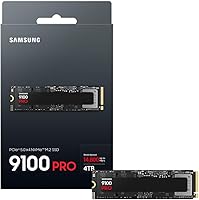
Specifications

  • Interface: Connects via PCIe 5.0 x4 and supports the NVMe 2.0 protocol for maximum compatibility with modern platforms.
  • Form Factor: Uses the M.2 2280 standard, measuring 3.2 x 0.9 x 0.09 inches, compatible with the vast majority of desktop and laptop M.2 slots.
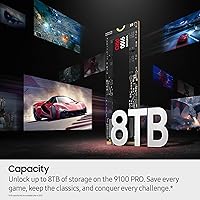
  • Capacity: This variant offers 4TB of usable storage; the 9100 PRO lineup also includes 1TB, 2TB, and 8TB configurations.
  • Sequential Read: Delivers sequential read throughput of up to 14,800 MB/s under optimal PCIe 5.0 x4 conditions.
  • Sequential Write: Achieves sequential write speeds of up to 13,400 MB/s, enabling fast saving and transfer of large files.
  • Random Read: Random read performance reaches up to 2,200K IOPS at queue depth 32, benefiting multitasking and application launch times.
  • Random Write: Random write performance peaks at up to 2,600K IOPS at queue depth 32, supporting heavy parallel workloads.
  • Controller: Powered by a 5nm architecture controller that improves power efficiency by up to 49% compared to the prior generation.
  • Encryption: Includes hardware-level encryption support, allowing users to secure stored data without relying on software-based solutions.
  • Thermal Control: Incorporates advanced onboard thermal management to help sustain performance during extended high-throughput workloads.
  • Software: Compatible with Samsung Magician, which provides firmware update management, drive health monitoring, and performance diagnostics.
  • Installation: Designed for internal installation; no external enclosure or adapter is required for supported desktop and laptop systems.
  • Weight: Weighs just 0.32 ounces, making it one of the lightest high-capacity NVMe drives available in its class.
  • Color: Ships in a black finish with no heatsink included in the standard retail package.
  • Compatible Devices: Officially supports desktop PCs and laptops equipped with a PCIe 5.0 x4 M.2 slot.
  • Manufacturer: Designed and produced by Samsung, which manufactures its own NAND flash and DRAM components in-house.
  • Release Date: First became available in March 2025, placing it among the earliest consumer PCIe 5.0 NVMe drives on the market.

Related Reviews
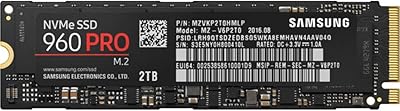
Samsung 960 PRO 2TB PCIe NVMe M.2 SSD
88%
94%
Performance
92%
Speed (Read/Write)
89%
Reliability
88%
Ease of Installation
85%
Software (Samsung Magician)
More
Corsair MP700 PRO SE 4TB NVMe SSD
77%
96%
Sequential Read Performance
93%
Sequential Write Performance
52%
Thermal Management
61%
Value for Money
78%
Installation Experience
More
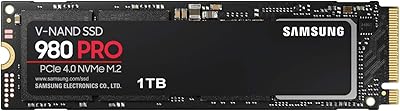
Samsung 980 PRO 1TB PCIe 4.0 NVMe M.2 SSD
91%
95%
Performance
88%
Thermal Management
90%
Ease of Installation
92%
Value for Money
89%
Durability
More
Samsung 990 PRO 4TB M.2 NVMe SSD
86%
93%
Read & Write Speed
91%
Random I/O Performance
67%
Thermal Management
94%
Installation & Compatibility
72%
Value for Money
More
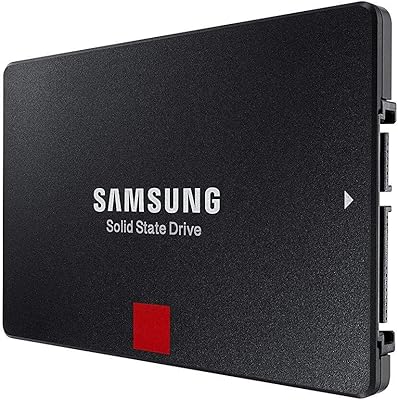
Samsung 860 PRO 4TB Internal SSD
84%
94%
Long-Term Reliability
92%
Write Endurance
88%
Sustained Performance
53%
Value for Money
83%
Read Speed
More
Samsung 9100 PRO 8TB SSD
89%
95%
Performance for Gaming
94%
Speed and Data Transfer Rates
93%
Storage Capacity
90%
Durability under Load
89%
Thermal Management
More
SAMSUNG 9100 PRO with Heatsink 2TB SSD
88%
94%
Performance
89%
Thermal Management
85%
Ease of Installation
96%
Read/Write Speeds
87%
Value for Money
More
Addlink A95 4TB M.2 SSD
89%
92%
Performance
88%
Cooling Efficiency
94%
PS5 Compatibility
91%
Read Speed
87%
Write Speed
More
fanxiang S660 4TB NVMe M.2 SSD
88%
92%
Performance
89%
Cooling Efficiency
91%
Ease of Installation
96%
Compatibility with PS5
87%
Build Quality
More
ORICO TCM2 M.2 NVMe SSD Enclosure
78%
83%
Transfer Speed
61%
Thermal Management
74%
Build Quality
91%
Ease of Installation
86%
Cable Bundle Quality
More

FAQ

It will physically install and function, but you will not get anywhere near the speeds this drive is capable of. PCIe 5.0 performance requires a PCIe 5.0 x4 M.2 slot, typically found on recent Intel 700-series or AMD X670 and newer motherboards. In a PCIe 4.0 slot, the drive will operate at Gen 4 speeds, at which point a less expensive Gen 4 SSD would give you similar performance for less money.

No, the standard retail package does not include a heatsink. Given that PCIe 5.0 drives can run warm under sustained loads, it is worth checking whether your motherboard has a built-in M.2 heatsink cover, or budgeting for an aftermarket one if you plan to run heavy workloads frequently.

For everyday tasks like browsing, document editing, or even moderate gaming, the difference will be minimal — Gen 4 drives are already fast enough that most users hit other system bottlenecks first. Where the gap opens up noticeably is in large sequential file transfers, video editing timelines, and AI-related data pipelines, where moving gigabytes at a time is routine work.

Yes, provided the laptop has an M.2 2280 slot with PCIe 5.0 x4 support. That combination is still relatively uncommon in laptops as of 2025, so check your laptop's specifications carefully before purchasing. Installing it in a PCIe 4.0 laptop slot will work but will not unlock full performance.

Yes, the 9100 PRO 4TB supports hardware-based encryption. You can manage and configure encryption through Samsung Magician software or through your system's trusted platform module settings. It is a useful feature for professionals handling sensitive client data or personal files they want secured at the storage level.

Samsung Magician is Samsung's free companion software for its SSD lineup. It is not required for the drive to function, but it gives you access to drive health monitoring, firmware updates, performance benchmarking, and encryption management. Most users find it worth installing simply for the peace of mind that comes with monitoring drive health over time.

It can, under certain conditions. All high-performance PCIe 5.0 drives generate more heat than their Gen 4 counterparts, and without adequate airflow or a heatsink, thermal throttling can occur during prolonged heavy transfers. With proper case ventilation or a motherboard heatsink in place, the drive's onboard thermal management handles most real-world workloads without significant speed drops.

For most editors, 4TB is a solid working drive capacity — enough to hold several large active projects simultaneously. If you regularly archive footage directly to your primary NVMe drive or work with very high-bitrate raw formats from cinema cameras, the 8TB version may be worth considering. Many professionals also pair a fast NVMe drive for active projects with slower high-capacity storage for archives.

The 990 PRO is an excellent Gen 4 drive, and for typical everyday tasks the difference is small. Where Samsung's flagship NVMe drive pulls ahead is in sustained large-file workloads — the kind where you are moving tens of gigabytes at a time repeatedly. If your work involves that kind of throughput regularly, the upgrade is meaningful. If not, the 990 PRO remains a strong and more affordable choice.

Technically yes, with an NVMe-to-USB enclosure that supports M.2 drives, but you would be severely bottlenecking the drive. USB 3.2 Gen 2 tops out around 1,000 MB/s, and even the fastest USB4 or Thunderbolt enclosures cap at a fraction of what the 9100 PRO 4TB can deliver internally. This drive is designed for internal use and is best kept in that role.

Where to Buy

Walmart
In stock $1,359.99
Newegg.com
In stock $1,359.99
B&H Photo-Video-Audio
In stock $1,359.99
SHI International
In stock $1,688.00
EXcaliberPC.com
In stock $999.00
Neobits.com
In stock $1,319.26
Provantage
In stock $1,351.33
Central Computers
In stock $1,359.99