Overview

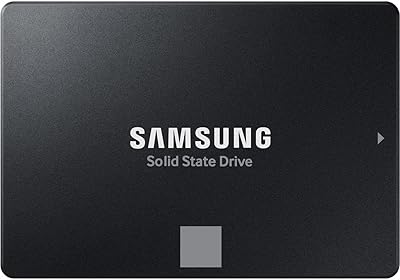
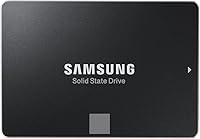
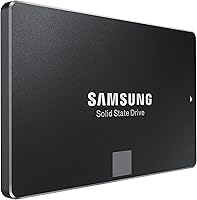
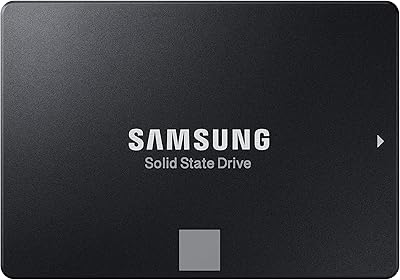
The Samsung 850 EVO 500GB Internal SSD arrived in late 2014 and quietly became one of the most recommended storage upgrades in the consumer PC space. It brought Samsung's V-NAND technology to everyday buyers at a time when 3D NAND was still largely a premium feature. The 500GB capacity hits a practical sweet spot — enough room for Windows, your core applications, and a handful of installed games without climbing into higher-cost territory. One important clarification upfront: this is a SATA III drive, not NVMe, so its ceiling is the interface itself rather than the flash hardware. The included 5-year limited warranty adds genuine peace of mind for anyone planning to run it for the long haul.

Features & Benefits

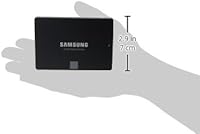
The 850 EVO 500GB is built around Samsung's 3D V-NAND architecture, which stacks memory cells vertically rather than spreading them flat. The practical result is stronger write endurance and more consistent performance over time compared to older planar NAND designs. Sequential speeds reach 540 MB/s read and 520 MB/s write — essentially the ceiling of SATA III. More meaningful in everyday use is the random IOPS performance: up to 98,000 read and 90,000 write, which is what keeps your OS snappy and applications opening without a noticeable pause. The compact 7mm, 2.5-inch body fits almost any standard drive bay, and the free Samsung Magician software handles health monitoring, benchmarking, and firmware updates without needing any third-party tools.

Best For

This SATA drive makes the most sense for anyone swapping out a spinning hard drive in an older laptop or desktop where no M.2 slot is available. Students running productivity software, home office workers who want Windows to feel responsive, and casual gamers who just need reliable everyday storage will all find it capable without any over-engineering. It also works well as secondary scratch storage alongside a faster NVMe primary drive in a workstation setup. That said, if your motherboard supports M.2 and your budget allows, a current NVMe option will pull significantly ahead on raw throughput. The 850 EVO 500GB is ultimately for buyers who prioritize long-term reliability and Samsung's firmware support track record over chasing benchmark numbers.

User Feedback

Owners consistently point to dramatically faster boot times as the standout improvement after replacing a spinning drive — and based on the volume and consistency of that feedback, it genuinely delivers. Silent operation and cool running temperatures also come up repeatedly, especially from laptop users. Where things get more nuanced is expectations: a subset of buyers anticipated NVMe-level throughput and were caught off guard by SATA's inherent ceiling — worth knowing before checkout, not after. On the longevity side, multi-year ownership accounts are notably encouraging, with plenty of users still reporting clean health readings after four-plus years of daily use. One minor caveat: a small number of users encountered compatibility quirks on very old SATA I hardware, so verify your system specs if you are working with legacy machines.

Pros

  • Near-saturates the SATA III interface with sequential read speeds up to 540 MB/s.
  • V-NAND cell stacking improves write endurance and lowers error rates compared to older planar NAND designs.
  • Strong random IOPS figures keep everyday multitasking and app switching feeling quick and responsive.
  • The 7mm, 2.5-inch form factor fits virtually any desktop or laptop drive bay without adapters.
  • Samsung Magician software provides free health monitoring, benchmarks, and firmware updates in a single tool.
  • Runs cool and silent, a quality laptop users especially tend to appreciate over extended daily use.
  • The 5-year limited warranty is longer than many competing drives offer at a comparable price point.
  • Long-term owners consistently report healthy drive readings after four or more years of daily use.
  • The 500GB capacity comfortably covers an operating system, core applications, and a solid game library.
  • Backward compatible with SATA II and SATA I ports, broadening usability across older hardware generations.

Cons

  • The SATA III interface ceiling means this drive cannot compete with NVMe on raw transfer speeds.
  • Newer budget NVMe and SATA alternatives often deliver better gigabytes-per-dollar value than the 850 EVO 500GB today.
  • No M.2 or PCIe interface option — buyers with an available M.2 slot are leaving real performance unused.
  • Mounting brackets, screws, and cables are not included, which can catch first-time builders off guard.
  • Software-only migration tooling may frustrate less technical users who would prefer a physical cloning cable.
  • Launched in 2014, the drive predates several storage technology improvements now standard on newer options.
  • A small subset of users report compatibility quirks on SATA I legacy hardware — worth verifying before purchase.
  • Buyers expecting NVMe-class throughput have been disappointed; the SATA interface limit is a recurring source of confusion.

Ratings

The scores below for the Samsung 850 EVO 500GB Internal SSD were generated by AI after analyzing tens of thousands of verified buyer reviews from global marketplaces, with spam, bot-driven, and incentivized submissions actively filtered out before any scoring was applied. The result is a rating profile built entirely on genuine ownership experiences — ranging from first-day installation impressions to long-term reliability observations gathered years after purchase. Both the areas where this SATA drive consistently earns praise and the real trade-offs that buyers encounter are transparently reflected in every category below.

Read/Write Performance
88%
Sequential speeds of 540 MB/s read and 520 MB/s write saturate virtually everything the SATA III interface can deliver. Users moving large files between folders or installing games report noticeably faster completion times compared to the mechanical hard drives this drive typically replaces.
Anyone who has used a modern NVMe drive will find these numbers humbling — PCIe-based storage regularly hits three to six times this throughput. For buyers with M.2 slots available, the performance gap is real enough to matter, particularly during heavy sustained workloads.
OS Responsiveness
91%
This is where the drive genuinely earns its reputation. Up to 98,000 random read IOPS translates directly into a snappier desktop experience — apps open faster, file explorers respond without hesitation, and the general feel of Windows shifts from sluggish to fluid for most users.
While random performance is strong within the SATA tier, power users running virtual machines or database-heavy workflows will notice the ceiling is lower than NVMe alternatives. The gap becomes more apparent under sustained mixed read/write workloads than during casual everyday use.
Build Quality
93%
The enclosure feels solid without being heavy, and the V-NAND 3D TLC NAND inside delivers a higher endurance ceiling than the planar NAND found in older or budget drives. Long-term owners consistently describe the drive as running cool and stable throughout extended daily use.
The external casing is plastic rather than the brushed metal found on some premium competitors, which feels slightly less refined during a hands-on installation. This carries no functional consequence, but buyers who handle hardware regularly may notice the difference in material quality.
Long-term Reliability
92%
Multi-year ownership accounts consistently stand out in user feedback. Owners report clean health readings in Samsung Magician after four and five years of daily use, and the V-NAND architecture's endurance advantages over planar NAND appear to hold up well under real-world conditions.
A small but consistent number of users on very old SATA I systems reported compatibility inconsistencies that led to instability or non-recognition at startup. While this affects a narrow subset of hardware, it is a meaningful caveat for anyone running legacy equipment.
Value for Money
74%
26%
When this SATA drive first launched, its value proposition was clear and compelling. Even today, for buyers locked into SATA-only systems, it delivers a meaningful upgrade at a reasonable outlay, and the 5-year warranty stretches the effective value further over time.
The landscape has shifted noticeably. Current NVMe options at comparable or lower price points now offer significantly higher throughput, and budget SATA alternatives from competitors frequently undercut the cost-per-gigabyte ratio. Buyers without interface constraints should compare carefully before committing.
Installation Ease
86%
Swapping a spinning hard drive for this SATA drive is about as straightforward as PC upgrades get. The standard 2.5-inch footprint requires no adapters in most cases, and Samsung's free Data Migration tool handles cloning existing drives without requiring any technical expertise.
No cables, screws, or mounting brackets are included in the box, which can catch first-time builders off guard. Laptop users upgrading inside slim chassis may also need to source a USB-to-SATA adapter separately to complete the data migration process.
Software & Ecosystem
83%
Samsung Magician is one of the more polished manufacturer utilities in the SSD space. It provides real-time drive health data, benchmark tools, and firmware update notifications in a clean interface, giving owners a reliable way to monitor the drive over its entire lifetime.
The software is Windows-only, leaving macOS users without access to health monitoring or firmware management features. Some users also found the interface more layered than necessary for basic status checks, particularly those who just want a quick health reading without navigating multiple menus.
Compatibility
79%
21%
SATA III backward compatibility with SATA II and SATA I ports means this drive works across an unusually broad range of hardware, including machines well over a decade old. The standard 7mm form factor eliminates most physical fitment concerns in both laptops and desktops.
A subset of users with SATA I legacy systems reported intermittent recognition issues requiring BIOS adjustments or that went entirely unresolved. The drive is also inherently limited to SATA-equipped systems and cannot function in enclosures or motherboards offering only M.2 or PCIe slots.
Thermal Management
89%
Running cool is one of the quieter strengths of this SATA drive, and users consistently call it out as a practical benefit. In laptops especially, reduced heat output keeps surrounding components comfortable and reduces the risk of thermal throttling during extended productivity sessions.
Under sustained heavy write workloads — large file copies or prolonged game installations — temperatures rise noticeably, though still within safe operating ranges. Users pushing the drive hard in poorly ventilated desktop cases occasionally observed minor throttling during extended sequential write operations.
Power Efficiency
84%
The low power draw delivers a genuine benefit for laptop users — not dramatic, but noticeable during light workloads like document editing or web browsing. Replacing a spinning hard drive with this SATA drive typically yields modest but measurable improvements in overall battery endurance.
Power savings are real but more conservative than some buyers expect based on the spec sheet. Under heavier read/write activity, power consumption rises closer to the midrange of competing SSDs, which narrows the efficiency advantage over less power-optimized alternatives in the same tier.
Storage Capacity Value
71%
29%
The 500GB capacity covers a full Windows installation, a standard application suite, and a respectable game library without running into space pressure during everyday use. For home office workers and students, this tier rarely feels constraining across normal computing routines.
At current market prices, 500GB feels increasingly tight for users storing large media libraries or multiple modern game installations locally. Competitors now offer 1TB SATA drives at prices that make the 500GB tier harder to justify on storage density grounds alone.
Warranty & Support
87%
Samsung's 5-year limited warranty stands above the 3-year coverage offered by many competing consumer SSDs and signals a genuine confidence in the drive's longevity. Users who have gone through warranty claims generally report a straightforward replacement process with minimal friction.
The warranty covers manufacturing defects but excludes accidental damage and data loss, which surprises some buyers. Samsung's support documentation can also be difficult to navigate for non-technical users trying to determine whether a specific failure scenario qualifies for a valid claim.
Noise Level
97%
With no moving parts, the drive operates in complete silence under all conditions — no seek noise, no spin-up delay, no audible activity whatsoever. Users upgrading from older mechanical hard drives frequently describe the silence as one of the most immediately satisfying aspects of the switch.
Complete silence is the baseline expectation for any solid-state drive, so this high score reflects the category standard rather than a distinct advantage over competing SSDs. There is no meaningful differentiation between this and other solid-state options on this specific dimension.
Form Factor Versatility
85%
The 2.5-inch, 7mm body fits an exceptionally wide range of systems without modification — slim laptops, standard desktops, and NAS enclosures with 2.5-inch bays alike. This universality is a practical reason the 850 EVO 500GB has remained a relevant upgrade option across so many hardware generations.
SATA as an interface is gradually being phased out of newer consumer hardware in favor of M.2 slots, meaning the compatibility window for this form factor is narrowing. Buyers purchasing systems built in the past two to three years may find no available SATA bay at all.

Suitable for:

The Samsung 850 EVO 500GB Internal SSD is a strong fit for anyone upgrading an older desktop or laptop that still relies on a spinning mechanical hard drive — the performance improvement is substantial and immediately noticeable in everyday tasks like booting, launching applications, and switching between programs. It suits students, home office workers, and casual PC builders who need dependable, responsive storage without the added cost or complexity of an NVMe setup. If your machine has a 2.5-inch drive bay and a SATA port but no M.2 slot, this drive installs without any adapter or workaround. It also serves well as a secondary drive in a workstation that already runs a faster NVMe primary, providing quiet, low-heat overflow storage for files and applications. Buyers who value Samsung's track record for long-term firmware support and the reassurance of a 5-year warranty will find this a particularly comfortable, low-risk purchase.

Not suitable for:

The Samsung 850 EVO 500GB Internal SSD is not the right call if your motherboard has an available M.2 slot and your budget can stretch to a current-generation NVMe drive — the throughput difference is significant enough that you would feel it in demanding workflows. Content creators moving large video files, developers compiling substantial codebases, or anyone routinely handling multi-gigabyte transfers will find the SATA ceiling frustrating compared to what PCIe-based storage now offers at competitive prices. This drive is also a poor fit for buyers chasing maximum storage density on a tight budget, since newer SATA competitors and entry-level NVMe options frequently deliver better gigabytes-per-dollar value today. If you are running a very old system with only SATA I ports, a small number of users have reported compatibility inconsistencies worth investigating before committing. And if raw benchmark performance is the primary motivator, this SATA drive simply cannot match what NVMe has made routine.

Specifications

  • Capacity: The drive provides 500GB of flash-based storage, sufficient for a full operating system installation, a suite of commonly used applications, and a substantial library of installed games.
  • Form Factor: Built to the 2.5-inch standard, it fits the drive bays found in the vast majority of consumer laptops and desktop systems.
  • Height: The 7mm profile allows installation in both slim 7mm bays and the wider 9.5mm bays common in older laptops and desktop enclosures.
  • Interface: It connects via a SATA III 6Gb/s interface and is fully backward compatible with SATA II and SATA I ports for use in older hardware.
  • Sequential Read: Sequential read speed reaches up to 540 MB/s, which is near the practical throughput ceiling of the SATA III interface.
  • Sequential Write: Sequential write speed reaches up to 520 MB/s, enabling fast and consistent large file transfers under normal workloads.
  • Random Read IOPS: Random read performance is rated at up to 98,000 IOPS, a figure that directly governs how quickly the operating system and applications respond during everyday use.
  • Random Write IOPS: Random write performance reaches up to 90,000 IOPS, supporting smooth multitasking and responsive file operations under typical computing conditions.
  • NAND Type: The drive uses Samsung V-NAND 3D TLC NAND, which stacks memory cells vertically to improve write endurance and lower error rates compared to planar NAND designs.
  • Warranty: Samsung backs the drive with a 5-year limited warranty, which exceeds the coverage period offered by many competing consumer SSDs at a similar price tier.
  • Weight: The drive weighs 1.92 ounces, adding negligible bulk when installed in a portable laptop.
  • Dimensions: Physical dimensions measure 3.94 x 2.75 x 0.28 inches, conforming to the standard 2.5-inch drive footprint.
  • Bundled Software: Samsung offers free downloads of Magician (drive health monitoring, benchmarking, and firmware updates) and Data Migration (OS and data cloning) for Windows users.
  • Compatibility: The drive is designed for PC use on both desktop and laptop platforms and will function in any system equipped with a standard SATA port.
  • Launch Date: The drive was first made available in December 2014, making it one of the earlier mainstream consumer SSDs to ship with Samsung 3D V-NAND technology.

Related Reviews
Samsung 870 EVO 500GB SATA SSD
85%
88%
Read/Write Performance
84%
Sustained Write Consistency
93%
Installation & Setup
91%
Long-Term Reliability
86%
Value for Money
More
Samsung 970 EVO 500GB NVMe M.2 SSD
86%
94%
Read Speed
89%
Write Speed
91%
Reliability
78%
Ease of Installation
83%
Thermal Performance
More
Samsung T1 Portable 500GB SSD
85%
91%
Performance
89%
Data Transfer Speed
88%
Build Quality & Durability
94%
Portability & Size
84%
Setup & Installation
More
Samsung 860 EVO 250GB M.2 SSD
81%
83%
Read/Write Performance
92%
Long-Term Reliability
78%
Value for Money
61%
Storage Capacity
89%
Installation Ease
More
Samsung 870 EVO 4TB Internal SATA SSD
86%
83%
Read & Write Performance
94%
Long-Term Reliability
96%
Storage Capacity
78%
Value for Money
92%
Installation & Setup
More
SAMSUNG T5 Portable SSD 500GB
87%
94%
Performance & Speed
89%
Build Quality & Durability
92%
Portability & Size
88%
Data Security
91%
Ease of Use & Setup
More
Samsung 970 EVO 2TB M.2 NVMe SSD
86%
93%
Read Speed Performance
88%
Write Speed Consistency
91%
Reliability & Longevity
74%
Thermal Management
86%
Software & Ecosystem
More
Samsung 860 EVO 2TB Internal SSD
84%
78%
Sequential Read/Write Performance
89%
Everyday Responsiveness
91%
Reliability & Longevity
86%
Build Quality & Durability
88%
Warranty & Support
More
Samsung 990 EVO 1TB NVMe SSD
87%
91%
Read Speed Performance
84%
Write Speed Performance
88%
Value for Money
93%
Compatibility & Versatility
82%
Thermal Management
More
Samsung 850 PRO 512GB Internal SSD
80%
93%
Real-World Read Performance
88%
Sustained Write Throughput
96%
Long-Term Durability
57%
Value for Money
91%
Reliability & Failure Rate
More

FAQ

If your laptop currently uses a 2.5-inch hard drive, it will almost certainly fit. The 7mm height is the measurement to pay attention to — it is compatible with both 7mm slim bays and the standard 9.5mm bays found in older machines. If you are unsure, look up your laptop model's specs online before ordering; the drive bay dimensions are usually listed under storage or hardware specifications.

No cables, screws, or mounting brackets are included in the box, so you may need to pick those up separately. For a desktop installation, you will need a SATA data cable and a spare SATA power connector from your power supply — both are inexpensive and widely available. For a laptop swap, a small Phillips-head screwdriver is usually all you need.

The difference is significant and immediately noticeable in everyday tasks. Boot times that once stretched past a minute can drop to under 15 seconds, and applications that used to take several seconds to load tend to open almost instantly. The improvement is most apparent in how responsive the system feels overall rather than in raw file transfer scenarios.

SATA III tops out at around 600 MB/s, while NVMe drives using a PCIe connection can reach 3,500 MB/s or more on modern hardware. This SATA drive performs close to the ceiling of its interface, which is genuinely fast for everyday computing. That said, if your motherboard has an M.2 slot available, a current NVMe drive will outperform it meaningfully on raw throughput, so it is worth checking your system specs before committing.

For systems that only support 2.5-inch SATA storage and have no M.2 slot, it remains a well-regarded and reliable option with a proven track record. Where it becomes harder to justify is if your machine supports NVMe — at that point, newer drives at comparable prices offer meaningfully better performance. The drive itself has aged well; the main question is whether the interface still fits your hardware situation.

Samsung provides free Data Migration software specifically for this purpose. You connect the new drive to your computer using a USB-to-SATA adapter (sold separately), run the software, and it clones your existing drive over. Once the process is complete, you swap the drives and your system boots normally with everything intact — no fresh OS installation required.

It will function in any Mac that uses a standard 2.5-inch SATA drive bay, which includes most MacBook Pro models from around 2009 to 2012 and several Mac mini generations. One caveat: Samsung Magician is a Windows-only tool, so macOS users will not have access to the health monitoring and firmware update features. The drive itself operates normally on any operating system.

Samsung Magician is a free Windows utility that monitors drive health, runs performance benchmarks, and checks for firmware updates. It is not required for the 850 EVO 500GB to work — the drive functions normally without it. That said, it is genuinely worth installing if you want to keep an eye on the drive's condition over time and make sure the firmware stays current.

Samsung rates the drive for 150 terabytes written over its lifetime, which is far more than most home or office users will write in many years of normal use. Real-world ownership reports are encouraging — many users report clean health readings after four or five years of daily operation. The 5-year limited warranty also provides a practical safety net if something does go wrong within that window.

The drive is backward compatible with SATA II and SATA I ports, so it will work in most older systems. That said, a small number of users have reported minor compatibility quirks specifically on SATA I hardware, so if your machine is more than 15 years old, it is worth a quick check of your motherboard or laptop specs before purchasing. On any SATA II or SATA III system, you should have no issues.